A lead generation website is built to turn the right visitors into qualified prospects, and make it easy for your team to follow up. It connects clear messaging, useful proof, relevant calls to action, working forms, CRM routing, and measurement. A lead generation website is essential for maximizing your online presence.
If your website looks polished but rarely produces sales conversations, the problem may not be its appearance. Buyers may not understand what you offer, see enough evidence to trust you, know what to do next, or receive a timely response after contacting you. A redesign helps only when it fixes the parts of the system that are getting in the way.
Lead-generation website vs. brochure website
A brochure site is mainly there to present information about a business. A lead-generation site also guides visitors toward a useful next step, and captures enough context to help sales act on it.
Understanding the difference between a brochure website and a lead generation website can significantly impact your business’s success.
| Brochure website | Lead-generation website |
|---|---|
| Describes the company and its services | Connects buyer needs to specific solutions |
| Uses broad, general pages | Gives important audiences and services clear page paths |
| Often relies on a generic Contact page | Offers relevant next steps throughout the buyer journey |
| Shows claims, but may offer little supporting proof | Uses relevant case studies, results, testimonials, and process details |
| Collects messages in an inbox | Sends submissions and source details to the right CRM owner |
| Tracks visits and page views | Tracks qualified leads, sales conversations, pipeline, and revenue |
This is the difference between a website that is online and a conversion-focused website that helps a buyer make progress.
What a lead-generation website includes
A website does not generate qualified leads just because it has a contact form. It needs a connected set of decisions and tools.
1. Buyer journey mapping and page roles
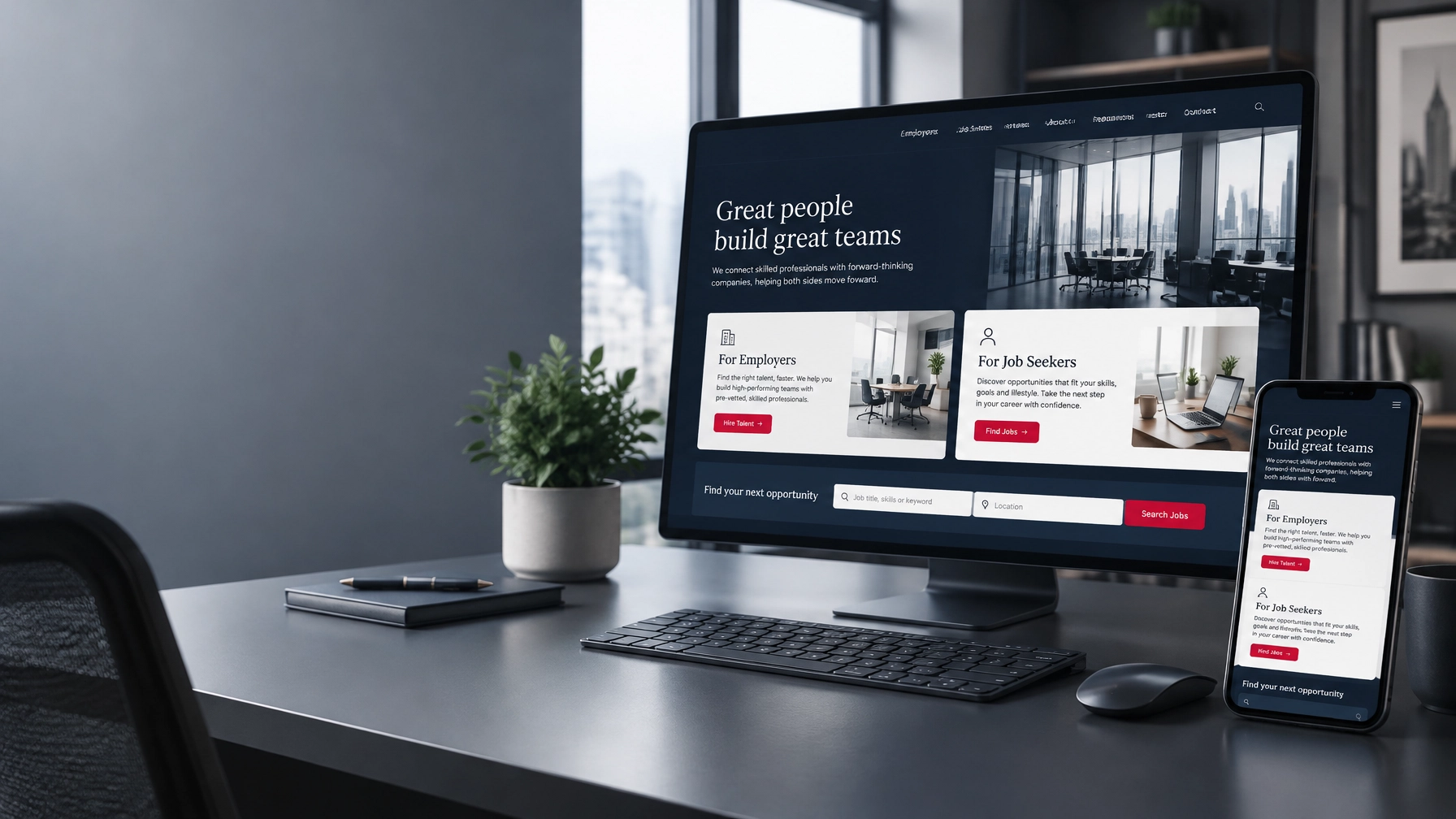
First, decide who the site needs to reach and what those visitors need to know before contacting you. A manufacturer may need pages for product categories, industries served, specifications, and quote requests. A staffing company may need distinct routes for employers and job seekers. A GovTech SaaS company may need to answer questions about security, implementation, procurement, and support.
Each important page should have a job: explain a service, show how a solution works, answer a buying question, build trust, or help a visitor take action. Organize the site around buyer needs, not only your internal departments.
2. Clear messaging and relevant proof
A visitor should be able to tell quickly who you serve, what you help them do, and why your company is a credible choice. Then support those claims with evidence: relevant customer stories, specific results, testimonials, certifications, or a clear explanation of your process.
For example, Appture’s website portfolio includes projects for industrial, staffing, technology, and public-sector organizations. Its featured results include 500,000+ users grown on ApartmentCareers.com and go-to-market campaign outcomes of $90M in contracts for Auth-Florence / Gibraltar Industries and $12.8M in sales for IThinQware. These are project and campaign outcomes, not a promise that a website alone produces the same result.

Ajax Tools is an industrial example from Appture’s portfolio. Its project included product cross-referencing and search capabilities.
3. Conversion paths that fit buyer intent
Not every visitor is ready to book a sales call. Give people a sensible next step based on what they are trying to do. That might be a quote request for a high-intent buyer, a demo for someone evaluating software, or a useful guide or case study for someone still researching.
Keep the action clear. “Request a quote” or “Book a 20-minute consultation” tells people what will happen; “Submit” does not. Forms should ask only for information your team will use to qualify, respond, or route the inquiry. A long form can discourage submissions, while a form that asks too little may leave sales without useful context.
4. CRM routing and follow-up
A lead form is only the start of the handoff. Submissions should reach the right CRM, include relevant details such as the source or page visited, and be assigned to an owner or monitored queue. Define what happens next: who follows up, how quickly, and what to do when a submission is incomplete or outside your service area.
Without that process, a website can collect leads without creating sales conversations. This guide to lead-generation handoffs explains why the connection between marketing and sales matters.
5. SEO, AI search, and measurement
Search foundations help the right buyers discover and understand your pages. That includes useful content matched to buyer questions, clear site structure, mobile usability, page speed, internal links, redirects, and analytics. Structured data can also help search engines interpret your content. Strong, accessible pages give AI tools like ChatGPT and Google’s AI answers a better chance to find and cite you, though no technique can guarantee a citation.
Track more than traffic and raw form fills. Measure whether inquiries fit your target market, whether sales accepts them, how many become meetings or opportunities, and which pages and sources contribute to pipeline. Appture’s SEO strategy for lead generation covers the connection between search visibility and business outcomes.
Lead-generation website examples: what to look for
Useful examples are not just attractive designs. Look for pages that make the audience, offer, proof, and next action easy to understand. An industrial site might pair searchable product information with a request-for-quote path. A staffing site may separate employer inquiries from candidate resources. A SaaS site may connect use cases and customer evidence to a demo request.

ApartmentCareers.com is a recruitment platform example. Appture reports growing its network to more than 500,000 users.
A 10-minute website lead-generation check
Open your site on a phone and run through this checklist:
- In the first few seconds: Can you tell who the business serves and what it helps them achieve?
- On a service page: Is the offer specific, and is there a clear next step?
- For each key audience: Is there a page that speaks to its questions and needs?
- For proof: Can you find relevant examples, customer evidence, or concrete results?
- For forms: Do they work, ask for only useful information, and confirm what happens next?
- For follow-up: Do submissions reach the right person or CRM, not just an inbox no one checks?
- On mobile: Is the site readable, quick to use, and easy to contact?
- For measurement: Can your team identify qualified inquiries and connect them to a source?
If several answers are “no” or “not sure,” the issue may be messaging, page structure, proof, form usability, or follow-up, not simply the visual design. If the site gets very little relevant traffic, conversion work alone may not solve the problem; you may also need an SEO or demand-generation plan.
What does a lead-generation website cost?
Cost depends on how much strategy, content, design, development, and integration the project requires. A small refresh is different from a custom site with multiple audiences, complex product data, or CRM workflows.
| Project type | Appture pricing anchor | Typical scope considerations |
|---|---|---|
| Website refresh or conversion sprint | From $2,500 | Sharper messaging, UX or technical cleanup, and focused conversion improvements |
| Custom lead-generation website | From $7,500 | Strategy, buyer paths, copy, custom design, development, SEO foundations, and lead tracking |
| Complex portal or e-commerce build | Custom scoped | Multiple audiences, custom databases or APIs, advanced functionality, and commerce requirements |
The final scope depends on the number and complexity of pages, content needs, integrations, migration work, and the functionality your team needs. A typical custom website project takes 8–14 weeks. Before investing, clarify what is included, how leads will be routed, what will be measured, and whether you retain access to your site and accounts.
Appture reports 850+ websites launched since 2002, 40+ years in marketing, and 7 design awards. Clients own 100% of their assets (including their domain, code, accounts, analytics, and tracking) rather than being locked into a proprietary platform.
When is it time to redesign?
A redesign may be worthwhile when the site no longer reflects your business, key buyer paths are missing, the platform makes changes difficult, or technical problems affect usability and search. But a new look alone will not fix unclear positioning, weak proof, broken routing, or slow sales follow-up.
Start with the specific problem: Are the right people finding you? Do they understand the offer? Do they trust it? Can they take action easily? Does the inquiry reach someone who can help? Answering those questions shows whether you need a refresh, a focused conversion sprint, or a more comprehensive build.
Next step: Request a free website review or book a strategy call with Appture Digital Media.



- B2B Demand Generation Agency in Dallas: 2026 Pricing Guide
- Hire a Fractional CMO in Dallas: 2026 Rates & Buyer Guide
- B2B Web Design Agency: WordPress, HubSpot & Webflow 2026
- 10 LinkedIn Post Templates That Turn Comments into B2B Sales Calls
- How to Optimize for AI Search: A Guide for You and Your AI Agent
- How to Manage Multiple Social Media Accounts: 7 Tips to Do It Like a Pro
- AI Citations: 7 Smart Ways to Stay Visible as Answers Shift
- How much does it cost to build a website in 2026?
- Staffing Agency Marketing: Where Your Next Client Is Searching
- The 25 Best AEO/GEO Experts to Follow in 2026