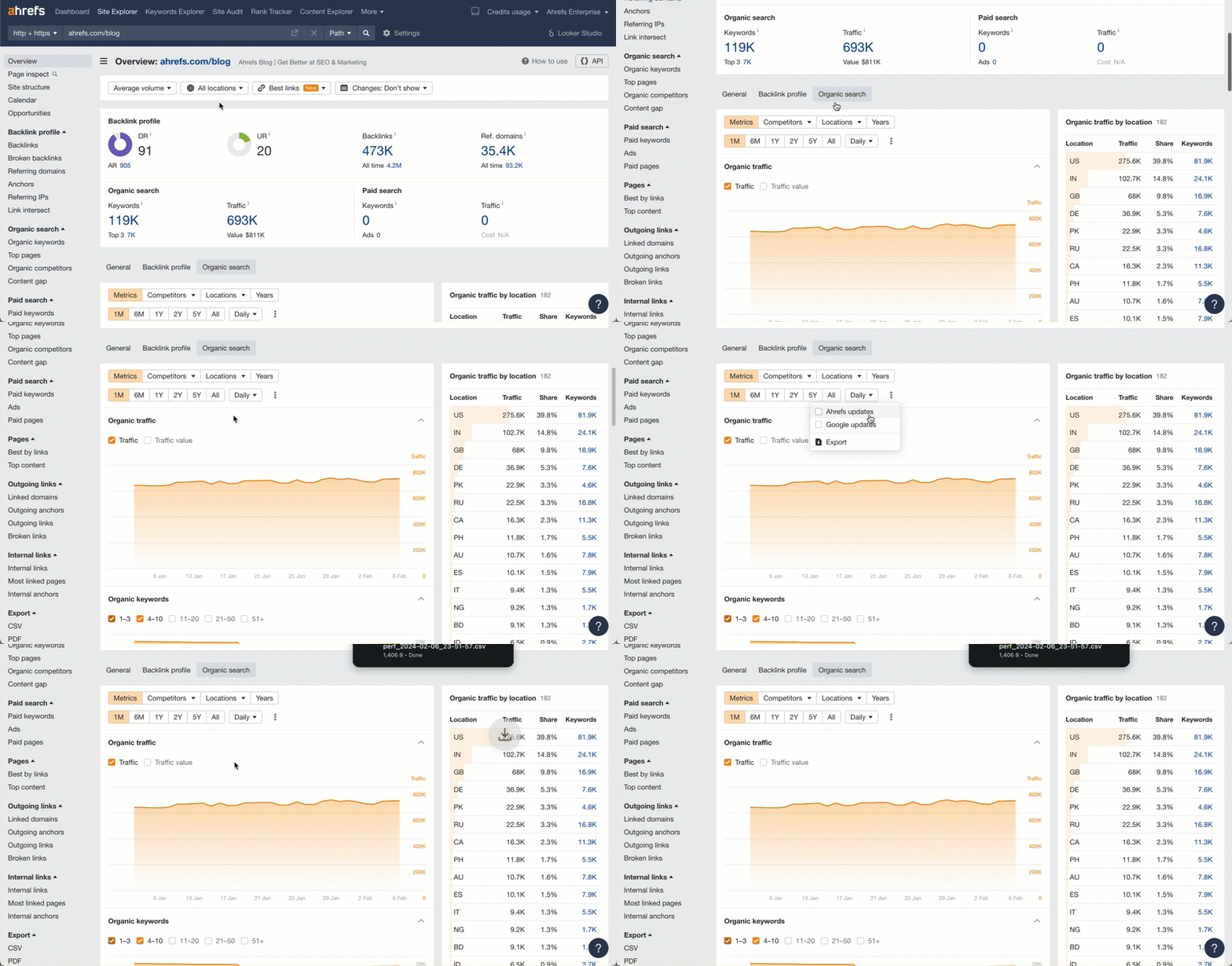
html lang="en-US"> search engine – Page 18 – Appture Digital ~ 855 Get Bizz

Tag: search engine

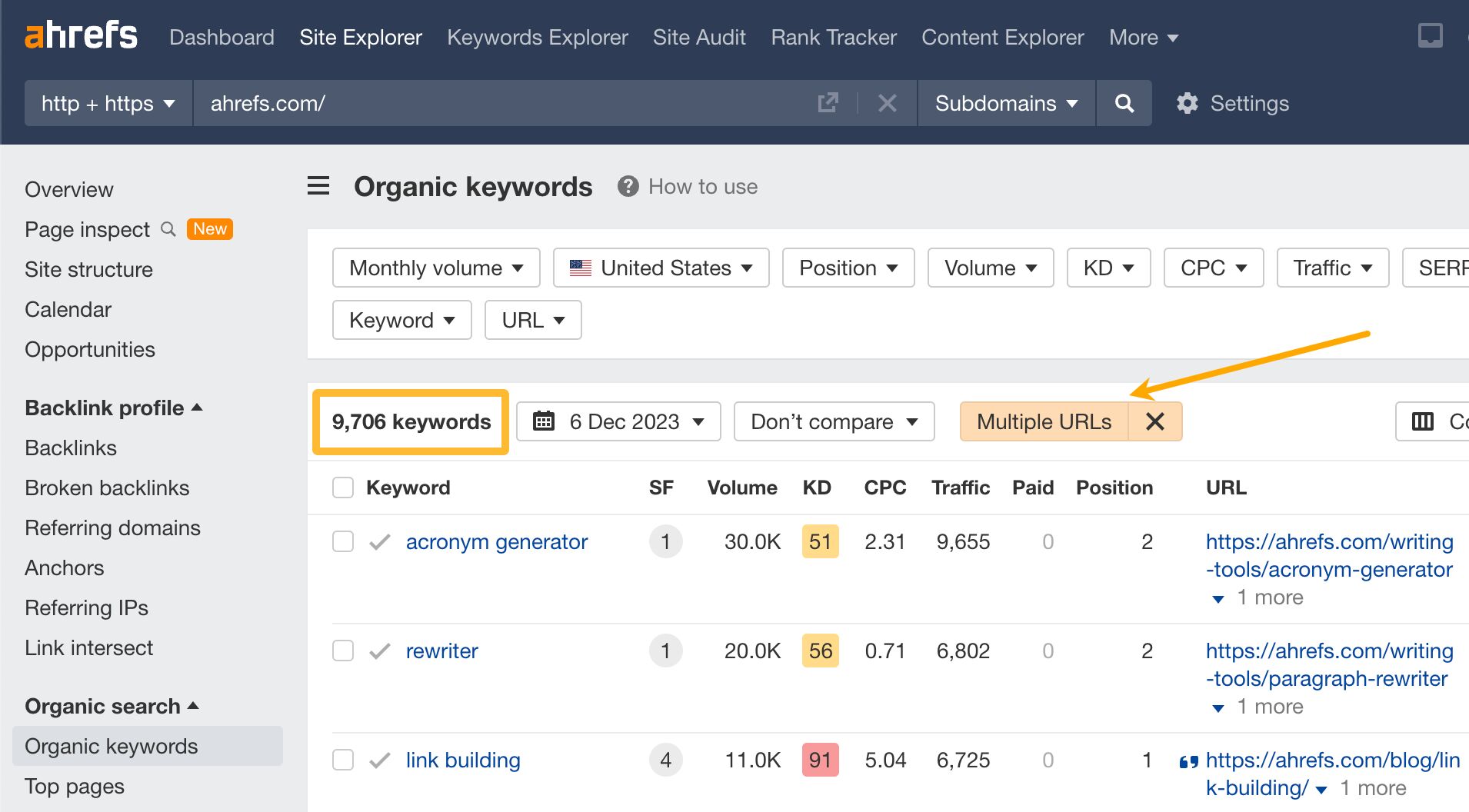
At Ahrefs.com we’ve got 9.7k cases of multiple rankings. It’s when a site ranks for a keyword with more than one page.

Now, classic SEO theory says that if you rank with more than one page for a keyword, it’s a cannibalization issue, and you should fix it.

But when I spent a day carefully reviewing a sample of 80 keywords with multiple rankings, I found only one case that needed action.

So if all other cases were not bad, maybe they were actually good? Moreover, maybe you should target keywords with more than one page to squeeze out more traffic from a keyword?

Keyword cannibalization: bad multiple rankings

Keyword cannibalization is when a search engine constantly exchanges ranking between multiple pages or when multiple pages rank simultaneously for the same keyword but are similar enough to be consolidated.
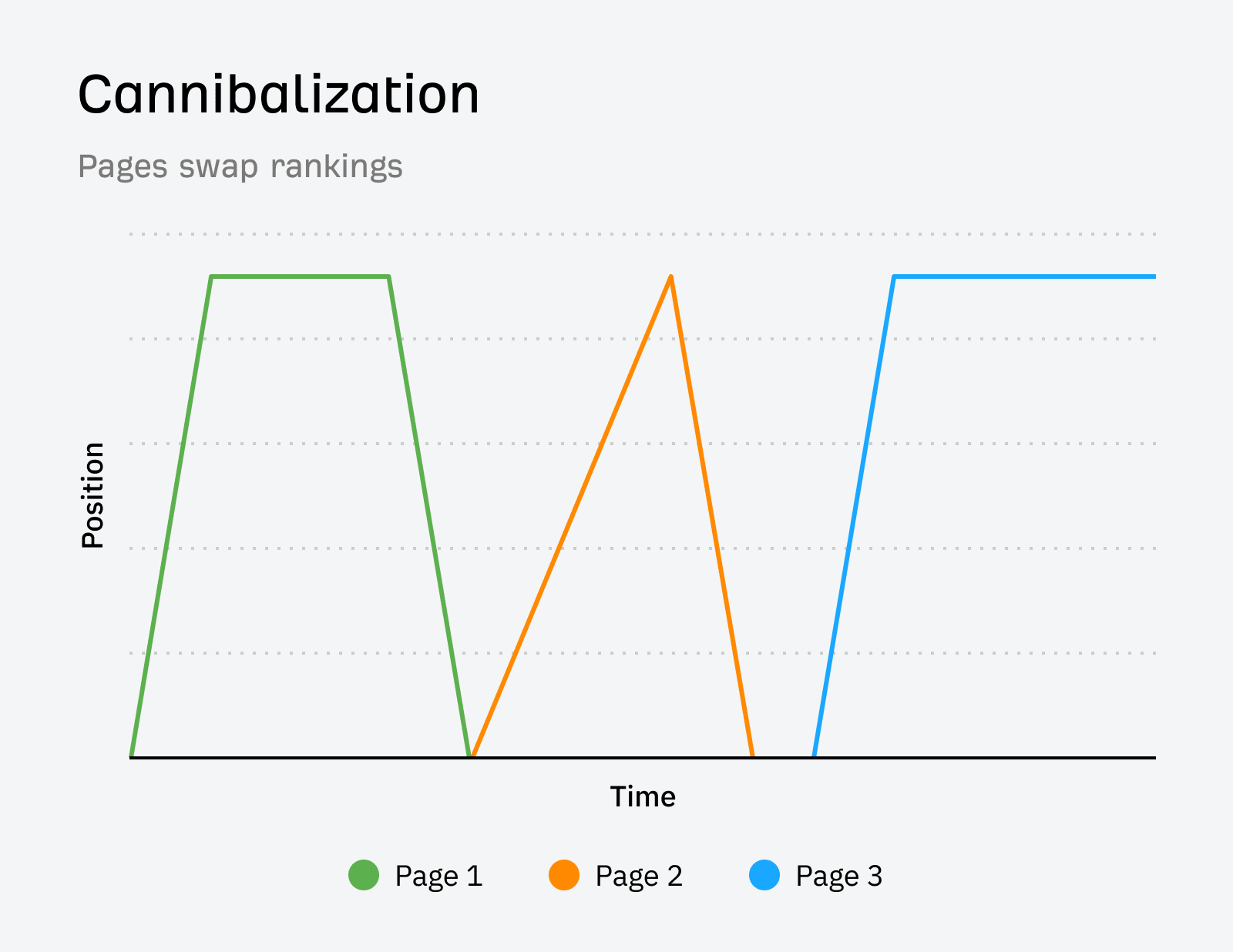
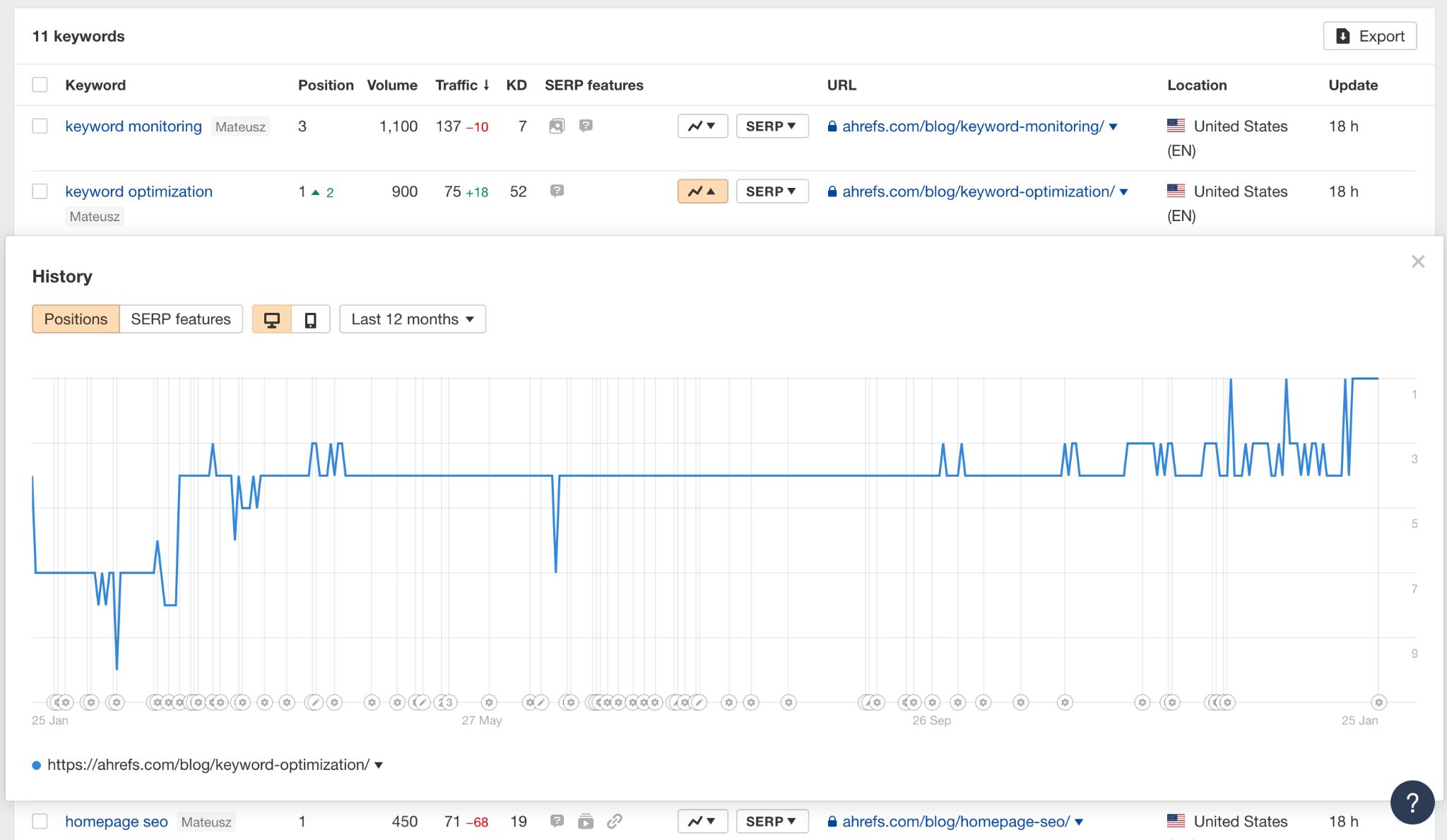
How cannibalization looks on a position history chart.

These cases need fixing because Google will display only one page at a time or you could get more traffic by rolling content under one page.

Example: “seo case studies” 

For the keywords “seo case studies” and “seo case study”, we saw a group of blog posts constantly exchanging rankings in the SERPs.

Although each case study had a different URL, the phrase “case study” in each title and URL may have triggered cannibalization.
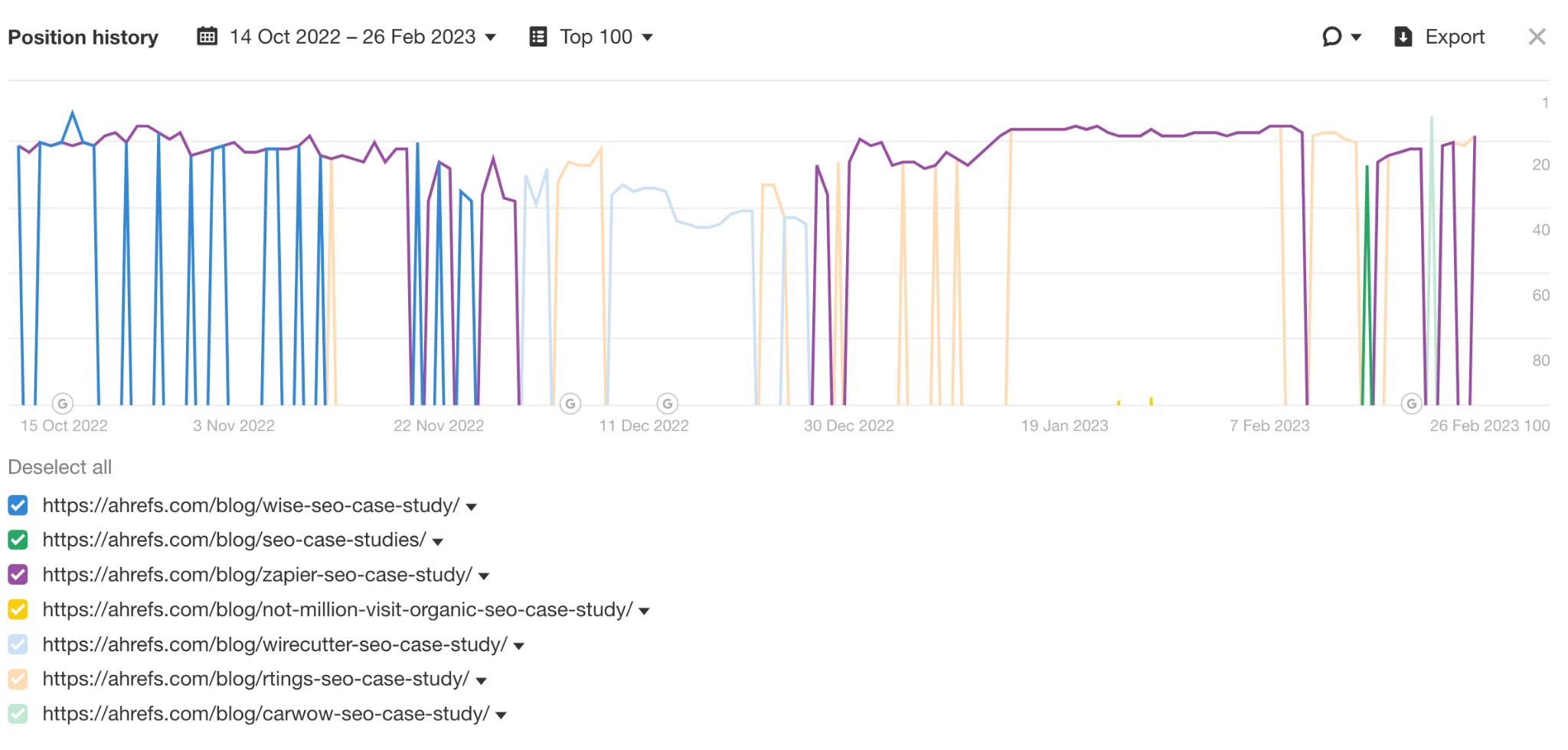
Position history for "seo case studies".

This meant that whenever we published a new case study, the old one was dropped from the SERPs and substituted with the new one.

We fixed the issue by creating a bare-bones pillar page with internal links to all of our case studies. Google ranked the pillar page as the main result with a selection of case studies as site links.

As a result of consolidating, we rank better with one page than we ever did with several. We almost instantly ranked in the top 10 and have remained in the top 3, most of the time giving way only to Google’s page on the same topic. Some of the case studies even ranked as site links to the pillar page.
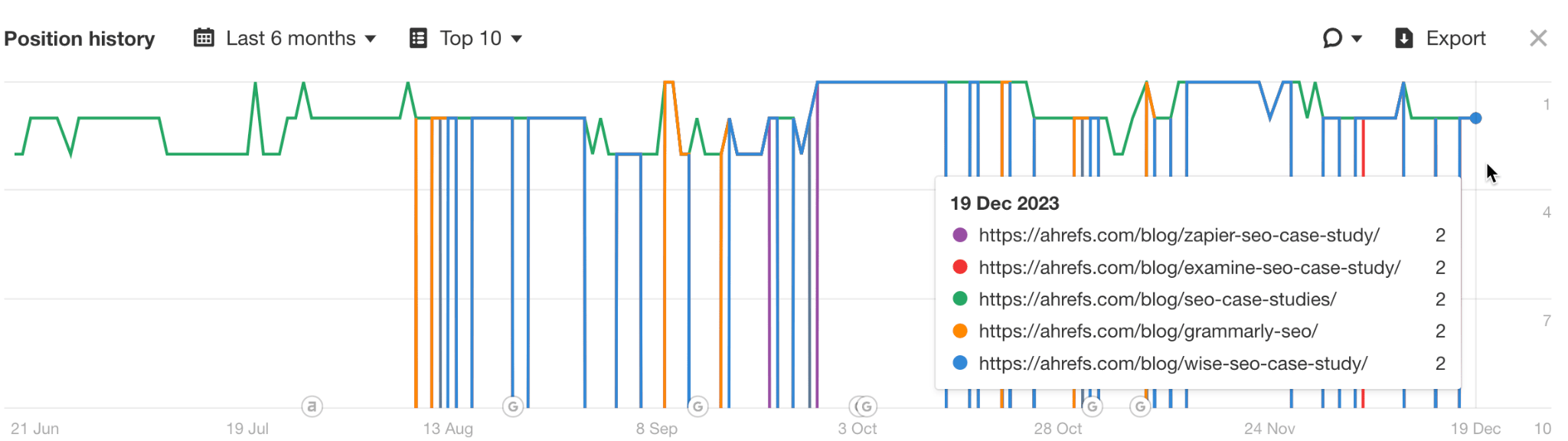
Position history after creating a pillar page.

Example: “broken link building” 

For this keyword, we used to have two guides. As you can see below, these rankings didn’t swap, they ranked simultaneously in the top 10 for a long time.
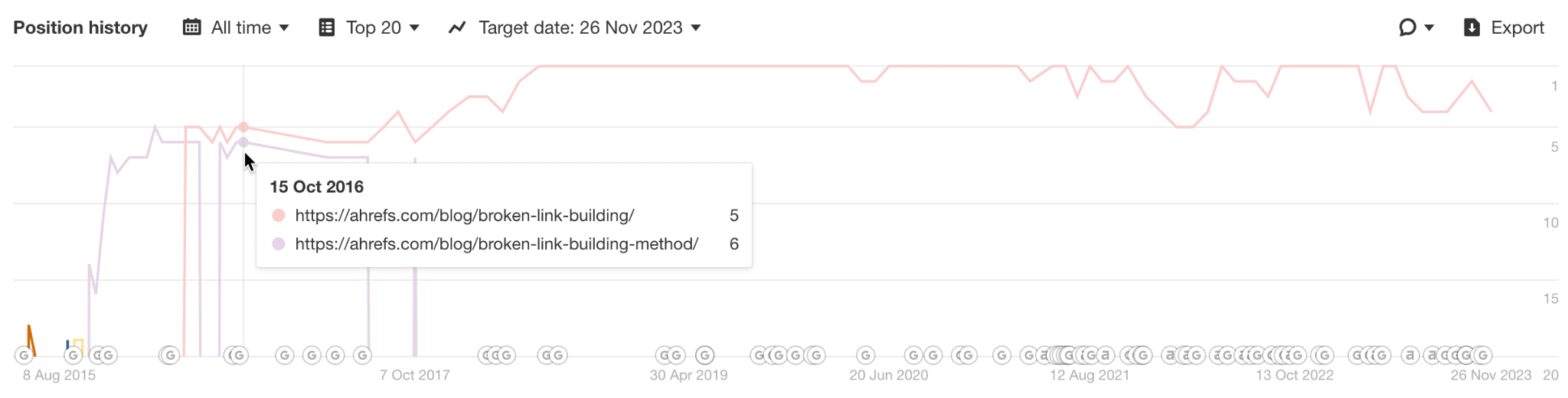
Position history for "broken link building".

However, we managed to improve that result with a new guide that consolidated information from the old guides — this is the long pink line you can see in the chart below.
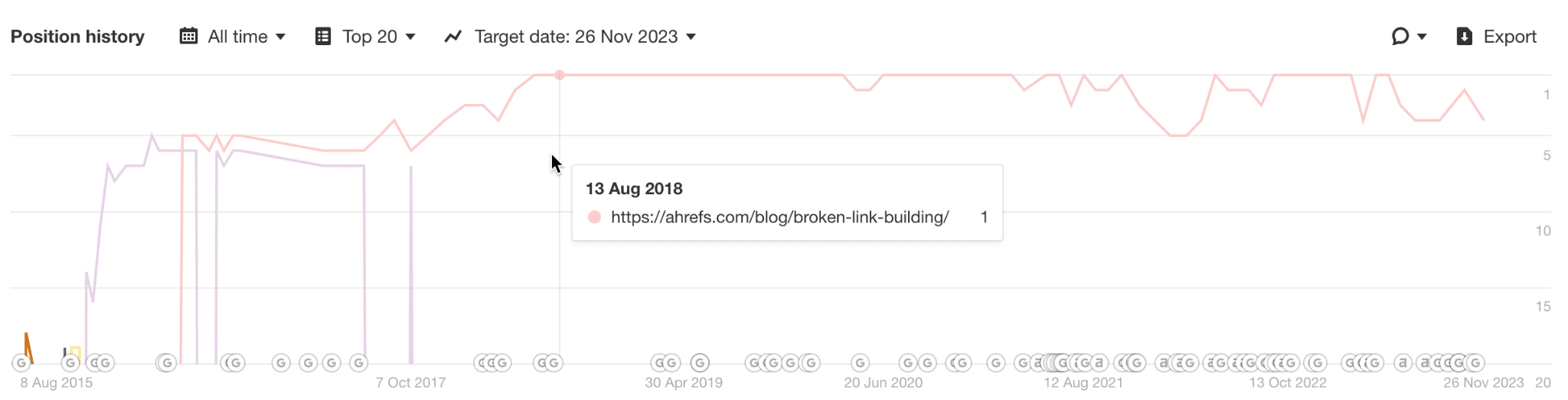
Position history for "broken link building" - after consolidating.

So, this was a case of cannibalization because these pages were close enough in terms of content. In such cases, consolidating content can bring better results.

Further reading

Keyword diversification: good multiple rankings

Keyword diversification is when two or more pages rank for the same keyword simultaneously, and there is likely no benefit in consolidating.
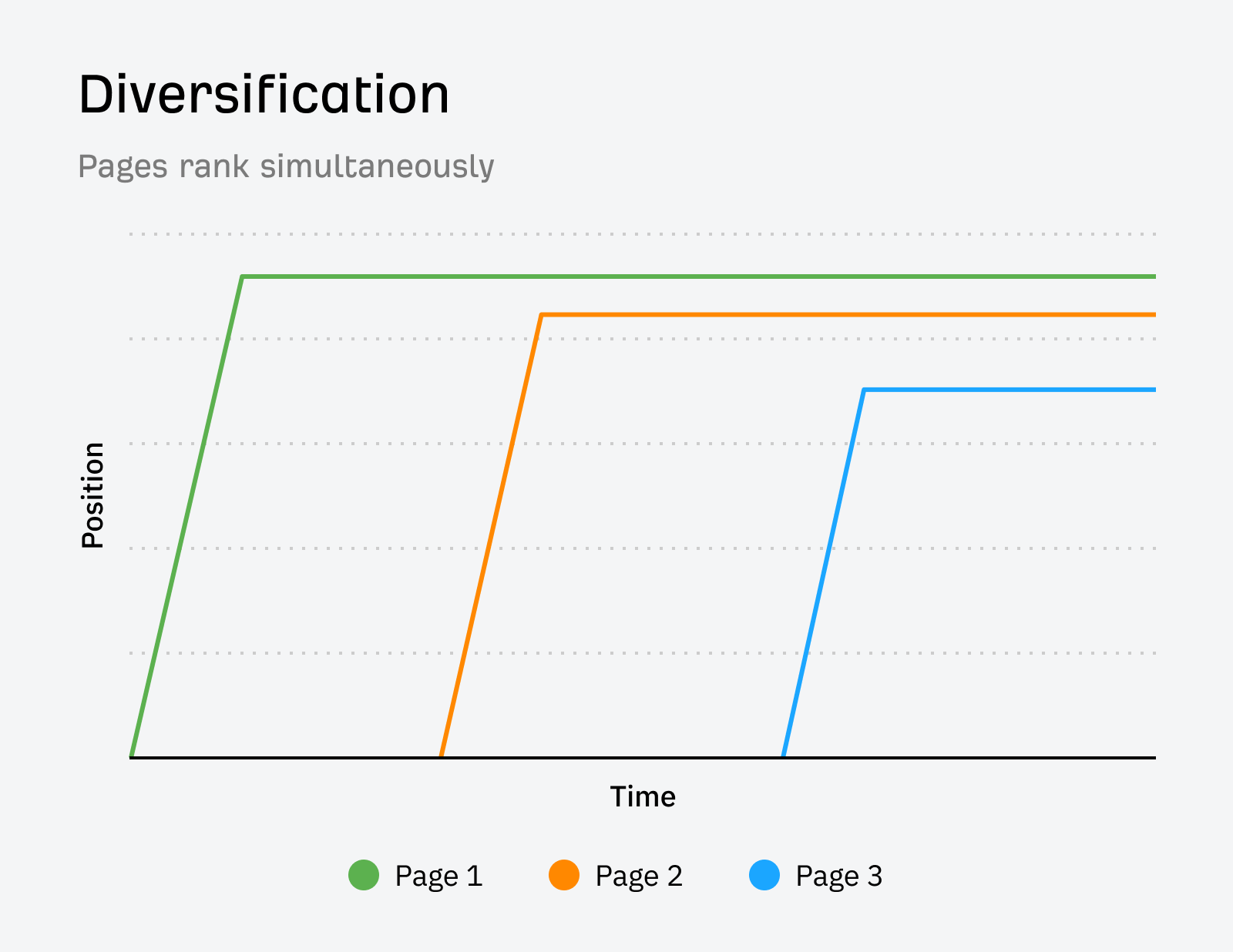
How diversification looks on a position history chart.

There’s nothing to be fixed here. If Google ranked your site more than once, the system rewarded your content.

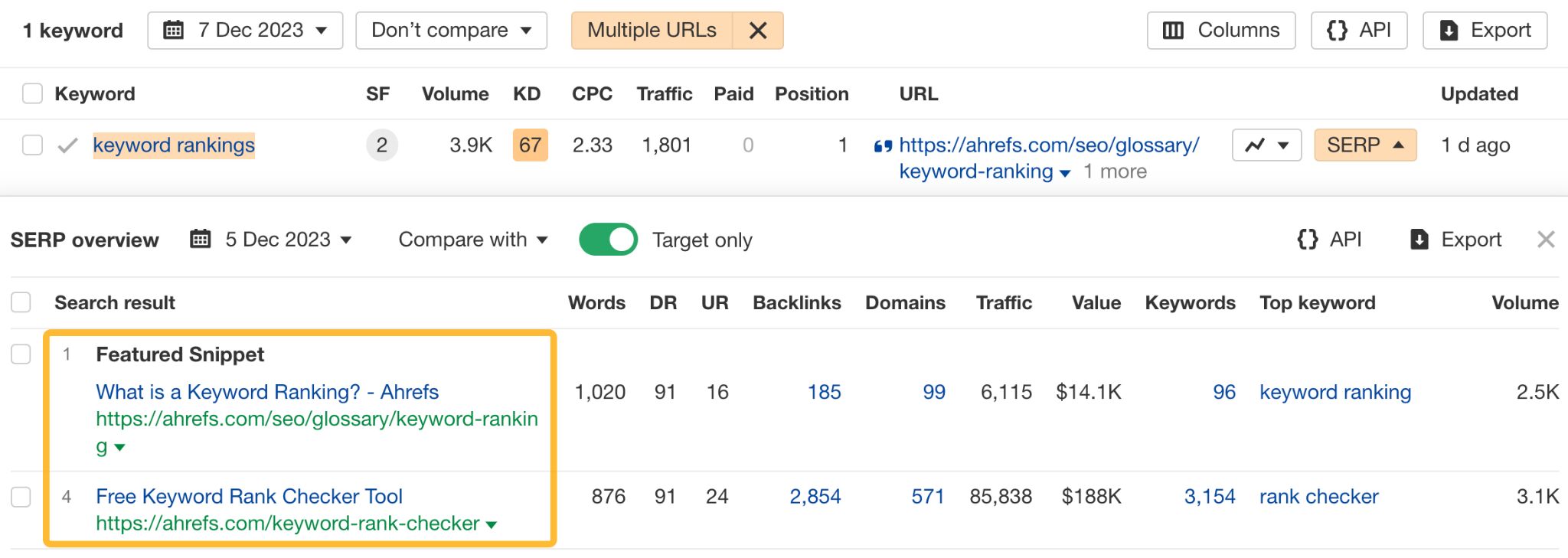
Example: “keyword rankings” 

For this keyword, we rank with:

  • A glossary article ranking in the featured snippet.
  • A landing page for a tool at #4 .
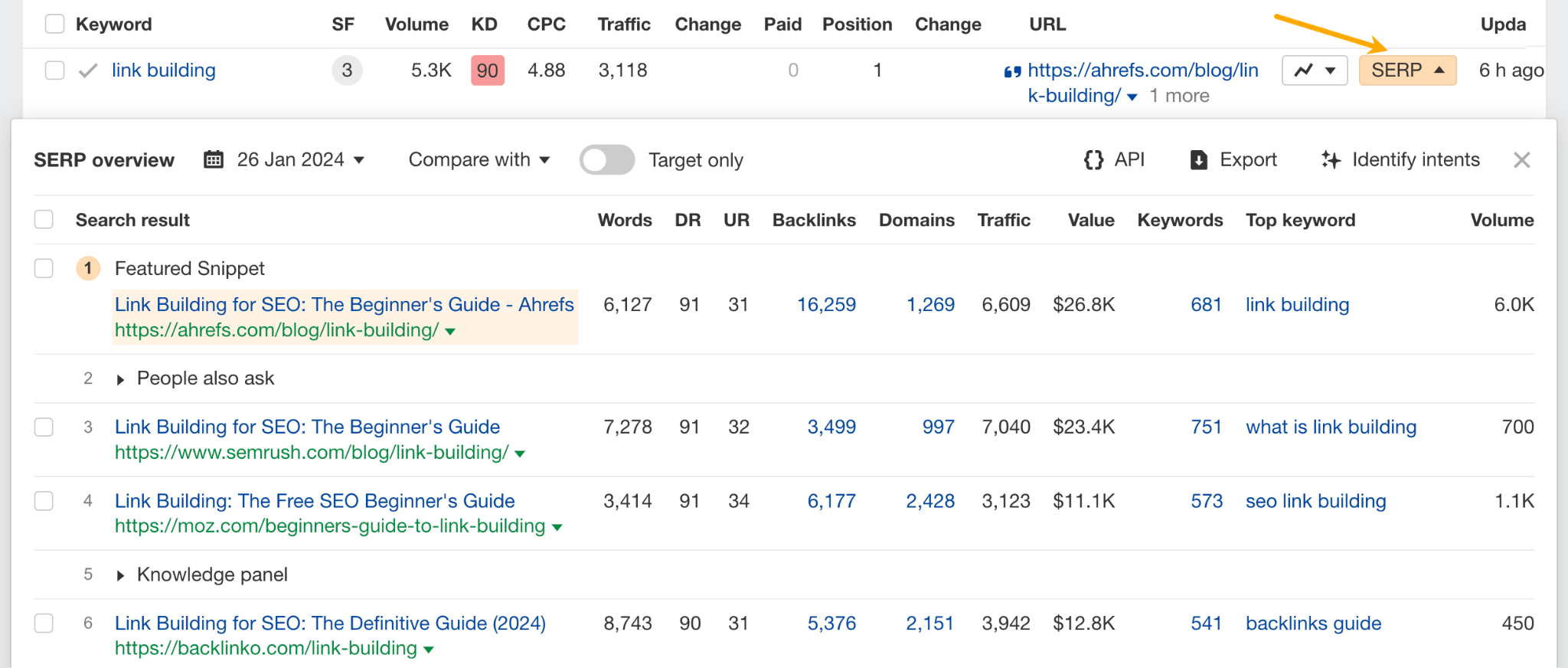
SERP overview for "keyword rankings".

Do the pages swap rankings? No, they’ve been ranking simultaneously for over half a year.
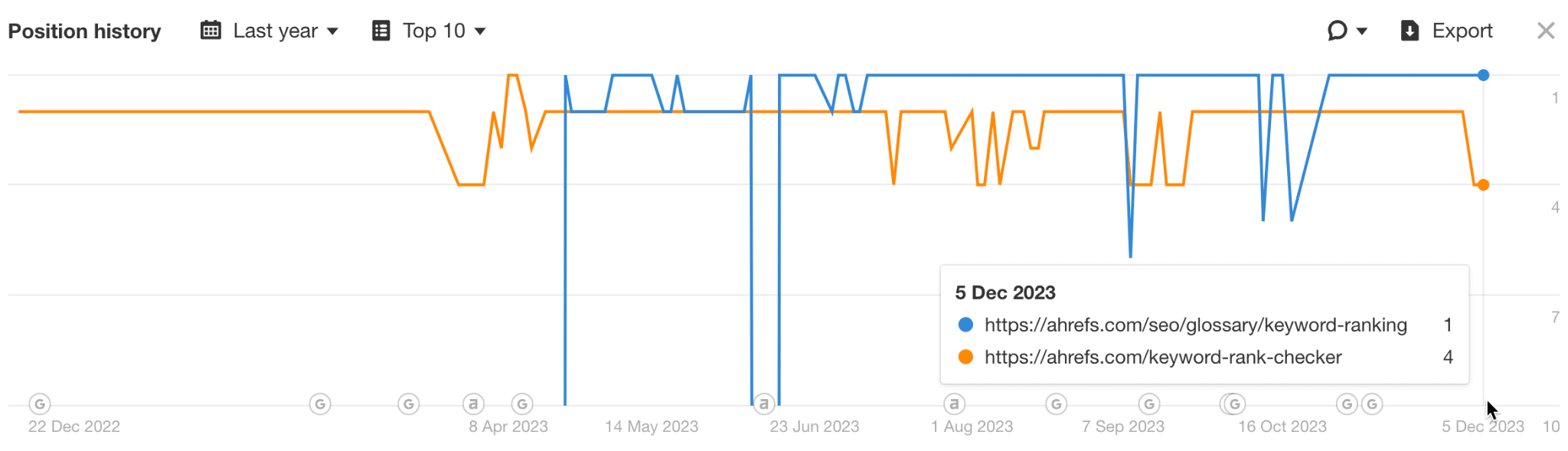
Position history for "keyword rankings".

Is there any benefit to consolidating? Unlikely. This way, we serve two kinds of intent: we cater to people who want to get a definition of the term as well as those who want to check their keyword rankings.

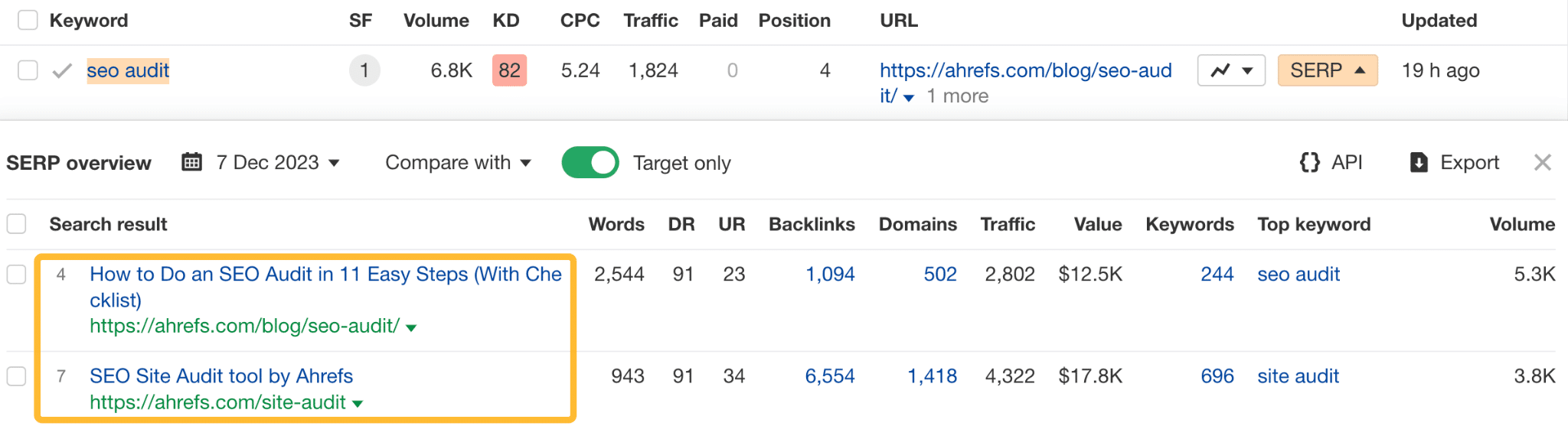
Example: “SEO audit” 

For this keyword, we rank with:

  • A blog article at #4.
  • A landing page for a tool at #7.
SERP overview for "seo audit".

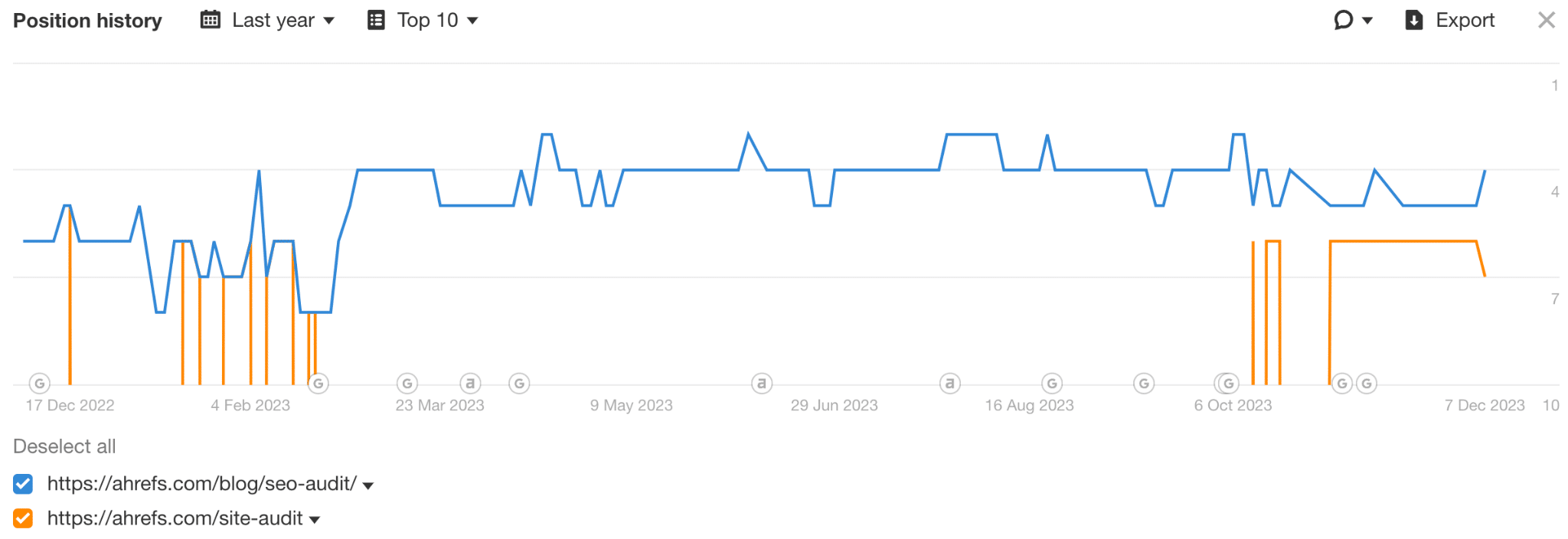
None of the pages swap rankings.

Position history for "seo audit".

Consolidating them would make no sense because we would need to choose between catering to searchers who want a tool and those who want a guide.

Why rank once when you can rank twice, right?

Sure, if you rank two times in the top 10, you get traffic from both positions (as shown in traffic uplift in the table below). This may seem like an absolute gain in traffic, but it’s a bit tricky. In practice, the new traffic may not be worth it, and you’re also risking pushing down another valuable page.

Let me illustrate this. I took a bunch of keywords where we ranked with 2 URLs in the top ten (otherwise, we’d hardly get any traffic) and looked at the click distribution.

  • Traffic uplift — the traffic we gained via ranking another page in top 10 (traffic to new page/traffic to old page).
  • Traffic share of the old page — traffic share of the page that ranked first for the keyword.
  • Traffic share of the new page — traffic share of the page that came later, i.e., the page that created diversification.
Keyword Traffic uplift Traffic share of the old page Traffic share of the new page
keyword search 1.94% 98.10% 1.90%
seo audit 37.74% 72.60% 27.40%
free seo tools 296.13% 25.24% 74.76%
affiliate marketing for beginners 6.63% 93.78% 6.22%
free keyword research tool 677.69% 12.86% 87.14%
keyword rankings 60.71% 62.22% 37.78%
how to become an affiliate marketer 2.39% 97.67% 2.33%
keyword difficulty 9233.33% 1.07% 98.93%

As you can see, pages that come later to the SERPs do not always get a bigger traffic share. Just by looking at this small sample, we can see that there are at least three possible scenarios:

  • The new page can outrank the old page, either by jumping into a higher position than the original page or pushing the old page lower. More traffic will go to the new page, and in some cases (because that also depends on the CTR), you will gain significantly more traffic.
  • The new page will outrank the old, but will get lower CTR, and less traffic. This is what happened in the case of “keyword rankings” — the featured snippet with a definition of a term ranked higher than a landing page with the free tool but got fewer clicks.
  • The new page won’t outrank the old page or will rank in site links. Then your diversification efforts will add a few percent of new traffic at best.

Keep in mind that:

  • All newly added pages ranked for their unique set of keywords, bringing in additional traffic not listed above.
  • We’re only talking about the quantity of traffic here. How qualified that traffic was is a different story.

First off, it’s not something you can fully control. In our case, most of those instances were accidents — Google’s hard-coded propensity to rank some sites multiple times on the same SERP.

But let’s say you see this great opportunity to rank twice in the top 10. It’s definitely possible, but again, a bit tricky. Based on my observations:

  1. The disparity in clicks between two ranking pages can be significant. Oftentimes, introducing a second page might result in only a marginal increase in traffic while potentially reducing clicks on the originally ranking page.
  2. It’s more challenging than the good ol’ one-keyword-one-page tactic because the odds are against you since the site diversity update.
  3. You may need more expensive types of content than what you already have ranking. For instance, a free tool that serves the intent better than an article that already ranks.
  4. Maintaining top organic rankings for two pages is more difficult than sustaining a single high-ranking spot. In the case of ahrefs.com, situations where a second page maintains a long stable position in the top 10 are rare (see image below).
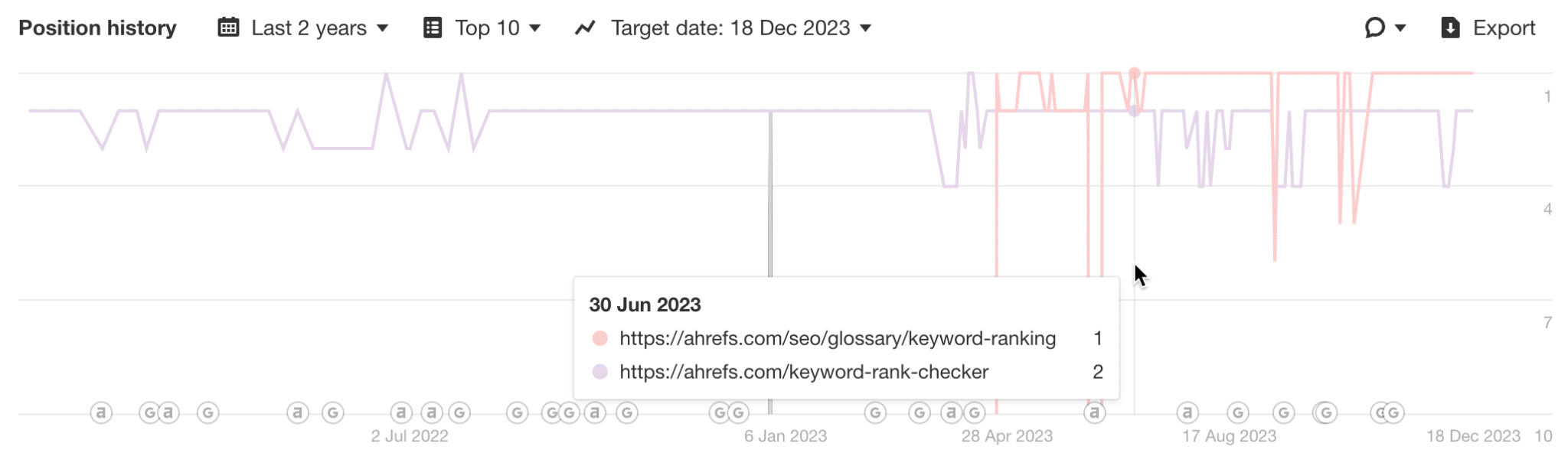
Position history with volatile multiple rankings.

Most looked like this or worse — ranking and then dropping for months only to reappear for some reason.
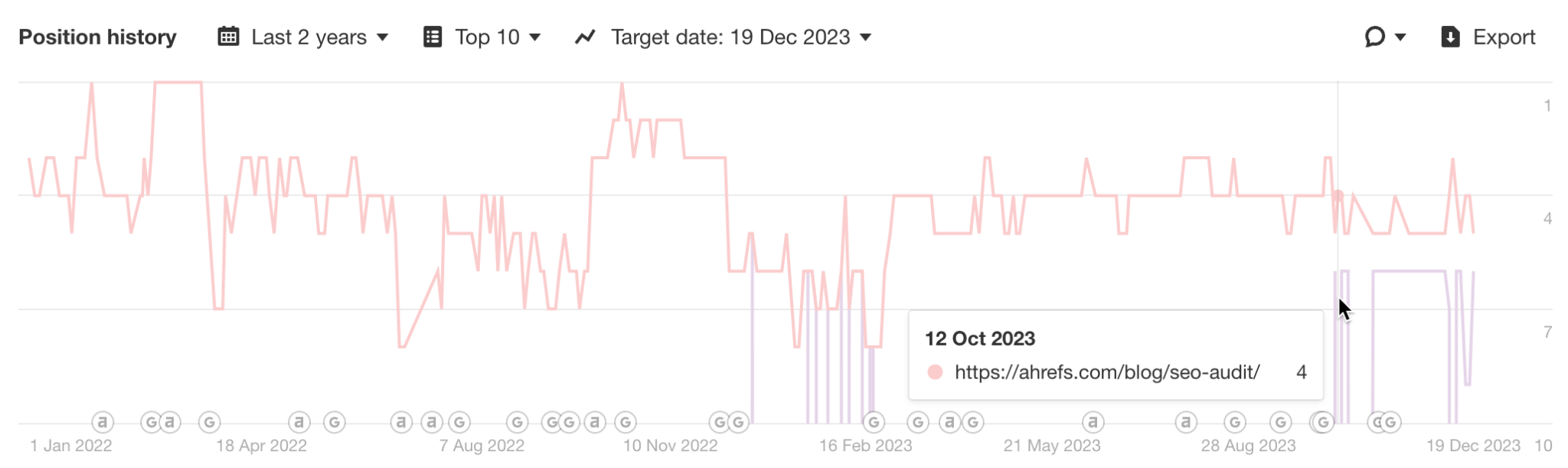
Position history with even more volatile multiple rankings.

Another thing you might try is to double dip in a keyword by ranking videos for keywords with video SERP features or create a hub of definition pages (like our glossary) to rank for featured snippets that require a definition.

But there’s a hack for diversification, too: buy or launch another website.

Google may claim that they are very cautious about ranking the same site twice, but that does not seem to apply to the same business.

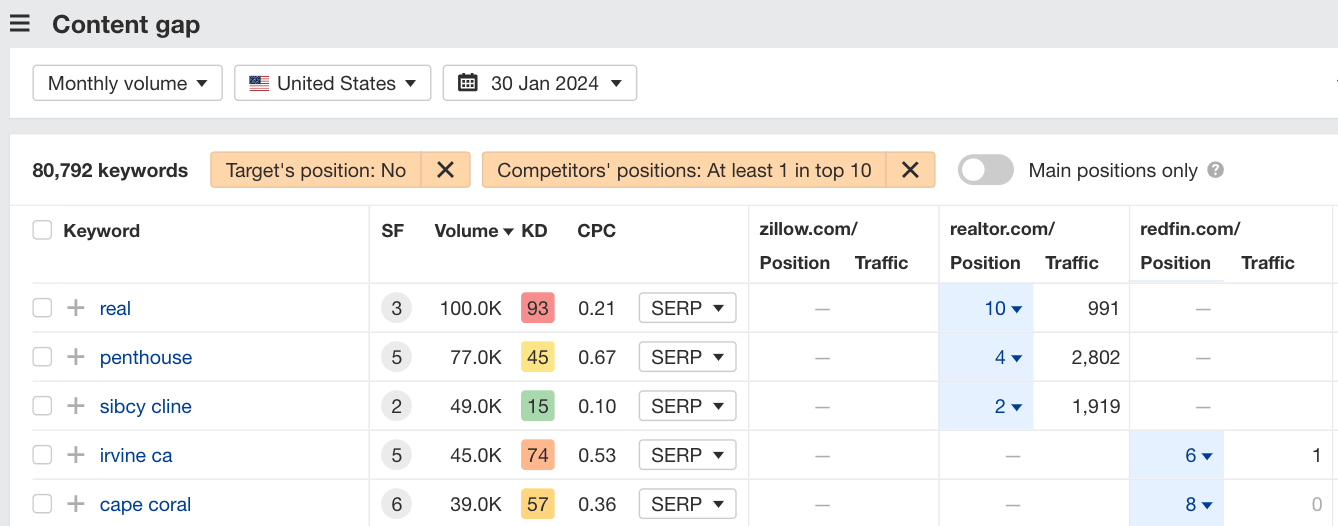
To illustrate, when our competitor acquired a popular SEO blog, Google didn’t care about the connection. It has been treating them as two different sites despite being the same business. As a result of diversification, that play allowed them to “double dip” on 8700 keywords ranking in the top 10.
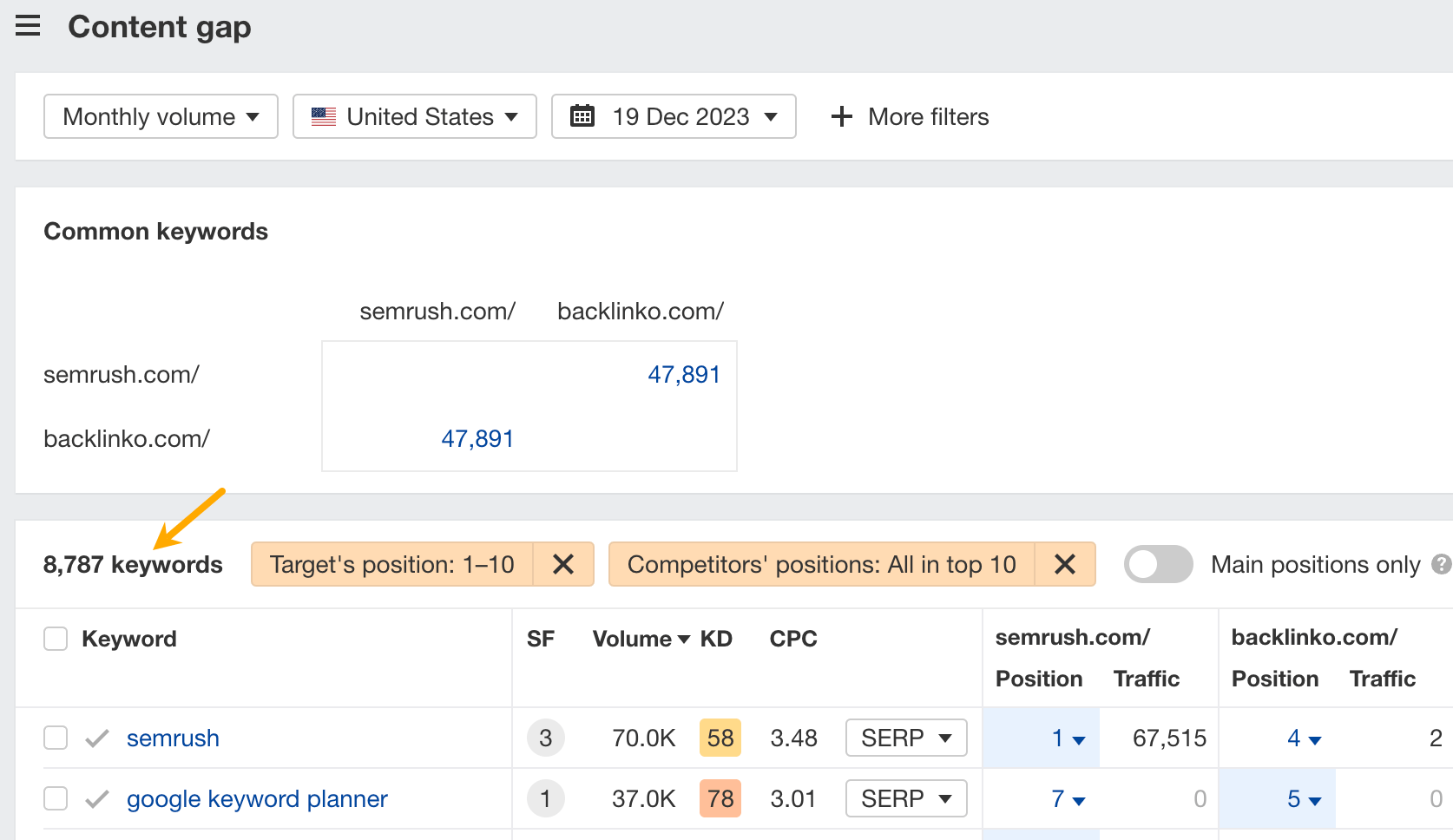
Content gap analysis from Ahrefs.

Naturally, they’re not the only example. Glen Allsopp does a fantastic job at following the works of media giants who diversified so well that they literally dominated the SERPs within their niches.

Obviously, more popular keywords will have enough volume to distribute considerable traffic across the top 10. However, that traffic will largely depend on the CTRs, and these are different for each keyword.

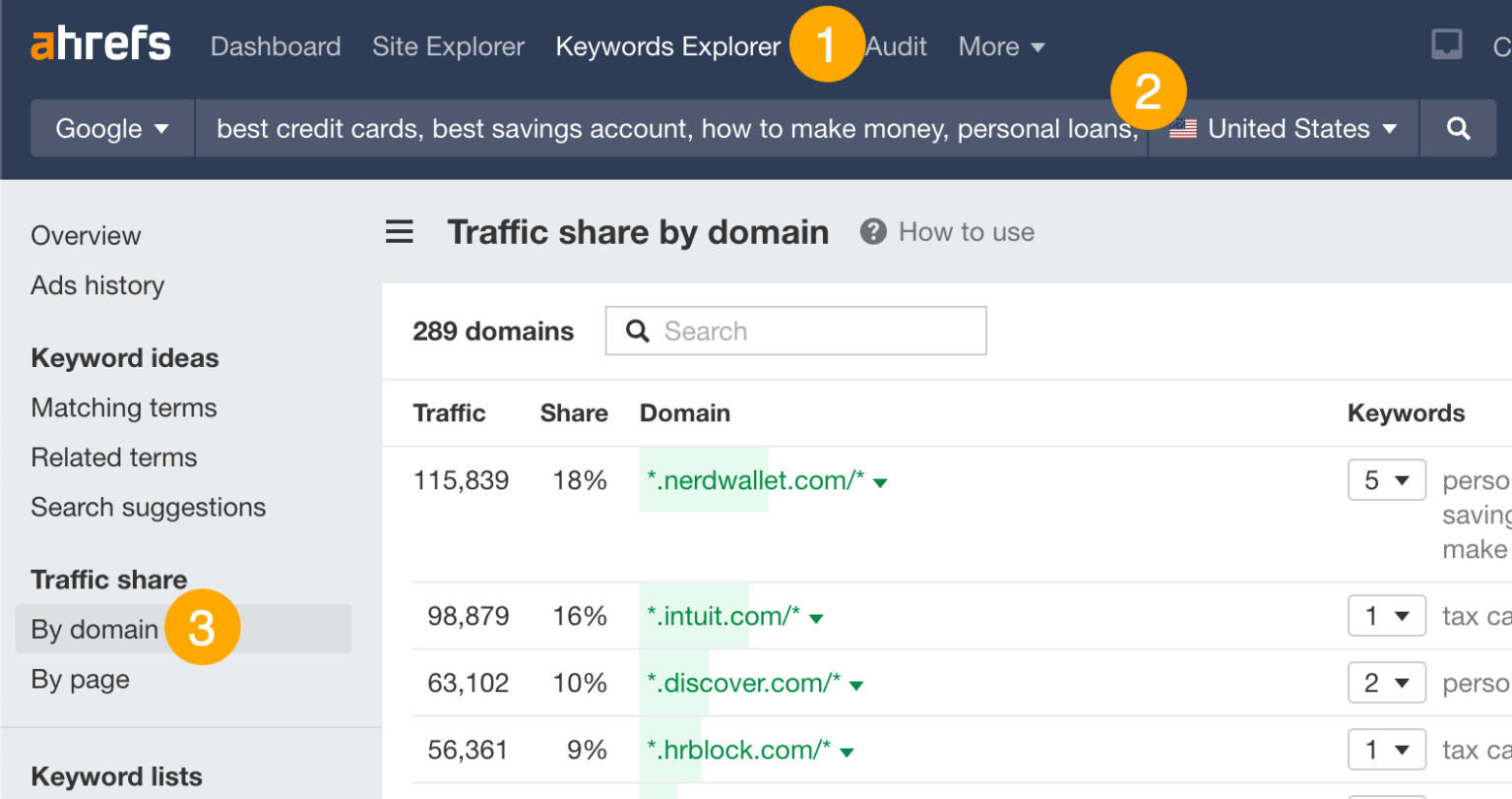
If you’re using Ahrefs, open the Traffic share by page report in Keywords Explorer and you’ll get an estimation of how much traffic you can get from each position in the SERPs.
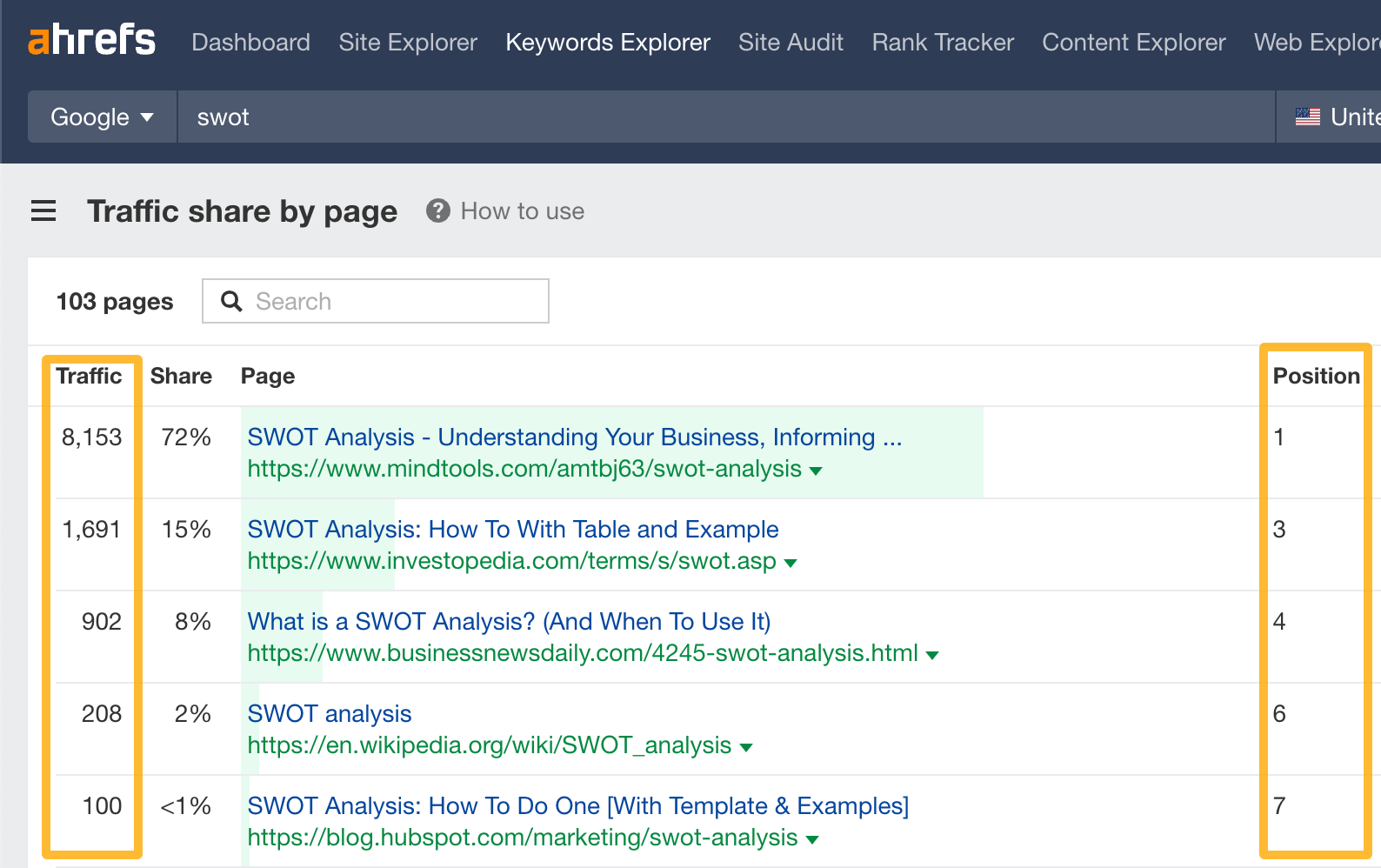
Traffic share by page report in Ahrefs.

This should give you a good idea of whether taking another position is worth the fight.

Going further, I checked if the metrics and characteristics below had any relation to keyword diversification.

No keyword is too popular for diversification

The median search volume for cannibalized keywords is virtually the same as for our single rankings (50 vs. 40), so we can infer that search volume doesn’t play a determining role.
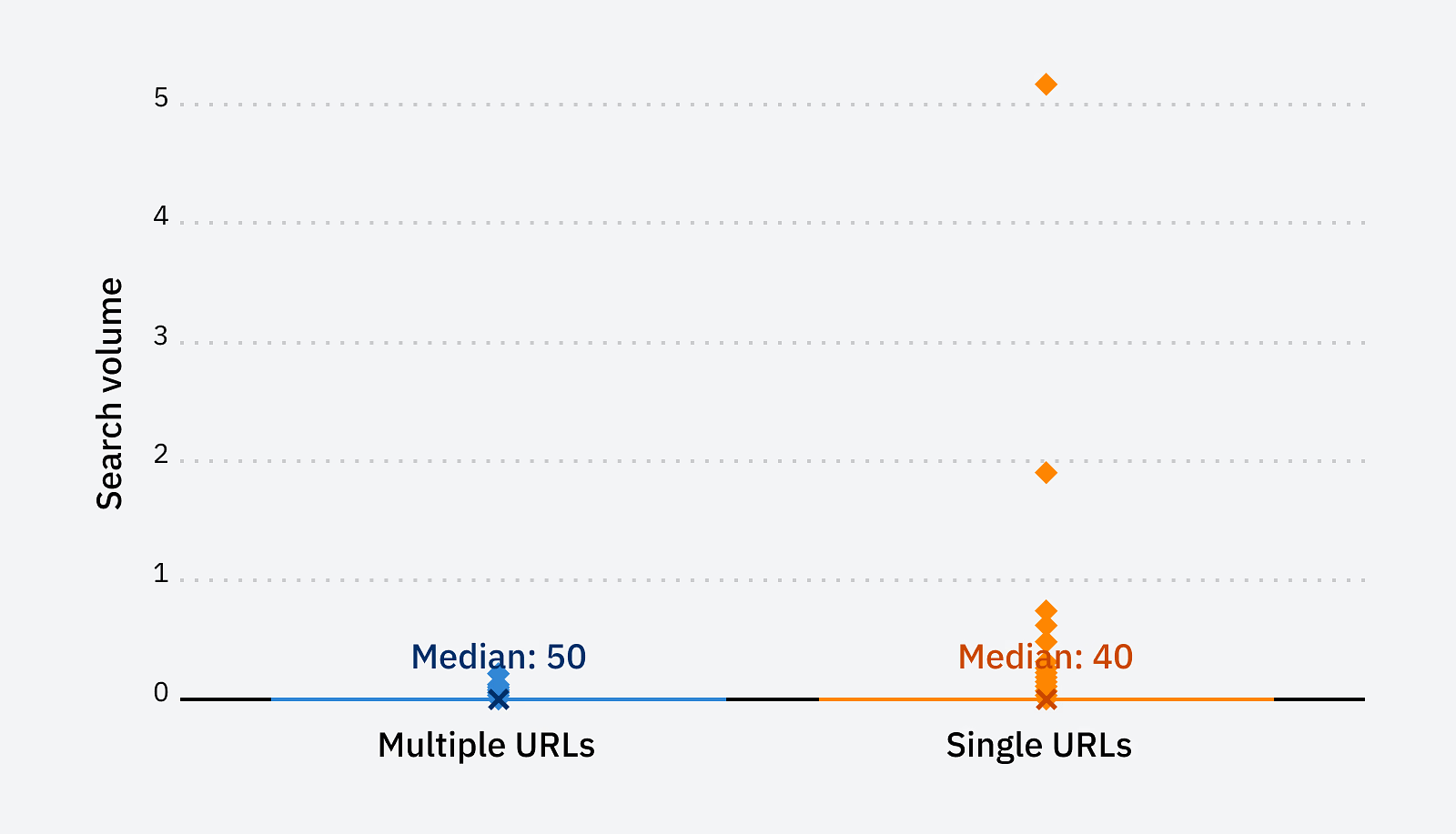
Distribution of keyword volumes and median for single rankings and multiple rankings.

Diversify but make sure to align with search intent

Theoretically, you could rank multiple pages either by aligning with search intents already present on the SERPs or creating something unique but extremely valuable.

If I had to answer this question having only our data, I’d say “follow the crowd”. As you will see in a bit, multiple rankings can happen both with keywords with a single dominant search intent as well as those with a more mixed intent but none of our pages broke outside of already existing types and formats of content.

To illustrate my point, here’s a breakdown of the same top 10 keywords you saw earlier, but this time with a search intent analysis (using our 3C’s framework). In all cases, our ranking content aligns with the existing content types:

Keyword Content types in top 10 Content format (if article) in top 10 Our ranking content (on Dec 5, 2023)
keyword search Landing pages (free and premium tools) #8, #10 (both free tools)
seo audit 7 articles, 2 landing pages, Guides #5 (guide), #6 (landing page premium tool)
free seo tools 7 articles, 2 landing pages (free tools) Listicles #4 (listicle), #7 (free tools landing page)
affiliate marketing for beginners 9 blog posts Guides #3 with 3 site links (all guides)
free keyword research tool 8 landing pages, 2 articles Listicles #2 (listicle), #4 (free tool)
keyword rankings 7 articles, 2 landing pages (free tools) 5 guides, 1 definition post, 1 listicle #1 (article), #4 (free tool)
how to become an affiliate marketer Articles Guides #3 with 3 site links (all guides)
keyword difficulty 5 articles, 2 forum posts, 2 landing pages (free and premium tools) Guides #1 (free tool), #5 (guide)

So when there are only article ranking, your best chances might be by diversifying with articles. And if you see different types of pages ranking, say an article and a landing page, there’s a chance of ranking by creating both these types.

Tip

If you’re an Ahrefs user, there’s a nifty AI feature in Keywords Explorer and Site Explorer that estimates the traffic share to each type of intent in the top 10. Check it out.
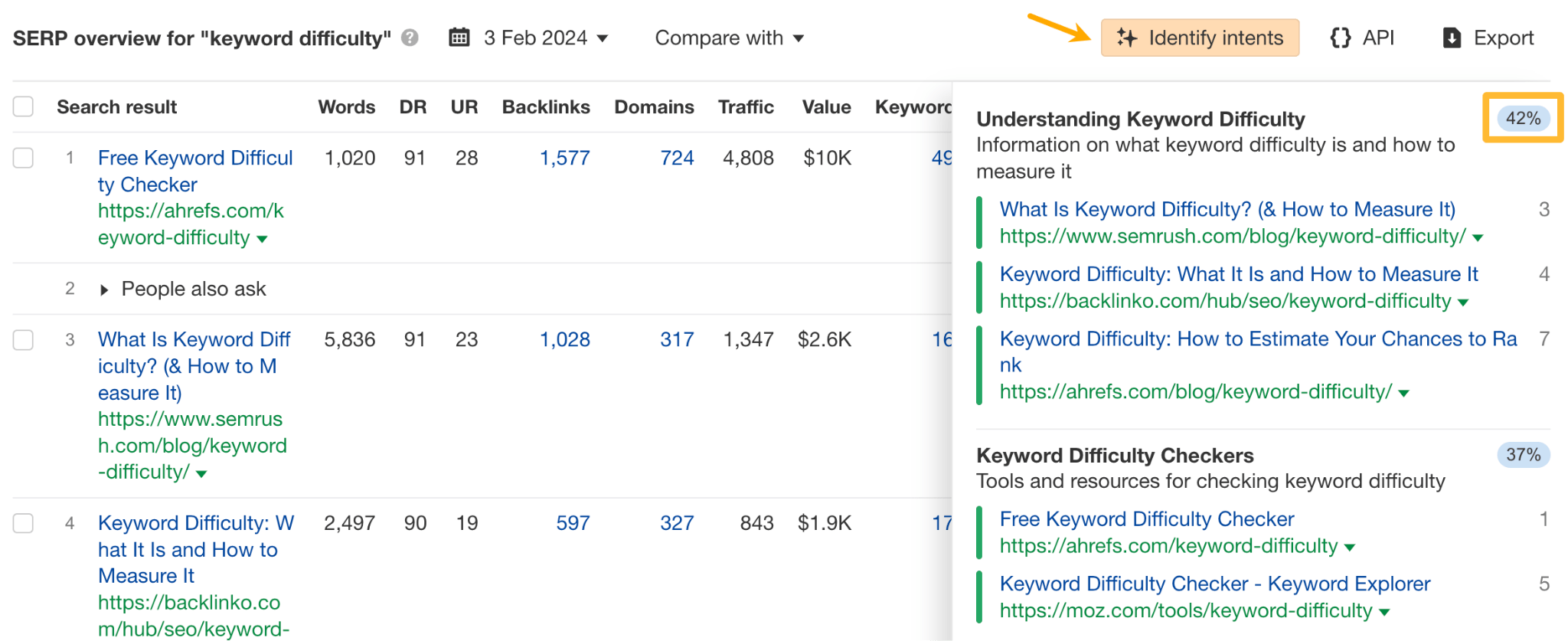
AI feature in Ahrefs for identifying search intents.

You don’t need less specific keywords to diversify

We’d expect long-tail keywords to have fewer multiple ranking instances (be it cannibalization or diversification) because the intent would be more defined from the query.

To measure this, I compared word count distribution in keywords with single rankings and multiple rankings using boxplots.
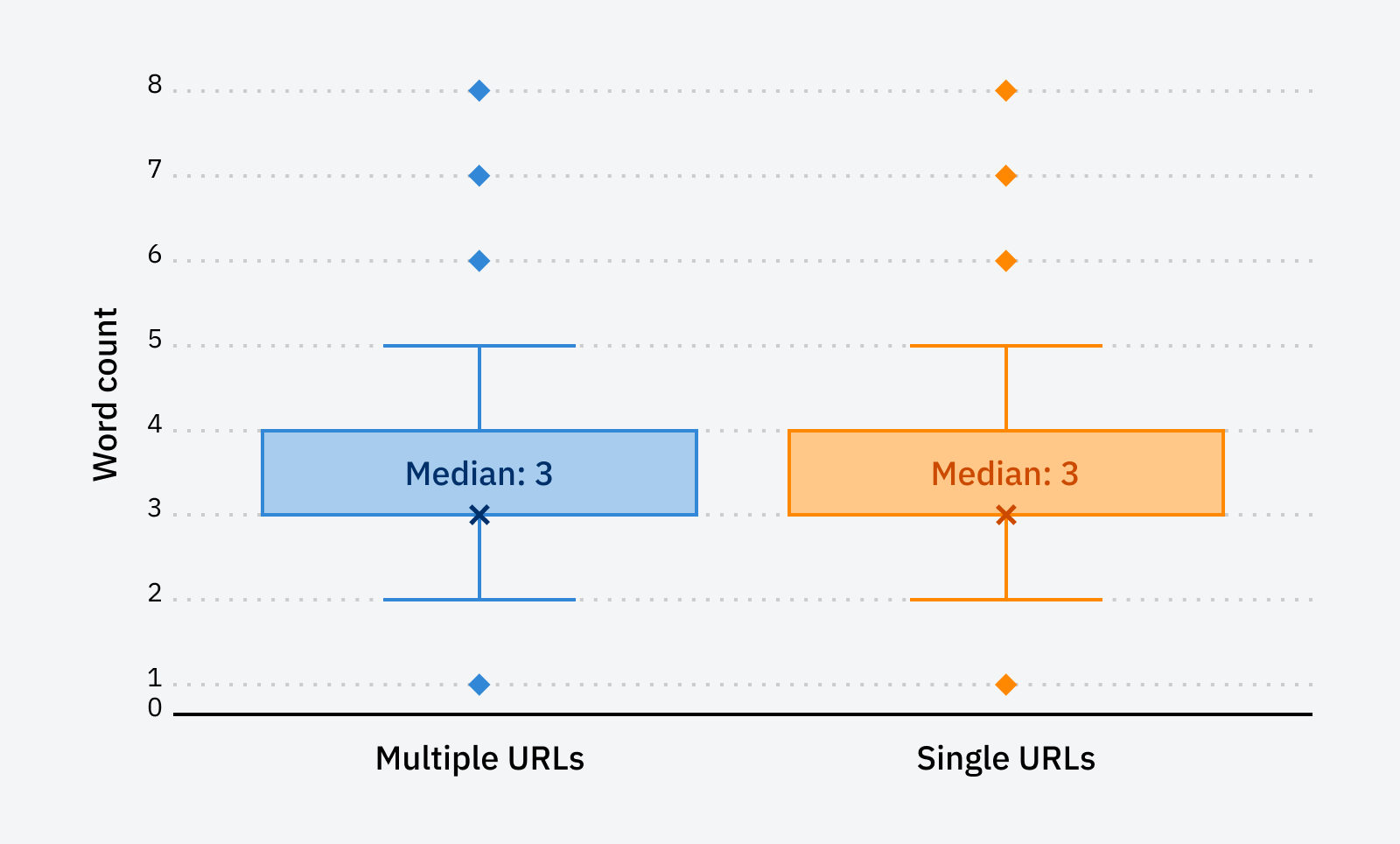
Distribution of word count in keywords and median for single rankings and multiple rankings.

As you can see, the boxplots are almost identical, so no correlation could be at play here.

However, an interesting takeaway here is that if we look at a histogram of word count frequency in the multiple URL data set, we see that most keywords occupied the 3–4 word count range. That indicates ranking multiple times for quite specific search queries is definitely possible.
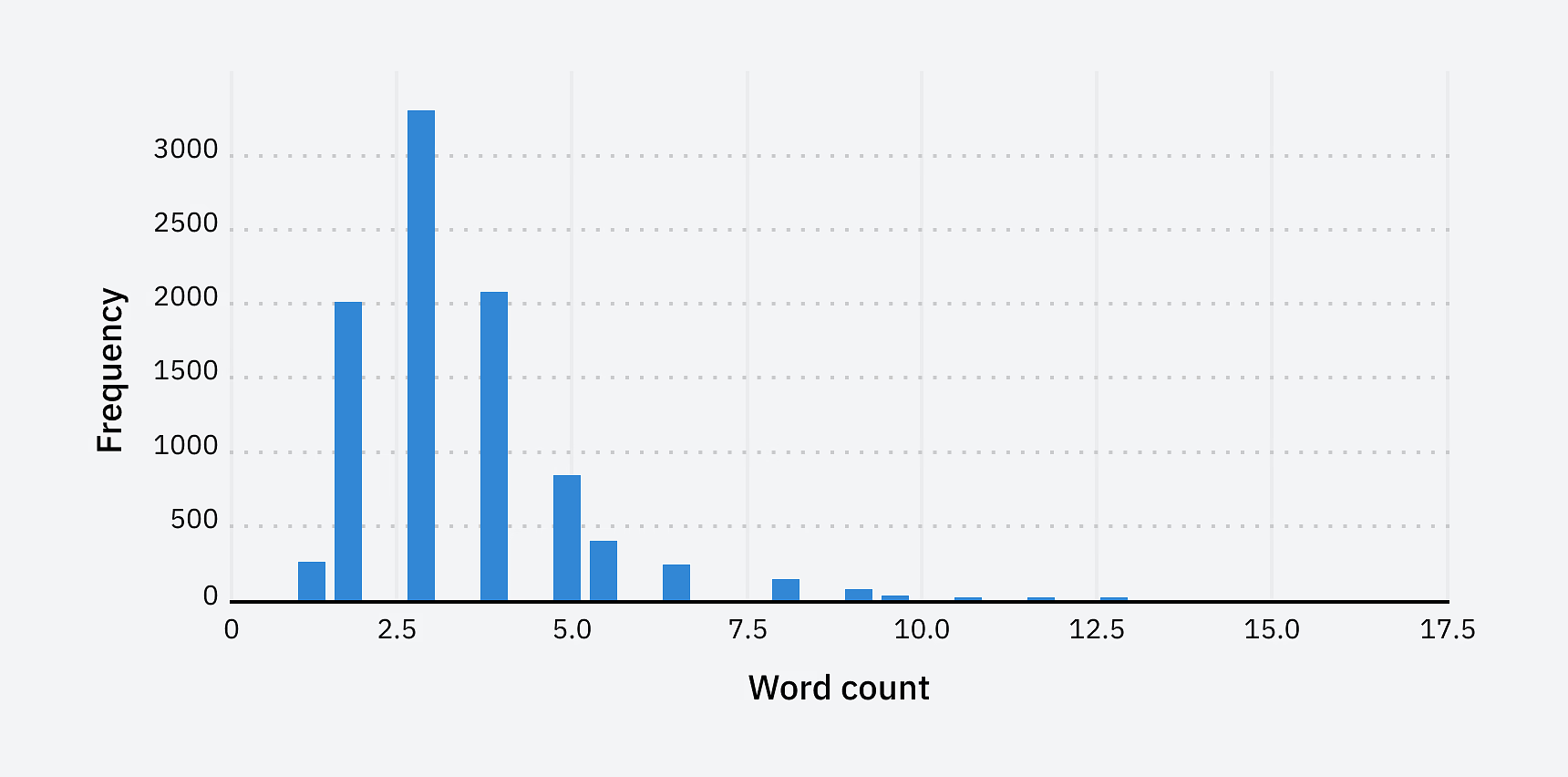
Word count histogram for multiple rankings.

Surprisingly, multiple rankings were more common for high KD keywords

I also wanted to see if it would be harder to get multiple rankings for keywords with high KD value (Ahrefs metric), i.e., keywords with SERPs dominated by pages with a strong backlink profile.

Again, I compared multiple rankings with single rankings.
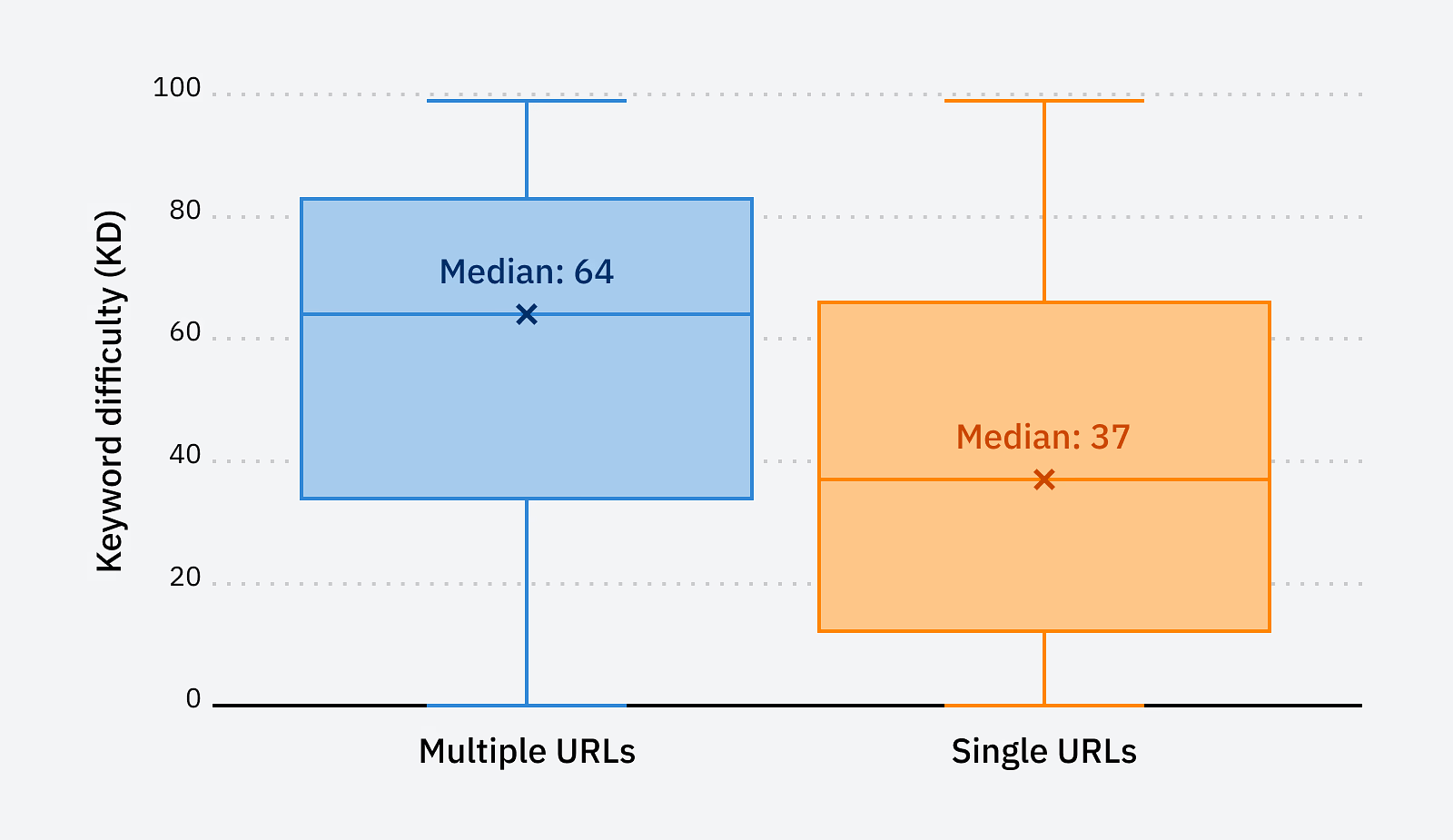
Distribution of keyword difficulty and median for single rankings and multiple rankings.

Here, we can see a clear difference. The median of multiple rankings is way higher than single rankings (64 vs. 37).

One thing is for sure with such a result—you can rank multiple times, even for highly competitive keywords.

Final thoughts

Let’s sum up.

Multiple rankings in Google create two effects: cannibalization and diversification.

This means that classic SEO theory is wrong—you don’t need to go and fix each keyword with multiple rankings.

This also means that you can potentially take advantage of Google’s propensity for multiple rankings and can get more traffic out of a keyword. That said, I’d consider it a pro move, which may have a high opportunity cost compared to targeting some other keyword with just one page. That’s because:

  • The additional rankings may not last long.
  • You may “outrank yourself”, and the page you outrank will get fewer clicks.
  • You may need more expensive types of content than what you already have. For instance, a free tool that serves the intent better than an article that already ranks.

Thanks for reading! If you have any questions or comments, find me on X or LinkedIn.

Let me guess: You’re here because you’ve published an article and want to know how to get more eyeballs on it.

But doing that is akin to the underground inventor who has made something and is looking for someone to buy it:

  • They have no idea if anyone actually wants their thing
  • They now have to force it onto people, hoping that someone will want it

In essence, when you’re asking “How do I promote my content?”, you’re in fact asking “How and where can I spam my article?”

It’s not the question you set out to ask, but it’s the question you ended up asking.

That’s not the right mentality when it comes to content promotion. So in this article, I want to reframe your mindset.

No audience? No problem. We can borrow them from major platforms like Google, YouTube, Reddit, and more.

Borrowing an audience simply means finding places where your target audience already hangs out online; if you play by their rules, you have a chance at getting your content in front of them, even if they don’t know who you are or follow you. For example, you could be optimizing your content for search, posting interesting stuff in relevant subreddits, or publishing videos on YouTube.

In my opinion, the best place to borrow an audience is Google. Search traffic is predictable, compounding, cheap, and targeted. For us, it’s our main traffic driver too.

If you want to rank high on search engines, you need to optimize for it. On a basic level, that means:

  • Finding out what people are searching for
  • Giving them what they want
  • Proving to Google it deserves to rank

Find what people are searching for

If you want search traffic, you’ll need to write about topics people are actually searching for on Google. In SEO, we call this keyword research. The easiest way to get started is to use a keyword research tool like Keywords Explorer.

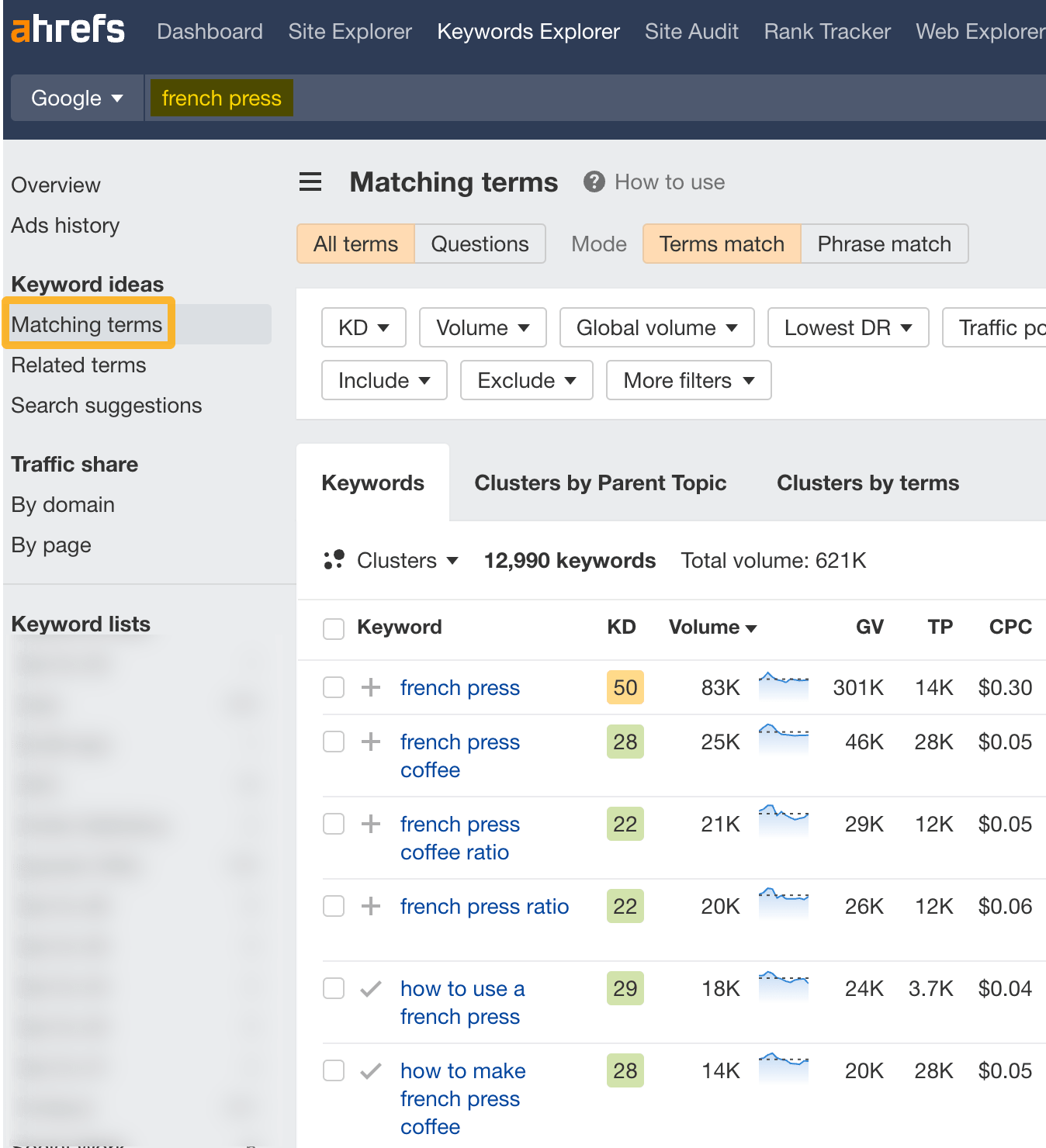
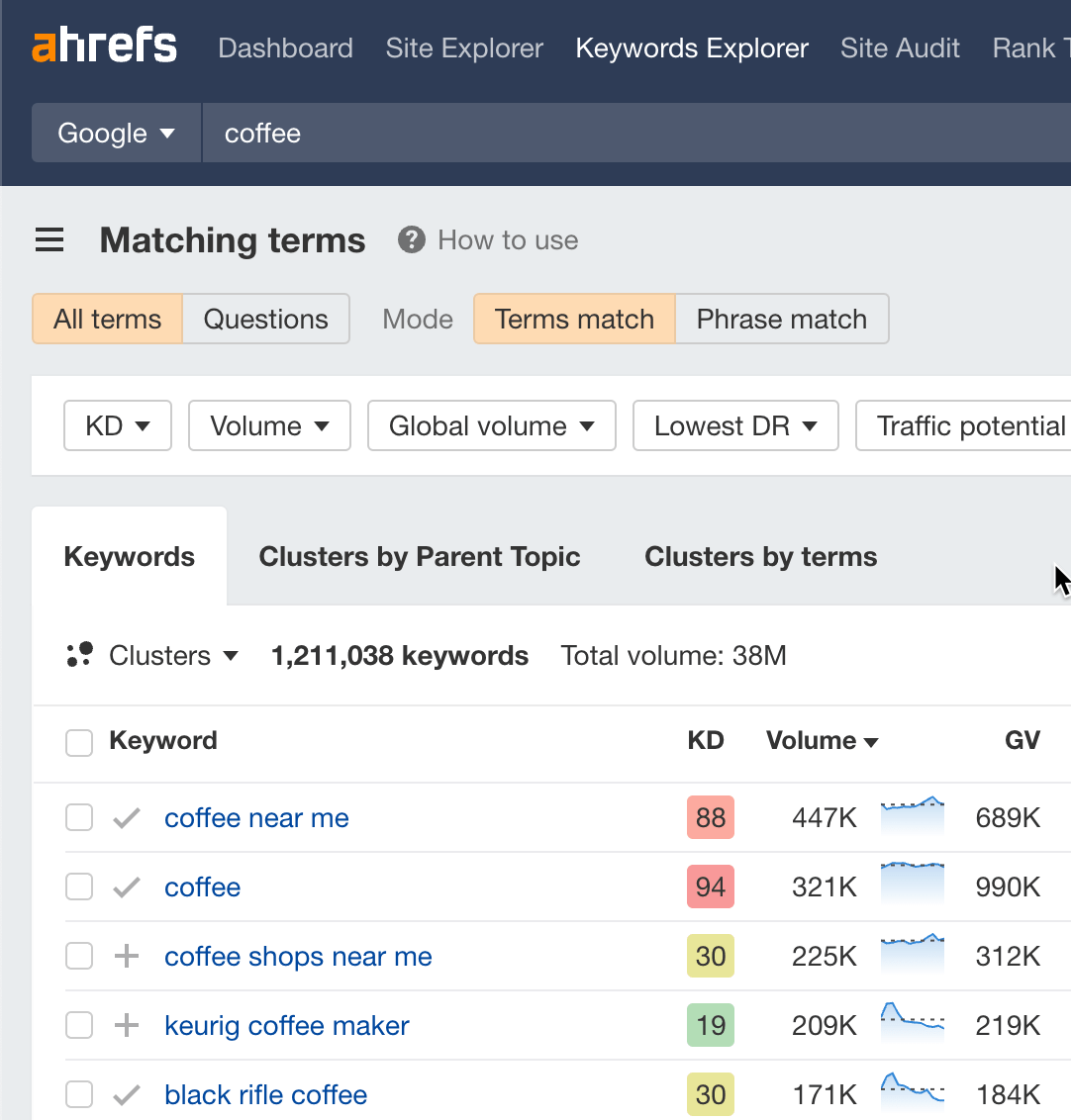
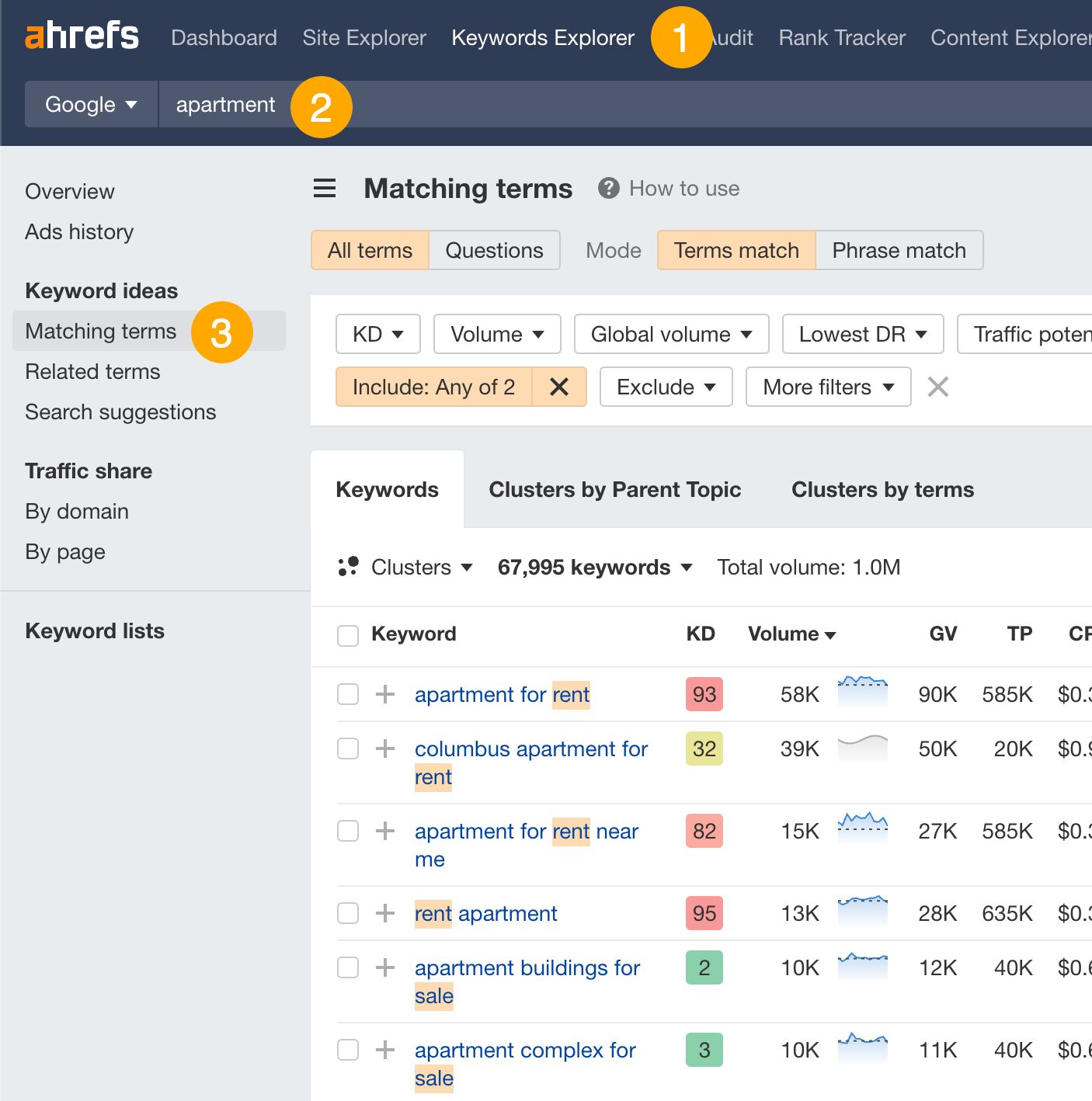
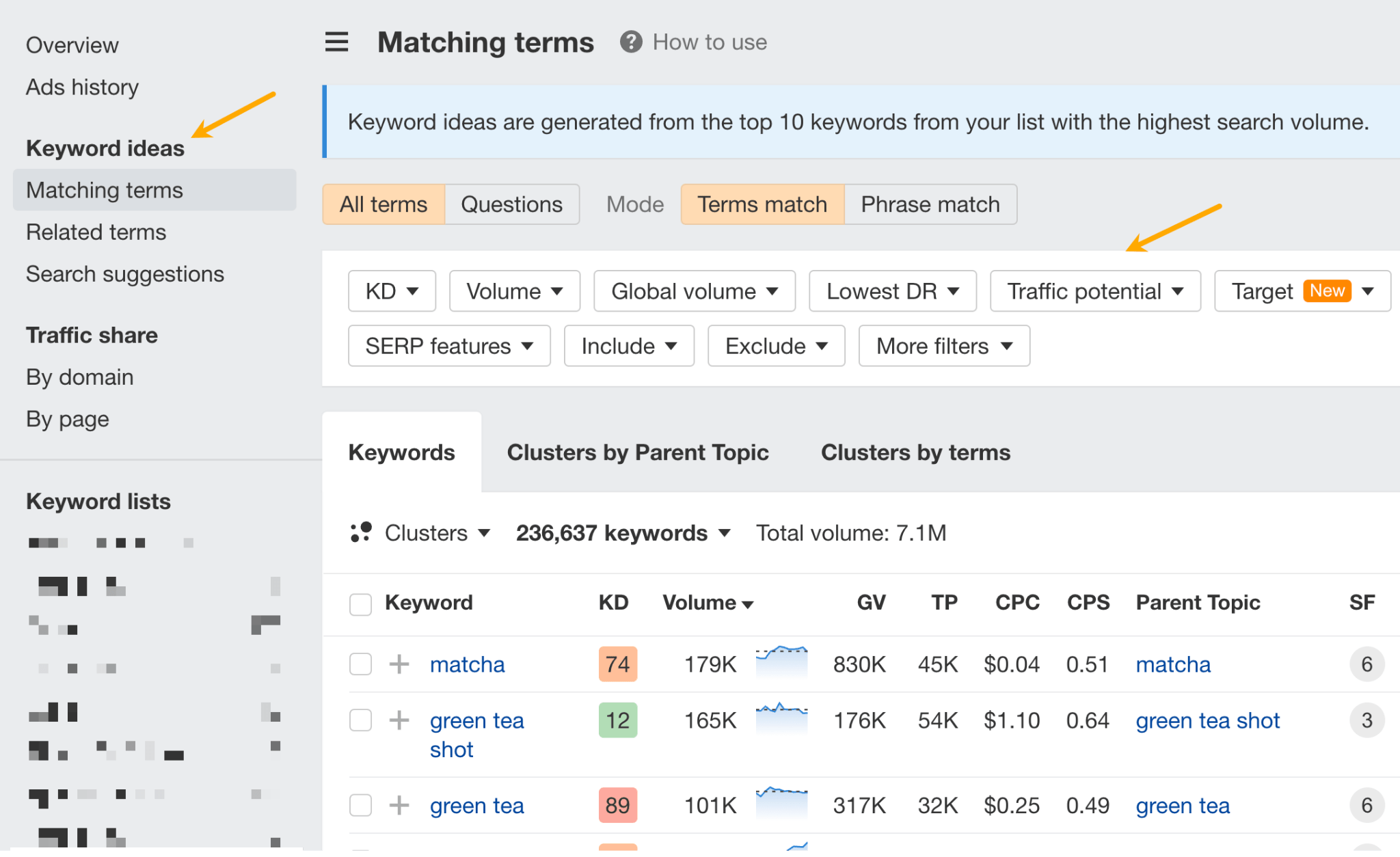
Enter a keyword relevant to your website and go to the Matching terms report. So, if you’re an online store selling coffee equipment, a potential keyword might be “coffee” or “french press”.

Matching terms report in Keywords Explorer

This report shows you keyword ideas that contain the word “french press.”

From here, you’ll want to look through the report and see if there are any potential keywords you could target. For example, “how to make french press coffee” seems like a good keyword we could target for our coffee equipment store.

Give them what they want

Knowing why a searcher is looking for that particular keyword can help us create content that they want to see. This ‘why’ is known as search intent.

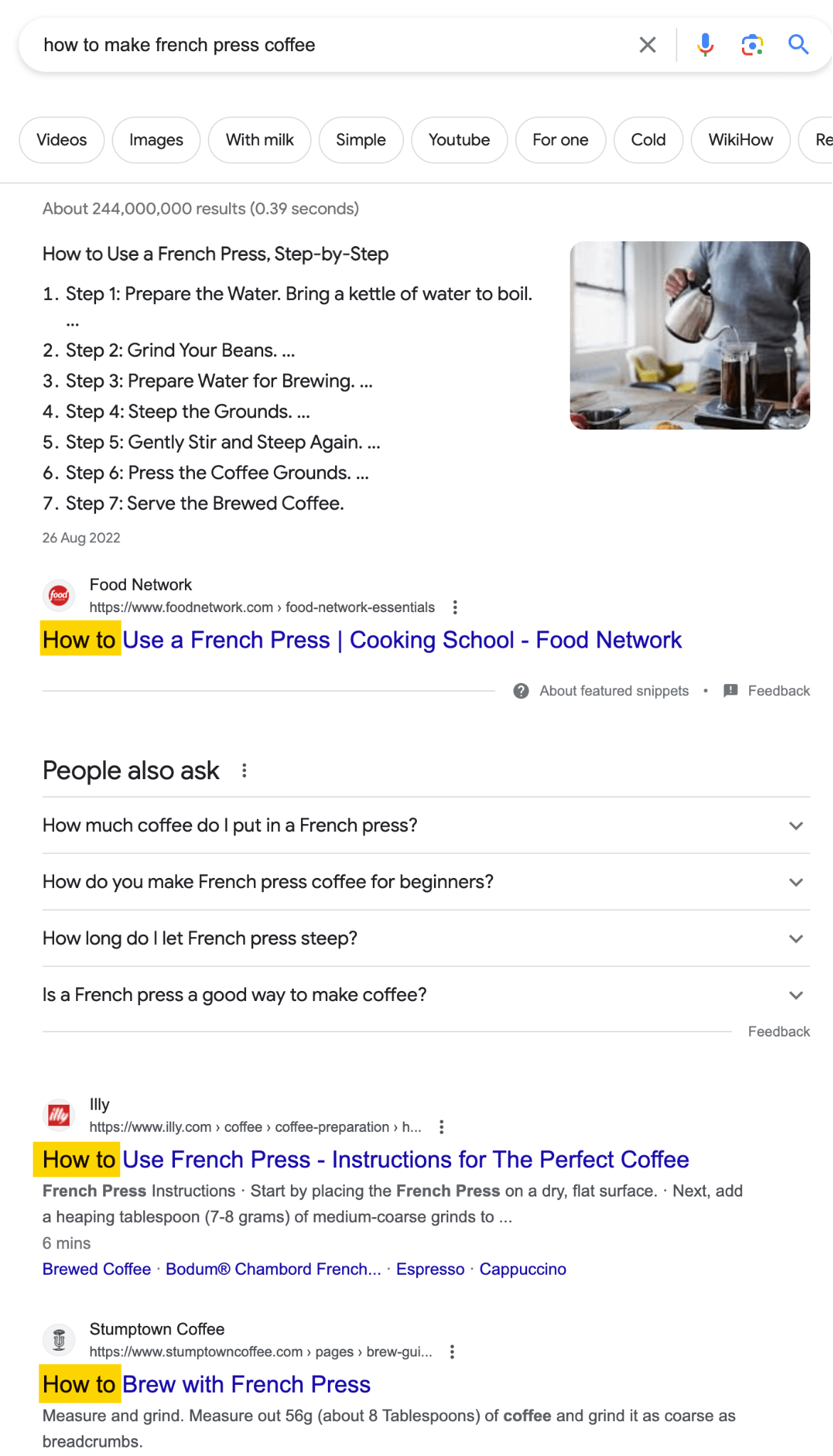
Since Google already ranks the most relevant results for any keyword, we can look at the top-ranking pages to figure out search intent. So, if we look at the SERPs for “how to make french press coffee”, we can see that searchers are looking for a how-to guide on making french press coffee:

Google search results for "how to make french press coffee" shows searchers want a how-to guide

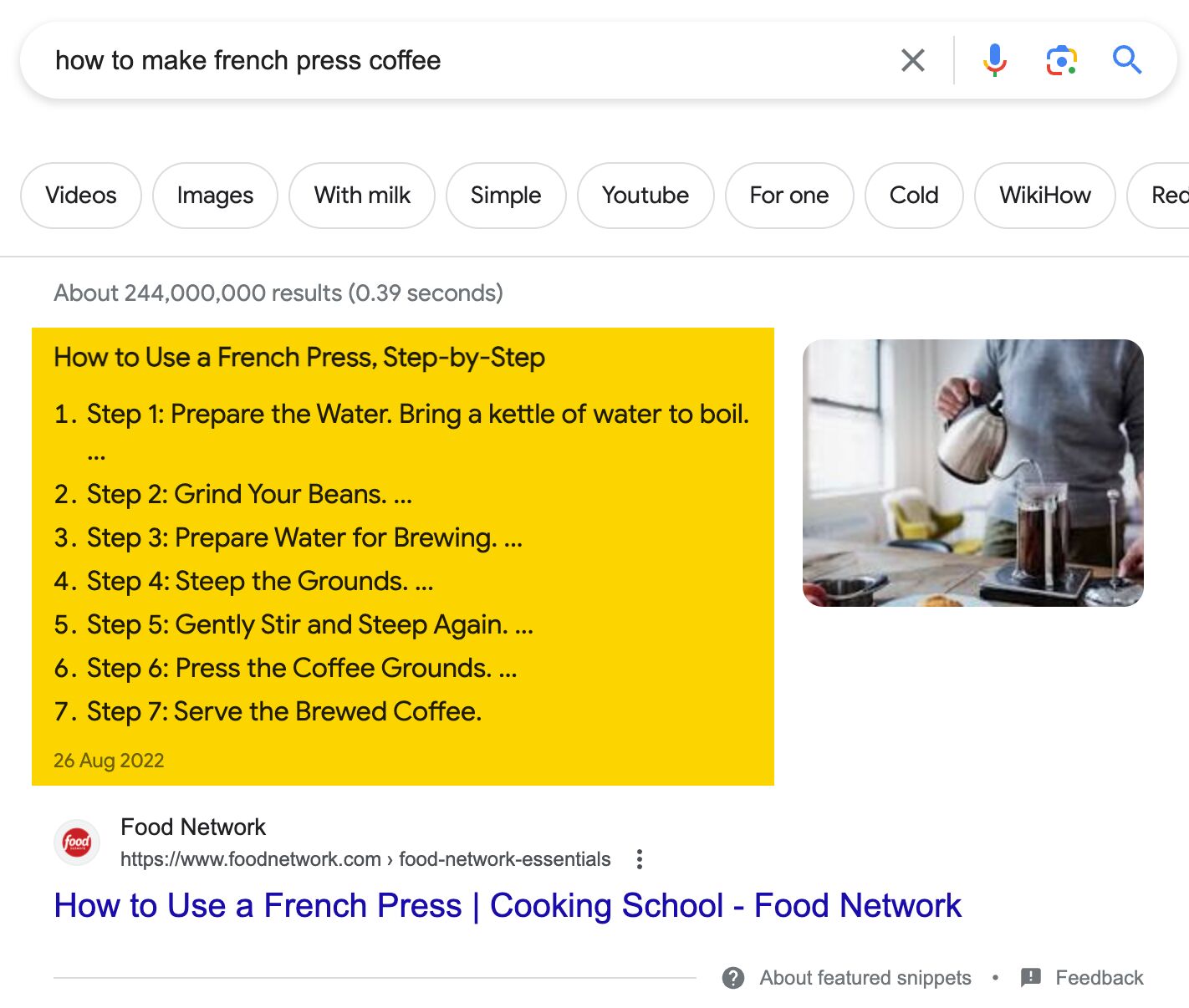
Additionally, from the featured snippet, we can also see searchers want to see a step-by-step format:

The featured snippet for "how to make french press coffee" shows searchers want the guide to be step-by-step

So, if we want to target this keyword, we’ll do well to create a step-by-step guide on making french press coffee.

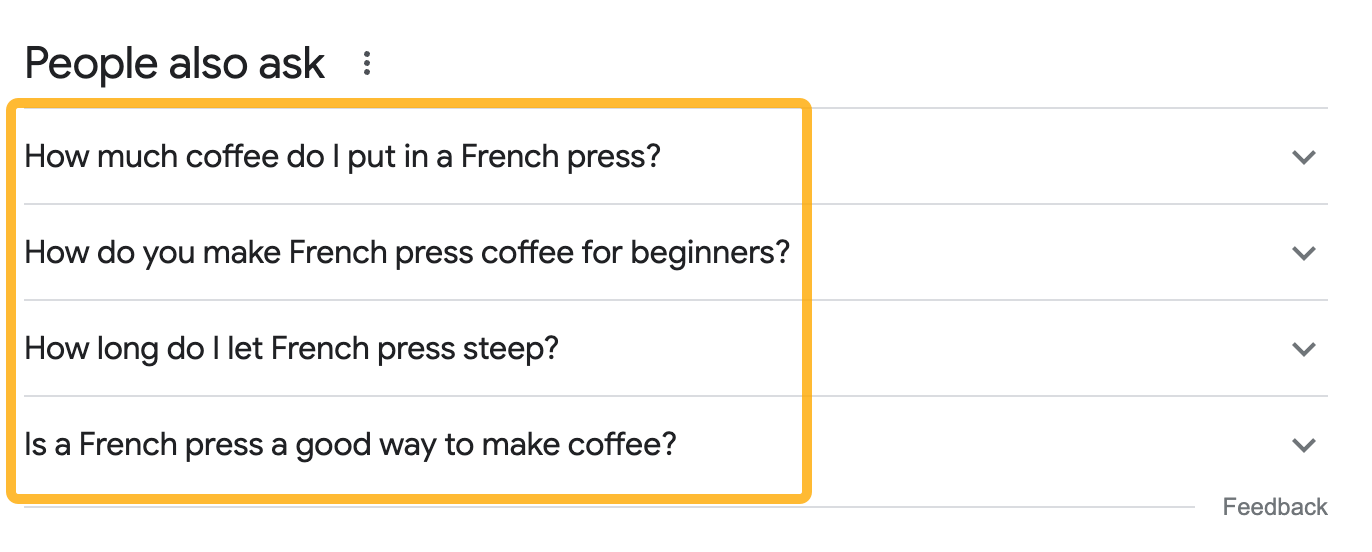
Finally, a quick glance at the People also ask section gives us some ideas on additional questions we might want to answer in our content:

  • How much coffee do I put in a French press?
  • How long do I let French press steep?
  • Is French press a good way to make coffee?
Additional questions we might add to our blog post from Peope also ask

Prove to Google it deserves to rank

To demonstrate this, you need links from other websites. This is because Google sees links as votes. The more websites that link to you, it tells Google your page is ‘important’. This gives Google more incentive to rank you higher.

This concept is essentially Google’s PageRank in a nutshell, and it’s the reason why they leapfrogged other search engines to become the one we use most today.

To acquire backlinks, you need to give people a reason to link to you. Every link building strategy is a variation of a reason. For example:

  • Guest blogging: I give you a free piece of content and you link to me
  • Broken link building: I point out that you’re linking to a dead page and offer you a better resource to link to
  • Podcast link building: I offer free insights as a guest on your podcast and you link to me
  • Skyscraper Technique: I have the most comprehensive piece of content on the planet and you link to me simply because I’m the best
  • Unlinked mentions: You actually already mentioned me but didn’t add a link. Will you please? Pretty please?

You can decide how well each reason works for your specific case. It also depends on your industry. For example, the Skyscraper Technique works on a pretty flimsy reason (in my opinion) and it has also been beaten to death in most niches. So, even though it still works to some extent, most people will ignore your email.

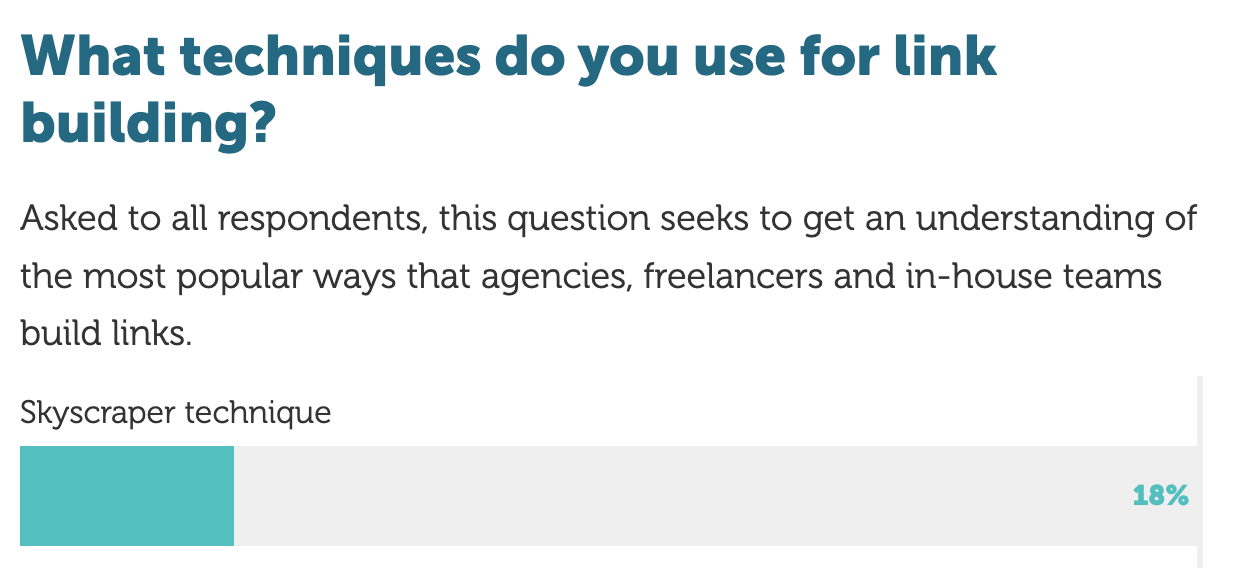
According to Aira's State of Link Building report, only 18% of SEOs still use Skyscraper Technique as a link building tactic
According to Aira’s State of Link Building report, only 18% of SEOs still use Skyscraper Technique as a link building tactic.

Most importantly, what works—and will always work—is the idea behind your content. It goes back to what I said earlier: Your ideas matter. If you’re presenting unique data, original insights, or tell a personal story that no one has heard of, it wouldn’t be as difficult to acquire the backlinks you need.

Sidenote.

See how I just linked to Aira? That’s because they had unique data no one else had.

Further reading

Tim Ferriss writes, “If you’ve got enough money to solve the problem, you don’t have the problem.”

He’s right. If you have the budget, you can simply pay for eyeballs on your idea. You can do this in various forms: Google Ads, ads on social media (Facebook, Instagram, TikTok, etc.), display ads, or heaven forbid (!), offline ads. You can also sponsor influencers and creators, like we did.

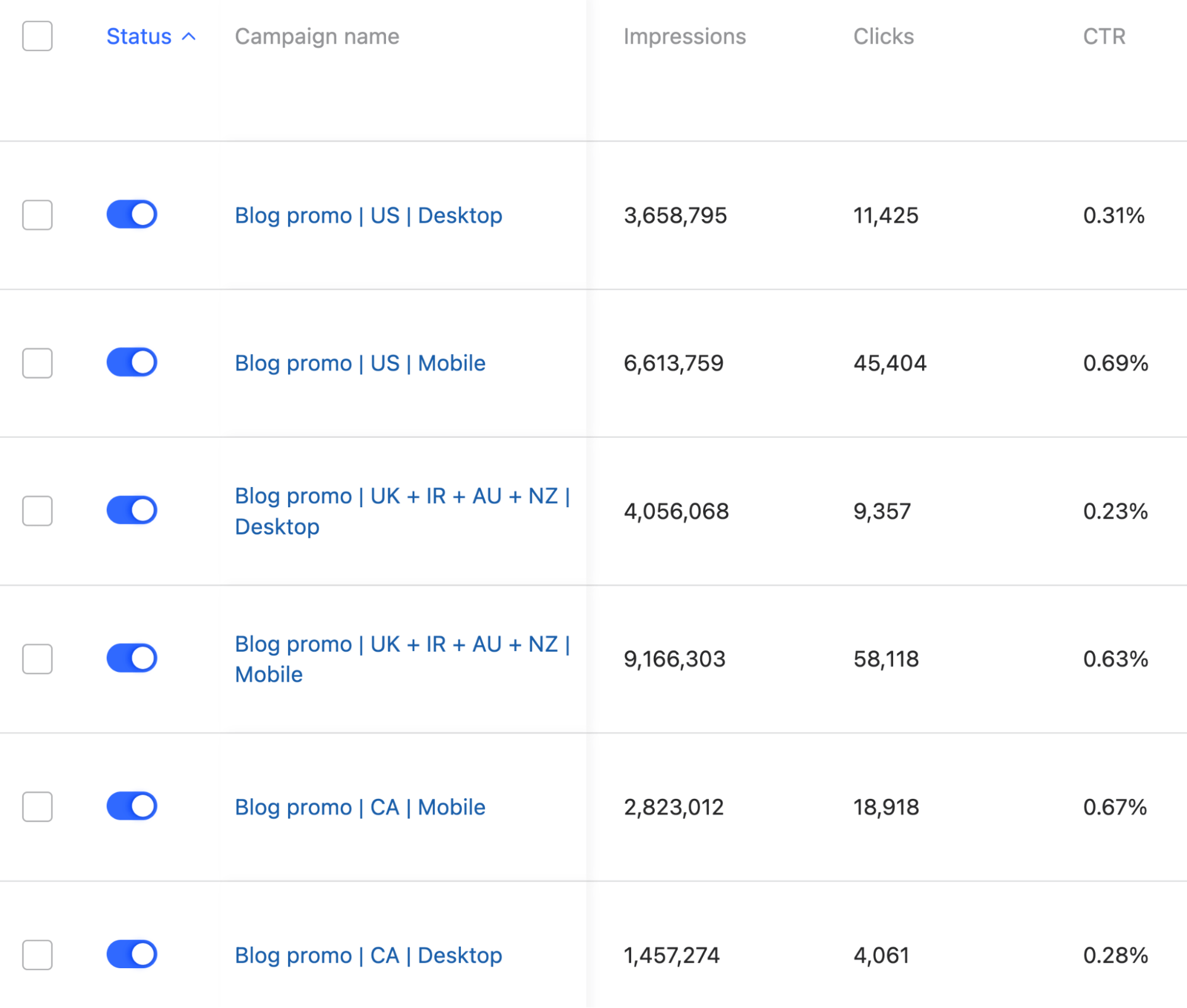
If you’re worried about it being too expensive per click, you can consider lesser-known ad platforms. For example, we run ads on Quora:

Our Quora ads campaigns

The beauty of ads, specifically pay-per-click (PPC) ones, is how fast it is. Not only is it fast to set up, it’s also fast in terms of feedback—You can set up a campaign and see if it’s working (almost) immediately. That gives you a lot of room to experiment and see what changes are effective.

The downside, however, is that ads are not infinitely scalable. Especially so if you’re using it to ‘promote content’, where the return on investment (ROI) may not be immediate. Which means you’ll always need to be spending money.

So, even if ads are a go-to for you, you’ll want to drive that traffic into an email list or build out an SEO strategy for your site.

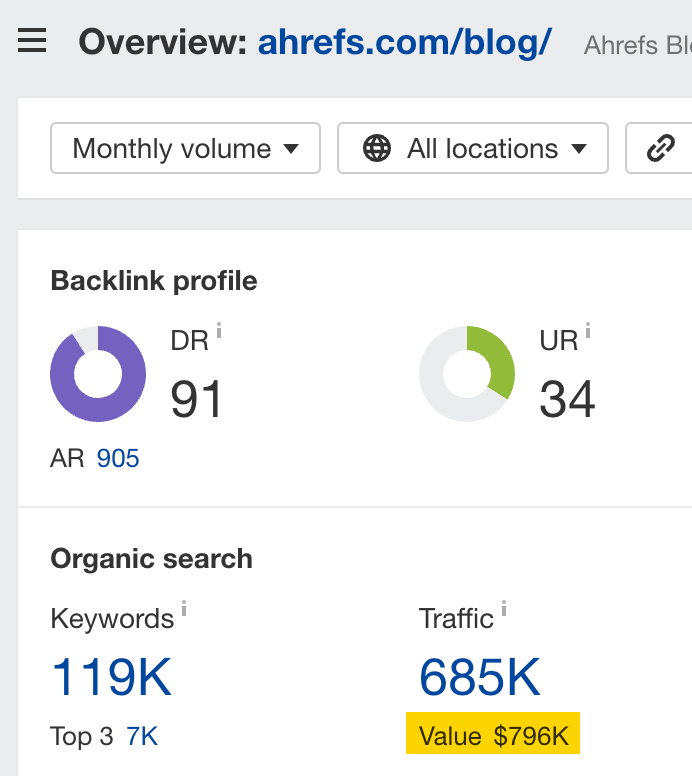
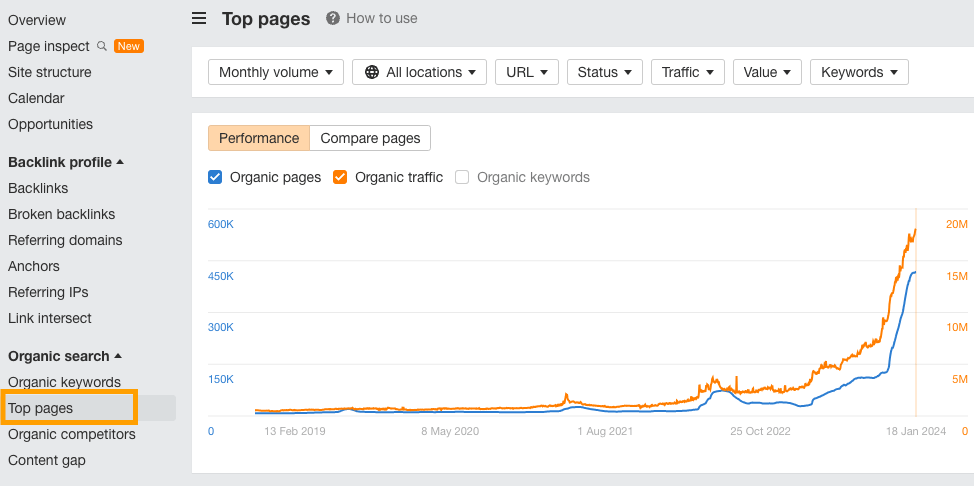
We’re the perfect example here—Our blog traffic costs an estimated $796,000 per month, IF we were to target all the keywords we rank for on Google Ads.

The value of search traffic coming to the Ahrefs blog

Our content team of six are obviously not paid that much in salaries, so we’re saving a lot in terms of marketing budget.

Further reading

Final thoughts

Content promotion isn’t about pushing an article into the void, hoping for engagement. Your article is merely a vessel; your end goal is to share a valuable idea with the world.

Thinking of promotion from that perspective will open up your world in terms of potential distribution channels. You no longer have to rely on the XX promotion tactics you find online, all dedicated to securing that one click.


So, you’ve got some bad backlinks? Maybe you’ve paid for some shady links, or a competitor has targeted your website with

Check GSC for a manual action and start a backlink audit

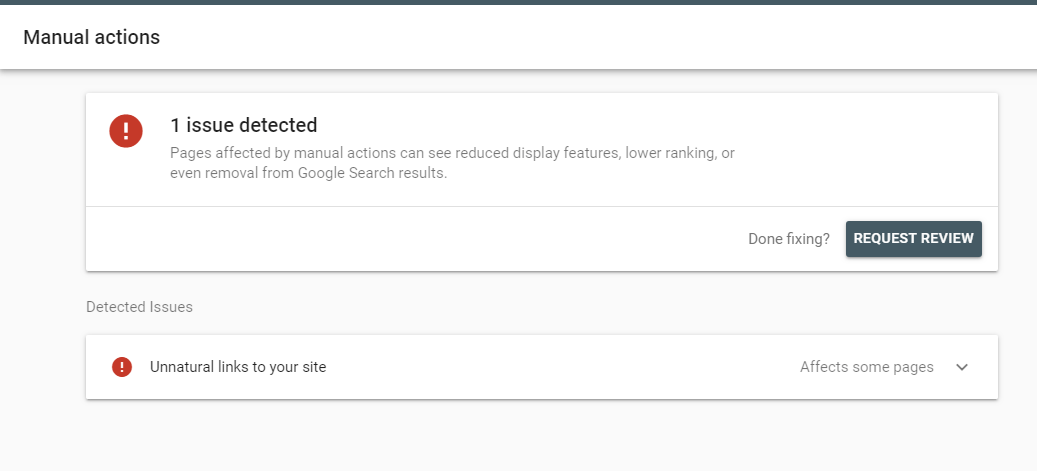
If you’ve got a manual action (also known as a manual penalty), you’ll see it by logging into Google Search Console (GSC). Expand the Security & Manual Actions tab and click on Manual actions.

If there’s an issue, you’ll see a screen like this:

manual-action-in-google-search-console-example

Assuming you have a manual action, the first step is to list all the domains you want to remove.

Start by heading to Google Search Console, exporting all the links, and adding them to a spreadsheet. These are the links that Google sees, so there’s no need to use a third-party tool at this point.

export-external-links-example

Once you’ve got your domain list in your spreadsheet, you’ll need to start a backlink audit to identify the unnatural links. In your backlink audit, you don’t have to remove every spammy link, but it’s a good idea to look for common patterns to identify what caused the penalty.

Tip

If you aren’t confident in completing a backlink audit, ask a reputable SEO consultant or an SEO agency to do one for you.

What constitutes an unnatural link, according to Google? In short, it’s any link that is intended to manipulate rankings in Google’s search results.

Such as:

  • Paid links
  • Excessive link exchanges
  • Automated linking
  • Requiring links as part of your ToS
  • Low-quality directory or bookmark site links
  • Keyword rich low-quality links embedded in widgets
  • Widely distributed links in the footers or templates of sites
  • Forum comments with optimized links

For a current list, check Google’s spam policies.

You can use a tool like Ahrefs’ Site Explorer to help find spammy or unnatural-looking links.

Here are a few checks you can make:

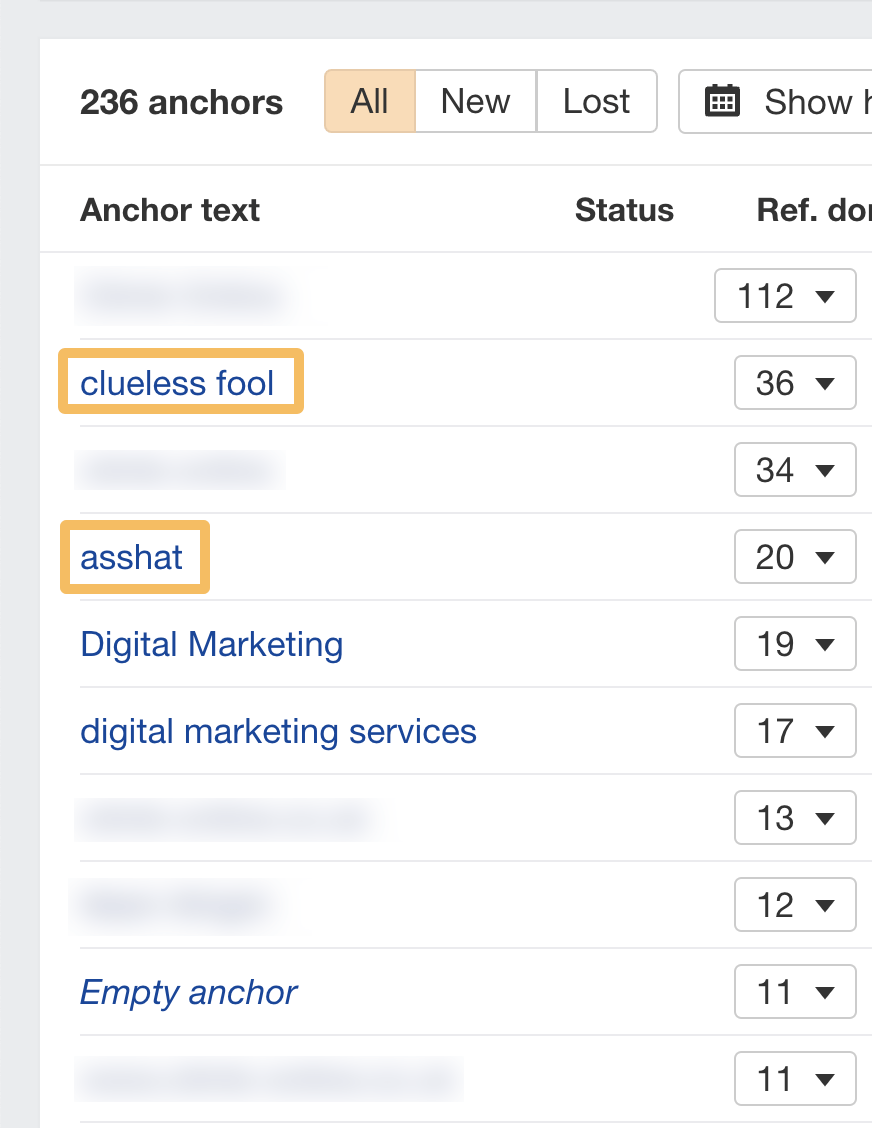
Are there any spammy-looking or over-optimized anchors?

In Ahrefs’ Site Explorer, you can check the Anchors report in the sidebar. If there’s an issue—it can be fairly obvious from this report. Here’s an extreme example of easy-to-spot spammy-looking anchors in a digital marketing website’s link profile that looks unnatural within the link profile’s context.

anchor-text-report

Assess the overall quality of the domains

Does it look like a site that Google would approve of based on their quality guidelines?

Google has a whole section dedicated to defining link spam, but one of the core considerations is whether you’ve paid for links to manipulate Google’s rankings.

Once you’ve identified the unnatural links, you’ll need to collect the email addresses for these domains. Usually, there’s a contact form or an email on the contact page, or you could try the [email protected] approach. You can also use a tool like Hunter, or simply run a quick search on social media.

You should then request that they remove the links from their site.

Here’s an example of the type of email you can use to request removal – keep it short and to the point, and remember to send it from an email address that has your domain name in the email.

Hi {site_owner’s name},

I’m currently reviewing links on my website, and I need your help to remove this link:

{Their_URL}

It links to my website here:

{Your_URL}

When you have removed the link, I would be grateful if you could respond to this email.

Thank you,

{Your name}

{[email protected]}

Sidenote.

You can also ask site owners to add a nofollow tag to the links, but I’ve often found getting them to remove the link is easier.

Once you’ve removed a few links, you can start updating your list. Some site owners will not reply to your email. Others will agree to remove the link but charge a fee for the link removal.

In this situation, John Mueller has said:

“If there are some links that you can’t remove yourself, or some that require payment to be removed, then having those in the disavow file is fine as well.”

John Mueller

If you’ve tried to get the backlinks removed, but they can’t be removed, then you should disavow the links.

Google says:


“We recommend that you only disavow backlinks if you believe that there are a considerable number of spammy, artificial, or low-quality links pointing to your site, and if you are confident that the links are causing issues for you.”

Google Search Console Help

In a now-deleted tweet, John Mueller confirmed this by saying if you paid for links and can’t remove them, disavow them.

If you choose the disavow route, please heed these words of caution from Gary Illyes:

“We said multiple times that the disavow tool is a very heavy gun. And if you don’t know what you are doing, you can shoot yourself in the foot with it.”

Gary Illyes

There’s a risk with a disavow that you can tank your site’s rankings by disavowing the wrong links. So it’s important to be sure that the links you’re adding to the disavow file are causing issues for your site.

Google also provides detailed guidelines for preparing your disavow .txt file, which you should follow.

Once you’ve got a list of domains that you think are unnatural, you should format your disavow file in this style:

# Two pages to disavow
http://spam.example.com/stuff/comments.html
http://spam.example.com/stuff/paid-links.html

# One domain to disavow
Domain:shadyseo.com

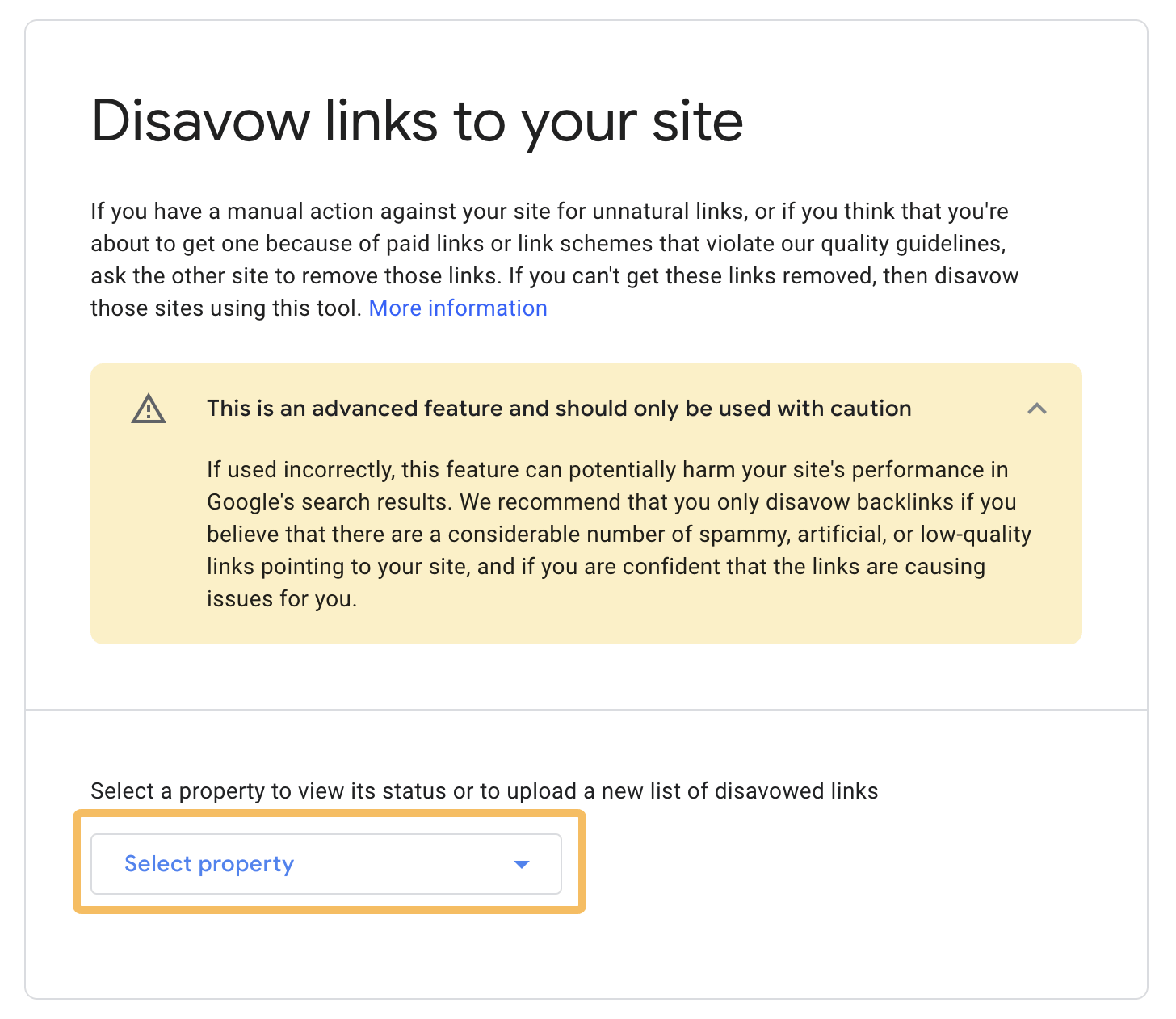
Then it’s just a matter of uploading your .txt file to this page in GSC.

Sidenote.

If you already have a disavow file, download it and update it instead. If you try to upload a new one, it will overwrite the old one instead of adding to it.

disavow-links-to-your-site

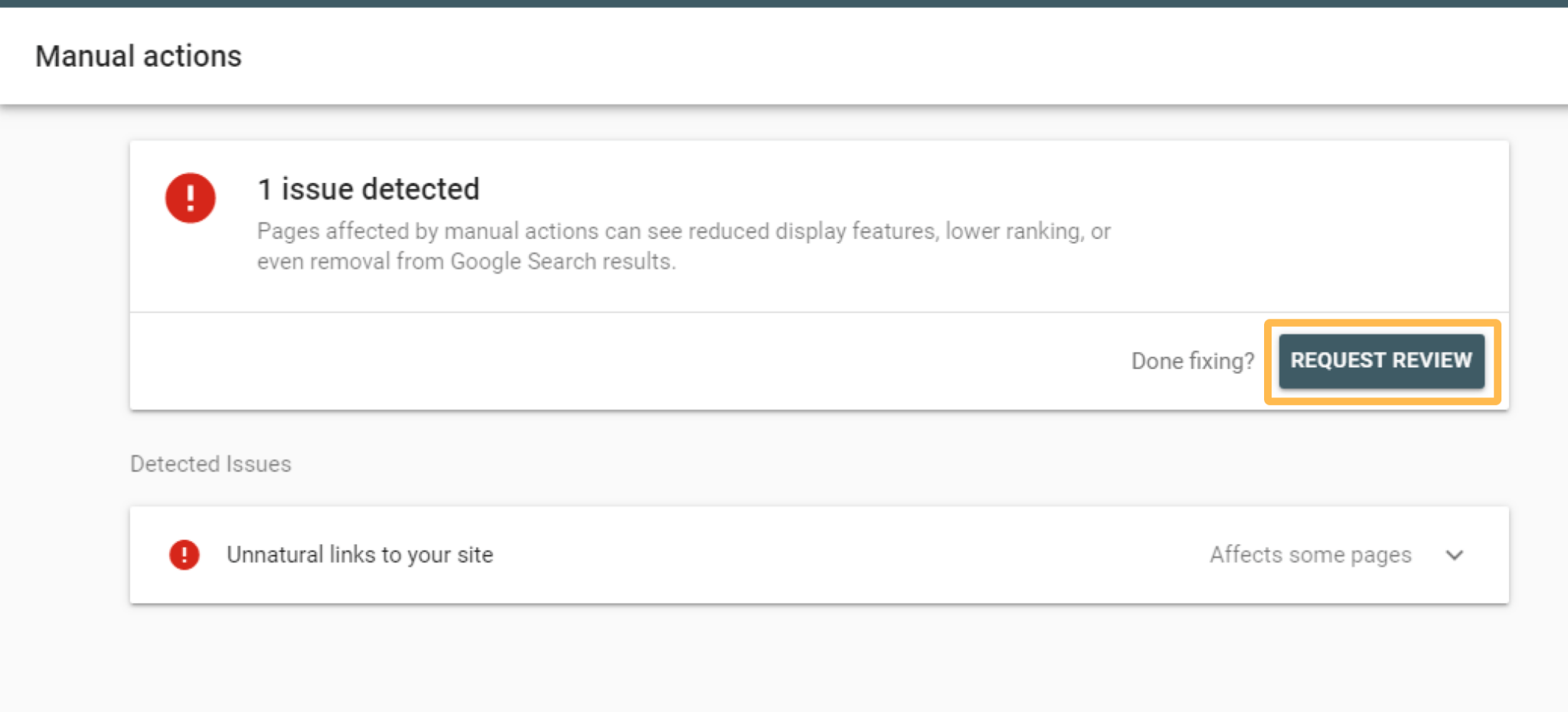
Once you’ve tried removing as many unnatural links as possible and uploaded your disavow file to GSC, you can request a review. You can do this by clicking the button Request review.

manual-actions-unnatural-links-to-your-site-example

If Google decides you’ve done a good enough job, they’ll remove the manual action. If not, you may have to repeat the process until the manual action is removed.

Further reading

If you don’t have a link-based manual action but you have links you want to remove, this is where it can become a gray area—and different SEOs will have different opinions on whether or not to remove backlinks.

Here’s an example of a blogger who says he had lots of “spammy” links but did nothing—and saw no negative impact:

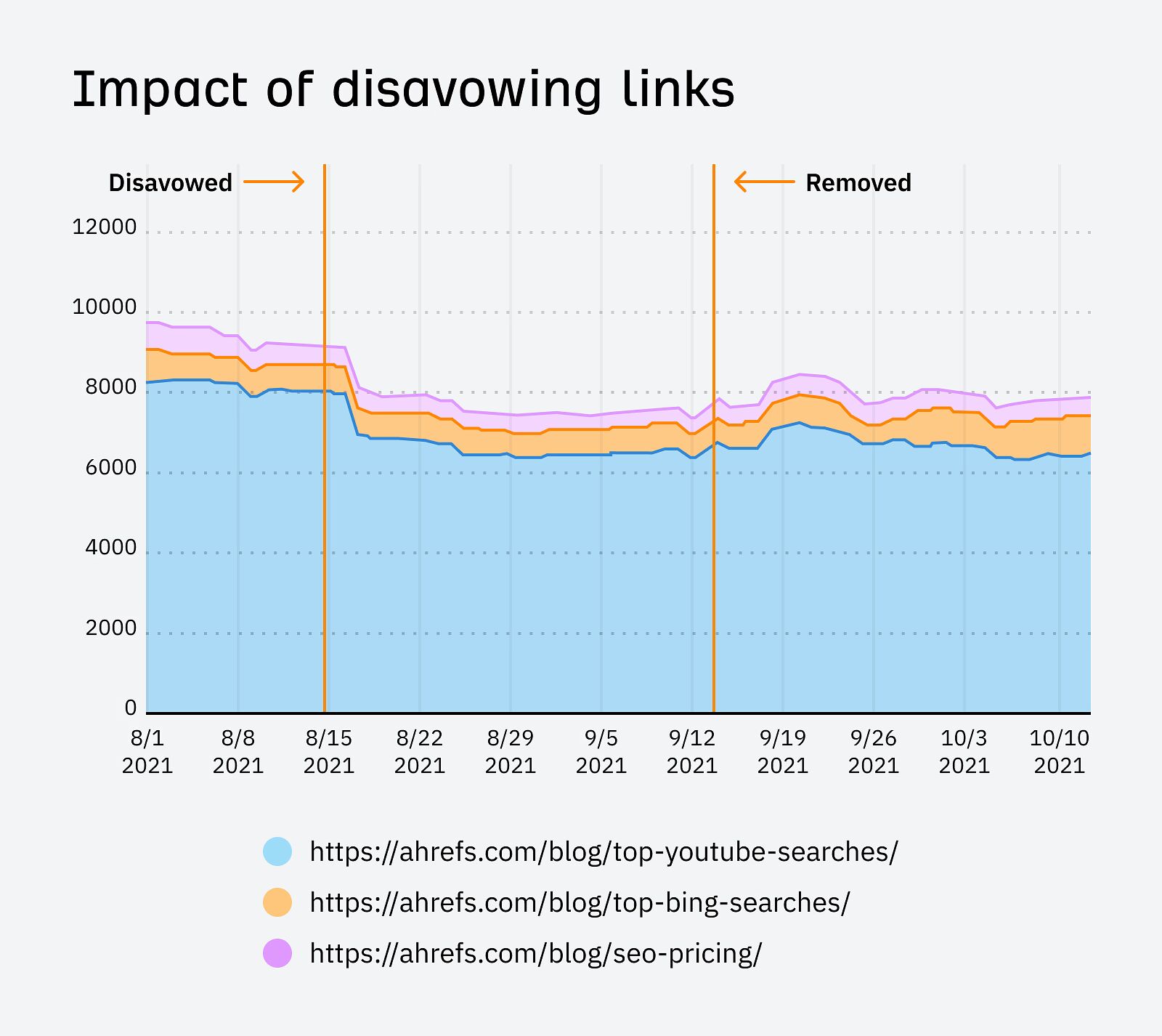
Here’s another example where Patrick Stox showed the impact of disavowing links on Ahrefs’ blog.

impact-of-disavowing-links

This shows that disavowing links without a manual action can potentially reduce your site’s organic traffic and that links still play a significant role in rankings.

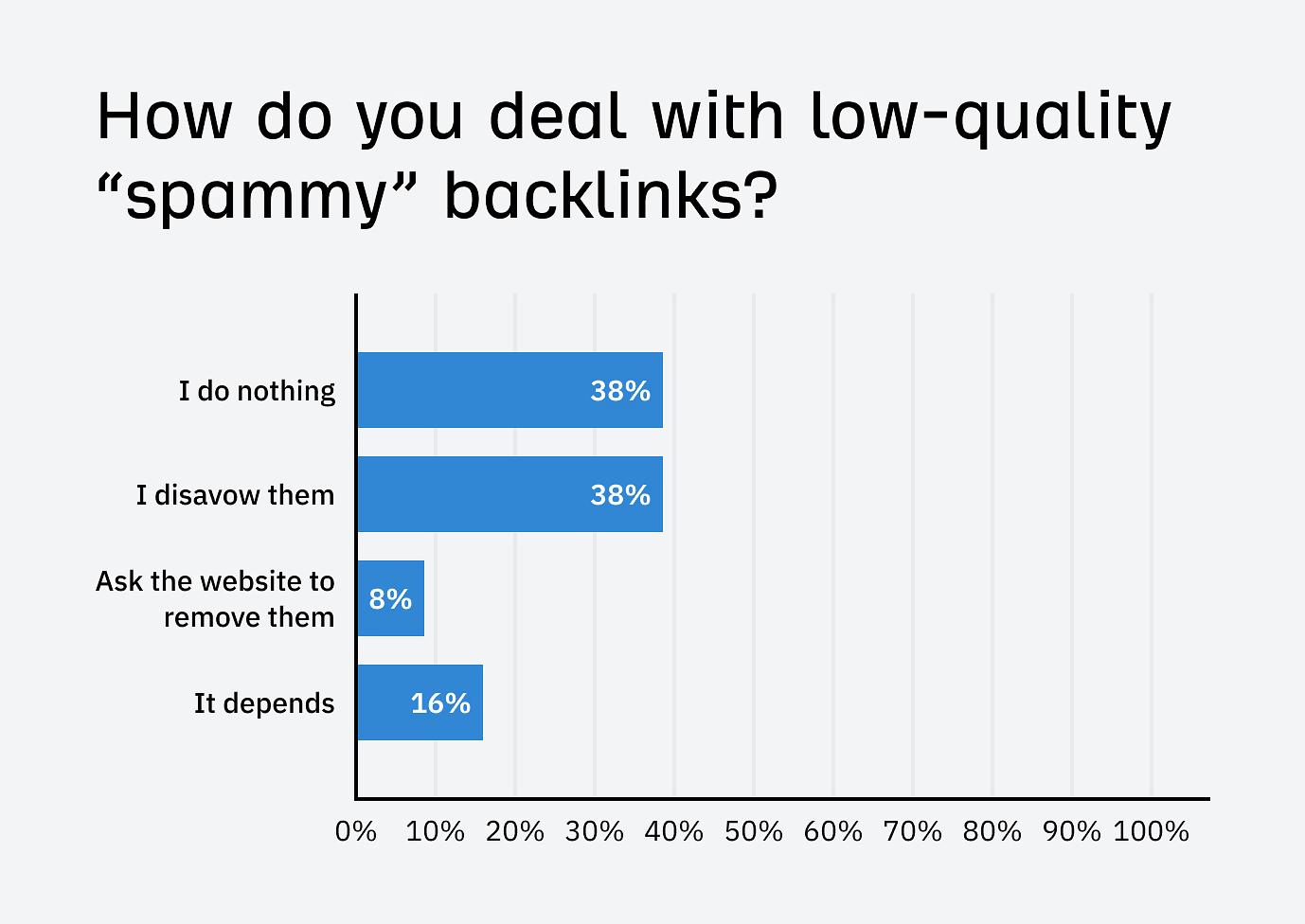
When I asked SEOs on LinkedIn how they deal with low-quality links, most said they either do nothing or disavow them.

how-do-you-deal-with-spammy-links-llinkedin-poll

The poll showed that only 8% of SEOs remove low-quality backlinks from the source. Most preferred to either do nothing or disavow them. This is not surprising because, as we’ve already seen, removing backlinks is not easy and takes time.

The approach of “I do nothing” may surprise some, but with Fabrice Canel of Bing announcing in 2023 that they’re retiring Bing’s disavow links feature, it seems likely Google will follow suit soon.

Fabrice said:

“We can now differentiate between natural and unnatural links, and we can ignore or discount the latter without affecting the former.”

Fabrice Canel

So the question really is—how much do you trust search engines to make the right decision?

Let’s consider the following scenarios:

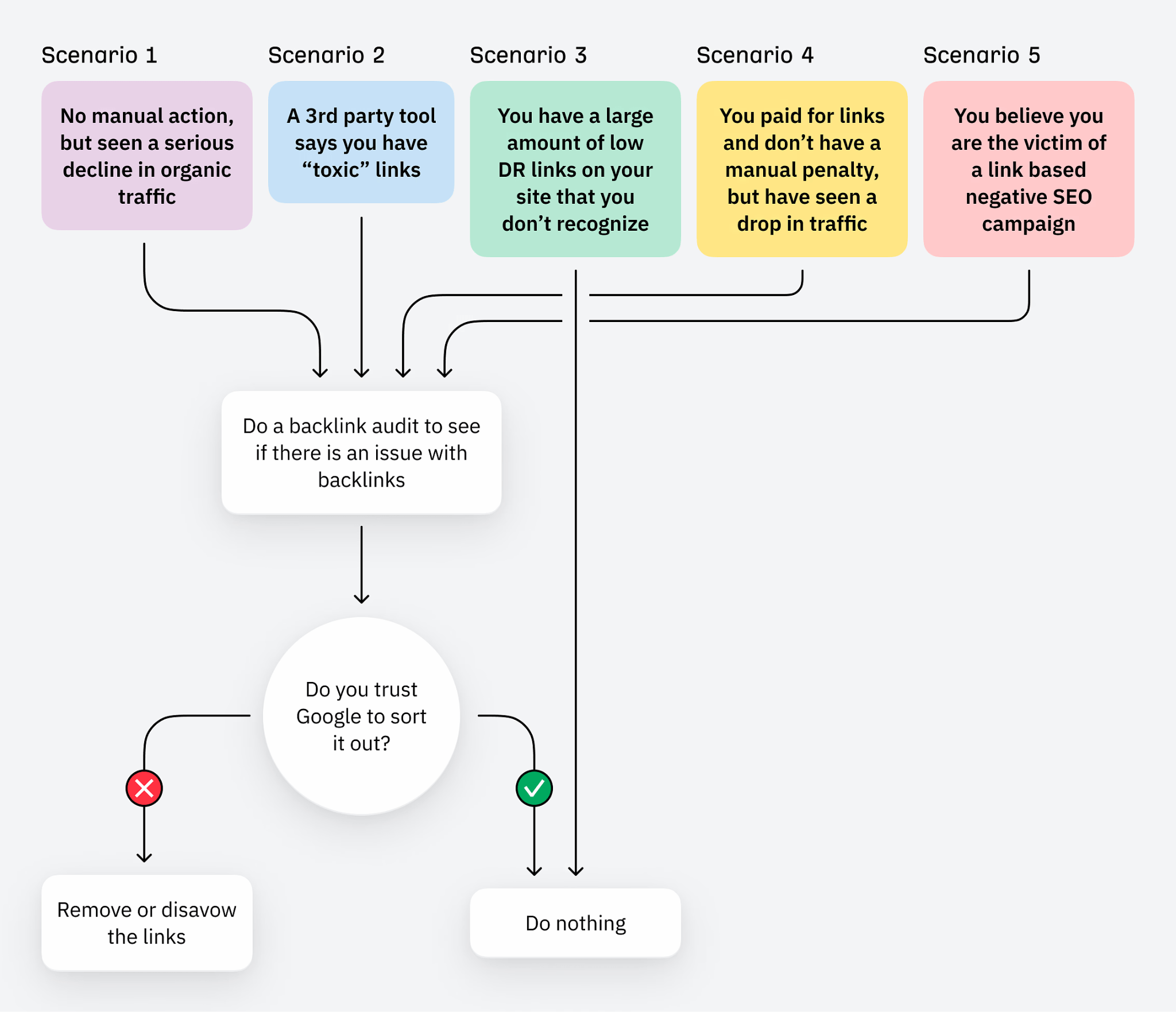
removing-backlinks-decision-tree-with-no-manual-penalty

1. No manual action, but have seen a serious drop in traffic

  • Start with a backlink audit to see if there is any issue with the links if you believe you are at risk
  • A drop in traffic could be caused by many things, not just links—check your technical SEO for any issues or any Google algorithm updates
  • If there is a serious issue with links that you believe may violate Google’s quality guidelines, then you can remove or disavow them. Run a Site Audit crawl to eliminate any technical SEO issues.

2. A third-party tool says you have “toxic” links

  • John Mueller said the concept of “toxic” links is made up, and his advice was to move on to more serious SEO tools:
  • If you have used a third-party tool to categorize links in this way, it doesn’t mean that the links are necessarily bad for your website
  • If there is a serious issue with links that you believe may violate Google’s quality guidelines, then you can remove or disavow them

3. You have many low DR links on your site you don’t recognize

  • If you have a lot of low Domain Rating (DR) links that you don’t recognize, it’s usually nothing to be worried about
  • Low-authority websites can and do naturally link to your website—just because they are low DR, it doesn’t mean that they should be removed or are “bad”
  • If you are determined to remove or disavow, always manually review the sites in question before pulling the trigger
  • In most cases, no action is required. Google and other search engines will deal with these types of links.

4. You paid for links and don’t have a manual penalty but have seen a drop in traffic

5. You’re the victim of a link-based negative SEO attack

  • If you believe there are many spammy, artificial, or low-quality links pointing to your site, and you believe they are causing issues.
  • In basic attacks, Google should be able to understand what is and isn’t a natural link. For more advanced attacks, you may need to remove or disavow.
  • If you are at all unsure, always seek advice from an SEO professional before removing or disavowing any links.

Final thoughts

Removing backlinks isn’t most people’s idea of fun—it often involves the same amount of blood, sweat, tears, and toil as building links, but minus the dopamine hit of getting a high DR link.

By contrast, a disavow can be updated quickly, so if you know what you’re doing, it’s not hard to see why some SEOs opt for this option.

And, of course, the simplest option is to kick back, relax, and do nothing—but to do so, you have to have faith in Google’s algorithms to figure it all out—but do you?

Got more questions? Ping me on X 🙂


SEOs have access to so much data that sometimes, it’s hard to know what to do with it all. I’ve been experimenting with visualizing Ahrefs data using GPT-4, so I thought I’d share the results with you all.

We’ve already launched some AI-enhanced features like search intent, but we made it even better by adding the traffic share for each intent. Check out this write-up from Si Quan for some more things we might add.

For the visualizations, you’ll need GPT-4. There’s an API, but you can also just use ChatGPT Plus for $20 a month. I’m hoping to bring many of these visuals to life within the tool, but these things take time and you can create them now. Let me know your favorites and any other use cases you find that you want to see us add!

IMPORTANT

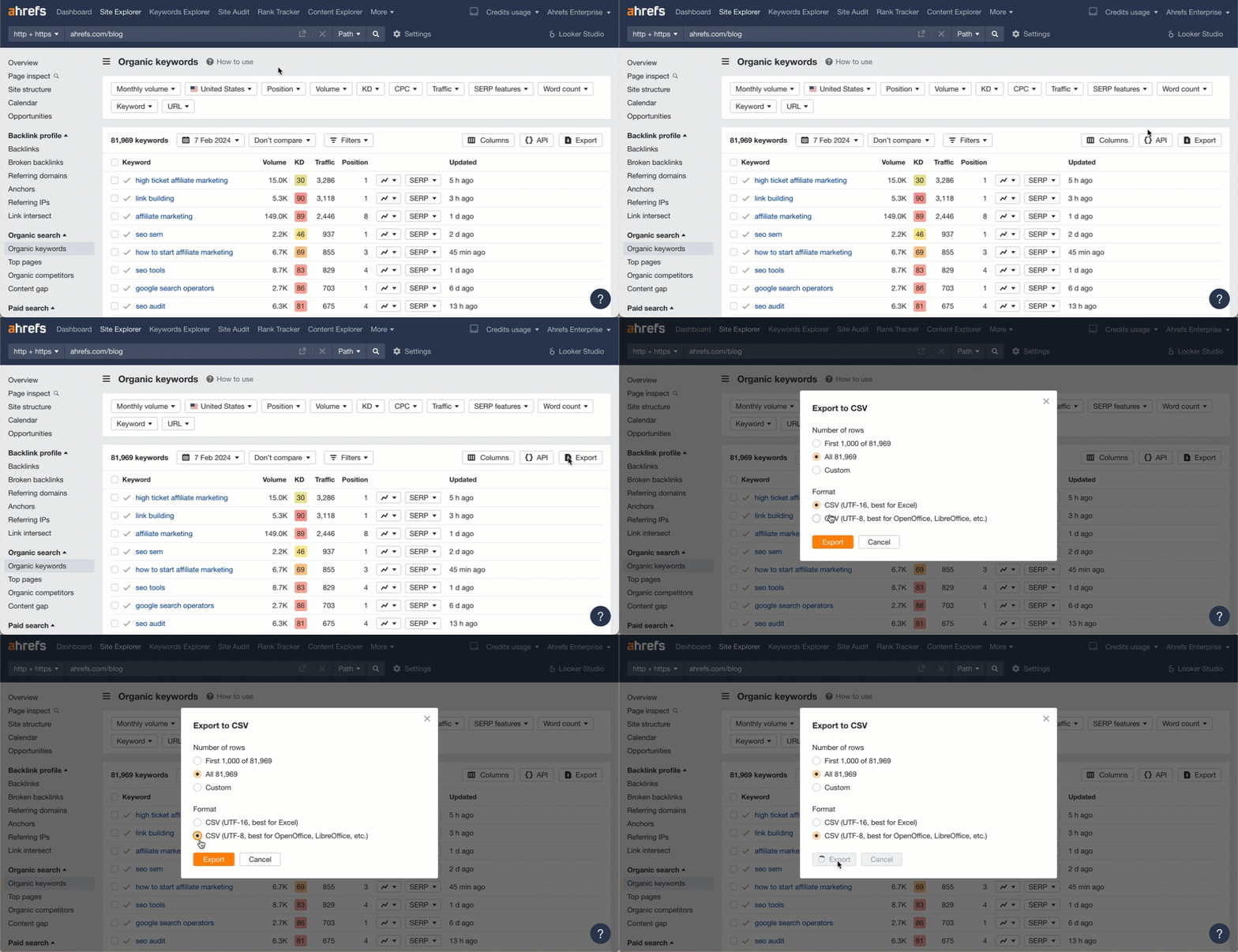
For all these, export the data in UTF-8 format from the report indicated and run the prompt. Note that your results may differ a bit because of how LLMs work. You may need to ask for some adjustments to get exactly what you want.

Use case:

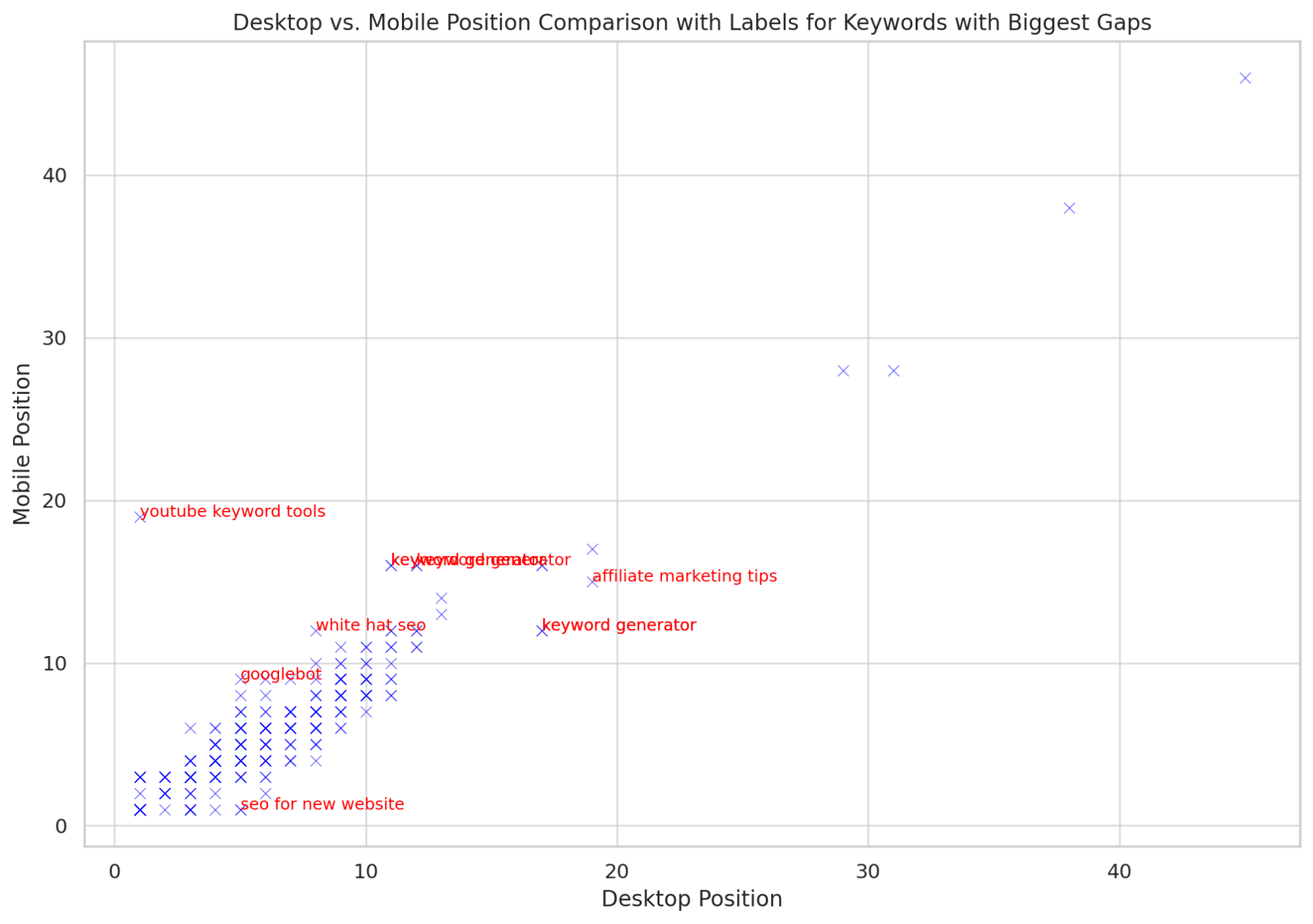
This allows you to see outliers. If you have some terms ranking better on Desktop vs Mobile, then you might want to look at mobile issues or Core Web Vitals.

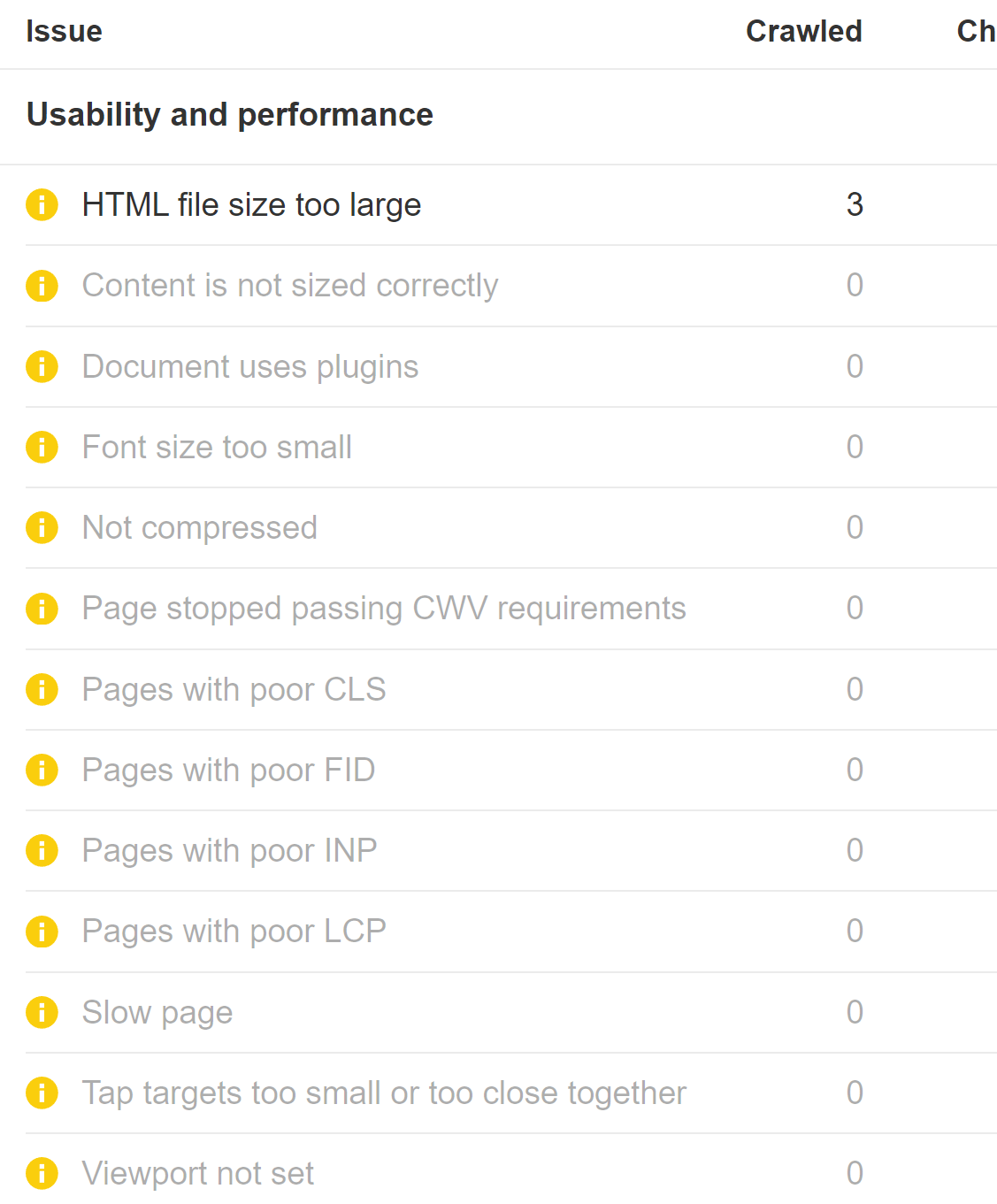
You can see both mobile issues and Core Web Vitals in Ahrefs’ Site Audit. You’ll need to run Site Audit as mobile and connect to PageSpeed Insights.

Core Web Vital and mobile usability issues in Ahrefs' Site Audit

Data source:

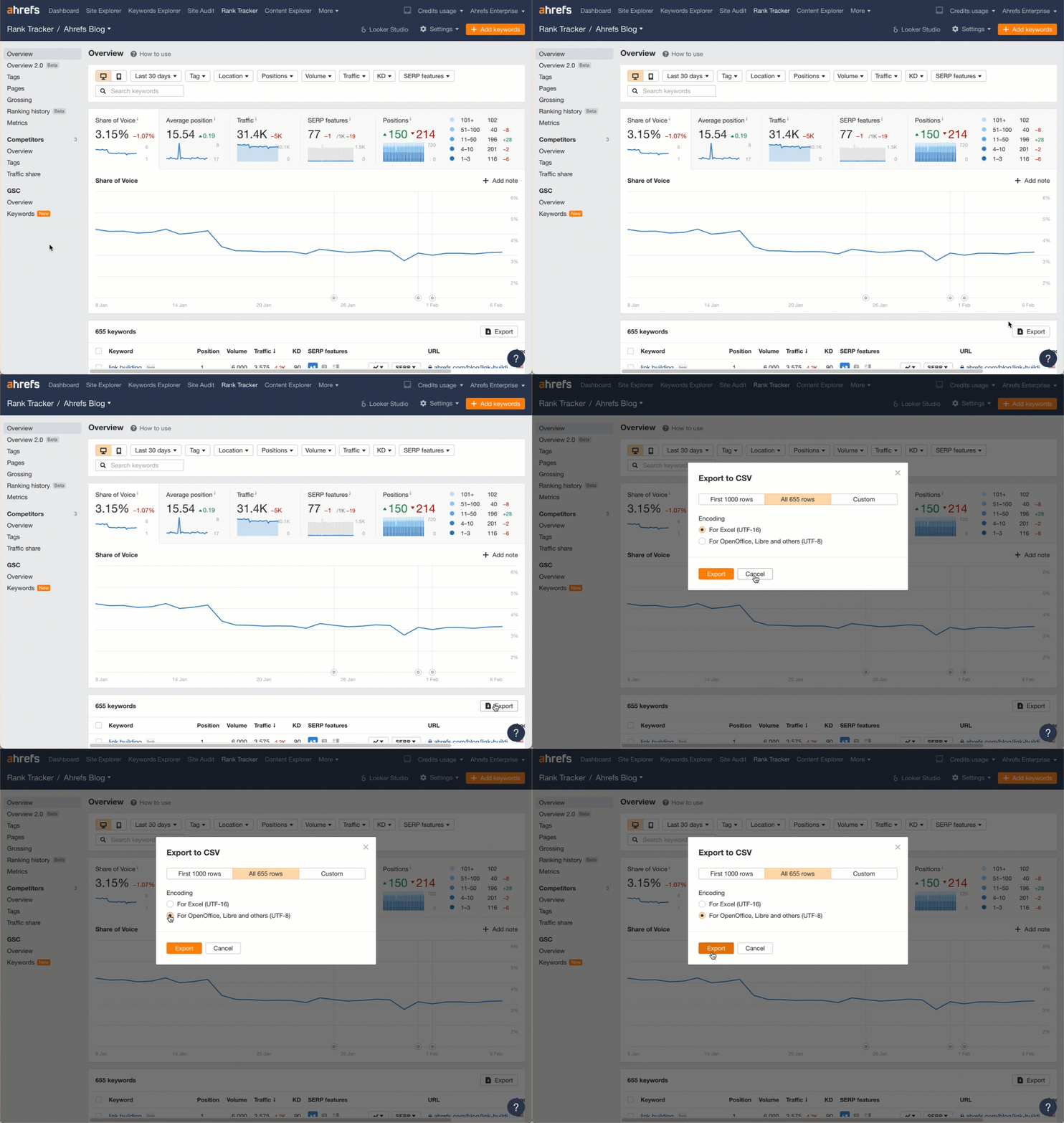
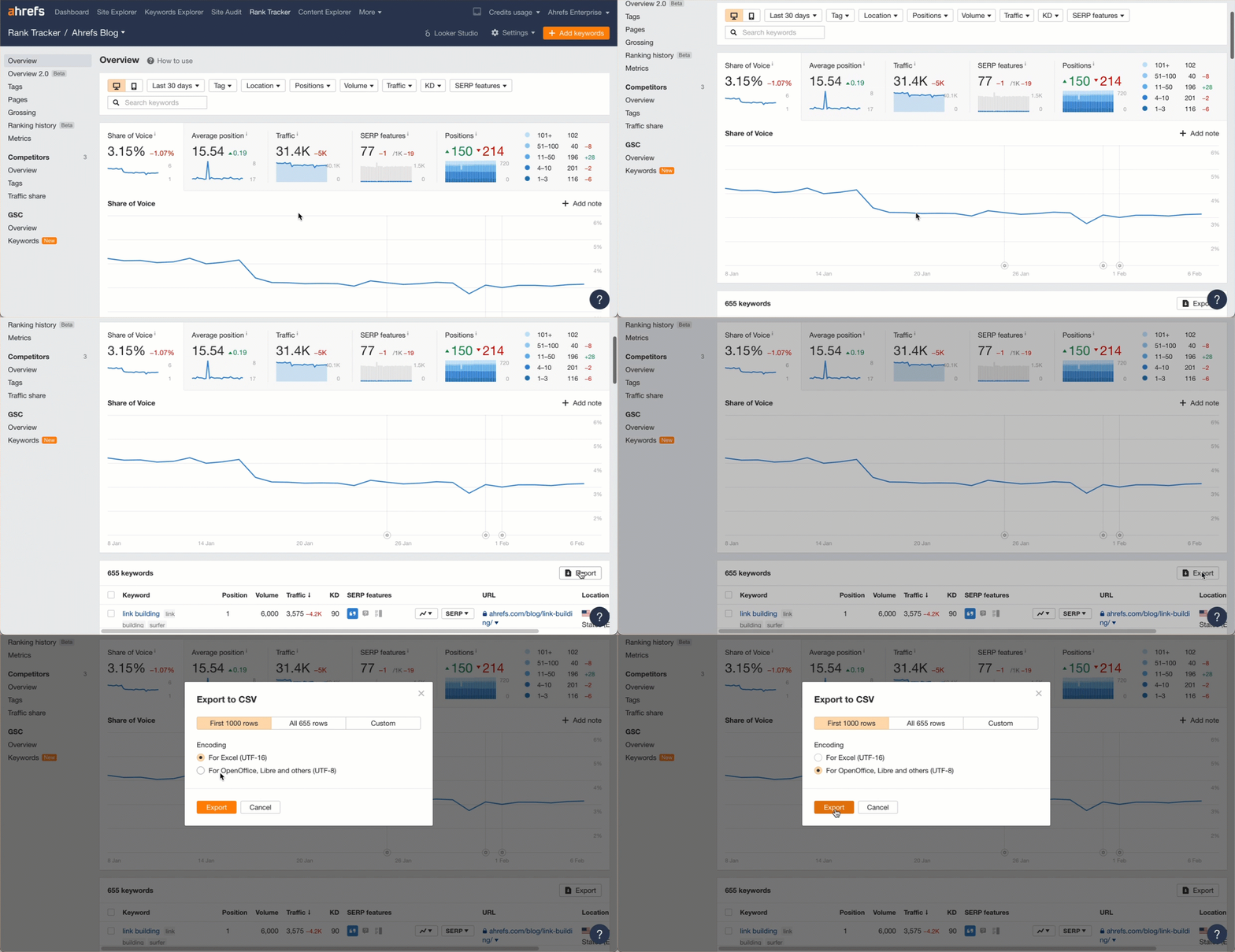
Download your desktop and mobile rankings from the Overview report in Rank Tracker (remember to choose the UTF-8 format). Upload both files to ChatGPT.

Exporting the data from Ahrefs

Prompt:

Read these 2 files that contain desktop and mobile keyword rankings.

Show me a scatter plot comparing the desktop and mobile positions for each keyword.

Label ones that have the biggest gap between rankings.

Branded and unbranded organic traffic and volume

Use case:

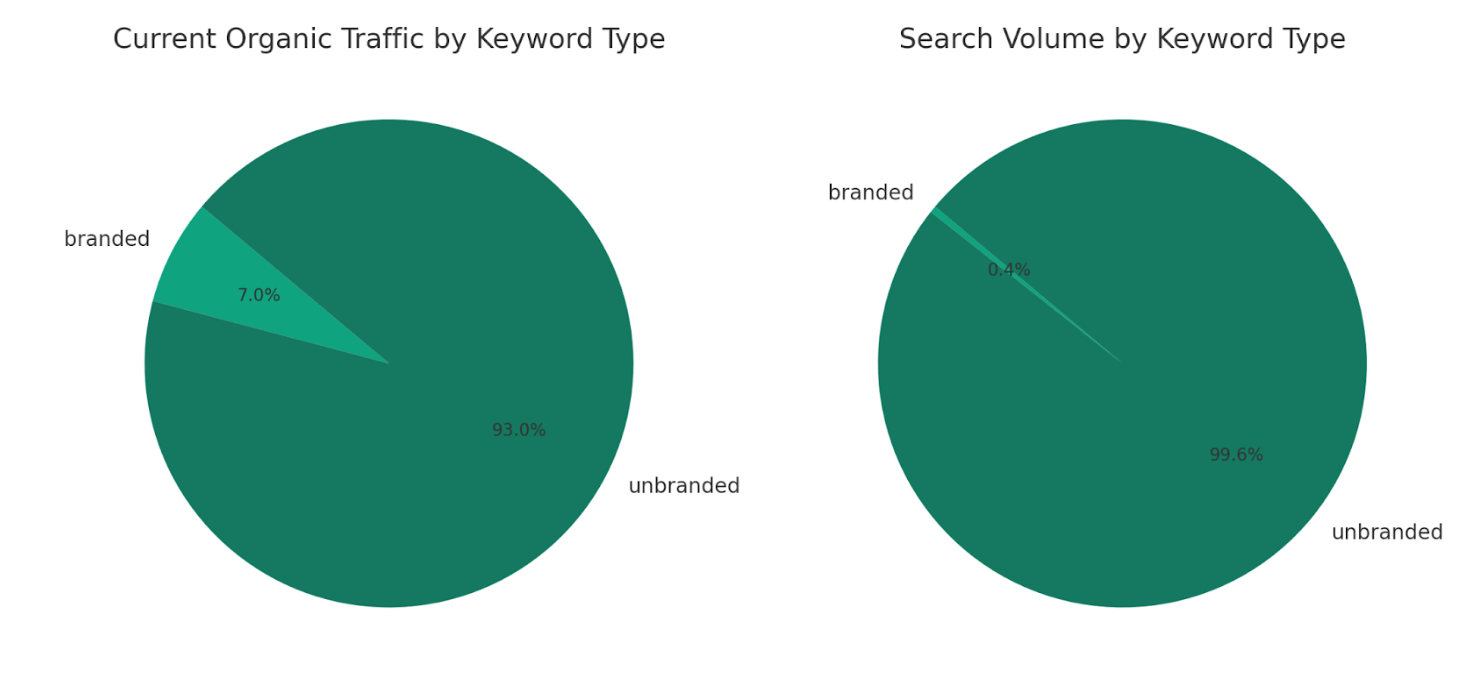
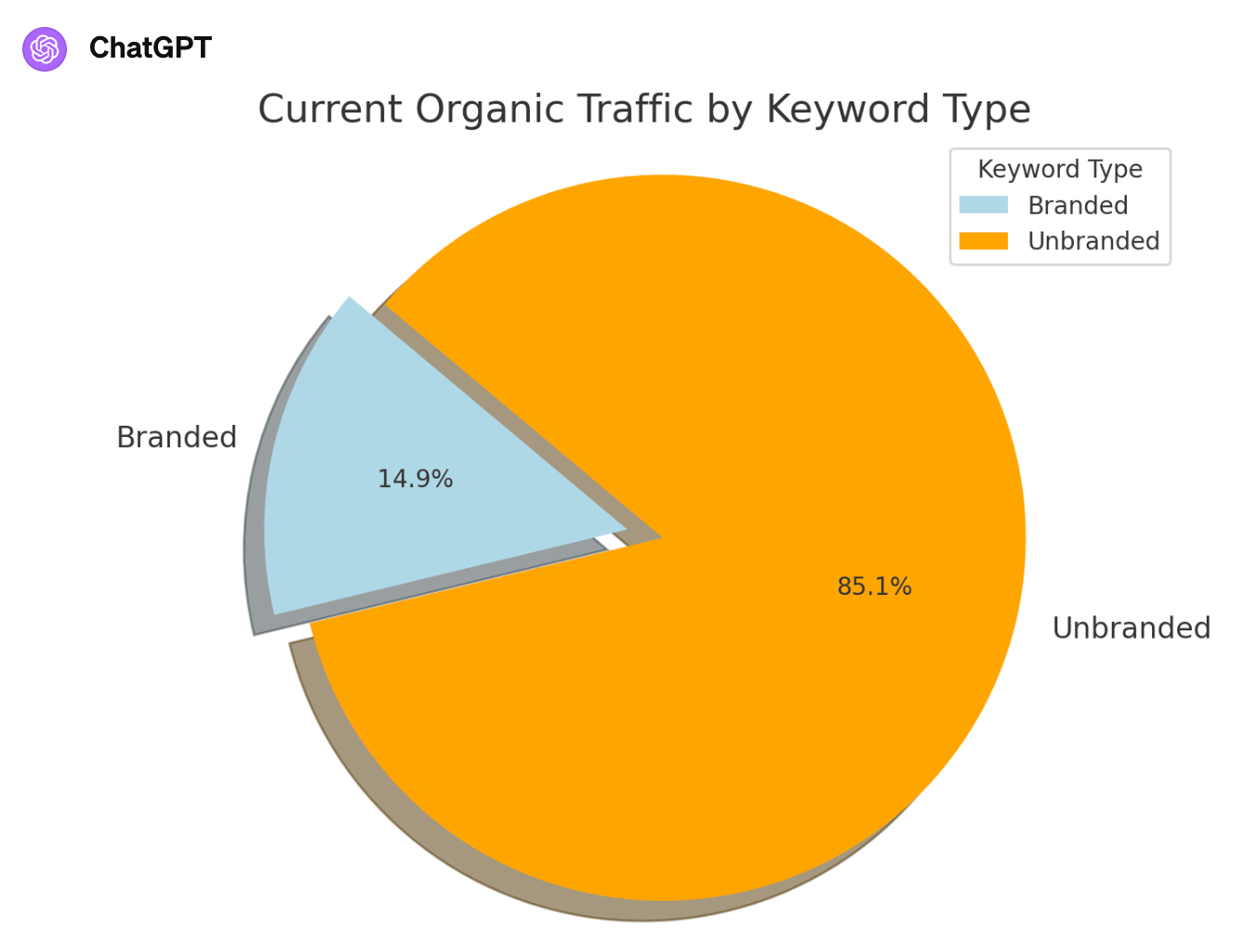
See the breakdown of traffic and total volume by branded and unbranded terms. At a glance, I can see that the majority of our traffic comes from unbranded terms.

Data source:

Download your keyword rankings from the Organic Keywords report in Site Explorer (make sure to select the UTF-8 file format) and upload the file to ChatGPT.

Exporting the data from Ahrefs

Prompt:

Label each keyword in the “Keyword” column as branded or unbranded. Then create a pie chart that shows the sum of “Current organic traffic” for both categories.

Also create this chart with the sum of “Volume” for each.

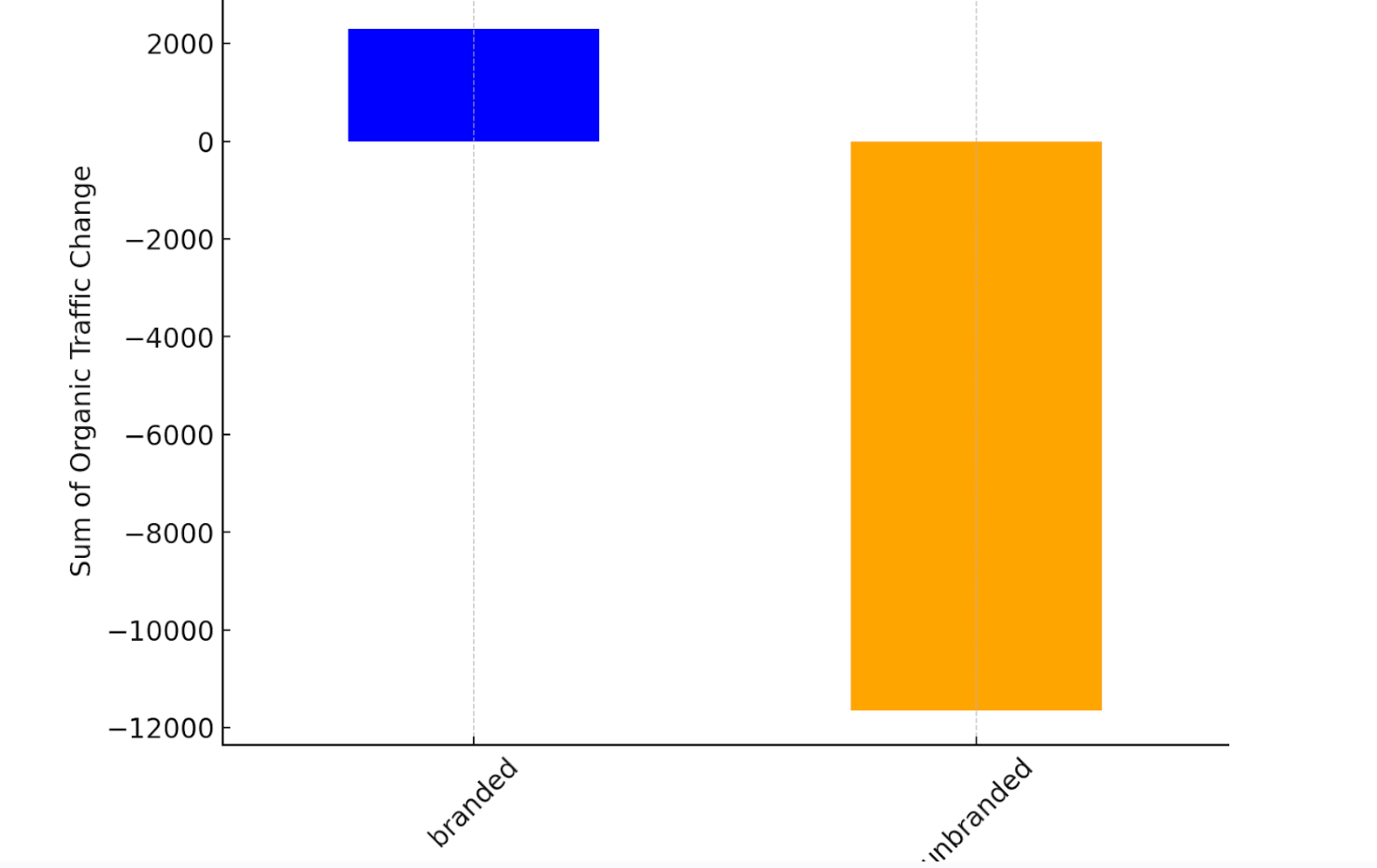
Change in traffic for branded and unbranded terms

Use case:

See if you’re gaining or losing clicks for branded or unbranded terms between two dates. You need to have compare mode enabled for this to work.

Data source:

Like the previous one, download your keyword rankings from the Organic Keywords report in Site Explorer and upload the file.

Prompt:

Label each keyword in the “Keyword” column as branded or unbranded.

Create a visual that shows me how the organic traffic changed overall for branded and unbranded keywords based on the sum of the data for each in the “Organic traffic change” column.

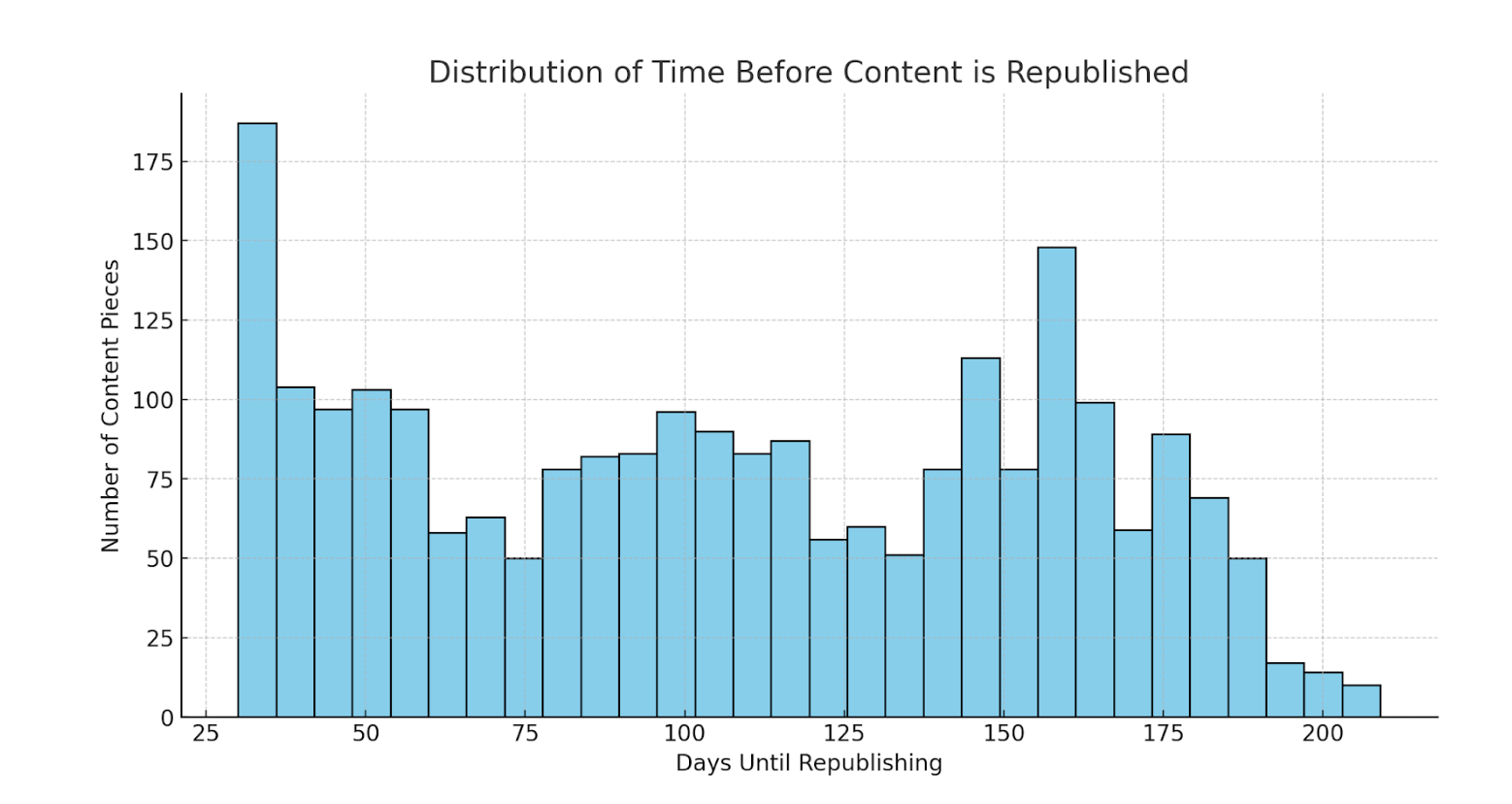
Histogram showing how long it's been since competing content was republished

Use case:

See the last time competing content was updated. If competitors are updating their content a lot, it can indicate a more competitive market.

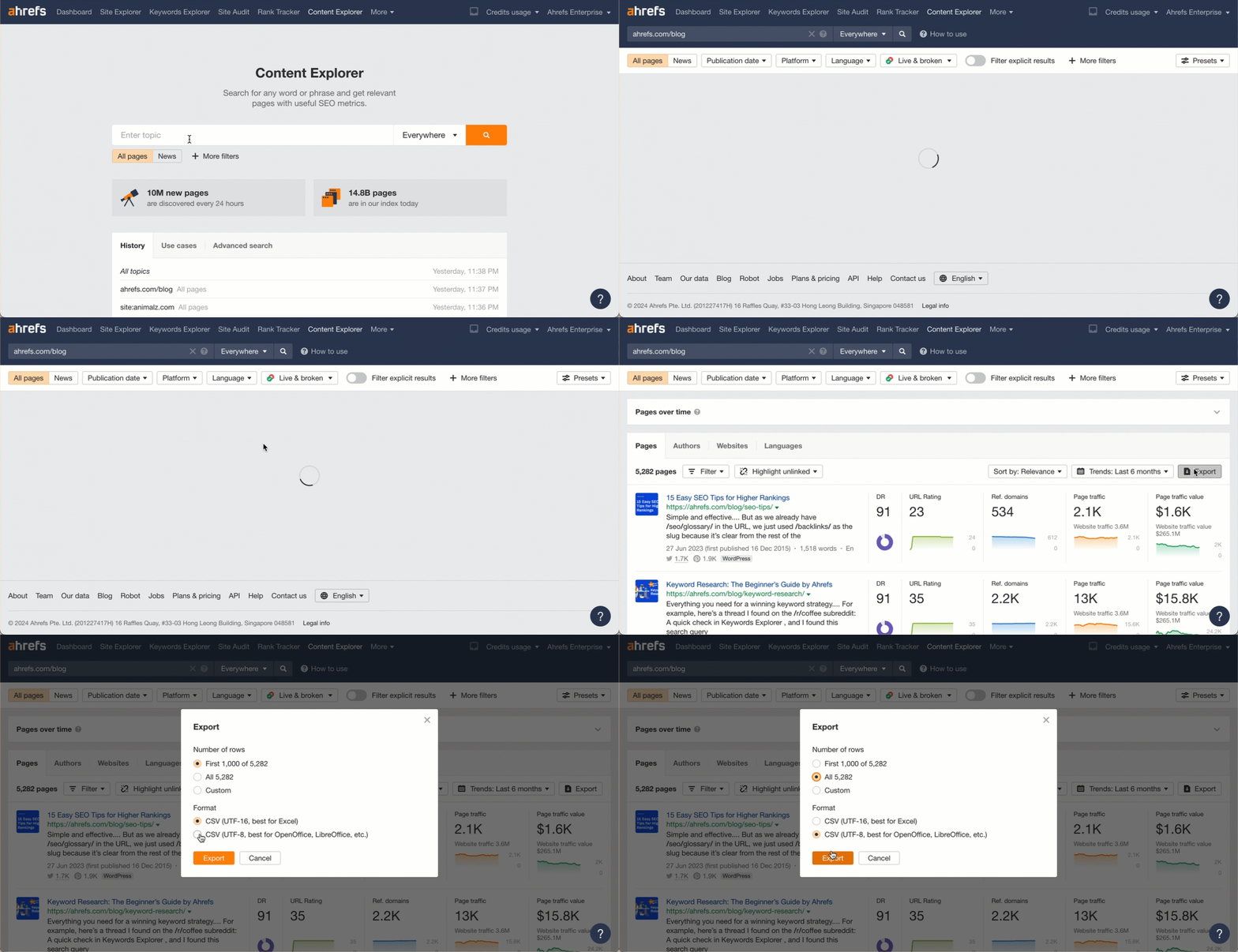
Data source:

Enter a competitor’s website into Content Explorer and export the list of pages (choose UTF-8 as the export format). This can also be done with a keyword or topic.

Exporting the data from Ahrefs

Prompt:

Show me how many days since the content was updated.

Histogram showing how long it's been since competing content was republished

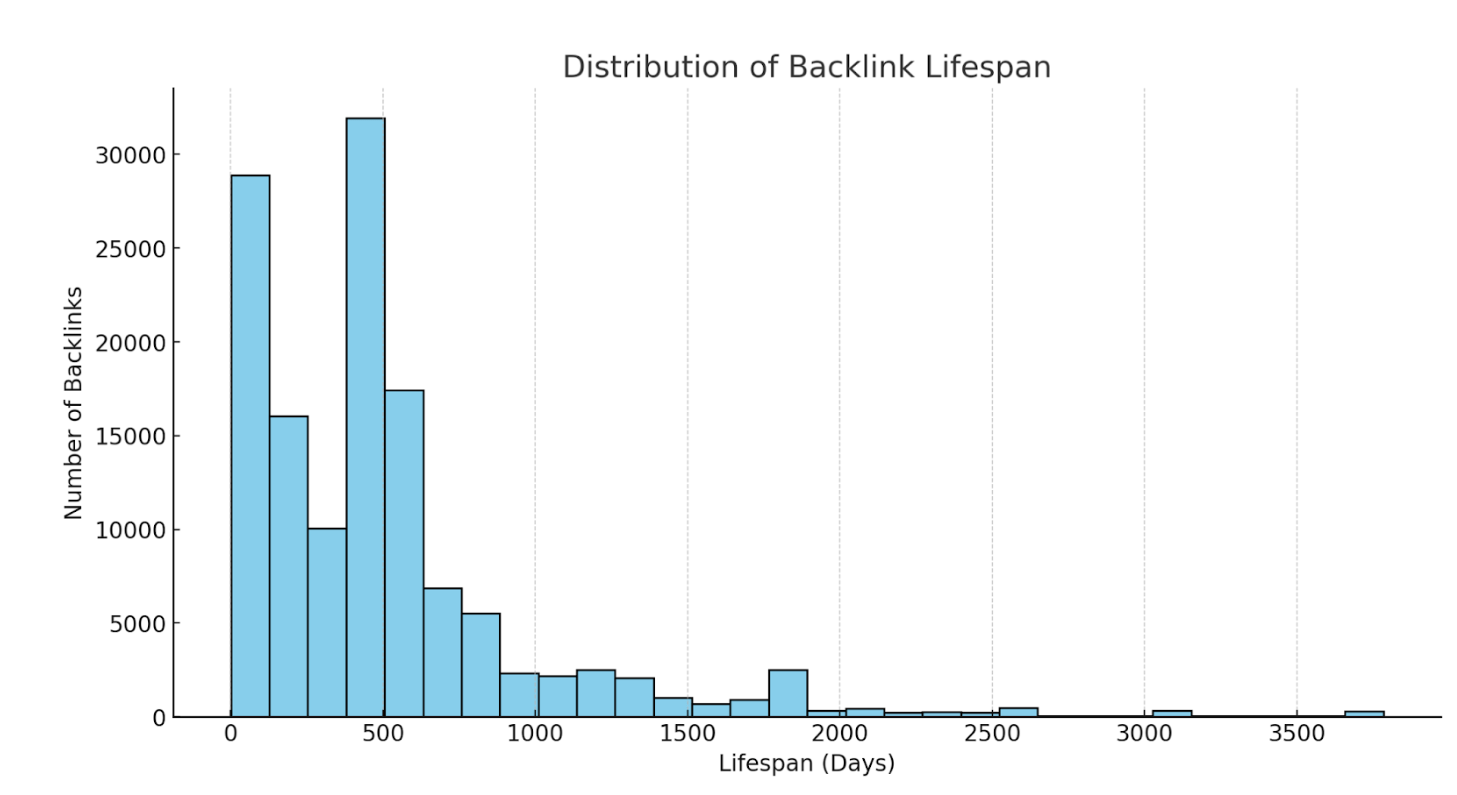
Use case:

See how long backlinks were live on average. If you’re losing a lot of backlinks early, you may want to look into the reasons why. Read our study on link rot to see many of the common reasons.

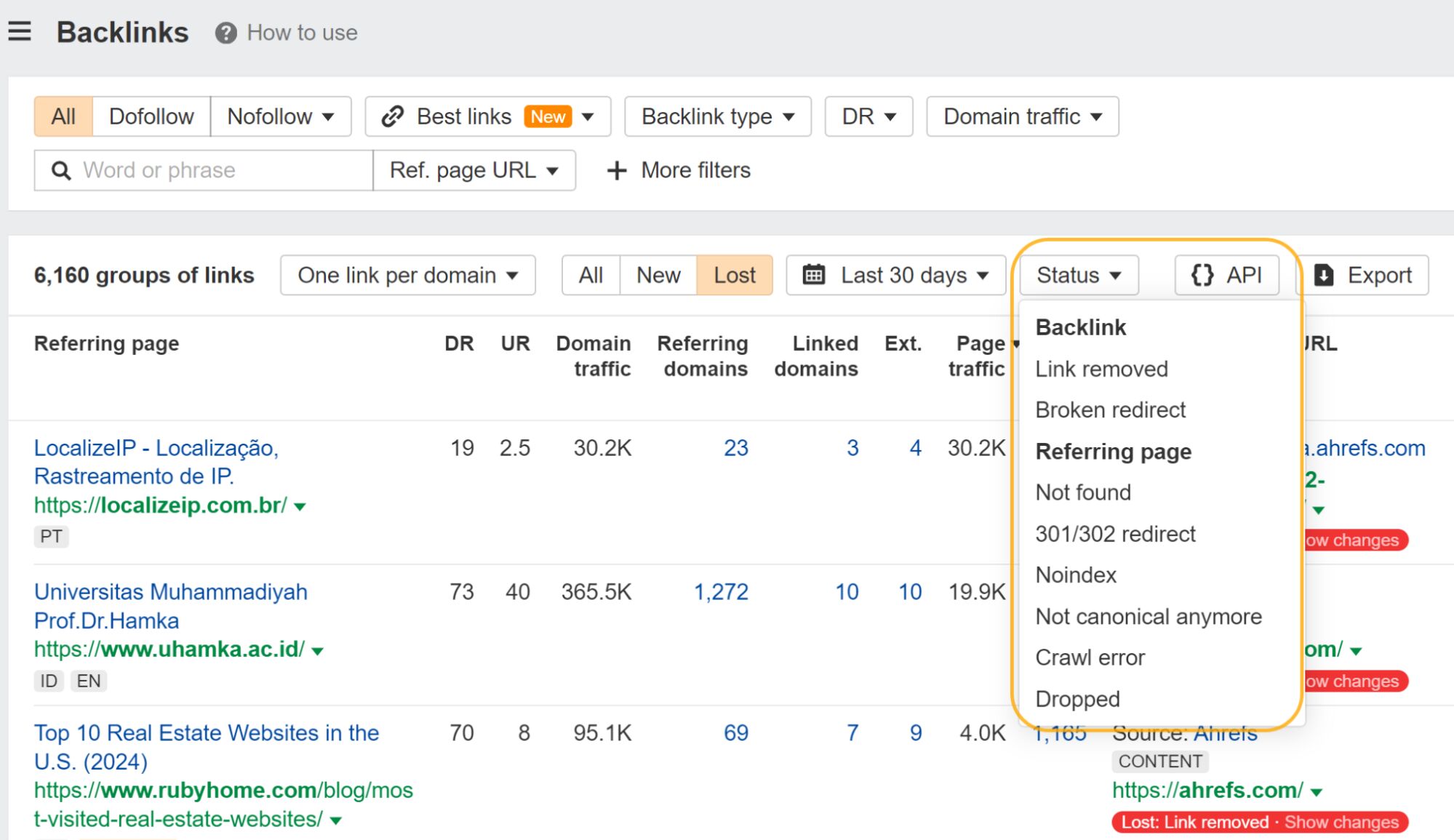
You can filter the Backlinks report for many of the common reasons why links are lost.

Backlinks filters for the reason they're lost

Data source:

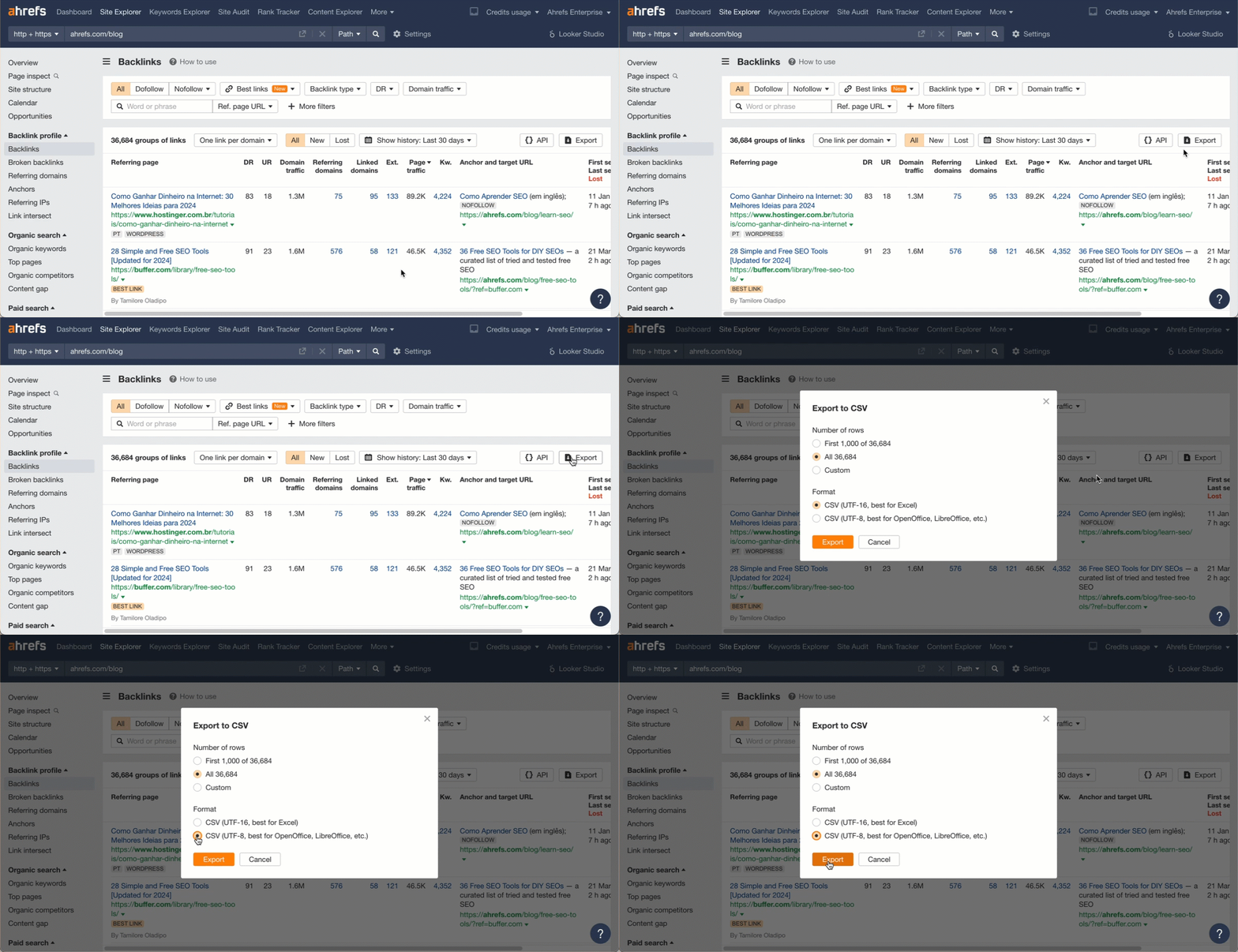
Export your link profile from the Backlinks report in Site Explorer (choose UTF-8 as the file format). Upload this to ChatGPT.

Exporting the data from Ahrefs

Prompt:

Read this file and give me a histogram to show the distribution of backlink lifespans.

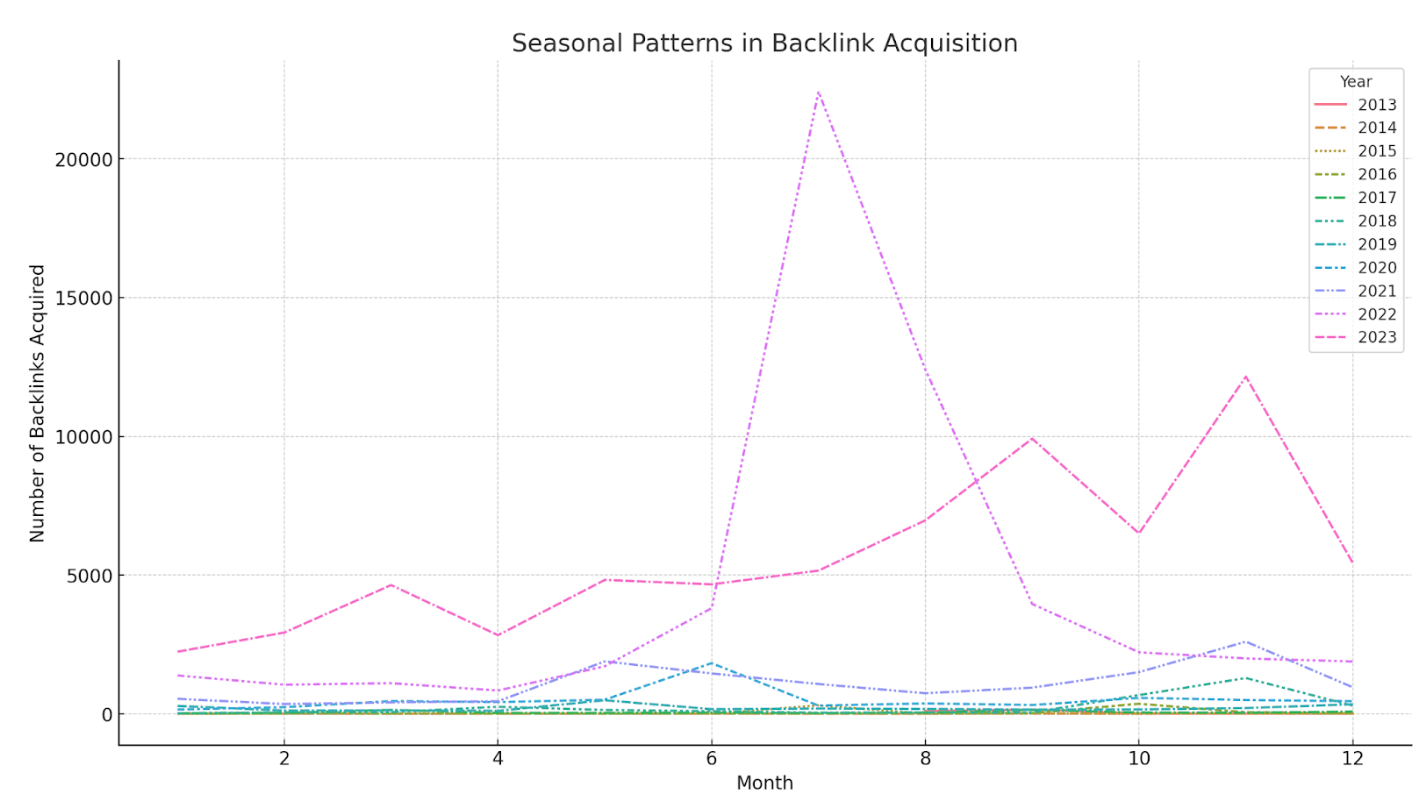
Line chart with a line for each year showing the seasonal patterns in link acquisition

Use case:

See any seasonal patterns for your acquired links. Here, I see a big spike in the middle of 2022 and what seems to be a bit of a spike in November the last few years.

Data source:

Like the previous one, export your link profile from the Backlinks report in Site Explorer. Upload this to ChatGPT.

Prompt:

Look for seasonal patterns in backlink acquisition.

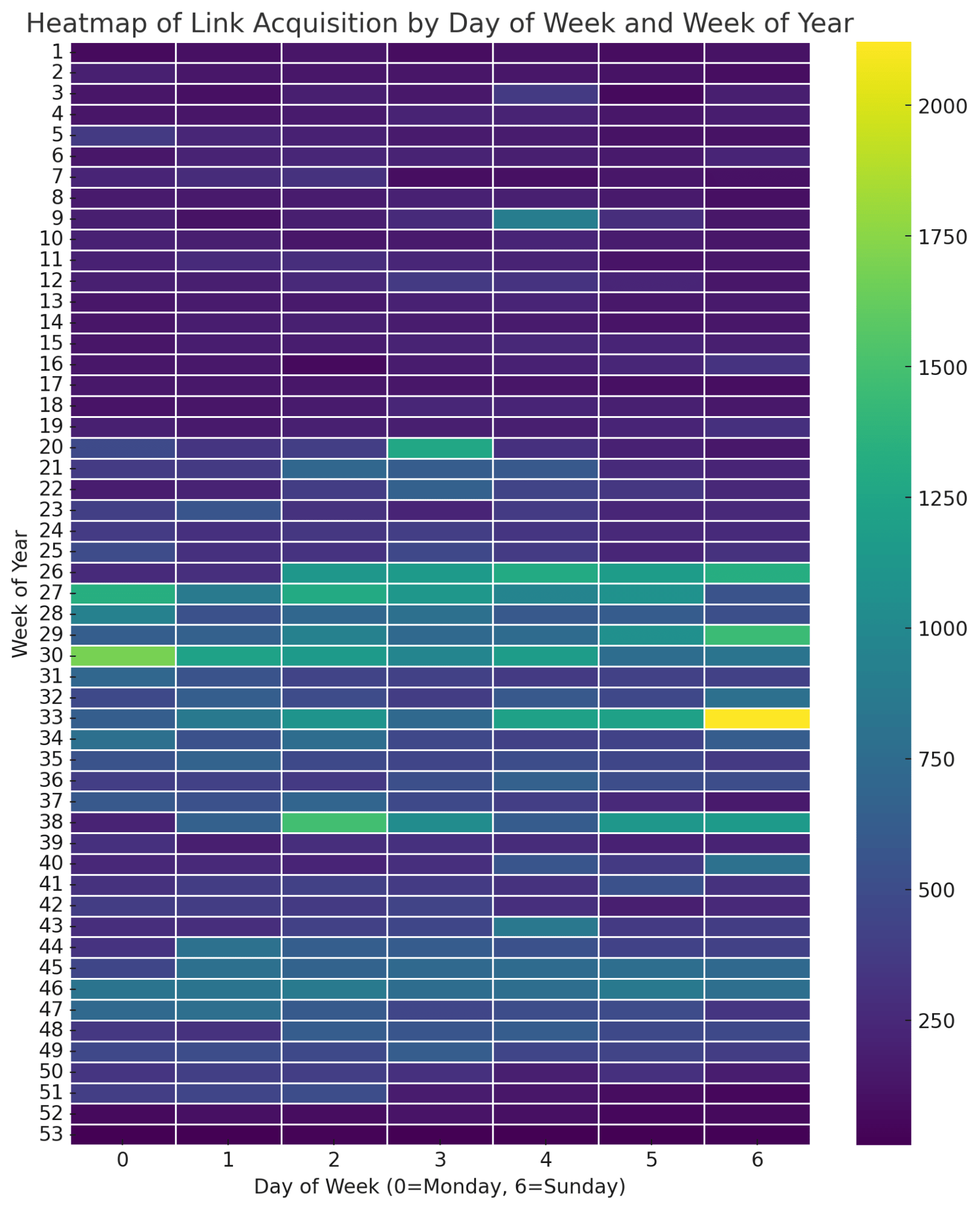
If you’d prefer a heatmap like the one below, use this prompt instead:

Analyze patterns in link acquisition (e.g., weekdays vs. weekends, monthly trends) using line charts or heatmaps to identify when most backlinks are acquired.

Heatmap showing days and weeks when the site got more links

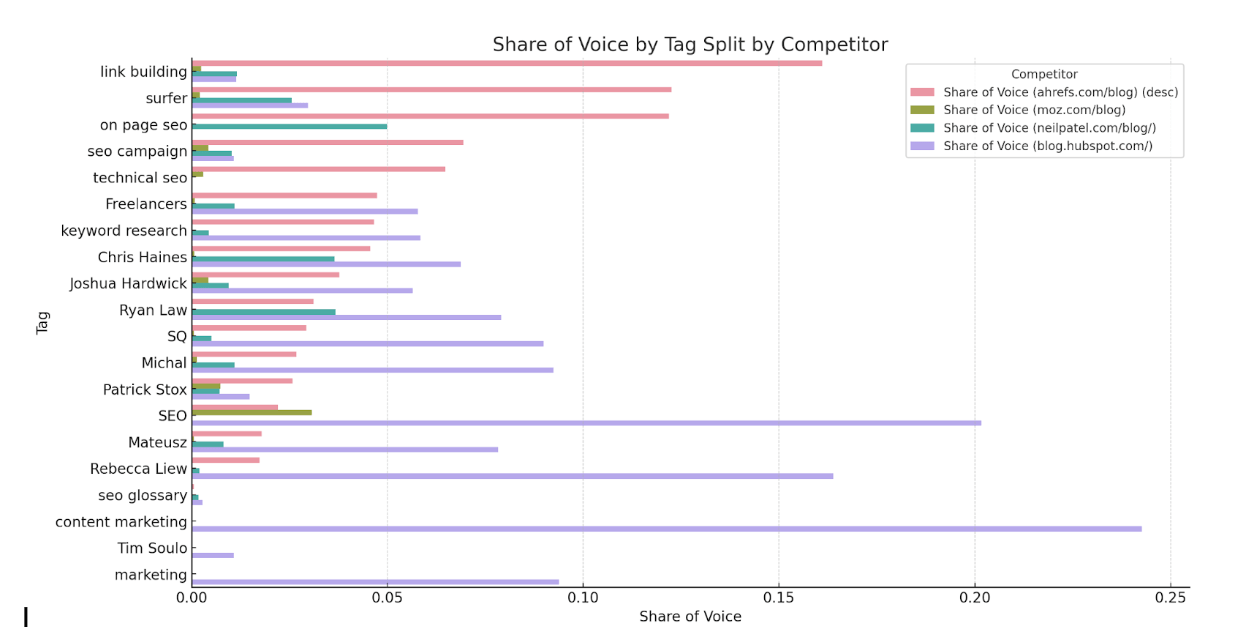
Share of voice for each tag group and measured against competitors

Use case:

See which tag groups are strong or weak vs competitors. I can quickly see we dominate for things like link building, but we’re weak for the terms in our general marketing bucket, probably because we mostly focus on SEO.

Data source:

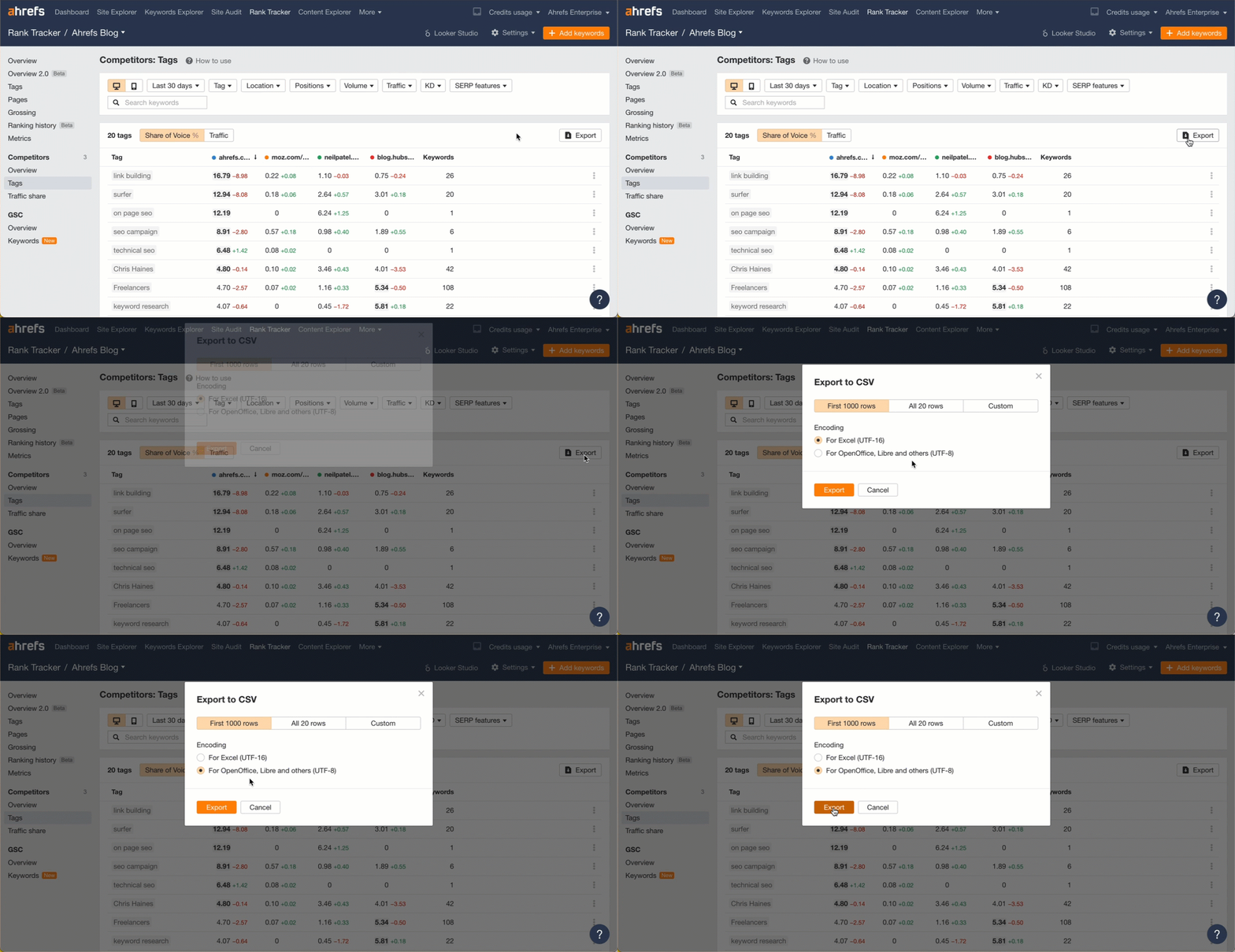
Export the data from the Competitors – Tags report in Rank Tracker (use UTF-8 format).

Exporting the data from Ahrefs

Prompt:

Show me share of voice by tag and split it by competitor as well.

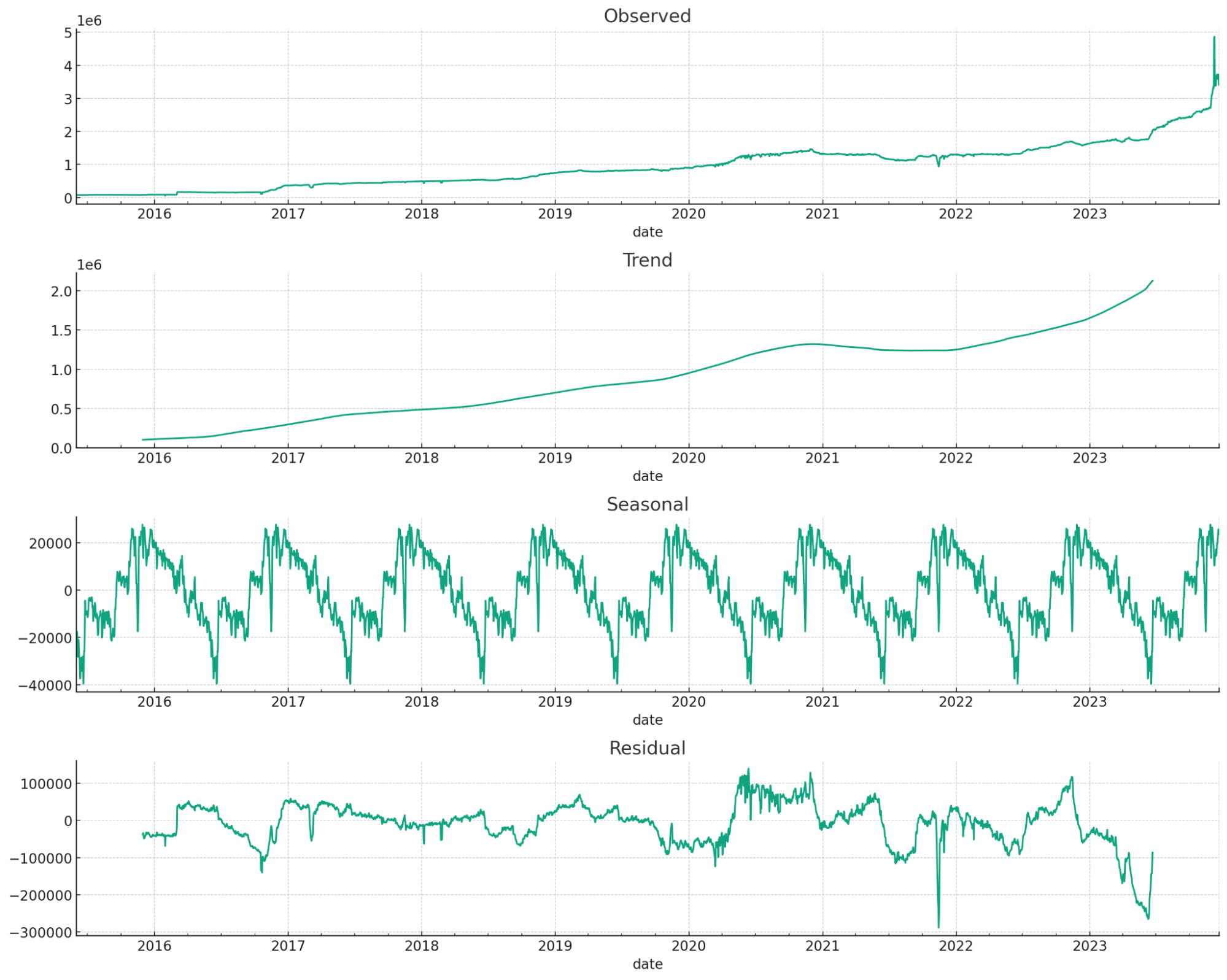
Forecasted time series data for organic traffic

Use case:

Forecasting traffic or other metrics forward. This is great for getting buy-in.

Data source:

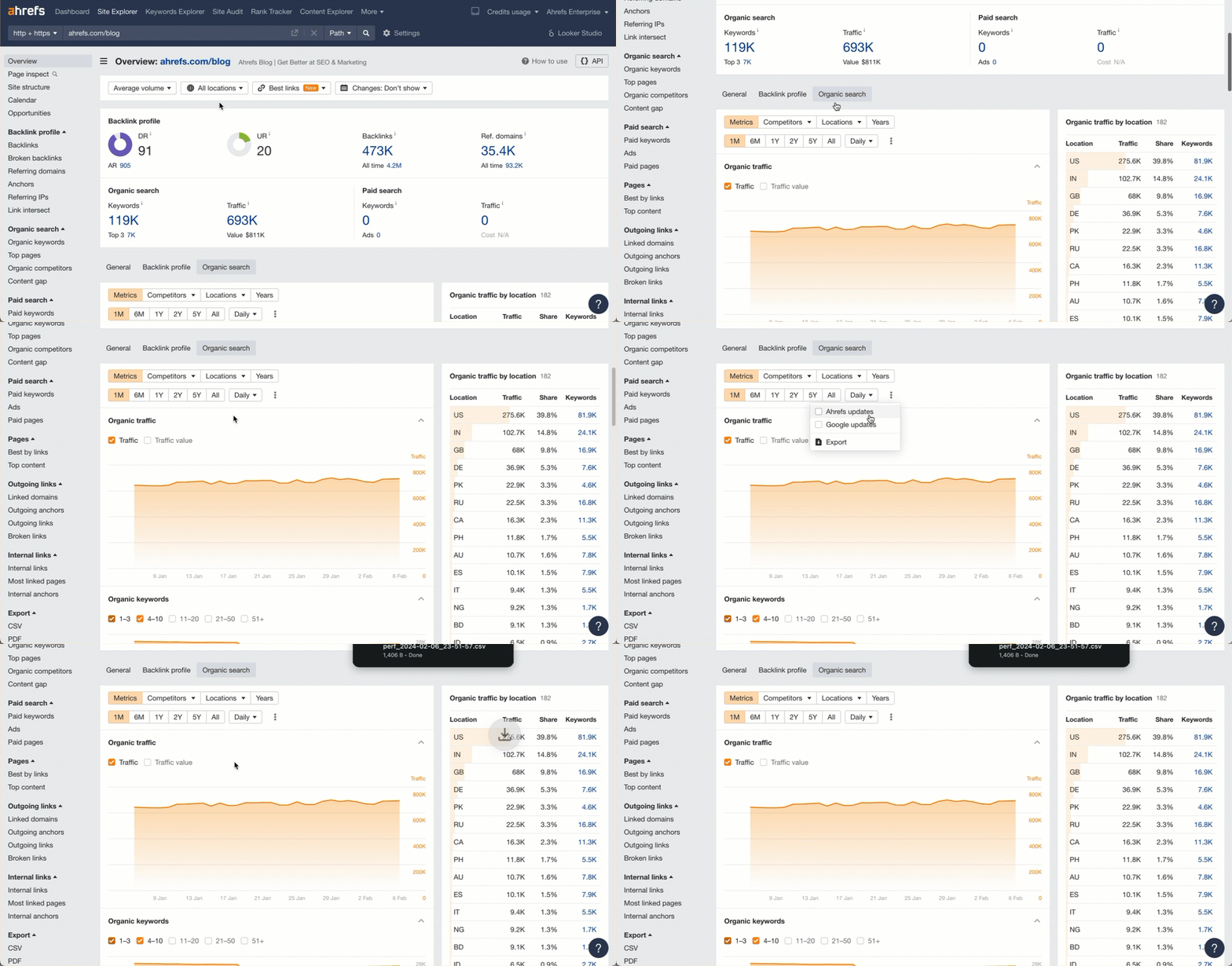
Export graph data from the Overview report in Site Explorer. You can choose any time-series graph you like (organic traffic, referring domains, etc.)

Exporting the data from Ahrefs

Prompt:

Forecast this time series data forward one year

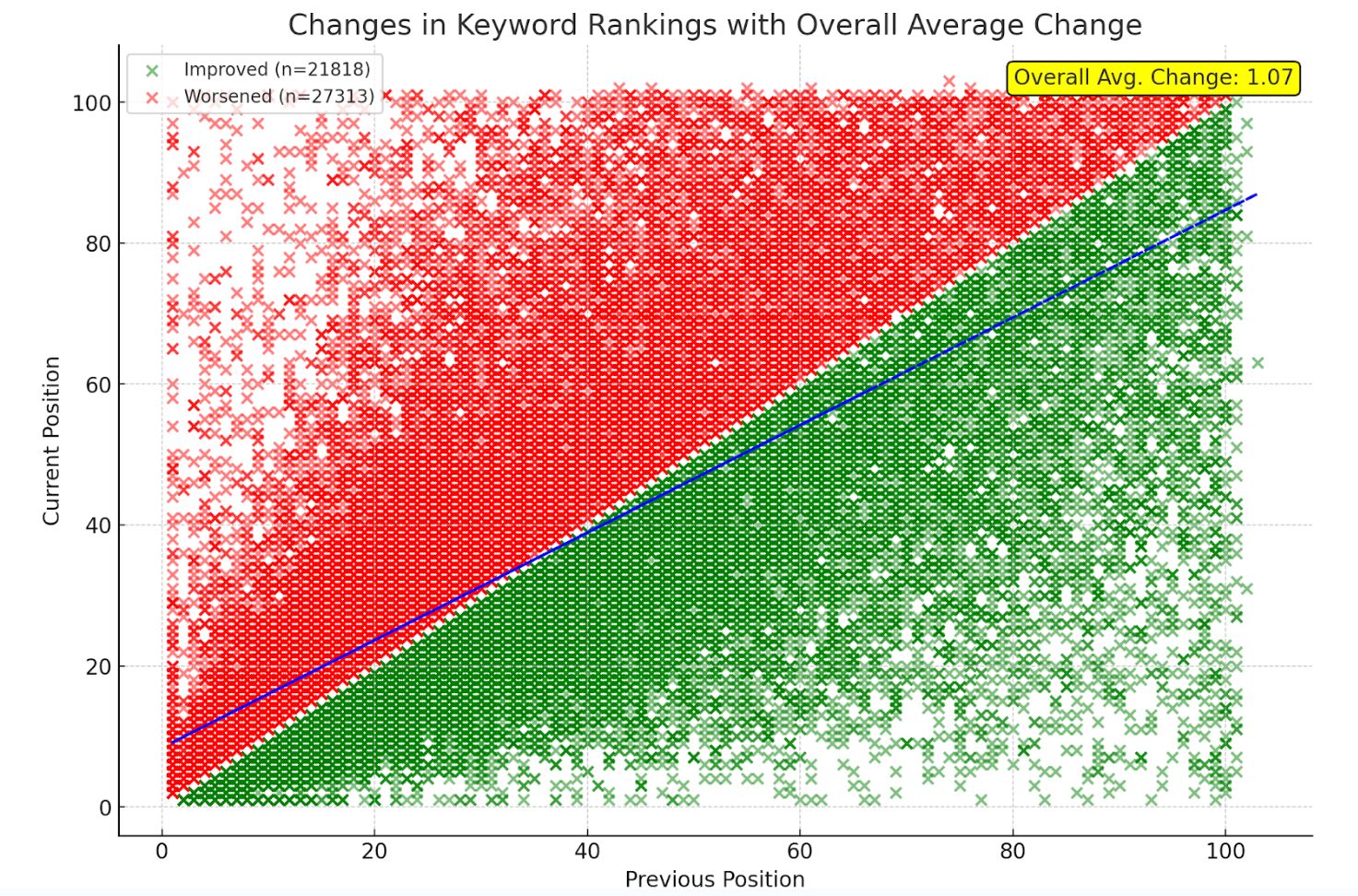
Changes in keyword rankings shown in a scatterplot with winners/losers separated

Long story short on this one. I had a version that wasn’t as good as what Marie Haynes came up with, but I added to her visualization to make it even better.

Use case:

The chart visualizes winners/losers for keyword rankings and shows me overall if I’m doing better or worse. From this image, I can see that more keywords overall are ranking worse, but overall rankings are up, so the positive ones moved up a lot more than the negative ones lost.

Data source:

Download your keyword rankings from the Organic Keywords report in Site Explorer and upload the file.

Prompt:

I used multiple prompts to get the final chart, but they might be able to be simplified into one.

Show me a scatter plot that shows the changes from the previous position and the current position. Include changes to a lower position as green and changes to a higher position as red. Include a legend and trendline.

Add a count for improved and worsened on the previous chart. Also show me on the chart on average, how much did rankings improve or decline

Remove the averages as they are. I want the overall average change in ranking position as one number.

Move the average to the right side of the chart so it’s readable

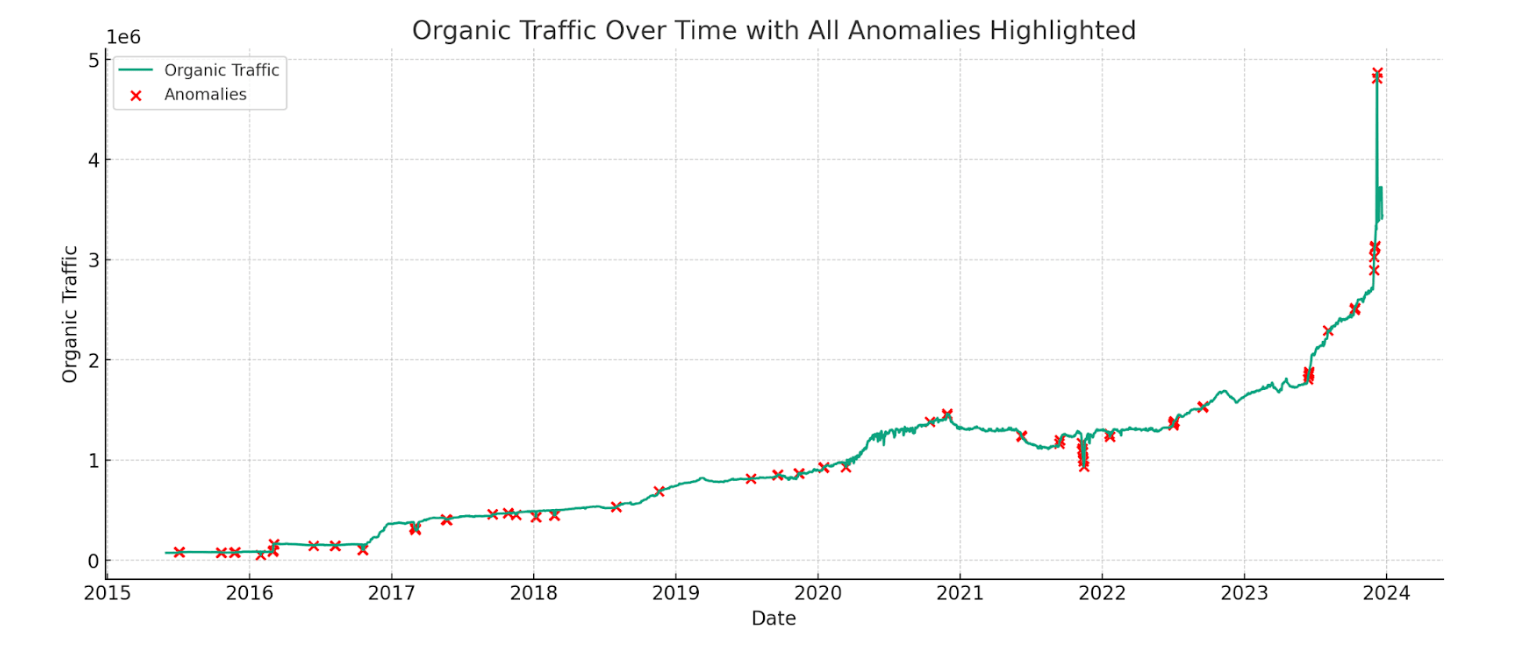
Anomalies in the traffic graph denoting major shifts such as algorithm updates or website changes

Use case:

Find anomalies in time series data. In this case, most of the anomalies line up with major website changes and Google algorithm updates.

Data source:

Export organic traffic graph data from the Overview report in Site Explorer.

Prompt:

Identify anomalies in this traffic chart

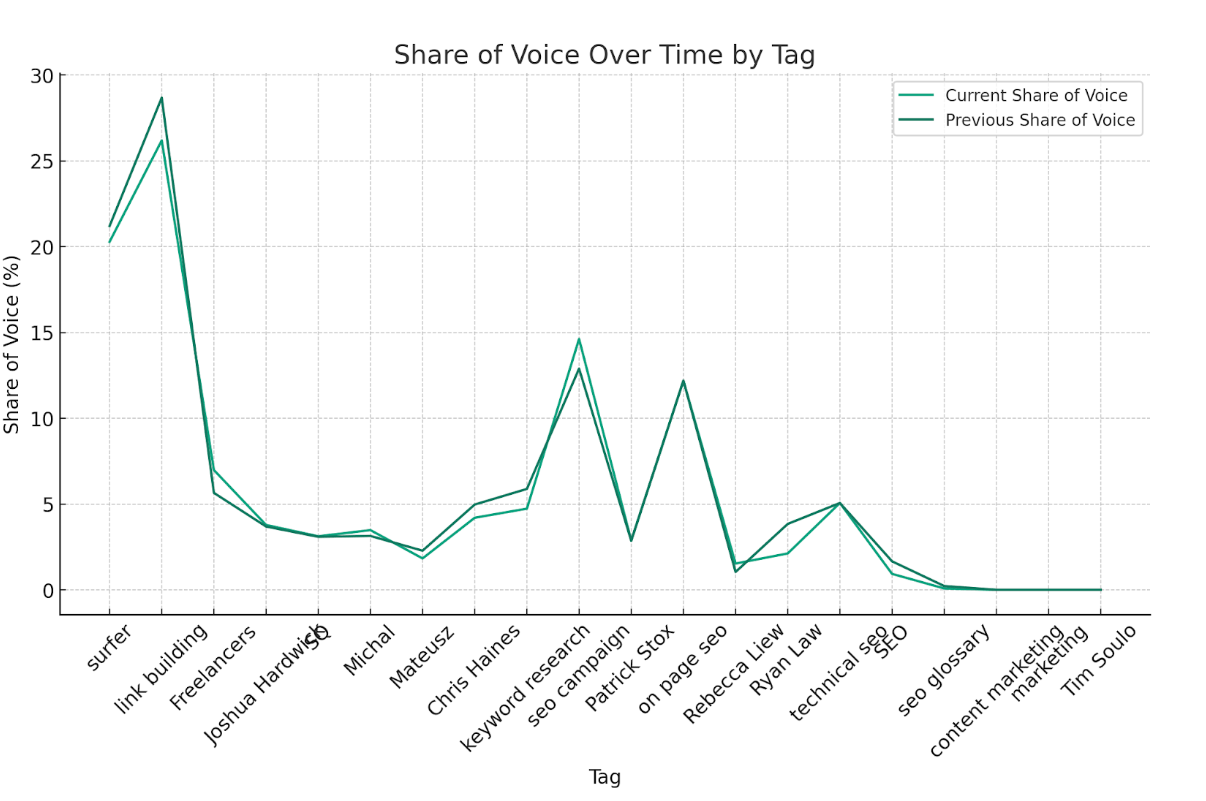
Share of voice between two time points for each tagged group of keywords

Use case:

This tells me if certain tagged groups are doing better or worse between the dates.

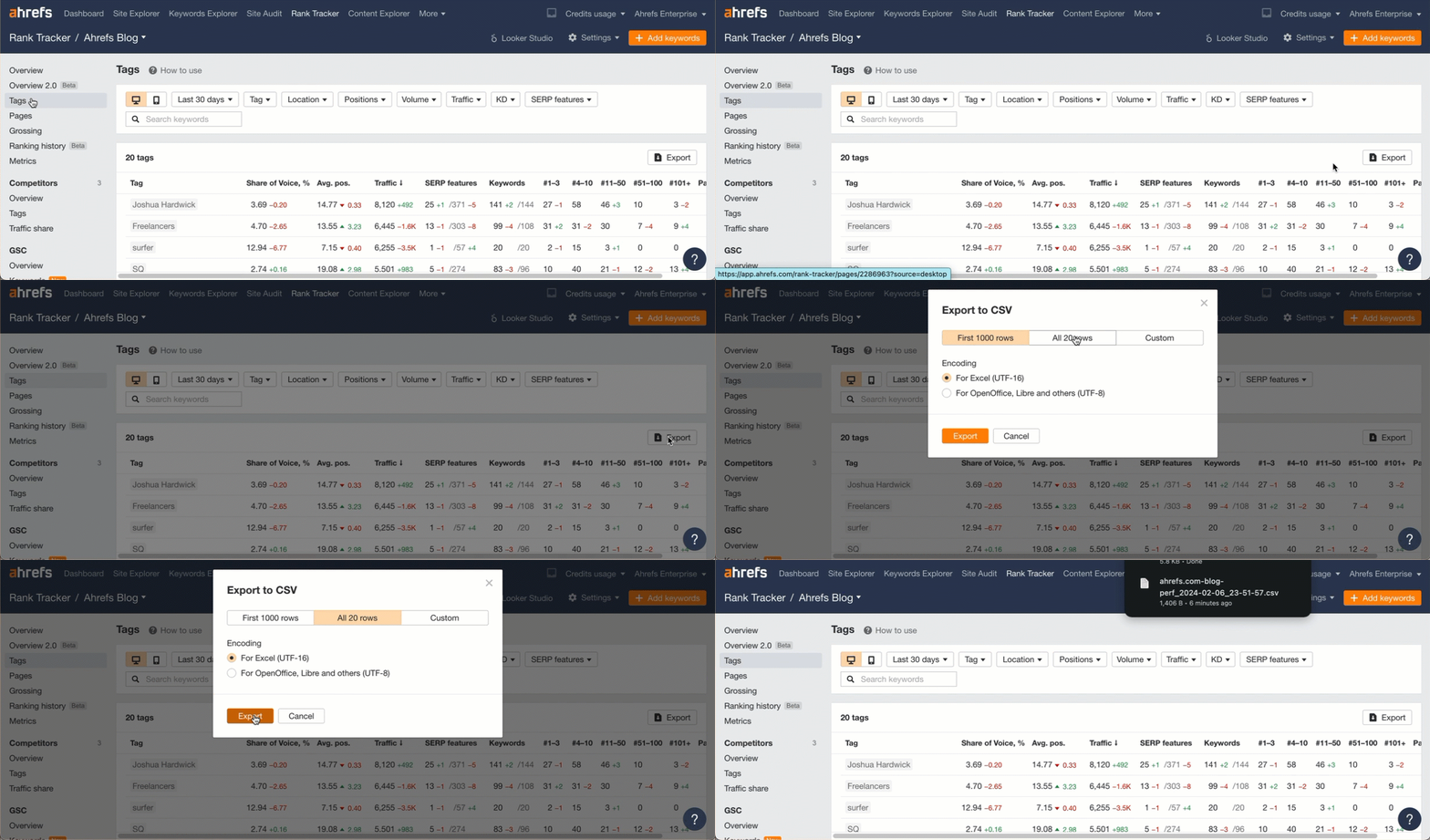
Data source:

Export data from the Tags report in Rank Tracker.

Exporting the data from Ahrefs

Prompt:

Show me share of voice over time by tag.

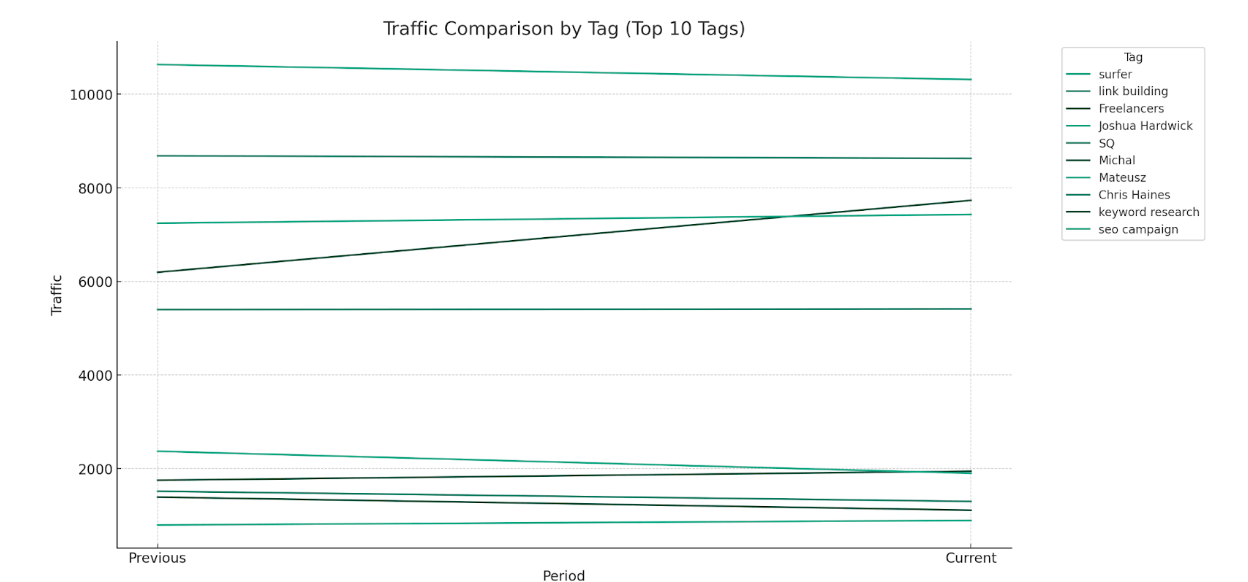
Traffic between two time points for each tagged group of keywords

Use case:

See how traffic changed for each tag between two dates. We have a better view for this coming in Rank Tracker that will show the evolution over time.

Data source:

Like the previous one, export data from the Tags report in Rank Tracker.

Prompt:

Show me how traffic is evolving for each tag.

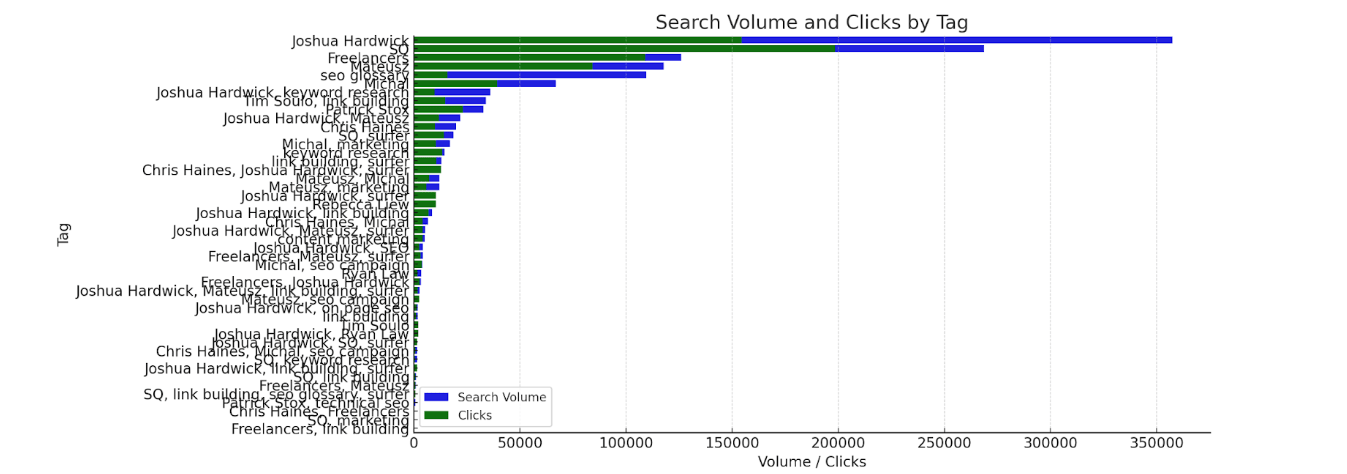
Search volume and clicks by tag

Use case:

See which groups of terms have the most volume vs the clicks that they’re getting. High total volume and low clicks means you have a lot to work on.

Data source:

Export keywords from the Overview report in Rank Tracker. (You can choose between desktop or mobile ranking data with the toggle).

Exporting the data from Ahrefs

Prompt:

Visualize search volume and clicks by tag.

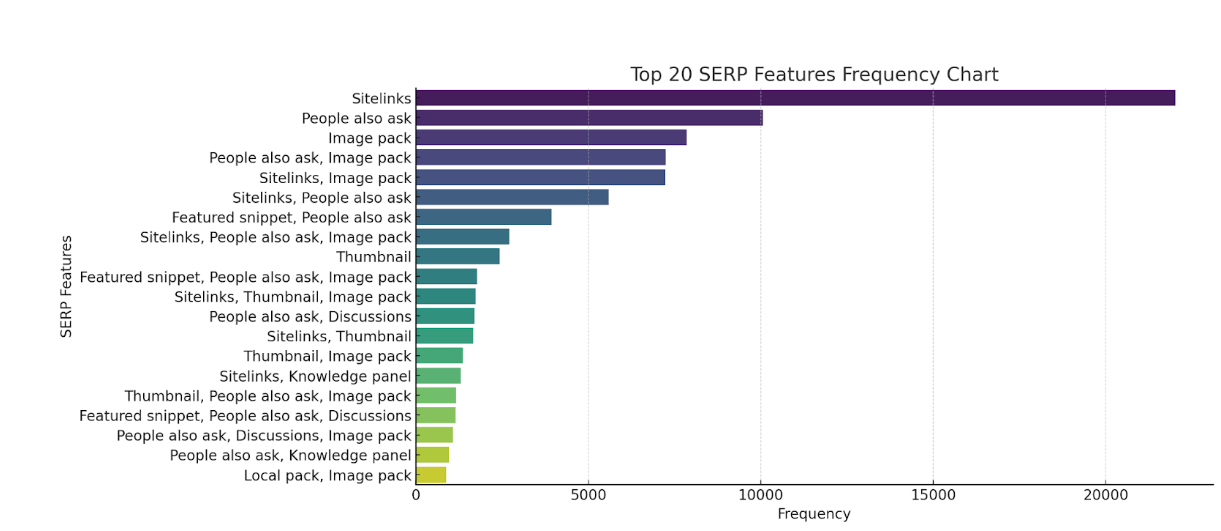
Most common SERP features for you and competitors

Use case:

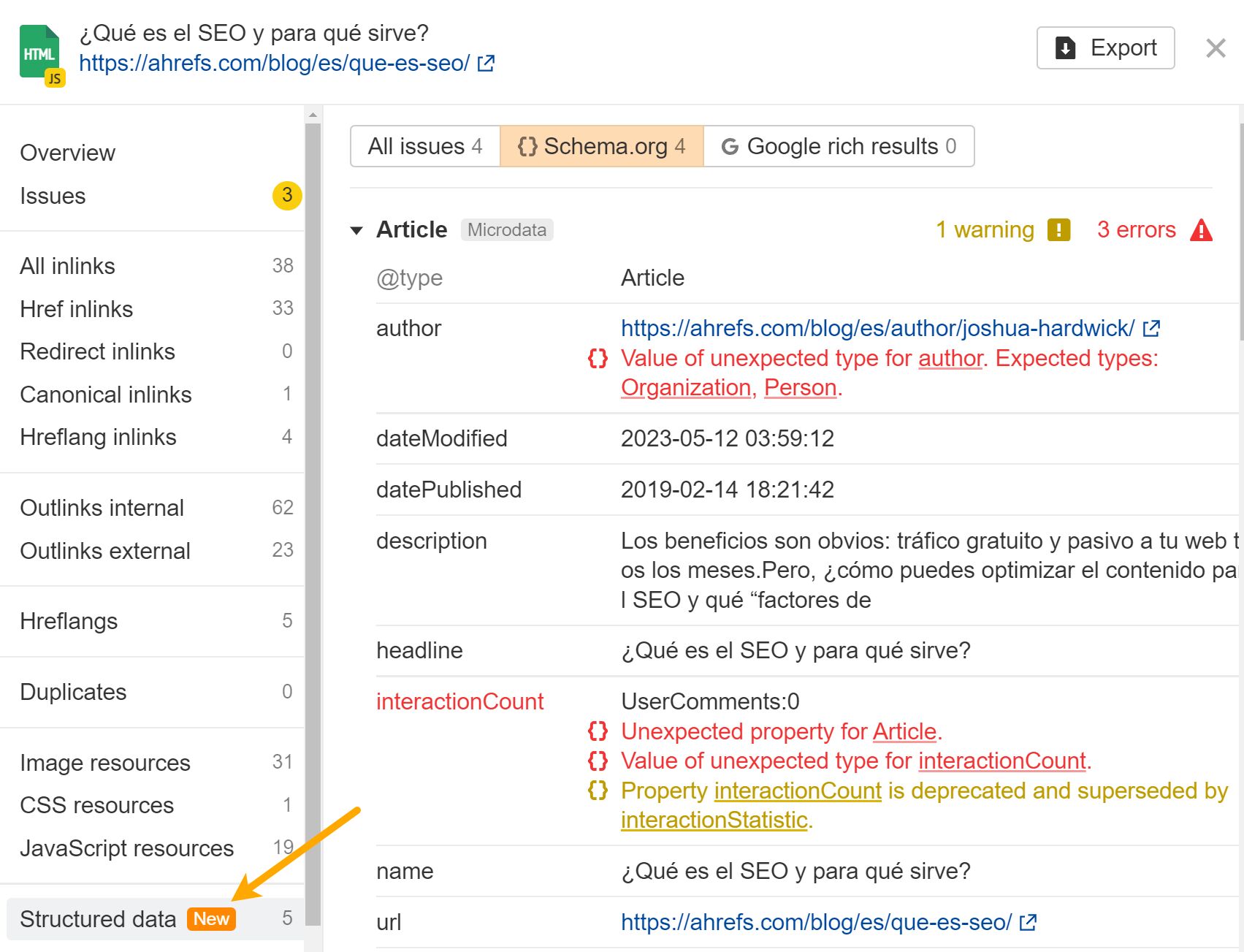
Shows common SERP features for you and competitors that you may want to target. If certain schema markup is required but you’re not using it, it can lead to an easy win.

You may also have an issue with your schema markup. Ahrefs’ Site Audit validates against both schema.org and Google standards.

Structured data validation in Ahrefs' Site Audit

Data source:

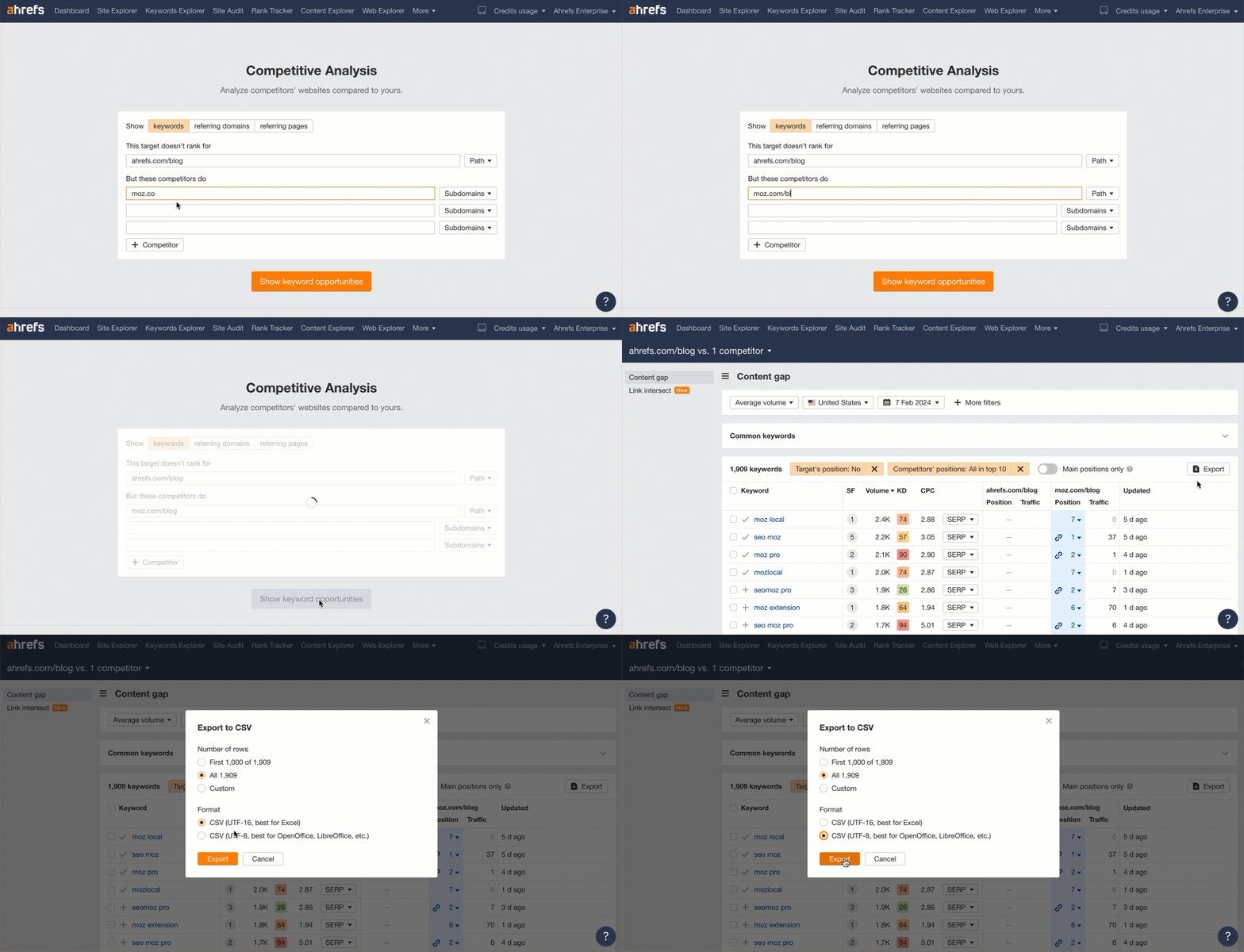
Export the data from the Content Gap report in our Competitive Analysis tool.

Exporting the data from Ahrefs

Prompt:

Show me which SERP features are most common.

Sidenote.

I would probably adjust this prompt to split them out into individual features rather than feature groups.

Final thoughts

I hope this has sparked some ideas for other SEOs out there. I want to see what you all will create.

Have a cool idea you want to share? Let me know on X or LinkedIn.

For a few hundred bucks, you can hit the big red “publish” button and use generative AI to write every article you’ve ever wanted to write. It’s sorely tempting.

But beyond the short-term dopamine hit of publishing a thousand articles at once, for most businesses, the negatives of AI content will very quickly outweigh the positives.

AI content is, by its nature, mediocre. Mediocrity should not be the end goal of your content strategy.

LLMs, like ChatGPT, work through a kind of averaging. Words are chosen based on how often they appear in a similar context in the model’s dataset, generating “new” content based largely on what everyone else has already said. As Britney Muller explains in her guide to LLMs:


“Instead of randomly drawing a word out of a hat, an LLM will focus only on the most probable next words… It’s like a musician reading sheet music, moving through the notes one at a time. The goal is to figure out what the next word is likely to be as the model processes each word in the sentence.”

Britney Muller

To borrow a phrase from Britney, AI-generated content represents the literal “average of everything online.” That’s useful for topics where there’s a single, objective answer (“when was Abraham Lincoln born?”), but less useful for any topic that benefits from nuance, or differing perspectives, or firsthand experience.

You can play with different prompting strategies to alter and shape the structure and style of AI content. But even assuming you go to that length (many AI content tools don’t offer that freedom), you can’t escape a few realities of AI content:

  • It contains no information gain: it can’t conduct research, or share personal experience, or vocalize a defensible opinion.
  • It gets things wrong: it suffers from hallucinations and regurgitates common mistakes and errors.
  • It doesn’t understand you or your business: try getting AI content to tactfully showcase your product in your content (like we do at Ahrefs).

…and this is before we worry about leaking sensitive information, accidental copyright infringement, or the million ways in which unsupervised content could perpetuate bias and misinformation.

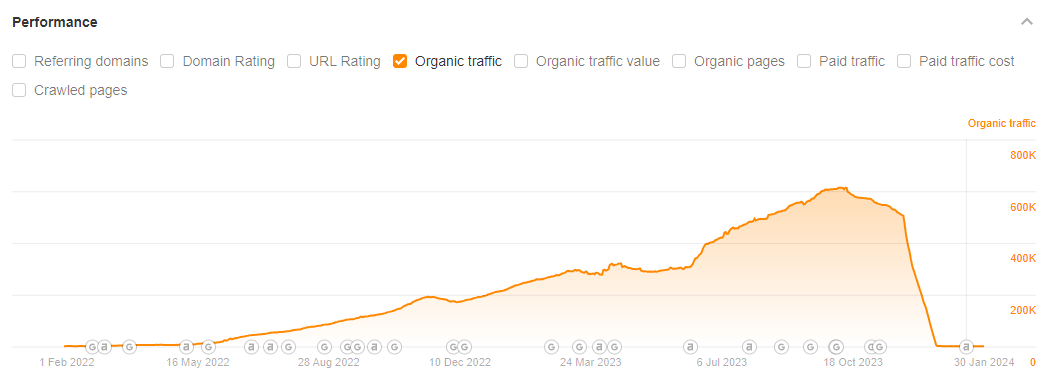
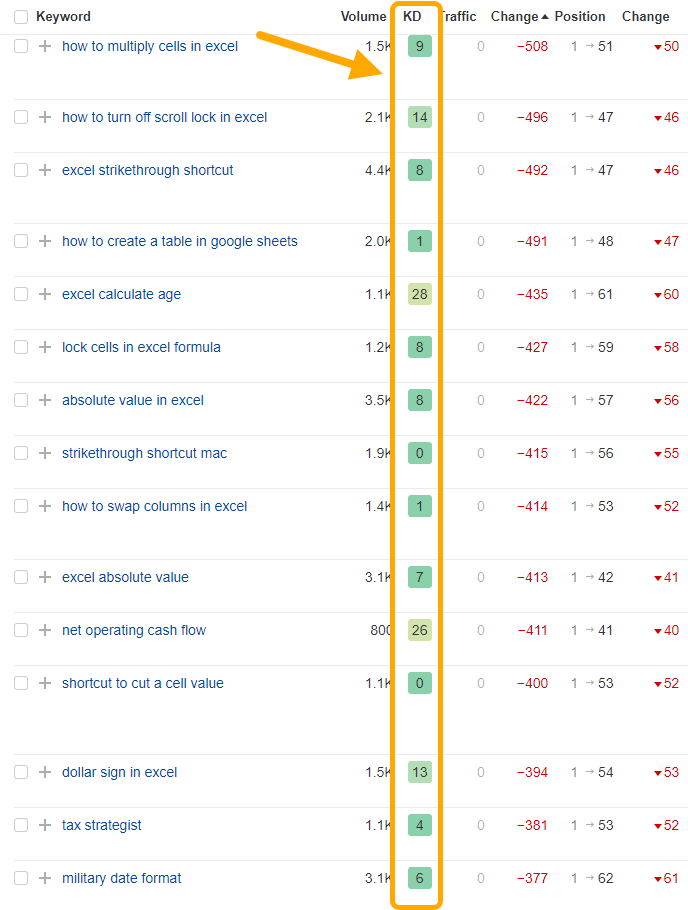
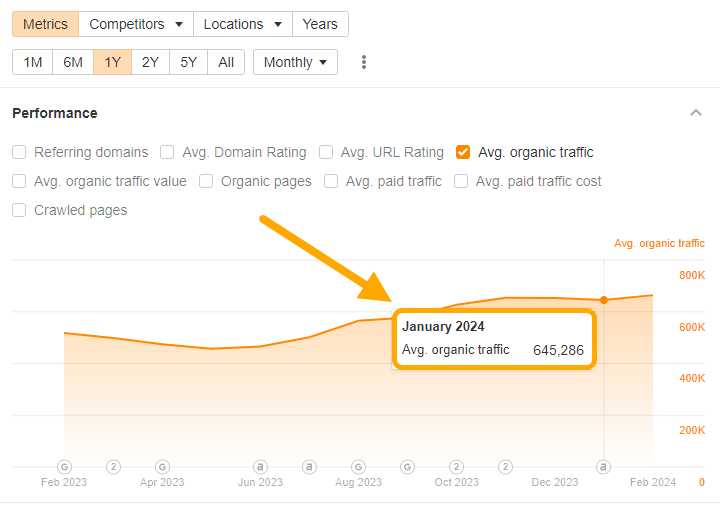
It’s easy to look at traffic graphs for AI content and think that “mediocre” content is good enough. But returning to the example of the “SEO heist”, most of their (now lost) rankings were limited to very low competition keywords (as measured by Keyword Difficulty in Ahrefs):

List of keyword rankings and their low keyword difficulty.

Mediocre content might perform well in uncontested SERPs, but it isn’t enough to compete in SERPs where companies have invested actual effort and resources into their content.

And crucially, it leaves a bad impression on the living, breathing people who read it:

Let’s assume your AI content works. You publish hundreds of articles and generate thousands and thousands of visits. Is that really the boon it sounds like?

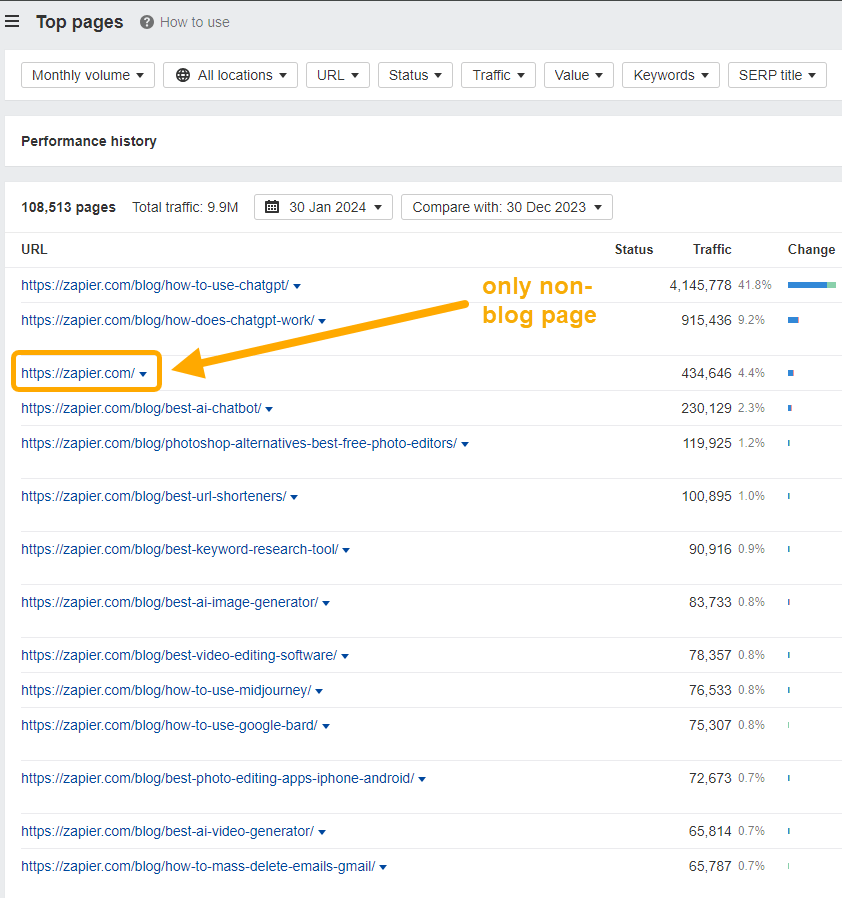
For most companies that pursue SEO, blog posts quickly become the primary source of website visitors. For an extreme example, look at the pages that generate the most organic traffic for Zapier—they are almost entirely blog posts:

List of Zapier's top pages by organic traffic.

This is estimated organic traffic (and doesn’t include traffic from other sources), but the point is clear: most of the interactions people have with your company are mediated by content.

Many visitors won’t ever see your carefully crafted homepage or product landing pages. Their entire perception of your company—its ethos, beliefs, quality standards, helpfulness—will be shaped by the blog posts they read.

Are you happy with AI content making that first impression?

Think of the time and effort that went into your core website pages: endless variations of copy and messaging, illustrations and visual design, tone of voice, rounds of review and finessing… and compare it to the effort that goes into AI content, published en masse, unread, unedited.

It’s easy to think of content as “just an acquisition channel,” but in reality, your 800 AI-generated SEO posts will have a bigger impact on the public perception of your brand than your latest product landing page.

The point of content marketing is to help sales. Everything you create should, in some way, help people to buy your product or service.

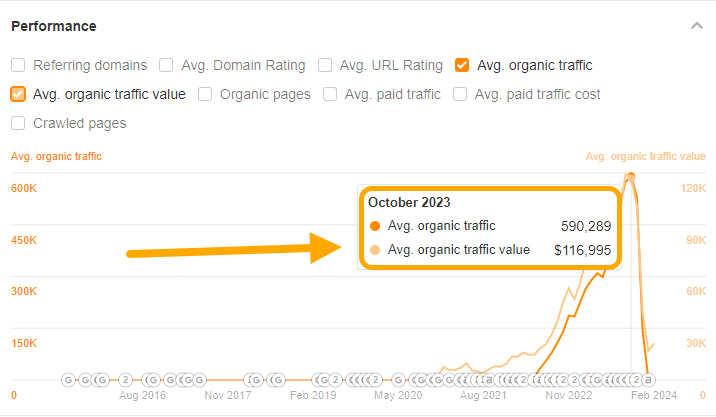
The types of keywords AI content is good at ranking for are typically low commercial value and unlikely to lead to a sale. By way of example, here’s the estimated traffic value for the “SEO heist” site’s organic traffic, at its peak:

Graph of traffic value: $117k from 590k pageviews.

Sidenote.

Traffic value measures the equivalent monthly cost if a site’s traffic from all keyword rankings was paid for through PPC advertising—so it acts as a good proxy for the commercial value of a keyword (a high traffic value means companies think the keyword is lucrative enough to bid on).

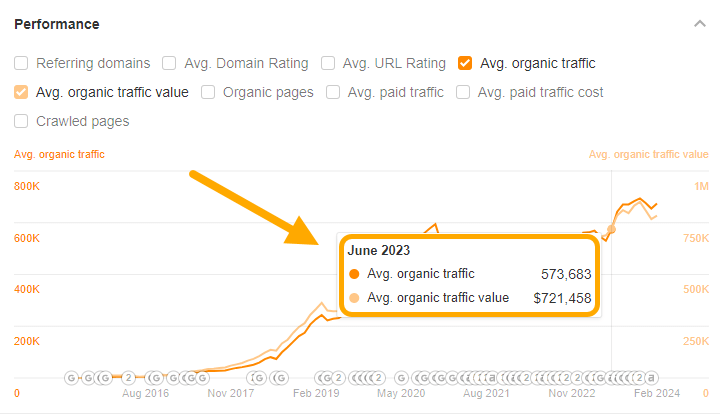
And here’s the Ahrefs blog, with a similar amount of estimated organic traffic… and a traffic value six times higher:

Graph of traffic value: $721k from 570k pageviews.

Most of the benefit of AI content boils down to lots of traffic, fast—the quality and purchase intent of that traffic is a distant second.

Great, if your entire business model is monetizing mountains of traffic through affiliate links or ad networks. But for every other type of business, traffic is only half the battle. In order to help sales and grow the business, content also needs to:

  • Leave a lasting impression and help readers remember your company.
  • Encourage people to visit again and again (and not bounce forever on the first post).
  • Build trust in and affinity for the real people behind the brand.

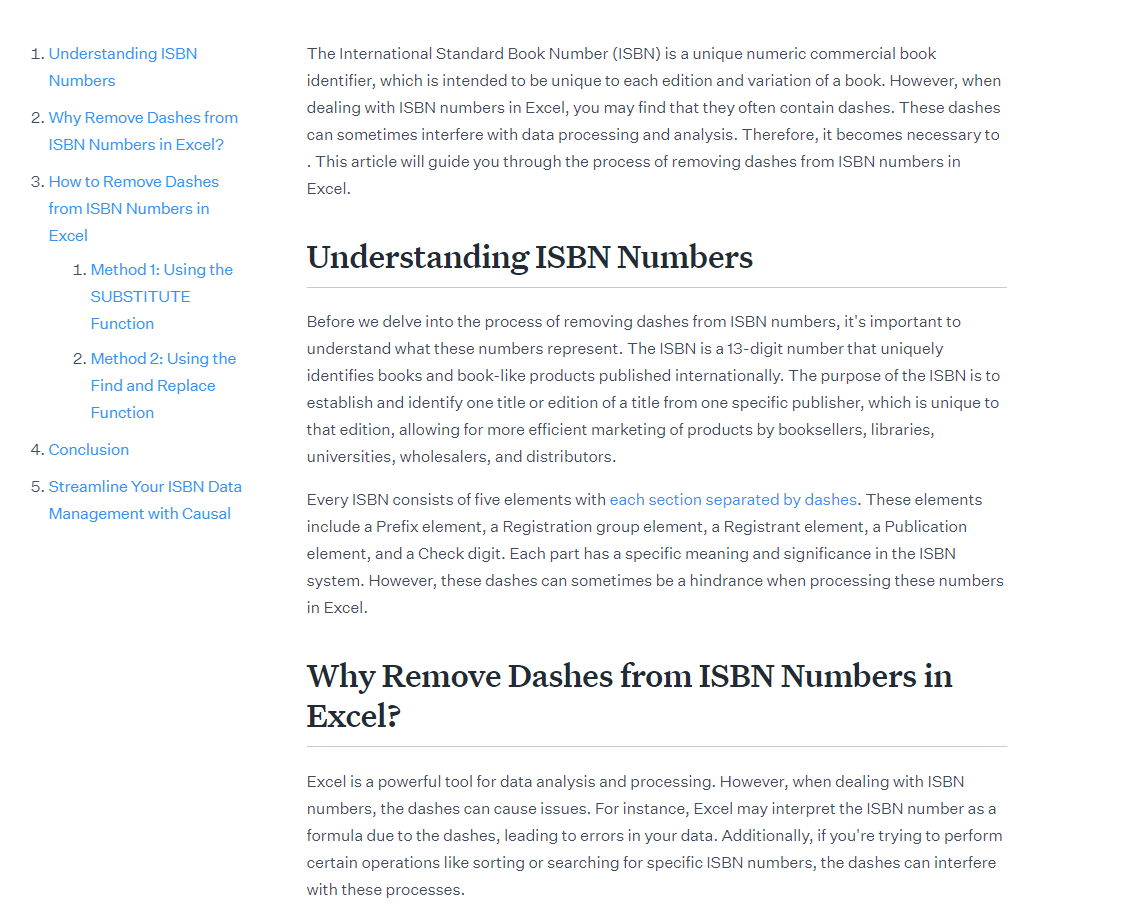
Here’s another AI content example. How well does this guide to “Removing Dashes from ISBN Numbers in Excel” tick those boxes?

Example of AI-generated content

AI content is good for generating traffic but bad at building trust. There’s no recognisable voice, no firsthand experience or narrative, and no real person behind the writing (unless you take the Sports Illustrated route and also create AI-generated authors for your content).

At best, it’s like reading a Wikipedia page: even if you help the reader solve a problem, they won’t remember you for it. While traffic is great (and more traffic is usually better than less), it can’t come at the expense of trust.

Here’s the most important problem with AI content: there is no barrier to entry. Anyone can do it, virtually for free. If it’s easy for you to publish 1,000 articles, it’s easy for your competitors to do the same, and their competitors, and their competitors…

So even assuming you get good results from AI content—how long will those results last?

At best, AI content is a form of short-term arbitrage, a small window of opportunity to build tons of traffic before a competitor, or a dozen competitors, decide to do the same. With most AI-generated content being pretty similar, there will be no “loyalty” from readers—they will read whatever ranks highest, and it will only be a matter of time before your content is challenged by a bigger fish, a company with a bigger budget and better SEO team.

Over time, you will be outcompeted by companies able to put more effort into their articles. So just skip right to the end of the cycle and create content that has a defensible moat:

  • Interview real people and share new information that other publications haven’t covered,
  • Collect original data in the form of industry surveys, polls, and data analysis,
  • Tell personal stories and share the unique, firsthand experiences of the topic that nobody else can.

Or put another way:

Final thoughts

There are plenty of good use cases for LLMs in SEO and content marketing. You can brainstorm keywords and titles, generate metadata and alt text at scale, write regex queries and code snippets, and generally use LLMs as useful inputs into your creative process.

But for most businesses, hitting the big red “publish” button and publishing thousands of AI-generated articles is a pretty bad use of LLMs, and a pretty bad idea overall. And even if AI content gets good enough to render most of these objections irrelevant, we will still have the problem of zero barrier to entry; if it’s easy for you to do, it’s easy for your competitors.

AI content is short-term arbitrage, not a long-term strategy.


Marketing is full of things that can be measured (known as metrics), but not all metrics make good key performance indicators.

To choose the right KPIs:

  • Tailor them to your role. Different marketing roles need different levels of detail in their KPIs. An SEO lead might care about

Lead generation is all about turning anonymous visitors into recognisable, contactable leads, usually by capturing their email addresses. Most of their KPIs measure the quantity and quality of the leads they generate:

KPI In plain English… The math…
SQLs (sales qualified leads) How many leads have taken an action that indicates their desire to buy? = count of leads that meet the sales-qualified criteria set by the organization.
MQLs (marketing qualified leads) How many leads have interacted with your marketing but are not ready to buy? = count of leads that meet the marketing-qualified criteria set by the organization.
Conversion rate How often do your visitors buy, or request a demo, or start a free trial? = (total number of conversions / total number of visitors or leads​)×100

Further reading

Most of these KPIs can be tracked across social media as a whole, but also on a per channel basis (for Twitter, and Instagram, and Facebook, and so on).

KPI In plain English… The math…
Total followers The total number of individuals following your social media profile or page. = sum of all followers across specified social media platforms.
Total impressions The total number of times your content was displayed to users. = sum of all views or appearances of your content across platforms, regardless of clicks or engagement.
Follower growth rate The rate at which your follower count is increasing over a specific time period. = (number of new followers gained / number of followers at the start of the period) × 100

For search professionals, organic growth is the goal. These are some of the KPIs most commonly used to measure their progress and present their value to the rest of the company:

KPI In plain English… The math…
Keyword rankings Where do your pages rank in the search results for their target keyword? No math needed—just use a rank tracker like Ahrefs rank tracker
Backlink growth How often do other websites link to your website? = (current month’s backlinks − previous month’s backlinks) / previous month’s backlinks​)×100
Organic Share of Voice How visible are you in search results compared to your competitors? No math needed—just use Ahrefs Share of Voice report (see below)

Further reading

tip

How to calculate share of voice for keywords

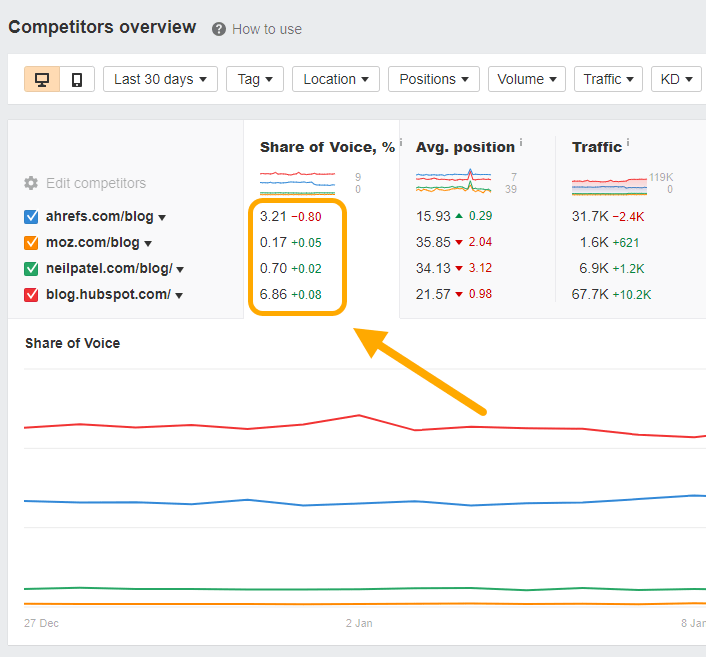
One of the best ways to measure organic share of voice (SOV) is to track the number of clicks your website receives from important keywords, relative to the clicks your competitors receive. To get set up, add a list of important keywords into Rank Tracker, head to the Competitors overview tab and add the URLs of your competitors’ websites.

You’ll see an estimate of your site’s share of the total available clicks for your given keywords, as well your competitors’ SOV, and recent trends in performance:

Further reading

Traditional press is usually concerned with the number of press mentions generated by a campaign, but add digital PR into the mix, and backlinks become another primary goal. Daria Samokish, Ahrefs’ Head of PR, tracks KPIs like:

KPI In plain English… The math…
Number of press mentions How many news or media outlets referenced your latest campaign? = count of distinct press or media mentions of the campaign across various platforms.
Number of campaign backlinks How many websites linked back to your latest campaign? = count of unique external web pages linking back to the campaign’s specific page or content.
Traffic spikes on launch day How many people interact with your campaign the day it’s launched? = count of visitors, clicks, or interactions on the campaign’s launch day.

Tip

How to measure the impact of digital PR

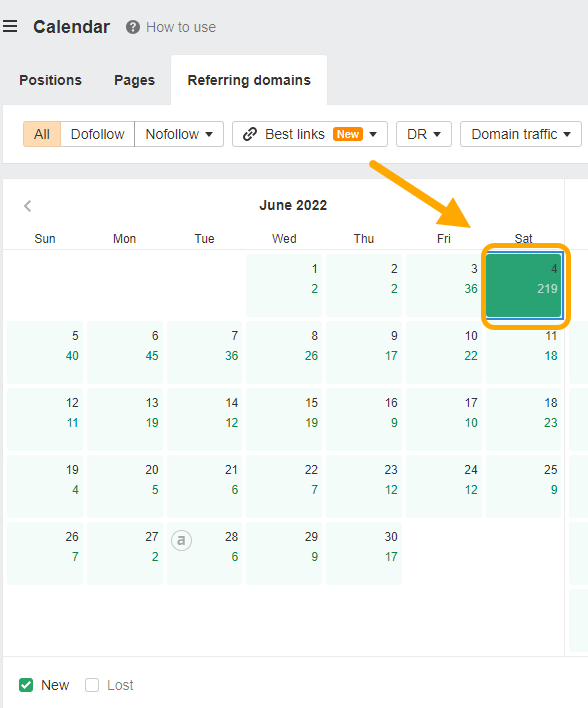
Ahrefs’ Site Explorer makes it easy to see how a digital PR campaign translates into new links. Here’s an example from the launch of our search engine, Yep.com.

The Calendar view in Site Explorer shows a spike in new referring domains on June 4th 2022—the day of the press campaign—with 219 new referring domains registered (up from a daily average of 1–2 in May).

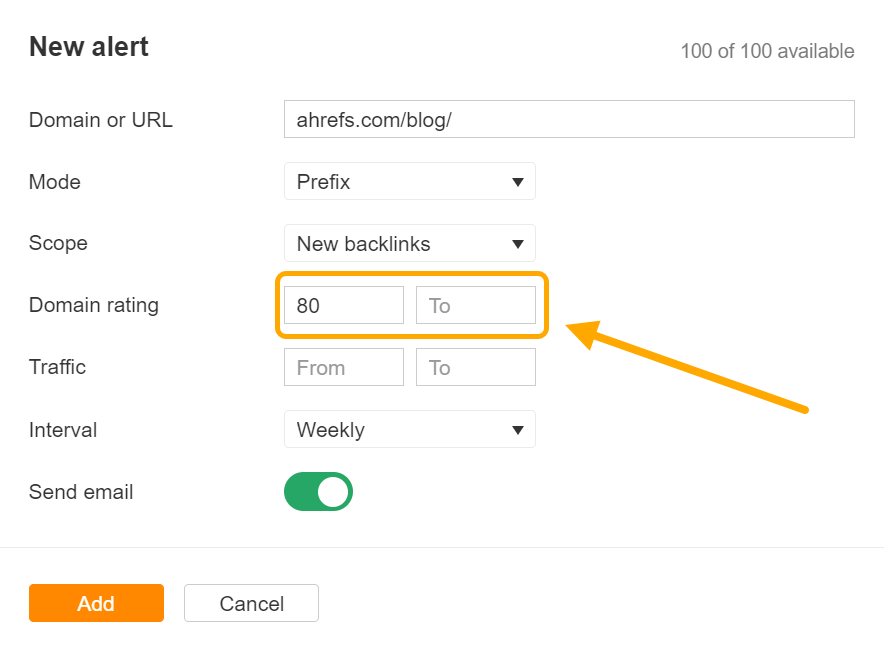
You can also use Ahrefs’ Alerts to get an automated notification whenever you gain a new link. In the example below, we’ll get a weekly notification summarising all new backlinks for ahrefs.com/blog/ from websites with a domain rating of 80 or above:

Shermin Lim, our Events & Marketing Manager, cares primarily about working out the return on investment from her online and in-person events, balancing the costs of the event and the potential gain from new leads and customers. Three of her core performance indicators are:

KPI In plain English… The math…
Attendees How many people attended the event? = count of all individuals who registered and were marked present at the event.
NPS (Net Promoter Score) Would attendees recommend the event to their friends and colleagues? = % of promoters − % of detractors
New Sales Leads How many attendees talked to the sales team about purchasing or upgrading? = count of attendees who initiated a conversation or inquiry about purchasing or upgrading with the sales team.

Paid marketing is as close to science as marketing tends to get, with a very clear (and measurable) relationship between the cost of an advert and the revenue it generates. But while paid marketing KPIs can get very mathsy, very quickly, there are three core metrics underpinning it all:

KPI In plain English… The math…
ROAS (return on advertising spend) How much money is this ad generating, relative to the amount that was spent on it? = total conversion value / amount spent
CPC (cost per click) How much does every advert click cost us? = total cost of clicks / total number of clicks
CPM (cost per impression) How much does every thousand views of this advert cost us? = (total ad spend / total impressions ) ×1000

Final thoughts

Marketing KPIs can help you communicate your wins to bosses and teammates, pinpoint tactics that work well (and those that don’t), and provide a clear focal point for your marketing team to rally around.

But there’s a caveat to remember: don’t ignore marketing opportunities that don’t fit neatly into your KPIs.

Not every great marketing campaign can be easily measured. The goal of marketing is to grow your business. Use KPIs where they help… but don’t shy away from ignoring them on the rare occasions when they don’t.


If you’re an Ahrefs user, you can combine our data with ChatGPT to improve your SEO.

Here are some of the best use cases.

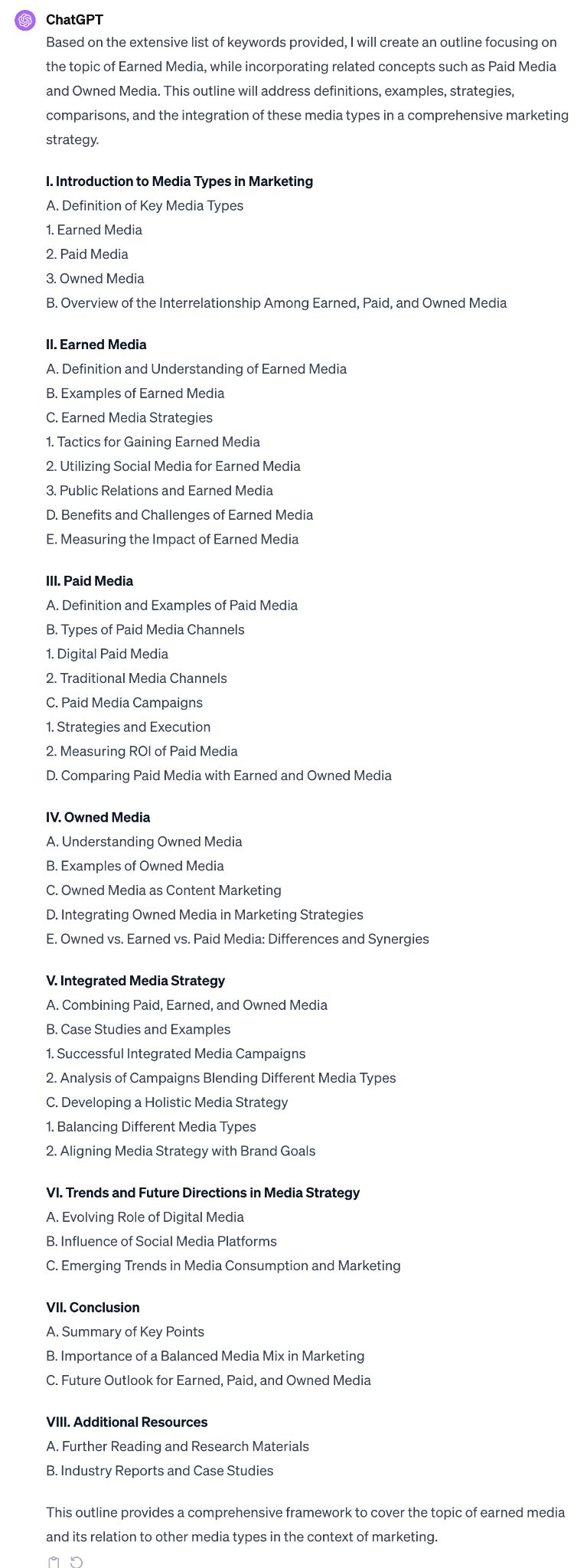
ChatGPT’s pretty good at creating blog post outlines. But you can make sure ChatGPT’s creating search-optimized outlines by providing it with important subtopics searchers want to see.

Do the same as above by exporting keywords from the Content gap report. Then enter this prompt into ChatGPT:

I’m going to give you a list of keywords related to [topic]. Create an outline for that topic based on these keywords.

ChatGPT's suggested outline, based on a list of keywords I provided

Voila! Your outline is ready.

Search intent is the why behind a query. If you want to stand the best chance of ranking, you’ll need to align your content with search intent.

Typically, search intent is identified by looking at the top-ranking pages for your target keyword.

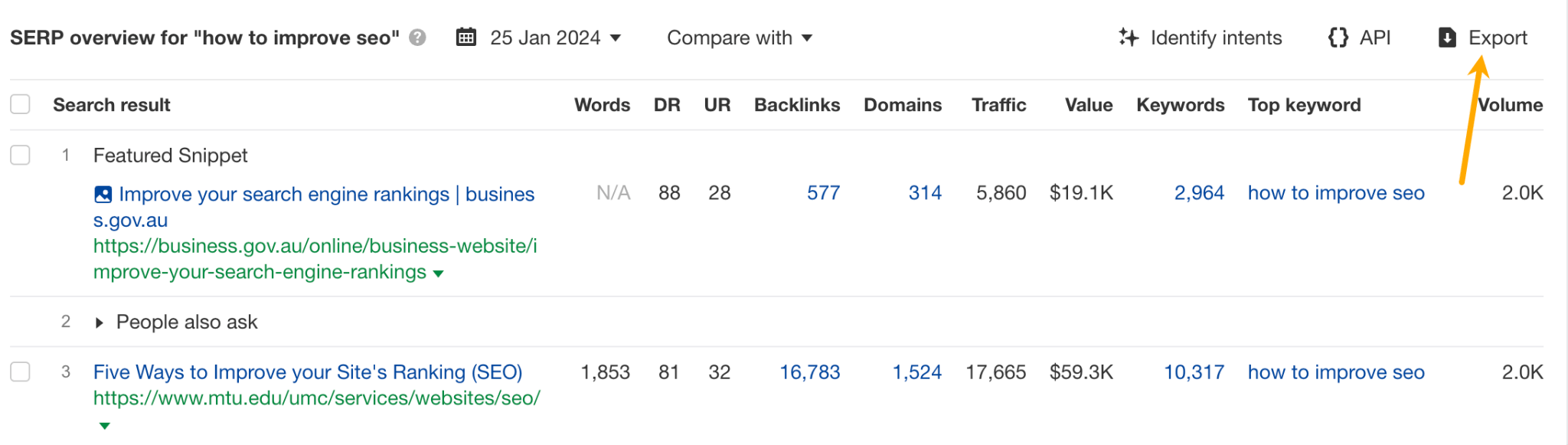
You can ask ChatGPT to do this for you. Enter your keyword into Keywords Explorer and export the SERPs from SERP Overview.

Export for SERP Overview

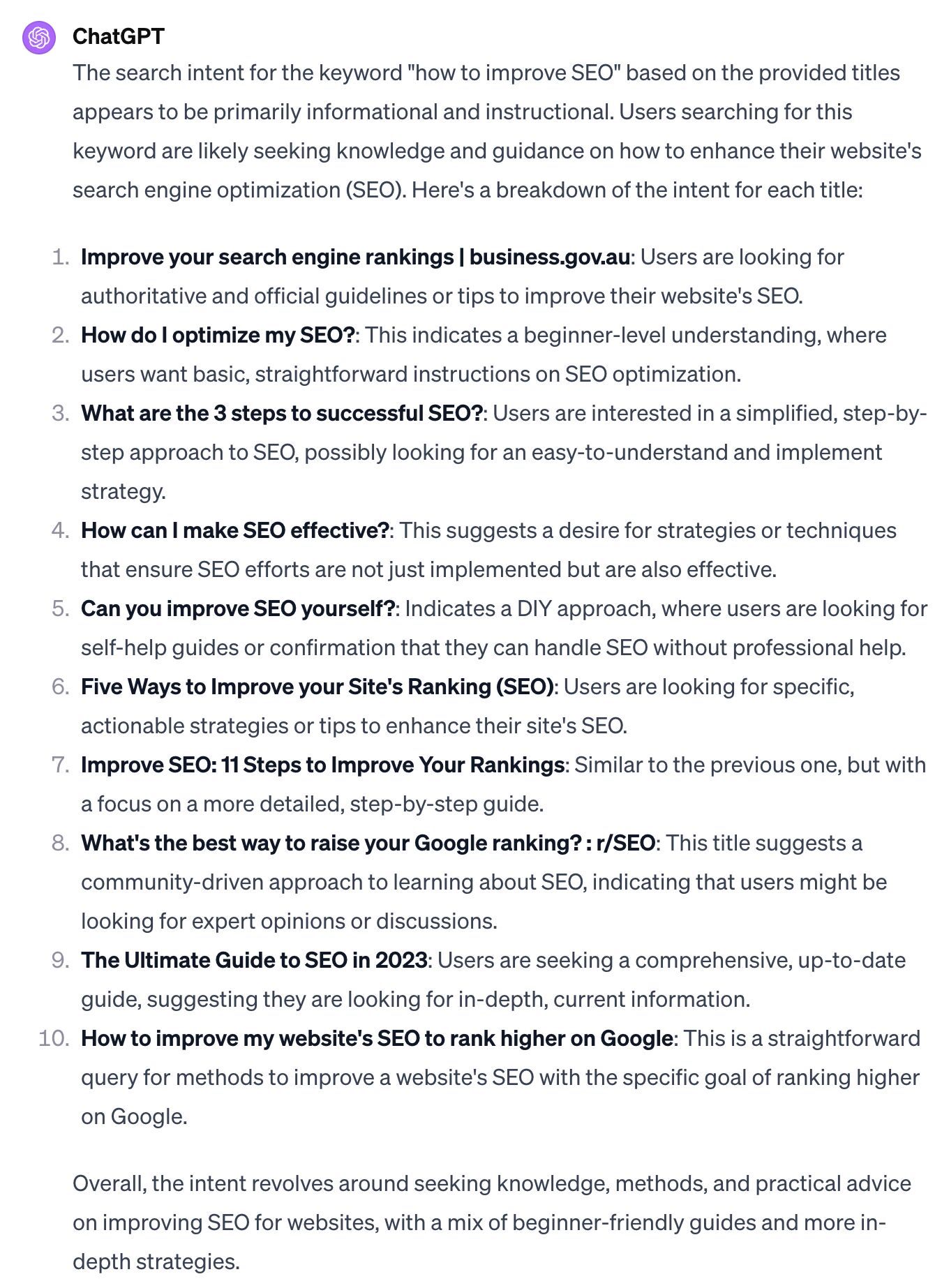
Copy the top 10 ranking titles and give ChatGPT a prompt like:

I’m going to give you a list of titles. These are the top-ranking pages for the keyword [keyword]. Can you identify the search intent for me?

ChatGPT will analyze the search intent for you:

ChatGPT's analysis of search intent for the keyword "how to improve SEO"

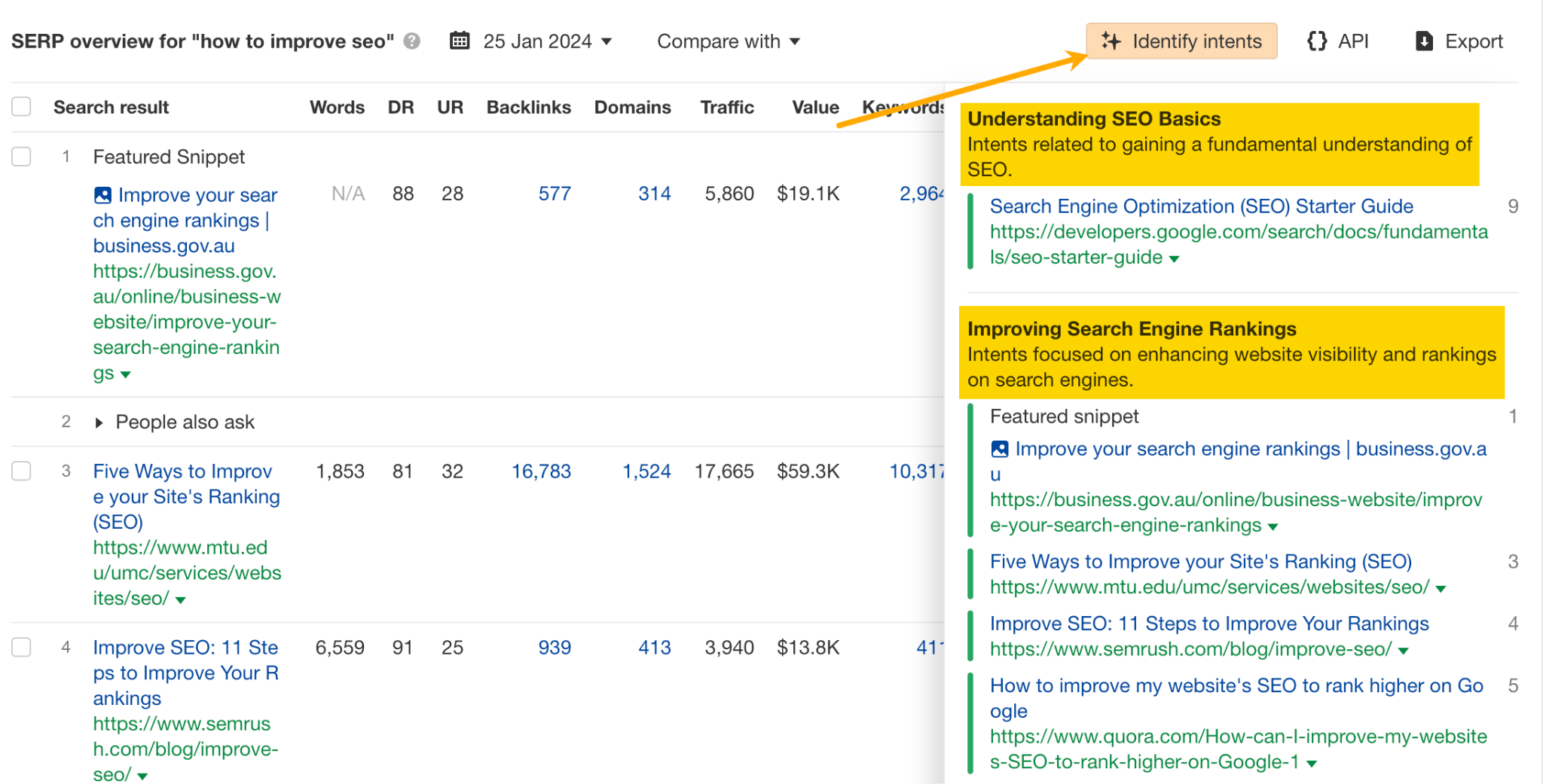
Too troublesome? Good news: We’ve incorporated this use case directly into Keywords Explorer. Just click Identify intents, and we’ll do it for you:

The "Identify intents" feature in SERP Overview, in Keywords Explorer

Seed keywords are words or phrases you can use as the starting point in a keyword research process to unlock more keywords.

There are obvious seed keywords for every niche, like “coffee” if you own a coffee site. But you may miss out on terms like “moka pot” or “aeropress,” especially if you’re unfamiliar with the space.

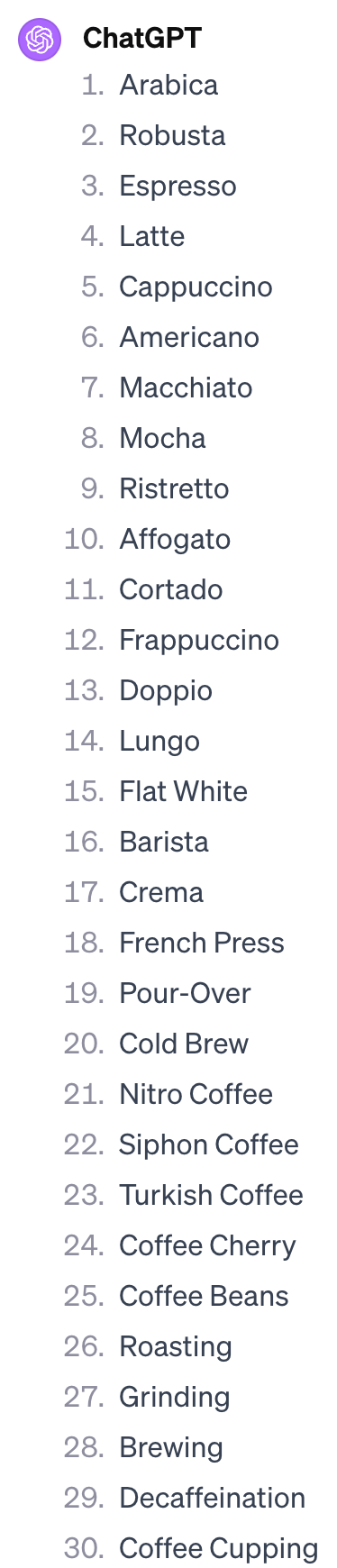
ChatGPT can help with that. Just ask it to give you terms.

Give me terms related to [topic]. Skip the descriptions.

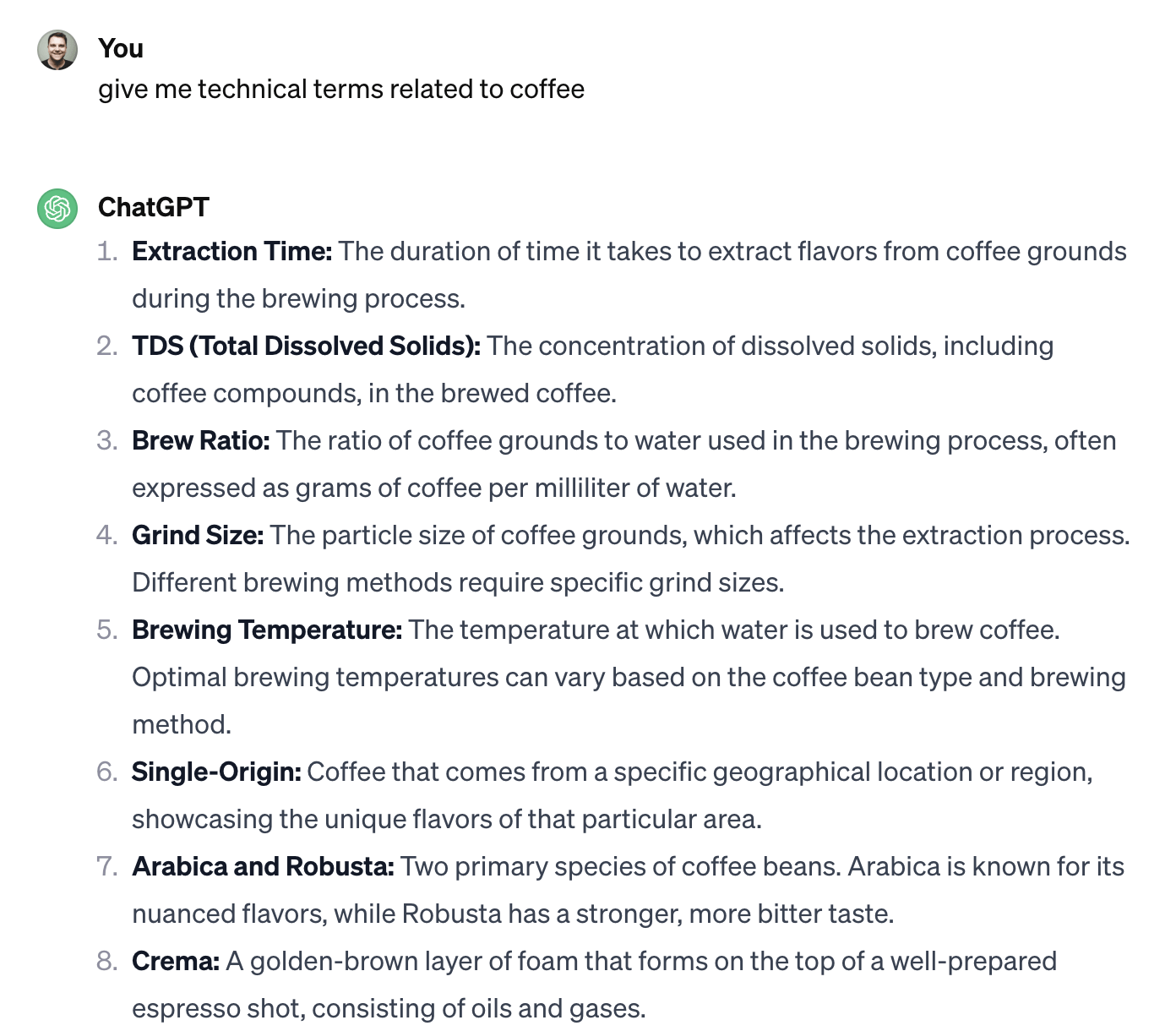
List of terms related to coffee, suggested by ChatGPT

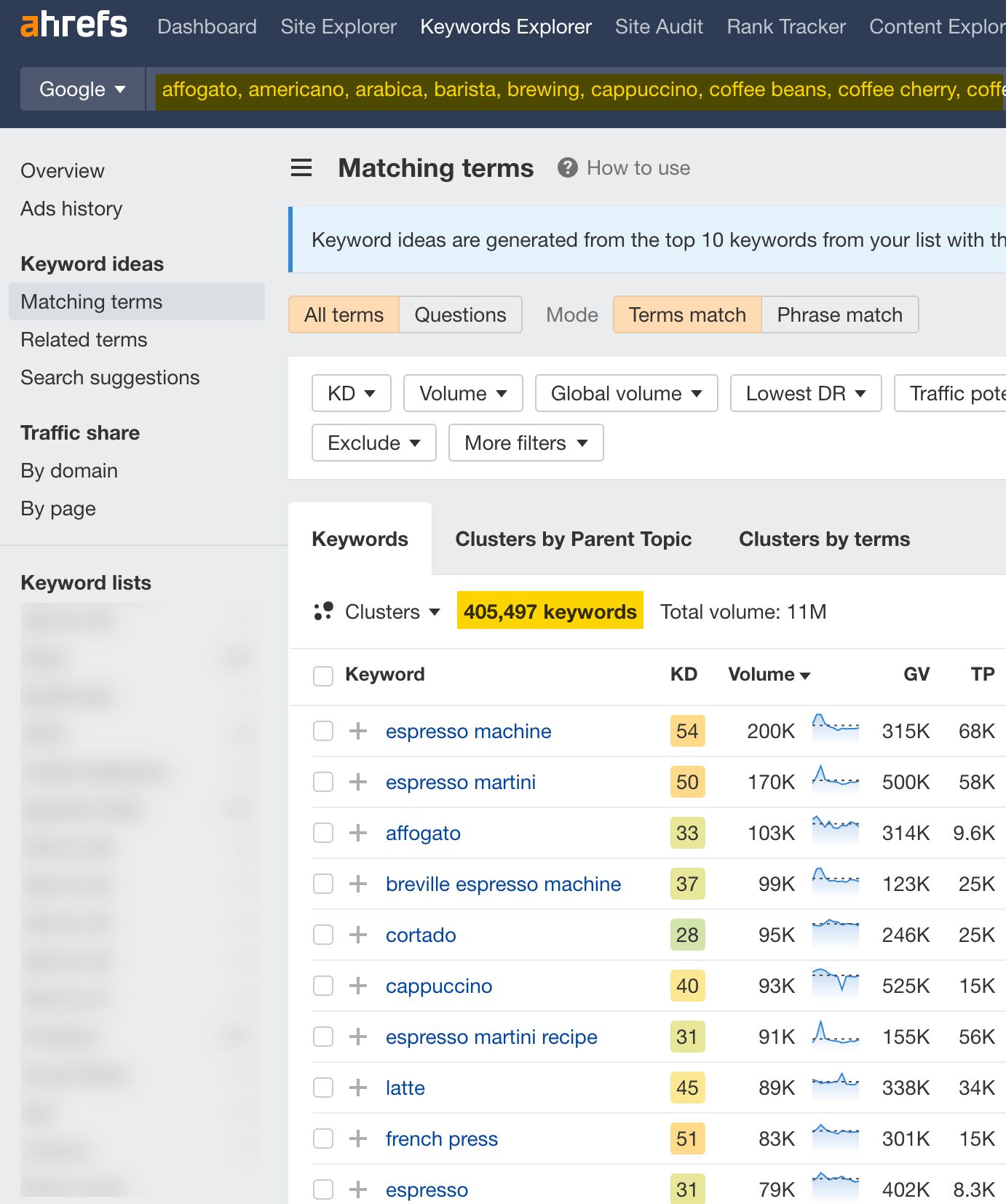
You can then use these as seed keywords in Keywords Explorer to find more keyword ideas.

Keyword ideas generated from a list of terms suggested by ChatGPT

TIP

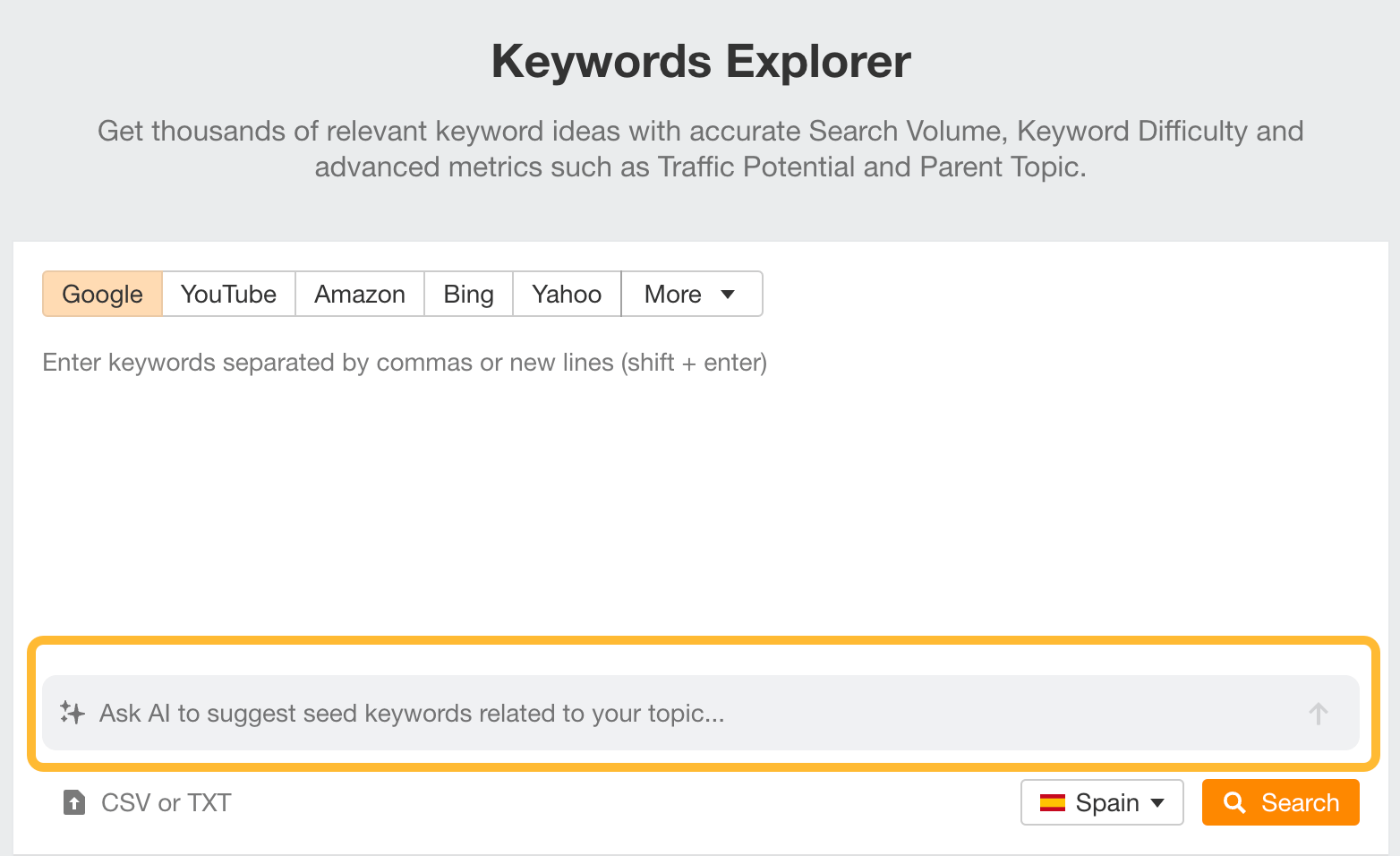
We’ve integrated AI into Keywords Explorer to help you find seed keywords easily. You can skip the entire ChatGPT part now.

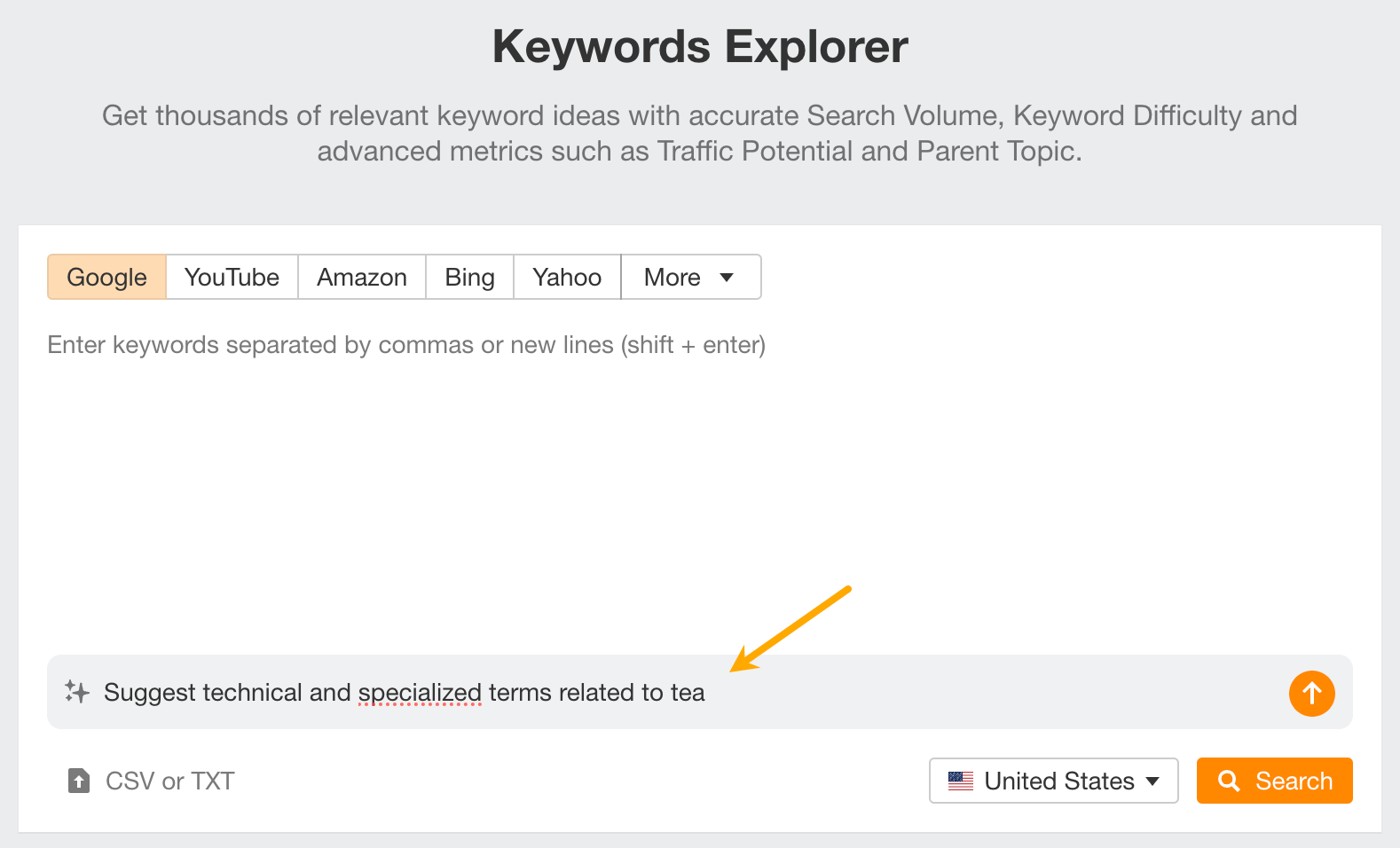
Ask AI to suggest seed keywords, a feature in Keywords Explorer

If you do SEO for multiple markets, you may want to target the same keywords in different languages. This is no biggie if you’re a polyglot, but some of us struggle with languages. Fret not: ChatGPT can help.

Take your list of keyword ideas and ask ChatGPT to translate them.

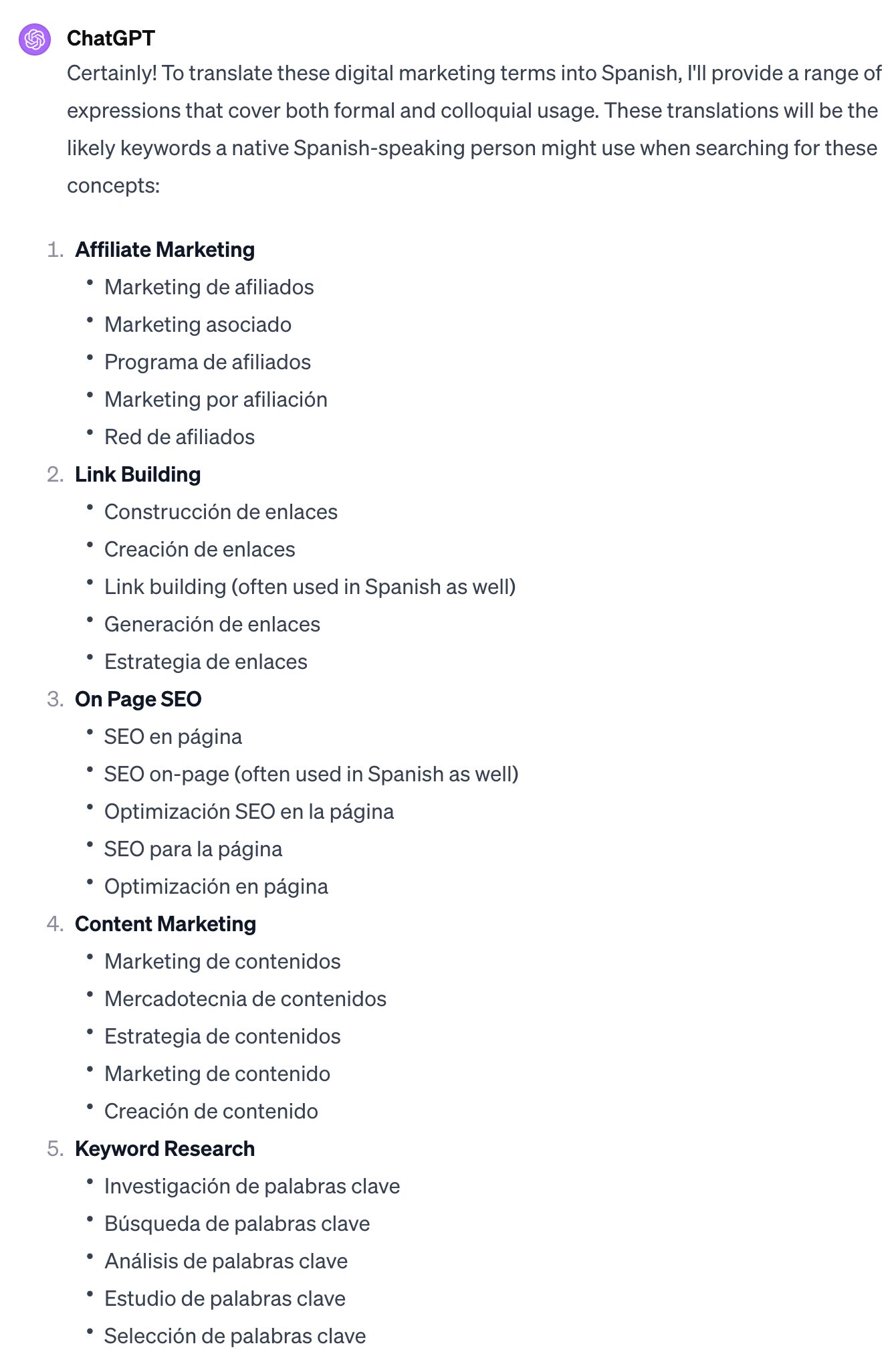
I have a list of search queries in English. If a native Spanish speaker searched for these queries on Google, what keywords would they use? Please suggest one to five of the most common alternative local expressions for each query that reflect their meaning, considering both colloquial and formal terms.

ChatGPT translates terms into another language for keyword research

Paste these terms into Keywords Explorer and set the country you’re researching to see if they have any search volume.

List of keywords and their search volume, based on what is translated by ChatGPT

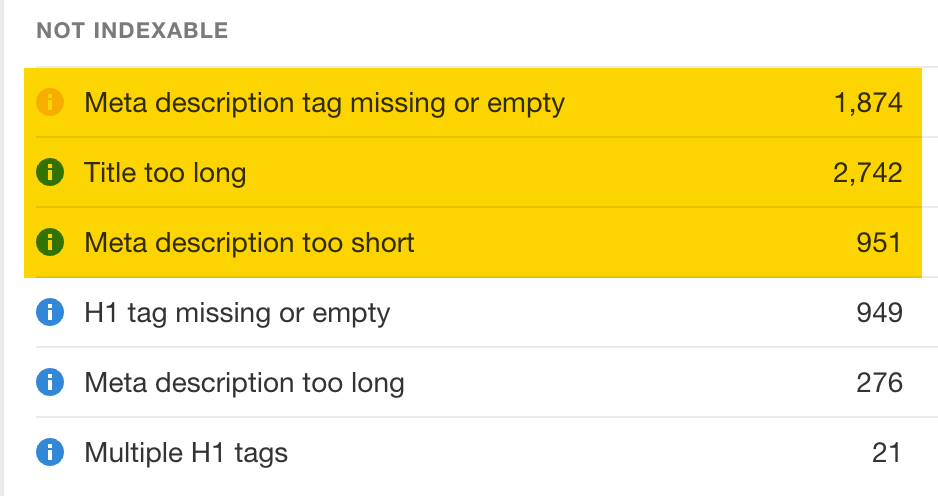
A common issue affecting many websites is missing titles, H1 tags, or meta descriptions. You can find out if your site has these issues by running a crawl with Site Audit.

Title and meta description issues found by Site Audit

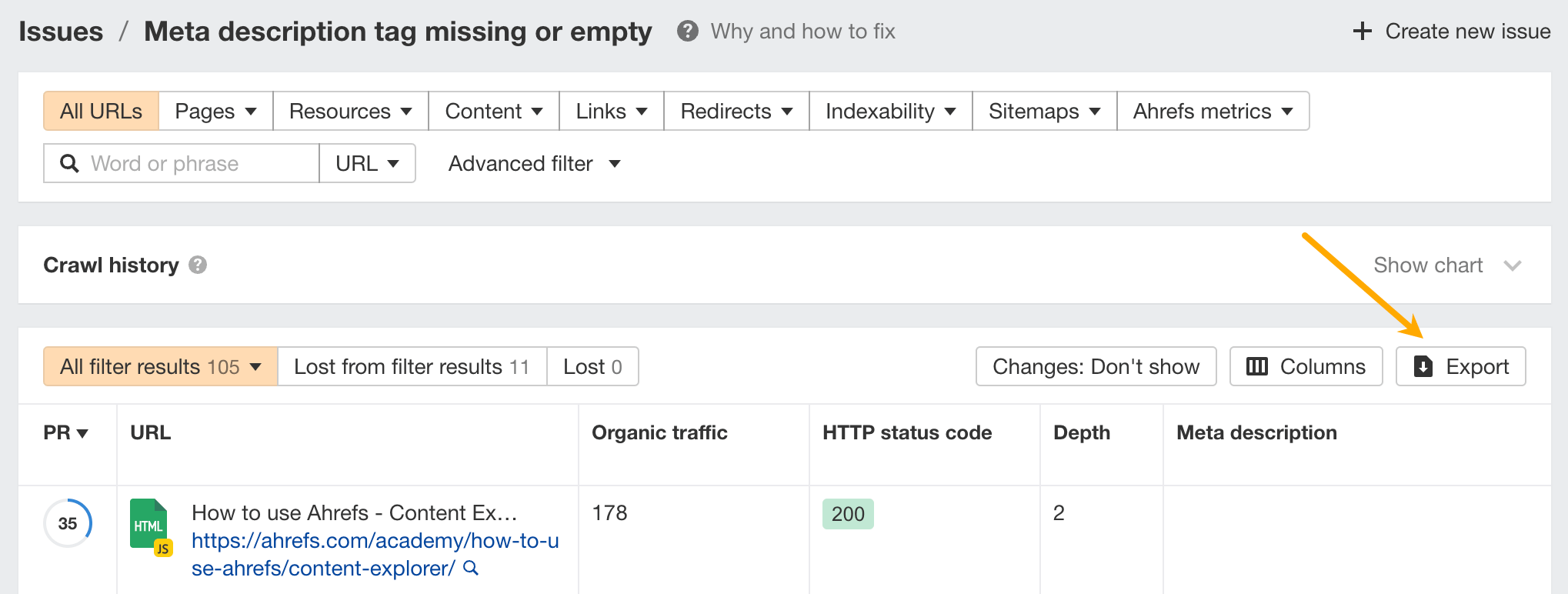
Click the number to see the affected pages. Then click Export to get all the URLs.

Export button in Site Audit

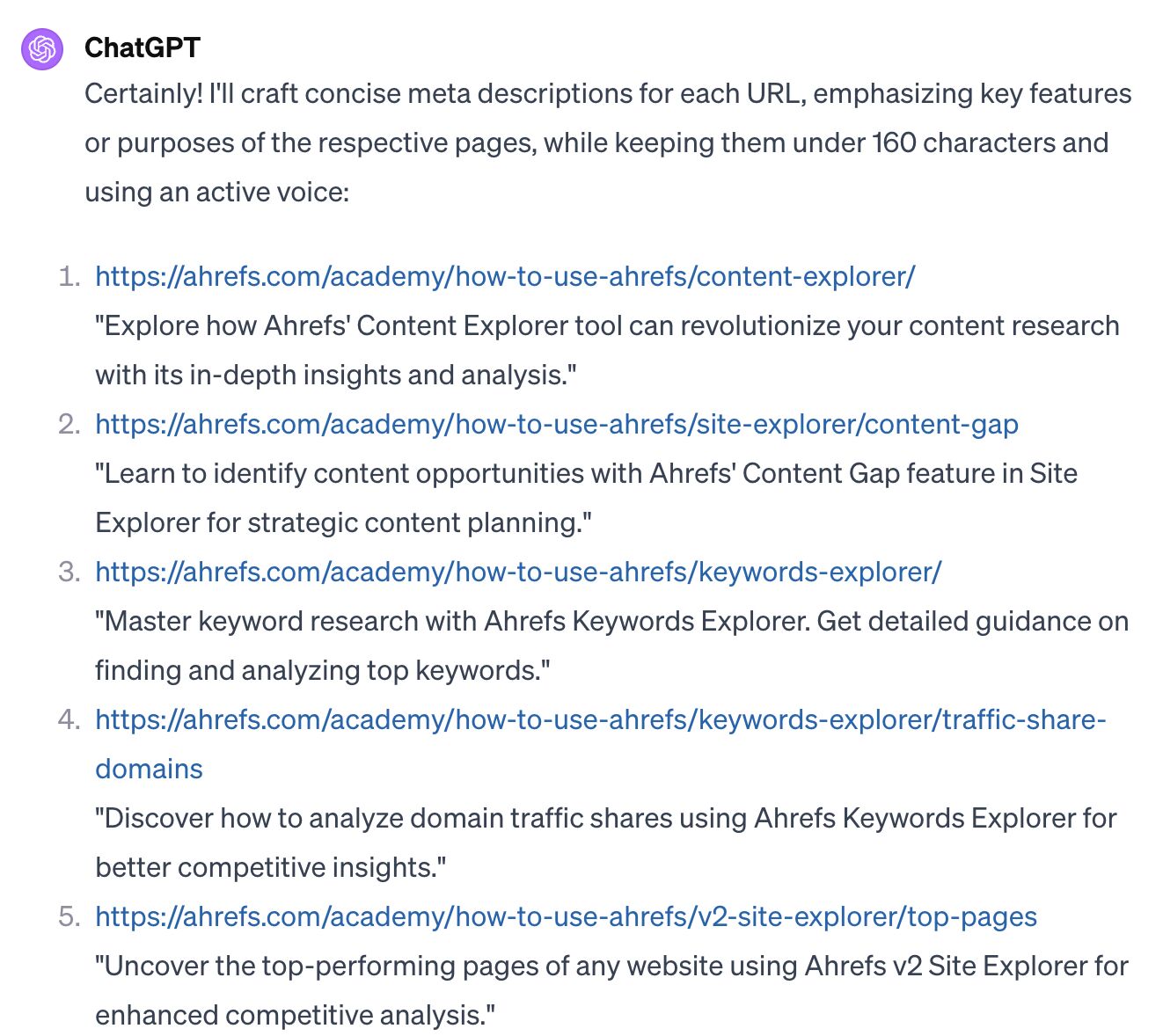
Take these URLs to ChatGPT and ask it to create meta descriptions for you.

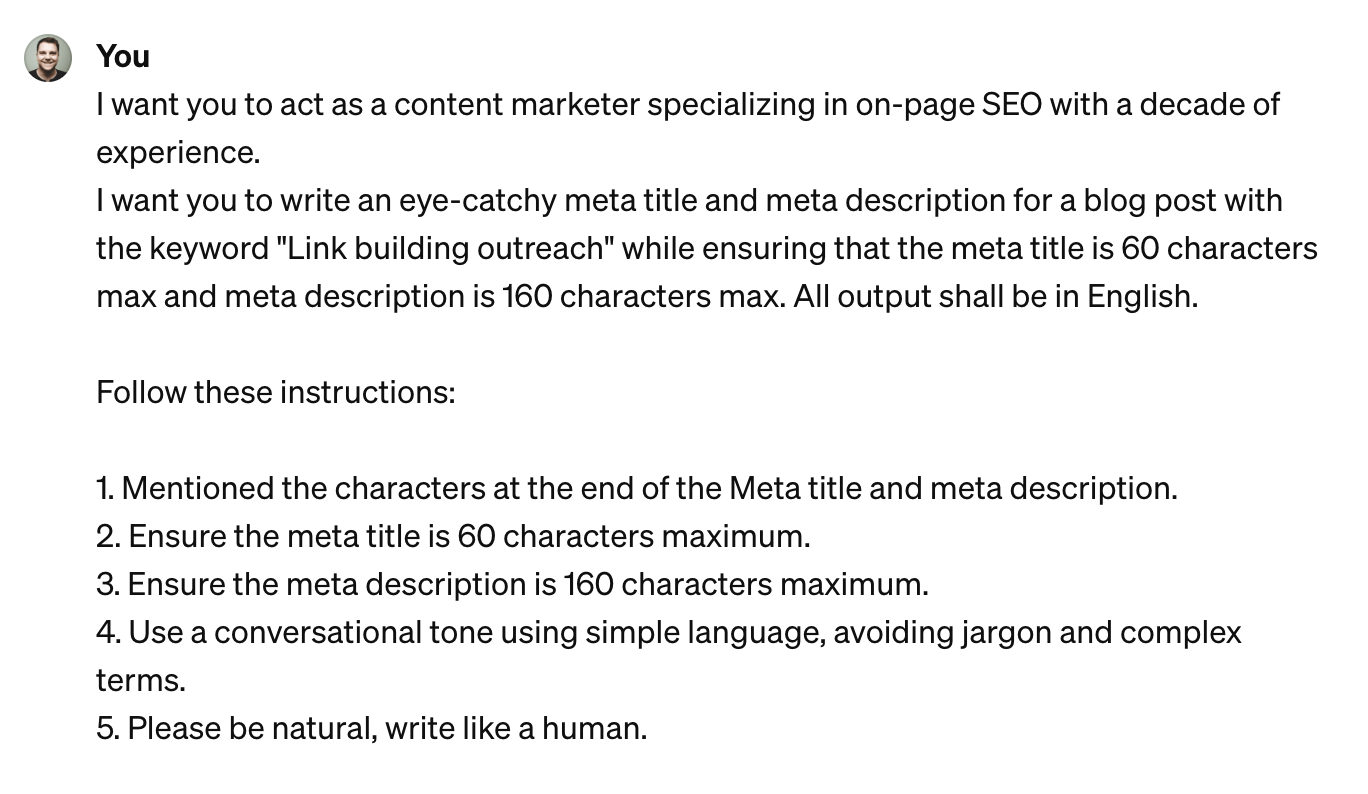
I have a list of URLs that do not have meta descriptions. Create meta descriptions for them. Keep them under 160 characters and use an active voice.

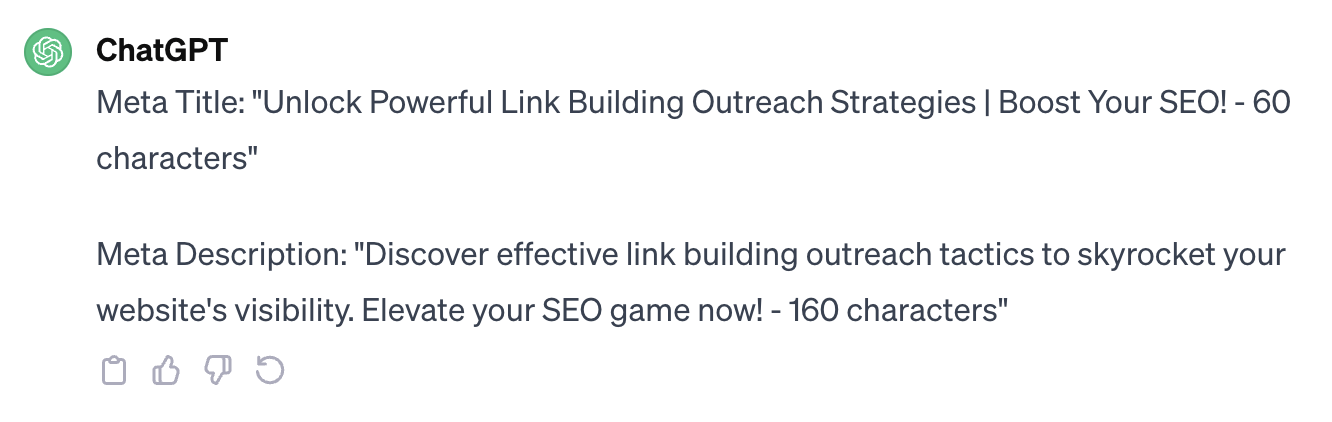
Suggested meta descriptions by ChatGPT

Further reading

Branded keywords contain your company, service, or product name. Knowing the breakdown between branded and unbranded keywords is useful because:

  • If you’re analyzing a competitor, you’ll want to know how much of their traffic is branded (which you can’t replicate).
  • Branded traffic may not be directly controlled by SEOs, so you may want to be clear about the attribution.
  • Bigger brands get more branded searches (duh!), so it could be a good proxy to see how well your brand is faring.

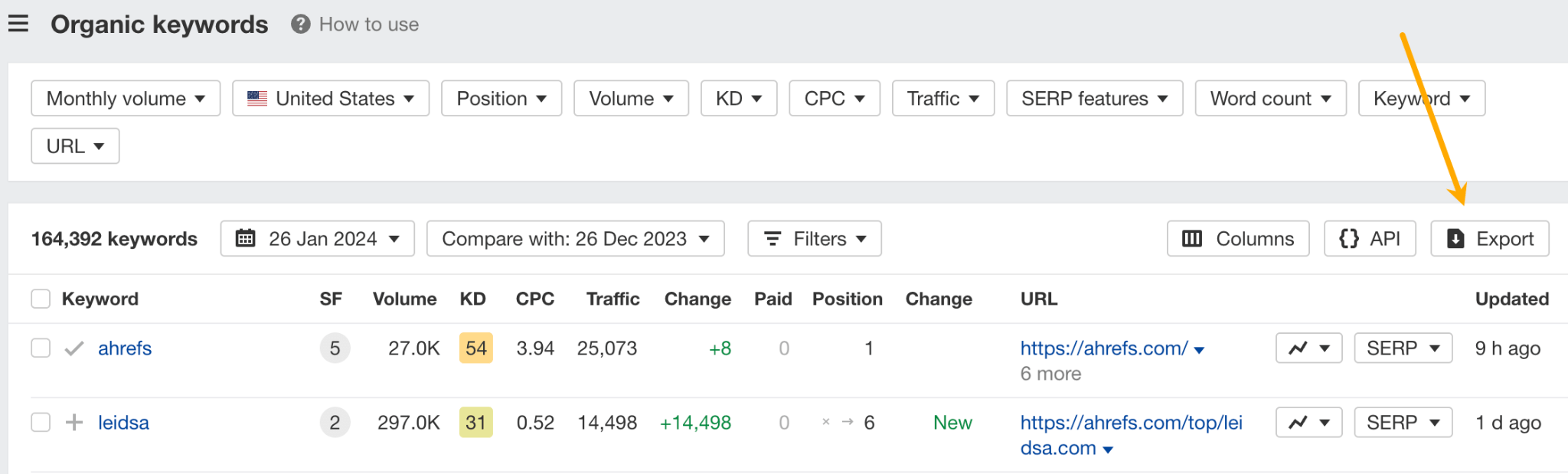
To see the breakdown, enter your site (or your competitor’s site) into Site Explorer, go to the Organic keywords report, and click Export.

Export button in Organic keywords

Upload the file to ChatGPT and give this prompt:

Label each keyword in the “Keyword” column as branded or unbranded. Then, create a pie chart that shows the sum of “Current organic traffic” for both categories. Include a legend on the pie chart.

Generated pie chart for branded vs unbranded keywords

Further reading

Final thoughts

Ahrefs is not just an SEO tool—it’s a big data machine. So, it’s all about extracting and exporting the most relevant data from our toolset and then using ChatGPT to help with the analysis.

Did I miss out on any cool use cases? Let me know on XTwitter or LinkedIn.

Ranking in Google is the same (or at least very similar) for everyone. That’s why it’s essential to have an SEO plan template you can use time and time again.
So… we created one for you.
Next steps

Ranking new pages is vital for SEO success, but it takes a lot of work. That’s why we also recommend running a content audit to find existing content that you may be able to improve rankings for easily. These are often low-hanging fruit opportunities that take little effort.

Alternatively, if you already have an existing page in mind that you want to improve SEO for, read our step-by-step guide to ranking higher on Google.


Product pages are where the final decision to purchase a product is made. By optimizing them for SEO (and adding a sprinkling of UX), you’ll increase the chances of attracting more visitors and converting them into loyal customers.

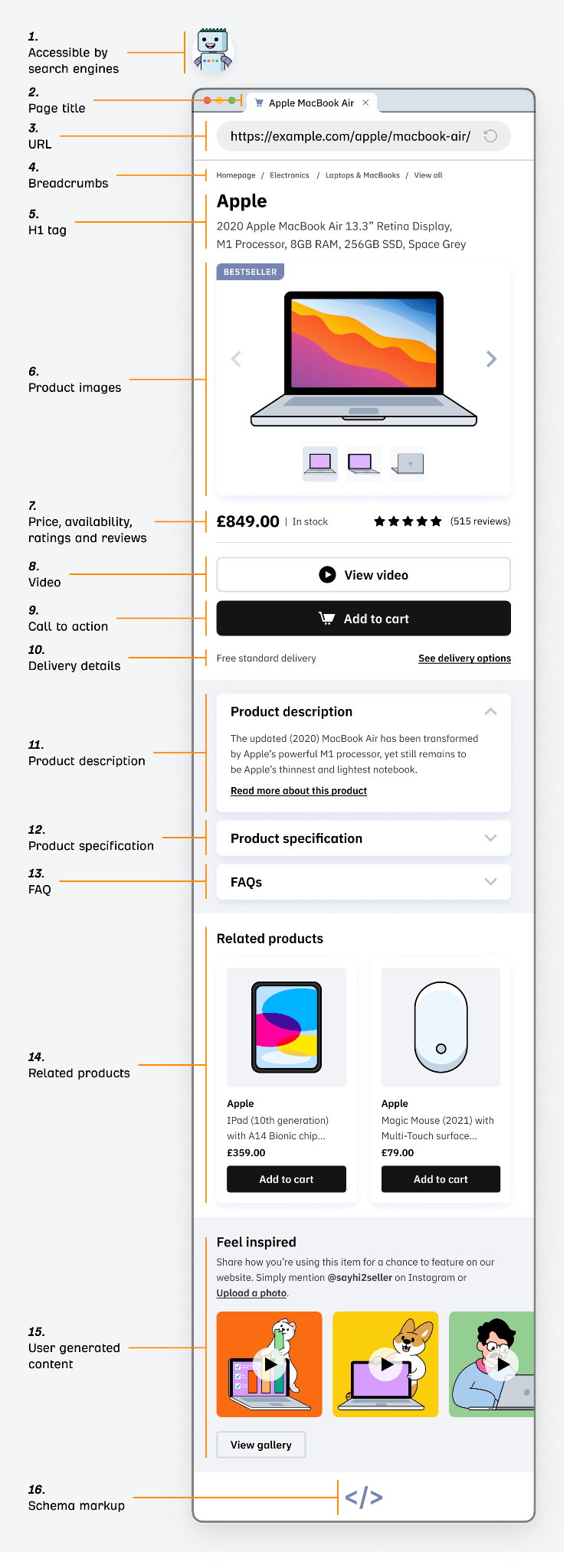
In this beginner’s guide, I’ll share 16 elements that collectively make up the anatomy of a well-optimized product page. I’ll also explain how to audit your product pages for issues.

What makes a great product page?

Product pages are one of the more definable content page types in SEO because they contain certain common elements people expect to see.

Let’s explore the anatomy of a well-optimized product page:

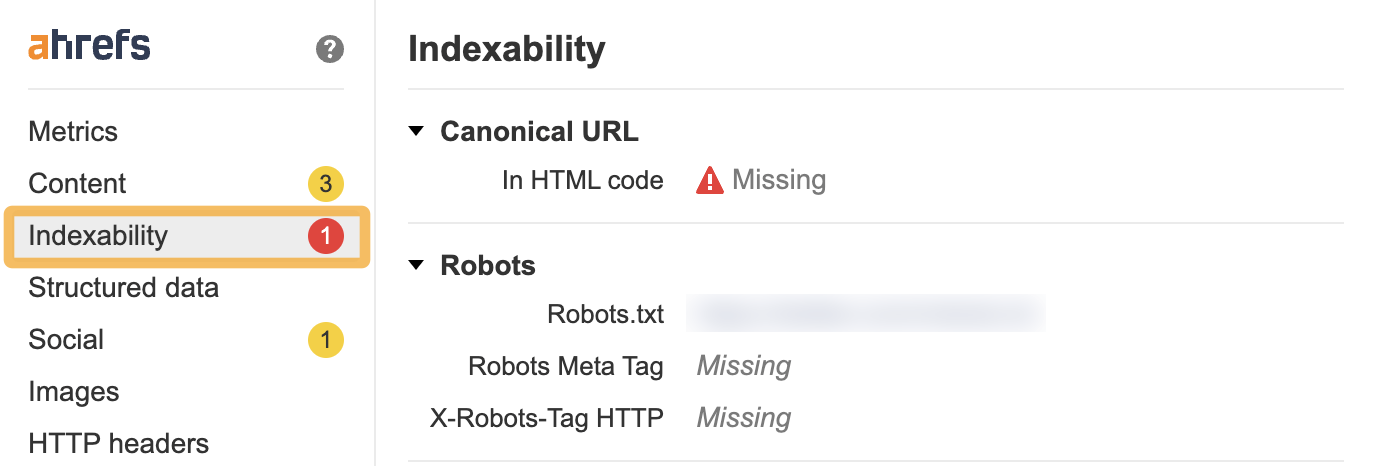
Before you start to check onsite elements, it’s a good idea to check if your product page is able to be crawled and indexed by search engines. If not, you’ll be wasting your time optimizing your product page for everything else.

The quickest way to check this is to navigate to the product page and open it up in the Ahrefs’ SEO Toolbar. Then click on the Indexability tab.

If there are any issues, the toolbar will flag them in a red circle in the sidebar.

There are a few basic checks you should make. Make sure that the product page:

Once you’ve passed these initial technical SEO hurdles, it’s time to get started.

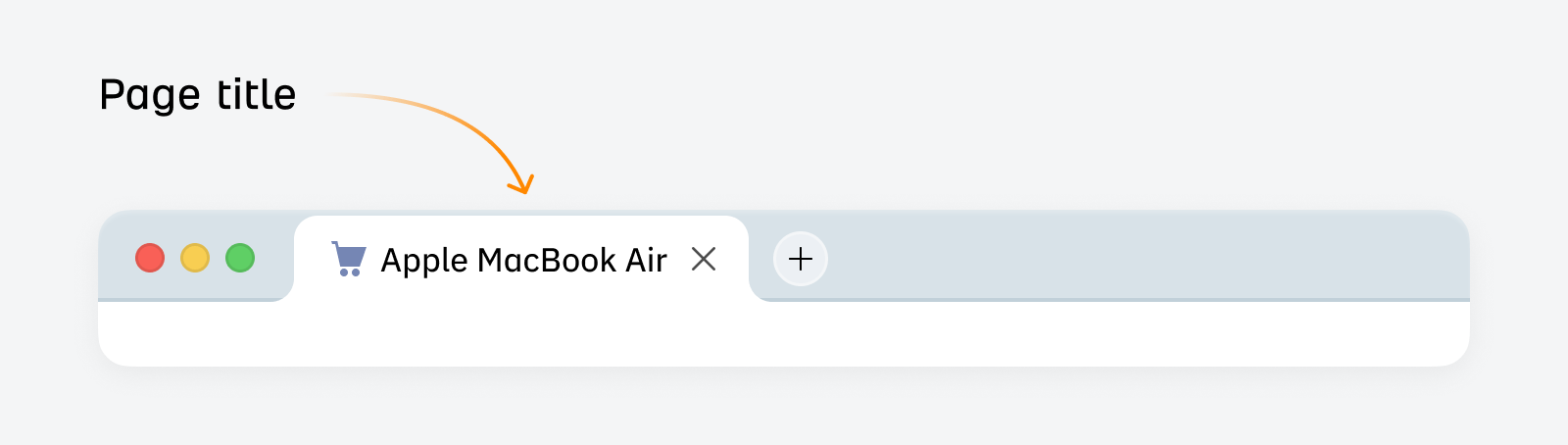
A title tag (also known as a page title) is a piece of HTML code that specifies the title of a webpage. They appear in Google’s search results and are a minor Google ranking factor.

They look like this:

Page title example

Your product page title should be clear, say what the product is, and use relevant keywords that accurately describe the product. This helps searchers and search engines understand what your product page is about.

Tip

You can use Ahrefs’ Keywords Explorer to get inspiration from competitors’ product page titles in the SERP overview.

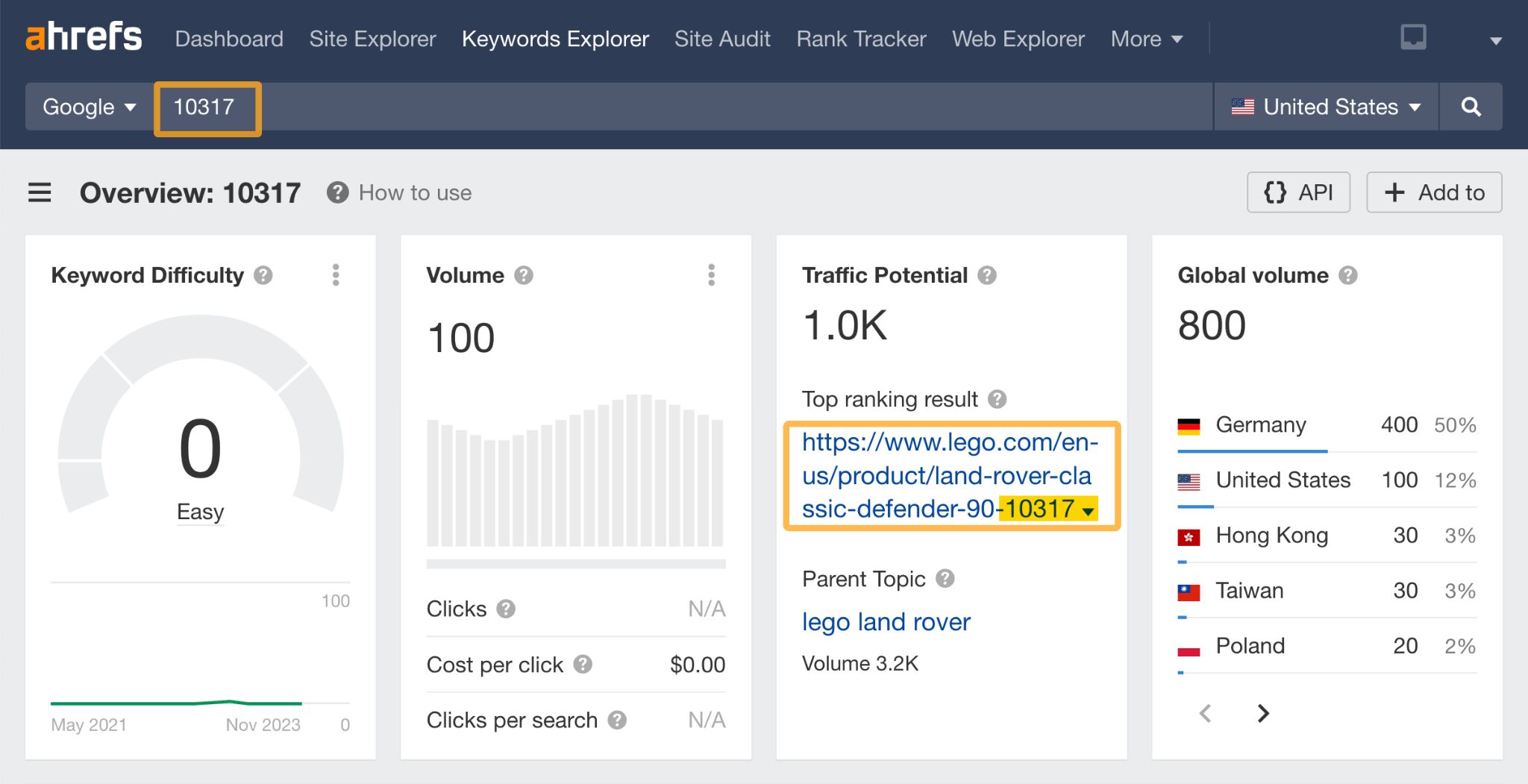
If users search for your products using stock-keeping units (SKUs) or other product identifiers, then it’s a good idea to include this information in your product page title tag and your URL.

One of the best examples of where this would be important is for a brand like Lego.

Here’s an example of the Lego Land Rover Classic Defender 90 product. The SKU is included in both their page title and their URL:

Even if you just search for “10317” using a tool like Ahrefs’ Keywords Explorer, you can see that their site appears at the top of the SERP.

TLDR; if SKUs or product identifiers are important for your business—and customers are searching for them—then it may be useful to include them both in the URL and title tags of your products.

URLs are located in the address bar of your browser. An SEO-friendly URL should be easy to understand and clearly indicate the page’s content. Creating well-thought-out URLs early on will help create a logical website structure in time.

Google’s advice when it comes to URLs is:


“Create a simple URL structure. Consider organizing your content so that URLs are constructed logically and in a manner that is most intelligible to humans.”

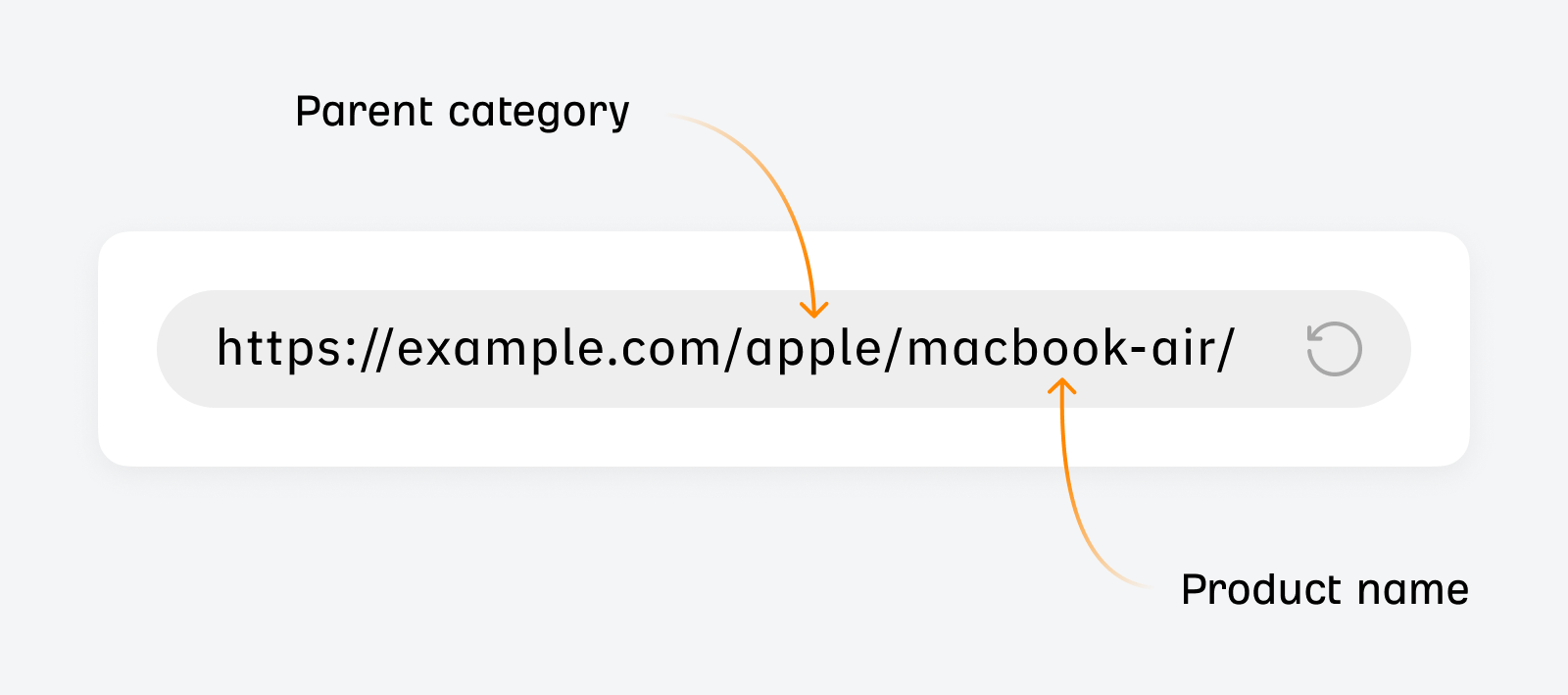
Here’s what a well-structured URL looks like:

SEO-friendly URL example.

And here are some more tips for creating URLs:

  • Use relevant keywords that accurately reflect the product to help search engines understand the page’s context
  • Keep URLs concise and avoid unnecessary characters or complex structures, as simpler URLs are easier for users to digest
  • Use hyphens to separate words rather than underscores or spaces to make the URL easily readable
  • Be consistent in your URL structure — it’ll make your website easier to navigate and enhance the user’s experience by providing a clear idea of what to expect on the page
  • Don’t bury important keywords lower down in your URL hierarchy

Sidenote.

In the SERPs, there are complicated and seemingly illogical URL structures in every SERP that rank well—especially in ecommerce land. This doesn’t mean you should ignore URL structure completely, but try to establish a consistent structure early on and stick to it.

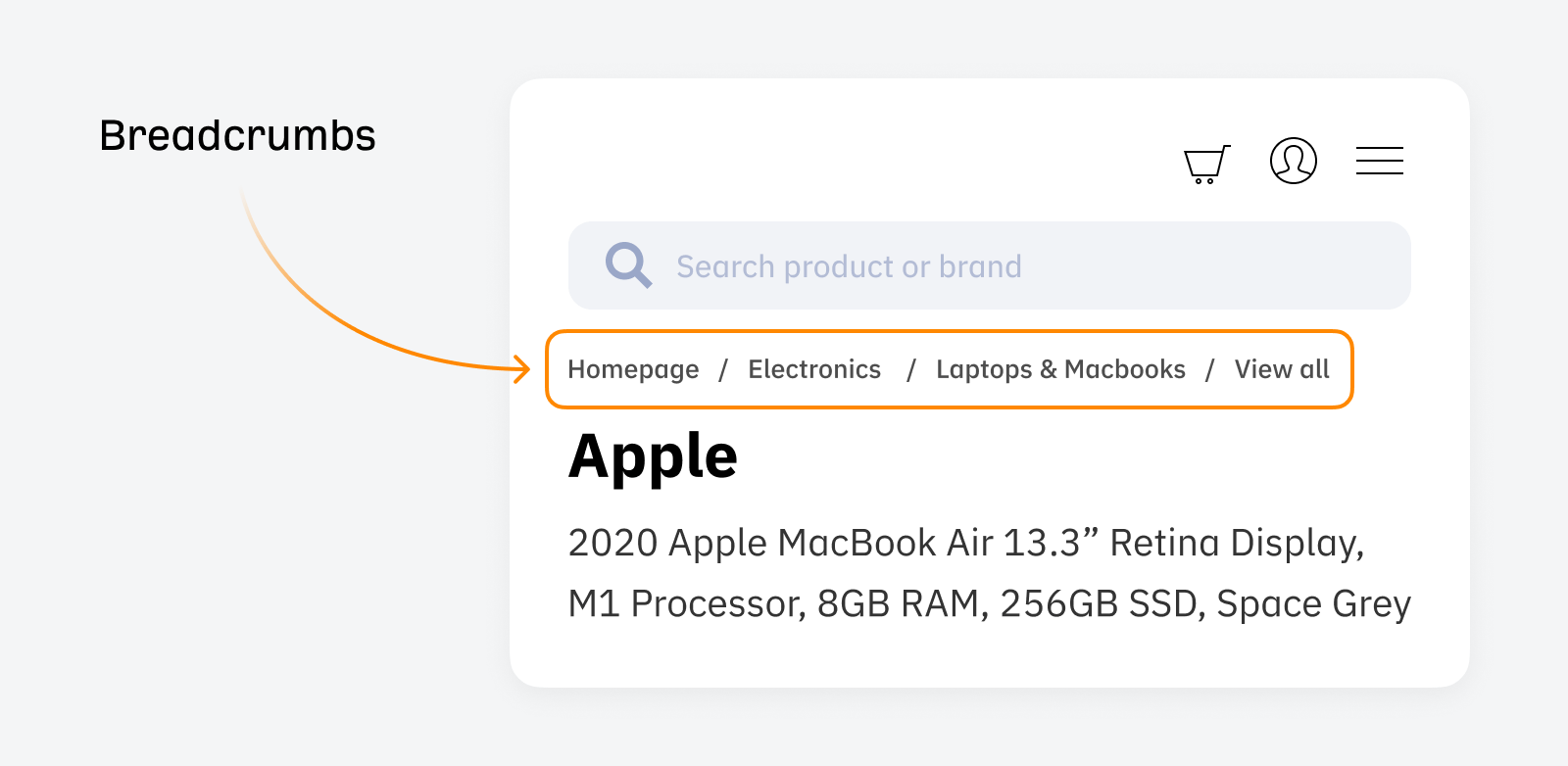
Breadcrumbs are internal links that show users their location in the site’s hierarchy and help them navigate quickly through the website.

They look like this:

Breadcrumb example

They’re useful for SEO because they create a logical structure that search engines can crawl and understand.

Breadcrumbs allow users to check their position on your site and to backtrack if necessary. This is useful for ecommerce stores because users often navigate between category pages and many product pages when deciding which product to buy.

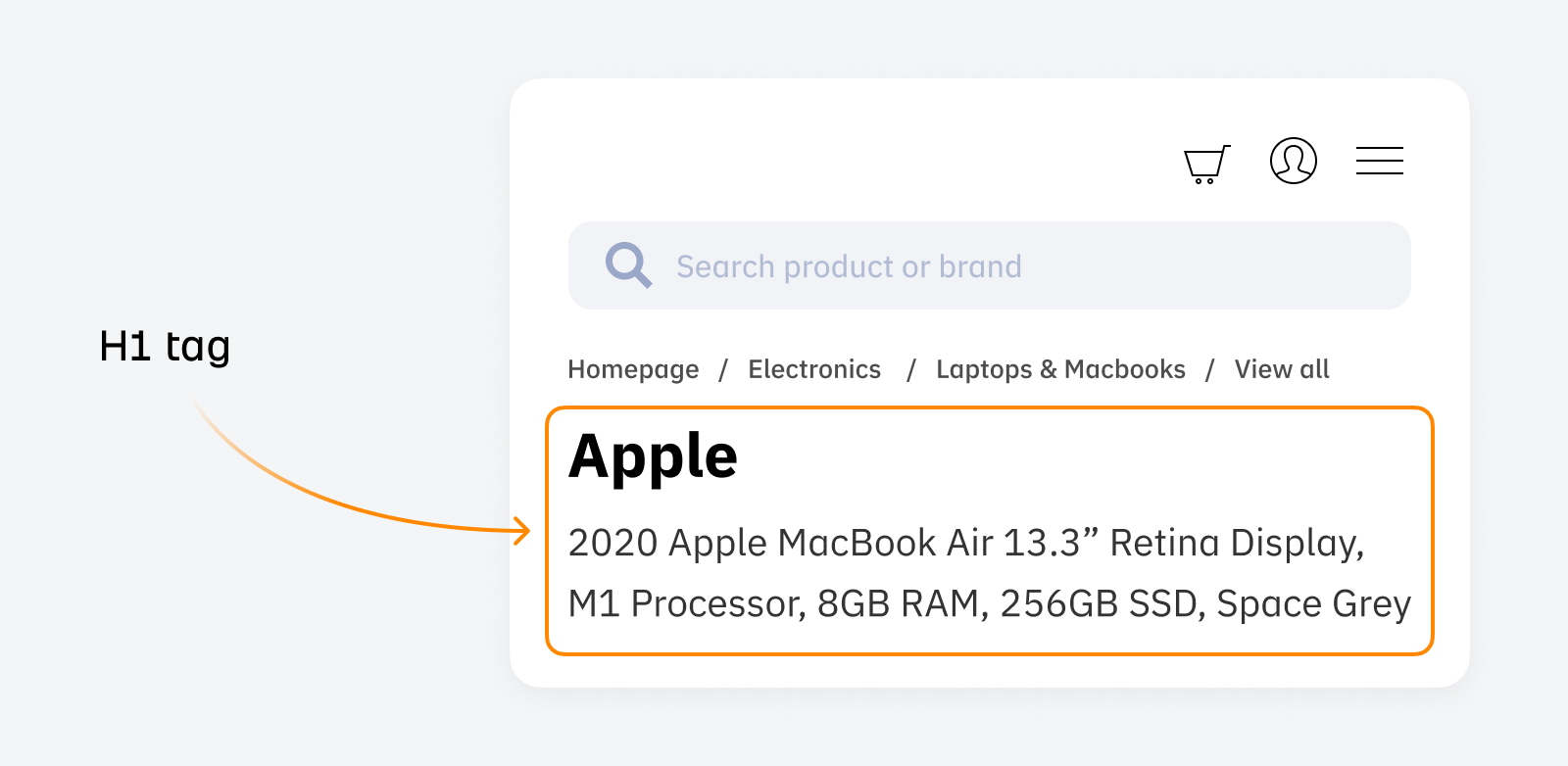
The H1 tag is an HTML element that signals to users and search engines what the page is about.

H1 tag example

The main difference between H1 tags and title tags is where they appear—H1 tags do not appear in Google search results, but appear on the page.

This is what an H1 tag looks like in the code:

<h1>This is the h1 tag</h1>

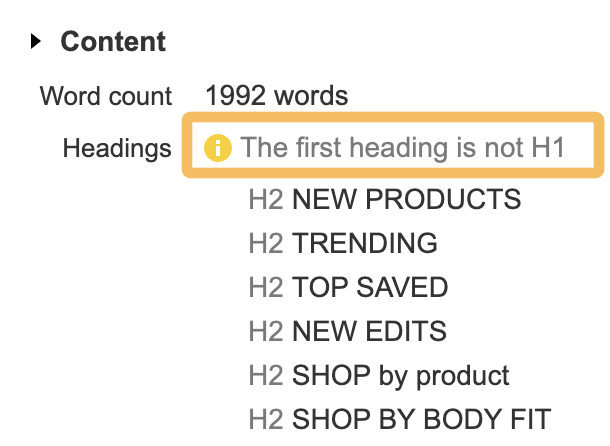
The fastest way to check whether a page has an H1 is to use the Ahrefs SEO Toolbar. Here, you can easily spot-check the hierarchy of the headings.

Headings check, via Ahrefs' SEO toolbar

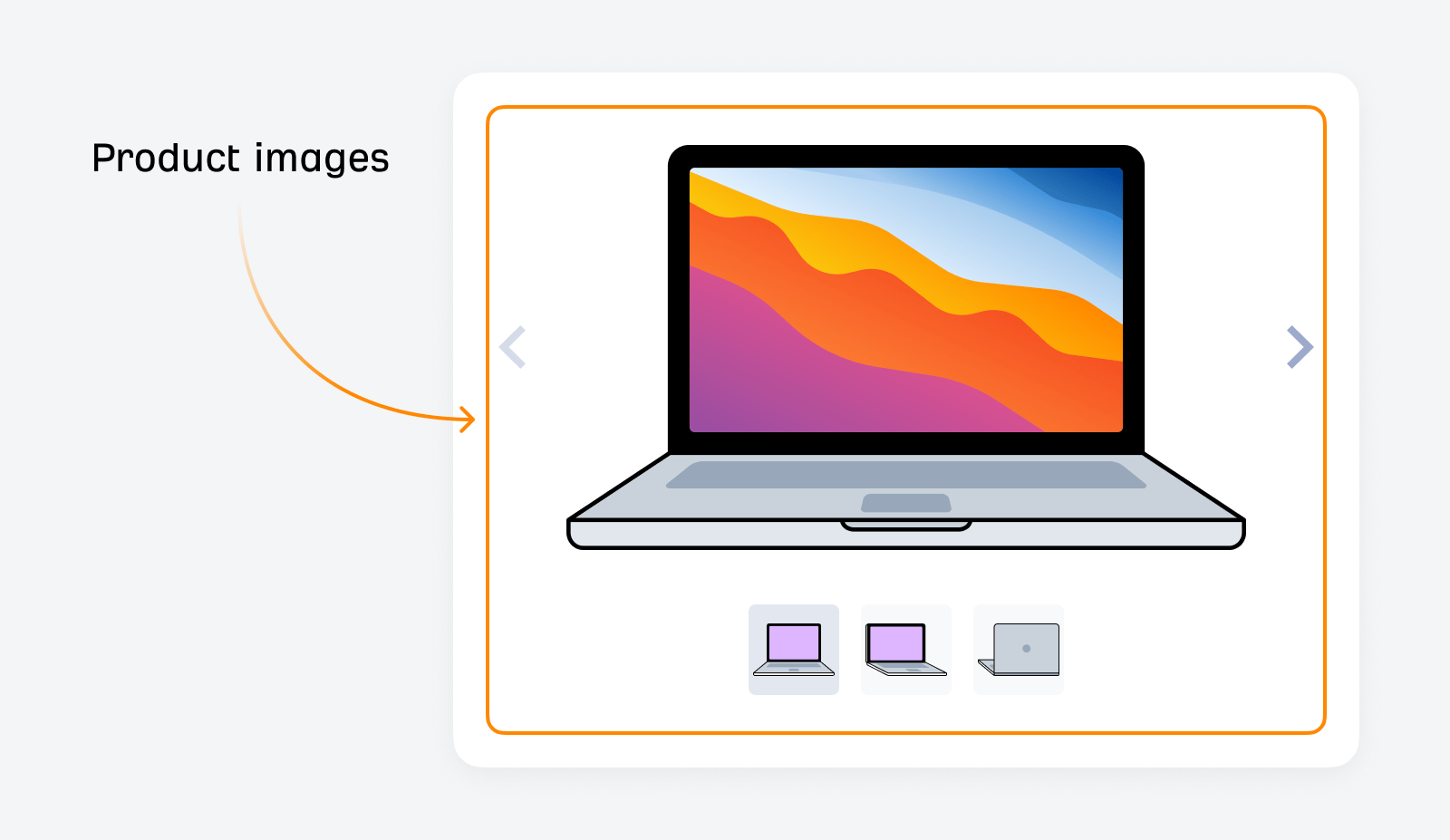
Product images are photographs or digital representations of your products. Usually, one image or a gallery is shown on a product page to showcase the product.

Illustration: image gallery example

They’re essential because they provide extra detail about the product that written descriptions can’t always capture—like how the product should be used, the exact color of the product, and so on.
From a search perspective, product images are essential as they can rank in Google’s image search results—so there’s a traffic incentive to optimize your product images for SEO.
So, how can you optimize your product images for SEO?

Here are the basics you need to optimize for:

  • Add alt text
  • Use descriptive file names
  • Use responsive images
  • Compress your images and use image formats like jpg, jpeg, png, webp, or avif

Sidenote.

Alt text is a brief description of the image, which is not only crucial for search engine indexing but also vital for accessibility, allowing screen reader users to understand the image content. Like file names, alt text should be descriptive and include relevant keywords naturally.

You can do many things to improve your image’s performance in search engines. Check out our image SEO guide to learn more.

Videos increase user engagement with your product pages—and like images, they’re valuable as they can independently drive traffic to your site.

Videos can appear in four places on Google:

  • Google’s search results
  • Google Images tab
  • Google Videos tab
  • Google Discover

But, to become indexed, videos must fulfill certain criteria.

Before investing time and effort in creating videos, consider whether it would benefit your audience.

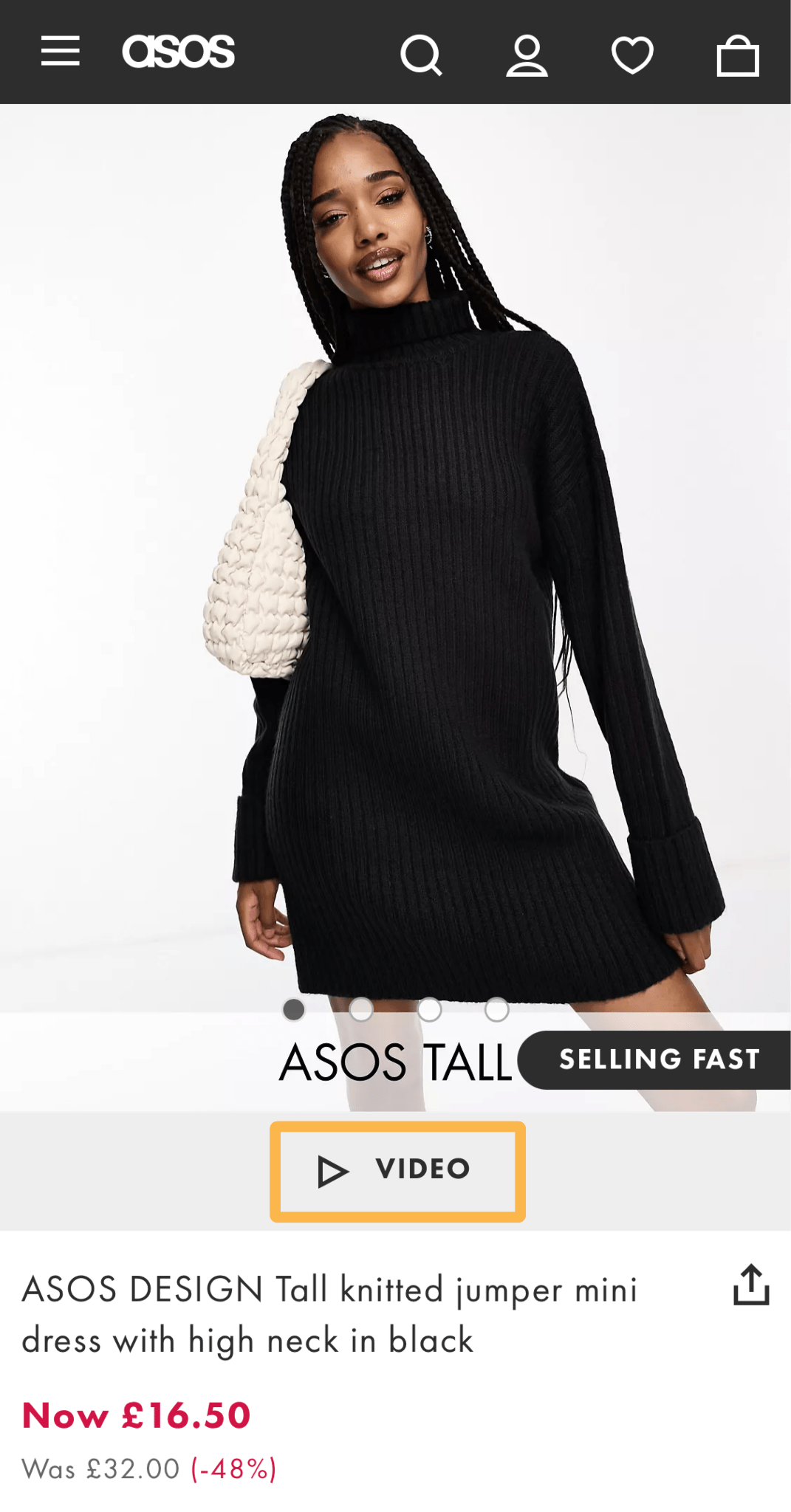
For example, in the fashion industry, visitors expect to see a video to get a better look at how the clothes fit, so it’s no surprise that clothing stores like ASOS have short videos prominently placed on their product pages.

Video example from ASOS

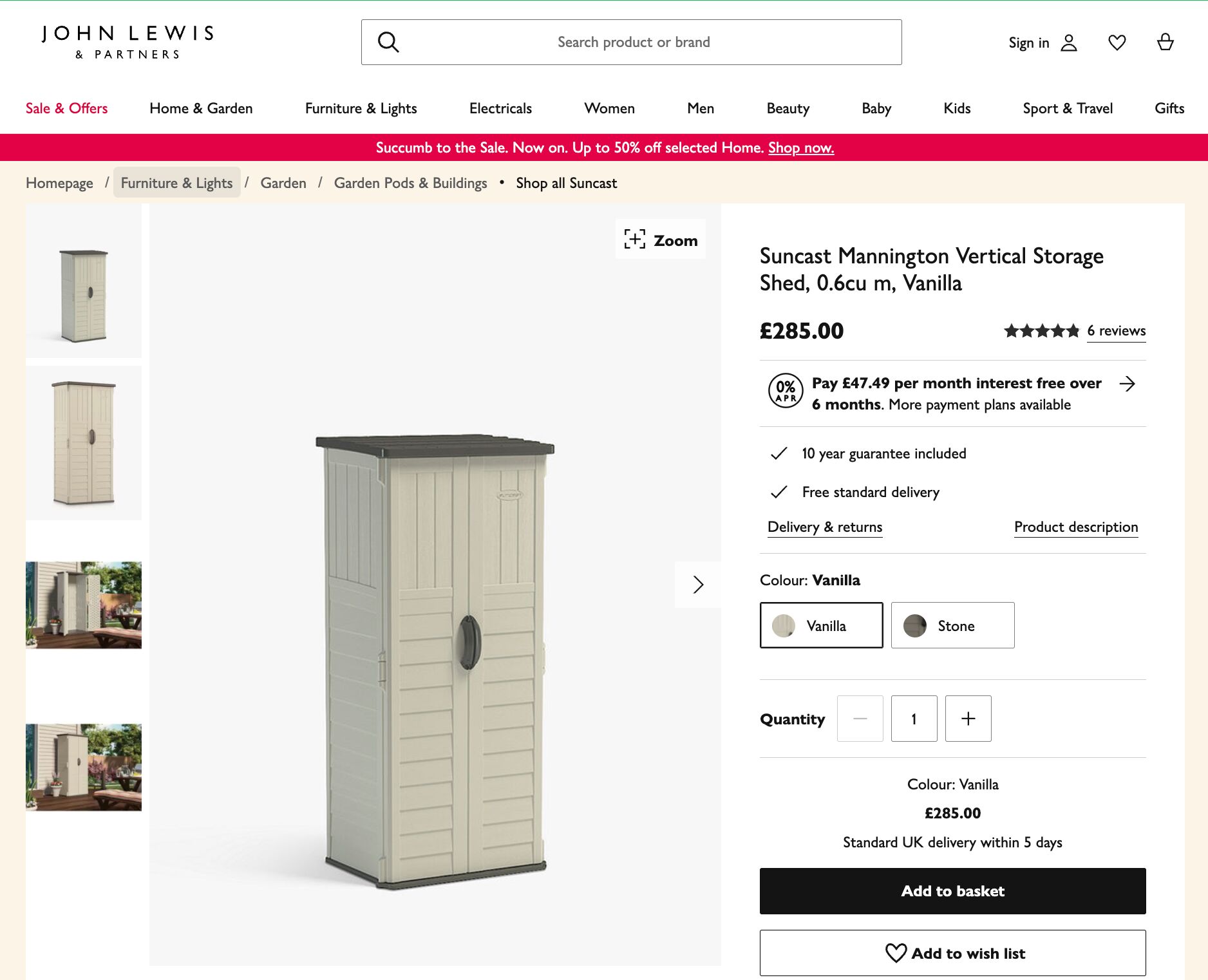
But if you were in the business of selling storage sheds—there’s not much additional benefit for your audience of including a video, as most people know what a storage shed looks like.

Tip

Using a platform like Wistia can help you optimize your videos for SEO as well as receive more detailed analytics on your product video’s performance.

Product price, availability, ratings, and reviews are an essential part of the user experience. If you don’t have these elements, users will bounce from the page, impacting your rankings and weakening your SEO efforts.

The good news is that most ecommerce-focused CMSs like Shopify or Wix handle this out of the box, so there’s usually little configuration required to get these elements set up.

Tip

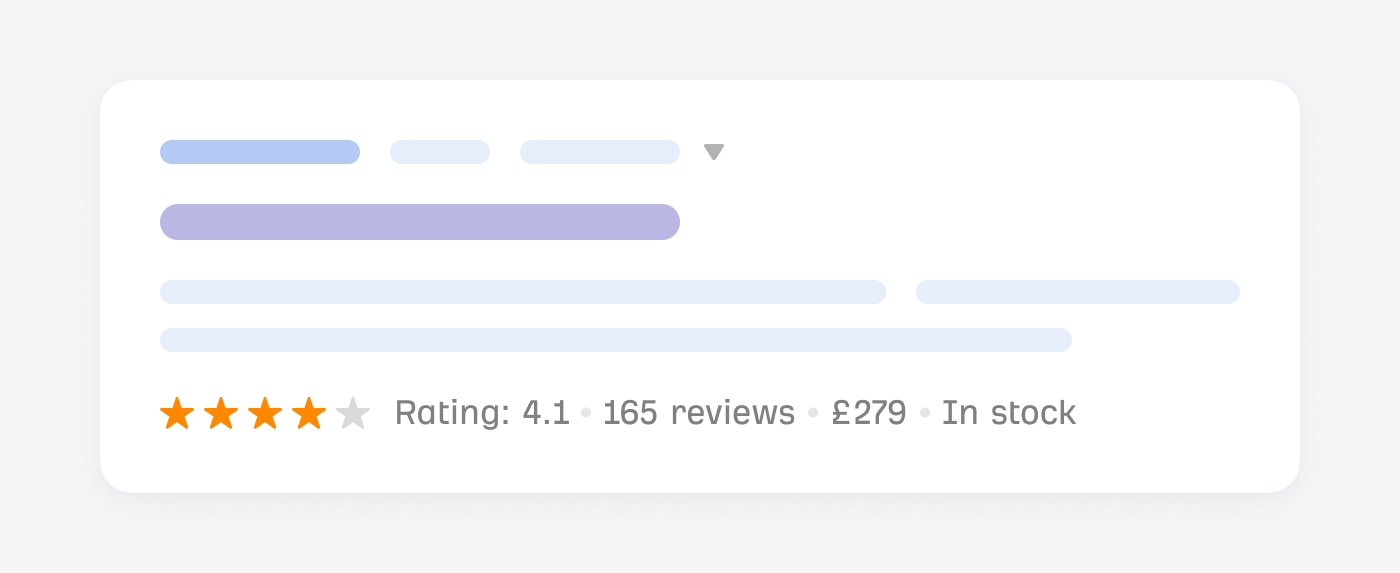
If you want to optimize further, adding product schema helps increase visibility in Google of this information and make it look like this in the Google search results.

Illustration: pricing, rating and reviews

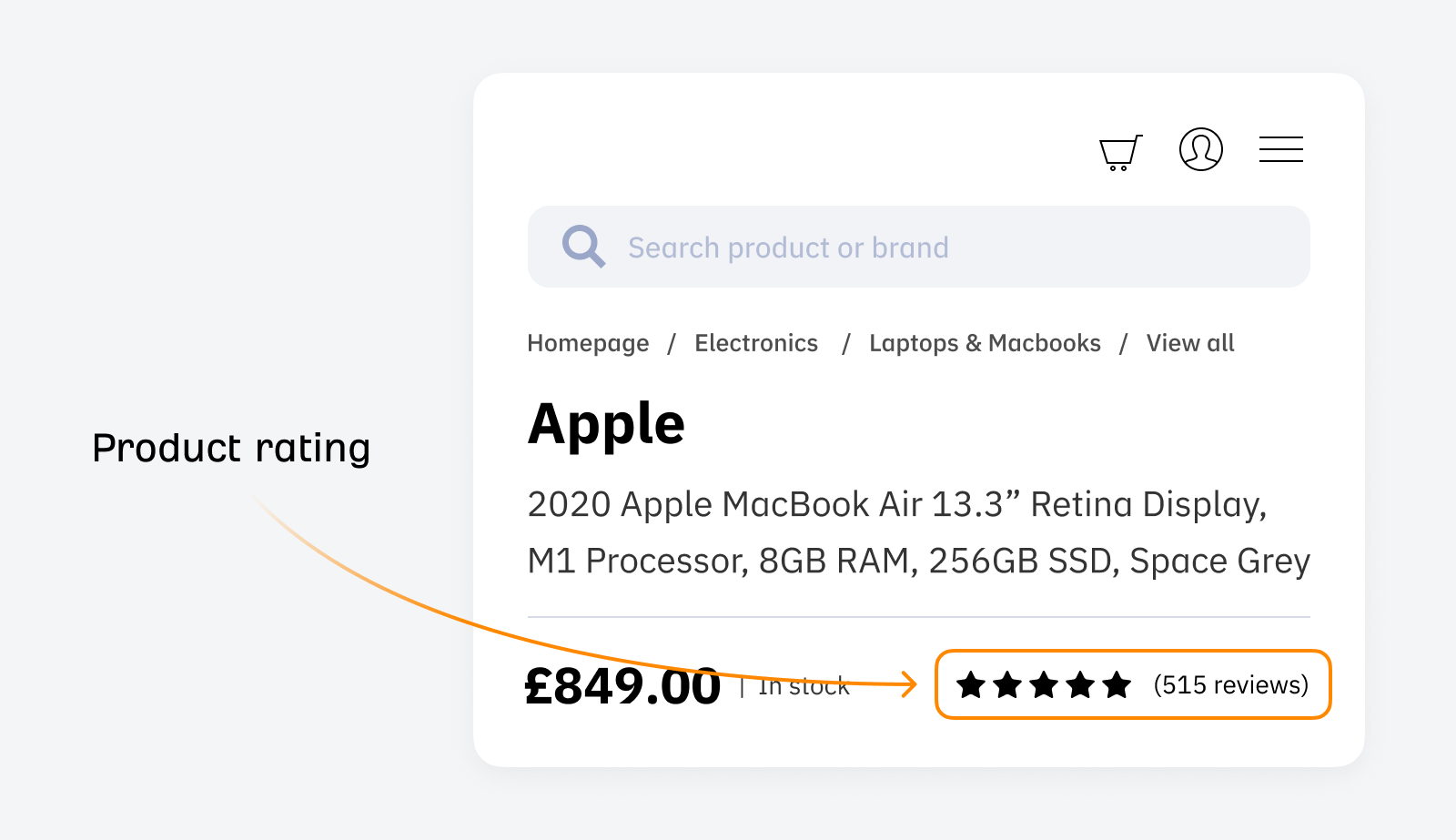
The rating and reviews are essential for potential customers as they can get an idea of what the product is like before buying it.

Therefore, it’s a good idea to prominently display customer ratings, as they offer valuable social proof, which can help influence purchasing decisions.

Illustration: product rating image

Ensure they are easily accessible and readable to enhance user experience and credibility, which can lead to increased engagement and sales.

This user-generated content enriches your site with diverse, relevant keywords and phrases, further boosting SEO efforts.

You’ve probably clicked a million call-to-action (CTA) buttons in your online life—but unless you’re well-versed in user experience (UX), you probably aren’t aware of how important they are in encouraging visitors to buy your products.

For example, Amazon.com has some of the most recognizable CTAs on the internet:

Amazon product page CTA, via Amazon.com

To create an effective CTA, use concise, strong, actionable verbs such as:

  • Buy Now
  • Learn More
  • Add to Cart

This direct approach makes it clear to users what they should do next.

While CTAs don’t directly impact SEO rankings, they play an important role in user experience of your product page. Without obvious CTAs, visitors might get confused and bounce from the page. This type of behavior, if repeated, could signal to search engines that this page is not a good experience.

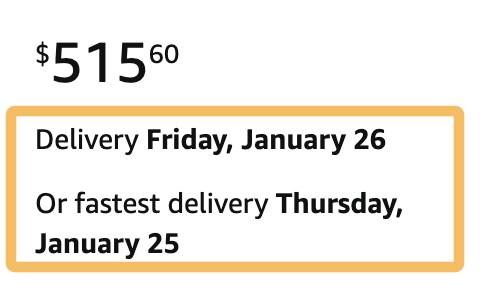
Ensure your delivery information is visible and easy to find; don’t make your visitors hunt for it—otherwise, they might leave the page before they buy the product. If visitors consistently bounce from your page, your rankings may suffer over time.

Amazon.com delivery details, via amazon.com

Most ecommerce content management systems (CMSs) automatically add delivery information to your product pages.

Position your delivery information near the purchase button or price, and use icons or brief bullet points to make it easy to understand. Regularly update the delivery section with current shipping times, costs, and options to build customer confidence and satisfaction.

Clear, easy-to-understand delivery details reassure customers and create a positive user experience. Doing so will reduce visitors bouncing from the page before buying your product.

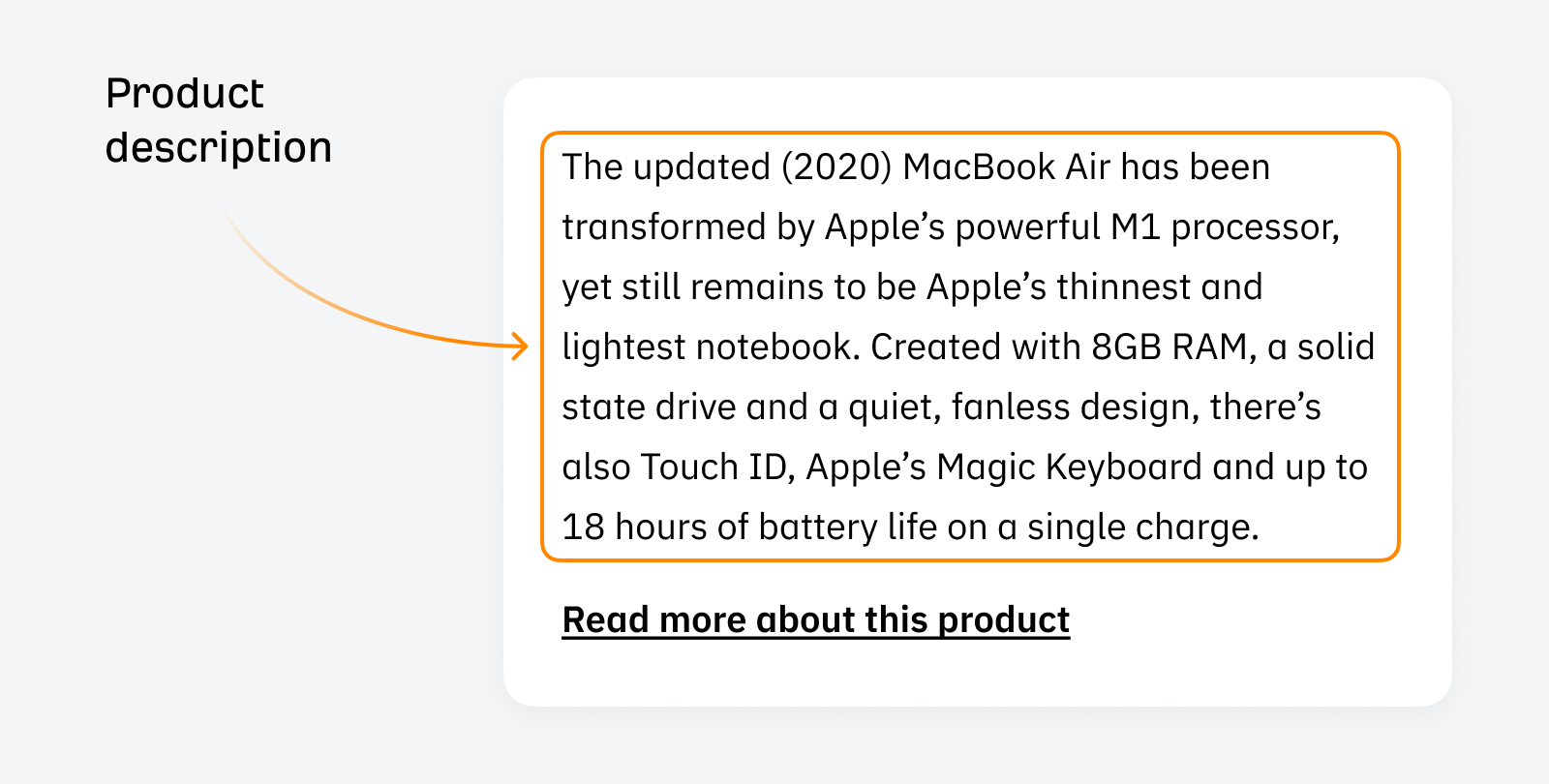
A good product description is content that describes the product and sells it.

Illustration: Product description

But what makes a product description stand out?

  • Create a unique product description instead of copying from other manufacturers’ websites.
  • Be direct in your product description to avoid wasting time and effectively sell the product to potential buyers.

A well-written product description enhances user experience and can increase conversion rates, positively impacting your site’s SEO performance.

Tip

It’s best to avoid using AI tools like ChatGPT for product descriptions, as the potential reputational risks often outweigh the benefits. AI tools sometimes provide inaccurate “hallucinated” information, leading to confusion and mistrust.

Product specifications help humans and search engines understand the nuances of your product. For search engines, including these specifics means that the page can rank for more topically relevant longer-tail search queries.

Product specifications are best presented clearly and concisely using HTML bullet points to make them search-friendly.

Product page FAQs help visitors answer questions they have before they make a purchase. If you often get the same sets of questions asked about specific products, then it might save your business time.

If your products come with many customer questions, adding a FAQ section to your product pages is a good idea. FAQs help your visitors answer any questions they may have and increase the chances of ranking for related keywords.

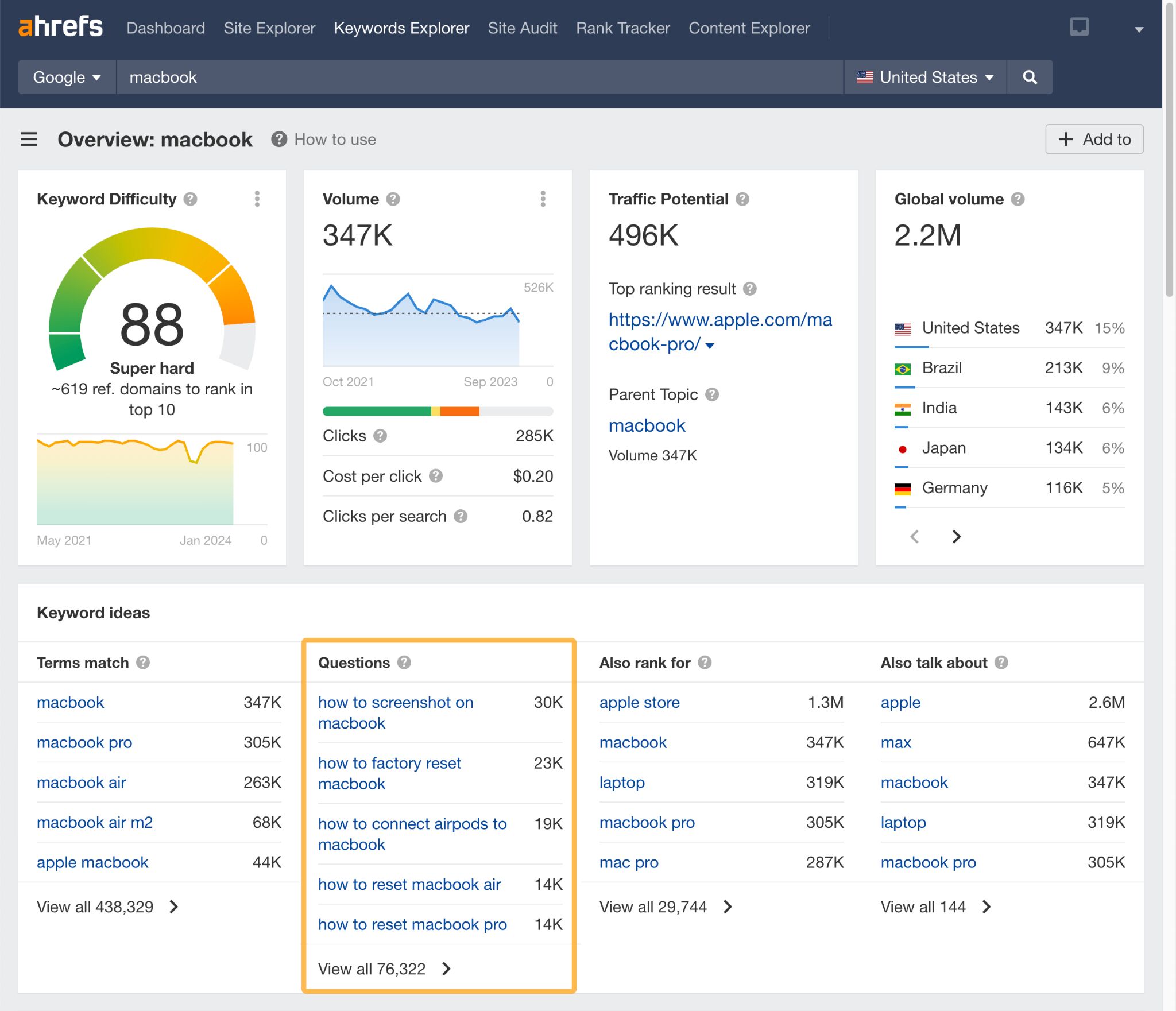
You can discover the types of questions people are searching for your product by putting it into Ahrefs’ Keywords Explorer and casting your eyes over the Questions section.

Questions highlighted in Ahrefs' Keywords Explorer

FAQs can help improve visitors’ user experience by answering questions you have on the product page, rather than having them return to Google to find the answer.

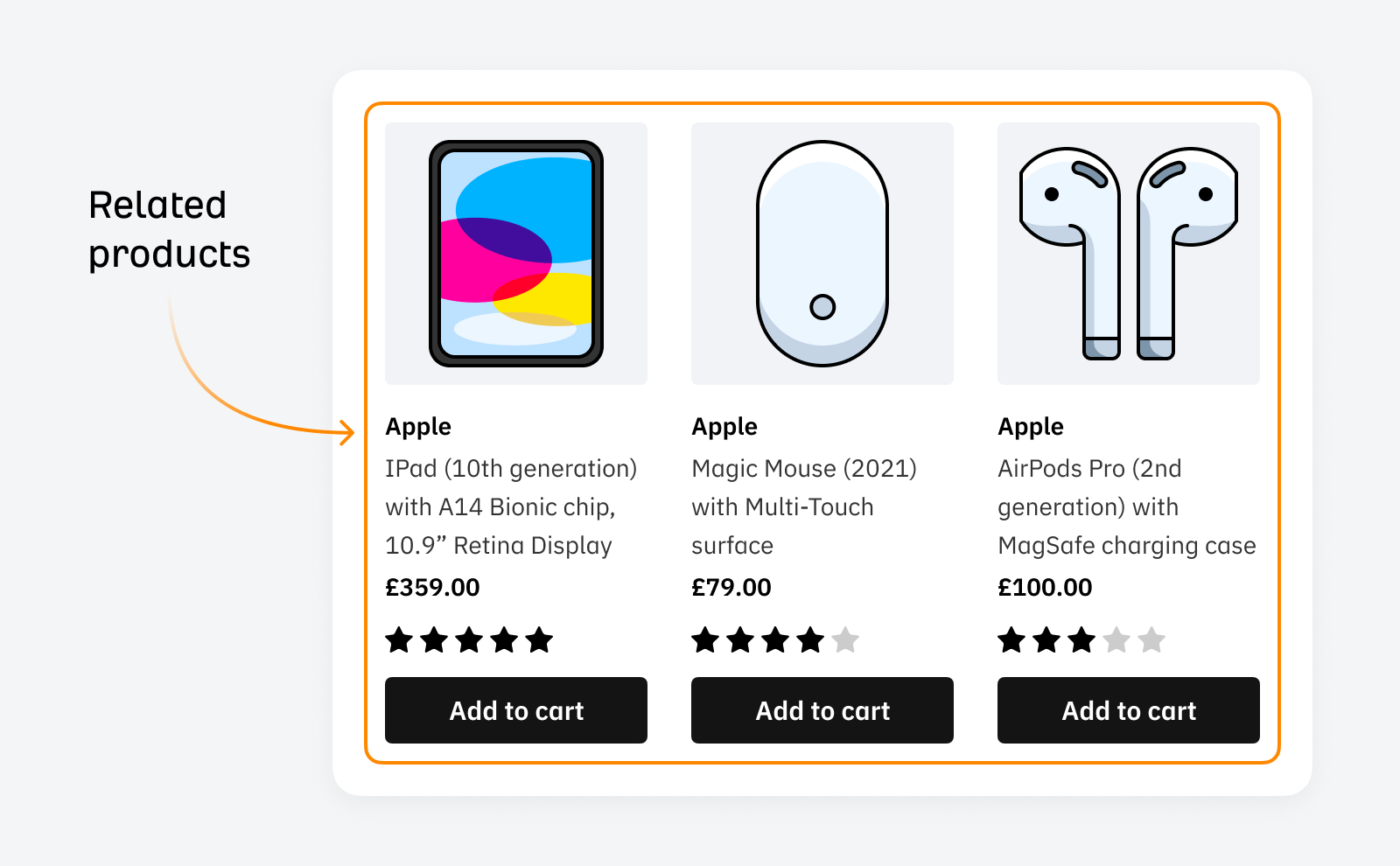
Displaying related products improves user experience and encourages clicks on other related products.

Illustration: related products

You can encourage product upsells by showcasing relevant, complementary items while naturally using internal links to link to relevant products.

This improves user engagement and contributes to SEO by passing link equity and increasing page views and time spent on the site.

This strategy not only boosts the potential for cross-selling but also enriches the overall user experience on your site.

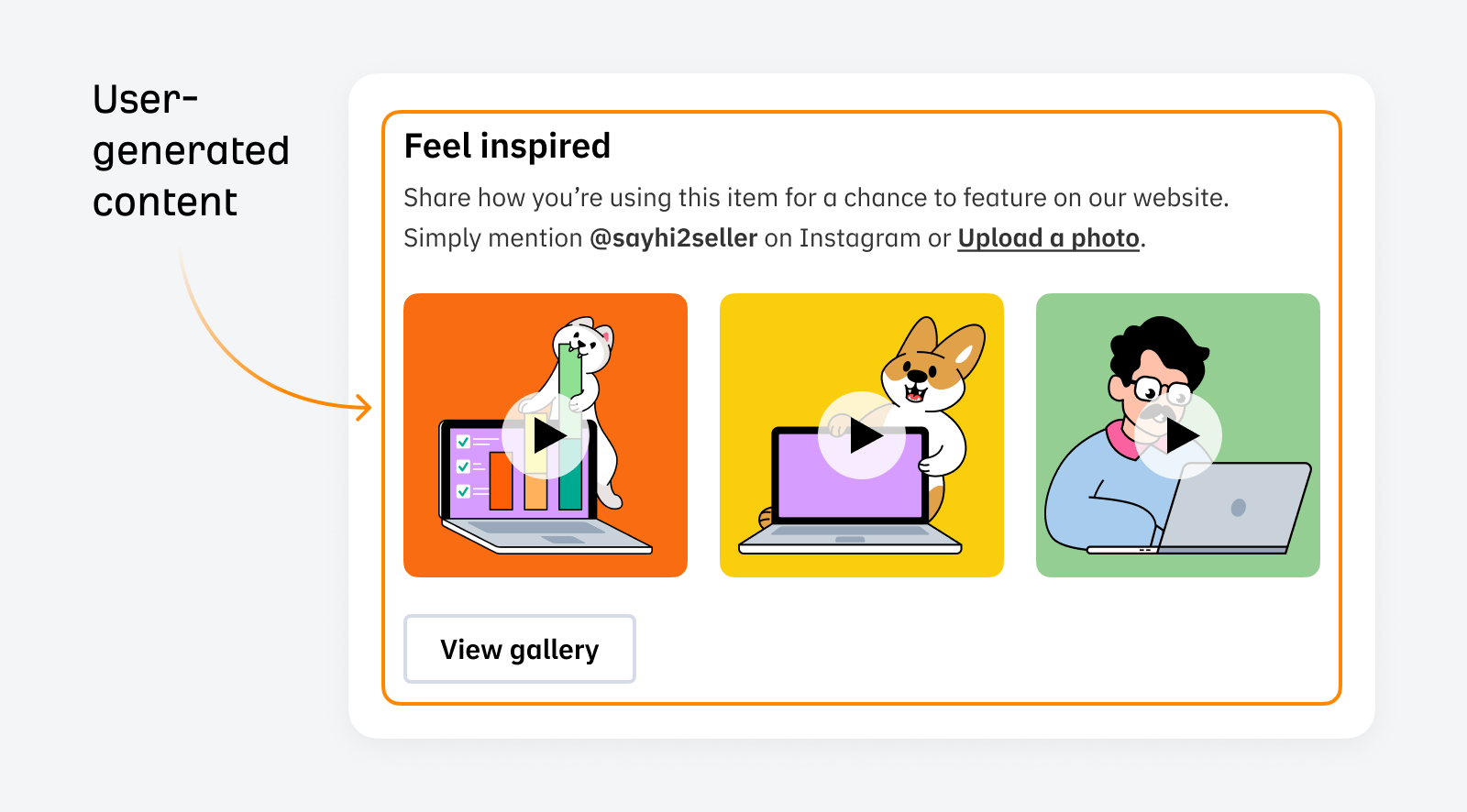
User-generated content (UGC) is one of the most compelling ways to show potential customers what the products look like away from the carefully crafted product images and videos.

Illustration: user-generated content

User-generated images are essential for industries like fashion—when you want to see the fit of the clothes on people who are not professional models. Adding UGC is a strong signal for customers as it shows your shop is trustworthy and not a scam.

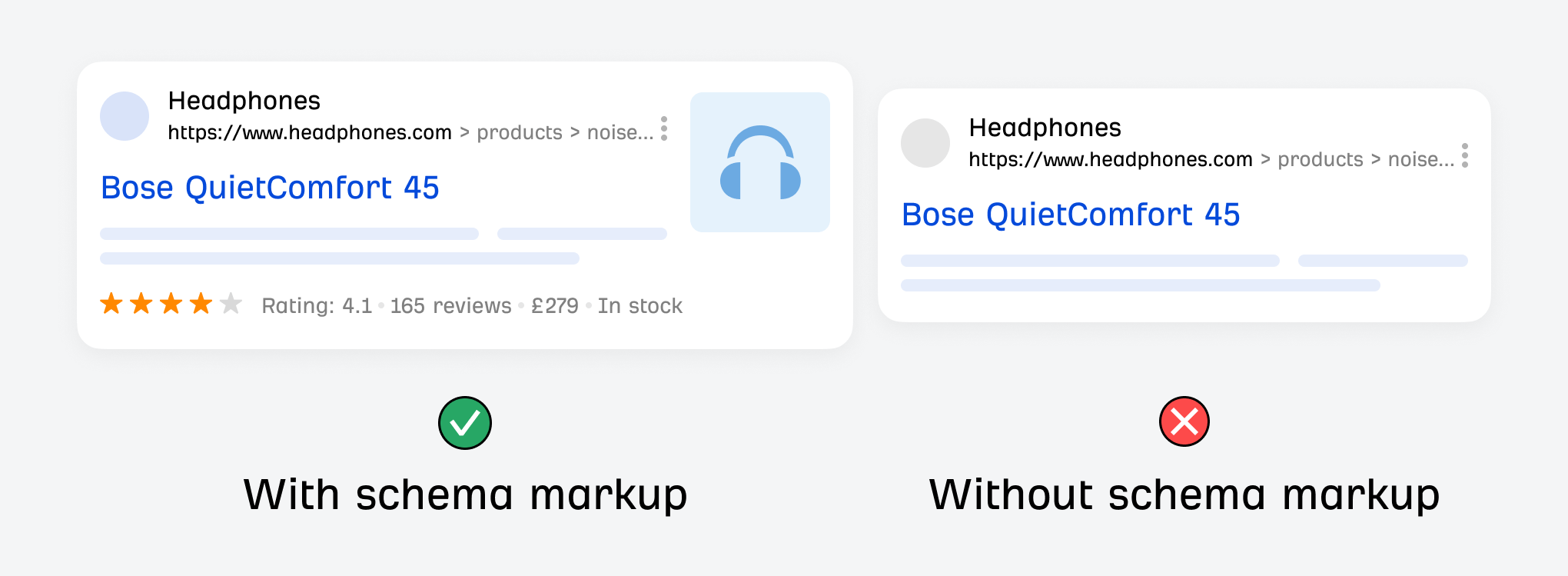
Schema markup is code that can be used to visually enhance elements of your website within the search results. Google uses it to display rich snippets.

The main advantage of adding it is that products with schema markup are much more likely to get a higher click-through rate due to their size and visual appeal.

Illustration: schema markup example

When we talk about schema with product page SEO, I would always include product schema myself.

We’ve covered what you should include in your product pages, but how can you audit them?

Here are the two approaches I’d recommend:

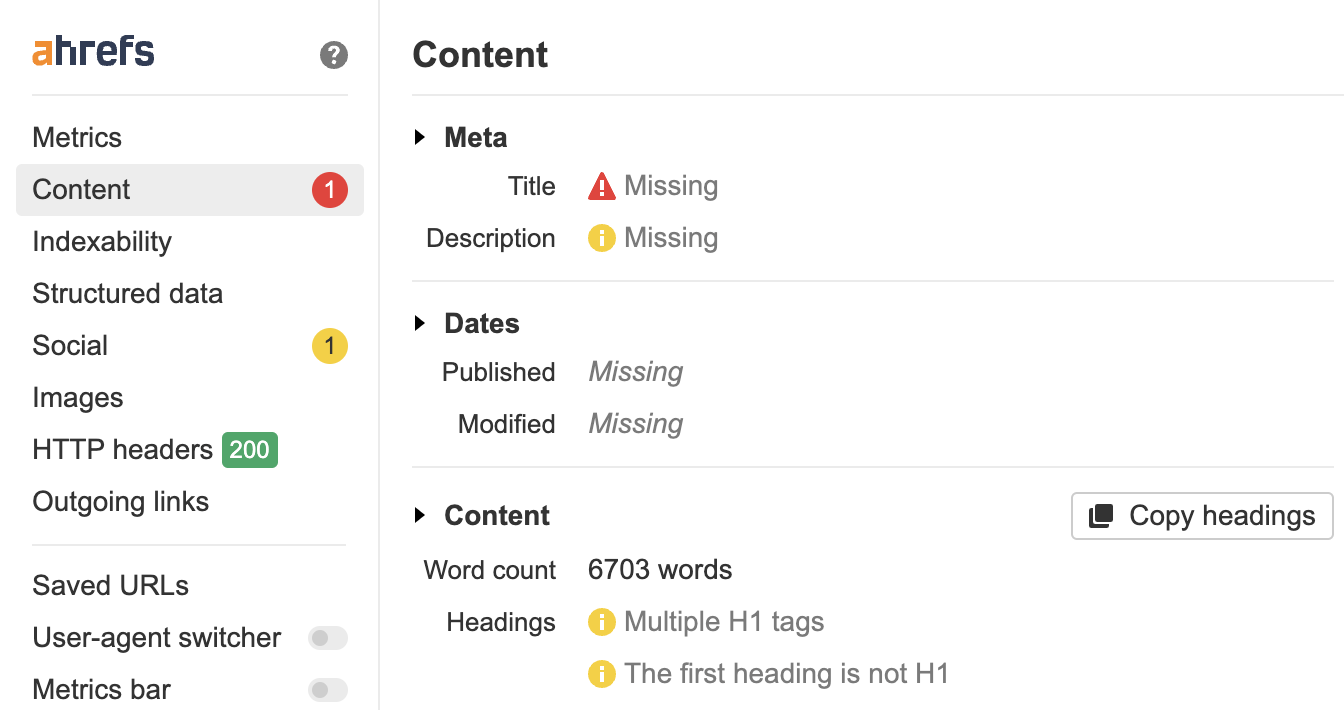
1. Use Ahrefs’ SEO toolbar for quick spot checks

The fastest way to check product pages for common SEO issues is with the Ahrefs’ SEO toolbar.

  1. Navigate to a product page
  2. Open up the toolbar
  3. Look for any potential issues
Spot checking a product page using Ahrefs' Tool Bar

Product pages usually follow a templated structure, so chances are, if you spot a problem on a product page, it could also apply to other product pages.

2. Get a site-wide view with Ahrefs’ Site Audit

If you’re completing an SEO audit, you’ll want to understand the current state of all products on the website. The best way to do this is with a tool like Ahrefs’ Site Audit.

  1. Run your crawl
  2. Once it’s finished, head to Page explorer in the sidebar of Site Audit
  3. In the search bar, enter your product URL identifier, e.g. /products/
  4. Order by Organic traffic to see the most popular pages
  5. Click on Columns to add other elements you want to examine
  6. Analyze!
How to filter URLs for /products/ using Ahrefs' Site Audit

Final thoughts

Optimizing product pages for SEO is important for any ecommerce business looking to enhance visibility and drive more conversions.

By integrating relevant keywords, crafting compelling and descriptive product titles, and ensuring high-quality, informative content, businesses can improve their product page’s rankings. This, in turn, leads to increased organic traffic and better user engagement, essential for boosting sales and customer loyalty.

Got questions? Ping me on X.


Competitive intelligence (CI) sounds like hogwash to some and a holy grail to others. Many organizations try it out and chalk it up to “an expensive, fruitless endeavor.”

Truth is, they’re doing it wrong.

In this no-nonsense guide, we’ll go beyond the MBA-hyped-up textbook jargon and dive into the tactics that will actually make a difference.

But first, let’s make sure we’re on the same page about what competitive intelligence really is…

Competitive intelligence, as the name suggests, is the act of gathering data and insights about your competitors.

However, contrary to what many believe, the aim isn’t to take immediate action on this data. It’s to keep you well-informed about what’s actually going on so you can make decisions that improve your competitive stance in the market over time.

To do this successfully, you need to pay attention to three things:

  1. The things influencing your customer’s buying decisions.
  2. The state of the overall market.
  3. Your competitors’ positions in the market and their ability to influence buying decisions.

When you know the position of every competitor in the market and the direction they’re moving in, it becomes much easier to chart a course for success. Better yet, if you know the direction your customers are heading in, you can meet them there and become the market leader, ahead of your competitors.

Competitive intelligence has never been more important for businesses. Customers are not only more aware of your competitors but it’s now easier than ever for them to find multiple alternatives to you in less than three seconds.

When done right, a successful competitive intelligence program helps you:

  • Gain a powerful advantage in the industry.
  • Improve your market share.
  • Make more informed decisions.
  • Pivot your strategy when markets change rapidly.

But perhaps most importantly, competitive intelligence allows you to prevent competitors from taking over your turf.

When Bing integrated ChatGPT into its search engine, Google was unprepared and had to scramble to keep up. In a matter of weeks, Google launched Bard, another generative AI model to compete with ChatGPT and keep Google in the AI race.

However, in its haste, Google’s model provided inaccurate responses and ended up causing a 7.7% market share loss, equating to over $100 billion lost overnight.

Google's share price declined after BardAI's inaccurate responses made headlines.

When done right, competitive intelligence programs help your company defend its flank so you’re in a much better position than Google was in this situation.

You can build your competitive intelligence program however you like. Here are some tactics to get you started. Pick the ones that you feel apply best to your industry.

Remember, CI is about knowing everything that’s going on and honing your instincts more than it is about taking immediate action.

Some tactics you can take action with today whereas others are best for the long run.

Customer analysis is about understanding what influences buying decisions within your market and who your customers think your competitors are (i.e., who else they are spending their money on).

While you can certainly gather data about your own customers, it is best to go beyond your data and understand buying decisions across the market as a whole.

How to do it

Gathering unbiased data about your customer’s buying decisions takes a little bit of grunt work but is well worth the effort. Here’s the process in a nutshell:

  • Discover where your audience hangs out online and the platforms they frequently use.
  • Figure out which competitors they can easily find across these platforms.
  • Read conversations and reviews they’ve left (about you and competitors).
  • Isolate the things they like or don’t like that influence their buying decisions.

For example, nine times out of ten your audience will use Google to help them find the product or service you offer. Since Google positions you alongside multiple competitors with every search, you need to gather data about what other companies are showing up for the terms most relevant to your business.

To find these, check out your website in Ahrefs’ Site Explorer and navigate to the Organic Competitors report.

Example of Ahrefs' Organic Competitors report

Here you’ll see a list of websites that Google includes alongside yours when people look for the product or service you offer and what their share of visibility is.

Ahrefs' traffic share metrics for top competing domains

If your website is fairly new, you can instead search for your main topics, products, or services in Ahrefs’ Keywords Explorer. You can add a list of terms relevant to your business, its products, and services here. Then navigate to the Traffic Share by Domain report and see what websites are most visible for different queries.

How to use Ahrefs' Traffic Share by Domain report to find top websites

Beyond Google, you can also gather data about social platforms, forums, and multi-media content your audience interacts with frequently by using tools like SparkToro.

SparkToro's range of search options

Then, check out where these people tend to hang out online. Pay close attention to the discussions they’re having and reviews they leave about what they like or don’t like about the products and services available to them in your market.

Also, pay attention to:

  • Companies, products, and services mentioned a lot: These are who your audience sees as your competitors.
  • Features and attributes frequently talked about: These are the things that influence their buying decisions.
  • The overall sentiment around specific brands, products, and services: These are the unbiased things they like and don’t like about you and your competitors.

For each competitor you’ve identified (or that your audience frequently talks about), it’s worth creating a profile or playbook that stores data and allows you to observe patterns over time.

This tactic is all about figuring out what competitors are doing and how they’re thinking about the market—and then recording it so you can observe patterns over time. Go through this process every few months or at least once a year so you can track changes over time.

How to do it

There’s a lot of data you could monitor. Focus your efforts on the things that provide clues as to your competitors’ next moves and the direction they’re heading in. You can pay attention to:

  • Their website and content: Are they targeting new topics, phrases or search terms that you can also leverage? Are they offering deals during certain times of the year?
  • LinkedIn: What’s their headcount like? Has it grown? What kinds of roles have they hired recently and does this provide any clues about their next steps?
  • Crunchbase: Are any of your competitors seeking funding? Or, have they raised more capital recently?
  • Google Business Places: Have your competitors opened up offices in new locations? For a national business, franchise or multi-region operation, this may be a critical piece of data.
  • Quarterly reports: Are any of your competitors publicly listed companies? If so, check out their quarterly revenue reports.

For example, if you plug ClickUp’s website into Ahrefs’ Site Explorer and filter for new pages in the Top Pages report, you’ll see they’ve published many blog posts in the last six months.

Example of ClickUp's increase in new blog posts in Ahrefs' Top Pages report.

Of these, there are a number of posts about topics like AI and software alternatives that have gained a lot of traffic in a short period of time.

Example of traffic share for each of ClickUp's new blog posts.

If we check LinkedIn, we can see that out of 1062 staff, 186 (17.5%) are involved with content in some way.

Clickup's employees on LinkedIn, filtered by mentions of "content".

And they’re also hiring more content strategists according to their careers page:

Example of open content-related roles on Clickup's careers page.

Then overlay data from Crunchbase about their funding rounds:

Screenshot of Clickup's funding history on Crunchbase.

The picture we start to see with these data points is that ClickUp is a well-funded company, investing rather heavily in its content strategy.

There are of course more nuances that you can dig deeper into, but overall, these are the sorts of insights you want to record and keep track of over time.

In doing so, it will become obvious if they do something totally different. For instance, if they hypothetically start hiring AI engineers, it could be a sign their content or product strategy shifted more heavily into the realm of AI. Especially if they’re simultaneously publishing more content about alternatives to AI tools.

The possibilities are endless, but you get the idea.

You can easily monitor each of your competitors’ marketing and communications materials with alerts.

Not only can you learn where they are being mentioned online, you can also reverse engineer where they spend their marketing budget and what channels are working best for them.

How to do it

Start by setting up a dedicated email account to receive a copy of all the marketing materials your competitors put out there. A free Gmail account you can share with your team should do the trick.

Then, subscribe to all the channels your competitors post content in, like:

  • Email newsletters
  • Social profiles
  • YouTube channel
  • Podcasts
  • Blog RSS feeds

Make sure you also set up alerts like Ahrefs’ Alerts or Google Alerts to track media and brand mentions on other people’s websites.

Google Alerts will track every mention and can quickly clutter your inbox. In Ahrefs, however, you can use the Domain Rating (DR) filter to restrict alerts to those from big brand websites only. This can provide more focused insights into your competitor’s digital PR efforts.

To set these up in Ahrefs, go to Alerts > Mentions and add a new mention for each competitor taking care to exclude the competitor’s own domain. Set the DR filter to something high like 70+ to filter out mentions on small websites.

How to set up Ahrefs alerts for brand mentions

If you wish to track multiple terms for each competitor, set up a new alert. For instance, you may wish to track their brand name mentions separately from mentions of their branded products or features.

Forward these alerts to the new email you set up to receive automated updates.

advanced tip

It pays to pay attention to the messages each competitor is sharing. Are they heavily promoting a specific feature or selling proposition?

If so, cross-reference the competitor’s reviews on third-party platforms, like TrustPilot, to see if customers are mentioning it.

  • Are they investing in a thing no one cares about? → If customers aren’t talking about it, it may be a sign it’s not worthwhile. Wait it out before you start investing in the same thing.
  • Are they focusing on something their customers are still complaining about? → This may be a sign they got it wrong and could be an opportunity for you to sweep in with a better solution.
  • Are customers loving the thing they’re promoting? → It’s likely they are directly influencing buying decisions with this feature and it’s worth further consideration for your business.

Historical insights are a goldmine of valuable information. For each of your competitors, you can:

  • Track the history of their growth on different platforms.
  • Monitor how they’ve evolved over time.
  • Identify annual seasonal trends in sales or marketing messages.
  • Learn from their past mistakes.

How to do it

There are many data sources you can use to gather historical insights about your competitors.

Wayback Machine is my favorite place to start. It gives you a visual history of web pages that you enter and can also provide some historical snapshots of various social platforms too. For example, here are the stats of our Twitter account in March 2021:

Historical snapshot of Ahrefs' Twitter profile from Archive.org

You can see how big our following was, how much content we had published, and more. You can find similar insights on your competitors too if you take the time to investigate their history.

The only caveat with Wayback Machine is that it tends to work better for web pages that get a lot of visits. If your competitors are on the smaller side, you may not find much here. It also doesn’t work for every social media platform. I’ve had better success with YouTube and Twitter than Instagram or Facebook for instance.

Another place to check for historical data is Ahrefs. You can track the history of your competitor’s organic website growth in Site Explorer > Top Pages to identify their content marketing history.

Example of Ahrefs' Top pages report

And if you want to get extra crafty, check out the history of their paid ads in the Paid Search > Ads report.

In this report, you can not only see which ads get the most traffic, but you can also see their ad copy, which pages they are boosting the most, and which competitors they’re hitting the hardest with their ad titles.

For example, check out some of the different ad messages ClickUp has tested out over the last year, and the performance of each:

Example of ClickUp's paid Google ads in Ahrefs' Ads report

Not to mention how they’re tailoring their messaging to compete directly with Salesforce and Lucidchart. Lots of competitive insights you can gather here!

Sometimes, the best way to know what’s going on within a competitor’s company is to hear it directly from the source. Following the content published by key members of the company will provide a wealth of insights about what they’re doing and how they’re thinking about the market.

How to do it

Identify all of the key people within each competitor’s company. Go beyond the C-Suite executives and also think about people like:

  • Board of Directors
  • Investors
  • Employees in roles of interest
  • Industry partners or SaaS platforms they use internally

For each person of interest, follow their social media posts, keep tabs on their personal websites, subscribe to their email lists, and monitor the key ideas they are talking about in forums and comments. You can set up alerts for each person of interest in Ahrefs and funnel emails to a dedicated inbox as frequently as you like.

More often than not, the latest ideas they’re talking about are inspired by what’s going on within the company they work for. For example, our CMO Tim Soulo regularly shares insights about our new product features on Twitter:

The concept of a “unique selling point” is not new. However, its meaning can often get lost when brands search for the latest hype or buzz to follow and tout those as their USP.

Being able to articulate exactly what makes you unique and who should care about your point of difference matters.

It’s like an aged care home saying “we’re different because we care about our residents.” Name one aged care home that won’t say something to this effect. This then leads to the point, if everyone is saying it, and it’s true, then it’s not unique, obviously.

How to improve your unique selling propositions.

Articulating your awesomeness is less about you and more about the things your audience cares about.

How to do it

Remember how I harped on about understanding what affects your customer’s buying decisions at the start of this post?

This is where you get to use that knowledge.

Surprisingly, many people will care about other things before they care about price. For example, in the aged care industry, the resident’s experience is a far more important decision-making factor than price.

So, go looking for data that can help you position your brand as the best in the area for resident experience (or whatever the equivalent is in your market). Check out:

  • Competitors’ reviews for customer sentiments
  • Publicly available comparative data from trustworthy sources
  • Data you gather from tests you’ve run

I did this recently for a client and we were able to compare their facility with over 140 others in their city using publicly available government data.

Based on the data, my client is ranked in the top 1.26% for “resident experience.” Better yet, their rooms are up to 50% bigger and 33% cheaper than competitors. This is a powerful USP to share that genuinely sets them apart.

Similarly, at Ahrefs, one of our core USPs is that our crawlers are among the internet’s most active and gather petabytes of data. Our customers can verify that our crawlers are right up there alongside Google’s thanks to publicly available data from Cloudflare:

Cloudflare's verified bots list indicating AhrefsBot as the 8th most active crawler.
Source: Cloudflare

Articulating your awesomeness shouldn’t be taken lightly. It’s your best chance to show your potential customers what truly makes you different and why they should care.

Sometimes, your price strategy is what makes you different. Other times, it helps to know how your pricing compares and whether competitors make any changes that affect your overall position in the market.

How to do it

Depending on the type of business you run, you may need to use different strategies.

For instance, if you run an eCommerce store or your competitors freely share pricing on their websites, you can use a free data extraction tool like Browse.ai to compile your competitors’ pricing on an automatic schedule.

In high-ticket or B2B verticals, prices are generally not publicly available. You can hire a mystery shopper to go through the sales journey with each of your competitors and record every step of the process on your behalf.

In some industries, you may also find your competitors’ prices listed on marketplaces they sell through instead of their website.

For example, Hershey’s website has no prices for their candy. But you can find them via other retailers’ websites like Walmart:

Walmart lists prices for Hershey candy even though their official website doesn't

In any case, pricing is often something that you may have little control over. But knowing how your company compares is enormously helpful for sales teams, especially so they can handle objections.

There’s nothing wrong with being priced higher than the market average. It’s also totally fine not to discount your products to attract more sales. If this is your pricing strategy, lean into it and educate the market on what corners your competitors may cut to offer dirt-cheap rates.

In some markets, consumers want a solution that is not currently available, yet is something you can easily supply them with. This is a product or service gap.

How to do it

You’ll need to overlay two different data sets to find the best opportunities:

  • What your customers want
  • What you and your competitors deliver

If you gather all the info on what customers are searching for and you notice neither you or your competitors are delivering something they are frequently searching for, there’s your gap.

In Ahrefs, you can gather both of these data sets, and track progress over time.

To find what your customers are searching for, use Keywords Explorer. Just enter a broad topic and check one of the keyword ideas reports on the left menu to see the most popular searches.

Example of apartment-related keywords in Ahrefs' Keywords Explorer

Sidenote.

If the results are too broad, use the “Include” filter to refine your search (that’s what I did above).

To find what you and your competitors deliver, use the Content Gap report in Ahrefs’ Competitive Analysis tool. This will show you keywords your competitors rank for but you don’t.

Comparing Zillow with it's competitors in Ahrefs' Content Gap report

To monitor your competitor’s visibility over time use Ahrefs’ Rank Tracker. Check your website against your competitors in the Competitors > Overview report and pay particular attention to things like:

  • Share of Voice
  • Traffic changes
  • SERP feature visibility changes
Comparing share of voice, average position, traffic totals and SERP feature visibility with competitors in Ahrefs' Rank Tracker.

pro tip

If you want to go one step further, try combining the two keyword lists in a spreadsheet using a vlookup formula or a pivot table. By doing this, you’ll find the keywords people look for that neither you nor your competitors rank for. These gaps are hidden goldmine opportunities that can improve your visibility with very little friction or competitive resistance.

Final thoughts

Doing competitive intelligence the right way comes down to being well-informed about:

  • What influences your customer’s buying decisions
  • What’s happening in the market
  • What your competitors are doing and how they’re thinking about the market

You can use a number of strategies to differentiate your business from competitors. Ultimately, however, it’s your customers that have the final say. They’re the ones that vote for the company that best fulfils their needs with their money.

And where money flows, markets grow.

If you’ve got any questions or are doing some cool things in your competitive intelligence programs, please reach out on LinkedIn!


SEO data helps you to improve your website’s visibility in search engines (like Google) and get more visitors to your site. There are six core types of SEO data:

  1. Organic traffic data.
  2. Keyword data.
  3. SERP data.
  4. Backlink data.
  5. Content data.
  6. Technical SEO data.

Here’s a 5-minute(ish), beginner-friendly introduction to each of them.

Keyword data helps you work out which keywords are worth targeting (and how hard they might be to rank for).

Key data

How to get it

In Ahrefs, open Keywords Explorer, paste a few keywords related to your business, or use the AI feature to brainstorm some ideas.

How to get keyword data in Ahrefs.

Next, you can use Keyword ideas tools to generate even more keywords and apply filters to refine your list.

Matching terms report in Ahrefs.

Key use cases

SERP (Search Engine Result Page) data allows you to see which pages rank in which positions for a given keyword, and how those rankings change over time.

Key data

  • Organic rankings: what pages rank for a given keyword.
  • Rich results: which keywords trigger specific rich results (like featured snippets, video results, or map pack), and which pages rank for them.

How to get it 

In Ahrefs, SERP data is virtually anywhere you can see a keyword.

For example, if you want to see keywords your competitors rank for, open the Organic keywords report in Site Audit.

How to get SERP data in Ahrefs.

You can also peek inside the SERPs.

How to get SERP data in Ahrefs (2).

And if you want to track a specific set of keywords, for example, the keywords you target on your blog, add them to Rank Tracker to get data like this:

How to get SERP data in Ahrefs' Rank Tracker.

Key use cases 

Backlink data helps you see which websites link back to another website.

Key data

  • Number of backlinks: how many links a site has from other sites.
  • Number of referring domains: How many different sites link to a given site.
  • Backlink type: Types of links, like dofollow (better for SEO) and nofollow.
  • Domain rating: This is an Ahrefs metric that represents the strength of the website’s backlink profile on a logarithmic scale from 0 to 100.

How to get it

The quickest way to get backlink data on any site is to use the Backlinks report in Site Explorer.

How to get Backlink data in Ahrefs.

Quick tip: if you want to see just the best backlinks, turn on the “Best links” filter (it’s customizable, too).

Best link filter in Ahrefs.

Key use cases

Content data refers to the information about the performance of specific articles and pieces of content.

How to get it

You can find this data in Content Explorer. Plug in a topic related to your website, turn on the “In title” mode, and run the search.

How to get content data in Ahrefs.

Then, you can apply some filters to refine your search. Say you’re looking for guest blogging opportunities. You could use a combination of website traffic and domain rating filters to get over 9,000 potentially good-quality sites to reach out to.

Content data example in Ahrefs.

Key use cases 

Technical SEO helps you understand the technical health of your website, and prevent problems that might limit your performance.

Key data

  • Indexability issues: ensures search engines can find and list a website’s pages.
  • Broken pages: pages that don’t load correctly, often showing error messages.
  • Internal links: links within a website that help in navigation and structure understanding.
  • Performance and stability: focuses on fast loading times and smooth website operation (most often measured through Core Web Vitals).
  • Mobile experience: ensures a website is user-friendly on smartphones and tablets.
  • Schema markup: code that helps search engines understand and display webpage content better.

How to get it 

In Ahrefs, set up a project in Site Audit and let the tool automatically find all your SEO issues.

How to get technical SEO data in Ahrefs.

Key use cases

Before choosing an SEO tool, make sure to learn more about the data it provides.

Size of the indexes. A bigger index ensures that less data is overlooked. This means you potentially won’t miss out on good keyword or backlink opportunities.

Accuracy of data. Obviously, more accurate data means less room for mistakes in your strategy.

Granularity of data. This refers to the number of data points available. For instance, Ahrefs stores over 60 different data points on backlinks. Details can make a huge difference in SEO, so the more information you can get, the better.

Update frequency. For example, Ahrefs updates its backlink index every 15 to 30 minutes to keep the data fresh. Obviously, the web is constantly changing, and SEO data needs to reflect that.

There are a few sources where you can look for this information:

Final thoughts

Want to start collecting your own SEO data? Try our free SEO tools.


Everyone in SEO uses ChatGPT. But even after all these months, I still see many folks using it wrong.

Let’s explore three common mistakes and how you can fix them.

ChatGPT rarely gives you exactly what you want on the first try.

For example, I recently asked for some technical coffee-related terms to use as seed keywords in Keywords Explorer.

Here’s what it gave me:

Asking ChatGPT to technical coffee-related terms

This isn’t a bad response, but having the descriptions there (which I didn’t ask for) was annoying because it made copying and pasting the list of terms difficult.

I faced a similar issue when I asked it to group keywords into broader categories, and it gave me a bulleted list.

Refining ChatGPT's output

I didn’t think much of this at first, but I soon realized I needed the results formatted as a table so I could paste them into a Google Sheet and filter them.

How to fix this mistake

Your first thought might be “prompt engineering” or buying some premium ChatGPT prompts.

While these things might help, you often still won’t get perfect results right away for one simple reason: ChatGPT prompts are like recipes. Even if they have a solid base, you still have to adjust them to your tastes.

For example, here’s a genuine premium prompt for writing a title and meta description:

Example of a premium ChatGPT prompt

And here’s the output:

ChatGPT's meta title and description

It’s not bad, but it’s a bit dry for my liking. So, I followed up and asked ChatGPT to make it “a bit less formal and more playful.”

ChatGPT's very informal attempt at a meta title and description

Definitely better, but a little too playful this time. 

Let’s ask it to dial it down a bit.

ChatGPT's playful but not too playful attempt

Not bad.

In my experience, this iterative process is the key to getting good results from ChatGPT. Keep things simple to start, then refine as you go.

For example, I recently tried creating a UK tax calculator with ChatGPT. Instead of writing out insanely detailed instructions from the get-go, I started with a simple prompt: “create a uk tax calcalator in HTML, CSS, and JS”

Here’s the calculator it created:

ChatGPT's first attempt at creating a UK tax calculator

Is it perfect? No. I wanted it to calculate the tax automatically based on UK bands rather than asking the user for their tax rate. But with just a few iterations, the problem was solved, and I had a pretty neat and accurate calculator.

The tax calculator I got ChatGPT to create after a few iterations

Looking to use AI to write meta titles and descriptions?

Check out Ahrefs’ free title generator and meta description generator. Simply tell it what your page is about, pick a tone, and it’ll generate everything for you.

Ahrefs' free AI title generator

ChatGPT will happily put one word in front of the other if you ask it to write something, but the content will just be a mishmash of what’s already been said a million times. In other words, boring boilerplate content.

Case in point:

ChatGPT's mega dull attempt at "writing an article"

(Talk about dull…)

How to fix this mistake

Don’t just ask ChatGPT to “write an article.” Give it more guidance and use it to brainstorm ideas.

For example, say I’m writing a post on link building tips. Rather than asking it to write the whole article without guidance, I can start by asking for some outreach tips to get my creative juices flowing.

Brainstorming with ChatGPT, my new best friend

I don’t love any of these, but I think you could combine #1 and #4 for a unique tip: record and include a short video pitch in your email.

Now I have the idea, I can ask ChatGPT to expand on it and write it up:

ChatGPT's attempt at polishing the tip we came up with together

Is this perfect? No. But it’s certainly not bad. In fact, if we cut some of the fluff and spend five minutes polishing the copy, it’s pretty decent:

X. Record Short Video Pitches

Personalized video messages add a human touch to your pitches, and you can create them effortlessly with a cheap webcam and free Loom account.

For example, say you’re running a broken link building campaign. Instead of sending a long-winded email explaining the issue, why not show them exactly what you mean? Fire up Loom and give them a visual rundown.

  1. Point out the broken link on their page.
  2. Show them exactly where it is and why it matters.
  3. Suggest a replacement link from your website and explain why it’s a great fit.

Here’s an example:

{insert video}

It might only be 1-2 minutes long, but it’s super helpful, and the personal touch can make a big difference in how your pitch is received.

ChatGPT is also great at helping you improve and optimize existing content. Again, you just need to give it the right direction…

For example, we recently found that we ranked #7 for “blogging tips” but didn’t own the featured snippet.

Our website ranking #7 for "blogging tips". Data via Ahrefs' Site Explorer

Sam theorized that, among other things, it might be because the top-ranking page’s subheadings clearly communicated what their tips were, while many of ours were vague:

Our vague subheadings

He decided to have ChatGPT rewrite them for clarity:

ChatGPT's polished subheadings

Did it work? You’ll have to watch the video to find out, but honestly, it doesn’t matter. It’s obvious to me that the ChatGPT “optimized” ones are much clearer than what we had before, which means ChatGPT improved our content.

ChatGPT is also great at proofreading, simplifying unnecessarily lengthy sentences, and anything along those lines. You know, all the stuff that improves content quality and no doubt indirectly influences user signals.

Final thoughts

ChatGPT is insanely powerful and useful—but only if you understand how to use it.

If you’re hoping for it to write great content with no direction whatsoever, keep hoping. It can’t do that yet. But it can help with brainstorming, polishing human-written content, and many other SEO tasks. You just need to keep in mind its limitations.

Got questions? Give me a shout on Twitter X.


← Previous pageNext page →