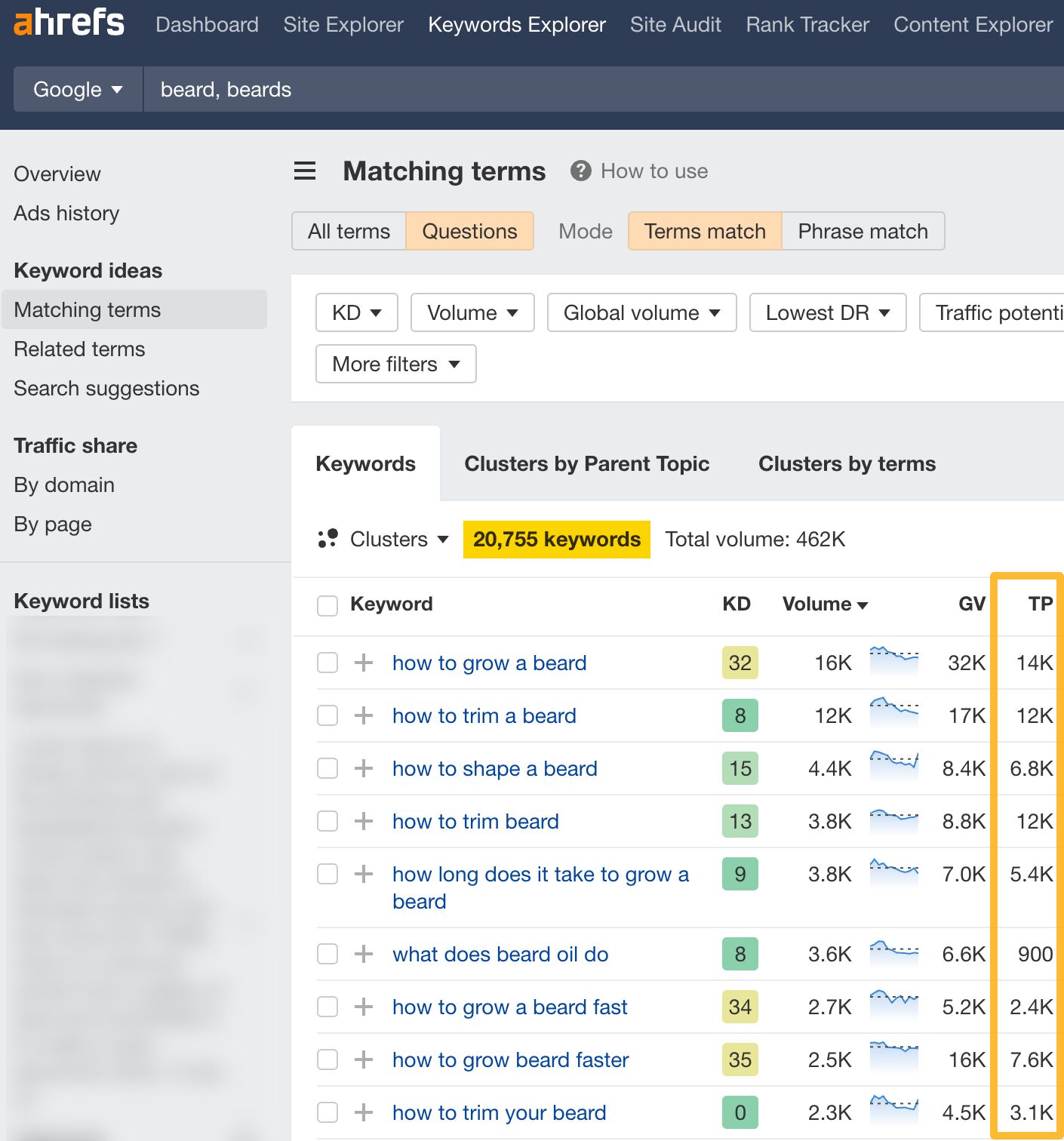
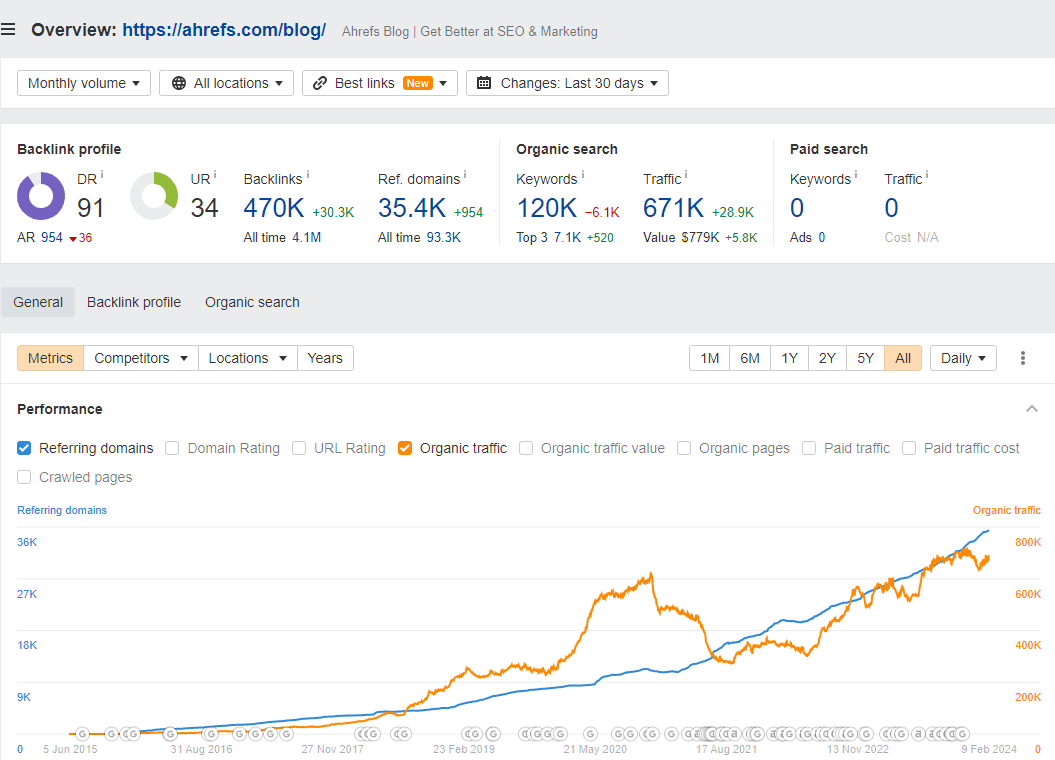
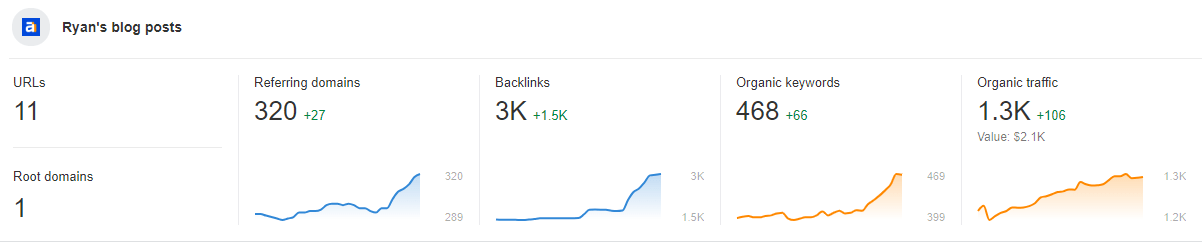
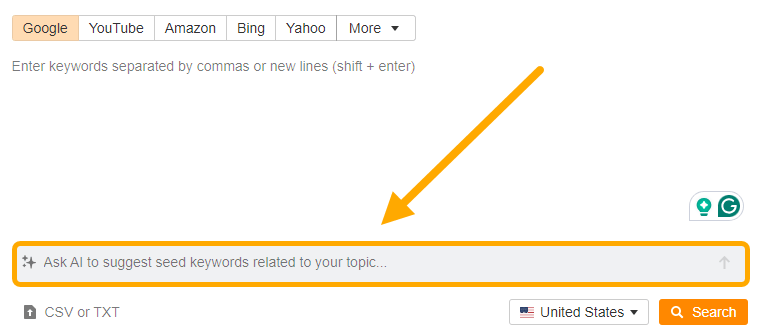
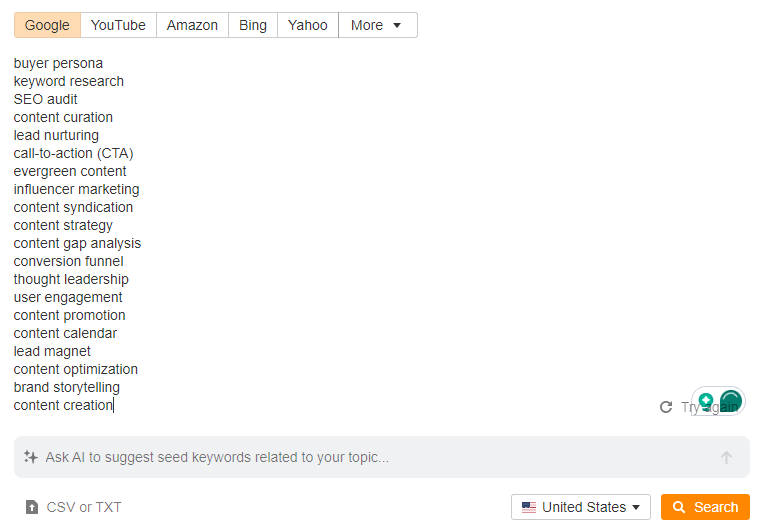
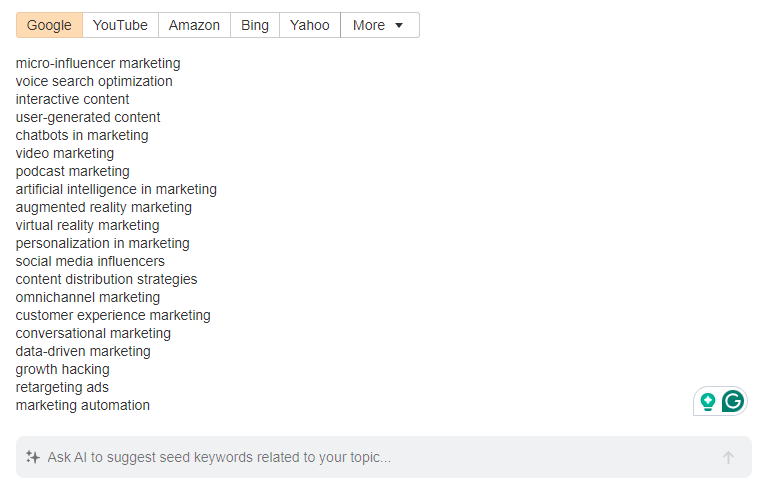
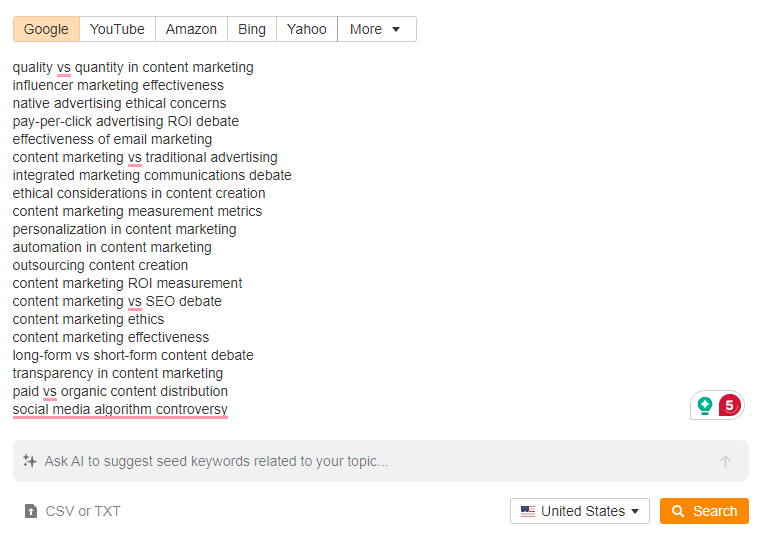
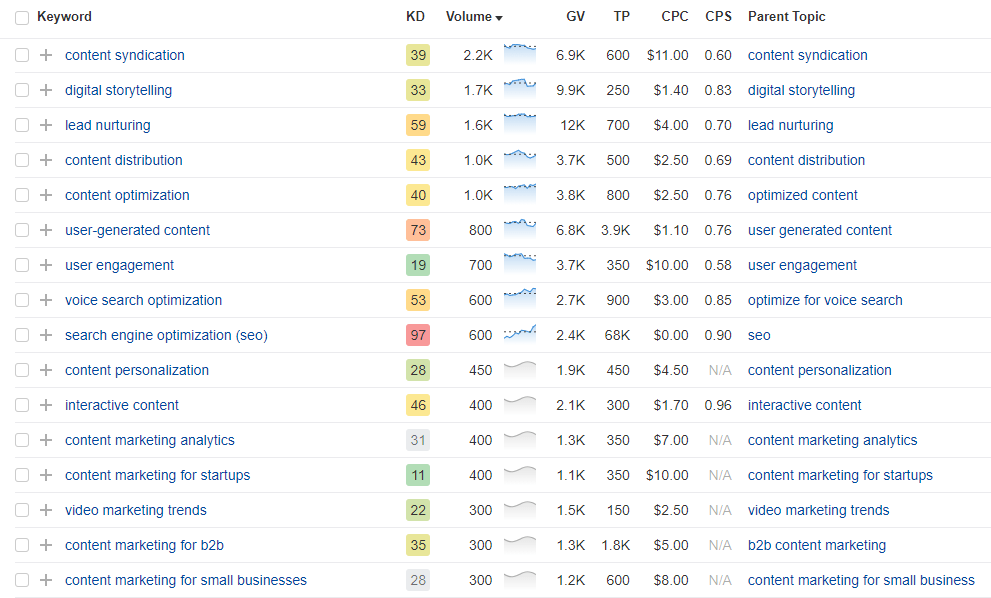
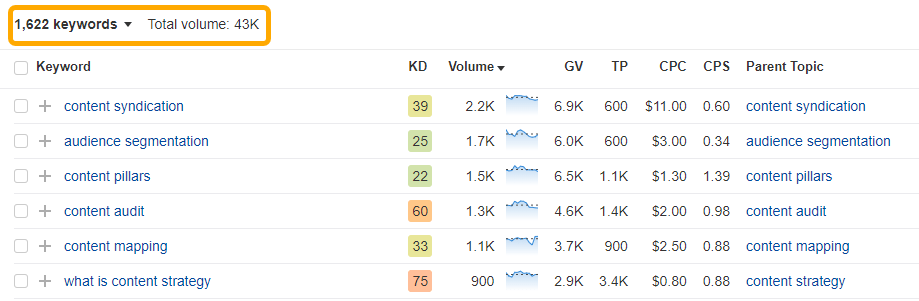
It’s easy to come up with blog post ideas, but writing about random topics won’t get you traffic to your blog.
You need to write about topics with traffic potential.
100 blog post ideas by topic
Here are a few blog post ideas with traffic potential that we found using the methods above, broken down by category:
Topic
Monthly Traffic Potential
How to create a business plan
75,000
How to do a SWOT analysis
55,000
What are key performance indicators
13,000
How to do a cost-benefit analysis
8,400
Types of marketing strategies
6,800
How to do business development
5,700
What is competitive advantage and how to find it
5,000
How to retain customers
2,900
How to acquire customers
900
How to manage a business’ cash flow
700
Topic
Monthly Traffic Potential
XX cheapest car insurance companies
530,000
XX best high yield savings accounts
497,000
How to make money online
376,000
How much house can I afford?
264,000
XX best travel credit cards
149,000
XX passive income ideas
67,000
How to improve credit score
43,000
How to invest in stocks
43,000
How to invest in real estate
30,000
XX ways to save money
25,000
Topic
Monthly Traffic Potential
What is content marketing and how to do it
17,000
How to do market research
13,000
How to create a marketing plan
7,700
What is lead generation and how to do it
6,800
XX top marketing trends
3,800
How to calculate and improve conversion rate
3,600
How to do customer segmentation
2,200
How to measure marketing ROI
1,900
XX types of marketing channels
1,800
What is a marketing funnel and how to build one
1,800
Topic
Monthly Traffic Potential
XX Taylor Swift concert outfit ideas
51,000
How to dress for your body type
4,000
Fashion weeks around the world
2,800
How to find your fashion style
2,800
XX cute outfit ideas
2,600
What is haute couture
2,400
XX airport outfit ideas
2,300
What is sustainable fashion and why it matters
2,200
XX fashion influencers to follow
1,300
What is slow fashion
1,200
Topic
Monthly Traffic Potential
How to get rid of acne scars
37,000
XX acne treatments that work
28,000
XX best moisturiser for dry skin
9,600
How to master the XX-step Korean skincare routine
8,900
How to prevent aging
4,700
XX natural beauty tips
4,000
What causes sensitive skin
2,900
XX best liquid eyeliner
1,900
XX beauty influencers to follow
600
XX best beauty supplements
200
Technology
Topic
Monthly Traffic Potential
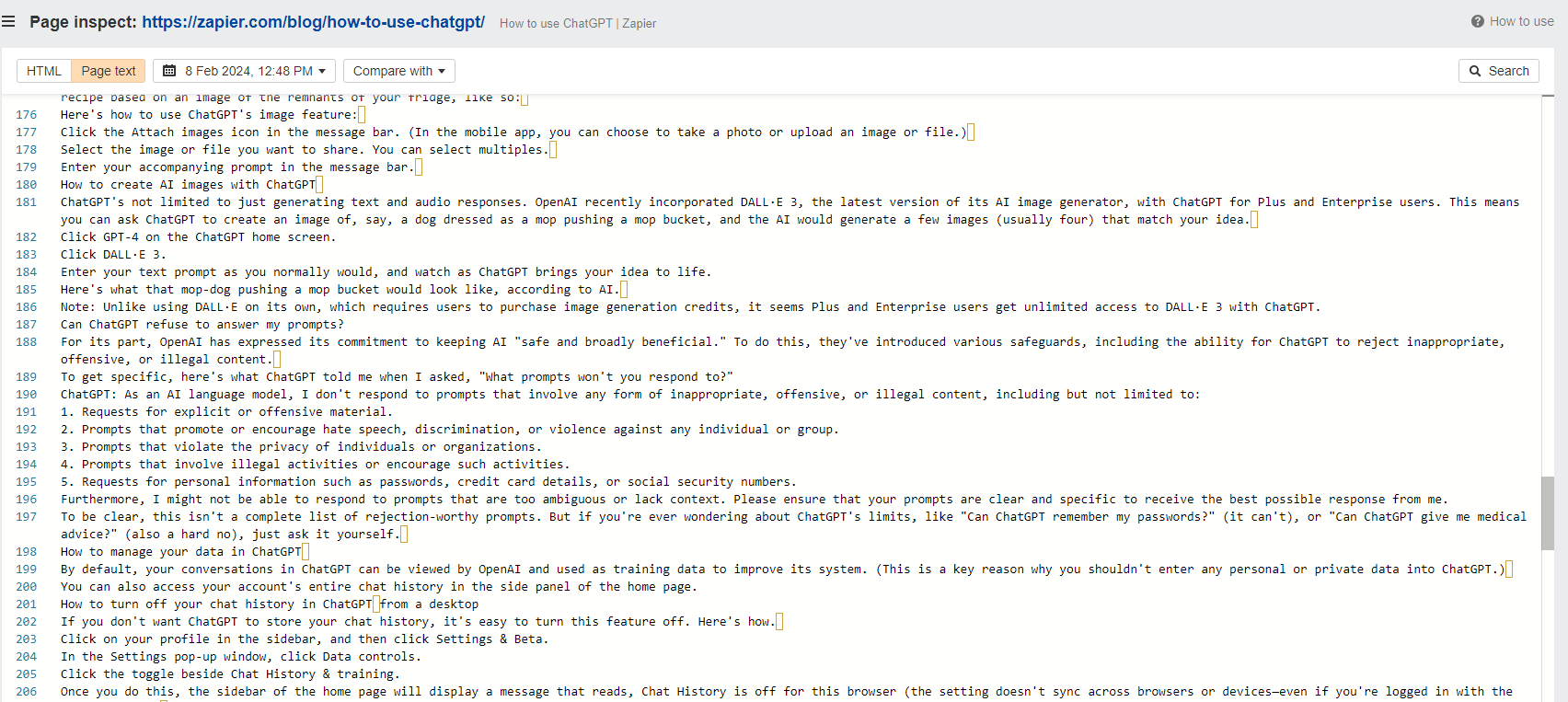
How to use ChatGPT
291,000
XX best VPNs
118,000
XX best gaming laptops
53,000
XX best fitness watches
37,000
XX best budget gaming PCs
20,000
How to build a PC
13,000
How to make QR codes
7,100
The quietest mechanical keyboard
2,600
GPU price trends
2,100
Why does my GPU fan not spin and how to fix it
1,400
Topic
Monthly Traffic Potential
Intermittent fasting for beginners
69,000
XX kettlebell exercises for a full workout
7,000
XX best pull-up substitutes
5,700
Can you gain muscle in a calorie deficit
4,700
XX grip strength exercises
4,000
The best workout for skinny guys
2,200
How to do a pull up
2,200
A handstand progression plan
1,100
Are acai bowls good for weight loss
700
Jedi training
300
Topic
Monthly Traffic Potential
How to find cheap hotels
195,000
XX best travel blogs
9,000
Best places to visit in Costa Rica
6,500
XX things to do in Medellin
3,300
Is Cancun safe
2,900
XX best travel tips
2,900
How to travel cheap
2,900
Where to stay in Boston
2,200
Is Greece expensive
1,100
5-day Paris itinerary
800
Topic
Monthly Traffic Potential
Where to buy inexpensive furniture
18,000
XX living room color ideas
12,000
XX accent wall ideas
9,300
How much does an interior designer cost
4,000
XX types of couches
3,200
XX bedroom essentials
2,000
How to decorate coffee table
1,600
Rules for rug under bed
1,600
How to measure for a sectional
1,100
XX best loveseats
600
Topic
Monthly Traffic Potential
XX easy ramen recipes
81,000
Fish taco recipe
57,000
XX best espresso machines
38,000
XX must-try Peruvian dishes
12,000
XX pressure cooker recipes
11,000
How to boil shrimp
10,000
How to keep apples from turning brown
3,500
XX Chinese New Year foods for good luck
2,300
Sous vide ribeye recipe
1,500
How to peel garlic
350
Final thoughts
If you’re serious about blogging, you need to learn how to do keyword research and competitive research. Once you master that, you never have to worry about running out of blog post ideas again.
Ahrefs Site Audit, also available as part of the free Ahrefs Webmaster Tools, allows you to search through the raw HTML code or the JS-rendered code across all crawled pages of the website.
This feature is particularly useful when you need to verify analytics tags, identify pages that call certain scripts or stylesheets, detect unwanted injections into the page code, or research the competitors’ technologies.
It is important to understand that in the era of JavaScript-powered websites, the page code can exist in two forms:
Raw (Source): the HTML code before any JavaScript on the page has been executed. This is what you see using the “View Page Source” feature in the browser.
Rendered: the final HTML code after being altered/generated by JavaScript. It is visible in the “Inspect” mode in the browser.
The source and rendered versions can be significantly different, so it’s important to ensure you’re searching through the correct version of the page code.
How to search through the rendered code of the pages
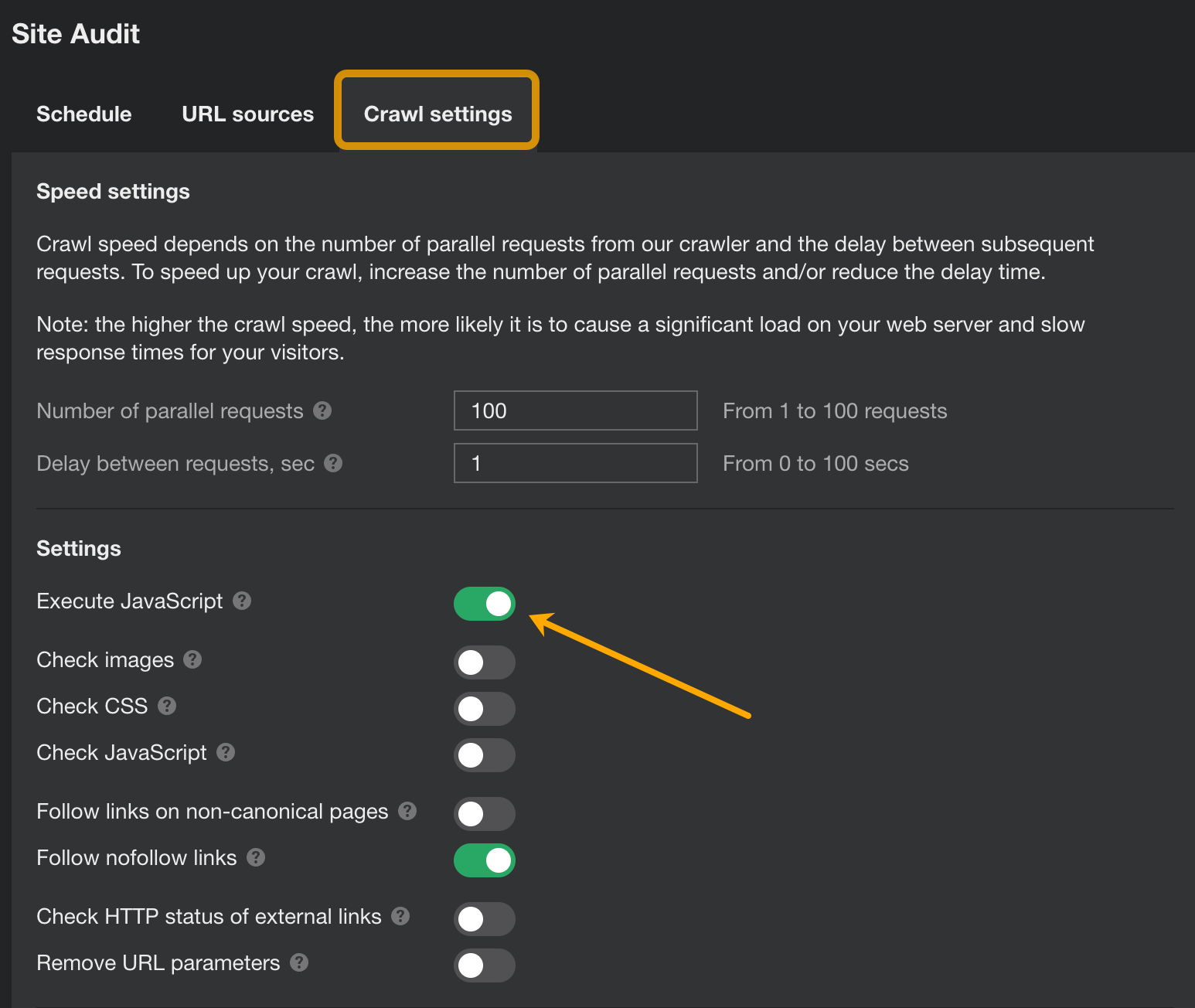
If you need to search through the JS-rendered HTML code of all the pages on the website, run a crawl in Site Audit or Ahrefs Webmaster Tools. Ensure that the “Execute JavaScript” option is activated in the crawl settings.
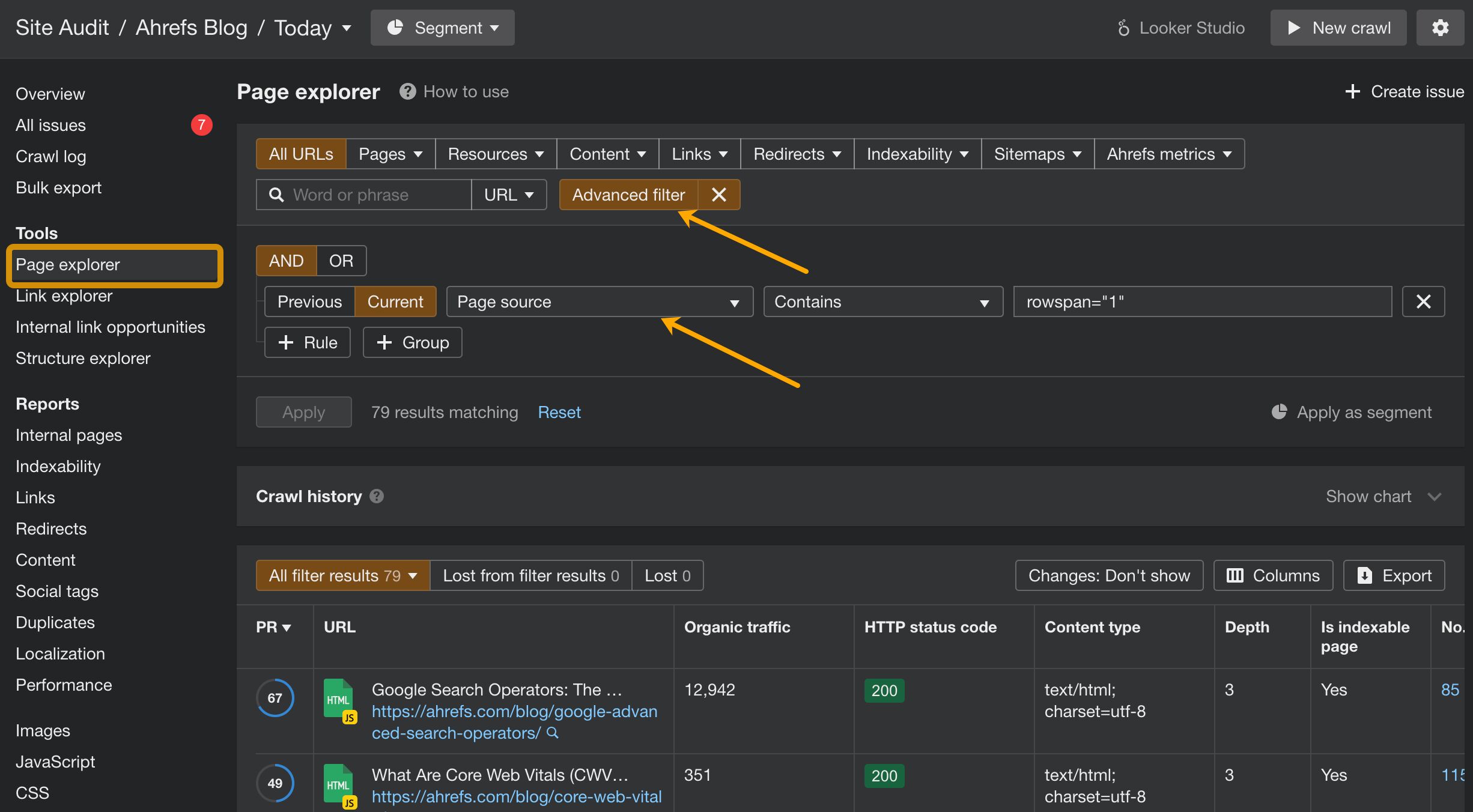
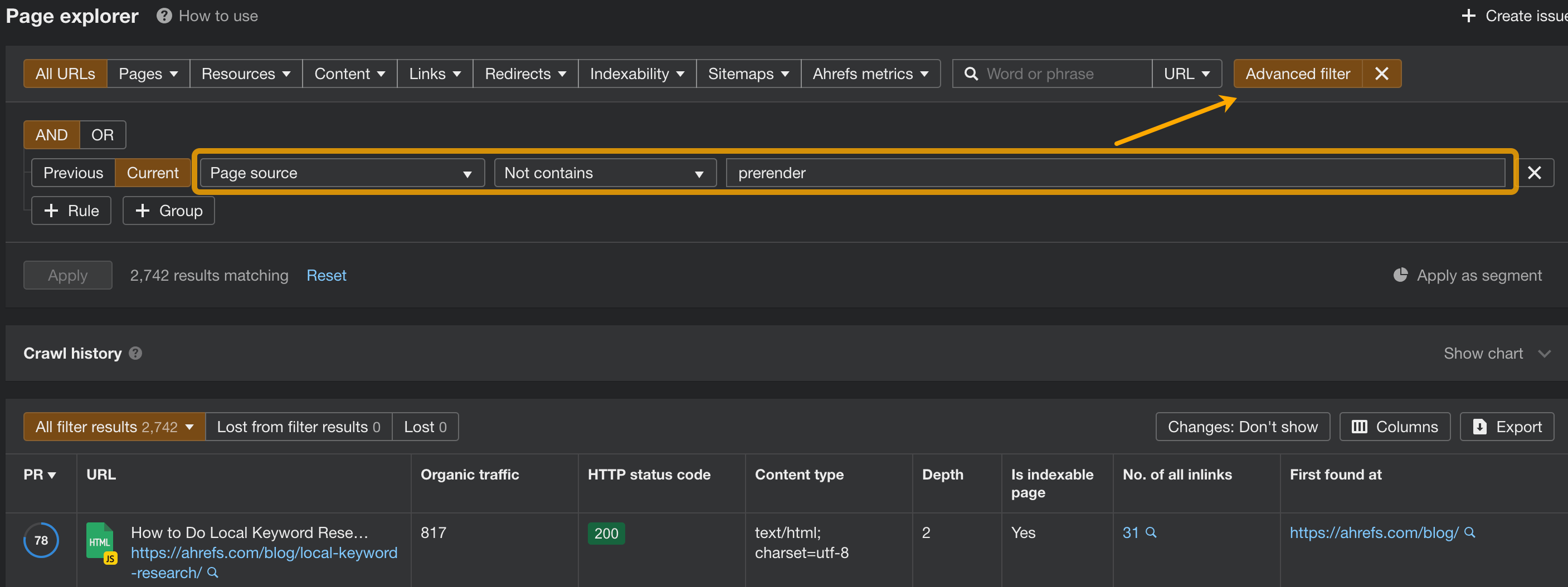
Once the crawl is complete, go to the Page Explorer and access the Advanced filter. Select ‘Page source’ followed by ‘Contains’ from the dropdown menu. Then, enter the specific piece of code you are searching for.
The example above finds all pages on our blog that that contain an embedded table.
How to search through the raw HTML of the pages
Searching through the raw HTML (also called source HTML) requires a few extra actions:
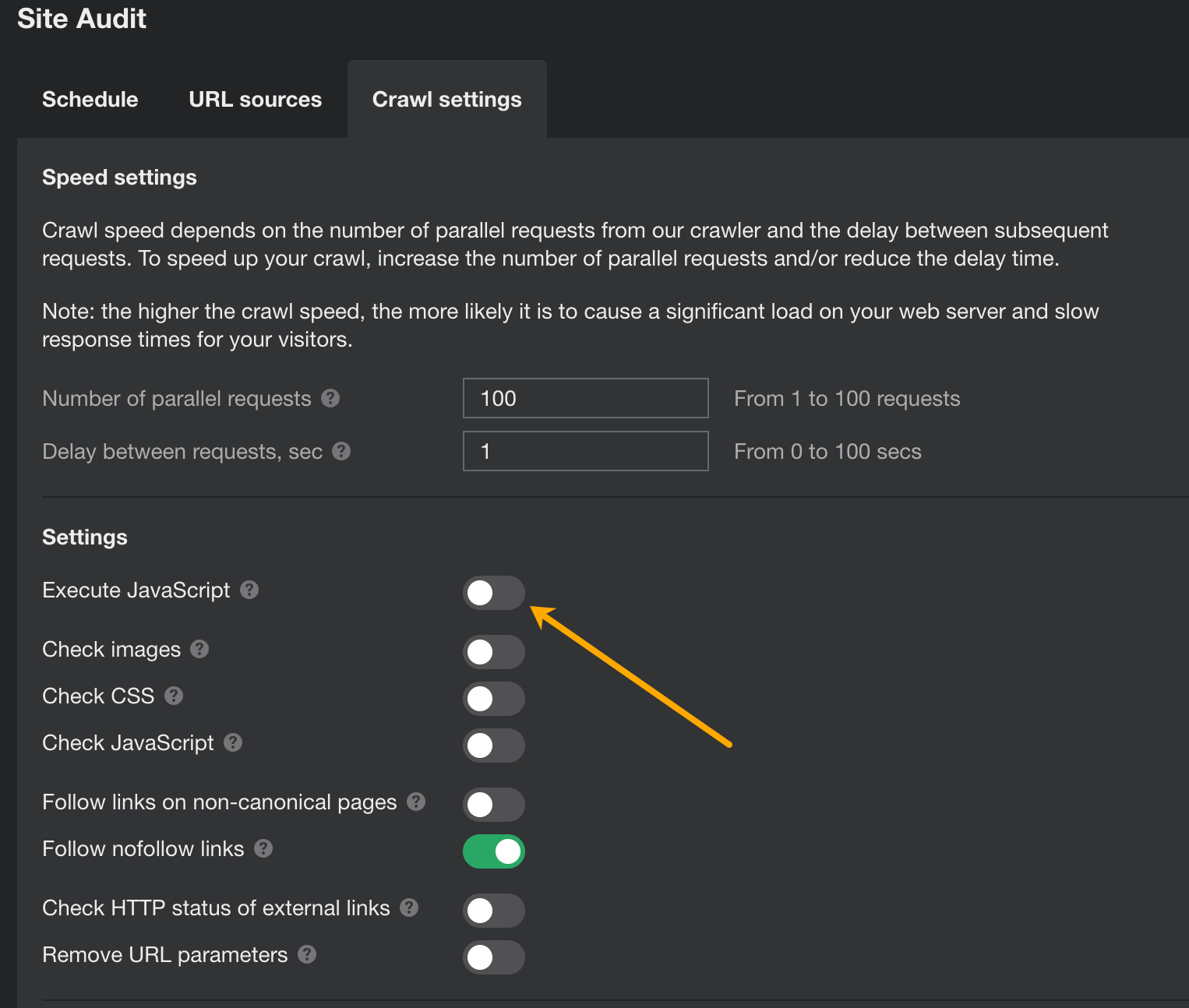
1. Disable JavaScript rendering in the crawl settings
2. Ensure discoverability of all pages by the crawler.
This is crucial for websites where page content (including the internal links) is generated via JavaScript, as AhrefsSiteAudit bot may not automatically discover all pages via raw HTML code.
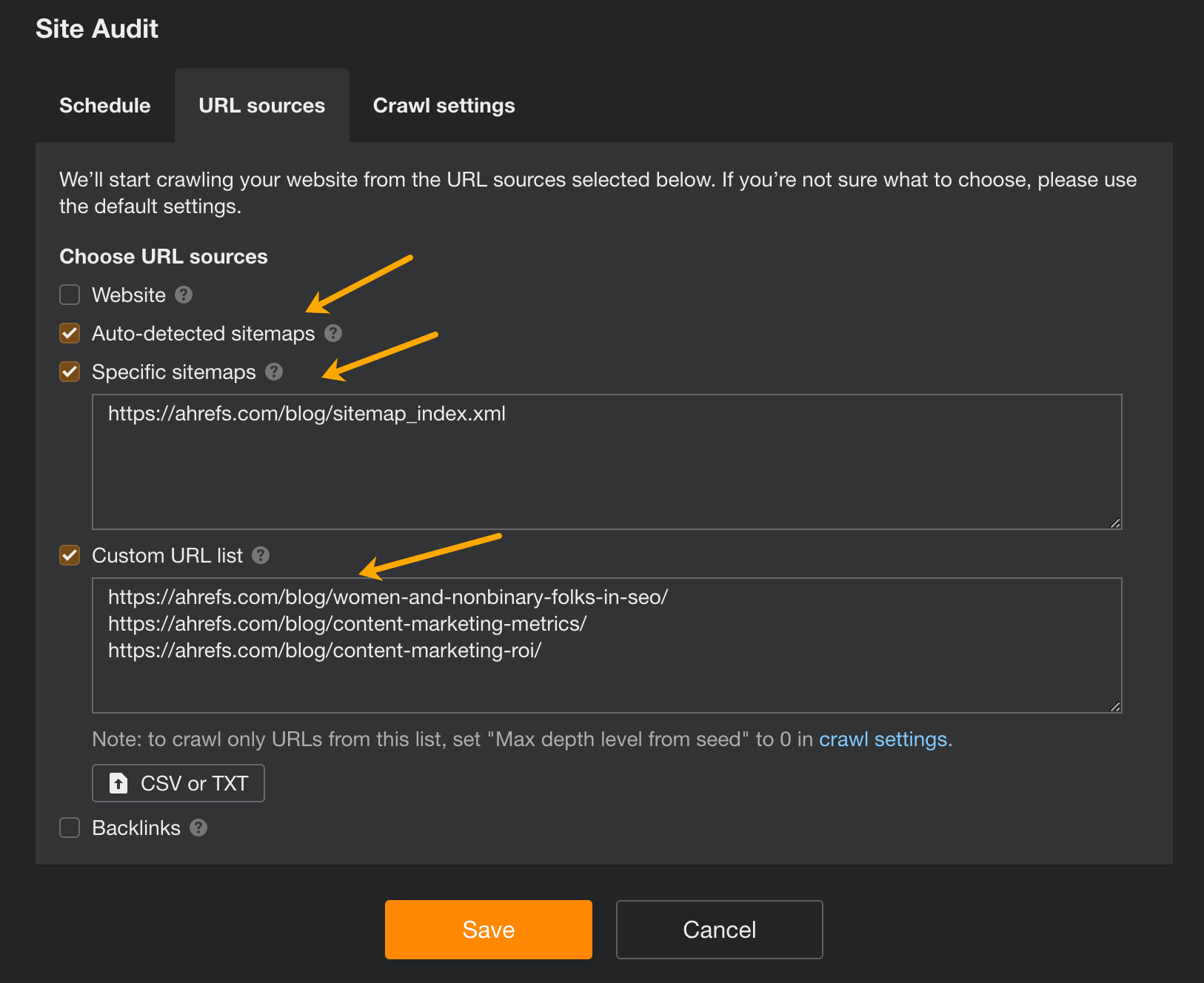
That’s why you need to supply the Site Audit tool with a list of input URLs that we call “Seeds.”
The easiest way to do that is to make sure that the Sitemaps are used in the “URL Sources.” If that’s not feasible, use the Custom URL list.
When the crawl is finished, use the advanced filter to search through the source code of all crawled pages.
We already do a great job with internal linking on the Ahrefs blog. But we wondered if adding a related posts section would help us and whether users would use it.
Our marketing team was fairly split on whether we should have a section like this and whether it would help. I’ve had great results with this personally on sites with a lot of content, and I was convinced it would help the Ahrefs blog.
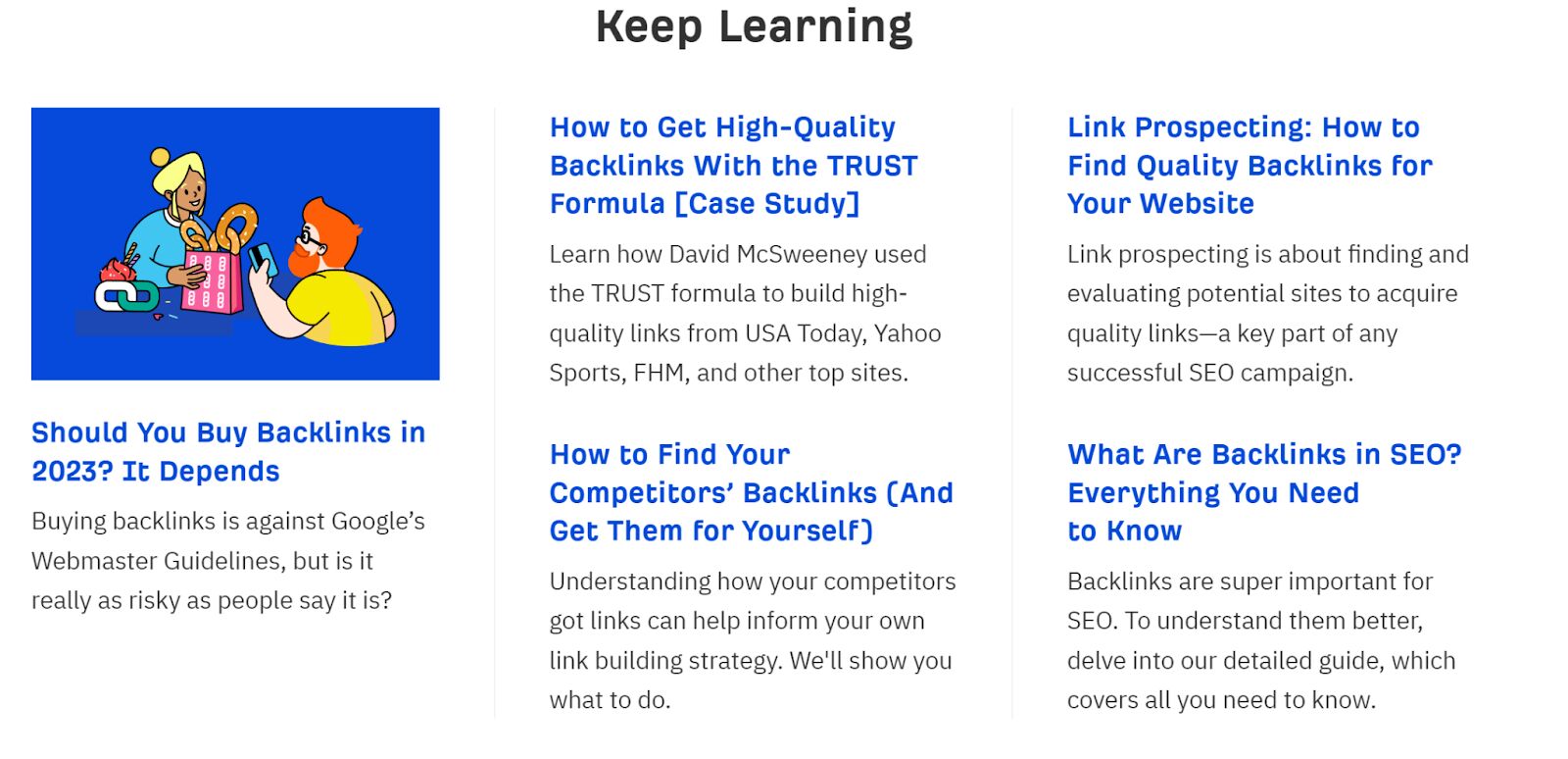
In December 2022, we added the “Keep Learning” section at the bottom of the posts using a popular related posts plugin for WordPress. Here’s what it looks like:
When I looked back to check what happened, the results were okay, but nothing spectacular. We saw a slight uptick overall, but based on the trend, I couldn’t conclude it had anything to do with the internal linking.
Two algorithm updates rolled out during the period we added the related posts: a Helpful Content Update and a Link Spam Update. This made the test data messy, but we decided to leave it for a while anyway.
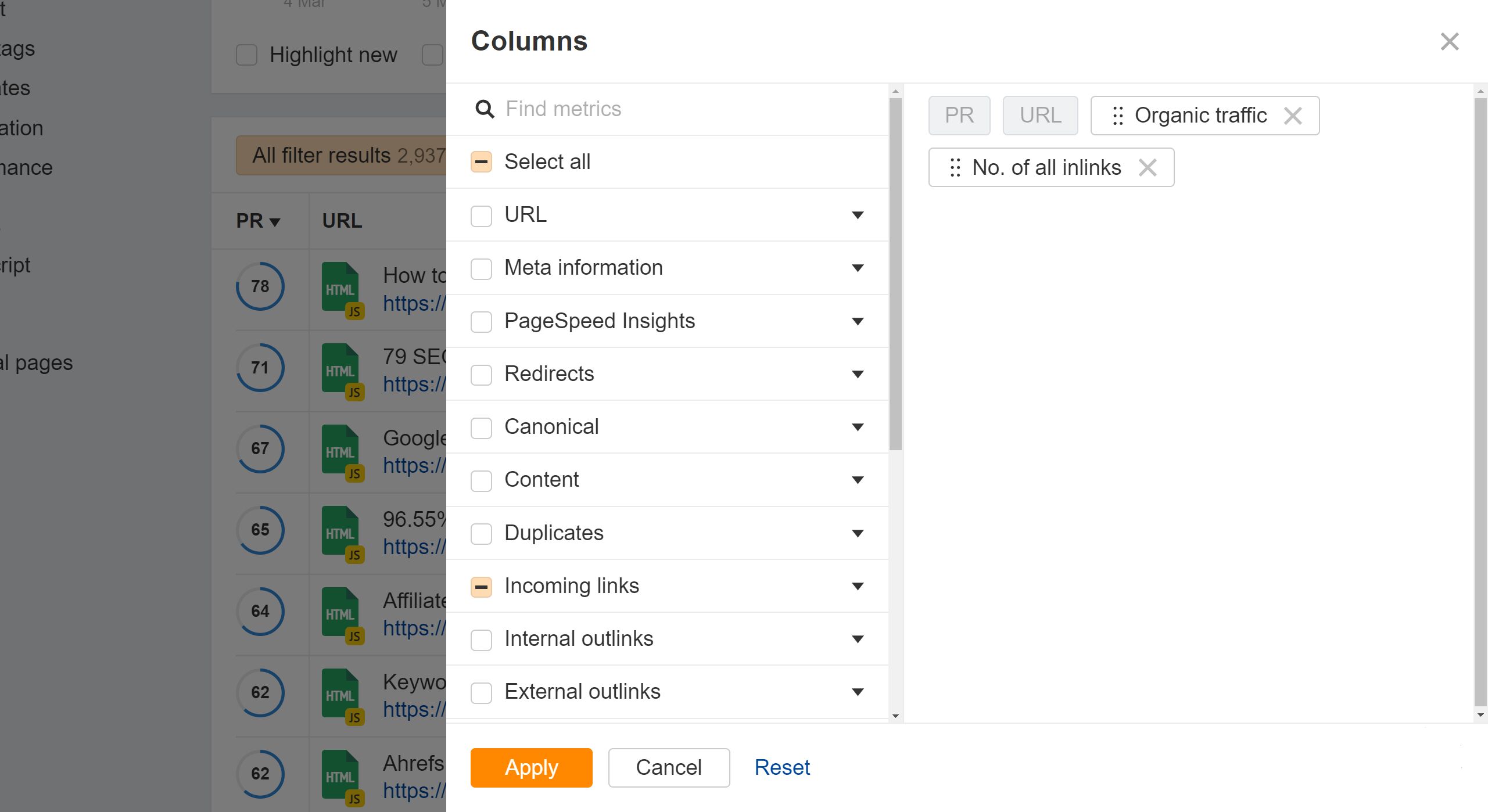
If you want to do this kind of comparison yourself, you can pull the data directly from Site Audit. The Page Explorer report has customizable columns. All you need are the “No. of all inlinks” and “Organic traffic” columns. These are stored per crawl, so I was able to compare the data from different crawls to make the visuals for this study.
After a few months, the topic came up to remove the related posts from the site. Some people just didn’t want it, and others didn’t think it had much impact. I didn’t object to it because I was curious to see what would happen.
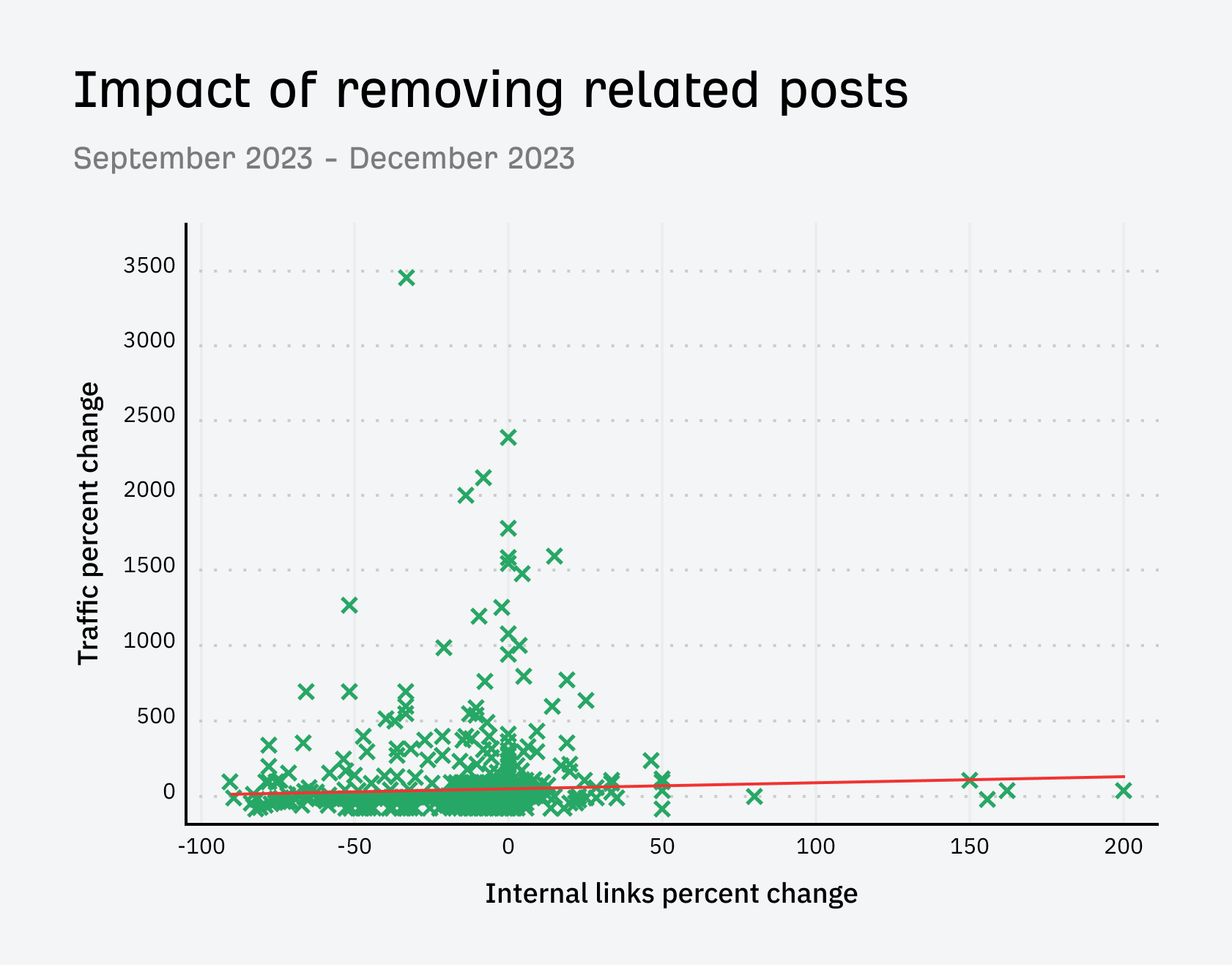
When we removed it, we saw some traffic losses to a lot of pages. This time, the trend indicated it was related to the internal links that were removed.
Even though we waited until after a Core Update to remove the related posts, Google rolled out another Helpful Content Update right after we removed them. Once again, the data for this test was a bit messy.
I waited a few months, and this time, I checked our analytics and noticed that when we had the related posts section, people spent more time on the site and viewed more pages. Users were actually clicking these related posts!
We decided to add it back, but only on English pages. We wanted to improve the match quality before adding it back to other languages.
This set up a nice split test because we could now see the difference between how the English pages were impacted vs pages in other languages.
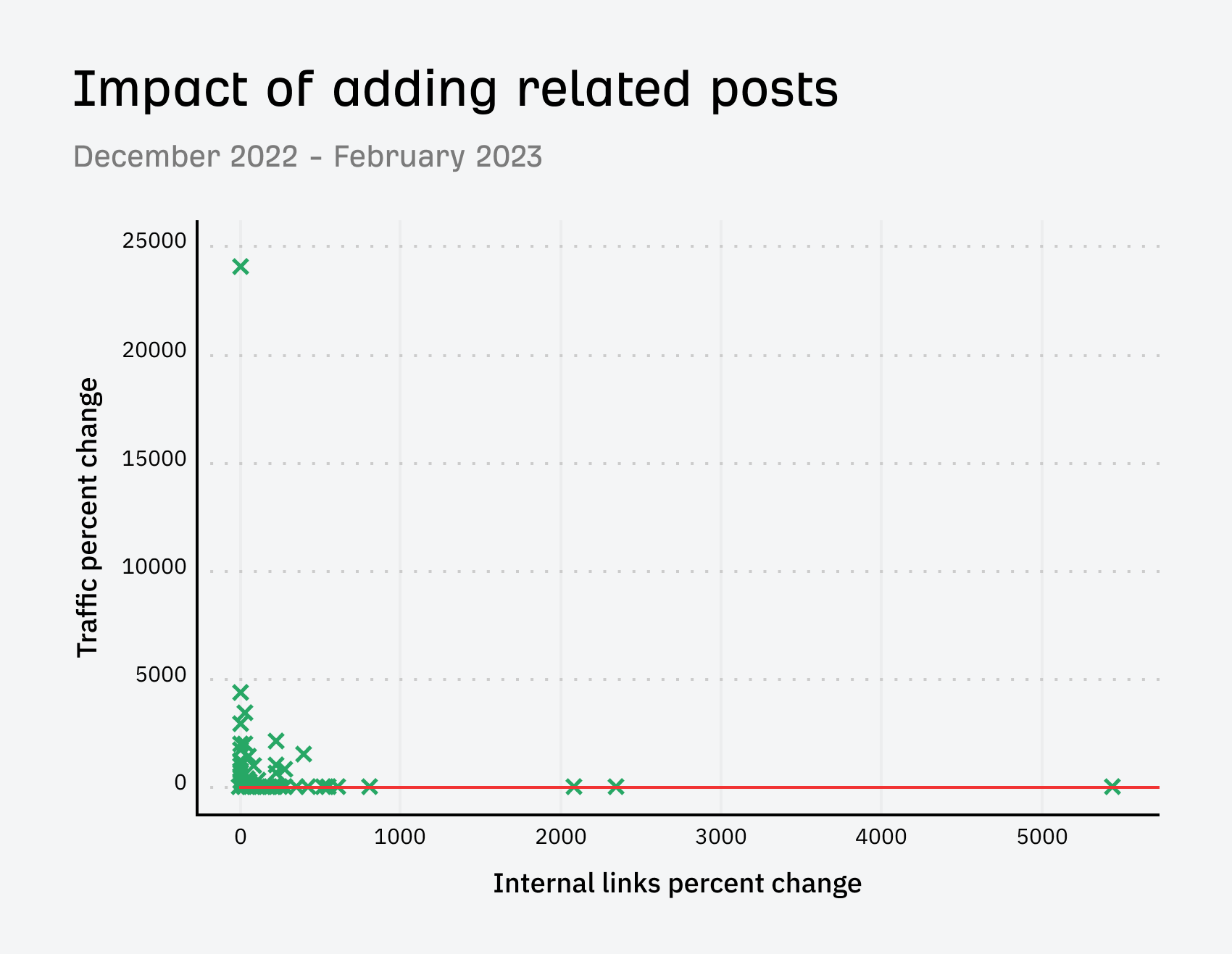
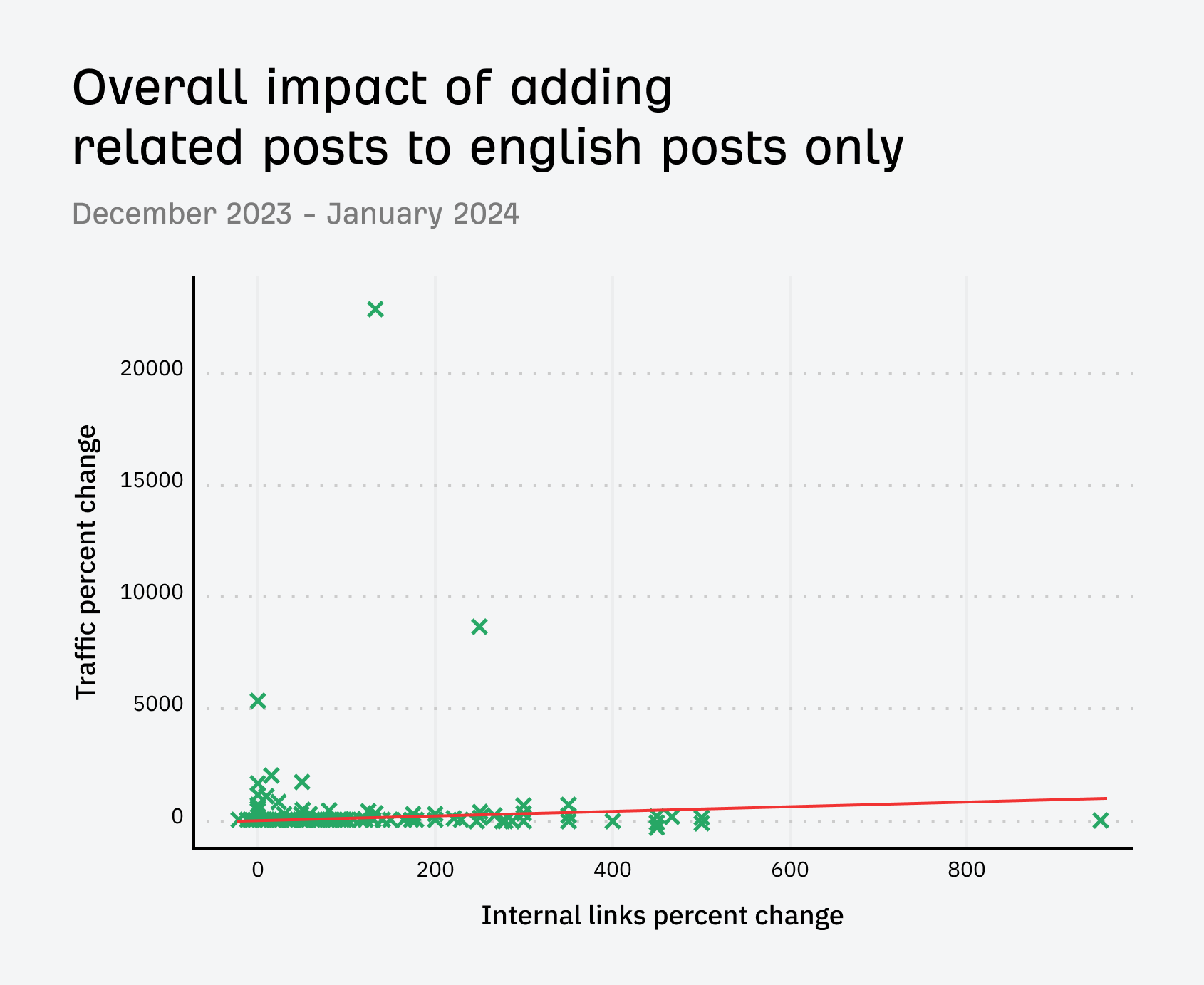
Things looked good. We saw more traffic and it seemed to somewhat correlate to the pages that got more internal links.
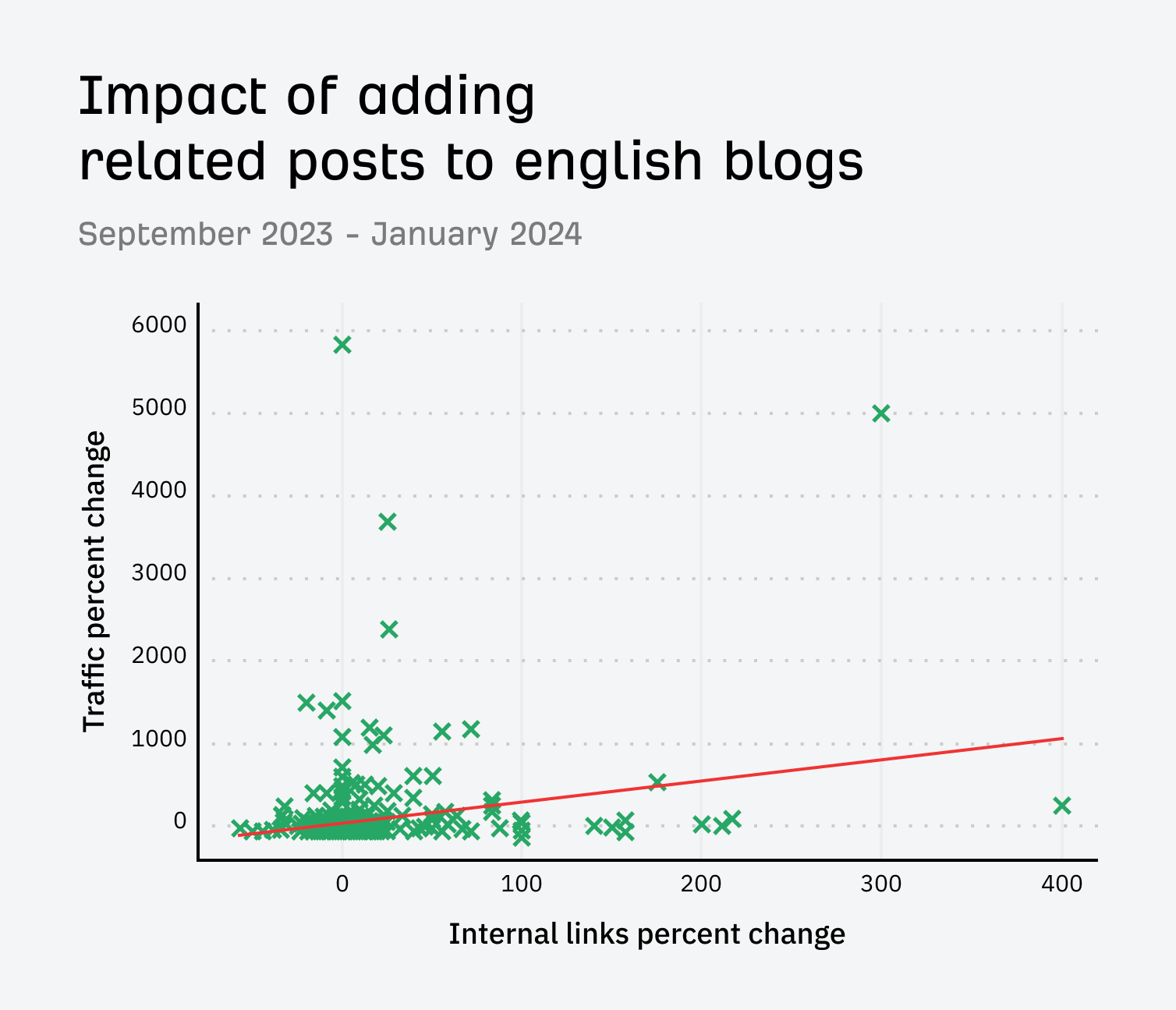
This time, we had no update, so we had a real test with a control group. The results for English blog posts were positive.
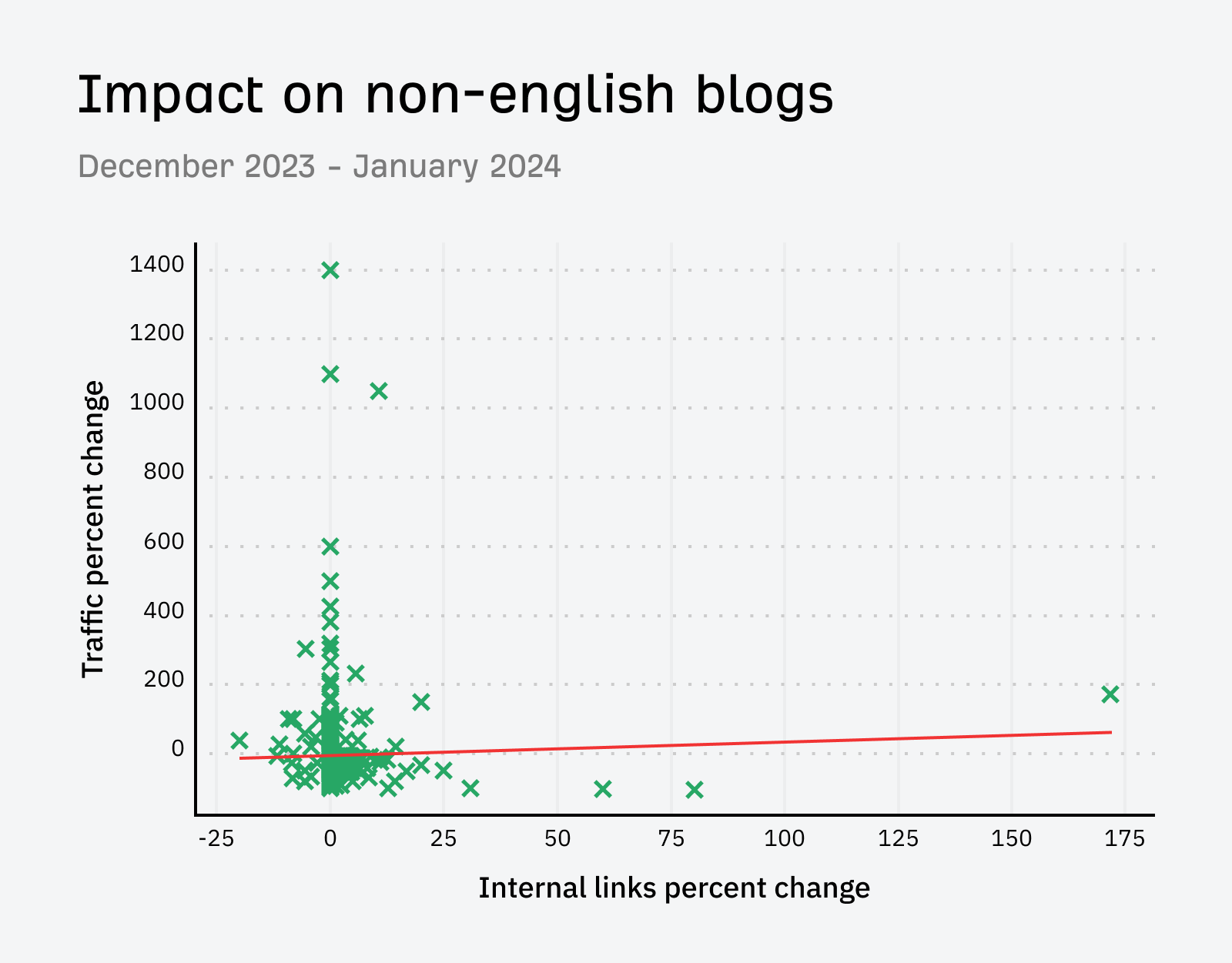
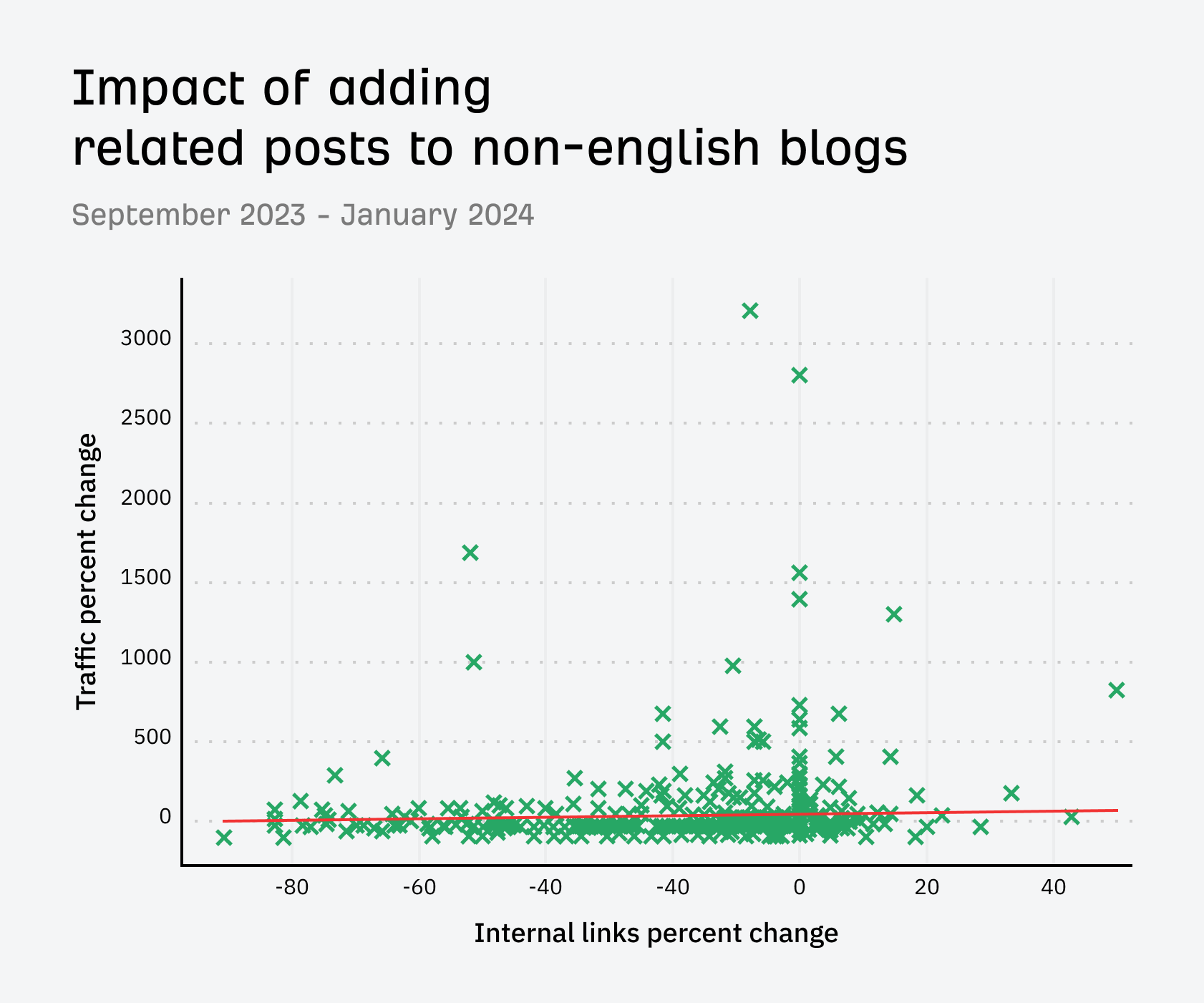
The results for the non-English blog posts were kind of mixed, but we had a lot of posts that lost traffic here.
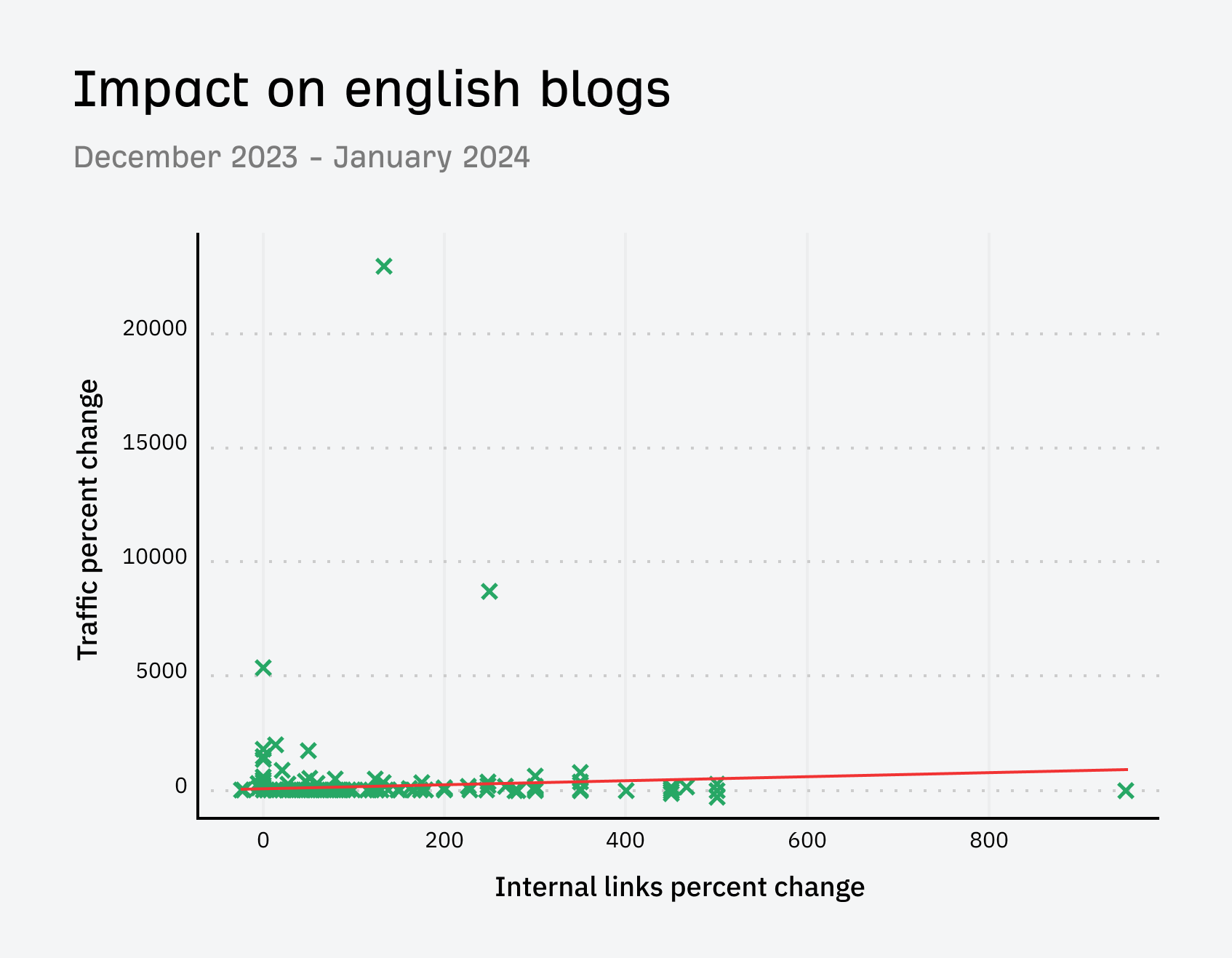
I decided to go back further, from when we removed the related posts section until now (about a month and a half after we added the section back to English blogs).
The English blogs showed a strong correlation this time. It definitely seemed that having the internal links helped with their traffic.
The non-English blogs were pretty mixed, but there were a lot of losers and not as strong of a correlation.
The results speak for themselves and are exactly what I expected to see. We saw some increase from having these extra internal links in the related posts section, but not a lot of impact since we already link well internally.
My best guess as to why we see some impact is that often, the related links are pieces of content that we wouldn’t naturally link to from within the blog content.
On blogs that aren’t as well optimized as ours for internal linking but have a lot of content, I would expect to see even more impact.
That’s it for now. We’ll probably add the related posts back to the non-English posts at some point this year. I’ll update the article with what happens when we do that, but I would expect a small bump for the content.
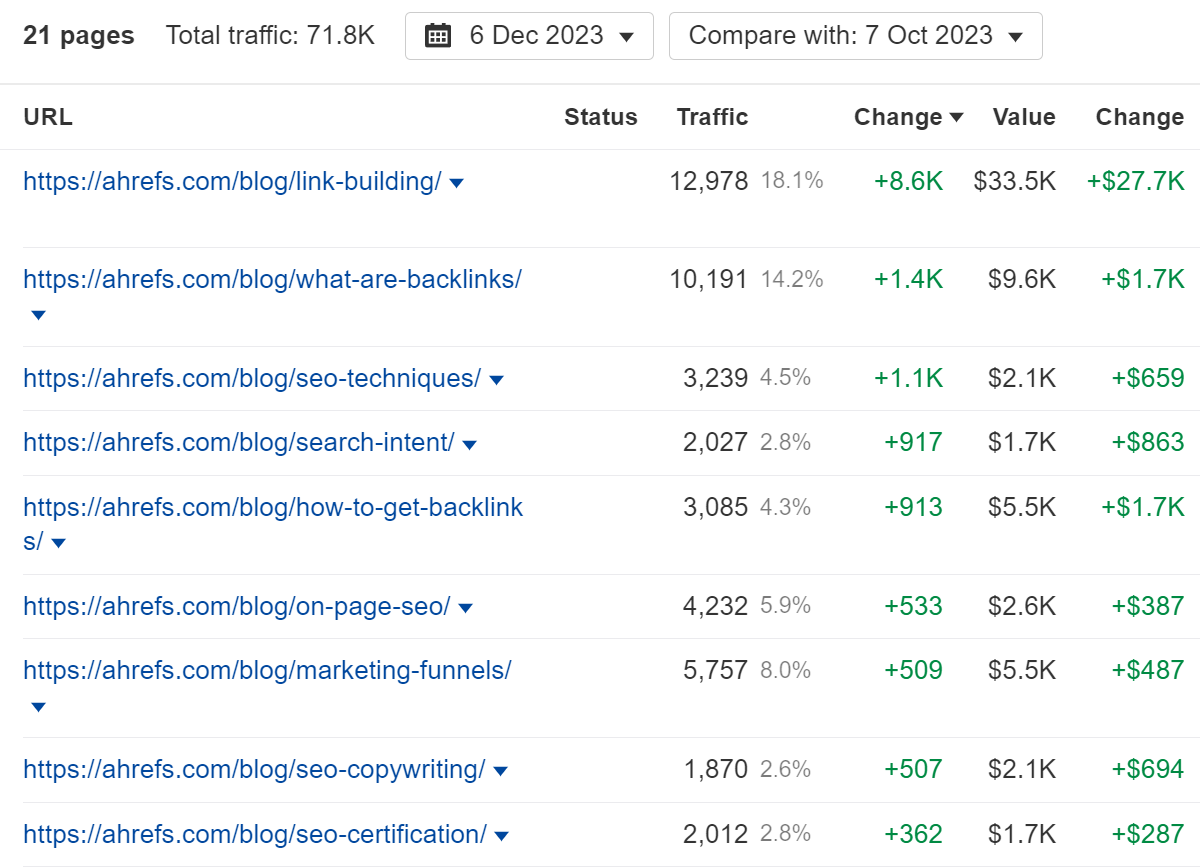
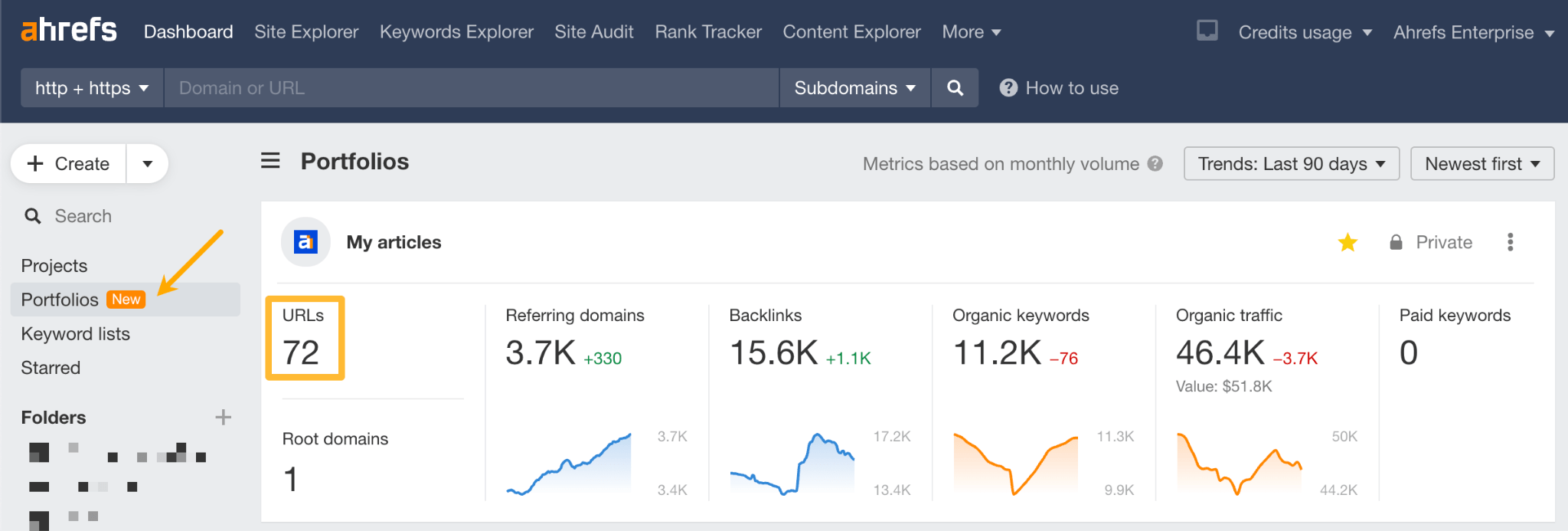
If you want to run a test to see if adding internal links helps your content, I highly recommend creating a Portfolio that includes the pages. You’ll be able to see the impact your changes had.
I created a portfolio for some articles we made edits on and was able to easily see that the changes were positive.
In the lead-up to International Women’s Day, I started reflecting on all the amazing women and nonbinary folks in our industry who I have learned from and who continuously inspire me in my career.
Here are the top 26 whose expertise, results, and insights I greatly admire and think you will, too.
Make sure you check them all out. Anyone who has seen me eat a delicious meal knows I save the best til last, and this list is no different.
But let’s also be real for a moment…
I’m totally aware that many of the people who’ve inspired me are the big names you see on a lot of these sorts of lists. That’s just the nature of life.
And there are obviously loads of super smart, but lesser known, women and nonbinary folks in SEO who deserve attention too… so I also asked my friends and colleagues for shoutouts on who inspires them and rounded their suggestions up in an epic MEGA list of 99+ inspiring SEO experts we think you should follow.
My fave takeaways: Everything. Literally everything. But if I had to pick one, it would be Aleyda’s free SEO roadmap on learningseo.io. If by some miracle you aren’t already familiar with Aleyda’s work, she freely and frequently shares a ton of knowledge bombs on all things technical SEO, enterprise-level skills and general tips for SEO professionals.
2. Dr. Marie Haynes
Owner @ Marie Haynes Consulting
What she’s known for: Google penalty recovery, how Google’s algorithm works
My fave takeaways: Marie’s Google algorithm update list is so good, I check it out every time (yes, every. single. time.) I run a traffic loss audit or want additional context on the latest updates. I also love her insights on penalty recoveries and understanding Google’s Quality Rater Guidelines shared in her Search News You Can Use newsletter.
3. Vanessa Fox
CEO @ Keylime Toolbox
What she’s known for: Creating Google Webmaster Central, developing search patents
My fave takeaways: Vanessa is an ex-Googler and has done some seriously cool things in the SEO space that don’t get enough attention, in my opinion. Check out her patents, book, and read her speaker bio for everything else.
4. Lily Ray
Vice President of SEO Strategy & Research @ Amsive Digital
What she’s known for: E-E-A-T, Google core algorithm insights
My fave takeaways: Firstly, I love her rockstar vibe (I mean, who doesn’t?). Professionally, Lily’s take on E-E-A-T is very insightful and aligns with what I’ve also seen with my clients. I also love the insights she shares on why Google just may not be into your site and what’s really up when it comes to core algorithm traffic losses.
5. Jes Scholz
Independent Marketing Consultant
What she’s known for: SEO futurist, entity optimization
My fave takeaways: If you ever have the chance to see Jes present live, take it. She is an absolute powerhouse, sharing a wealth of knowledge about where Google and the future of search are heading. In particular, I love her tips on owning your brand entity and optimizing it so it’s Google-friendly.
6. Kristin Tynski
Co-Founder @ Fractl
What she’s known for: Digital PR, SEO automation with GPT4
My fave takeaways: Kristin delivers so much value through her free scripts that automate many aspects of SEO. I recommend starting with this list of 20+ scripts. But you should also check out everything else she shares. You can thank me later.
7. Jessica Bowman
CEO @ SEO In House
What she’s known for: Enterprise SEO, executive SEO
My fave takeaways: Jessica wrote the book on Executive SEO and I highly recommend it if you’re an in-house SEO or offering enterprise services. My biggest takeaway—that I often reflect on deep into the hours of sleepless nights even years after reading the book—is the concept of becoming an “SEO pacesetter.” If the organizations we work in unified all teams around SEO, imagine the pure potential that would be ripe for the picking. Jessica’s book helps make that potential a reality.
8. Ann Handley
Chief Content Officer @ MarketingProfs
What she’s known for: Creating “ridiculously good content,” escaping “marketing mediocrity”
My fave takeaways: Can you be a writer or marketer and not be at least a little in love with Ann’s philosophy? As the world’s first Chief Content Officer, we all have a lot to learn from her about creating content that truly stands out online. Ann’s been sharing great insights for years. If you’re new to her work, I recommend starting with her books Everybody Writes and Content Rules.
My fave takeaways: I LOVED Nik’s presentation at the 2023 Singapore SEO Summit. She shared loads of search generative experience (SGE) knowledge bombs, data about how AI may change the SERPs and what that means for brand visibility from search-based channels. If you haven’t taken SGE out for a spin yet, check out Nik’s two-minute SGE guide to get you started (from anywhere in the world).
My fave takeaways: Not only is Bibi an awesome human sharing good vibes, she’s also a damn good link builder praised for her ability to share actionable, helpful information about all things link building. Check out her entire process here.
My fave takeaways: I’m a huge fan of cross-collaboration between SEO and non-SEO teams to achieve meaningful outcomes. So it’s no surprise why Maria’s ability to work cross-functionally in large organizations inspires me to no end. It really is not an easy feat, yet she sure makes it look effortless. There’s also a lot more to learn from her if you aspire to a leadership position in the industry as an in-house SEO like how to make better reports for your c-suite or turning data into impact.
My fave takeaways: If you’re looking for quality education on advanced technical SEO skills, Kristina’s content and courses are a great place to start. Prior to my career in SEO, I was an educator and have not been able to ignore the education crisis our industry experiences. There really is a lack of beginner-friendly yet expert education for skills that can be difficult to master. If you’re tired of teaching yourself every little thing about technical SEO (and constantly wondering if you’re doing it right), do yourself a favor and check out Kristina’s courses instead. You’re welcome.
13. Jamie Indigo
Technical SEO Consultant @ Not a Robot
What they’re known for: Technical SEO, JavaScript wrangling
My fave takeaways: If you’re into nerding out over SEO, good storytelling, and you enjoy a decent splash of snark, you’ve got to check out Jamie’s content. From their delightfully fun feature on SEO fairytales to sharing their experience wrangling messy JS or auditing large websites to bite-sized commentary in the Rich Snippets newsletter, Jamie shares a ton of golden nuggets.
14. Crystal Carter
Head of SEO Communications @ Wix
What she’s known for: SEO Communications, big-brand SEO
My fave takeaways: I love Crystal’s ability to take a technical SEO concept, like structured data, and communicate its strategic value in a way business owners can understand, like in this post. As SEO professionals, we need to do more of this if we want to increase our odds of getting buy-in for SEO initiatives.
15. Olga Zarr
CEO + SEO Consultant @ SEOSLY
What she’s known for: Comprehensive technical SEO guides + templates
My fave takeaways: Olga shares many comprehensive step-by-step technical SEO checklists and templates that really are a one-stop shop. If you’re new to SEO and want the confidence you’re not missing out on any vital steps during audits, or you’d like an expert’s tips on exactly how they use SEO tools in their processes, I recommend checking out Olga’s blog starting with this post on how to audit your site with Ahrefs.
16. Chima Mmeje
Senior Content Marketing Manager @ Moz
What she’s known for: SEO content strategy, SaaS content
My fave takeaways: Chima’s tips on content strategy that delivers results are a dream. I especially love it when she shares a behind-the-scenes view of her process, like in this post sharing how she tackles content briefing. I’ve learned so much from Chima over the years and am sure you will too.
17. Britney Muller
Business Consultant @ Britney Muller Inc
What she’s known for: AI + LLMs, Data Science for SEO
My fave takeaways: I’ve been following Britney’s work since she was a Senior SEO Scientist at Moz. Recently, her work and interests have focused on education around data science, AI, LLMs, and all these hot topics taking the SEO world by storm. I especially love her ability to explain emerging technology in a beginner-friendly way (like her post explaining Google’s ML model BERT or her website making machine learning accessible for marketers).
18. Kayle Larkin
Head of Marketing @ Elevar
What she’s known for: Google Analytics, marketing attribution, data for SEO
My fave takeaways: Jackie shares some great insights for in-house and non-in-house SEO pros alike. From tips on how to get buy-in for SEO initiatives in a large organization to how to IPO as an SEO, there’s a lot to learn here. I also love her take on how SEO is not a black box because it really isn’t, and it’s our job to educate non-SEO stakeholders about it.
20. Joanna Lord
CMO, Board Member, Advisor & Angel Investor
What she’s known for: Executive SEO, angel investing
My fave takeaways: Joanna has held multiple executive-level marketing positions, including a stint at Moz. I love seeing how leaders like Joanna think and approach various challenges at an executive level, and if you do too, give her a follow. I especially love her hot take that what makes a great brand includes “fighting for your customer and championing something bigger than yourself.”
My fave takeaways: Roxana has an incredible mind for analytics and technical, data-driven work. With a background in mathematics, she really knows her stuff when it comes to technical SEO. I recommend checking out her technical SEO tips in a free course shared with the Freelance Coalition as well as her next-level image SEO insights from her presentation at LondonSEO XL 2023.
22. Samantha Whitewood
General Manager of Agency Services @ EngineRoom
What she’s known for: SEO leadership, SEO agency management
My fave takeaways: Sam and I have had the pleasure of working together for many years in the first female-led SEO team I’ve been a part of in any agency. We’re quite proud of this feat and have transformed our team, consisting mainly of non-SEO professionals, into an SEO powerhouse delivering super-cool results for clients. If you aspire to step into agency leadership roles, Sam has a wealth of knowledge and experience you can learn from.
My fave takeaways: I met Viola very early in my SEO journey and have enjoyed watching as her career transformed over the years. I love the philosophies she shares about issues beyond SEO that are central to the day-to-day lives of anyone working in startups and scaleups. Check out her podcast for inspiring conversations about things like finding flow, conscious leadership, and more.
24. Areej AbuAli
Founder @ Women in Tech SEO
What she’s known for: Building a community for women in SEO
My fave takeaways: Areej is renowned for her work supporting women in SEO through her Women in Tech SEO social and Slack groups. She also runs community events, and free mentorships and promotes other women in the industry in multiple ways. For instance, you can find female speakers, founders, and freelancers on her website.
My fave takeaways: Kari’s been sharing her journey on running a remote digital agency since well before the pandemic made it common practice. I always find her insights on how she’s grown a multi-million dollar remote agency very insightful. She also manages Sisters in SEO where she frequently shares fair and inclusive job opportunities along with down-to-earth SEO advice.
26. Samantha Pennington
Founder @ Oree Virtual
What they’re known for: Making the web a more inclusive space
Where to follow them: Samantha is no longer on social media, though you can connect via their website.
My fave takeaways: As promised I’ve saved the best for last. The thing about inspiration is that it’s most powerful when someone’s content compels you to keep researching, keep digging and keep learning well beyond the message they initially shared.
Samantha co-founded Sisters in SEO, the group where I first became inspired by the idea of creating an equitable, inclusive web. As content creators and web designers, we’re in the perfect position to use our skills for a noble purpose with tangible human impact. Because of Samantha, I’ve since helped clients make their websites more diverse and inclusive. I discovered initiatives like this and this among many others.
I highly recommend reaching out and learning more about how you can also make the web a more inclusive space, one page at a time.
Thanks for supporting all voices in SEO with us
There are so many amazing people in our industry, so we couldn’t fit them all into one list (as you can imagine). Thanks for supporting everyone listed above!
Also, remember to check out other inspiring SEO experts in this X list. And if you have space for one more, I’d appreciate some social love on X and LinkedIn too 😉
There are too many content marketing metrics out there. But we know which ones are actually used (we asked on
2. Keywords
We’ve received many responses underlining the importance of organic search traffic, and keywords are the absolute cornerstone of this channel. As you probably already know, the higher you rank for keywords, the more visible your pages are on the search engines like Google, and the more traffic you get.
The metrics that marketers mentioned to us were:
Impressions: how often a site appears in search results.
Rankings: what pages rank for a given keyword. That’s how you know if your SEO is working and when to step in to optimize your content.
Organic keyword growth: the number of keywords that a page or site ranks for. As pointed out by Goran Mirkovic and Jacob McMillen this metric is especially helpful on new content to see if Google starts to rank it.
Rate of keyword acquisition: very similar to the metric above, but this time we’re interested in how fast Google ranks content. Samantha North said, “in my experience, when it picks up lots of keywords quickly, it’s going to rank well”.
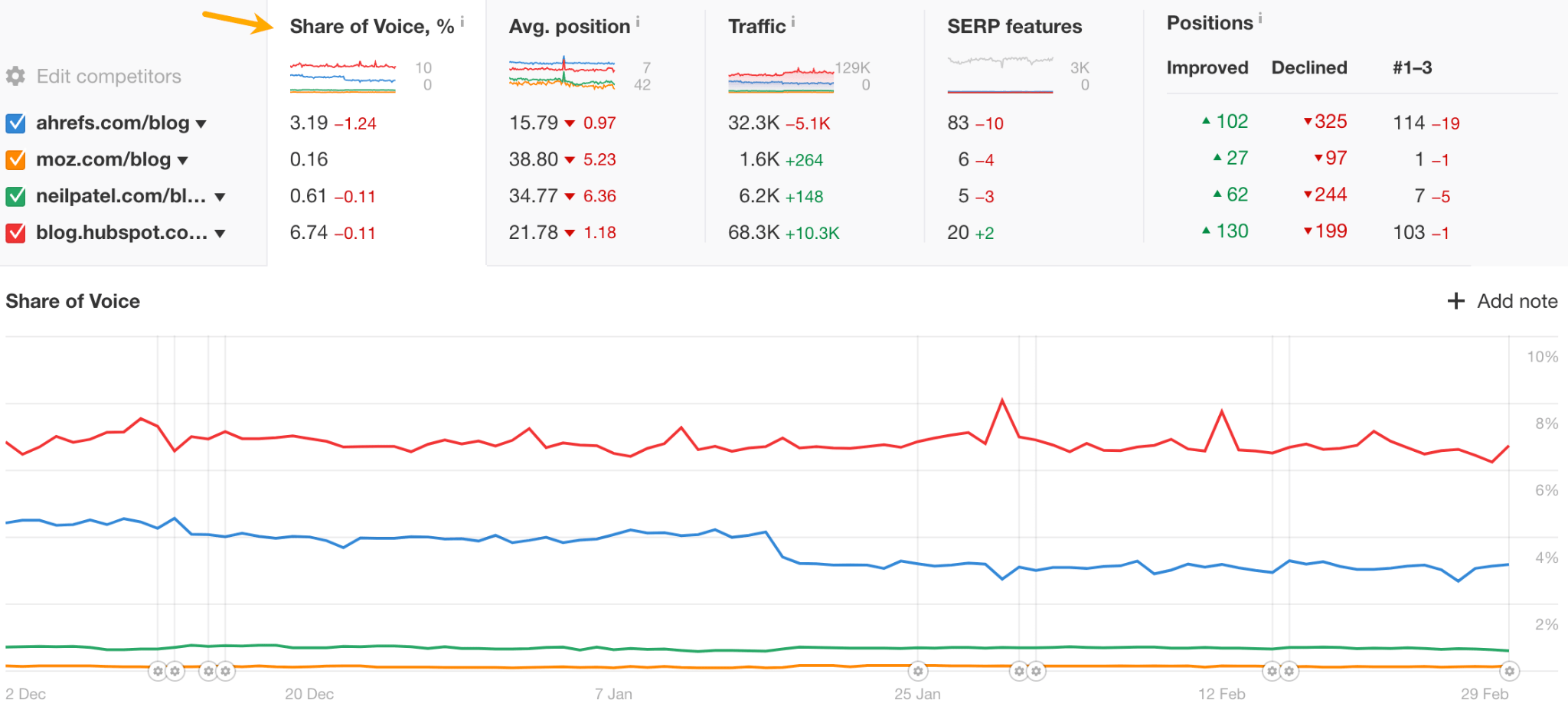
Share of voice: percentage of all possible organic clicks (from SERPs) for the tracked keywords landing on your website.
There are two types of tools you’ll need to track these metrics:
Google Search Console. The only tool that allows you to measure impressions in Google’s SERPs reliably. Tools like Ahrefs allow you to tap into that data and get some more functionality out of it, but you still need to have GSC set up.
Ahrefs Rank Tracker or a similar rank tracking tool of your choice. Although GSC allows you to track rankings, it has very limited functionality with poor experience (here’s a long list of reasons why). Also, that’s where you get more refined, professional metrics like share of voice.
Further reading
3. Backlinks
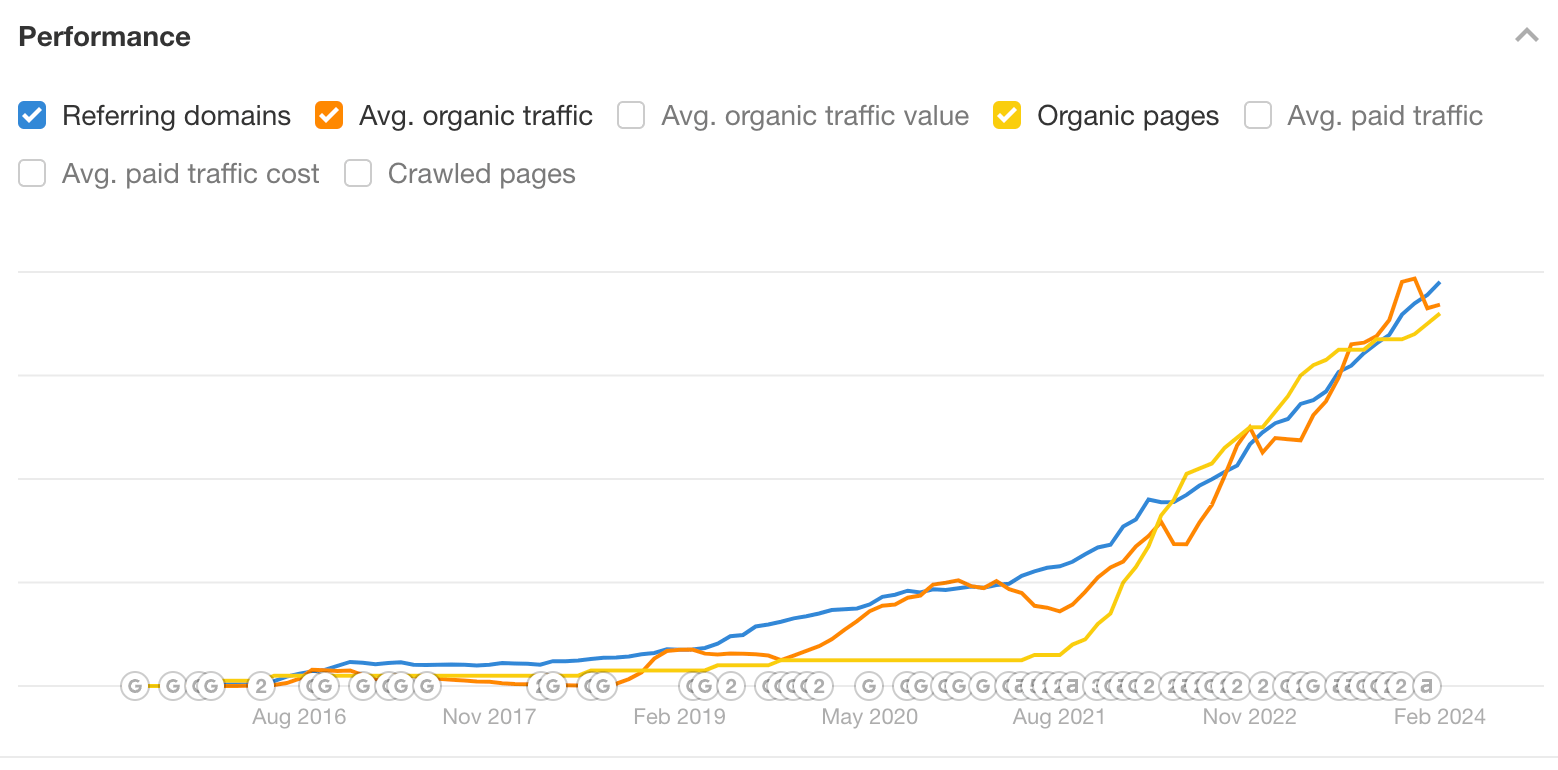
Next to keywords, backlinks are another thing content marketers use for measuring content performance. They are a measure of the impact of the content on the site’s authority.
And there’s a simple reason why backlinks are so important – they are still one of the strongest ranking factors. The more backlinks a page gets, the higher its chances to rank.
Moreover, the link equity you acquire this way flows throughout the entire site through internal links and increases the site’s authority.
Our commentary: backlinks are increasingly hard to get. They’ve become a currency of the web between those who need backlinks and those who can provide them. So, theoretically, backlinks should be a sign that your content is so good that people want to link to it, but in reality, some sites won’t link until they get something in return.
So we’d say track backlinks but only to your link bait content or if you’re doing link building.
An interesting insight into this topic came from Goran Mirkovic — don’t track backlinks in the very early stages of the site. It takes time to earn them, whether naturally or by link building.
Tip
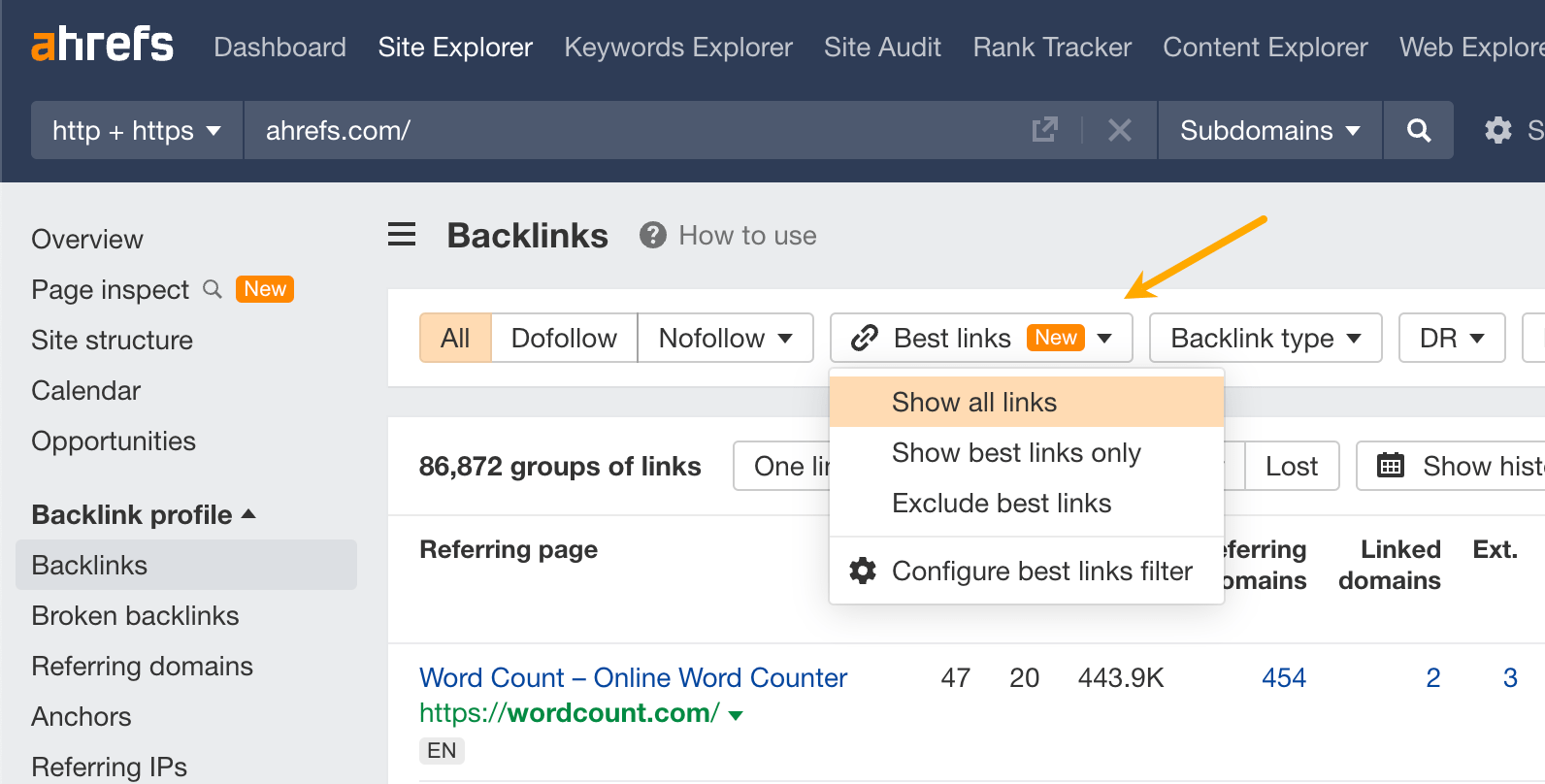
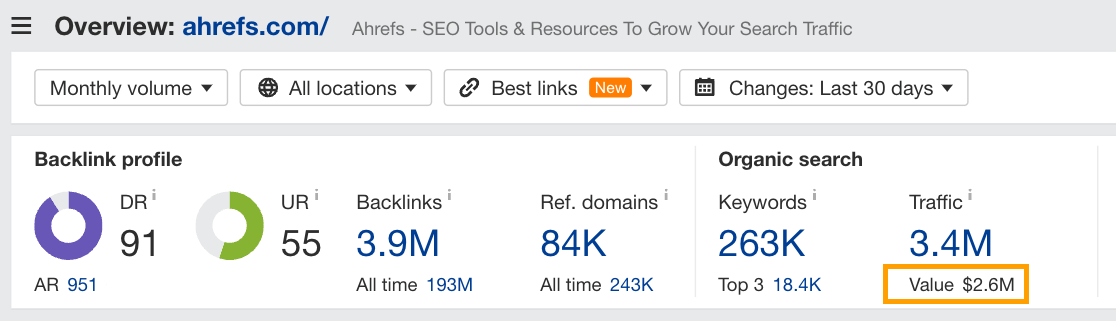
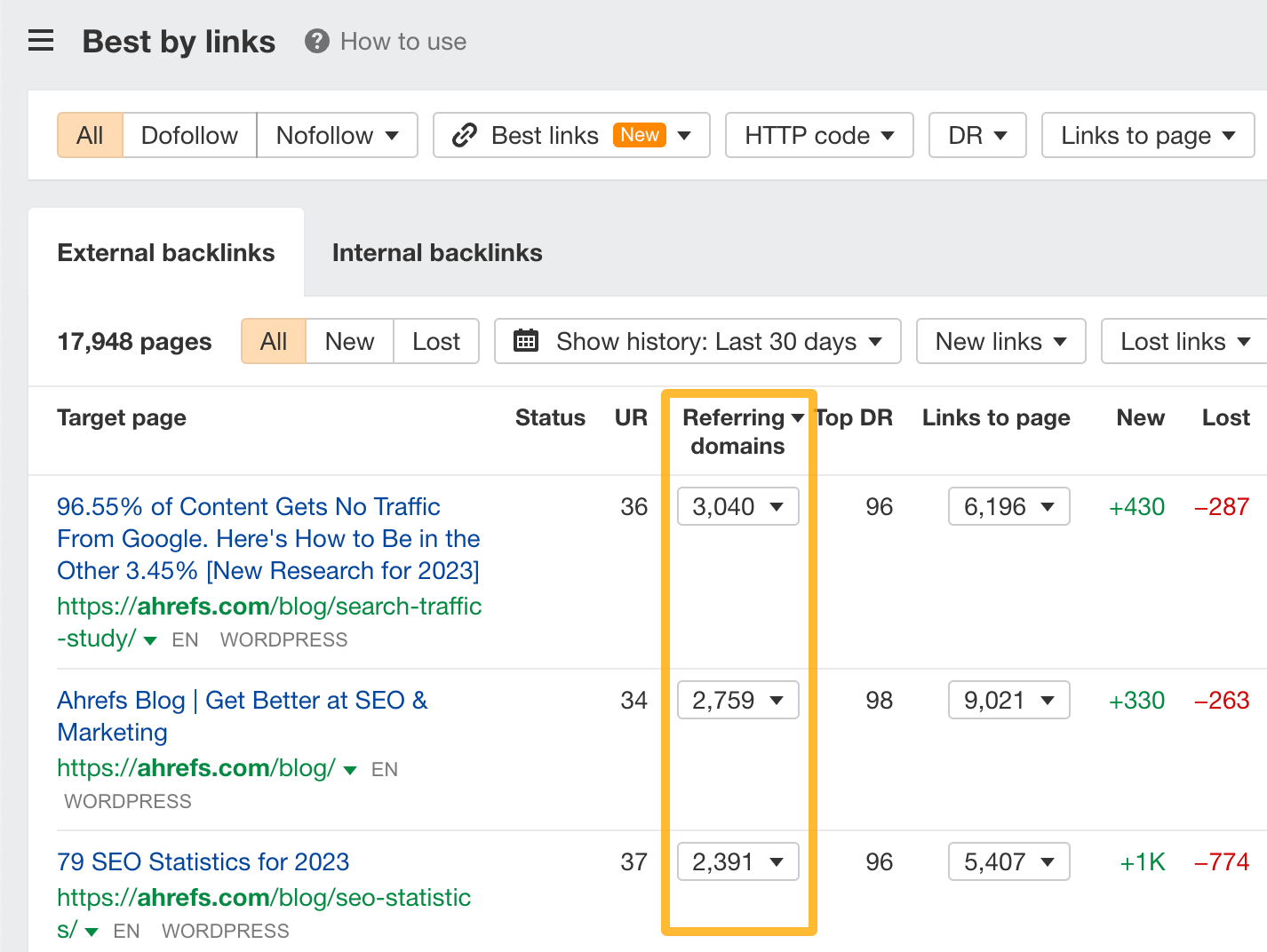
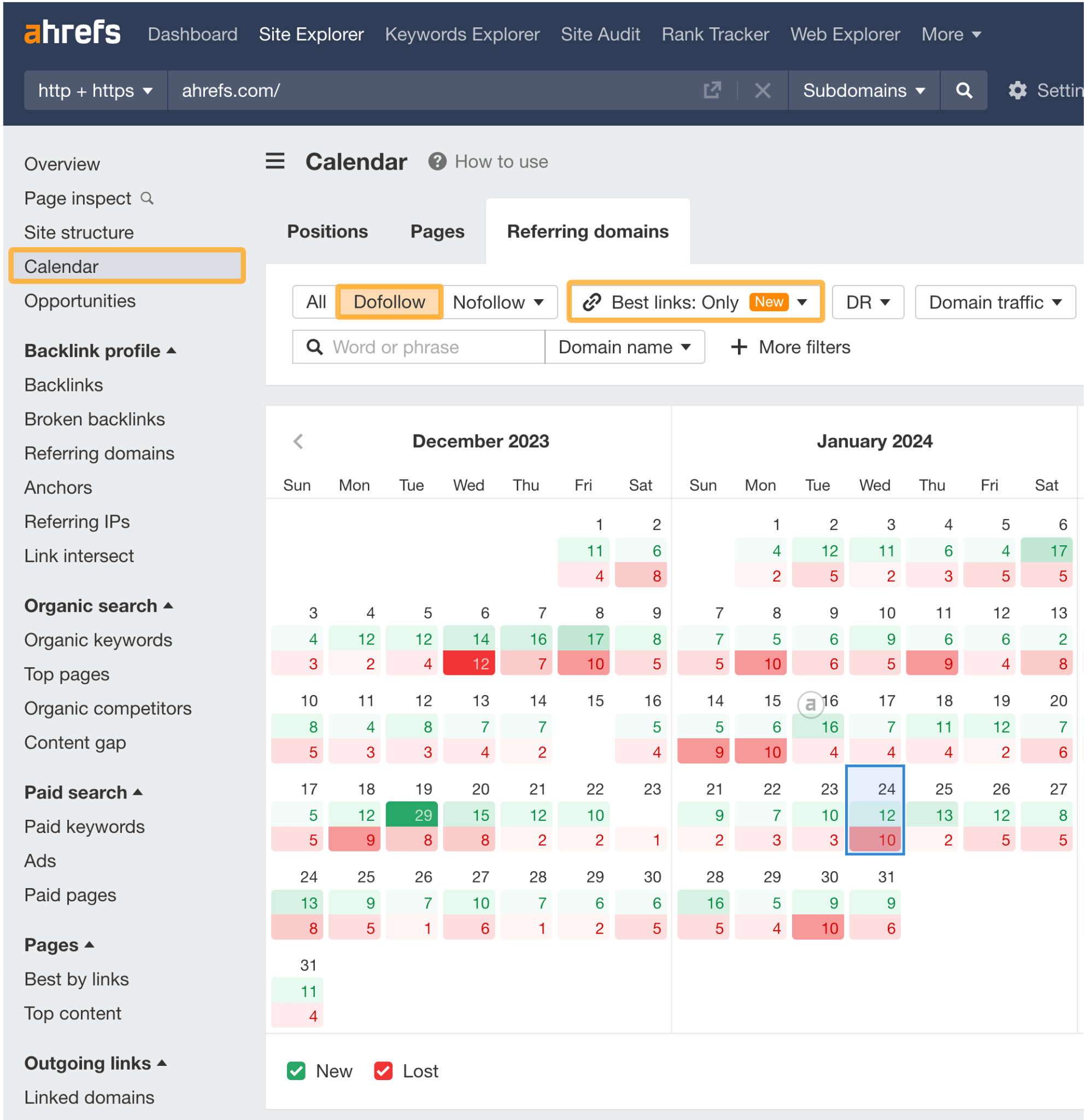
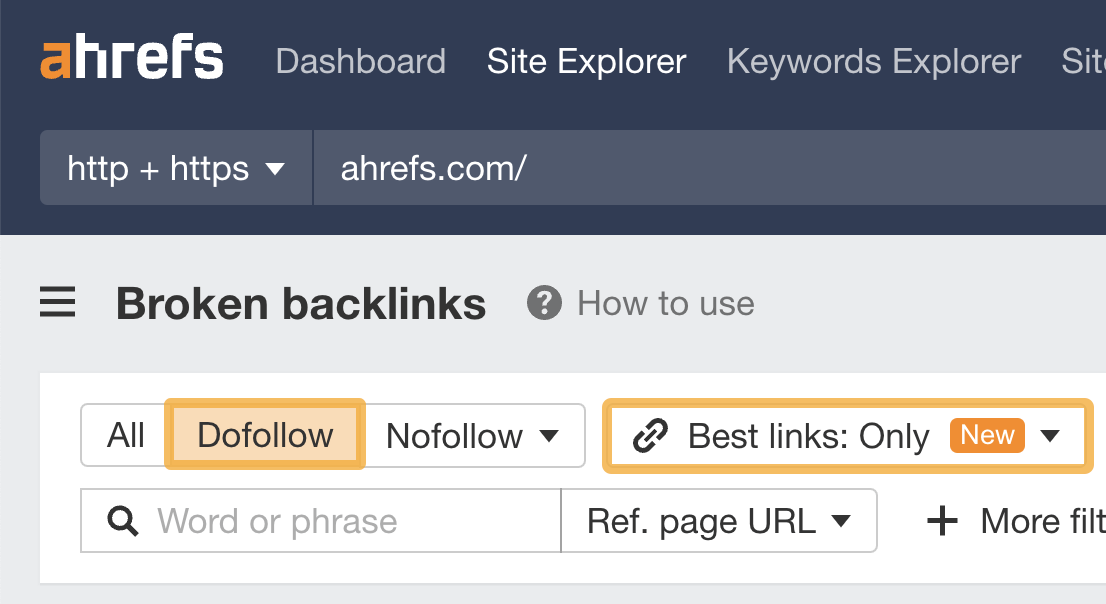
The quality of backlinks matters more than quantity. If you’re an Ahrefs user, you can turn on the Best links mode to see the growth of the most impactful backlinks.
Further reading
Leads measure the content’s effectiveness in converting visitors into prospects.
Typically, this metric is used with either gated content that requires contact information to access or content that encourages the visitor to get in touch, for example, for free consultation.
What we’ve heard from marketers is mostly pretty much the standard:
MQLs (Marketing Qualified Leads): these are potential customers who have shown more interest in what you’re offering than the average visitor by leaving contact information. They might be ready to buy in the future, but they’re not quite there yet.
SQLs (Sales Qualified Leads): these are a step further along than MQLs. They’ve been reviewed by both the marketing and sales teams and are considered ready for a direct sales pitch.
And there was one metric I don’t see very often – high intent leads or HILs, shared by Josh Bradley. These are the people who demonstrate a clear need for a product like yours. Best if they match your ideal customer profile.
The best way to track leads is with a tool that allows for lead scoring and easier handoff to sales (Hubspot and the likes).
5. Traffic
Traffic is the measure of content’s effectiveness in attracting clicks to your site. That’s right, not unique users, just their clicks.
You want to measure traffic only for content that is actually designed to generate traffic. Some social media posts (if not most) or emails won’t fall into this category because they are meant to be digested on the spot with no clear CTA guiding to the site.
The best way to measure traffic is to measure its growth. Marketers do it on a monthly, quarterly, and yearly basis. Shorter time periods are rare since content marketing takes time.
But here’s a pro tip – if you want to see which content landed well, you can take the first 7-day period to identify that content.
“I often measure how much traffic an article received in the first week. It’s a good indicator of how well we ‘launched’ and promoted each article, and which topics were most interesting to our audience.”
Many analytics tools track traffic, but not all of them show you growth, so here’s the formula for traffic growth:
= (Traffic this period - Traffic last period) / Traffic last period * 100%
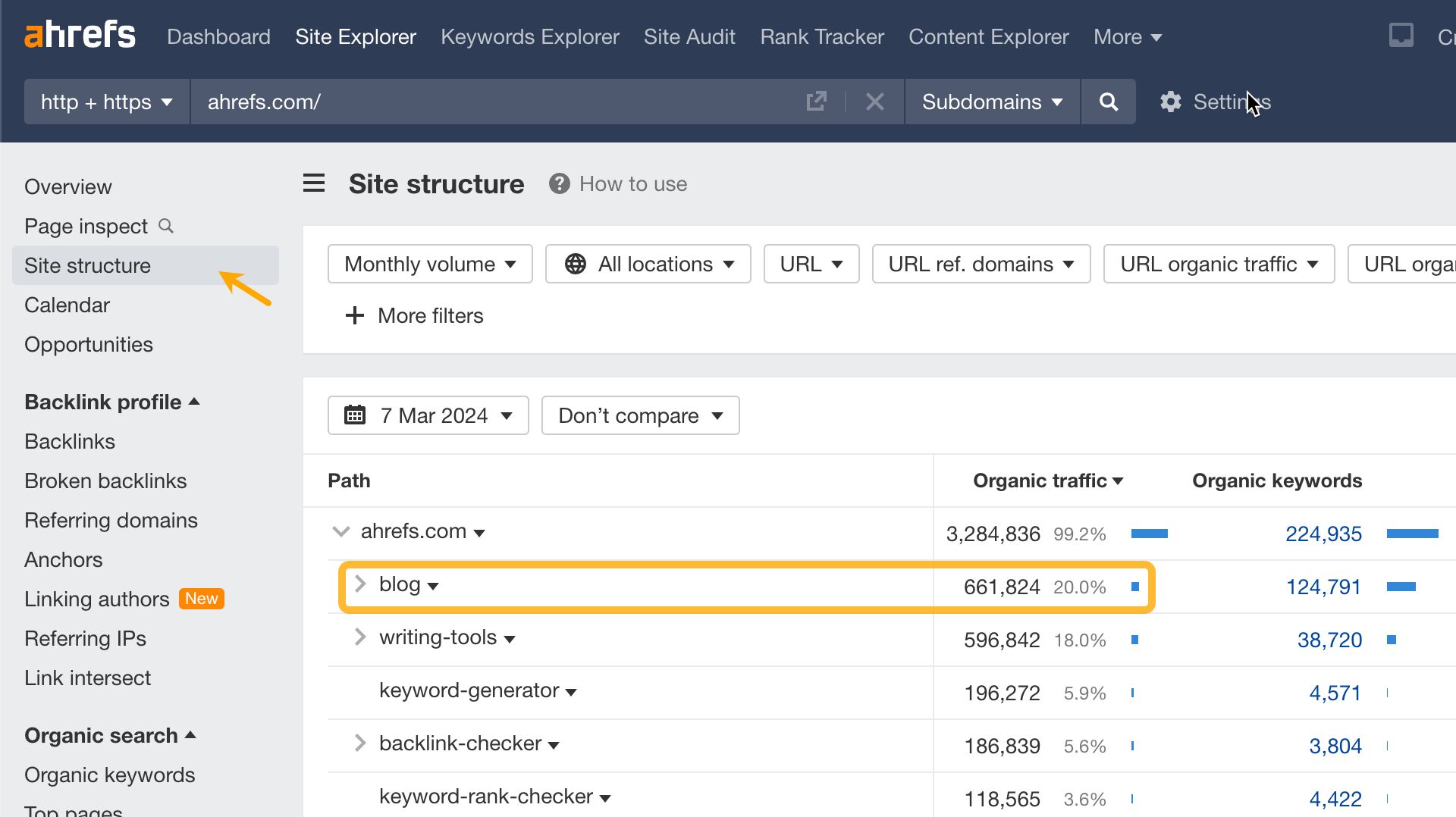
You can also measure the total traffic to pieces or directories of content to compare them or show the impact of the part to its sum. Ahrefs lets you do that in two ways: through Site structure report and by manually choosing which content to group together via the Portfolio feature.
Site structure report.Portfolios feature.
Another reason why you’d want to measure traffic is to measure conversion (more about that in a bit). Traffic is the basis of conversion because it tells how many clicks resulted in sign-ups or sales.
Let’s take a closer look at organic traffic since this type was mentioned to us the most.
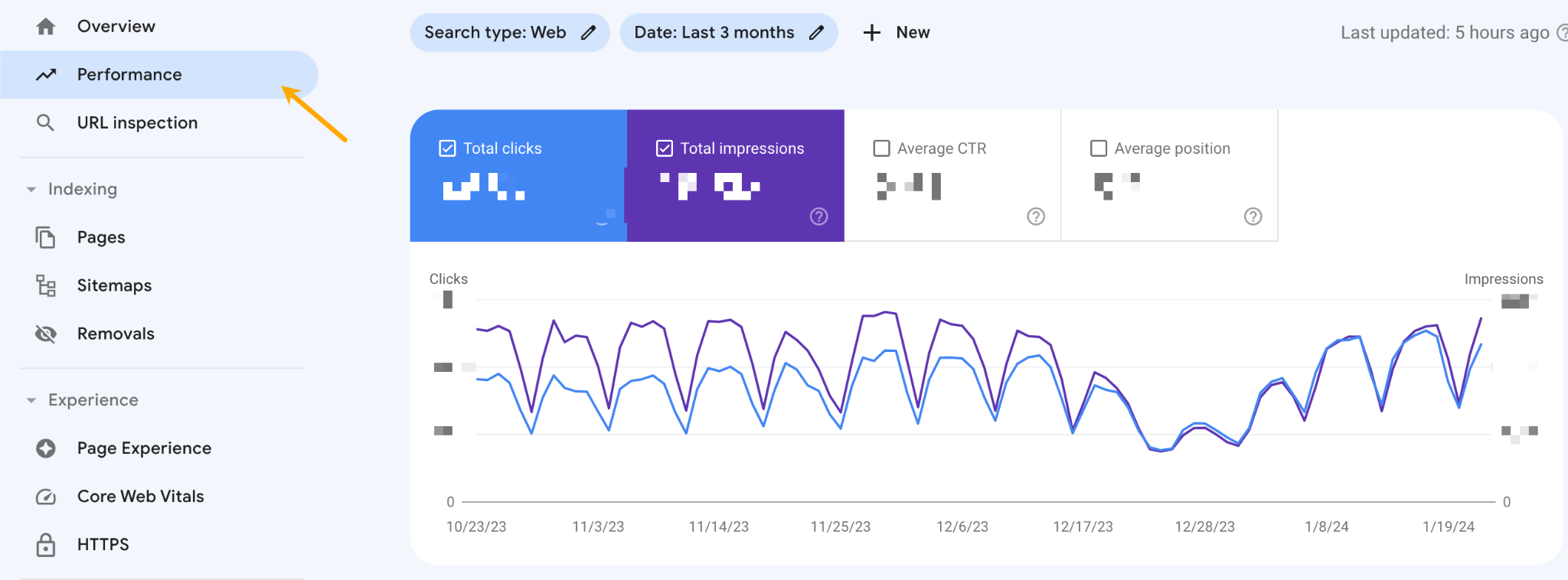
In terms of absolute numbers, the most accurate data will come from Google Search Console. Just open the tool and go to the Performance tab.
However, SEO tools like Ahrefs will give you better functionality despite the metrics being estimations. You can:
Create portfolios of pages or even whole sites to track.
Instantly see how you stack up against competitors.
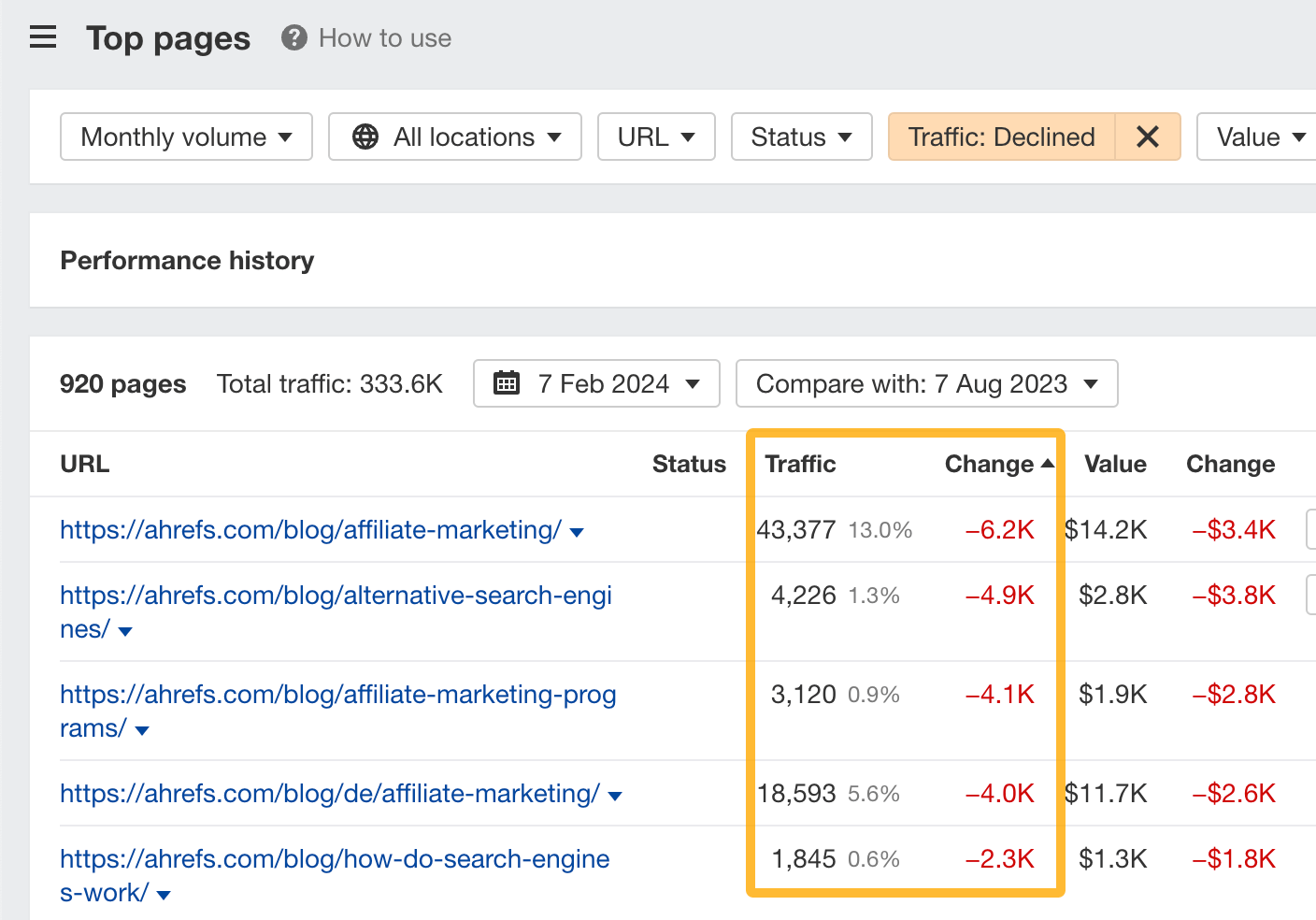
See which pages gained and lost the most traffic in a given period.
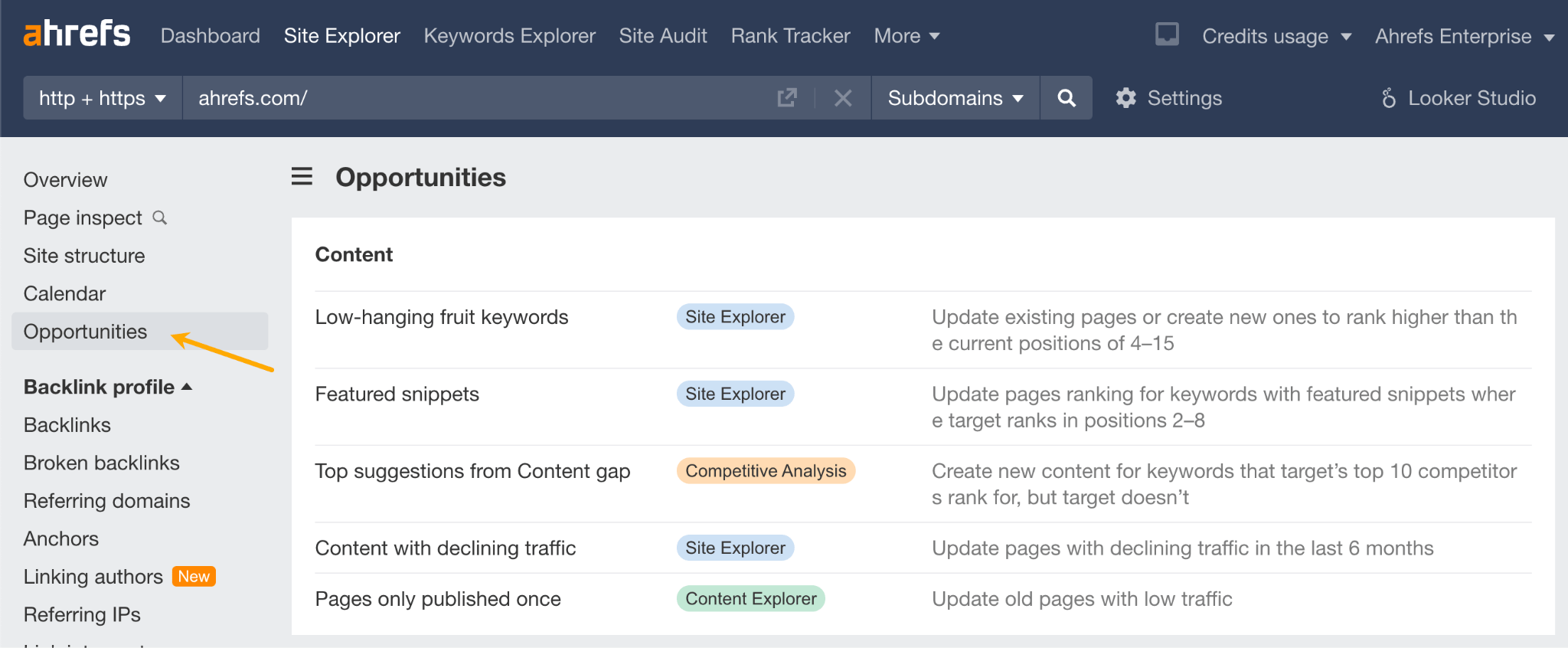
Tracking traffic is just a means to an end, and this is where SEO tools got your back too. In Ahrefs, there’s a nifty report called Opportunities which points you to pages and keywords with a good outlook for improvement.
6. Audience growth
Audience growth shows the demand for more content from your audience.
Social media, email, and podcasts are the channels where you want to measure that.
In terms of the actual metrics, these came up in our poll:
Newsletter subscribers growth.
LinkedIn audience growth.
YouTube audience growth.
No surprises here. Standard metrics, natively tracked on the respective platforms.
At Ahrefs, we track some of these metrics, too. They’re especially helpful for gauging the impact of new types of content.
Generally speaking, if you’re creating relevant and valuable content, the number of subscribers should be growing. But it’s worth keeping in mind that there are some nuances here:
Viewer fatigue. They’ve learned what they wanted, your once-attractive format was viewed once too much; they’ve basically outgrown your channel.
Decreases caused by an algorithm change on YouTube.
You’ve stepped into a niche too far away from their interests.
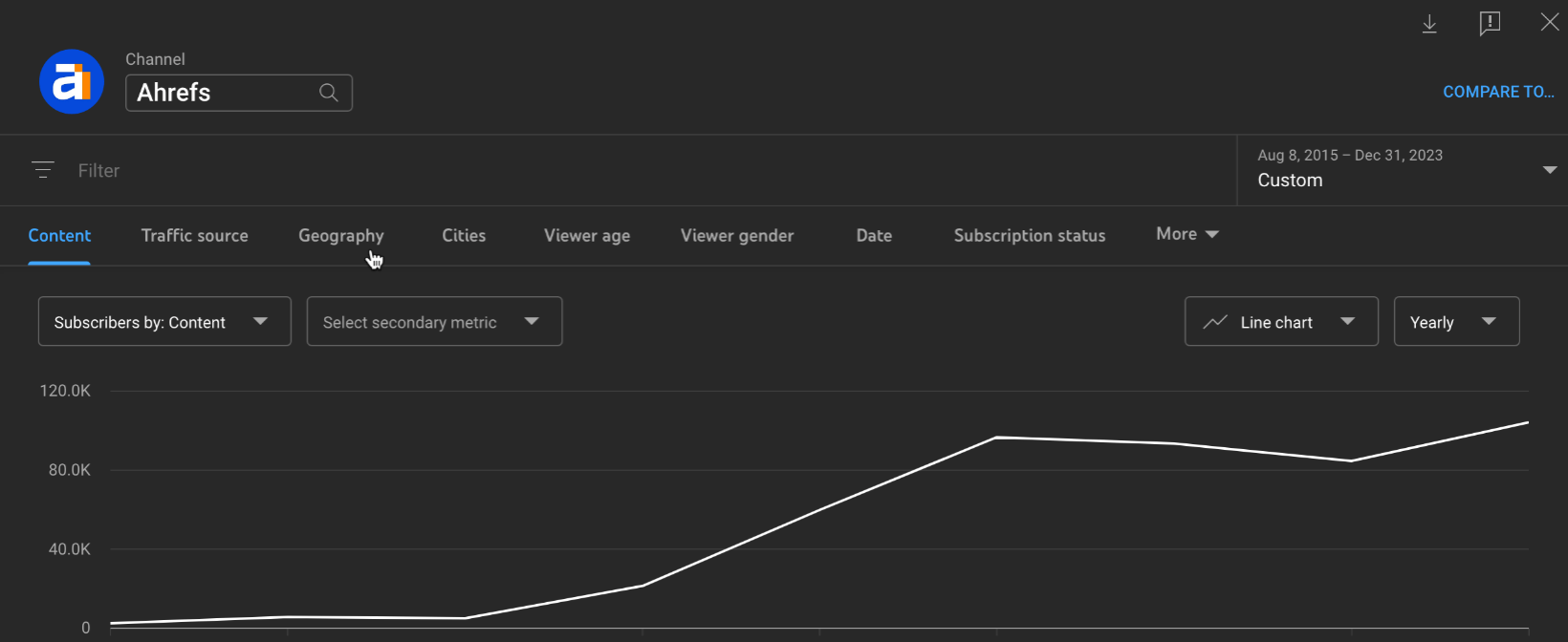
Some types of content or topics have a higher tendency to attract subscribers. For example, most subscribers on AhrefsTV come from our beginner-level content.
Organic growth of subscribers to AhrefsTV
7. Engagement
Engagement is the measure of content’s ability to catch and keep attention.
Engagement is probably the most controversial type on this list. It’s supposed to be a proxy of how interesting/entertaining your content is, but it’s not always reliable since it’s dependent on too many factors:
Audience size.
Algorithm changes.
Time of day.
Relativity of the metrics themselves. Is a long time on the page always a good thing? If you’re putting the most important information above the fold, could you blame content for not being scrolled all the way to the bottom?
Content consumption trends.
We were informed about the following metrics:
Likes and comments on socialmedia (a tip from Nina Cleere, JD).
Email list engagement: how many people open your emails (open rate) and how many click on the links inside them (click rate). Higher than ever unsubscribe rate is also a sign that people don’t enjoy that type of email (a tip from Ryan Robinson).
Time on page: how long people spend reading or interacting with a specific page on your website (a tip from Irene Malatesta).
Scroll: how far down a page a visitor scrolls. In many cases, deeper scrolling should indicate the content is engaging enough to keep readers interested (a tip from Mariya Delano).
One interesting metric we saw was content mentioned in conversations with sales reps. So if the content makes its way into a prospect’s hands and it’s good or helpful enough to be mentioned in a conversation, that’s huge. It’s pure word-of-mouth, comparable to recommending music or a movie to a friend (thanks again for the tip, Sara Stella Lantazio).
Another interesting insight about engagement came from Rohan Hayes. He tracks engagement only for the ideal consumer profiles. Makes sense since this additional dimension of metrics takes the “vanity” out of “vanity metrics”.
8. Conversions
In other words, the direct impact of content on the bottom line.
You could also define it as the content’s ability to generate the most valuable interactions because not all content says “buy”.
Here are some of the metrics we’ve seen in the comments (we added one ourselves).
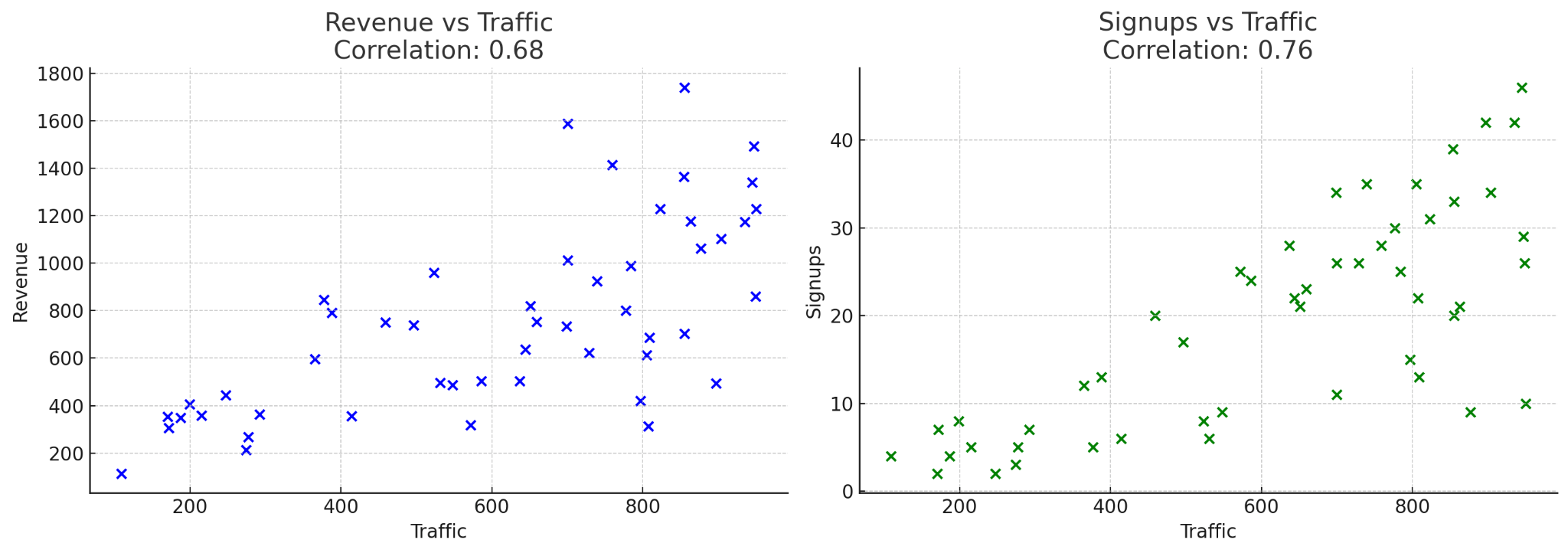
Revenue/signups correlation with traffic. Based on the premise that as more people visit your site, you have more opportunities to convert visitors into subscribers or paying customers. It’s an elegant concept because it escapes the problems of attributing specific content to conversions (a tip from Nick Jordan).
Conversion growth from the bottom of the funnel content. This type of content can significantly impact sales, as it targets users who are already considering buying and just need that final nudge (a tip from Samantha North).
First page seen to paying customer. If your content is the first page a visitor has seen and then converted into a customer, that means the content works (a tip from Bojan Maric).
Content downloads. This refers to the number of times visitors download something from your website, like an ebook, or a whitepaper. High download rates can signal that your audience finds your content valuable (a tip from us).
Tip
For detailed data insights, like linking revenue to website traffic, ChatGPT can help. Simply ask, “Analyze this data, calculate and visualize the correlation between [data points].” This straightforward request provides clear, convincing results.
Final thoughts
Just one more thing before we wrap this up – not all of these metrics were tracked by all marketers.
This means that content strategies differ, and it’s ok if some of these metrics don’t make sense in your strategy. Take your time and choose the ones that do.
The formula for calculating ROI is so simple that I’ll share it right here, in the article introduction:
((Return from content − cost of content) / cost of content) * 100
If your content marketing generated $10,000 in sales and cost $2,000 to create, that’s an ROI of 400%:
(($10,000 - $2,000) / $2,000) * 100 = 400%
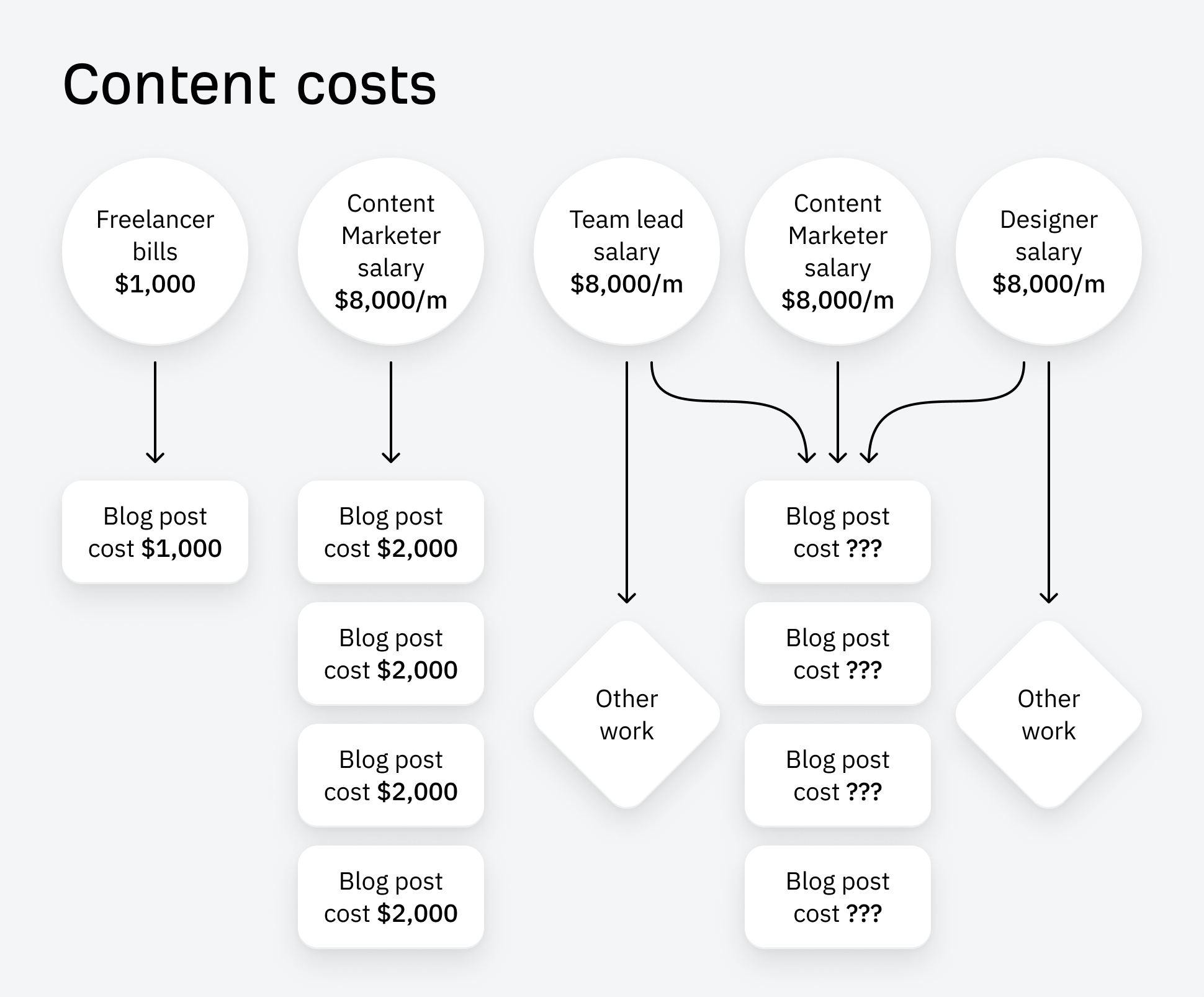
Although the math is simple, actually doing this exercise in real life is tricky, for a few reasons. The most important: it’s pretty hard to put a dollar value on every single benefit of your content marketing.
I’ll explain why, and then show you 3 practical methods for quickly working out your content marketing ROI.
2. The value of content is hard to measure
The most obvious benefit of content marketing: it attracts new customers. We can theoretically add up all the new customers who found and bought our product because of our content marketing, and work out how much money they spent (I explain how in the next section).
But content has lots of other benefits that are less easy to measure. It can:
Encourage upsells and expansion. By sharing product tips and new use cases, content can provide the nudge needed to turn free users into power users, or “Lite” plan customers into “Advanced” plan users—like My 5 Favorite Ahrefs Use Cases for Content Marketers.
Save money on customer support. Content can help answer customer questions before they become support queries, like the many guides we’ve published to help users understand how metrics like Traffic Value are calculated, and how they can be used.
Build brand recognition and affinity. Content can give your brand a voice, sharing the motivations and beliefs that underpin the products or services you sell. We generally like to buy from companies we respect, so “brand affinity” can make a real difference to the bottom line.
Makes paid search advertising more effective. Sending paid search traffic to articles instead of “traditional” landing pages can reduce the cost of clicks (something we’ve done for articles like our guide to keyword research).
Help other pages perform better. A page that generates a ton of backlinks but no sales (like our list of SEO statistics) can still contribute to revenue by helping other “money” pages rank better for their target keywords.
Many of these benefits are virtually invisible—how do you measure support queries that content stopped from existing?—but very real. No matter how you calculate ROI, there’s a good chance you’ll be undervaluing its impact.
Which brings us to our next complication:
3. Attribution is tricky
Working out the role content played in a sale is called “attribution”, and it’s pretty tricky to pin down.
Did someone convert because of an article or in spite of it? When they read multiple articles, which had the biggest impact? If someone buys because of an advert, should we still credit the blog post they read beforehand?
Customer journeys are also rarely as straightforward as we’d hope. One person might read 50 articles and never buy anything; another might read a single article, disappear for a year, and immediately buy. What role did content play in those journeys?
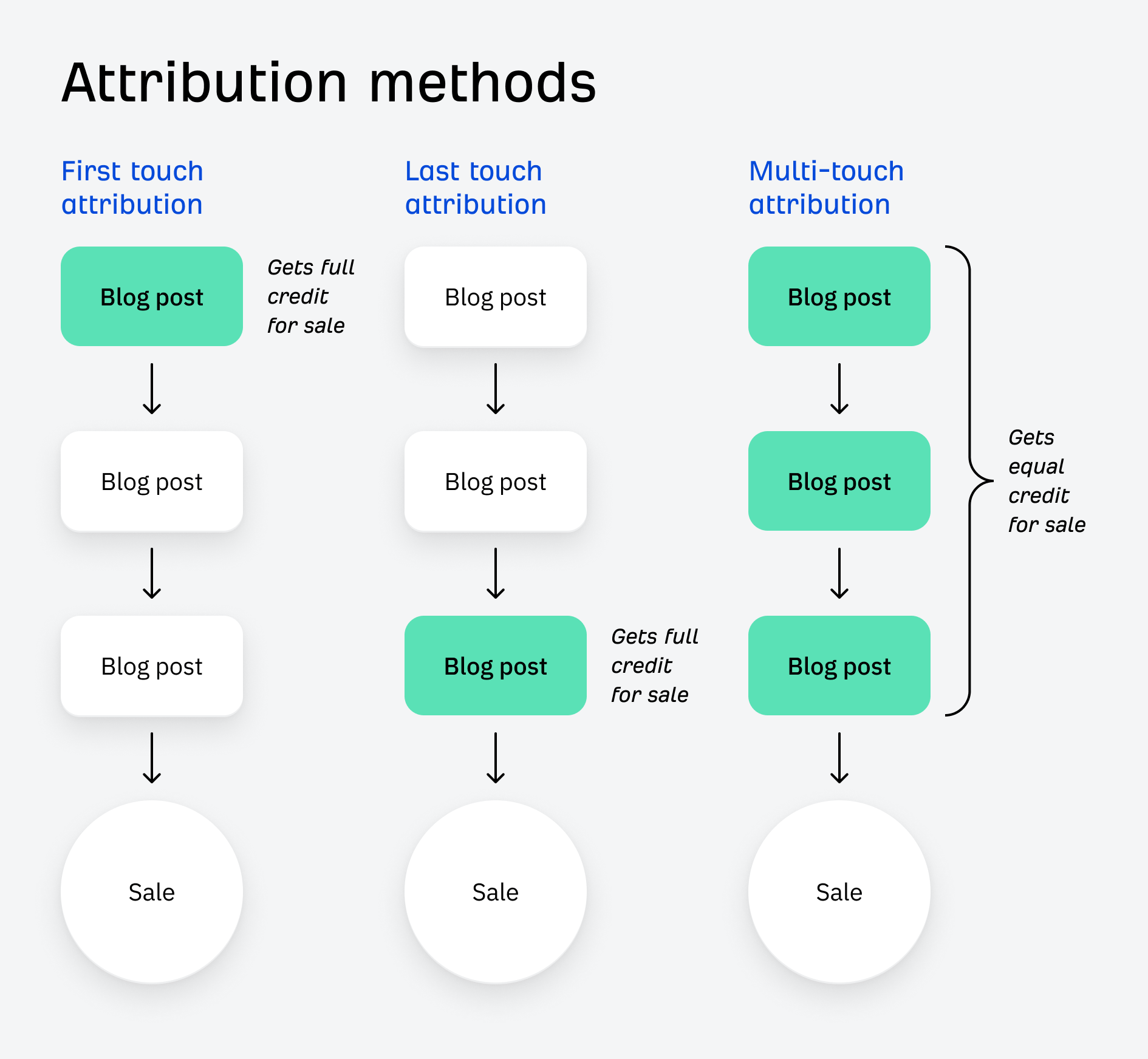
There are different ways of measuring attribution to help with some of this uncertainty:
First-touch attribution credits the first piece of content a visitor engages with before converting.
Last-touch attribution credits the last piece of content.
Multi-touch attribution tries to credit every piece of content that was involved in the buying process.
But in all cases, attribution is never perfect: we just can’t measure every interaction someone has with our content.
3 practical methods for calculating ROI
ROI is complicated, but that shouldn’t stop you from trying to calculate it. Here are three simple methods for quickly working out how much “value” you get from your content. To work out your content ROI, just plug these numbers into the ROI formula at the start of the article.
1. Conversion analysis
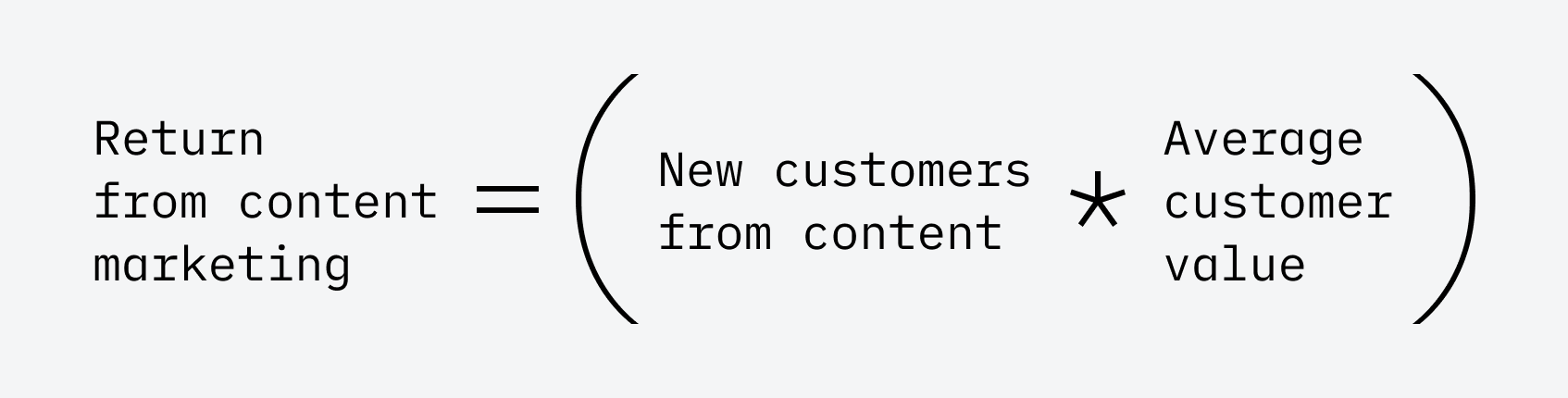
In a perfect world, we would know exactly how much revenue each and every blog post generated for our business. To calculate ROI this way, we can use a formula as follows:
Return from content marketing = (New customers from content * ACV)
To work this out, we need to calculate the number of new customers generated by our content in a given period. If you don’t know this figure, you’ll need to set up some kind of conversation tracking in software like Google Analytics, allowing you to track the number of people that complete a desired action on your blog post (like filling in a form or starting a free trial)
Further reading
In most cases, visitors won’t buy directly from your blog post, so you’ll need to track:
The number of conversions generated by your content (e.g. free trial signups or demo requests), and
The number of those conversions that went on to become paying customers.
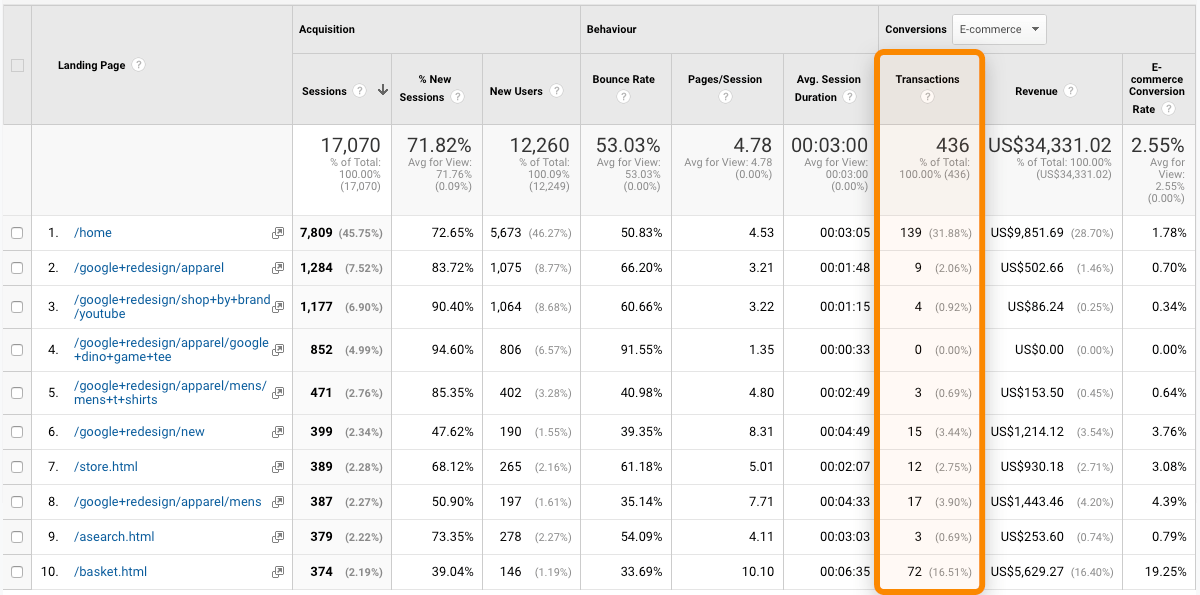
In the image below, we can see which pages visitors land on before purchasing a product. We can also see the conversion rate and the revenue attributed to the conversions:
Next, we need to calculate ACV: average customer value. This refers to the typical amount that customers spend with our company over the course of their relationship with us.
If we sell one product, and most customers buy just once, our ACV will be the price of our product. If we offer multiple products or add-ons, and customers buy regularly or set up subscriptions, then our ACV will be a lot higher.
Let’s assume that our conversion analysis shows that we had 1,000 free trial signups from our content in February, and 100 of those free trials became paying customers. If our ACV is $2,000, we can plug these numbers into our formula to calculate a return from content of $200,000:
(New customers from content * ACV) = 100 * $2,000 = $200,000
This method is the gold standard of ROI calculations, but (because of the problems mentioned above) calculating ROI like this can be extremely complicated.
2. Lifetime traffic value
At the other end of the spectrum, here’s a quick and easy method that takes about 30 seconds using Ahrefs:
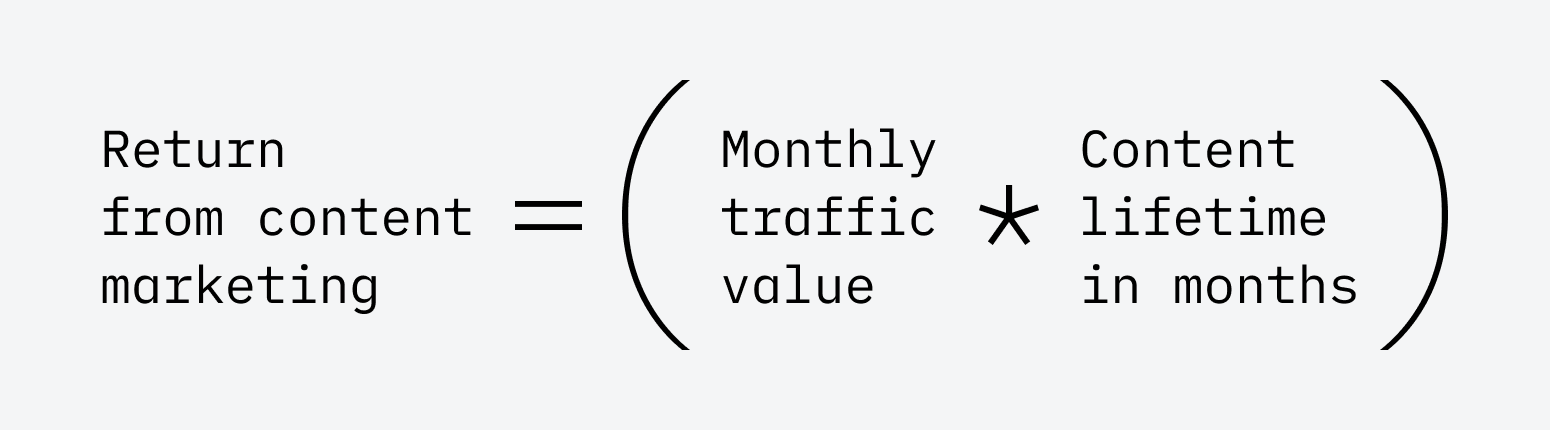
Return from content marketing = (monthly traffic value * content lifetime in months)
Instead of working out how much revenue we’ve generated from our content, this method estimates how much money we’ve saved by ranking organically for keywords instead of paying for advertising.
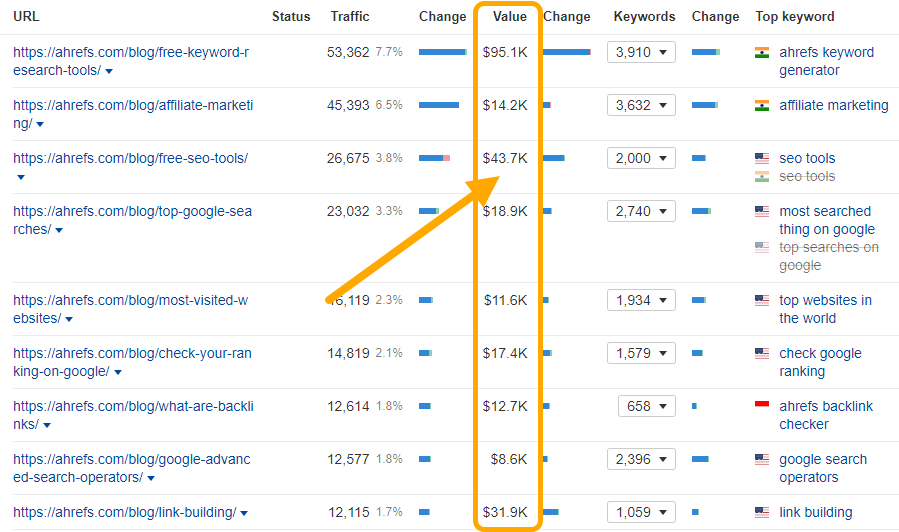
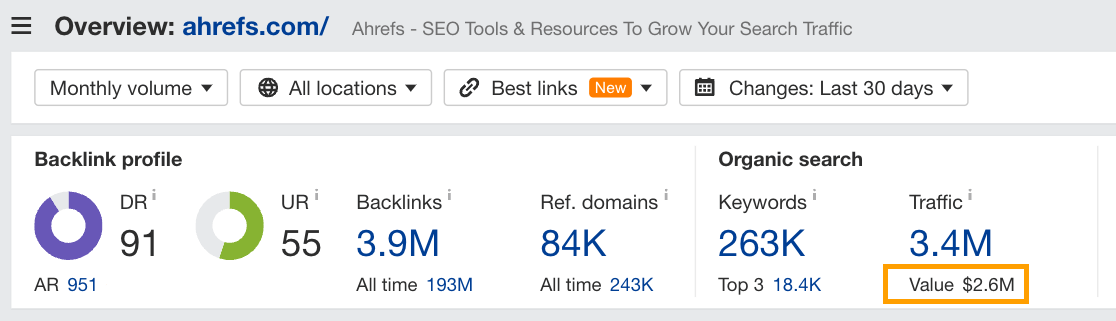
In Ahrefs, you can estimate the Traffic Value of any article—the amount it would cost to generate the same traffic via Google Ads, instead of SEO.
Below, we can see that it would cost an estimated ~$44k to “replace” the traffic to our list of free SEO tools using ads:
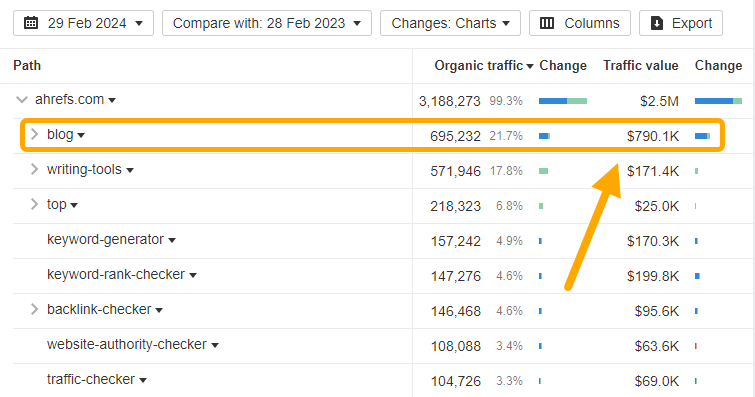
If we add up the traffic value of all the pages in our blog, we have an estimated monthly traffic value of $790,000:
Put another way, if we used paid advertising to get the same amount of visits from the same keywords, we’d need to spend around $790,000 on ads, each and every month.
Most content is useful for longer than a single month, so we can multiply this monthly traffic value by the expected useful “lifetime” of our content. If we use two years as a starting point, that gives us a lifetime traffic value of $18,960,000:
We have over 2,000 blog articles at Ahrefs, and we were probably never going to spend $19 million on paid advertising. But this calculation allows you to assign a dollar value to your content in a matter of seconds. It’s particularly useful if your company recently switched from a heavy reliance on paid advertising to content marketing, letting you show off the money you’ve saved from the switch.
3. Signup attribution
Let’s wrap up with a best-of-both-worlds approach, very similar to how we calculate ROI at Ahrefs:
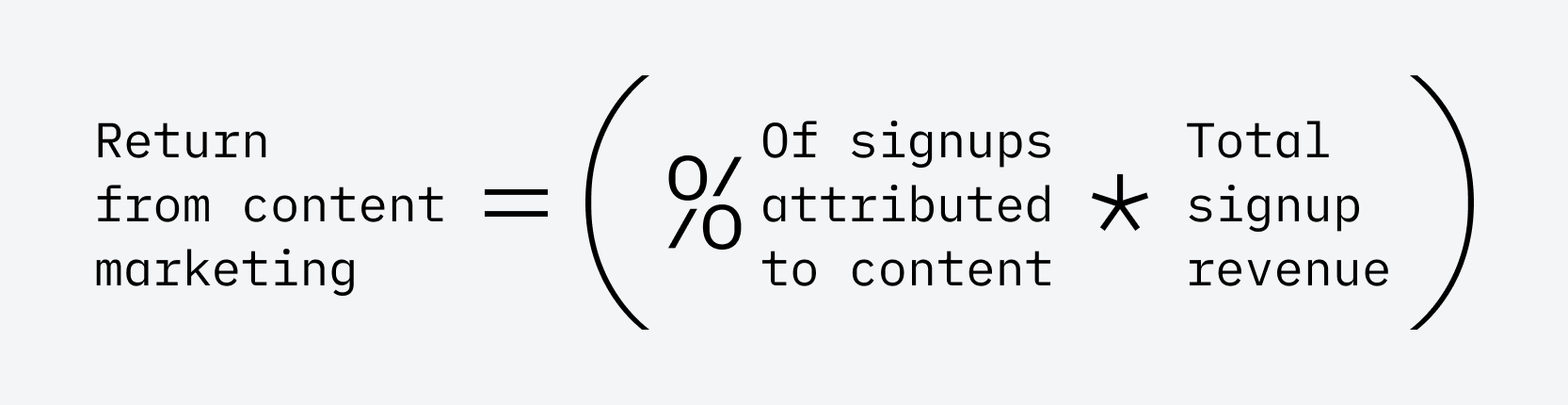
Return from content = (% of signups attributed to content * total signup revenue)
Whenever a new customer signs up for Ahrefs, we ask them a question: Where did you hear about us?
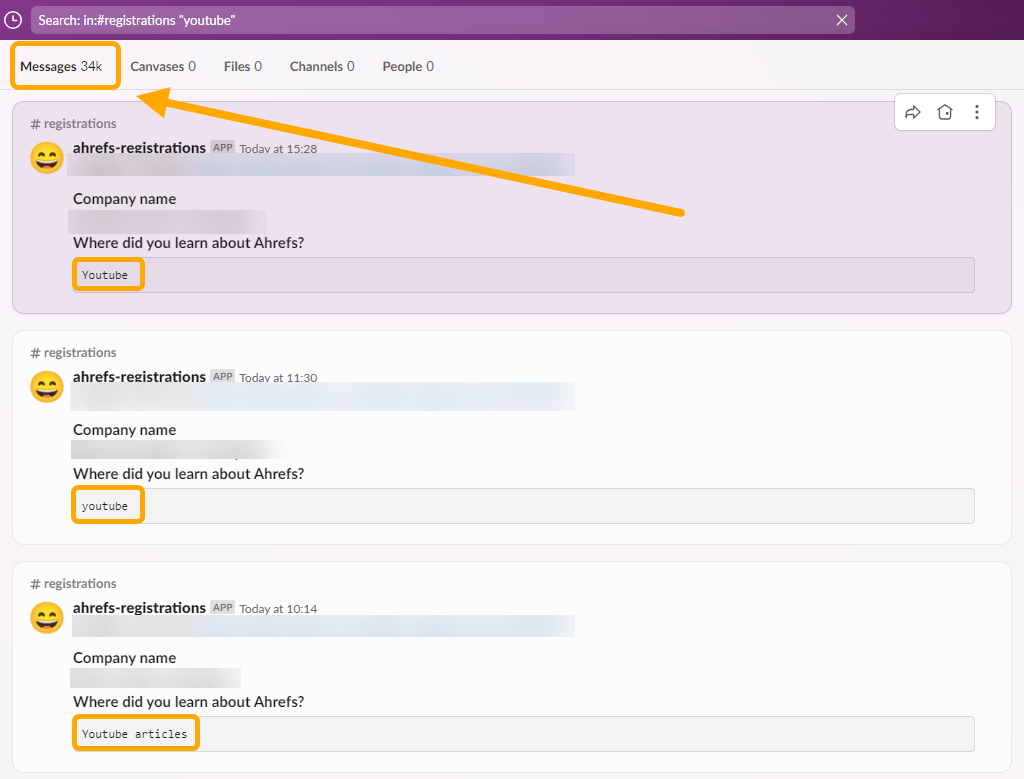
Their answer is piped into a dedicated Slack channel, #registrations, which gives us a live feed of new signups and, crucially, how they discovered Ahrefs. Sam, our VP of Marketing, regularly uses this feed to work out the percentage of total signups that can be attributed to his YouTube content.
If I head to #registrations and run a search for signups that mentioned “youtube”, we can see over 34,000 people that directly attributed their discovery of Ahrefs to Sam’s video content:
We can use this to estimate content marketing ROI: if 33% of all respondents in a given month attribute their signing up to YouTube, it would be fairly reasonable to assume that 33% of all signups came from YouTube, and that 33% of all new revenue should be attributed to our video content efforts.
If we assume a theoretical monthly revenue of $300,000, and that 1,000 of a total 3,000 signups could be attributed to “YouTube”, we can plug these values into our formula for a return on content of $100,000:
(33% of signups attributed to content * $300,000) = $100,000
This method will underreport the number of signups generated (people might misspell YouTube, or say “videos” instead, or most likely, not answer the question at all). The relationship between new signups and new revenue might also be more complicated than we assume here (if you have lots of free users, for example).
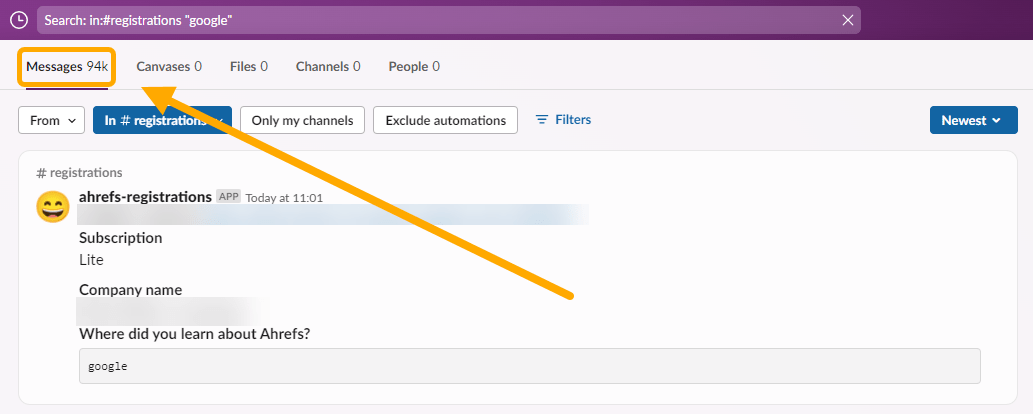
But it has the benefit of making it easy to compare to other marketing channels. If I search for “google” in the same #registration channel, I see 94,000 mentions—bigger than Sam’s 34,000 YouTube mentions:
(Although he’s definitely catching up…)
Final thoughts
There are tons of ways to measure content marketing ROI, and none of them are perfect. But for practical purposes, they don’t need to be.
Metrics, like content marketing ROI, are most useful as directional indicators. Instead of obsessing over perfect calculations, it’s better to choose a simple methodology, stick to it consistently, and see how it changes over time.
For many SEOs in agency, in-house, or enterprise roles, 20% of their job is actually doing SEO, the other 80% is about soft skills like getting buy-in.
I always say that 20% of my job is actually doing the SEO, and 80% of communicating, getting buy-in, and moving the boulder so that [stakeholders] can succeed
At Ahrefs, multiple team members have worked in these roles, so we’ve compiled a list of our top tips to help you get more buy-in for SEO projects.
1. Find decision-makers: Discover who calls the shots
Start by identifying all the key influencers and decision-makers within the organization. You can check out the company’s org chart to figure out who’s who and who calls the shots on projects that impact SEO.
The executive team will likely be at the top of your list. But, we recommend working your way up to getting buy-in from executives by first working cross-functionally with decision-makers in engineering, product, editorial, marketing, or web accessibility teams.
They can each help you implement small parts of SEO that together can be a sizable contribution to the overall SEO strategy. They can also support your requests for funding or initiatives you pitch to executives later on.
To build relationships with decision-makers in these teams, consider the following:
Who’s in charge of budgets and projects? → Learn what they’re working on and how you can help each other with specific projects.
What do they care about? → This is the “what’s in it for me” factor. Align your SEO recommendations and requests to these things.
How can they help implement your SEO recommendations? → Identify the 20% of SEO they can easily help with using current resources.
Here’s an example of what that might look like:
Who’s in charge?
What do they care about?
How can they help implement SEO?
Engineering
Jane Doe, Head of Engineering
Jane cares most about rolling out new features on time and minimizing bugs.
Jane’s team can resolve many high-priority technical SEO errors if she sees them as bugs.
Editorial
Joe Blogs, Senior Editor
Joe cares most about publishing quality, brand-relevant content that leads to sales.
Joe’s team can create or optimize SEO content with buying intent to maximize traffic on commercial queries.
2. Adapt your language: Opportunities excite, orders irritate
Too often, SEOs lead with “I need X…” and end with “…for SEO”. Cue dramatic groans that echo company-wide.
Adapting your language and how you communicate is a minor action that can lead to big results in your mission to get buy-in for SEO. Communicating only what you need can often come across as an order and feels like extra work for someone else. Plus, it gives them no sense of why they should care or what’s in it for them.
Try this instead…
→ Highlight opportunities: “There’s an opportunity to do X that helps with your goal of Y”
→ Leverage FOMO: “If we don’t do X, you’ll miss out on Y”
→ When speaking to executives: “I intend to achieve X by doing Y”
Sidenote.
“I intend” is one of my favorite takeaways from the book Turn the Ship Around. I highly recommend the read!
It also helps to give your project a fancy name. Every time you talk about the project, mention the name, repeat key facts, and highlight the most exciting opportunities the project opens up.
Repetition is gold as it helps non-technical stakeholders tie goals and results to an otherwise intangible initiative.
3. Modify your metrics: Go from SEO-specific to MBA-level
Most executives and department heads have no context for understanding SEO metrics like search volume, share of voice, or even organic traffic.
They don’t have an existing mental model to connect these numbers to. Therefore, when we start sharing SEO-specific numbers in meetings, many non-SEO stakeholders can’t easily approve specific actions or know how to make the right decisions—all because they can’t connect the numbers they’re already familiar with to the conversation about SEO.
Easy fix. Modify the metrics and actions you talk about to those that non-SEO stakeholders already understand.
For example, executives are likely churning over and obsessing about MBA-style metrics. CEOs think about things like revenue, market share, and profitability. Sales managers care about MQLs, SQLs, and so on.
Here are some examples of how to translate SEO lingo for non-SEO stakeholders. These are inspired by Tom Critchlow’s interview on Voices of Search.
Monthly traffic → Lifetime traffic value e.g., “By creating X content, we can get Y monthly traffic predict Y lifetime traffic value.” HINT: Multiply Ahrefs’ Traffic Value metric by 60 to get a 5-year estimate, a common timeframe for calculating lifetime metrics.
Share of voice → market share e.g., “By doing X, our share of voice SEO market share has grown Y%. We’d like funds to do more of X.”
Traffic growth → revenue growth e.g., “We can grow organic traffic predict Y% revenue growth from SEO if we hit X traffic targets. These are the project milestones that will get us there…”
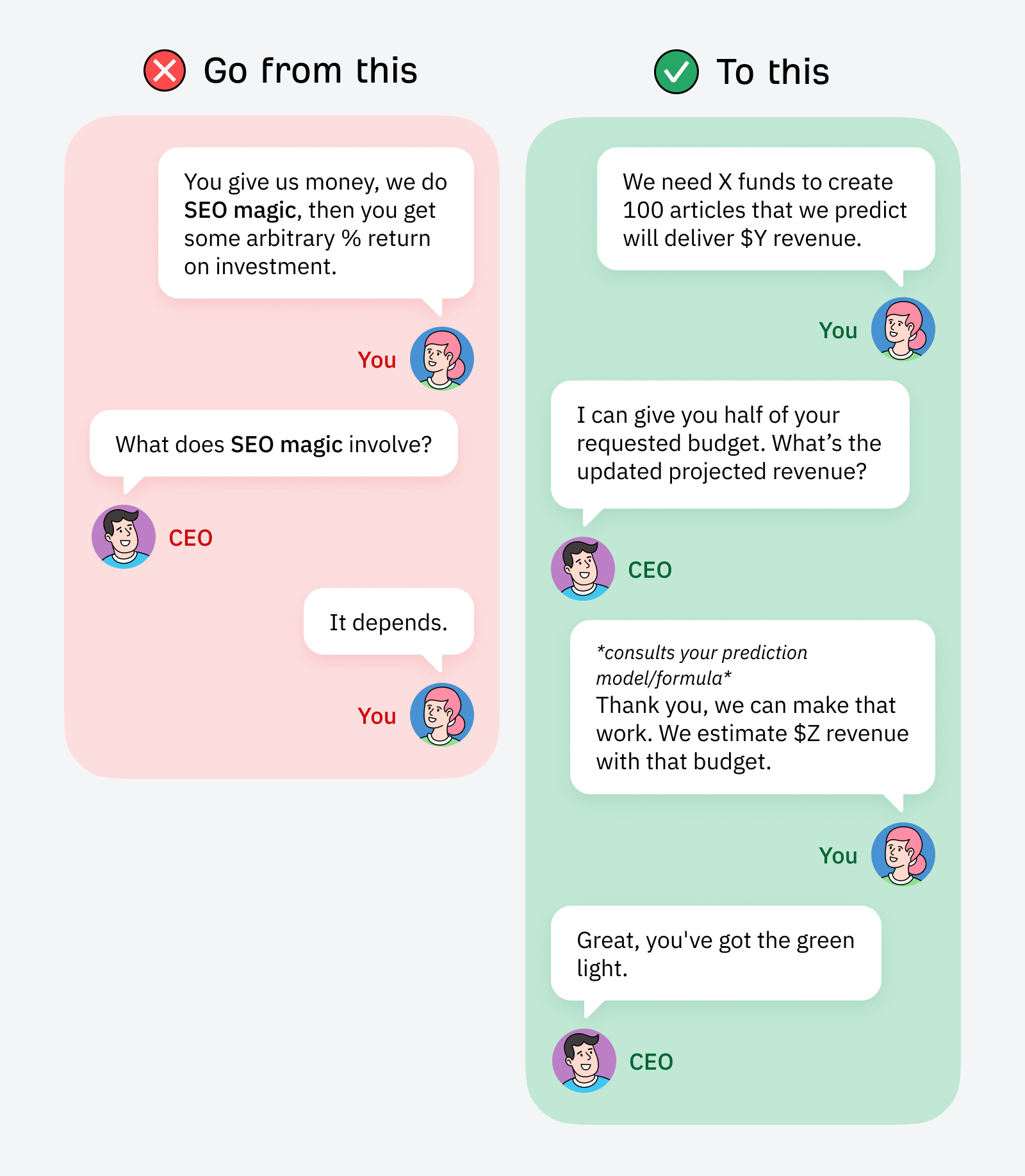
It depends → forecasts e.g., CEO asks “What’s it going to get us?”… “It depends. I made a model that forecasts approximately X% growth in Y months.”
It doesn’t matter what specific metrics are used in your organization. You can adapt SEO metrics to the ones everyone in the company is already thinking about. The main goal of doing this is to take SEO from being a mysterious “black box” activity to something measurable and relatable to non-SEO stakeholders.
4. Debug SEO: Use language engineers understand
Devs and engineers are essential SEO allies within any organization. And while you can often skip the lengthy relationship-building phase and jump straight into tech fixes, how you frame your requests still matters.
Don’t be the kind of SEO that constantly gives them extra work “because it’s good for SEO.”
Instead, tie in your requests to what they care about. Fixing bugs is an easy approach to take here because devs already understand and care about these things for reasons unrelated to SEO.
If pages can’t render, that’s a bug. If there are content differences between mobile and desktop, that’s a bug. Anything that needs improvement in Ahrefs’ Site Audit is, you guessed it, a bug.
That said, not all bugs are created equal. If you bother devs with a load of super minor or unimportant issues 24/7, they’ll learn to ignore you. So, make sure to prioritize and only ask for bug fixes that matter.
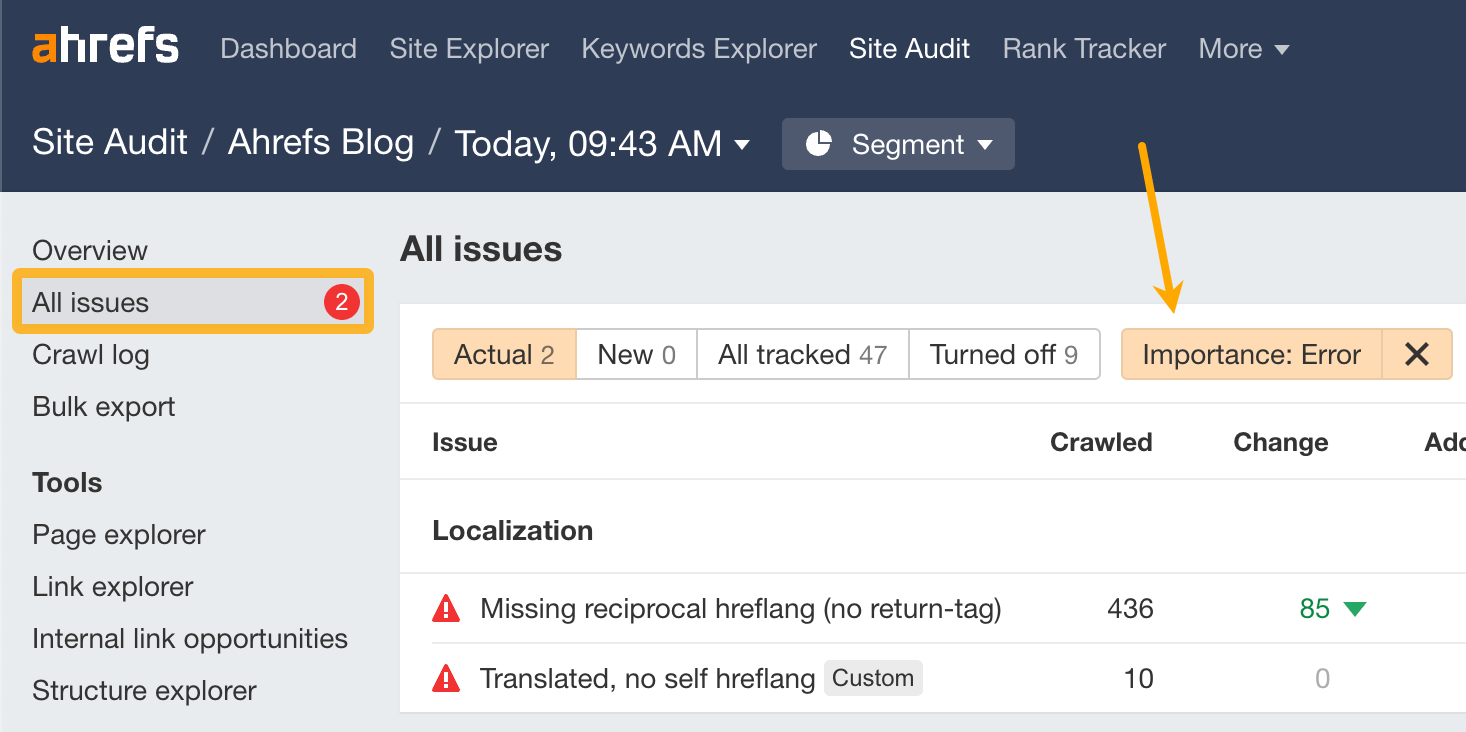
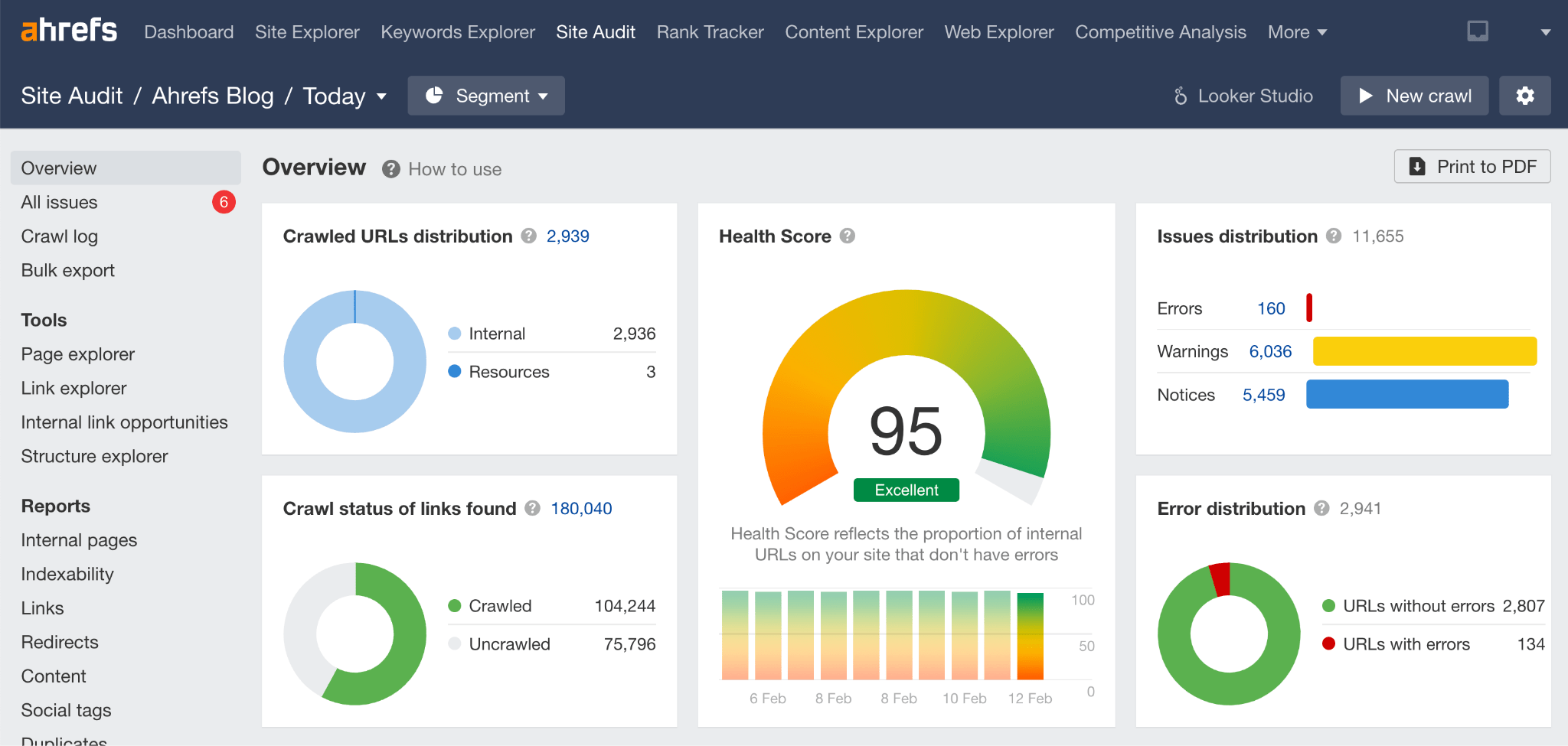
You can easily do this by filtering your Site Audit results by importance:
Submit:
Errors as high-priority
Warnings as medium-priority
Notices as low-priority
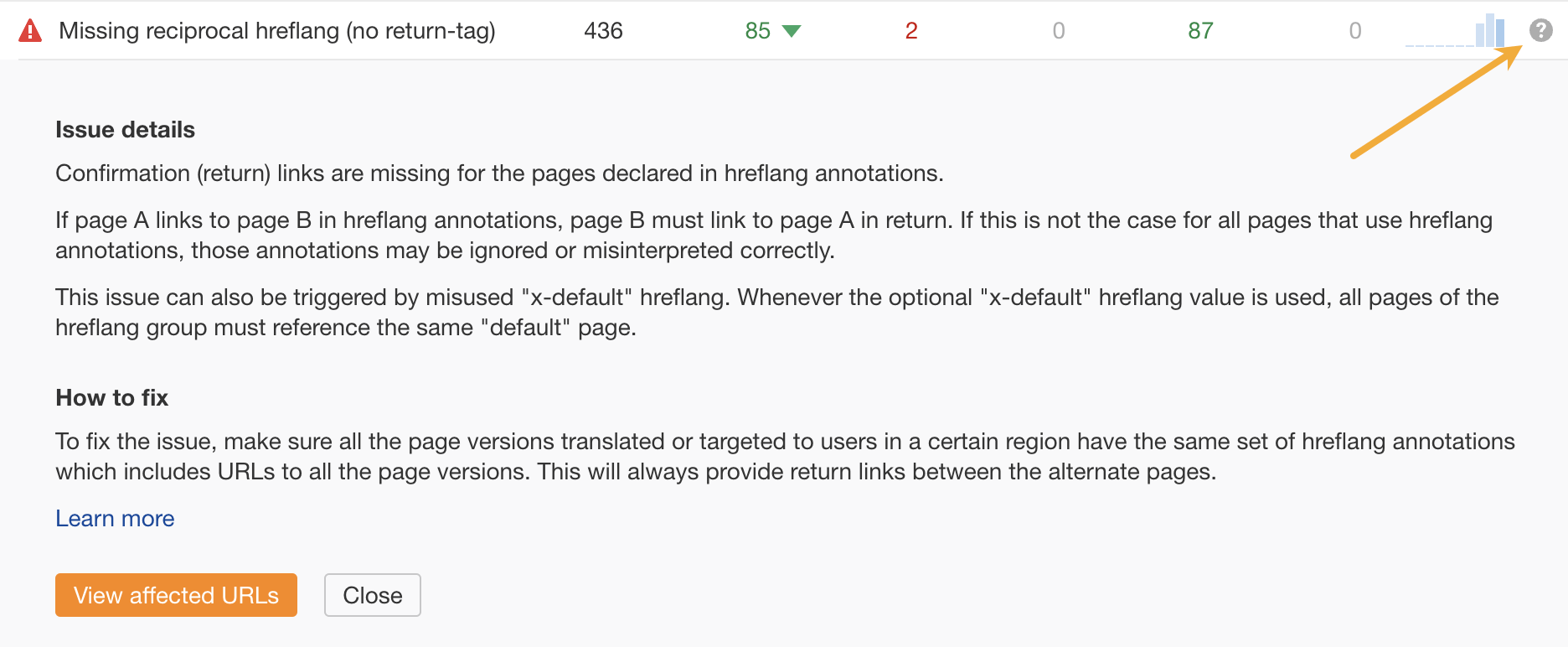
You can also show your dev team how to interpret each issue listed and find the steps they can take to fix them by clicking on the “?” next to specific issues.
5. Gather intel: Scope first, then pitch
Too many SEOs pitch projects without considering everything that’s needed to make them happen. You’re more likely to get buy-in if your pitch is specific and shows decision-makers the exact details around things like the project’s cost, resources required, and expected timelines.
For example, say you need 100 articles published within three months. Make sure you chat with your editorial and development teams first. See if they can fit this project in and what resources they need to make it happen.
Then, build those resources into your pitch:
→ Instead of: “I’d like to publish 100 articles on the blog within three months and estimate I’ll need $X per article”.
→ Try this: “To get 100 articles on the blog, which we estimate will contribute to $X in lifetime traffic value, we’ll need to hire a freelance writer and dedicate two development sprints to the project within the next three months. Jane from engineering and Joe from editorial are collaborating on this with me, and we estimate a cost of $Y.”
Need to convince the Jane’s and Joe’s in your organization to partner with you? No worries. Check out the next point.
6. Create funding partnerships: Help other teams get more resources
SEO is chronically underfunded and underresourced… but so are most other teams. You can become an ally and help other teams get more resources because they’re helping implement your SEO strategy.
They get more of whatever they need (people, money, resources). You get their help with SEO tasks, and they get prioritized. Win-win for you and your new BFF.
You can get the ball rolling by pitching a small test or project that is easy for the other team to get on board with.
Avoid this → “I need 10 of the articles you’re working on each month to do X for SEO”.
Try this instead → “There’s an opportunity for us to do X, and it will allow you to meet Y KPIs. Can we run a small test (and build a case for the execs) so you can hire another writer to work on this project?”
Small tests are a great way to warm up a new contact within your organization, especially if there’s a clear benefit they’ll receive if the test works.
Test results are also very helpful when pitching to executives down the track. If you can demonstrate small-scale success in one area, it’s much easier to get funding for bigger projects that can piggyback on those early wins.
Even if the initial pitch is for another team to get funding, you’re getting your foot in the door for bigger projects. Plus, you’re essentially getting free SEO if you can leverage the other team’s resources for your benefit.
7. Elevate your approach: Position SEO as strategically valuable
A good habit for every SEO to develop is to link everything to strategic objectives. We need to get better at pitching the strategic value that our projects deliver instead of the actual work we need to do.
No one cares about the hundreds of technical fixes we need to work on. But everyone cares about revenues dropping if we don’t get support for technical fixes that affect conversions (and SEO, of course, but they don’t need to know that).
Key note here: strategic objectives go beyond metrics. They include things like:
Entering international markets
Becoming the market leader
Expanding X division
You get the idea.
Here are the tactics we’ve found that help position SEO as strategically valuable.
Compare against competitors
This tactic has a very high success rate in our team’s experience. When ideating this blog post, Tim, Patrick, Chris, and Mateusz all cited great success with this approach, and my own experiences echo this.
It works for literally any SEO activity you’re pitching, especially if you’re in a fierce market with SEO-savvy competitors who are already doing the thing you’re recommending.
For example, you could try the following different pitch angles:
→ Closing the gap: “If we did X, we’d be able to close these gaps with our biggest competitor in Y months…”
→ Reverse engineering: “Our biggest competitor did X. If we dedicated Y resources, we could close the gap and outpace them within Z months.”
→ Becoming a pacesetter: “There’s a gap in the market and none of our competitors are leveraging it. X resources would allow us to take Y actions that give us a competitive edge and make it difficult for competitors to catch up.”
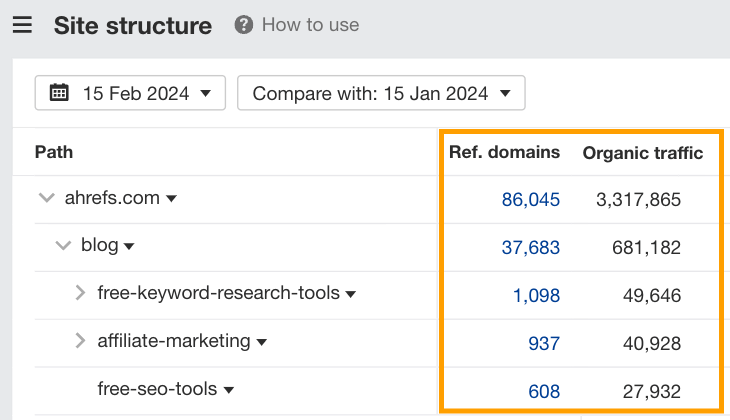
No matter your angle, an easy place to start is in Ahrefs’ Site Structure report. Here, you can see what strategies your competitors are using along with high-level performance metrics, like organic traffic and the number of referring domains that different website segments get.
Compare against internal departments
Another great approach is to bring your pitch back to what’s going on in other areas of the organization.
This is a great tactic to benchmark the value of SEO in a way that is immediately apparent. It’s also a great way to get easy buy-in if your company’s strategic objectives focus on specific divisions or products.
Here are some pitching angles you can try:
→ Expanding a division: “We need X resources to help division A expand to the level of division B.”
→ Improving KPIs: “Product A has a high cost per acquisition. We were able to lower CPA by X% for product B using SEO. If we had access to Y resources, we could repeat these actions for product A.”
→ Learning from mistakes: “We learned lessons A, B, and C from a past product launch. If we had X resources, we could help launch the new product for division A without repeating past mistakes.”
Forecast opportunity costs
Opportunity costs are the lost benefits you experience when choosing an alternative option. When it comes to getting buy-in for SEO, it can help to show what the opportunity cost would be if decision-makers chose not to invest in SEO.
It’s super easy to do this using Ahrefs’ traffic value metric.
This metric shows you how much you’d be spending on paid ads to get the same traffic you do through SEO. It has opportunity cost baked right into it!
You can use it in a few different ways. My favorite method is to look at a successful segment of the website and use its metrics to forecast potential success for a new segment you want to optimize or build-out.
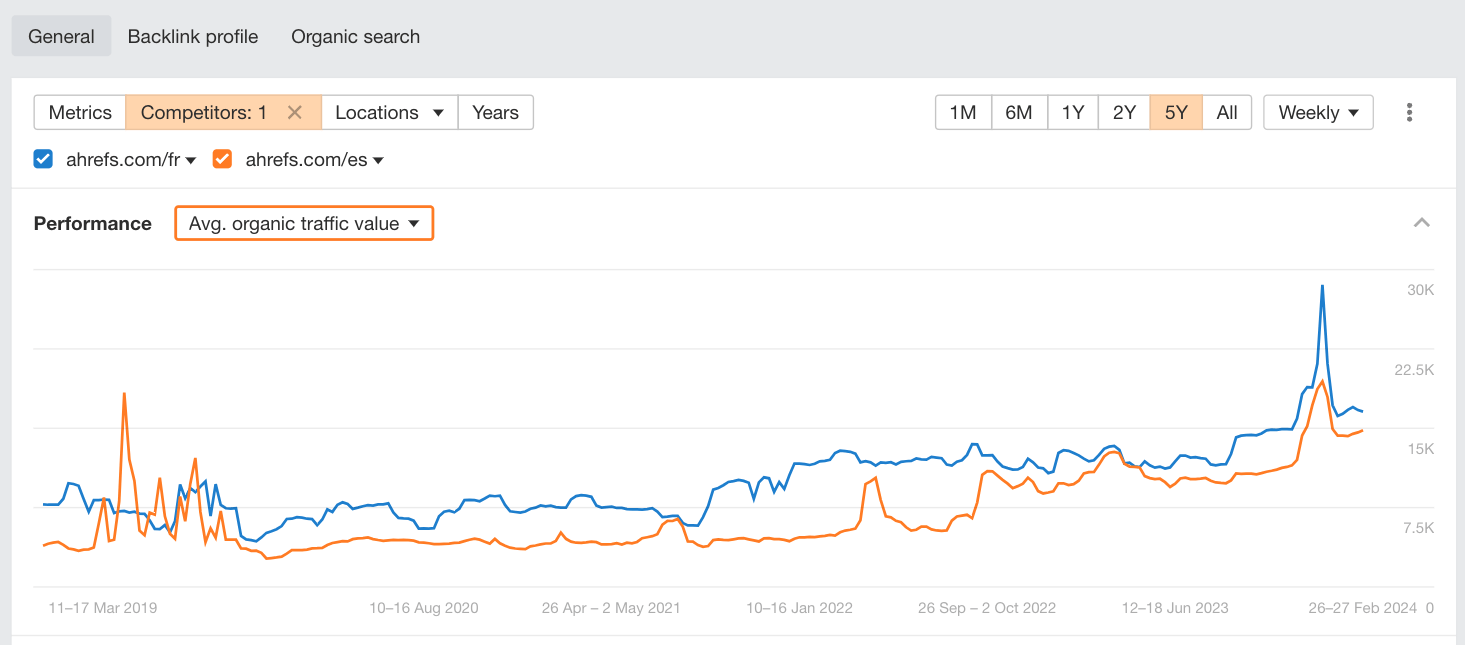
For example, here you can see how the French segment of our site compares with the Spanish segment.
Want to launch into a new international market? Use these metrics to build a case of what you’d be missing out on by not expanding.
Want to improve an underperforming segment of your site? Show that segment vs a segment that’s skyrocketing to your executive team.
My second favorite method is to use the Traffic Value metric to pit SEO against Google Ads or other marketing channels and showcase how SEO compounds over time and costs less in the long run.
Realistically, if there’s a marketing budget to be had, and it doesn’t go to SEO, these are the alternative channels it will likely go to. So, positioning SEO as a worthwhile channel to invest in can get you a bigger slice of the budget.
For instance, you could pitch something like, “Our forecasts show that we could reduce our cost per click to $X (traffic value / traffic) by investing Y resources into SEO instead of [another channel].”
If your website is fairly new or you don’t have existing successes to leverage, you can do both of the above by using a competitor’s website as a proxy until you start getting some results that you can use in future forecasts.
So, your pitch would be more like: “X competitor is saving up to $Y (traffic value) in Google ads costs by using SEO. We’re leaving money on the table by not investing in SEO.”
Key Takeaways
Good SEO is about giving people what they want. Getting buy-in is the same, just for a different audience.
The more you help others in your organization get what they want, you’ll also get what you want.
When it comes to collaborating with other departments, it comes down to helping them meet their KPIs because they’re working with you. It builds a positive relationship where they feel happy to help you out in the future and are more likely to prioritize SEO projects.
As for getting buy-in from executives, understanding where they spend most of their mental energy and aligning your projects to those things can go a long way.
If you’ve got any questions or cool tactics to share, reach out on X or LinkedIn any time!
Toxic backlinks are links that some SEO tools say could hurt your website’s Google rankings. The implication is that you should disavow them to keep your site safe.
But there’s some disagreement and confusion among SEOs as to whether “toxic” links are actually a thing and what, if anything, you should do about them.
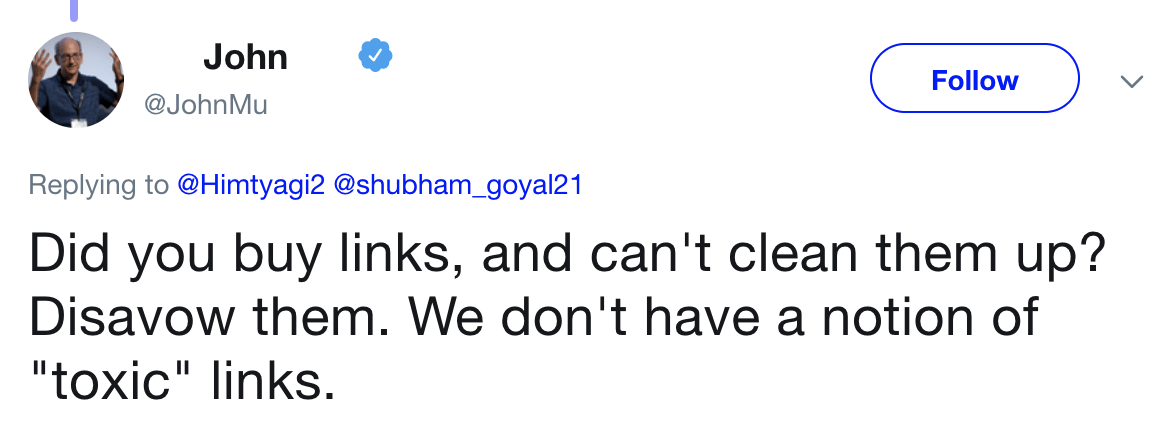
If you believe Google’s John Mueller, they’re not:
So… what’s the deal here? Are toxic backlinks actually a thing? Are they hurting your site? And if so, what should you be doing about them?
Before we can answer those questions, we need to understand the terminology…
Spammy, manipulative, and toxic links… they’re not the same thing!
Every website has some spammy backlinks that just don’t make sense. But that doesn’t necessarily make them manipulative or “toxic.”
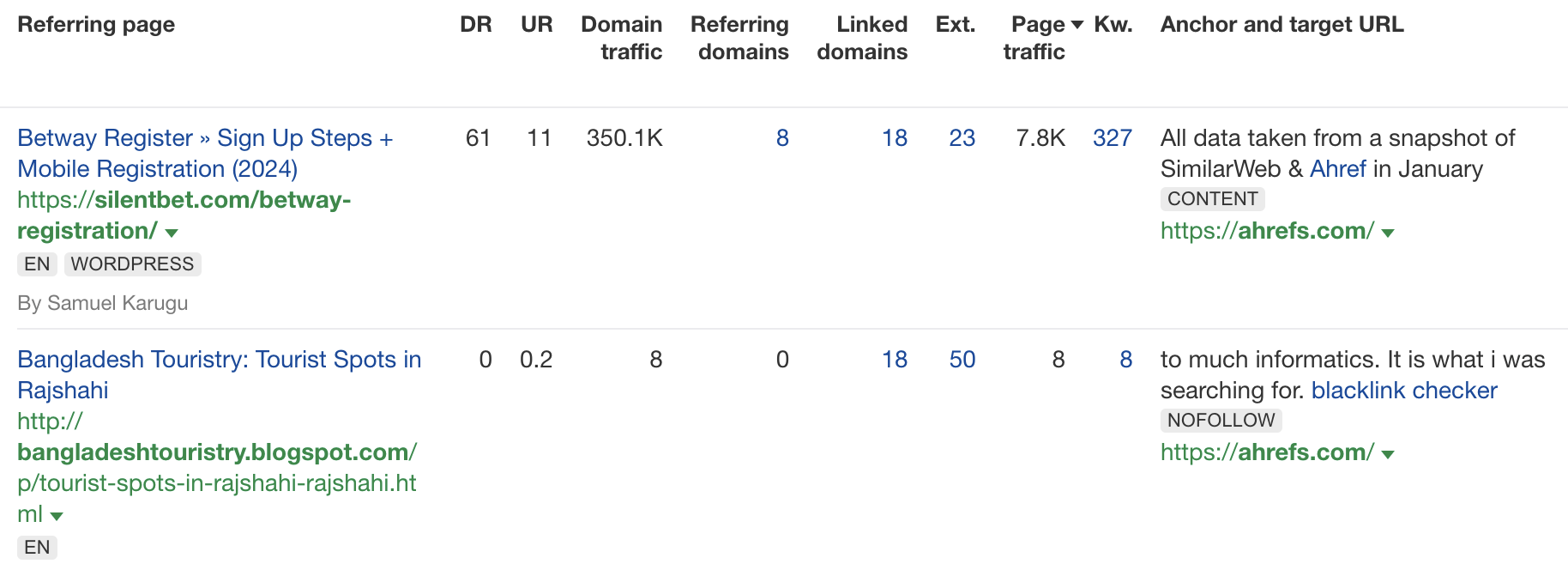
For example, here are a couple of obviously spammy links to our site:
We didn’t build or buy either of these, so they’re not “manipulative” by definition. They’re just low-quality links we’ve attracted over time because the internet is rife with spammers.
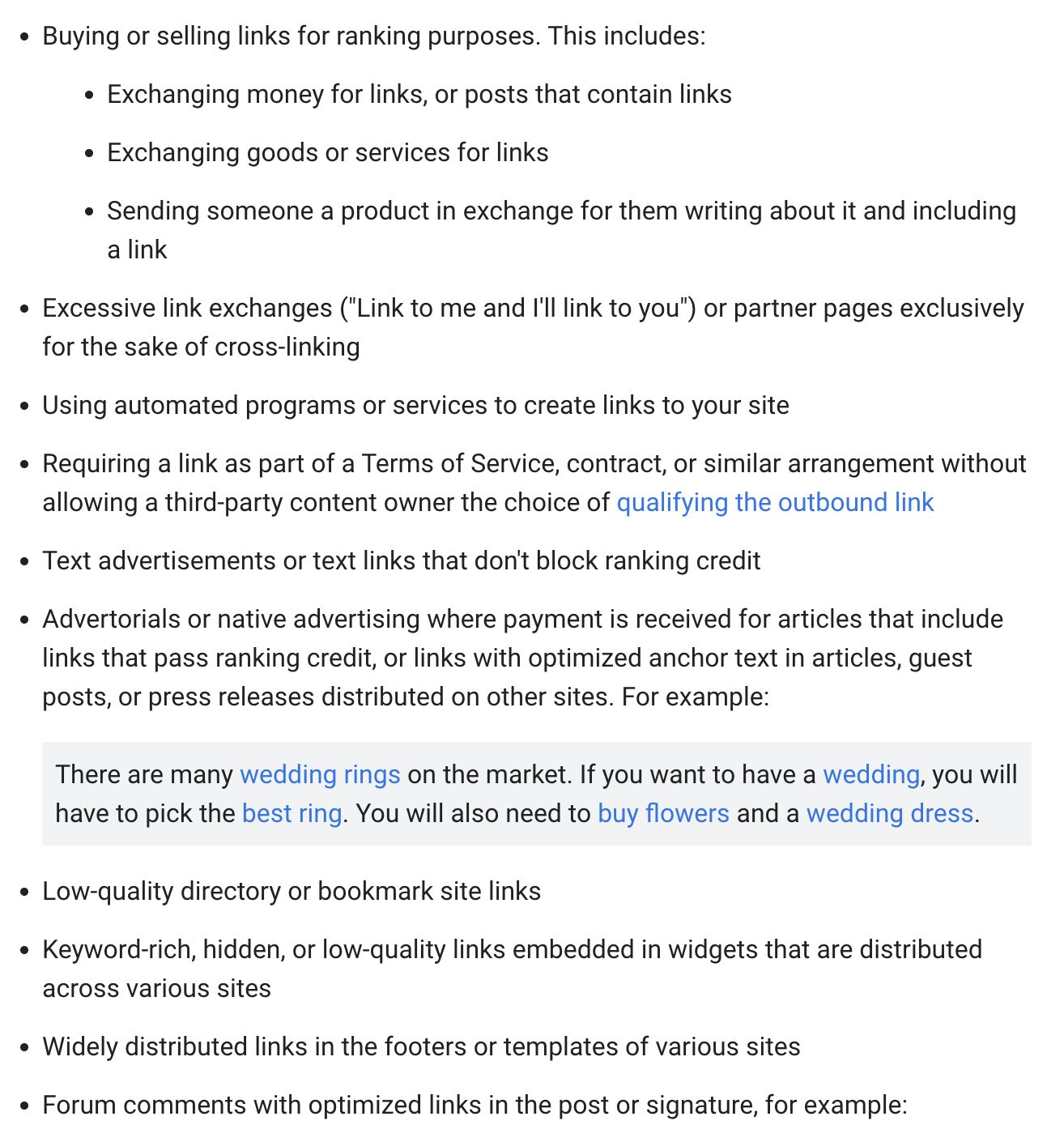
If you study Google’s link spam documentation carefully, you’ll see that, in theory, these aren’t the kind of spammy links they have a problem with. They warn only against the ill effects of spam links intended to manipulate rankings.
Google uses links as an important factor in determining the relevancy of web pages. Any links that are intended to manipulate rankings in Google Search results may be considered link spam. This includes any behavior that manipulates links to your site or outgoing links from your site.
Here are the examples Google gives of these manipulative links:
As for “toxic backlinks,” this is just a term made up by certain SEO tools to describe backlinks they think could hurt your rankings based on several so-called “markers.”
The concept of toxic links is something that’s made up by SEO tools — I’d just ignore it, and perhaps move on to more serious tools.
With this algorithm update, Google switched from demoting pages to a system that tries to ignore bad links.
Penguin is now more granular. Penguin now devalues spam by adjusting ranking based on spam signals, rather than affecting ranking of the whole site.
Since then, Google’s stance has been that you can ignore spammy backlinks.
If you’re seeing individual links that pop up and you say, “oh this looks like a spammer dropped the link” or whatever, I would completely ignore those. […] because these spammy links happen to every website and Google’s system has seen them so many times over the years that we’re very good at just ignoring them.
But is this true? Is Google really as good at ignoring low-level spam as we’re made to believe?
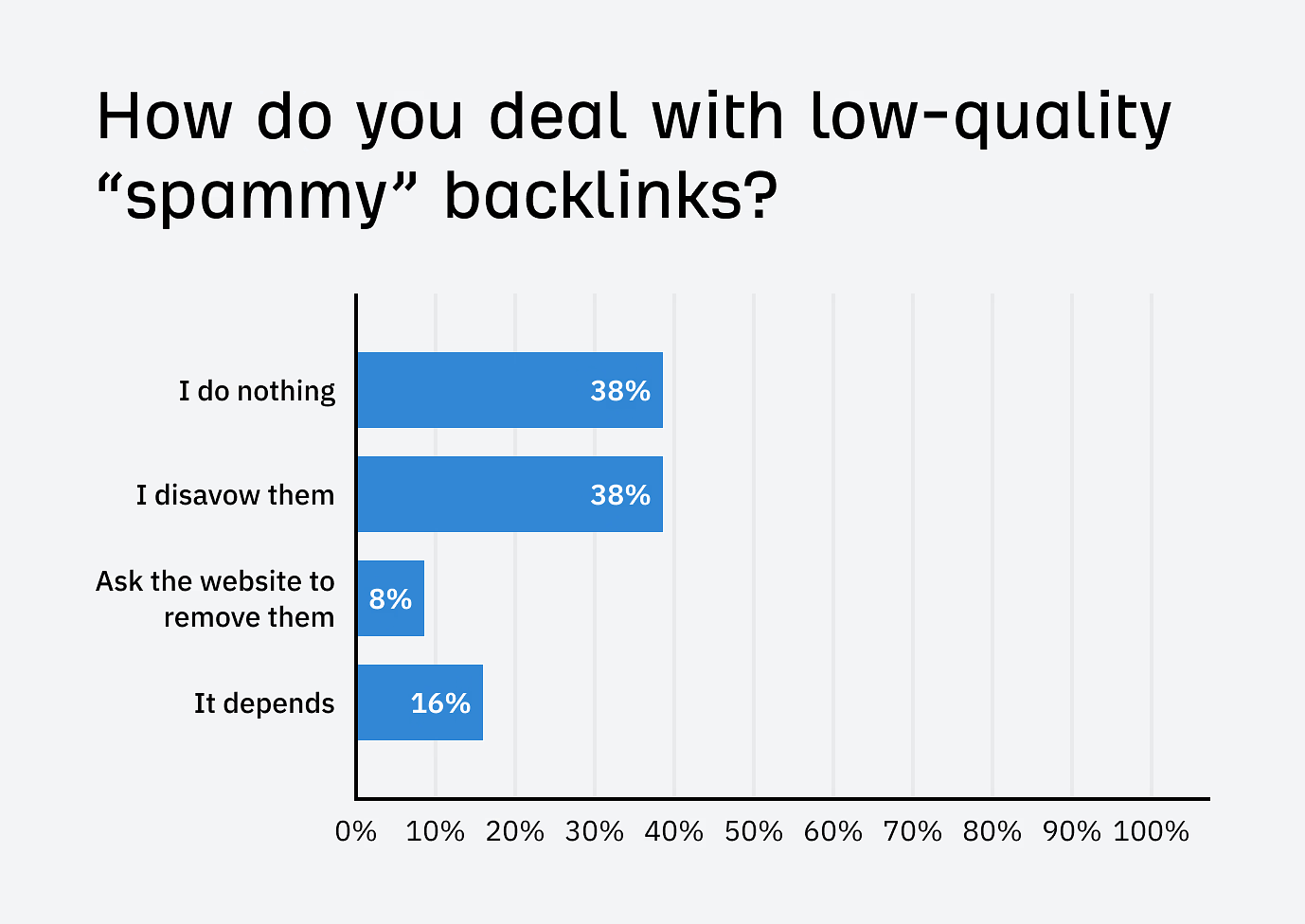
Judging by my colleague Chris’s recent poll on LinkedIn, a good chunk of SEOs (38%) don’t think so, as they’re still disavowing them.
Does that mean they’re right to do so? Not necessarily. It just means they don’t fully trust Google that they won’t do any harm. They’re being careful.
Personally, the person I trust most to answer this question in 2024 is Dr. Marie Haynes. I don’t think anyone’s done more research into this than her. She’s spent well over a decade working to understand Google’s search algorithms and auditing link profiles on behalf of business owners.
Now, the interesting part of that statement (and why I actually trust her!) is the obvious conflict of interest. Until fairly recently, she made her living selling link audit and disavow file creation services—and for a pretty hefty sum at that!
Pricing from Marie’s link audit services page in March 2023
Clearly, it would be good news for Marie if Google were still terrible at ignoring spammy backlinks because she could sell more link audits!
Yet, these days, she no longer appears to offer such services. In fact, she’s actually been warning folks against the need to disavow low-quality, spammy backlinks for a few years.
While there is no harm in disavowing low quality spammy links, it likely does not help improve rankings. We believe that Google’s algorithms are already ignoring these links. […]. When we do see improvements these days after disavowing, it is always in sites where we have disavowed links that were purposely made for SEO and very little else.
It’s clear that Marie is being cautious with her words here. But overall, her opinion after digging into this for many years seems to be that, yes, Google is now pretty good at ignoring most low-quality spammy links.
Does that mean they’re perfect? No. But it does mean that worrying about obvious low-quality link spam is probably a waste of time for most people.
Will manipulative links hurt your rankings?
If you’re buying or building the types of links that Google class as “link spam” then, yes, they can absolutely hurt your rankings.
But before you panic about that link exchange you did with your best friend’s wife’s brother, Google is likely looking for patterns of manipulation here. In other words, manipulative link profiles rather than manipulative individual links:
Danny Richman, founder of Richman SEO Training, agrees:
I don’t believe in toxic links. I do believe in toxic link profiles.
Sorry 🙂 I don’t believe any single link – in isolation – is harmful. However, a ton of crappy links pointing to a site is a whole different story. It’s all about the bigger picture.
As for Marie Haynes, she echoes a similar sentiment in this post. She states that manual actions aside, she would only recommend a client disavow links if they have “a very large number of links that [they] feel the webspam team would consider to be ‘manipulative.’ ”
In these cases, Google often slaps the worst offenders with an unnatural links manual action. If you get one of those, that’s Google telling you, “Hey… you’re being demoted in search because we think you’ve been trying to game the system with manipulative links.”
But this doesn’t have to happen for manipulative links to be a problem. It’s possible for Google to algorithmically demote a site if they detect a large volume of spammy and manipulative links, at least according to John Mueller.
If we see a very strong pattern [of spammy links] there, then it can happen that our algorithms say well, we really have kind of lost trust with this website and at the moment based on the bigger picture on the web, we kind of need to be more on almost a conservative side when it comes to to understanding this website’s content and ranking it in the search results. And then you can see kind of a drop in the visibility there.
Either way, the point remains: it’s patterns of manipulation that are likely to hurt rankings. There’s very little chance that you need to worry about the odd potentially dodgy link here and there.
How to find truly toxic links that may be hurting your rankings
While it might be tempting to use an SEO tool that finds “toxic backlinks” for you, I’d seriously urge you to reconsider. Trusting these can do more harm than good. Way more.
Even if this is an extreme case, worrying about these links likely only wastes time because, according to Marie Haynes, they’re rarely truly toxic:
I find that the truly toxic links…the ones that could have the potential to harm your site algorithmically (although you’d have to really overdo it, as I’ll describe below), are rarely returned by an SEO tool.
Sam McRoberts, CEO of VUVU Marketing, seems to agree:
Sure, clearly if you secure a bunch of PBN links and Google spots it and gives you a manual penalty, they were “toxic links”—but the links marked as toxic by most SEO tools are very often neutral at worst, not toxic.
So… how do you find truly toxic backlinks that are likely to be hurting your site?
The truth? You might not even need to look for them. If you haven’t built or bought links that Google considers link spam at any reasonable scale, chances are you’re good.
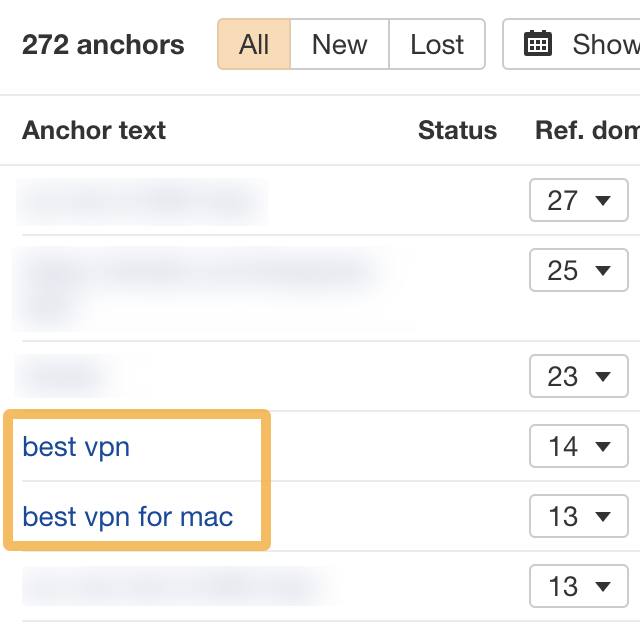
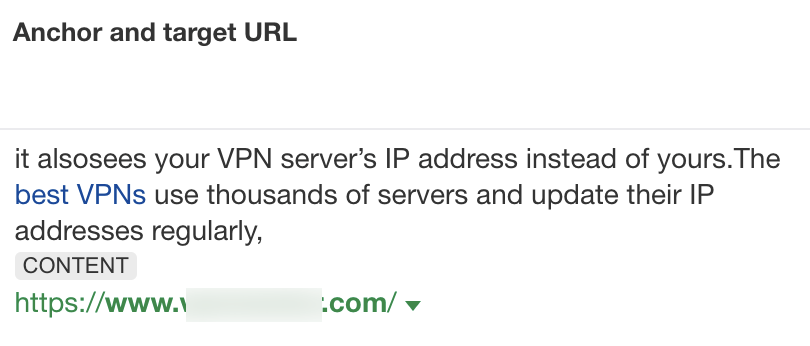
The Anchors report is a good starting point if you’ve never done this. It shows you the words and phrases people use when linking to you. If they look unnatural or over-optimized (lots of exact matches of keywords you’re trying to rank for), that could be a sign you have paid or other links intended to manipulate rankings.
If things look fishy there, use the Backlinks report to dig deeper and check the context of those links. It’s usually quite easy to spot paid and unnatural ones.
Just remember that you’re looking for patterns of unnatural links, not just one or two.
WARNING
If you’re not 100% sure what you’re looking for when doing a backlink audit, hire someone who knows what they’re doing. You need to be confident that the links are truly “toxic.”
Should you disavow “toxic” links?
If you have a manual action for unnatural links or a bunch of what you believe to be truly toxic backlinks, yes. Google’s advice is to disavow them (assuming you can’t get the links removed).
You should disavow backlinks only if:
You have a considerable number of spammy, artificial, or low-quality links pointing to your site,
AND
The links have caused a manual action, or likely will cause a manual action, on your site.
There are two situations where we will recommend to our clients a thorough link audit followed by filing a disavow:
The site has a manual action for unnatural links in GSC.
The site has a very large number of links that we feel the webspam team would consider to be “manipulative”.
If you just have a bunch of spammy backlinks that most sites naturally attract or the odd paid backlink, probably not. Google probably ignores most, if not all, of these links, so disavowing them is likely a waste of time.
While there is no harm in disavowing these links other than the time spent analyzing them, there is likely no benefit either.
But what about negative SEO?
Being the victim of a negative SEO attack is indeed the possible exception here. This is when a competitor sends a load of spammy or toxic backlinks your way to try to get your site penalized.
Google remains adamant that it basically never works, but it really comes down to what you believe.
[I’ve] looked at hundreds of supposed cases of negative SEO, but none have actually been the real reason a website was hurt. […] While it’s easier to blame negative SEO, typically the culprit of a traffic drop is something else you don’t know about–perhaps an algorithm update or an issue with their website.
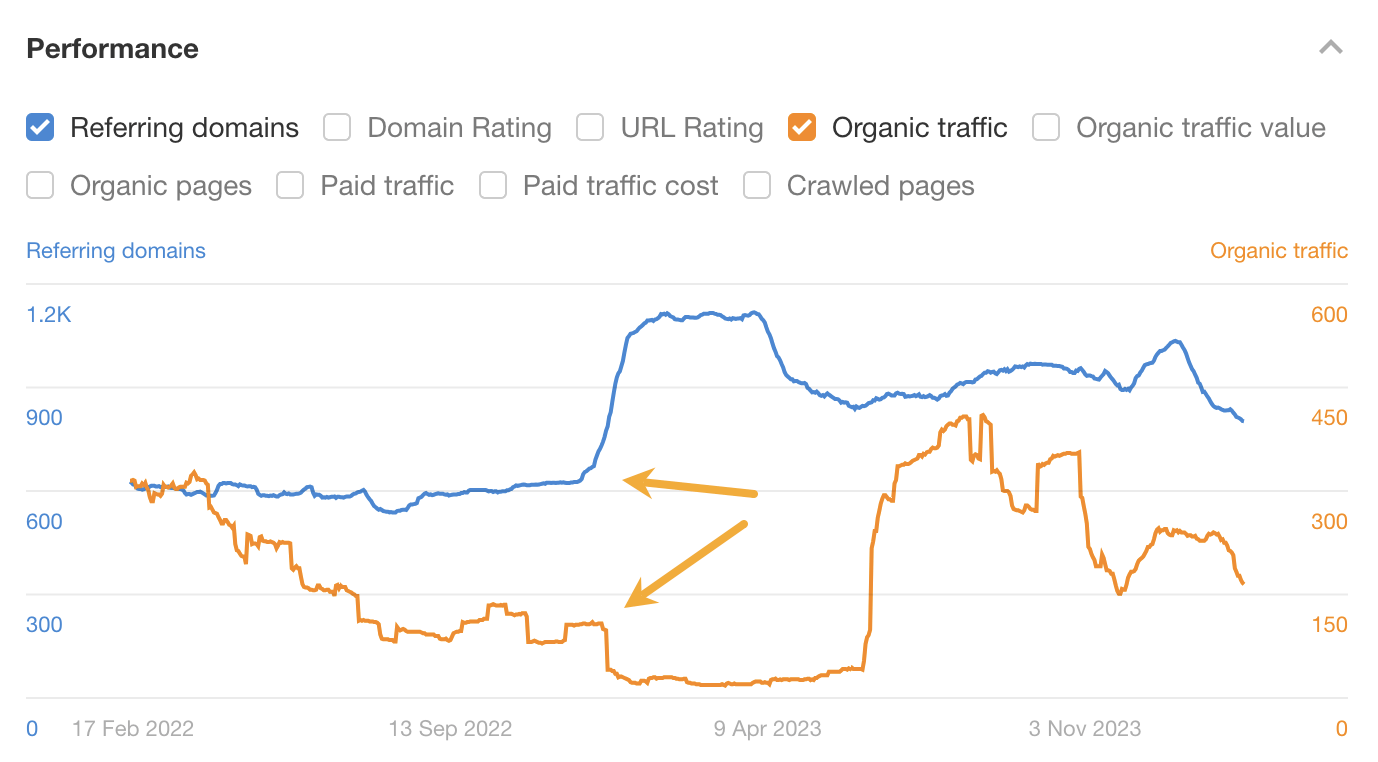
If you see a traffic drop after an influx of backlinks in Site Explorer, I’d say that it’s at least worth a bit more investigation.
This site experienced a traffic drop coinciding with an influx of referring domains. Maybe there’s benefit to disavowing here… and maybe it’s something else!
As Gary said above, something else could be to blame—but you never know. There’s always a chance that Google’s algorithms rule it was you who built or bought those backlinks to try to manipulate rankings and penalize you for it.
If you just found a bunch of so-called “toxic backlinks” in an SEO tool, probably not. Again, most of these are probably just link spam Google already ignores.
While there is probably no harm in disavowing [links reported as toxic in SEO tools], you are not likely to see any improvement as a result. Disavowing is meant for sites trying to remove a manual action and for those who have been actively building links for the purpose of improving rankings.
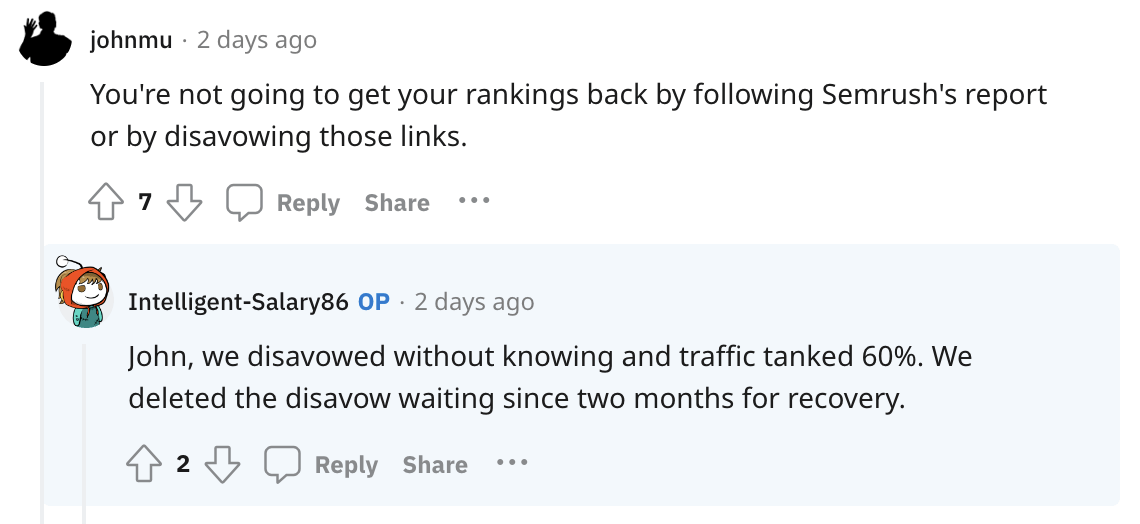
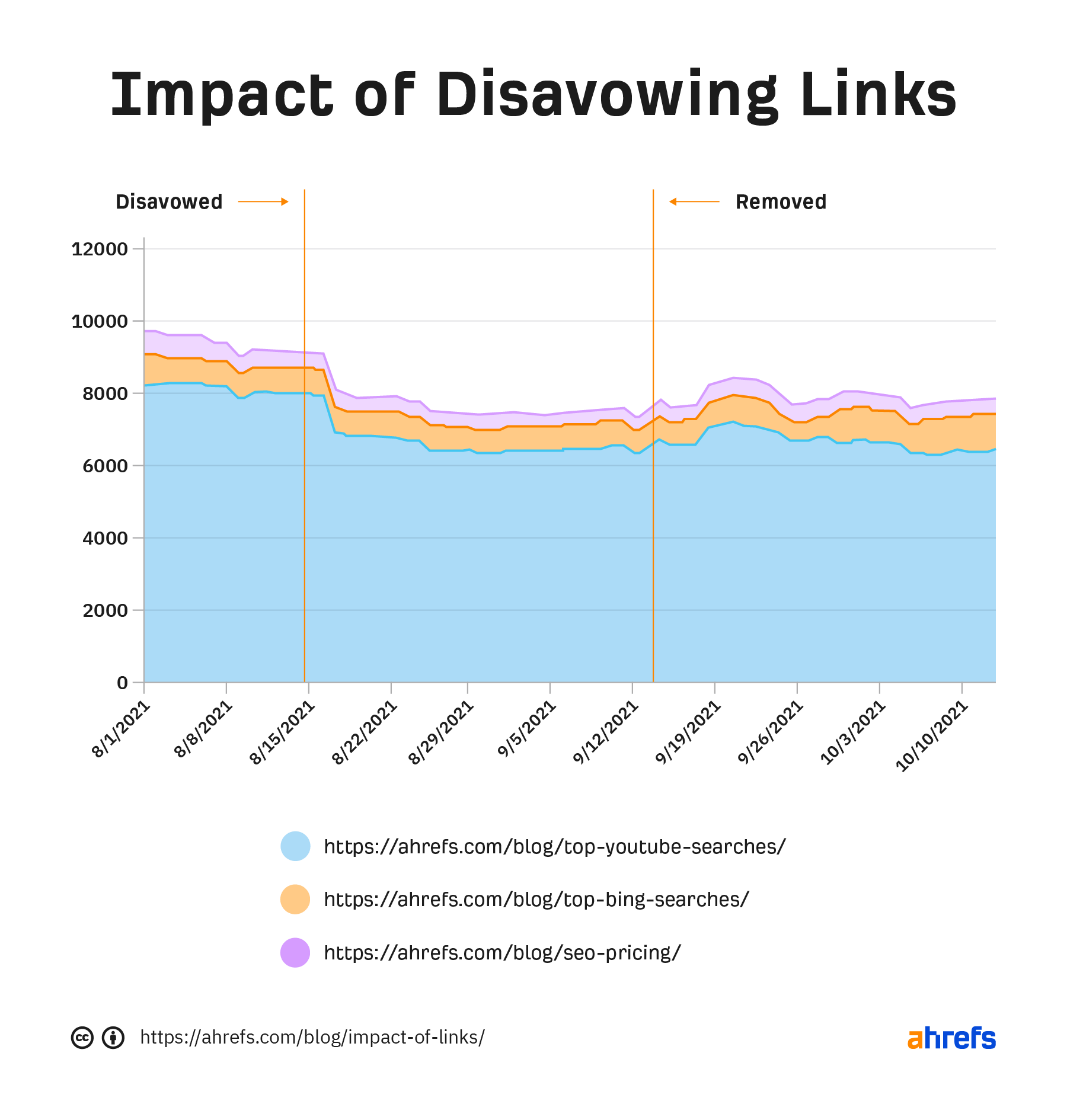
There’s also the risk that you could end up disavowing links that are actually helping you…
Patrick showed further evidence that this can absolutely happen when he experimented with disavowing links to the Ahrefs blog. Traffic dipped, then went back up after he removed the disavow.
Final thoughts
“Toxic backlinks” is a term made up by certain SEO tools to scare you. That’s not to say bad links can’t hurt your site. They absolutely can. But fortunately for most site owners, it’s rarely a problem worth worrying all that much about.
Learning SEO doesn’t have to break the bank. There are plenty of quality free SEO courses teaching everything from the basics to keyword research to link building.
Here are ten that won’t cost a dime.
2. SEO Certification Course
Course provider: HubSpot
Duration: 3 hours 51 minutes
Instructor(s): Rachel Sheldon, Matthew Howells-Barby
How to build backlinks to your website at scale to increase your website’s visibility in organic search
How to use insights from keyword research and reporting to improve your search performance
HubSpot’s SEO Training Course is tailored for marketers, content creators, and anyone looking to enhance their website’s visibility. Through practical lessons and real-world examples, the course participants will learn how to build a robust SEO strategy, analyze their website’s performance, and adapt to the changing algorithms of search engines.
This free course from Google Skillshop helps businesses discover ways to reach and connect with more customers online. It covers improving SEO and using online advertising (SEM) to boost sales and awareness.
How to complete a competitive analysis on a webpage
How to interpret brand recognition through social media
How to create sitemaps and robot.txt files, plan redirects, and manage site errors
How to use a variety of SEO tools to conduct an audience analysis and develop personas of your ideal buyer
Offered by the University of California, Davis, this course on Coursera delves into the fundamental aspects of SEO, including how search engines work and how to implement effective SEO strategies to attract more organic traffic.
However, due to its length (28 hours), it may not be the most suitable if you want to learn SEO fast.
Insights into the content and technical side of SEO
This free course discusses what SEO is and how it works. Some of the important points from the course are how to use keywords to optimize your website, how to write content that Google likes, and how to make your website crawlable by search engines.
How to do keyword research and drive targeted traffic to your website
This is our specialized course that focuses specifically on keyword research. It covers topics such as how to choose keywords, how to analyze search intent, and how to find low-competition keywords.
Another specialized course from us, this course is designed for those looking to dive deeper into the technical side of SEO. It covers advanced topics such as site audits, page speed optimization, and how to resolve common technical issues that can impact search rankings.
Checking your internal linking to give your website the best chance possible to rank well
Aimed at professionals seeking to certify their expertise, this course covers a wide range of technical SEO topics, including crawling, indexing, ranking, and on-page optimization. From site architecture to schema markup, it equips learners with the skills to tackle technical challenges and improve website performance.
Ideal for businesses targeting local customers, this course teaches the basics of optimizing for local search. It covers essential tactics for improving local visibility, such as Google Business Profile optimization and local keyword targeting.
How to find prospects with the “seed and lookalike” approach
How to validate link building campaigns with a “blitz list”
How to craft personalized and benefit-rich outreach emails
How to create, structure and manage a link building team
How to scale your link building operations
Focusing on one of the most challenging aspects of SEO, Sam shares his years of experience creating campaigns, sending outreach emails, and building teams. This is a must-finish course if you need help building and scaling your link building operations.
Final thoughts
The best way to learn SEO is to do.
So, don’t just go through the courses, take notes, and leave it aside. You need to actually execute to find out what works and what doesn’t. Create a website, implement the ideas you’re learning, and see if you can get more organic traffic to it.
People use mental models to comprehend reality, solve problems, and make decisions in everyday life. SEO is not an exception here, yet it’s not a topic you often hear about in this industry.
The thing is, you need to be careful with mental models because they’re sneaky. We tend to develop them during our lives, inherit them from our colleagues and mentors, and rely on them almost instinctively while not fully aware of their influence or the existence of better alternatives.
So, let’s talk about mental models you will find helpful in your SEO work and the ones you should approach with caution.
2. Pareto principle
The Pareto Principle (aka the 80/20 rule) is about a disproportionate relationship between inputs and outputs, effort and results, or causes and effects. A small number of causes (20%) often leads to a large number of effects (80%).
The 80/20 rule: 80% of results come from 20% of the projects.
This concept was named after Vilfredo Pareto, an Italian economist who, in 1906, noticed that 80% of Italy’s land was owned by 20% of the population.
If we use this principle as a mental model in decision-making, we’ll find it easier to prioritize work. It’s ok to ignore some things because they likely won’t matter that much. The result that you’re after will come from focusing on the things that will likely have the biggest impact, and not from spreading yourself too thin.
For example, if you want to build links to your site, pitch your best content. That can be the content that has already proven to earn links in the past.
Or if you need to recover some of that lost traffic, home in on the pages that lost the most traffic.
The key is to treat the 80/20 as an approximation, a heuristic, and not take the numbers literally. To illustrate, roughly 80% of our site’s traffic comes from no more than 6% of pages.
But on the other hand, if we try to find the top 20% pages that contribute to the traffic the most, we’ll find that they bring not 80% but 96.8% traffic. However you look at it, the idea still holds — a small amount of causes led to a large portion of effects.
3. Red Queen Theory
“It takes all the running you can do, to keep in the same place.”
Sounds very much like SEO already, doesn’t it?
This quote comes from Lewis Carroll’s “Through the Looking-Glass,” and it’s how the Red Queen explains to Alice the nature of her kingdom, where it requires constant effort just to maintain one’s current position.
It was used to name an evolutionary biology theory which posits that each species must adapt and evolve not just for incremental gains but for survival, as their competitors are also evolving. Sorry, we’re in an endless race.
SEO is like a road with no finish line—the race continues forever.
You can probably already guess how this applies to SEO — rankings. If you want to maintain high rankings, you can’t stop improving your pages. There will always be enough competitors to challenge your position.
But in our world, pressure comes from competitors and the environment. Google keeps evolving too, pushing the bar for content higher, making elements that used to give you an edge a standard.
I’m sure we’ve all been there – even our top backlink-earning, top traffic-generating, most time-consuming content gets pushed down. But if you keep optimizing, you get a chance to come back to the top.
This mental model is another way of saying that SEO works best as an always-on strategy without a set end date or final goal.
3 mental models to watch out for
It’s not so much about avoiding them but being able to spot them when they happen or could happen.
1. Local maxima
A local maximum (aka local optimum) refers to a solution that is the best solution within a neighboring set of solutions, but not necessarily the best possible solution overall (global optimum).
So if you’re feeling that you’re spending immense effort just to make marginal improvements, you have to be willing to assume that you’ve hit a local maxima. Then, the question to ask is: what can I do differently?
Here’s an example.
Until November last year, traffic to our site was a series of local optima. Our content marketing was delivering the results, but the growth was relatively slow. Obviously, we were doing the same tried and tested stuff. But then we launched two programmatic SEO projects that instantly elevated us to a level we’d have to work years for — look how fast the yellow line grew (pages) and how that corresponded with the orange line (traffic).
2. Sunk cost fallacy
The sunk cost fallacy is a cognitive bias that occurs when people continue to do something as a result of previously invested resources (time, money, effort) despite new evidence suggesting that the current path will not lead to a beneficial outcome.
Sunk cost in action: the more you invest in something, the more attached to it you become.
We all know SEO is a long-term game, right? Strategies like these are crowded with long-term projects with big time and money investments. Sometimes, despite the investments, you just can’t go beyond a certain level of traffic, backlinks, etc.
Now, this mental model, this voice in your head, will tell you to keep going down the same path no matter what. Loss aversion kicks in, acting like a defense mechanism for your past selves and actions. And the more aggressive and blind the “hustle” culture is at one’s team, the harder it is to see clearly.
But, overall, it could be better for you and the company to let it go and focus on something else. You can even come back to it later with a fresh mind. But continuing something just because you’ve been doing it for some time is a losing strategy.
Example. Despite several attempts and time counted in years, Ahrefs doesn’t rank for “seo”.
Sad but true. And from our point of view, it’s frustrating. Almost like we’re the only ones not to get invited to the party, the only ones not to graduate from high school… you get the idea.
But not ranking for “SEO” hasn’t hindered our growth, so it’s better to cut losses and deal with unfulfilled ambition than to let that goal hold us back from other projects (like that programmatic project mentioned above).
3. Confirmation bias
Confirmation bias is the tendency to give more attention and weight to data that support one’s own beliefs, while simultaneously dismissing or underestimating evidence that contradicts those beliefs.
We’re all guilty of this. It’s human nature. And it’s not exclusively a bad thing. I mean, in some situations, this tendency can keep us on “the bright side” and help us go through tough times or keep our motivation up.
So, I think that it’s not something to get out of your system completely. Just be mindful of situations where this can negatively affect your judgment:
Selective evidence in ranking factors. You see a page ranking high, and you think it’s because of an aspect you strongly believe in, disregarding all of the evidence against it (e.g., long-form content, social signals).
Bias in keyword selection. Your keyword selection runs along the lines of your beliefs about the audience preferences without substantial evidence to back up these beliefs.
Bias in strategy development. After developing a new strategy, you encounter a talk or an article advocating a similar approach, which immediately reinforces your confidence in this strategy.
Focus on confirmatory data during audits. During a content audit, you find a small piece of data that confirms your belief. As a result, you may prioritize minor findings over more significant but less personally affirming data.
Overconfidence in familiar tactics. Leaning on SEO tactics that have worked in the past, you develop a sense of overconfidence in them. You resist trying anything new or the idea that a dip in performance comes from an unfamiliar factor.
Keep learning
If you like what you’re reading, I think you will find other mental models fascinating:
Want to share models you find useful? Ping me on X or LinkedIn.
I’ve used Ahrefs since 2016. I thought I was a power user, but since joining the team, I’ve discovered a bunch more use cases that I can’t imagine living without.
Here are five of my favorite ways to use Ahrefs for content marketing:
2. Track article performance by author, content type, or topic
It’s easy to track the performance of any blog as a whole. Add the URL into Site Explorer, and a second later, you’ll see key metrics:
But for big blogs (ours has some 2.5k indexed pages), it’s harder to answer questions like:
Which authors are driving the most traffic?
How does link acquisition differ between SEO content and thought leadership content?
Does updating our articles with an on-page SEO tool improve performance beyond just updating them normally?
Enter Portfolios. Portfolios allow you to group a list of URLs together and view their aggregated metrics. I use one portfolio for tracking the performance of my articles:
And another for tracking recent articles published by my team:
And another still for monitoring the search performance of some of the biggest “parasite SEO” publishers (to see whether or not Google is really doing anything to combat it):
In every case, you can click into your portfolio and see the same detailed metrics you’re used to from Site Explorer:
Portfolios has become my default way of using Ahrefs, and there are tons of use cases:
Compare articles written by freelancers, in-house terms, and (dare I say it) AI tools
See which article topics drive the most traffic
Analyze the performance of different content types (helpful for separating out the impact of search content and thought leadership content)
Monitor the performance of key competitor articles
Measure the impact of newly updated or rewritten articles
Track experiments (create one portfolio as a control and another for the articles you want to experiment on)
Further reading
3. Automatically generate hundreds of seed keywords
The hardest part of keyword research (at least for me) is always generating seed keywords.
When you have a few terms to explore, it’s easy to find long-tail variations, matching terms, related terms, you name it. But coming up with those first few topics? Not always easy, and it becomes even harder once you’ve exhausted obvious topics.
But now, we can just use a little AI brainstorming power to turn a blank page into dozens and dozens of seed keywords. In Site Explorer, just ask our little AI friend for help:
Let’s use the bog standard keyword “content marketing” as an example. Here are technical and specialized terms related to content marketing:
Here are emerging trends:
And now controversial and debate-generating keywords (“quality vs quantity”—going right for the meaty topics):
With our big list of seed keywords, hit “Search” and we’ll see the estimated search volume, keyword difficulty, and a bunch of other data points for our ideas. Click the Matching terms or Related terms reports and our list of possibilities will grow massively:
Not every idea will be a home run in terms of significant search volume, but many will—and they might be ideas you wouldn’t otherwise have considered.
4. Instantly cluster keywords into article topics
It’s pretty tricky to refine a list of 300 target keywords to a realistic selection of article ideas. Many keywords will have overlapping intent, others might be subtopics that make more sense to mention as part of another topic. Tricky!
Here we’ve used AI to brainstorm seed topics and used the Matching terms report to find even more ideas. We’ve wound up with 1,622 keyword ideas in about 30 seconds of research:
Great, but also totally overwhelming. But we can make life much easier by using the Cluster by Parent Topic tab.
Parent topic aims to cluster keywords with similar or the same search intent, so you can target them all on one page instead of many.
If we wanted to target the keywords “content marketing audit” and “content audit definition”, we could instead target the parent topic “content audit”—and also rank for “content marketing audit” and “content audit definition”.
Three keyword rankings, one article.
In the image below our 1,622 keywords are grouped by their parent topic. We’ve gone from 1,622 keywords to just 162 clusters—much more manageable:
Just one of these clusters, content audit, contains 43 keywords. So by writing one article targeted at content audit, we stand to rank for 43 of the keywords we were interested in:
Further reading
5. See how competitors update their content
Competitive SERPs are usually a never-ending game of content optimization and updating. Competitors publish new articles, or update their existing ones, and you have to update your content to avoid sliding down the rankings.
When you formulate your plan for updating an article, it’s useful to see exactly how competitors have updated their articles.
Here’s the organic traffic graph for Zapier’s most popular blog post, How to Use ChatGPT. We can see a huge increase in organic traffic starting in November 2023:
This begs an obvious question: what happened in November? What caused the massive traffic increase? Is it something that we can learn from?
Well, good news: we can use the Page inspect report to find out.
By default, you can see the current HTML and page text for your chosen URL:
But more importantly, we can use Page inspect to compare the on-page text at specific points in time: like just before and after their big traffic surge in November 2023. In a couple of clicks, we can actually see if Zapier updated the page in a way that might have triggered the traffic increase.
In this case, we can see entirely new sections of text that were added to the article around the time of the traffic increase, like this collection of “how to” content:
There are plenty of factors that can improve search performance, but this is a powerful way of isolating the impact of on-page changes. If we were writing an article on the same topic, or refreshing an article Zapier had dethroned, this is exactly the kind of section I would consider adding.
Final thoughts
I’ve used Ahrefs for keyword research, link building, and reporting since forever, but these new-to-me workflows have made my life much easier. If you’re a content marketer, they might help you too.
Got any interesting Ahrefs workflows to share? Let me know on X or LinkedIn!
How can you prove to your boss, client, or other stakeholders that you’re not wasting your time with your SEO efforts? The best way is to share regular SEO reports with them that track the performance of your SEO campaign.
SEO reporting mixes insights, actions, data, strategy, and communication all into one document. It sounds like a lot to take in—but once you know the basics, you’ll be able to report on SEO in your sleep.
In this beginner’s article, I’ll cover the basics of reporting for SEO and show you what to include in your SEO reports.
SEO reporting best practices
So what makes a good SEO report?
In the past ten years, I’ve created and read many reports, and I’ve noticed one thing: the best SEO reports are data-led, actionable, and persuasive.
1. Data-led
Good SEO reports are grounded in high-quality data. You need to get as close to the “truth” as possible. The good news is that you can get all the information you need from three free tools.
2. Actionable
Reports need to lead to useful actions. Put yourself in the shoes of your stakeholders—they’ll expect you to provide an action for every insight you discover.
Here are a few common examples:
Observation
The question you should ask
Organic traffic is down
How can we recover lost traffic?
Lost the number-one ranking for an important keyword
How can we get our number-one ranking back?
There’s a technical issue that’s impacted performance this month
What can we do to fix it?
Our content is not performing that well this month
Can it be improved? Does it need a rewrite?
3. Persuasive
If you want to engage your boss or client in SEO, you must be persuasive in your SEO reporting.
Aristotle probably isn’t the first person you think can help you with SEO reporting, but an Aristotelian triangle is a good reminder of what to consider if you want to make your reports more persuasive.
Pathos: use logical reasoning, facts, and data to present water-tight arguments. Use SEO tools to back up your reasoning.
Ethos: establish your credibility and ethics through results. If you work with other clients in a similar industry, you can use this to help establish your credibility. If you want to make changes on the website, share quotes from Google’s Search Essentials to show that what you are suggesting is part of SEO best practices
Logos: make your reports tell a story. If competitors have strong performance, use it to trigger your client into action
Lastly, use high modality language. It sounds complicated, but when you write your report, remember to use higher modality words like “would” and “will” instead of lower modality words like “could” and “might” when you think something is certain or likely.
For example:
Original image source: https://cdn.teachstarter.com/fileserver/2021/02/Modality.jpg
How to build your SEO report
If you’ve been asked to create a regular SEO report, it’s hard to know what to include if you haven’t made one before.
SEO reports can be presented in different formats: spreadsheets, dashboards, and Word documents, but usually, the most popular format is slides. Choose whatever format you think best suits your client or boss.
To start your report, break it down into sections and determine which parts are the most relevant to the website you’re reporting on.
Here are the most important things you should include in your report:
1. Executive summary
This is the first section I would have in my report, but it’s also the last one I write (it’s hard to summarize the key points of an entire report if you haven’t yet created it).
Executive summaries are designed for senior stakeholders who don’t have time to flick through a long report. They want to know the most important points. So you need to keep this section easy to understand.
In bullet points, an executive summary summarizes the key points from the entire report.
2. Organic traffic performance
Organic traffic and analytics data give a bird’s eye view of a website’s performance over time. This data is often visualized in a graph near the start of many SEO reports.
Most SEO reports visualize performance using GSC, GA, or Ahrefs’ Overview data. This data can be displayed as a screenshot or exported and turned into a chart.
Here’s an example of comparing Google Search Console (GSC) clicks year over year (YoY). You can use GSC when reporting on a site you own or have access to the GSC profile.
And here’s another example of Site ExplorerOverview showing YoY performance:
If you can’t get access to GSC or GA, then Ahrefs can show your website’s SEO performance over time. This is useful for tracking competitors’ Organic traffic performance.
Sidenote.
You can access the report for free in AWT by clicking on your project in the Dashboard, scrolling down to Performance, and toggling the Years button.
The key point you want to communicate at this stage is the website’s total performance over time. Is the movement positive, negative, or somewhere in between? And, crucially, what does this mean for the website?
Next to the chart, provide a few lines of commentary on the performance.
For example:
Organic traffic is up 5.5% MoM but down 3% YoY
Organic traffic was higher than expected this month. This is due to {reason}
Once you’ve established the state of organic traffic, the next task is to dig into the keyword rankings to understand which keywords are driving the most traffic.
Clients or stakeholders rarely want to see all of the tracked keyword rankings for their site.
Usually, they want to see:
Winner and loser keywords from the time period – which keywords improved and which declined?
A keyword position spread – for example, XX keywords rank in positions 1-5, XX position rank in positions 6-10)
You can use various keyword tracking tools to do this, but you’ll need a tool like Rank Tracker to regularly track your keyword rankings.
Let’s see how we can include these elements in our report using Rank Tracker.
To find keywords that have improved:
Head to Position
Select Improved
To view loser keywords, repeat the process but select Declined.
Once you have exported the keywords, you can present them in a simple table and add a bullet point commentary.
To see a keyword position spread, select a time period, then click on the Positions tab, and it will show how many keywords rank in each position.
You can visualize this in a chart over time like below, or you can take a screenshot from Ahrefs and include it in your report.
On the same dashboard, you can get the headline metrics like share of voice, average position, and SERP features.
If you’ve dabbled in SEO, you’ll know that links are a fairly big deal for SEO. So, how do you report on them in an SEO report?
SEO clients and stakeholders usually want to know two things:
The number of external links you acquired during the time period
The quality of those links
Luckily, Ahrefs’ Site Explorer can help you report on both elements.
But before we dive too much into the details, let’s see how we can get an overview of the last calendar month.
To do this:
Head to Calendar on the sidebar
Click on the Referring domains tab
Check Dofollow
Best links: Only
You could include a screenshot of this heatmap in your report to provide a general overview of the last time period.
To find the number of links acquired from the last calendar period, do the following in Site Explorer:
Select Dofollow
Select New
Set the time period (I’ve used the last 30 days, but you can use a custom range to get the exact dates for the previous month)
Once you’ve added these settings, you can see we’ve acquired 3,446 domains during this period.
If we want to highlight the quality of any of the links, we can do this in the report as well. Just scroll down to see all the domains.
Here’s an example of a high-quality link Ahrefs.com acquired during this period. It has a domain rating (DR) of 93. This is the type of link that would be worth sharing in an SEO report.
Once we’ve shown this is an important link, the first question stakeholders might ask is, what is the Washington Post linking to on Ahrefs?
If we click on that link, we see they’re linking to our SEO basics article.
This would be a valuable insight to share in the SEO report because it shows that this type of content is capable of earning high-quality links.
Business cases for creating new content can be hard at the best of times. By highlighting high-quality links in your SEO report, the value of content becomes more obvious to stakeholders, and they’ll be more inclined to increase investment in SEO.
As well as reporting on links you’ve acquired, it’s worthwhile to report on links you’ve lost.
Sometimes, you can lose links accidentally by making site changes. You can report on this using Ahrefs’ Broken backlinks report.
We can see that Ahrefs has a broken backlink from Neil Patel… alas.
5. Technical SEO
Reporting on technical SEO is often harder than it looks. For SEOs, it’s easy to get lost in the details, but most stakeholders aren’t as interested in the details as you are and just want to know one thing: is their site in good technical health?
If you have access to Google Search Console, you can run a Site Audit for free on your website. Click here to get started.
Site Audit scores your website from 0-100 after the crawl based on its technical SEO health status. If the score is low, it means there are some technical issues to be fixed.
As well as running a Site Audit crawl, you can check in GSC to see if there are any technical issues with page indexing or page experience (like core web vitals or HTTPs).
Usually, if everything is fine, there isn’t any need to report on it. Unless your stakeholder or client is technically focused, keeping the technical part of your report as concise as possible is best.
6. Content performance
If you create content regularly, assessing its performance in your SEO reporting is important—otherwise, you won’t know whether you are wasting your time.
In my experience, when it comes to content, stakeholders want to know:
What the best-performing content was during the time period
What organic traffic it drives
What opportunities exist in the content space
For smaller content projects that have less than 1000 URLs, you can use Portfolios to track these keywords.
I use Portfolios myself to track the performance of my articles in Ahrefs.
Once you’ve set up your Portfolio, head to the Top pages report and click on Compare pages. On this page, you can get a good visual screenshot to share in your report of content performance, or if you want, you can Export the data and chart it yourself in a spreadsheet.
7. Competitors’ performance
In addition to reporting on your site’s performance, it can also help to report on your competitor’s performance.
This gives stakeholders a better understanding of the digital landscape they are operating in: who they’ll compete with in SERPs, and who they should look to for inspiration.
You can do this in 30 seconds by heading to Site Explorer and typing in your competitor in the search bar.
Then click on the Organic competitors report, and you’ll get an overview of the top competitors in your space.
If you want to add specific competitors, you can do so using the Custom tab.
This report is helpful as it gives you a client-friendly visual representation of your competitors’ performance. But more importantly, it shows your competitors’ keywords and their overlap with your own site, helping you to make strategic SEO decisions to outrank them.
In the SEO report, I would screenshot the top half to include in my report and then export the data from the bottom half of the table to filter out the more detailed information that would interest the stakeholders.
8. Opportunities for improvement
Ahrefs makes it easy to find things to improve in its Opportunities report. This report can identify content, links, and technical opportunities in a single click.
Here’s an example of the content opportunities it can find:
Low-hanging fruit keywords: shows keywords between positions 4-15 in Site Explorer that could be easy to rank for.
Featured snippets: shows keywords between positions 2-8 in Site Explorer where the target doesn’t rank for a featured snippet
Top suggestions from Content gap: shows keywords that the target’s top 10 competitors rank for, but the target doesn’t
Content with declining traffic: shows pages with declining traffic in the last six months that could do with an update
Pages only published once: shows old pages that have low traffic that might need an update
If you work through this report, it’s easy to spot opportunities for the website you’re reporting on that you can share with stakeholders.
9. Roadmap
Lastly, most SEO reports will share an update on the progress of their SEO campaign: the work that’s been completed so far, the next stages of the process, and the milestones you aim to hit.
The best way to do this is to share progress through an SEO roadmap Gantt chart showing your total SEO campaign.
Rather than messing around with a spreadsheet, I usually head to Canva and use one of their premade templates.
But if you want to go down the spreadsheet route, you can use our Google Sheets template.
You can quickly adapt these templates for your purposes, giving stakeholders a good idea of what work has been done on the account and what is coming next.
Final thoughts
SEO reports are important as they act as your virtual paper trail, documenting your progress to the top of Google. Without them, it can be hard to prove all the work you’ve put in to get to the number one spot.
But for many clients, SEO is just one small ingredient in the marketing mix. They aren’t as interested in the minutiae of SEO as you are. So, if you want to win your clients over on the value of SEO, show them the opportunity, appeal to their emotions, and ground your decisions in industry-trusted data—like Ahrefs.