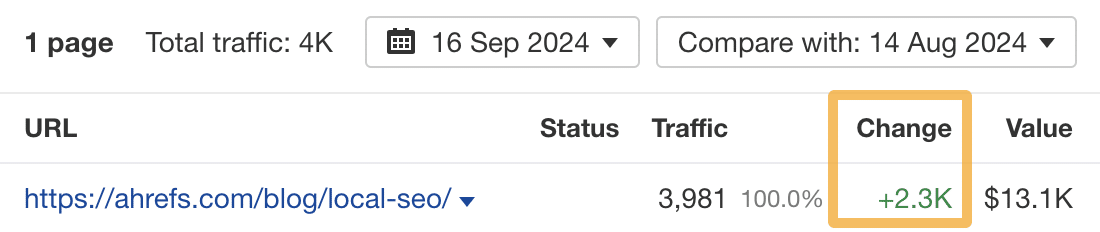
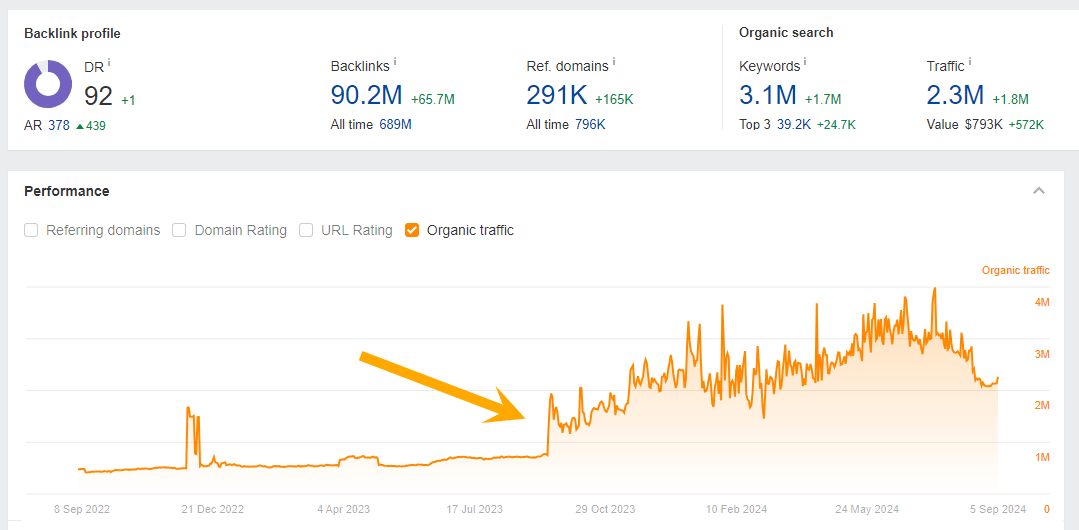
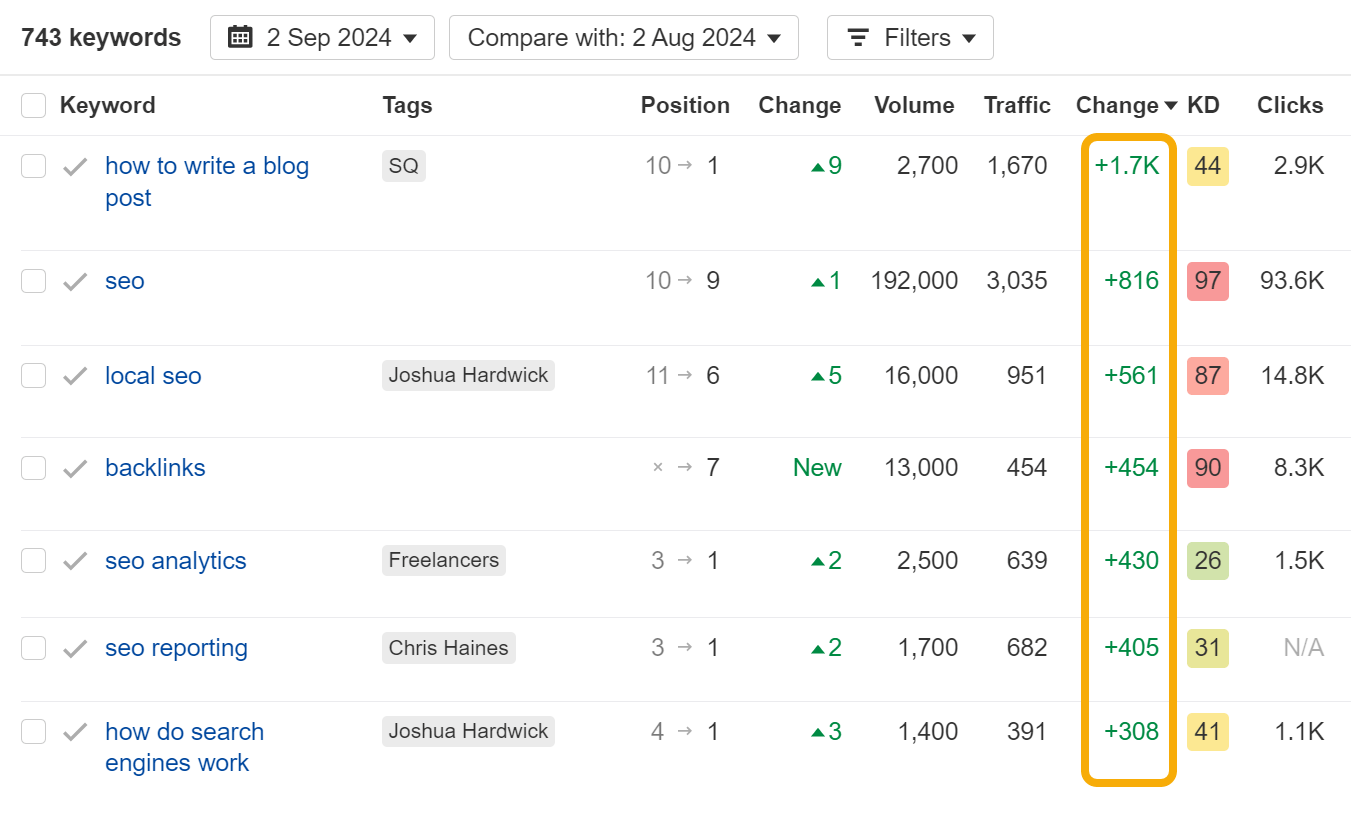
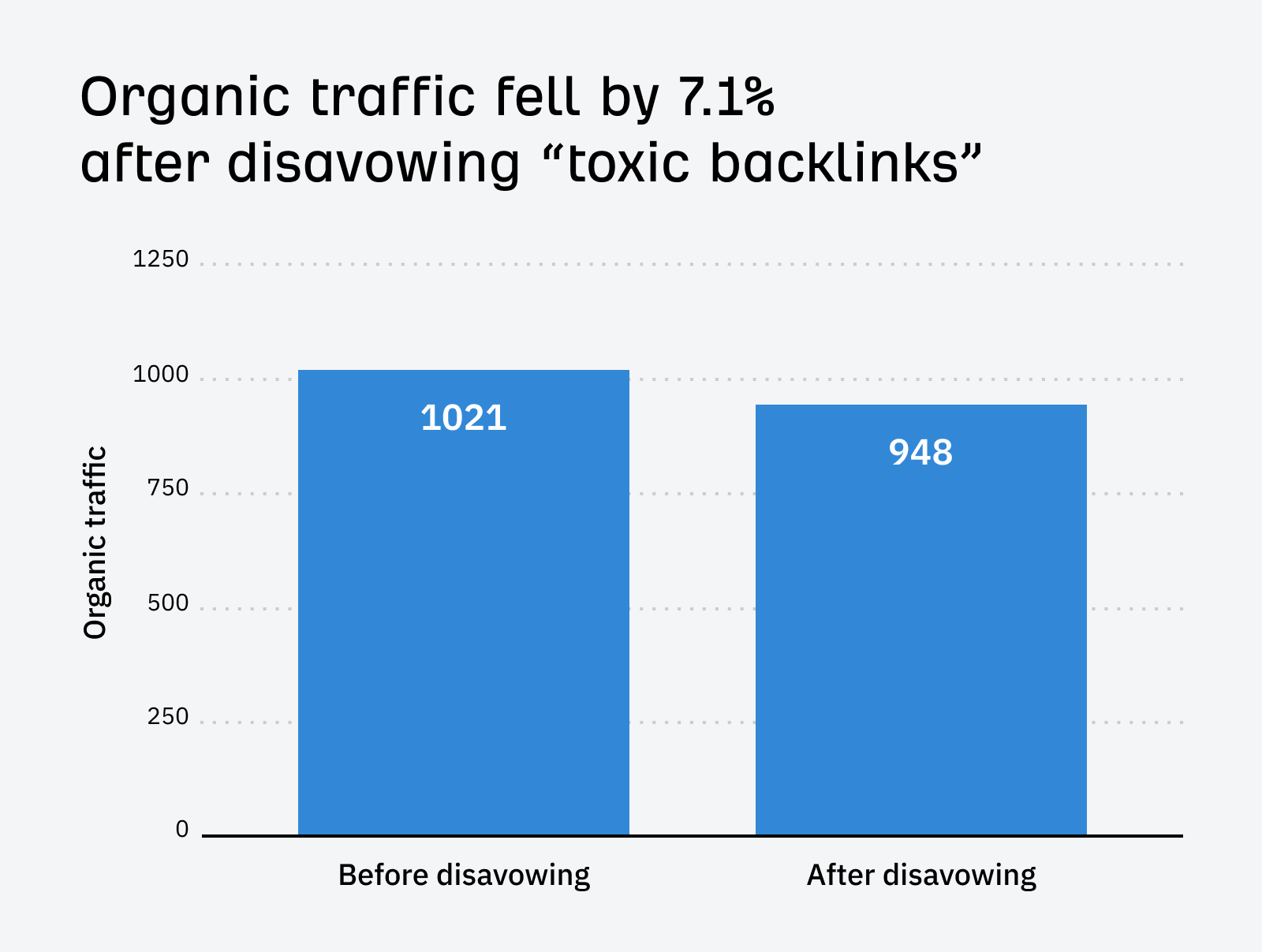
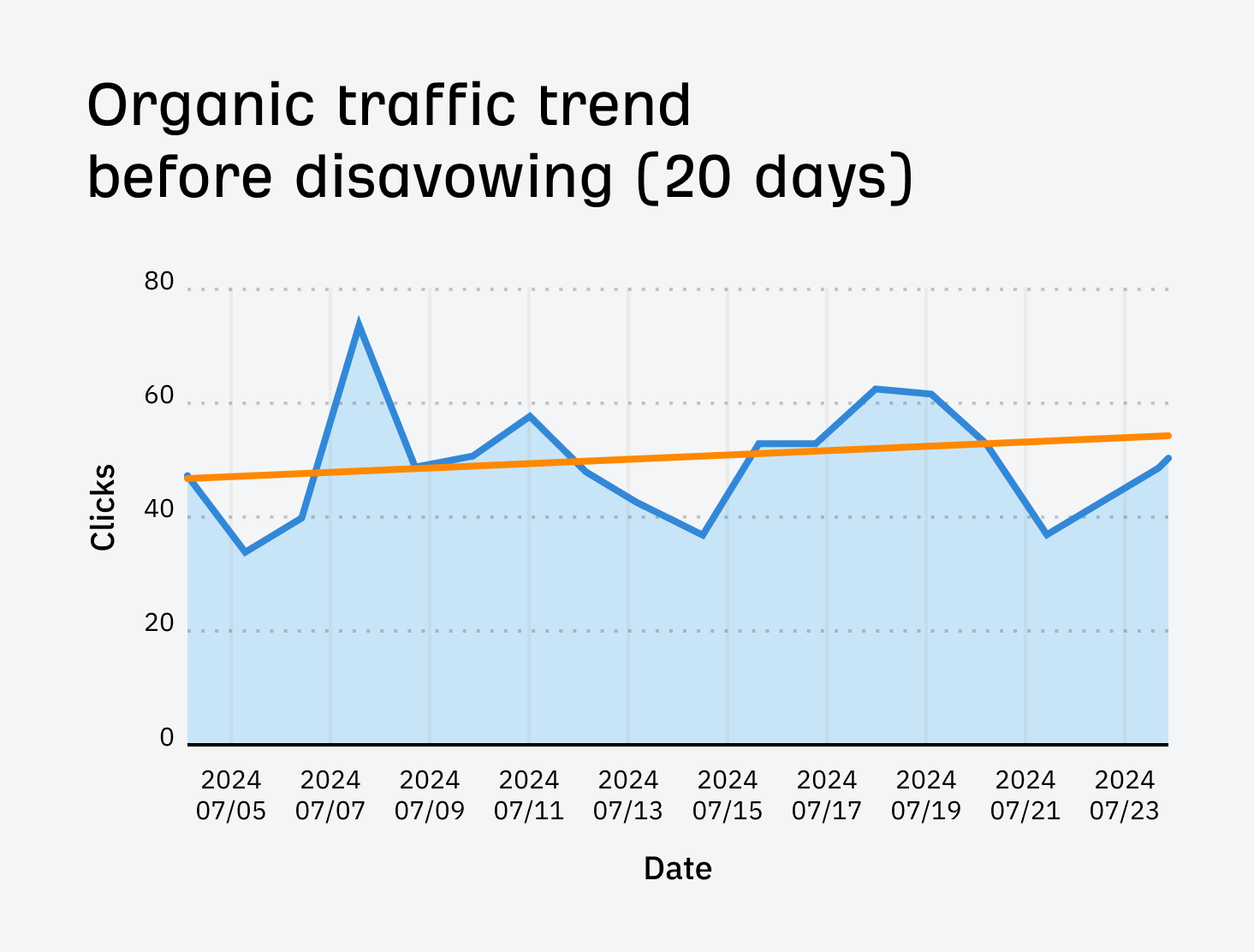
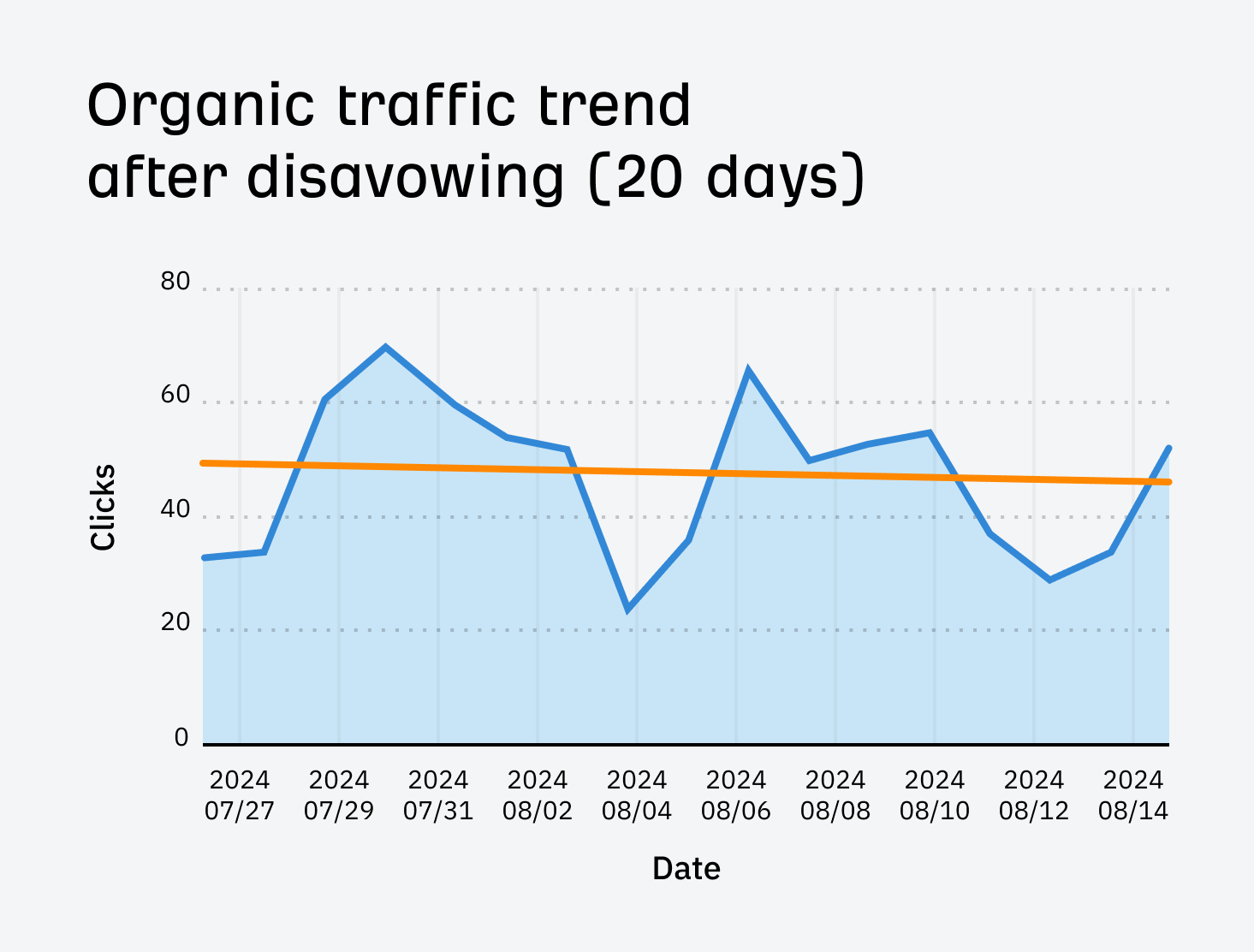
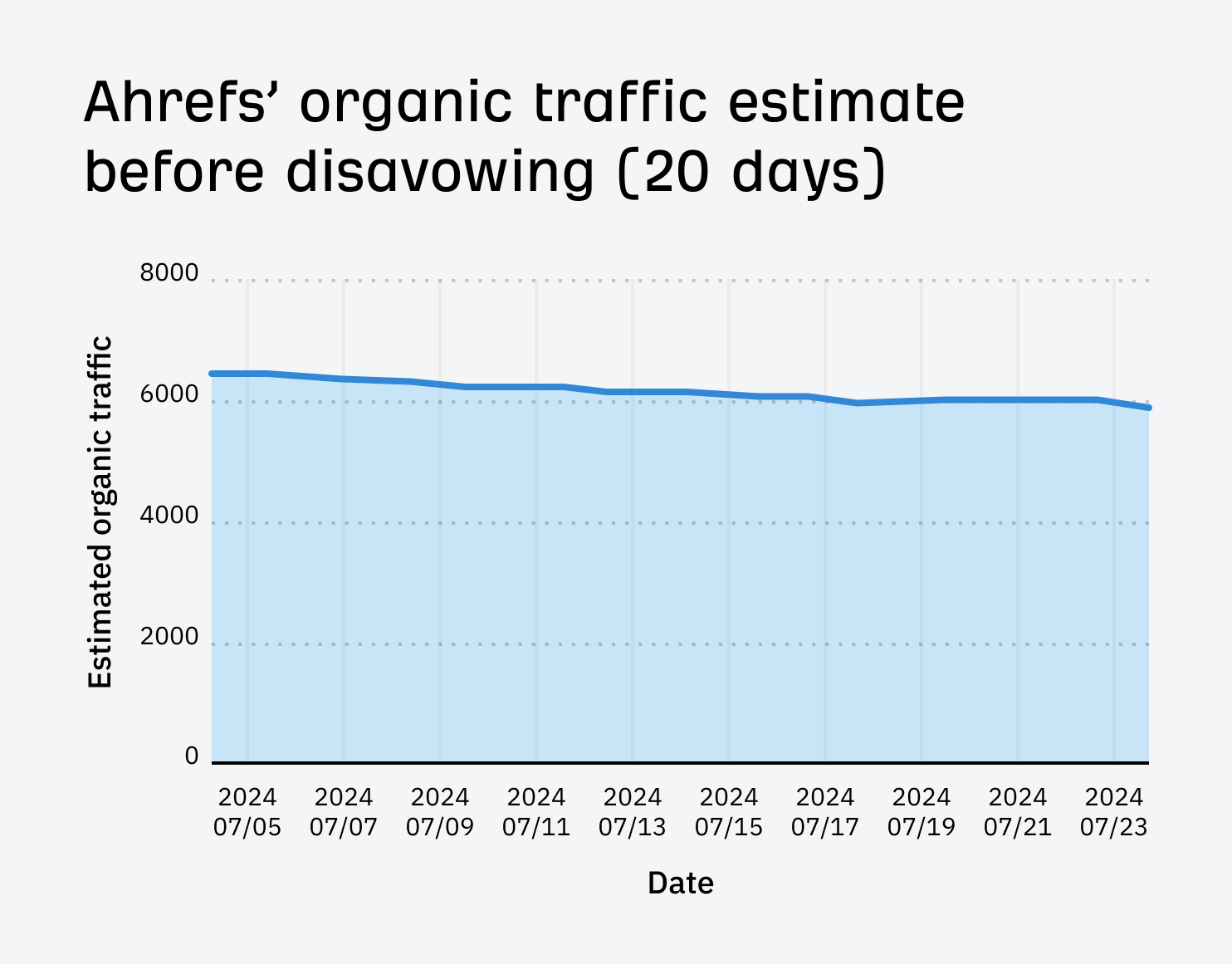
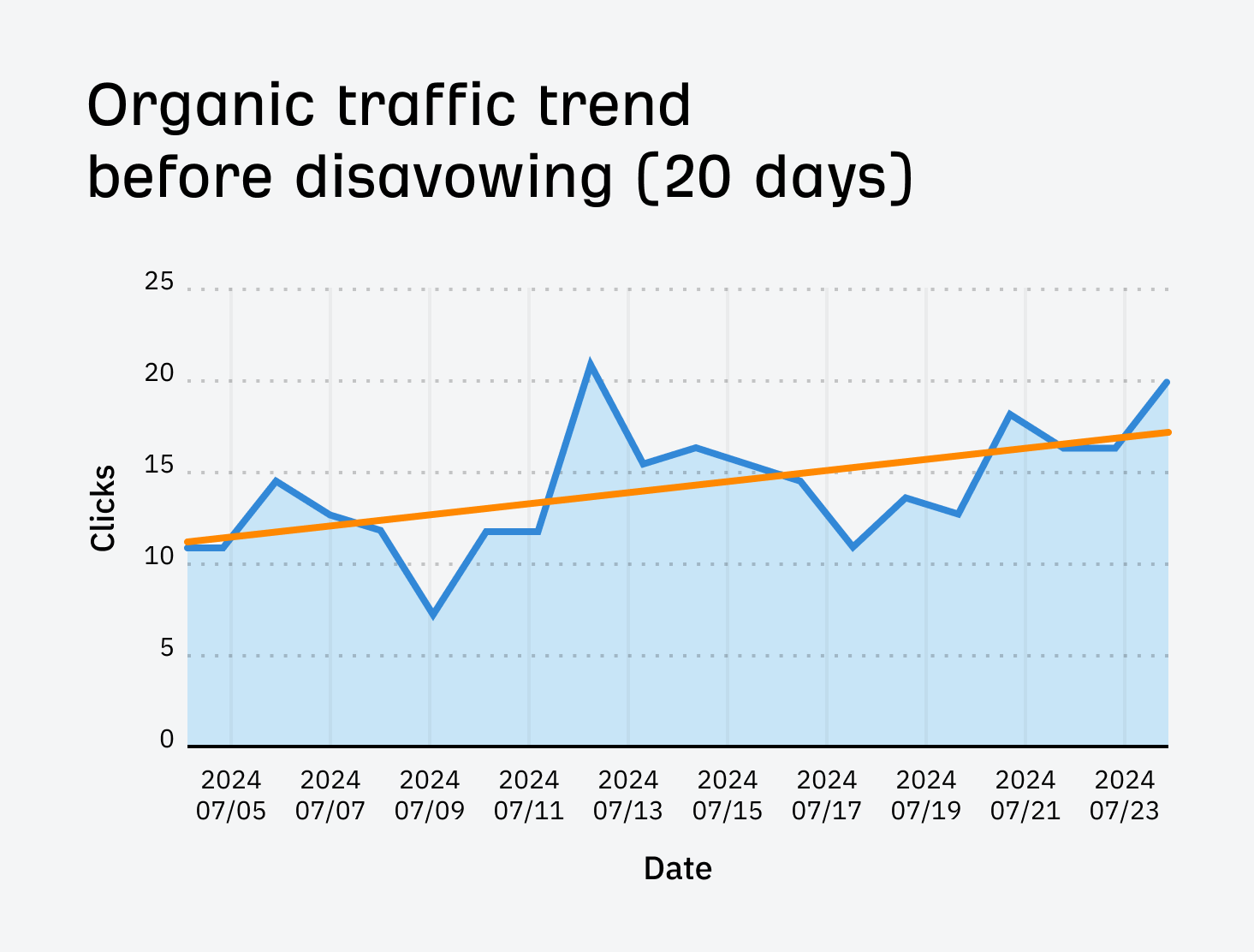
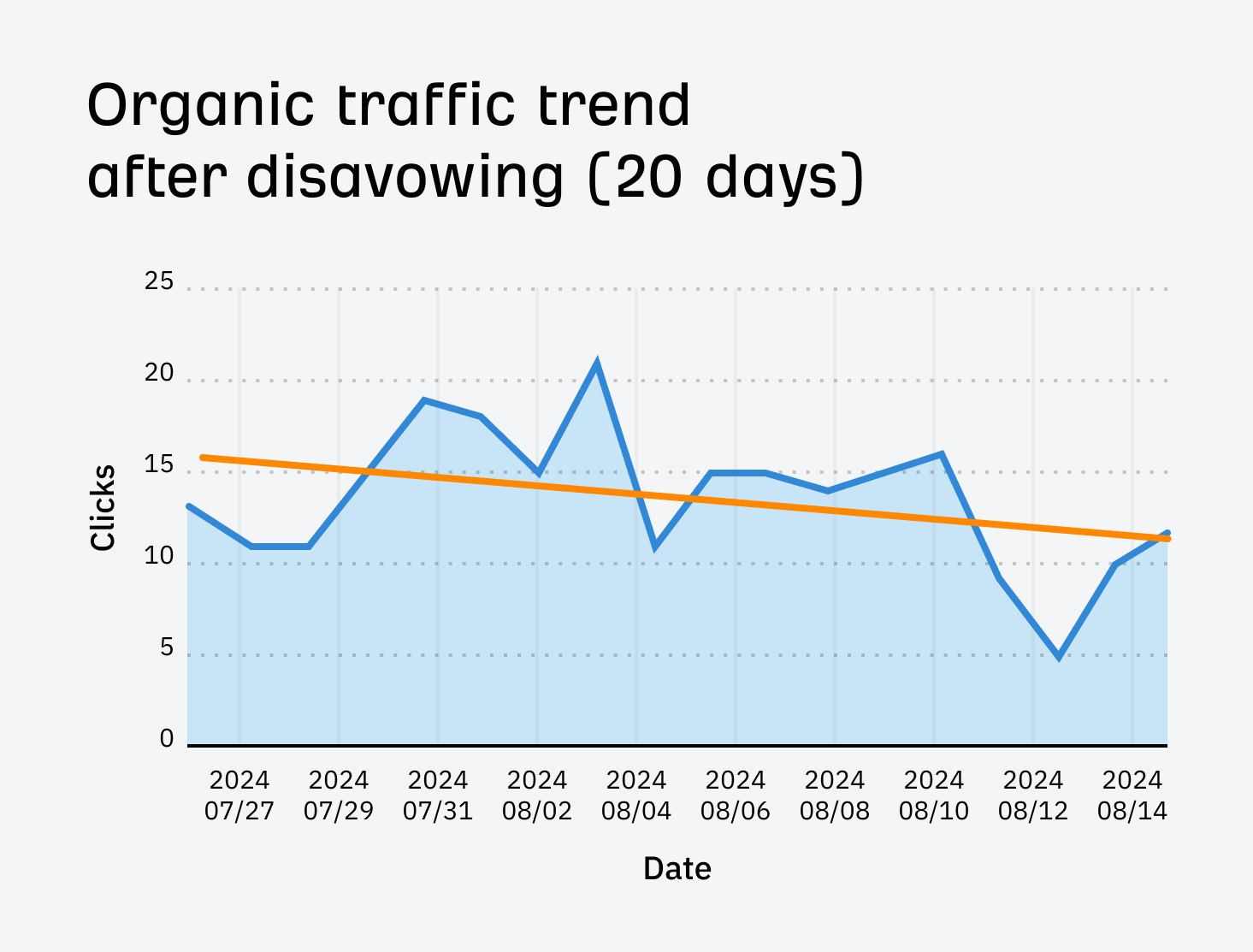
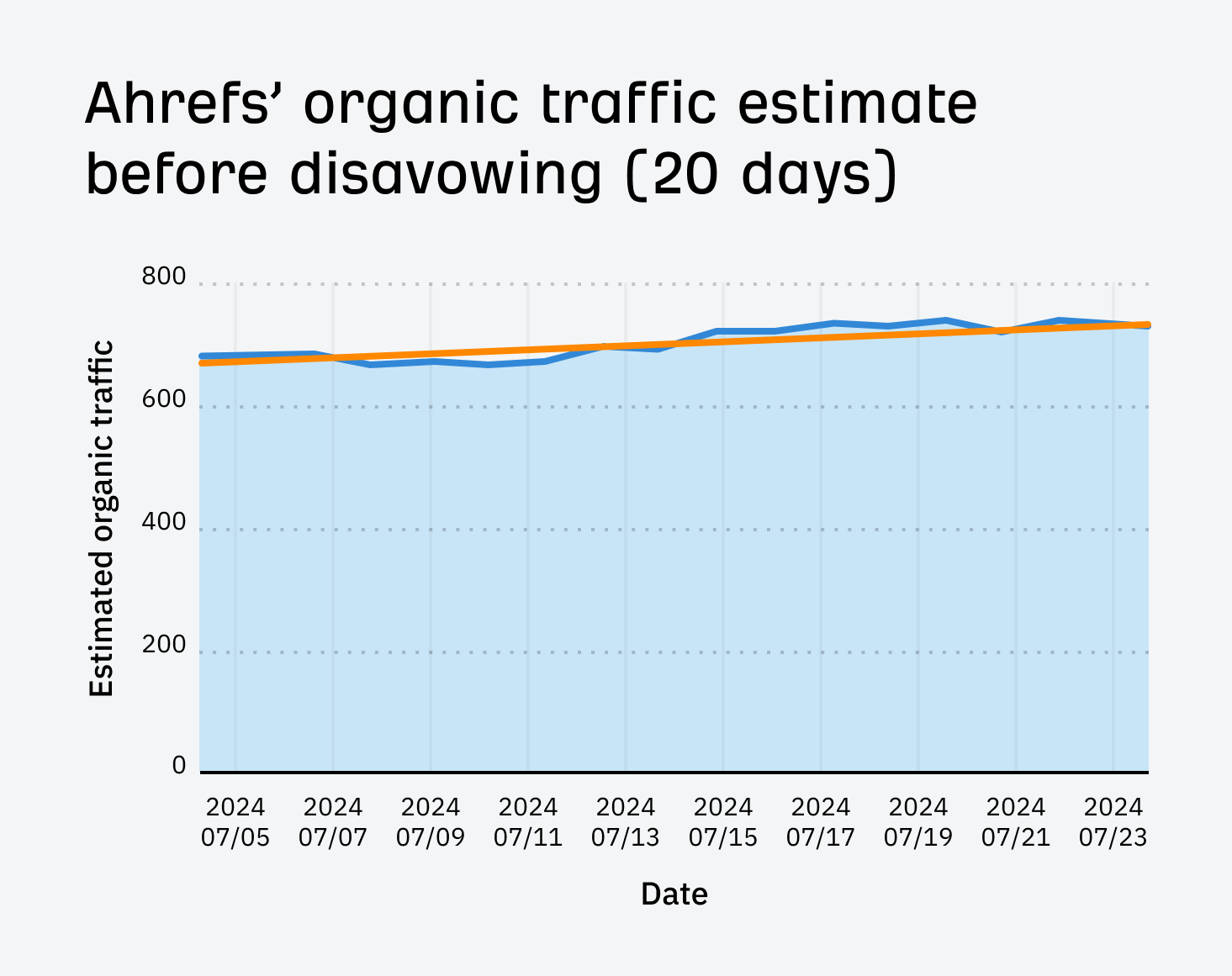
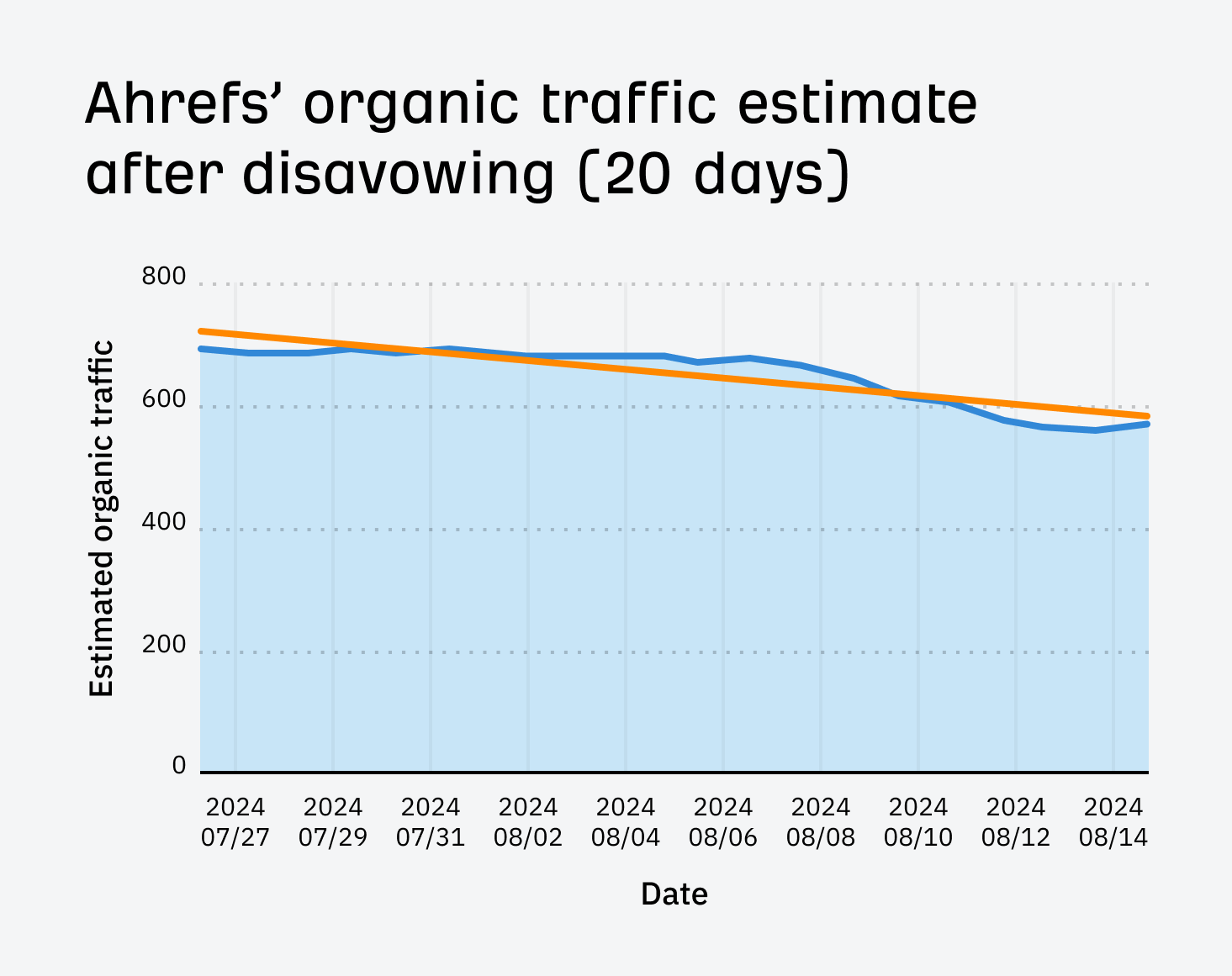
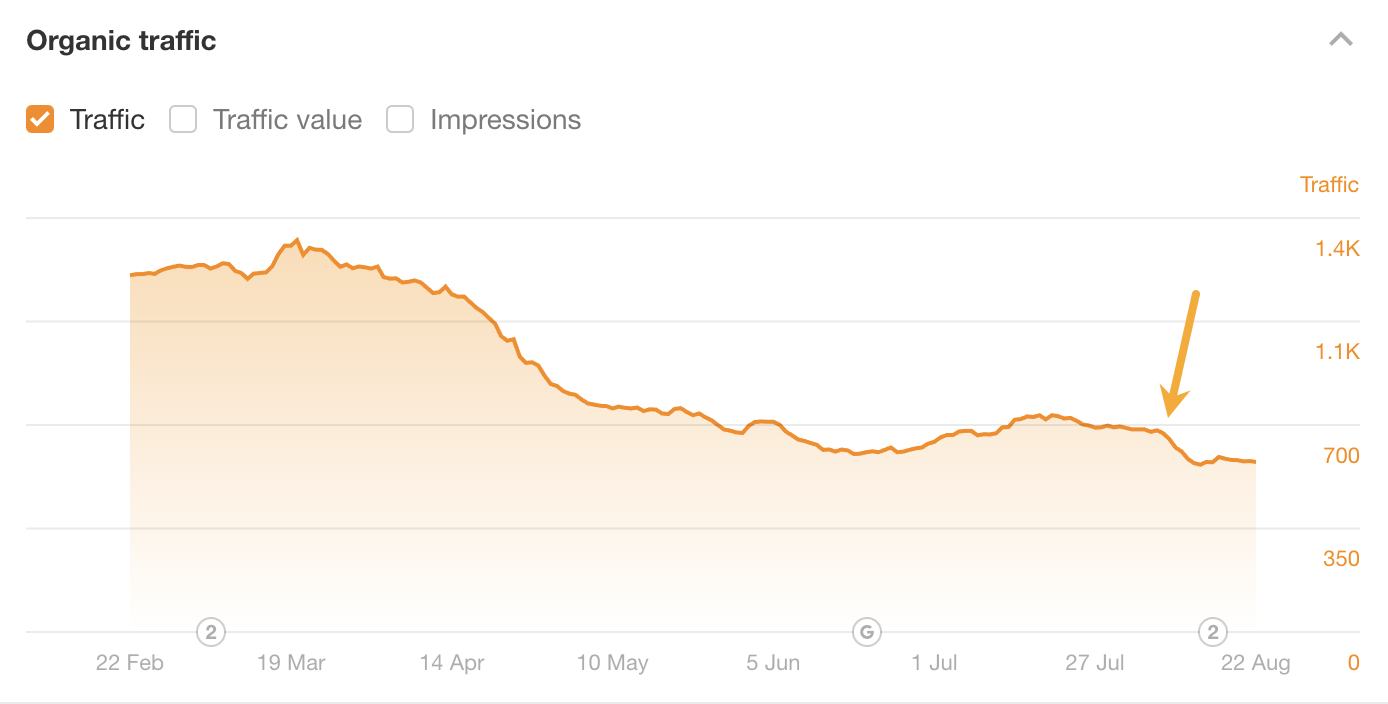
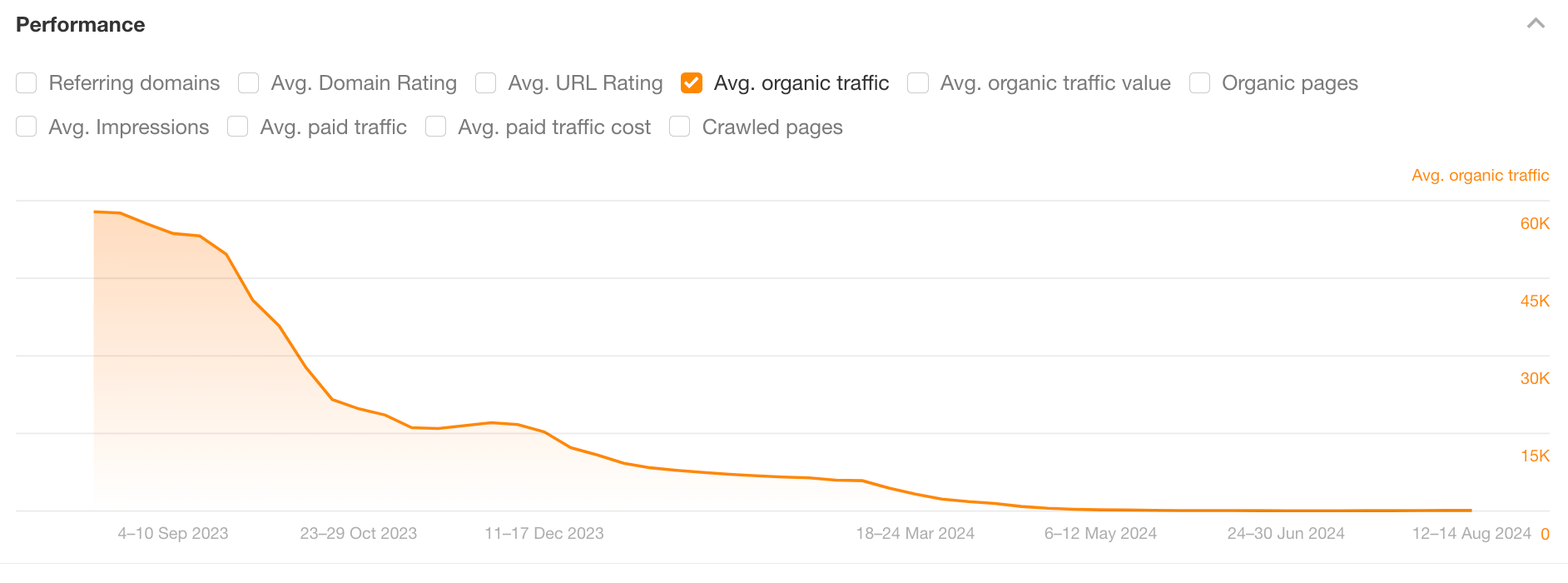
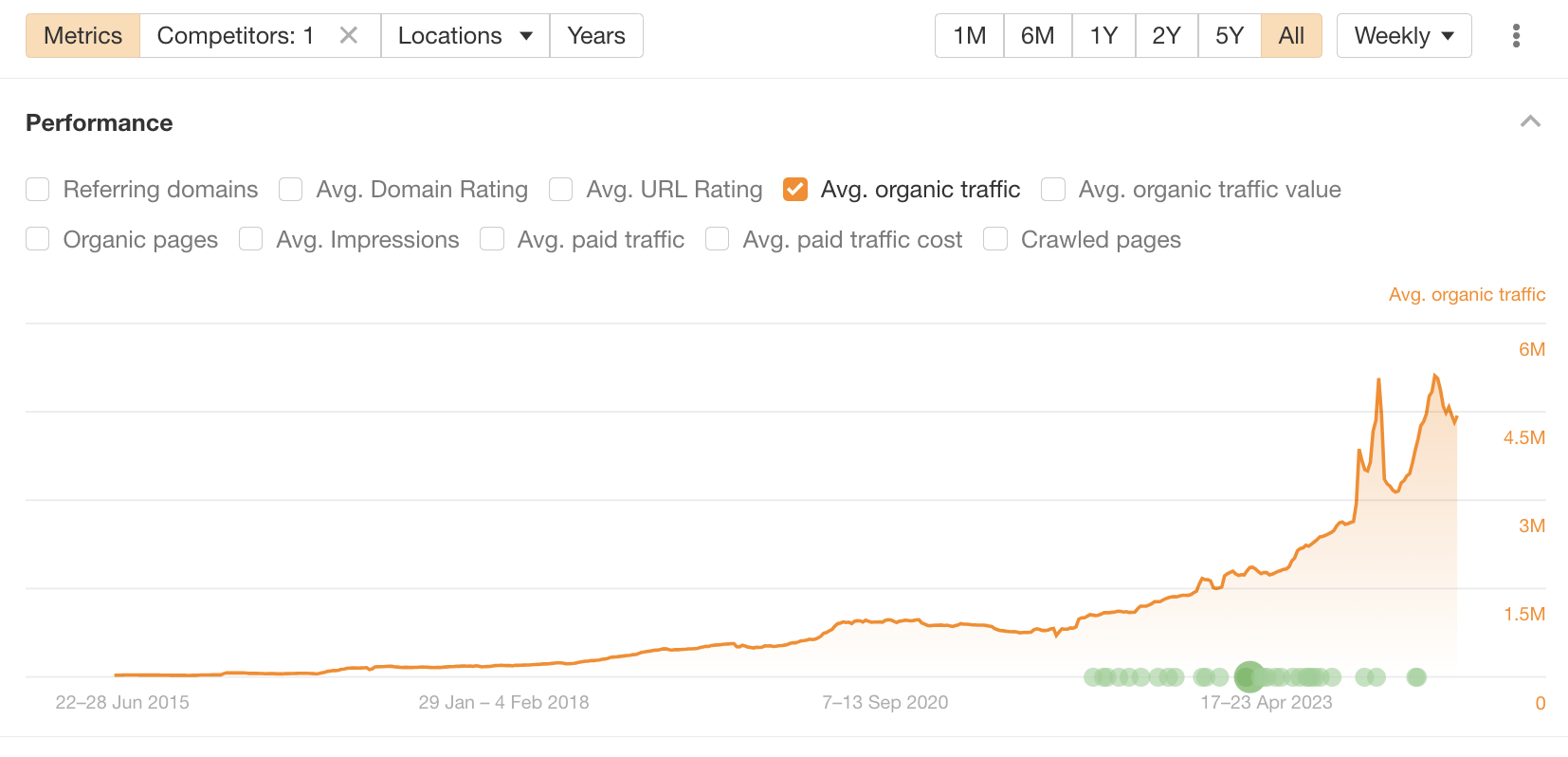
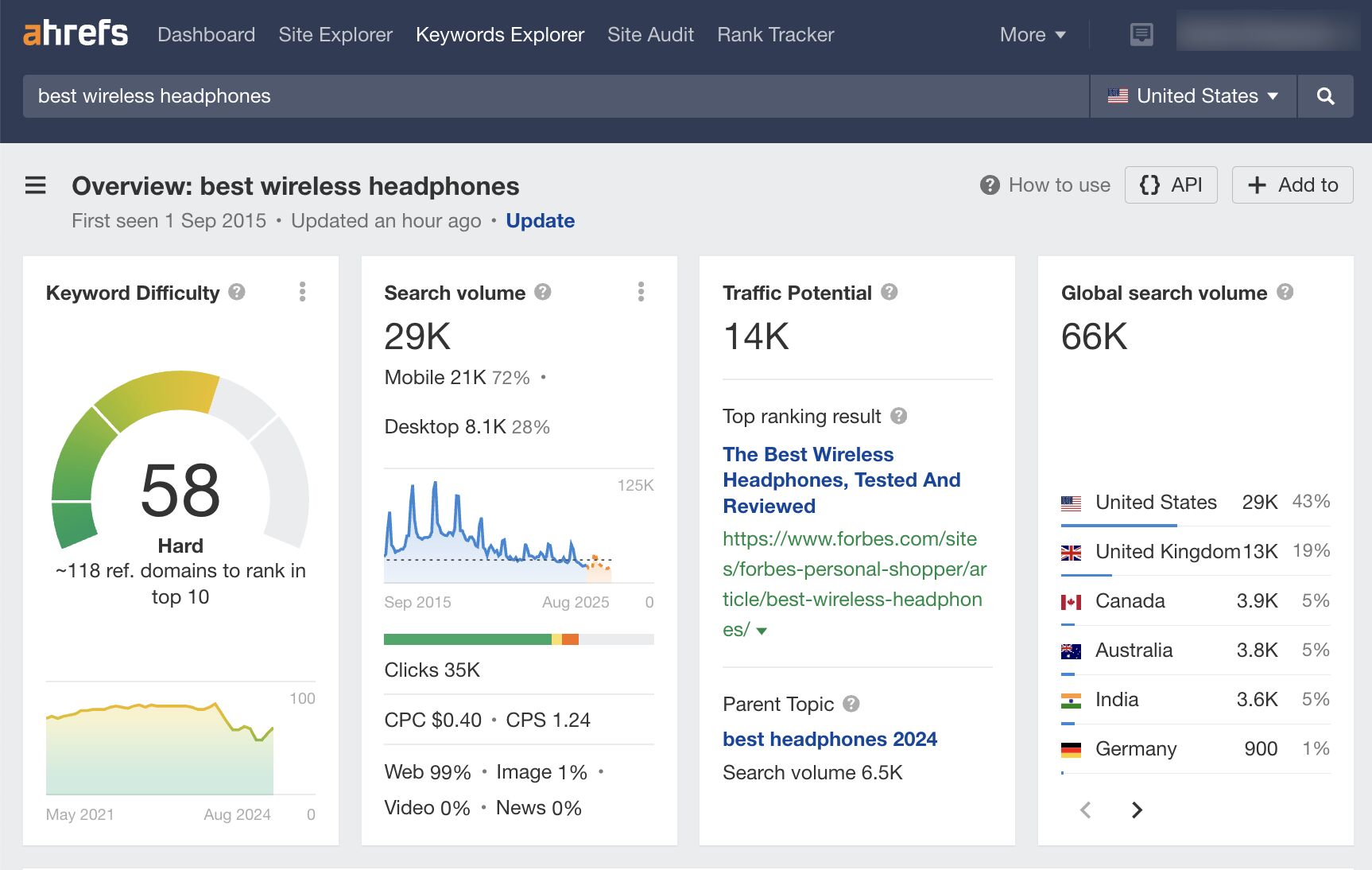
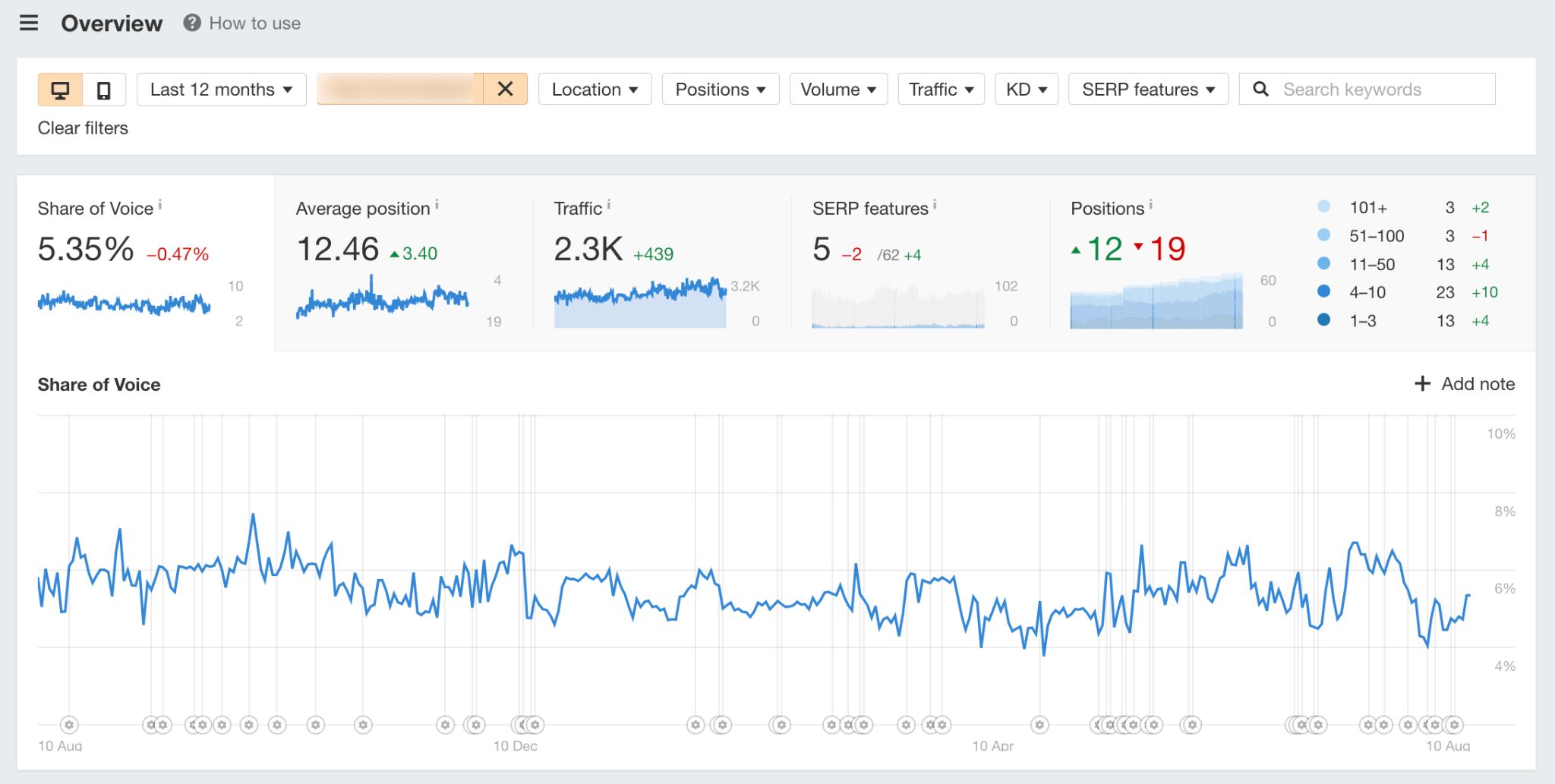
A few weeks ago, I optimized one of my blog posts for related keywords. Today, it gets an estimated 2,300 more monthly organic visits:
In this post, I’ll show you how I found and optimized my post for these related keywords.
How I found related keywords
Related keywords are words and phrases closely linked to your main keyword. There are many ways to find them. You can even just ask ChatGPT.
But here’s the thing: These keywords aren’t useful for optimizing content.
If more traffic is your goal, you need to find keywords that represent subtopics—not just any related ones.
Think of it like this: you improve a recipe by adding the right ingredients, not everything in your fridge!
Below are two methods for finding the right related keywords (including the one I used):
Method 1. Use content optimization tools
Content optimization tools look for keywords on other top-ranking pages but not yours. They usually then recommend adding these keywords to your content a certain number of times.
These tools can be useful if you take their recommendations with a pinch of salt, as some of them can lead you astray.
For example, this tool recommends that I add six mentions of the phrase “favorite features” to our keyword research guide.
Does that seem like an important related keyword to you? It certainly doesn’t to me!
They also usually have a content score that increases as you add the recommended related keywords. This can trick you into believing that something is important when it probably isn’t—especially as content scores have a weak correlation with rankings.
My advice? If you’re going to use these tools, apply common sense and look for recommendations that seem to represent important subtopics.
For example, when I analyze our content audit guide, it suggests adding quite a few keywords related to content quality.
It doesn’t take a genius to work out that this is an extremely important consideration for a content audit—yet our guide mentions nothing about it.
This is a huge oversight and definitely a batch of related keywords worth optimizing for.
Try the beta version of our new AI Content Helper!
Instead of counting terms that you need to include in your content, Content Helper uses AI to identify the core topics for your target keywords and scores your content (as well as your competitors) against those topics as you write it. In effect, it groups related keywords by subtopic, making it easier to optimize for the broader picture.
For example, it looks like my post doesn’t cover Google Business Profile optimization too well. This is something it might be worth going into more detail about.
Method 2. Do a keyword gap analysis (this is the method I used!)
Keyword gaps are when competitors rank for keywords you don’t. If you do this analysis at the page level, it’ll uncover related keywords—some of which will usually represent subtopics.
If possible, I recommend doing this for pages that already rank on the first page for their main target keyword. These pages are doing well already and likely just need a bit of a push to rank high and for more related keywords. You can find these in Site Explorer:
Enter your domain
Go to the Organic Keywords report
Filter for positions 2-10
Look for the main keywords you’re targeting
Once you have a few contenders, here’s how to do a keyword gap analysis:
a) Find competitors who are beating you
In the Organic Keywords report, hit the SERP dropdown next to the keyword to see the current top-ranking pages. Look for similar pages that are getting more traffic than yours and have fewer referring domains.
For example, our page ranks #10 for “local SEO,” has 909 referring domains, and gets an estimated 813 monthly visits:
All of these competing pages get more traffic with fewer backlinks:
Sidenote.
I’m going to exclude the page from Moz going forward as it’s a blog category page. That’s very different to ours so it’s probably not worth including in our analysis.
b) Send them to the content gap tool
Hit the check boxes next to your competitors, then click “Open In” and choose Content gap.
By default, this will show you keywords where one or more competitors rank in the top 10, but you don’t rank anywhere in the top 100.
I recommend changing this so it shows all keywords competitors rank for, even if you also rank for them. This is because you may still be able to better optimize for related keywords you already rank for.
I also recommend turning the “Main results only” filter on to exclude rankings in sitelinks and other SERP features:
c) Look for related keywords worth optimizing for
This is where common sense comes into play. Your task is to scan the list for related keywords that could represent important subtopics.
For example, keywords like these aren’t particularly useful because they’re just different ways of searching for the main topic of local SEO:
But a related keyword like “what is local SEO” is useful because it represents a subtopic searchers are looking for:
If this process feels too much like trying to find a needle in a haystack, try exporting the full list of keywords, pasting them into Keywords Explorer, and going to the “Cluster by terms” report. As the name suggests, this groups keywords into clusters by common terms:
This is useful because it can highlight common themes among related keywords and helps you to spot broader gaps.
For example, when I was looking for related keywords for our SEO pricing guide (more on this later!), I saw 17 related keywords containing the term “month”:
Upon checking the keywords, I noticed that they’re all ways of searching for how much SEO costs per month:
This is an easy batch of related keywords to optimize for. All I need to do is answer that question in the post.
If you’re still struggling to spot good related keywords, look for ones sending competing pages way more traffic than you. This usually happens because competitors’ pages are better optimized for those terms.
You can spot these in the content gap report by comparing the traffic columns.
For example, every competing page is getting more traffic than us for the keyword “how much does SEO cost”—and Forbes is getting over 300 more visits!
How I optimized for related keywords
Now you have a bunch of related keywords, what should you do with them?
This is a nuanced process, so I’m going to show you exactly how I did it for our local SEO guide. Its estimated organic traffic grew by 135% after my optimizations for related keywords:
Sidenote.
Google kindly rolled out a Core update the day after I did these optimizations, so there’s always a chance the traffic increase is unrelated. That said, traffic to our blog as a whole stayed pretty consistent after the update, while this post’s traffic grew massively. I’m pretty sure the related keyword optimization is what caused this.
Here are the related keywords I optimized it for and how:
Related keyword 1: “What is local SEO”
Every competing page was getting significantly more traffic than us for this keyword (and ranking significantly higher). One page was even getting an estimated 457 more visits than ours per month:
People were also searching for this in a bunch of different ways:
My theory on why we weren’t performing well for this? Although we did have a definition on the page, it wasn’t great. It was also buried under a H3 with a lot of fluff to read before you get to it.
I tried to solve this by getting rid of the fluff, improving the definition (with a little help from ChatGPT), and moving it under a H2.
Result? The page jumped multiple positions for the keyword “what is local SEO” and a few other similar related keywords:
Related keyword 2: Local SEO strategy
Once again, all competing pages were getting more traffic than ours from this keyword.
I feel like the issue here may be that there’s no mention of “strategy” in our post, whereas competitors mention it multiple times.
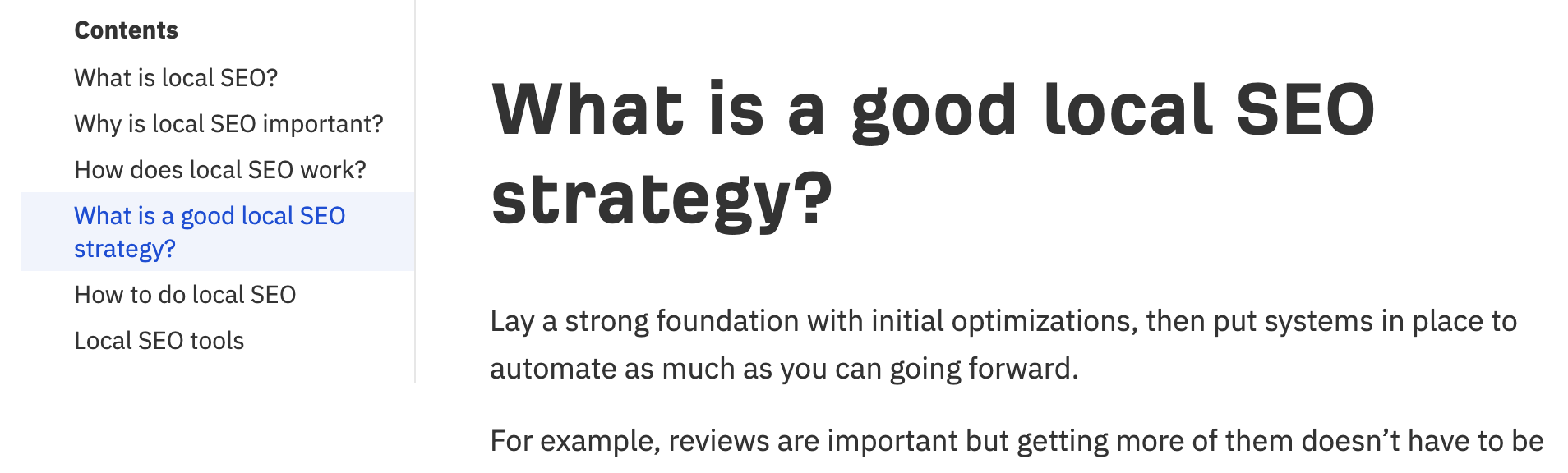
To solve this, I added a short section about local SEO strategy.
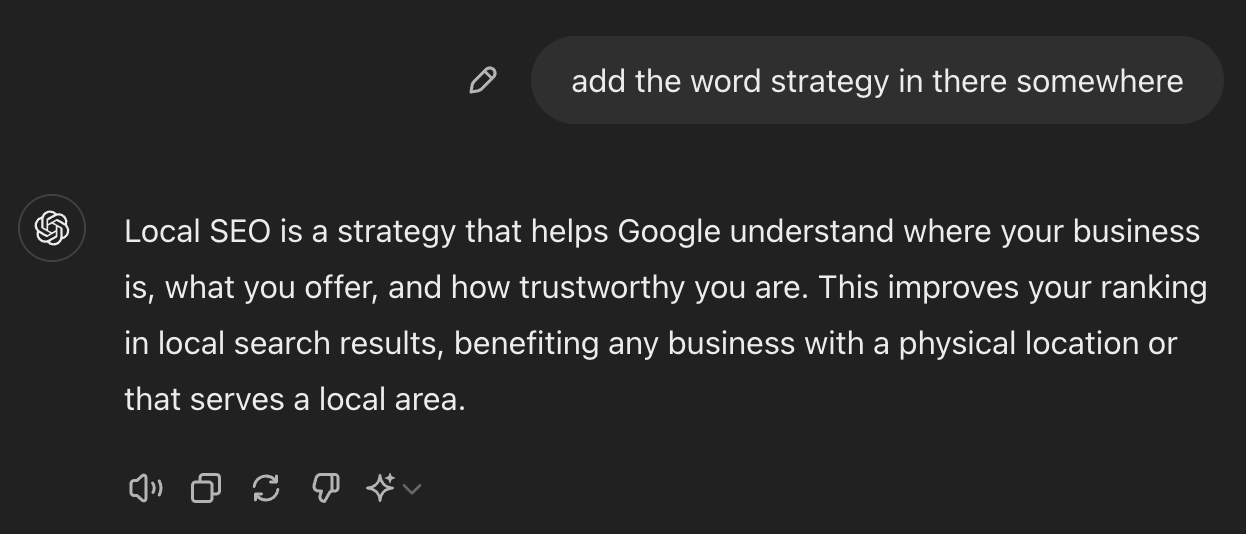
I also asked ChatGPT to add “strategy” to the definition of local SEO. (I’m probably clutching at straws with this one, but it reads nicely with the addition, so… why not?)
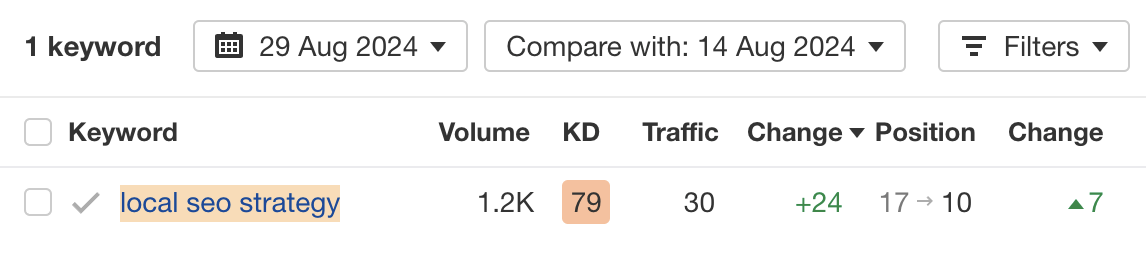
Result? The page jumped seven positions from the bottom of page two to page one for the related keyword:
Related keyword 3: “How to do local SEO”
Most of the competing pages were getting more traffic than us for this keyword—albeit not a lot.
However, I also noticed Google shows this keyword in the “things to know” section when you search for local SEO—so it seems pretty important.
I’d also imagine that anyone searching for local SEO wants to know how to do it.
Unfortunately, although our guide does show you how to do local SEO, it’s kind of buried in a bunch of uninspiring chapters. There’s no obvious “how to do it” subheading for readers (or Google) to skim, so you have to read between the lines to figure out the “how.”
In an attempt to solve this, I restructured the content into steps and put it under a new H2 titled “How to do local SEO”:
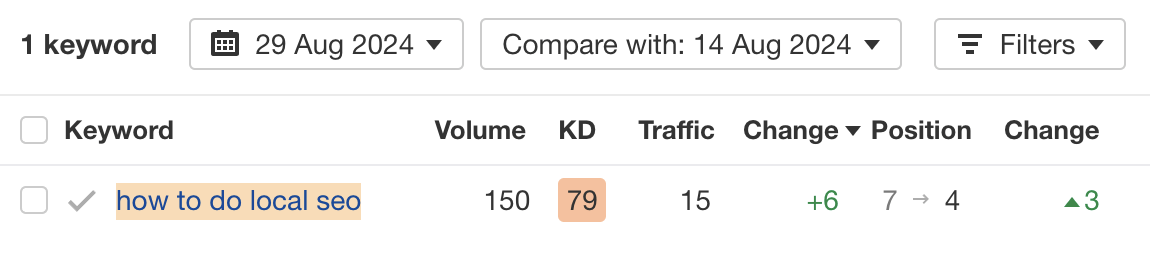
Result? Position #7 → #4
Does it always work this well?
No. Nothing in SEO is guaranteed, and this is no different.
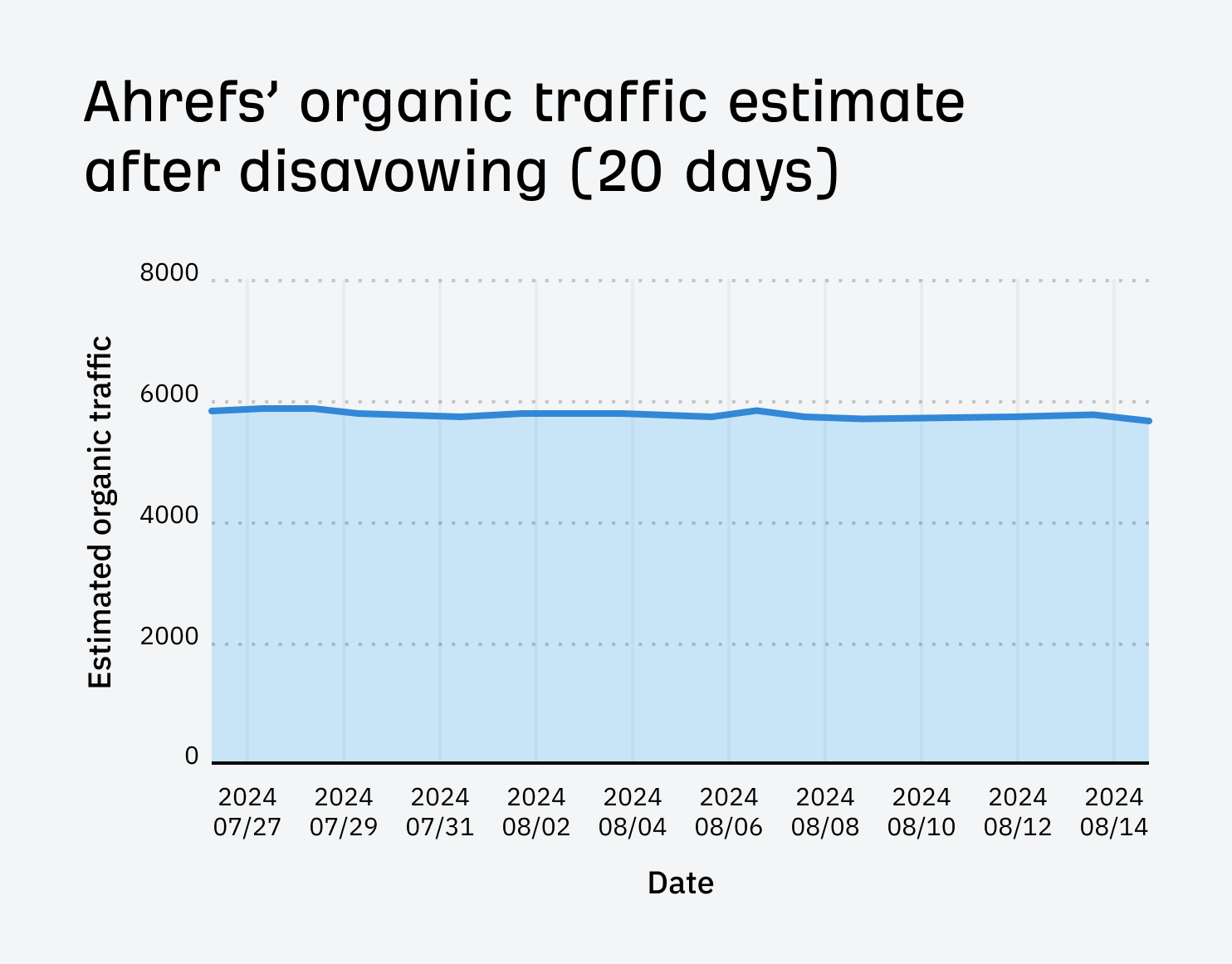
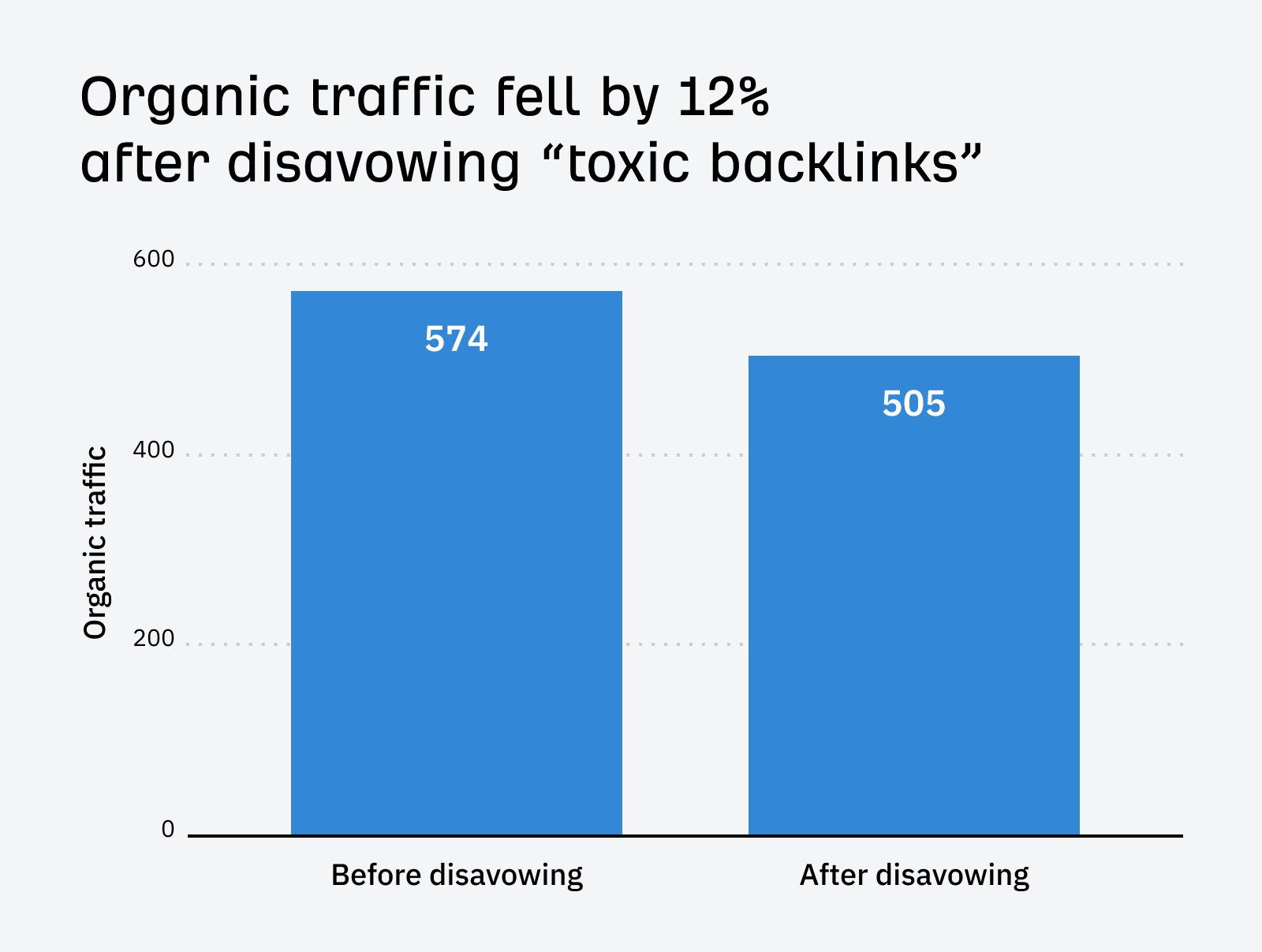
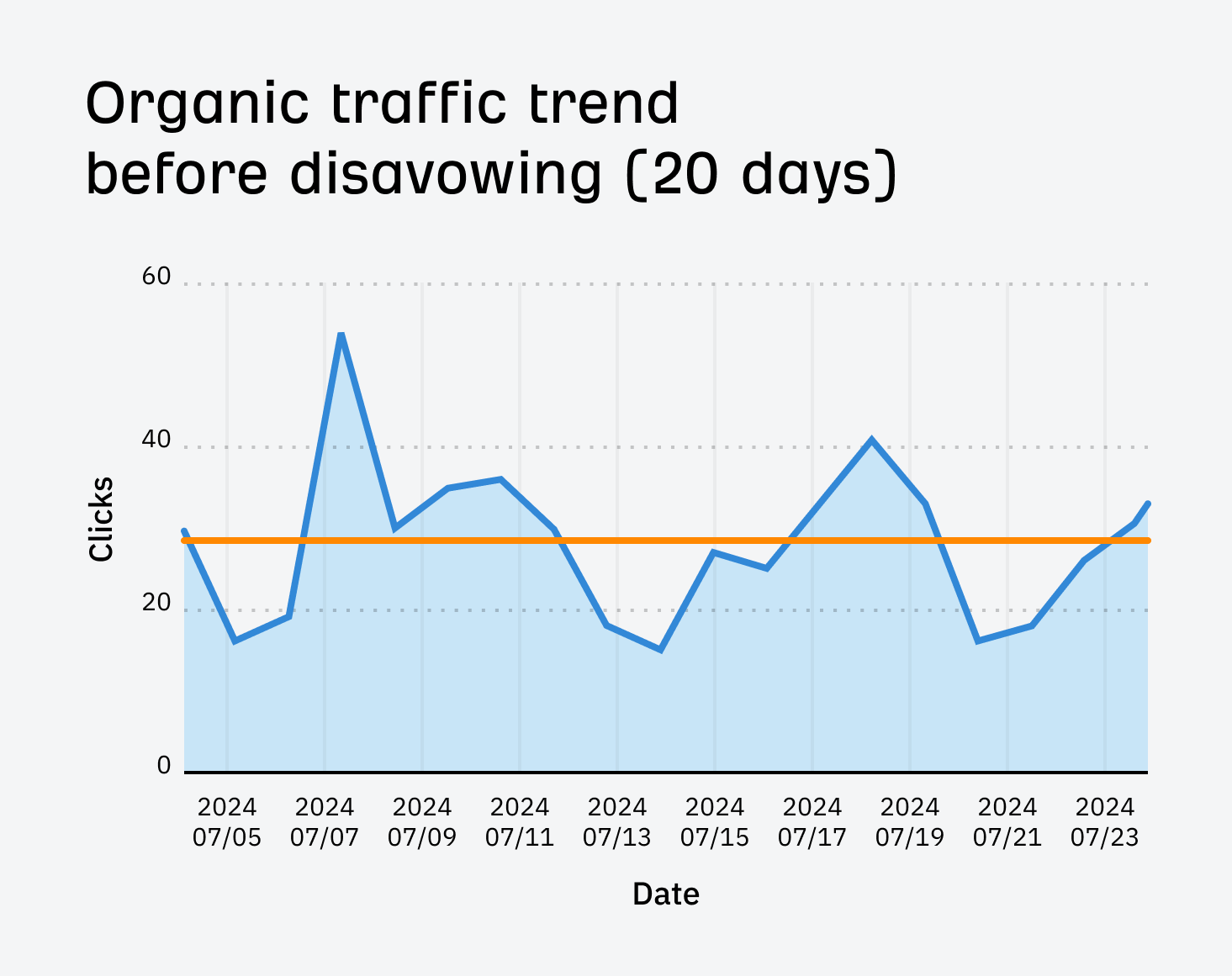
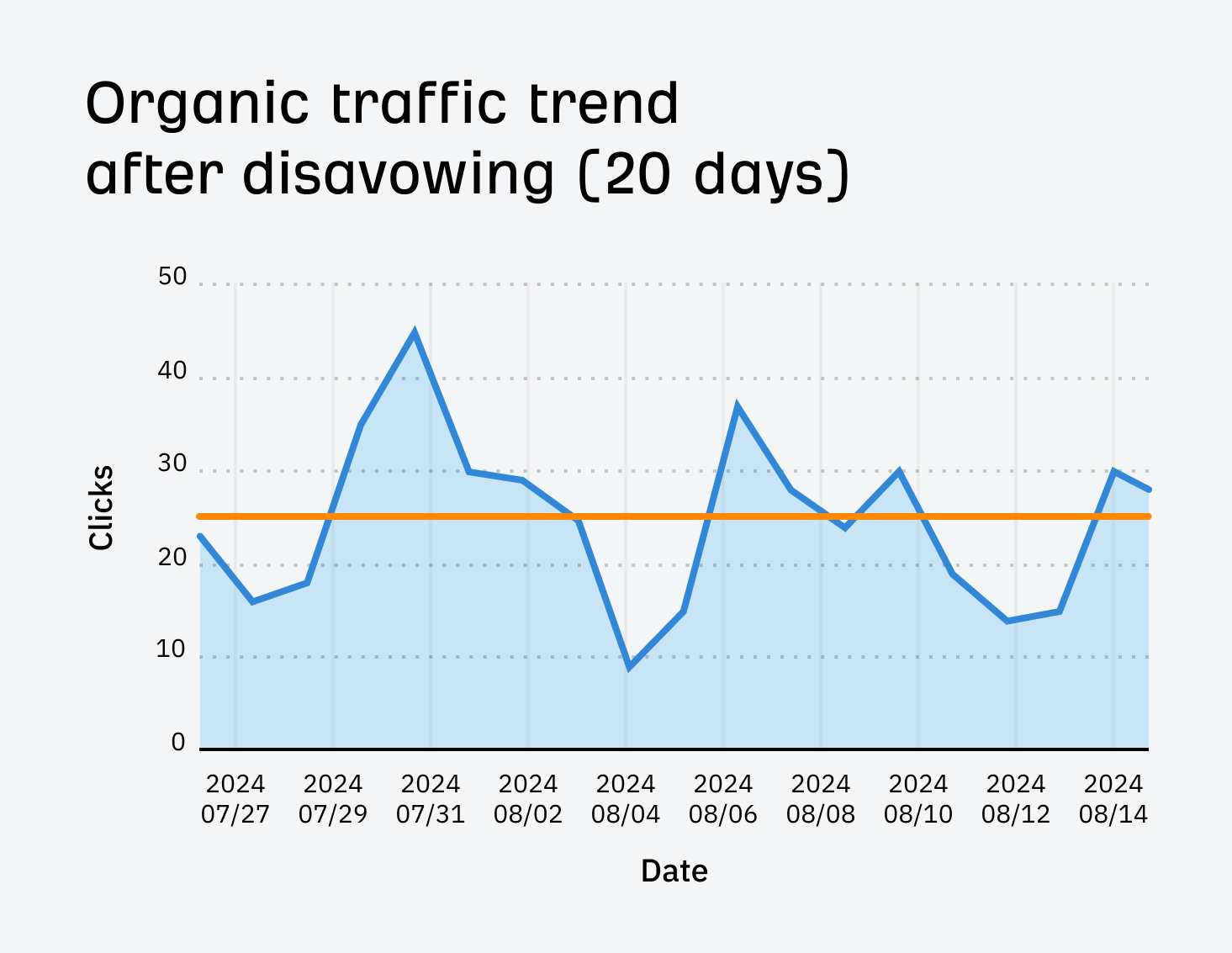
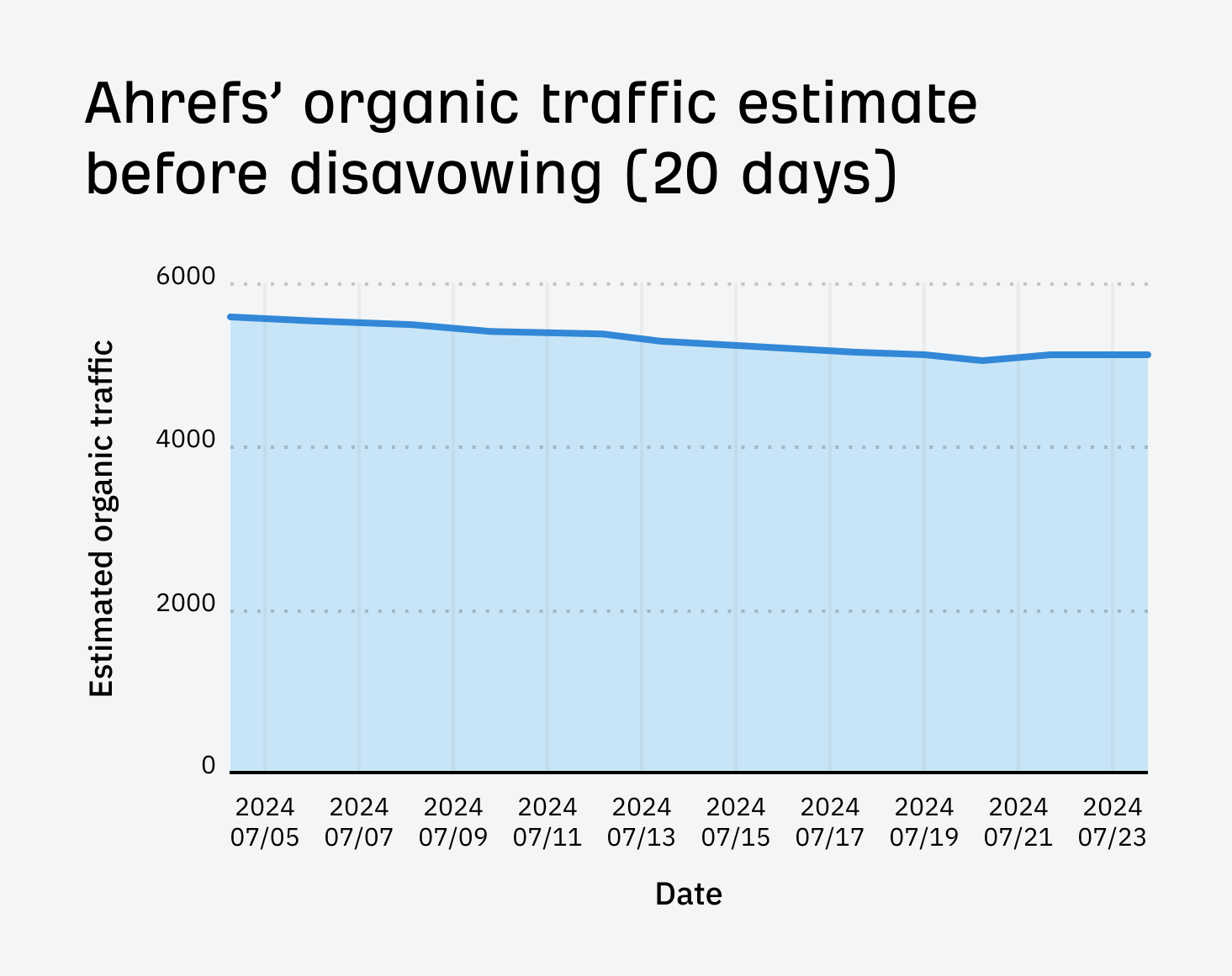
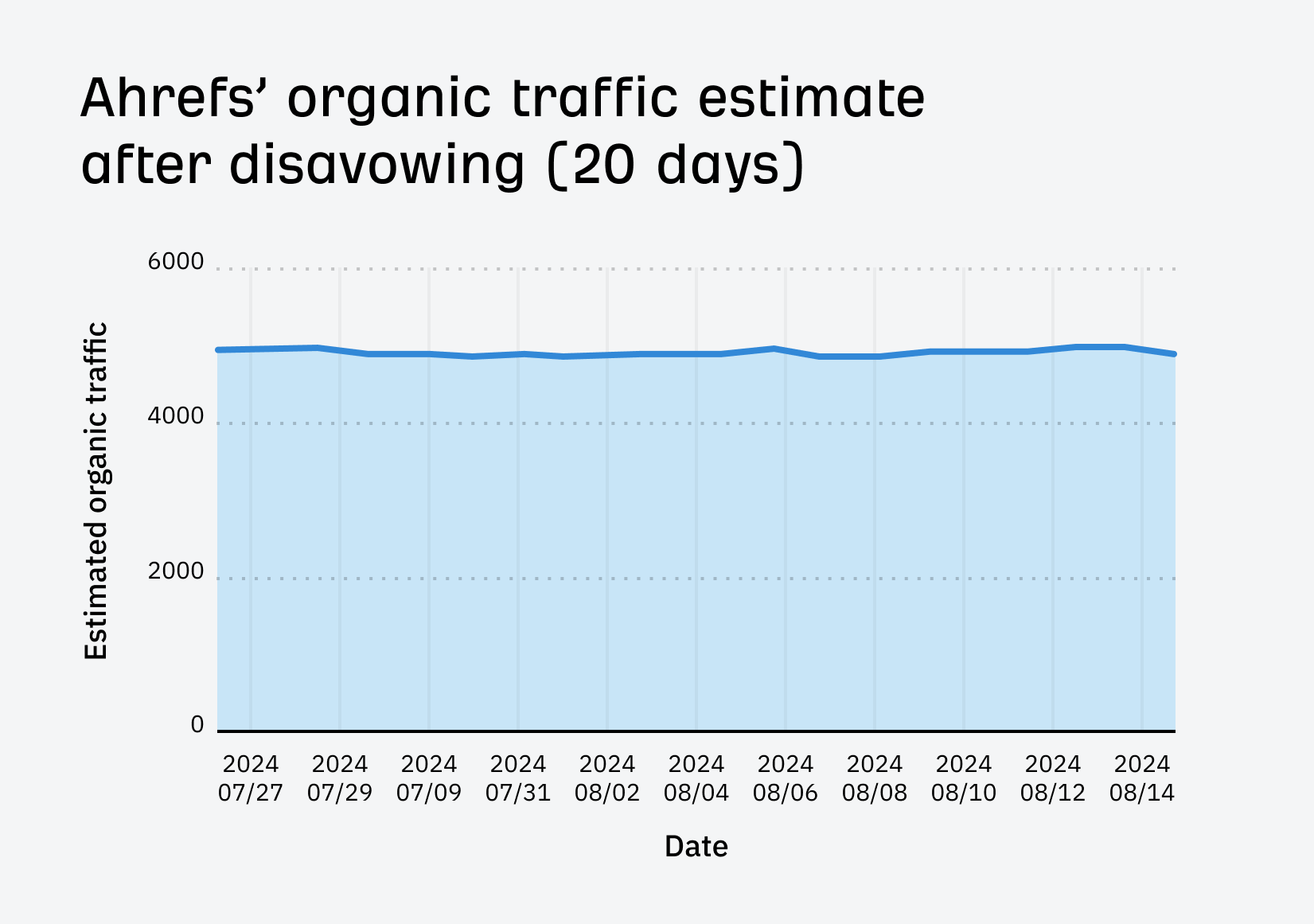
In fact, I optimized our SEO pricing guide for related keywords on the same day, and—although traffic did improve—it only improved by around 23%:
Sidenote.
You might have noticed the results were a bit delayed here. I think this is because the keywords the post ranks for aren’t so popular, so they’re not updated as often in Ahrefs.
For full transparency, here’s every related keyword I optimized the post for and the results:
Related keyword 1: “How much does SEO cost”
Each competing page got more traffic than ours from this keyword, with one getting an estimated 317 more monthly visits:
When I clustered the keywords by terms in Keywords Explorer, I also saw ~70 keywords containing the word “much” (this was around 19% of all keywords in the Content Gap report!):
These were all different ways of searching for how much SEO costs:
The issue here appears to be that although we do answer the question on the page, it’s quite buried. There’s no obvious subheading with the answer below it, making it hard for searchers (and possibly Google) to skim and find what they’re looking for:
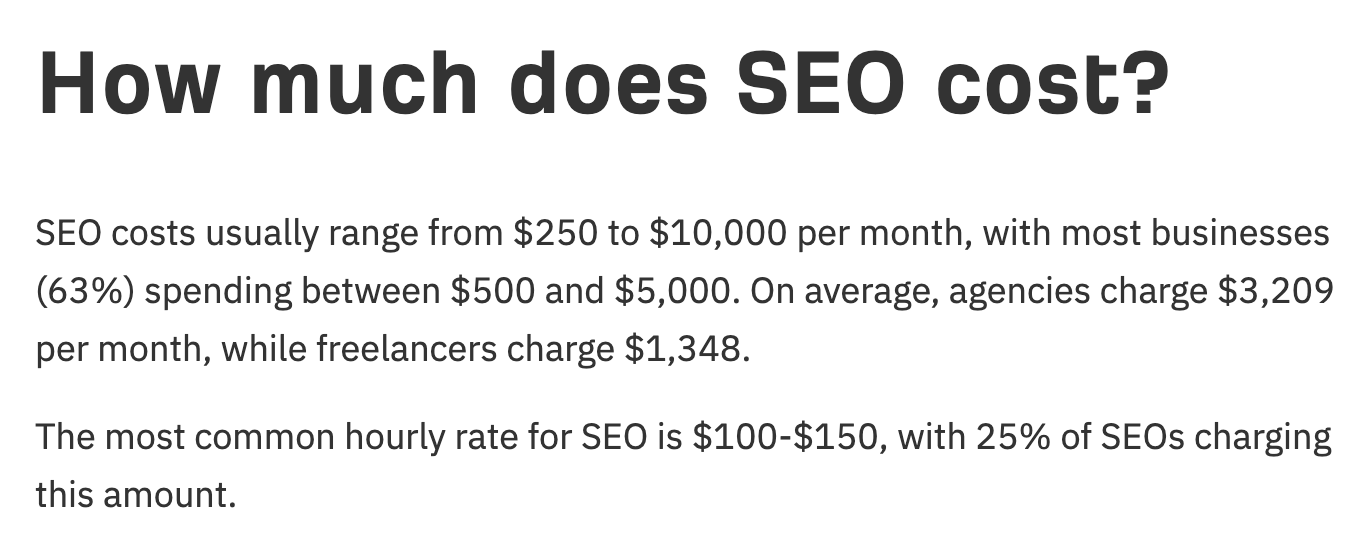
To solve this, I added a H2 titled “How much does SEO cost?” and added a direct answer below.
Result? No change in rankings for the related keyword itself, but the page did win a few snippets for longer-tail variations thanks to the copy I added:
Related keyword 2: “SEO cost per month”
Nearly all competing pages were getting more traffic than us for this keyword, with one getting an estimated 72 monthly visits more than more us.
The term clustering report in Keywords Explorer also showed that people are searching for the monthly cost of SEO in different ways:
This is not the case for hourly or retainer pricing; there are virtually no searches for this.
I think we’re not ranking for this because we haven’t prioritized this information on the page. The first subheading is all about hourly pricing, which nobody cares about. Monthly pricing data is buried below that.
To fix this, I moved the data on monthly pricing further up the page and wrote a more descriptive subheading (“Monthly retainer pricing” →“Monthly retainer pricing: How much does SEO cost per month?”).
I also changed the key takeaways in the intro to focus more on monthly pricing, as this is clearly what people care about. Plus, I simplified it and made it more prominent so searchers can find the information they’re actually looking for faster.
Result? The page won the featured snippet for this related keyword and a few other variations:
Related keyword 3: “Local SEO pricing”
I found this one in the term clustering report in Keywords Explorer, as 16 keywords contained the term “local.”
Upon further inspection, I realized these were all different ways of searching for the cost of local SEO services.
I think the problem here is although our post has some data on local SEO pricing, it doesn’t have the snappy figure searchers are likely looking for. Plus, even the information we did have was buried deep on the page.
So… I actually pulled new statistics from the data we collected for the post, then put them under a new H3 titled “How much does local SEO cost?”
Result? Small but notable improvements for this keyword and a few other variations:
Related keyword 4: “How much does SEO cost for a small business”
I saw that one competing page was getting an estimated 105 more monthly organic visits than us from this term.
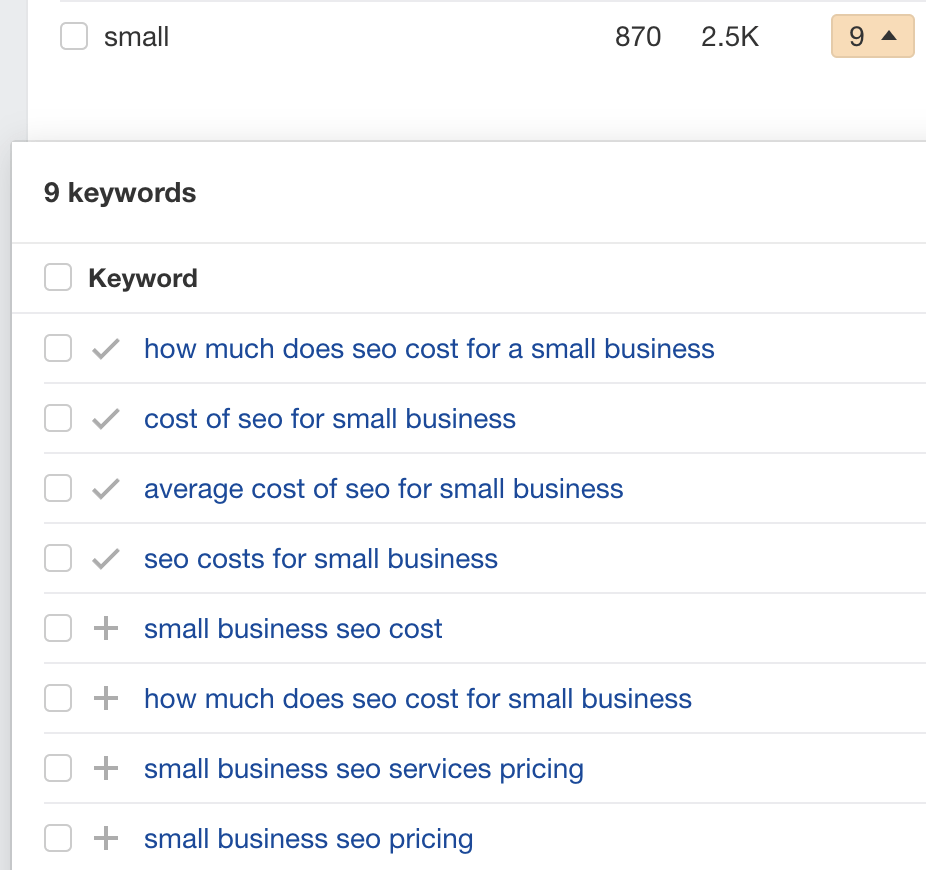
When clustering by terms in Keywords Explorer, I also saw a cluster of nine keywords containing the word “small.” These were all different ways of searching for small business SEO pricing:
Once again, the issue here is clear: the information people are looking for isn’t on the page. There’s not even a mention of small businesses.
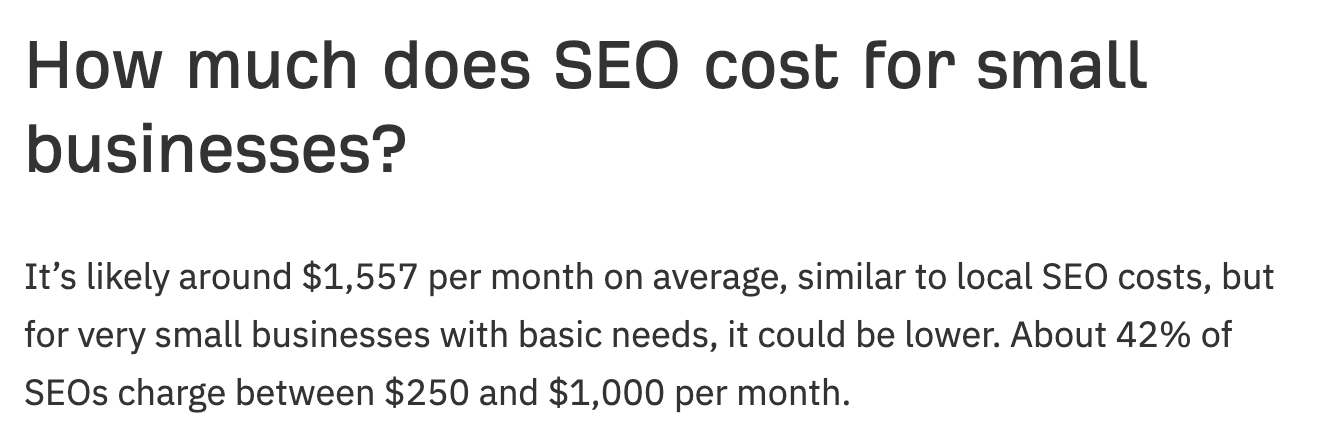
This is good as it means the solution is simple: add an answer to the page. I did this and put it under a new H3 titled “How much does SEO cost for small businesses?”
Result? #15 → #5 for this related keyword, and notable improvements for a few other variations:
Related keyword 5: “SEO pricing models”
This related keyword probably isn’t that important, but I spotted it looking through the Content gap report and thought it’d be pretty easy to optimize for.
All I did was create a new H2 titled “SEO pricing models: a deeper breakdown of costs.” I then briefly explained the three common pricing models under this and re-jigged and nested the rest of the content from the page under there.
Result? #5 → #1:
Final thoughts
Related keyword optimization isn’t about shoehorning a bunch of keyword variations into your content. Google is smart enough to know that things like “SEO” and “search engine optimization” mean the same thing.
Instead, look for keywords that represent subtopics and make sure you’re covering them well. This might involve adding a new section or reformatting an existing section for more clarity.
This is easy to do. It took me around 2-3 hours per page.
Google’s search results aren’t set in stone—they’re always changing.
But when there’s a major change in search intent for a keyword, the top websites can lose rankings through no fault of their own if they don’t match the new dominant search intent. I call this phenomenon search intent shift.
In this article, I’ll share seven examples of search intent shift and show how to use Ahrefs to identify it.
Search intent shifts happen because words change meaning over time, and Google needs to reflect this change—otherwise, it can’t fulfill its mission to provide the best search results for its users.
Sidenote.
I found these search intent shift examples by using the Identify Intents feature in Keywords Explorer’s SERP Overview.
Toggle between the dates and compare the most popular search intents
Here are seven examples of search intent shift.
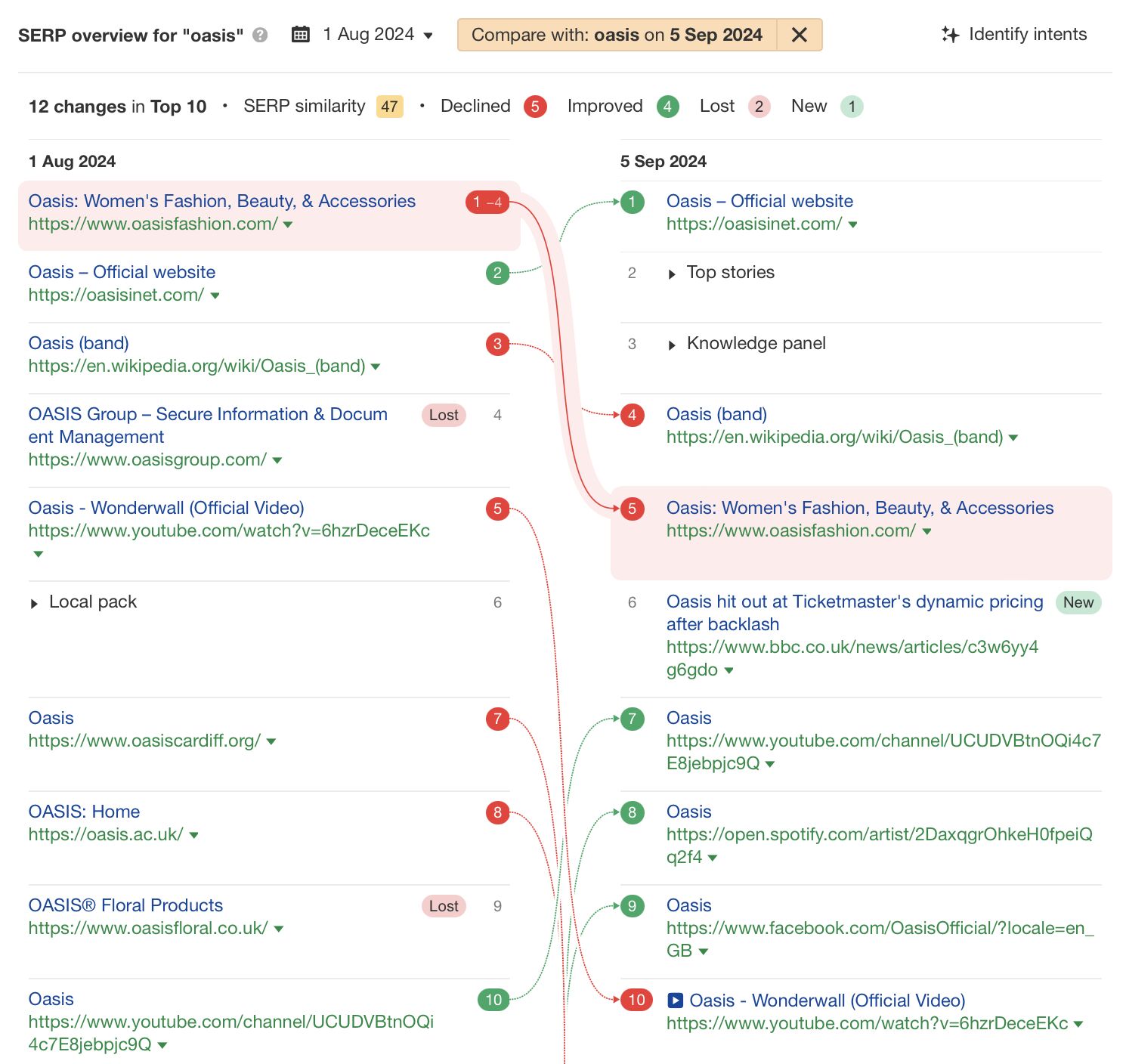
1. Oasis – Fashion or ‘90s band?
“Oasis” means different things to different people. It could be a fertile spot in the desert, a drink, a fashion brand, or even a ‘90s Britpop band.
Until recently, all these elements happily co-existed in the Oasis SERP until Oasis [the band] announced the surprise news that they were getting back together on August 27, 2024.
Credit to Carrie Rose for spotting this example originally
What happened?
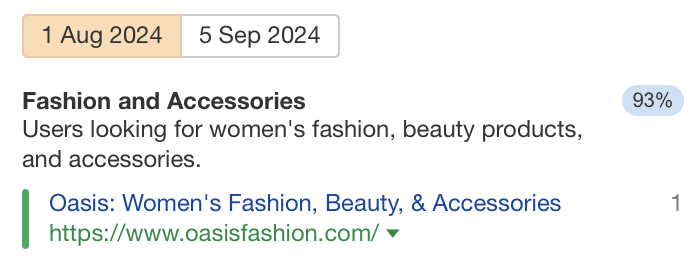
Before the announcement, the dominant search intent for this SERP was 93% women’s fashion and accessories.
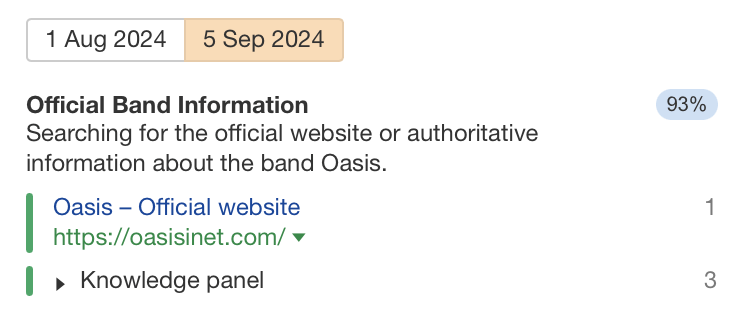
But after the announcement, it shifted to ~93% about the band Oasis.
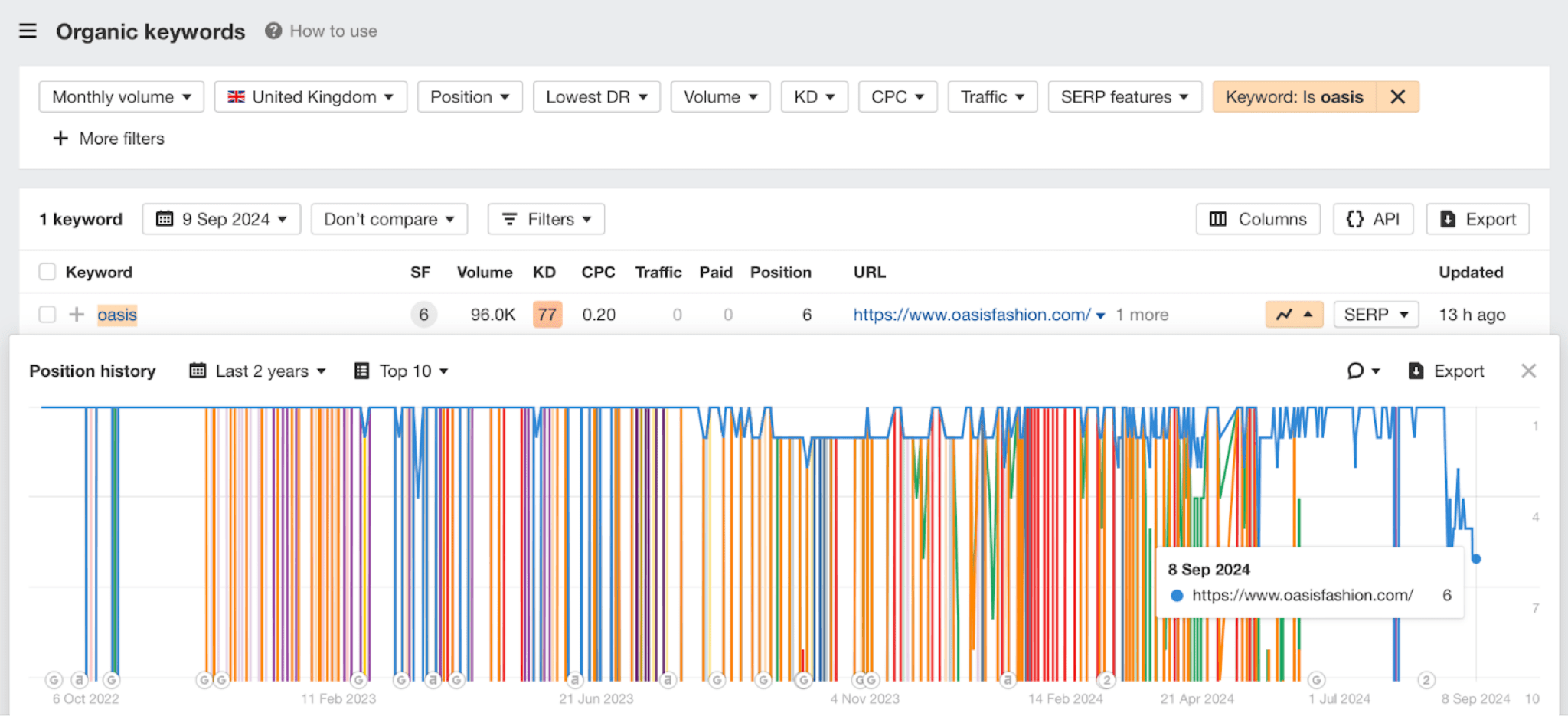
Subsequently, Oasis Fashion dropped in rankings for the keyword “oasis.” This is because it didn’t match the new dominant intent following the announcement.
Is recovery possible?
Yes—but it’ll take time. The Oasis reunion is very newsworthy in the UK and will likely be in the news for the foreseeable future, but once the hype has died down, Oasis Fashion will probably have another shot at the top spot for their brand term.
2. King Charles – Breed of dog or a newly crowned king?
When Queen Elizabeth II died on September 8, 2022, several search intent shifts related to the royal family started as royal family members’ titles changed.
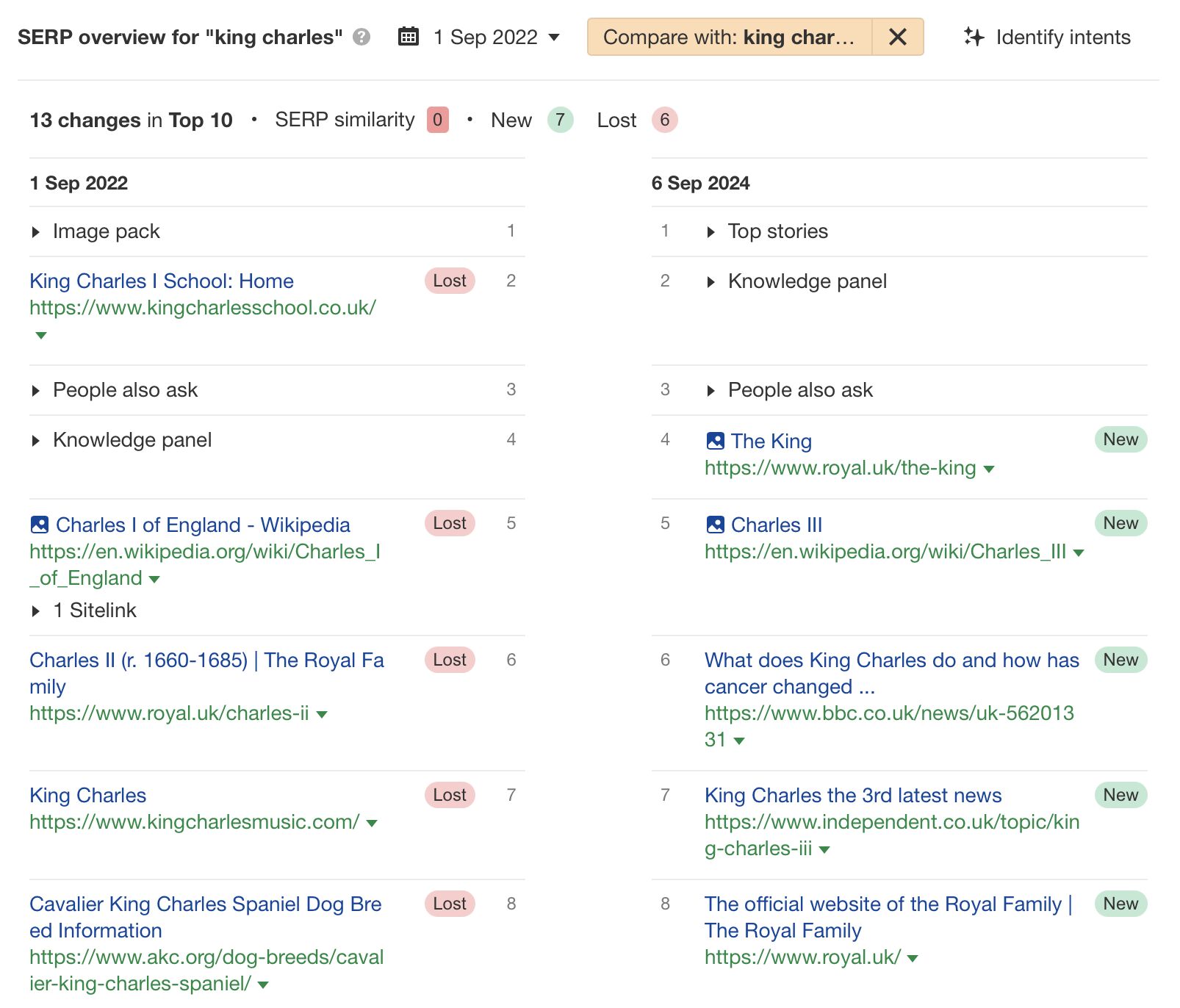
One notable example was the keyword “King Charles.” Before the Queen died, the top results were King Charles’ dog breed, King Charles I, a band, and a school called King Charles.
What happened?
The dominant search intent started as ~89% searching for images of King Charles Spaniel dogs.
But by September 6, 2024, ~81% of searchers were looking for the latest news about Charles III, and ~10% were looking for biographical information about King Charles III.
There had been a colossal search intent shift, which meant that the other meanings were relegated to page two and beyond in Google’s search results.
Is recovery possible?
In this example, it seems unlikely that the previous results will ever outrank the new entrants. This is because the constant press coverage around King Charles III will continue until the King dies—and even then, it might not stop.
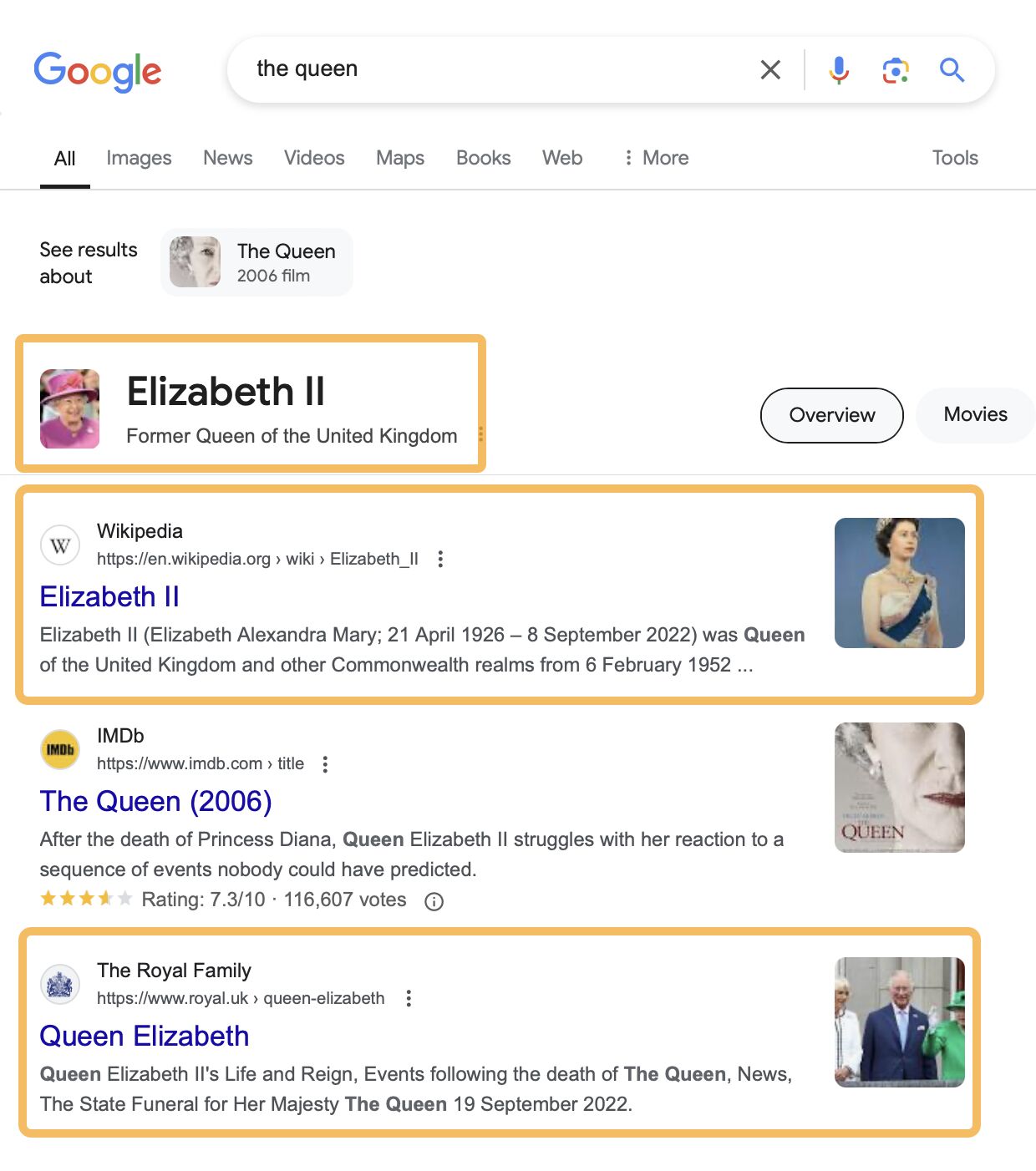
We can see this with the keyword “the queen.” Even though Queen Elizabeth II has been dead for two years, she is still more associated with that keyword than the current Queen Consort.
3. LLM – Master of Laws qualification or large language model?
If we talk about LLMs these days, you’ll probably think I’m talking about large language models like GPT-3, GPT-4, GPT-4o, Gemini, Claude, and others.
But if we rewind the clock to a simpler time on August 7, 2022, using our Ahrefs’ SERP Overview, the dominant search intent was very different. It was focused on the LLM degree—a master of laws qualification.
What happened?
The dominant intent for “LLM” in 2022 was for a master of laws qualification. ~49% of searchers were looking to understand the LLM degree, while ~35% were looking for Universities to study the LLM at.
After the search intent shift, however, ~89% of search results were about understanding large language models, how they work, and their applications.
Is recovery possible?
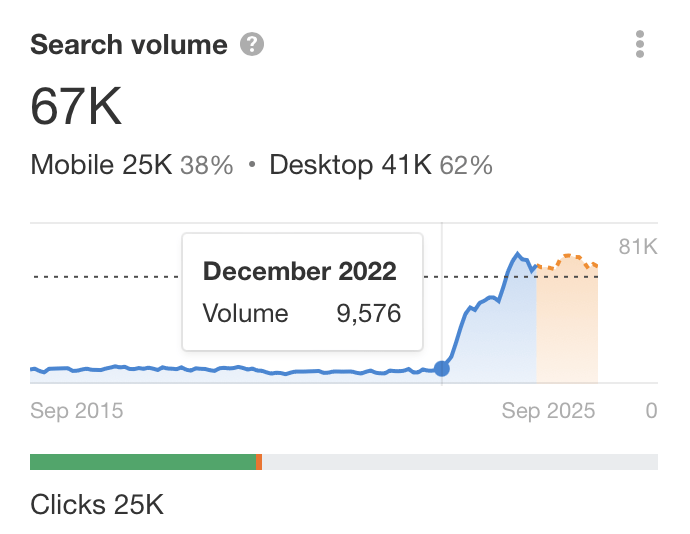
No. It feels unlikely. The search volume increase for this term is directly related to the new meaning of LLM. We know this because the increase coincides with the release of ChatGPT on November 30, 2022.
In this example, it wasn’t just a single website that was impacted as well, it was the replacement of an older acronym with a much more searched-for newer version.
This is a good example of where a new version of an acronym has shifted its dominant meaning to something new. Sometimes, search intent shifts can impact a whole category of websites, as in this example.
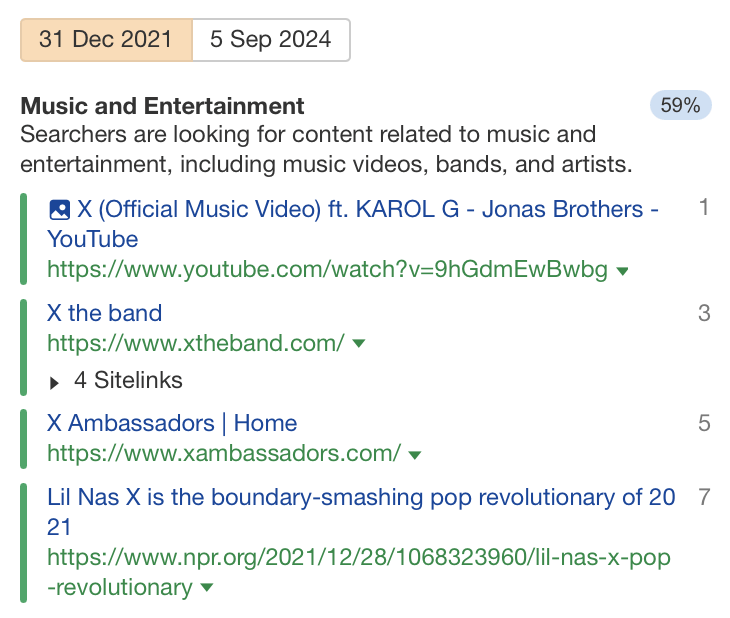
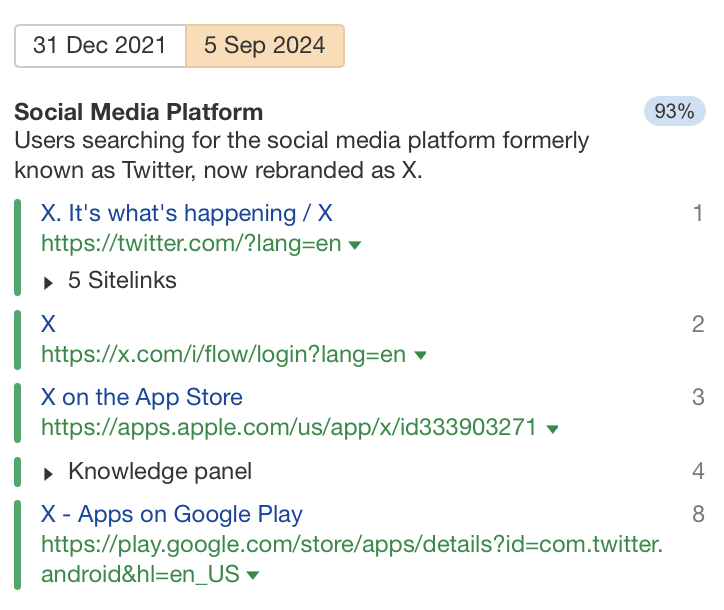
4. X – Music or social network?
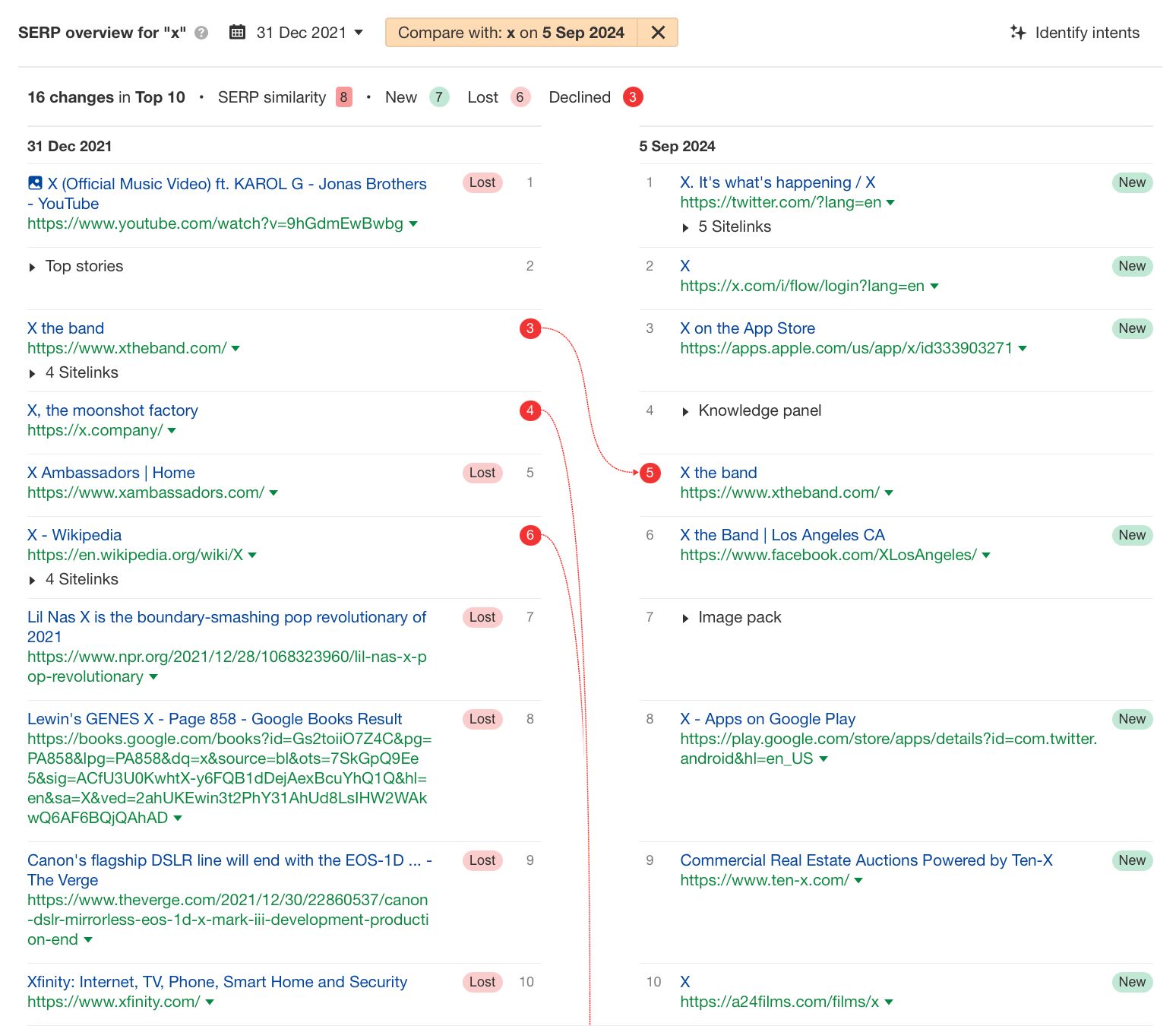
As you’re probably aware, “X” is the updated name for what many people still call Twitter, but before 2022, the X SERP was very different.
What happened?
In 2021, December ~59% of searchers were looking for information related to bands or music related to X
But by September 2024, ~93% were looking for X, Twitter’s updated name and only ~4% were looking for information relating to X, the band.
Is recovery possible?
“X” can be applied to many different things. The searches for a major social network through this keyword mean it will likely remain the dominant search intent for this keyword indefinitely.
The implication is that the other results will likely be relegated past page one as X [the former Twitter platform] strengthens its brand by creating more results in the SERPs.
5. High-ticket affiliate marketing – Beginner’s guide or programs?
High-ticket affiliate marketing is a type of affiliate marketing that focuses on referring visitors to more expensive products or services.
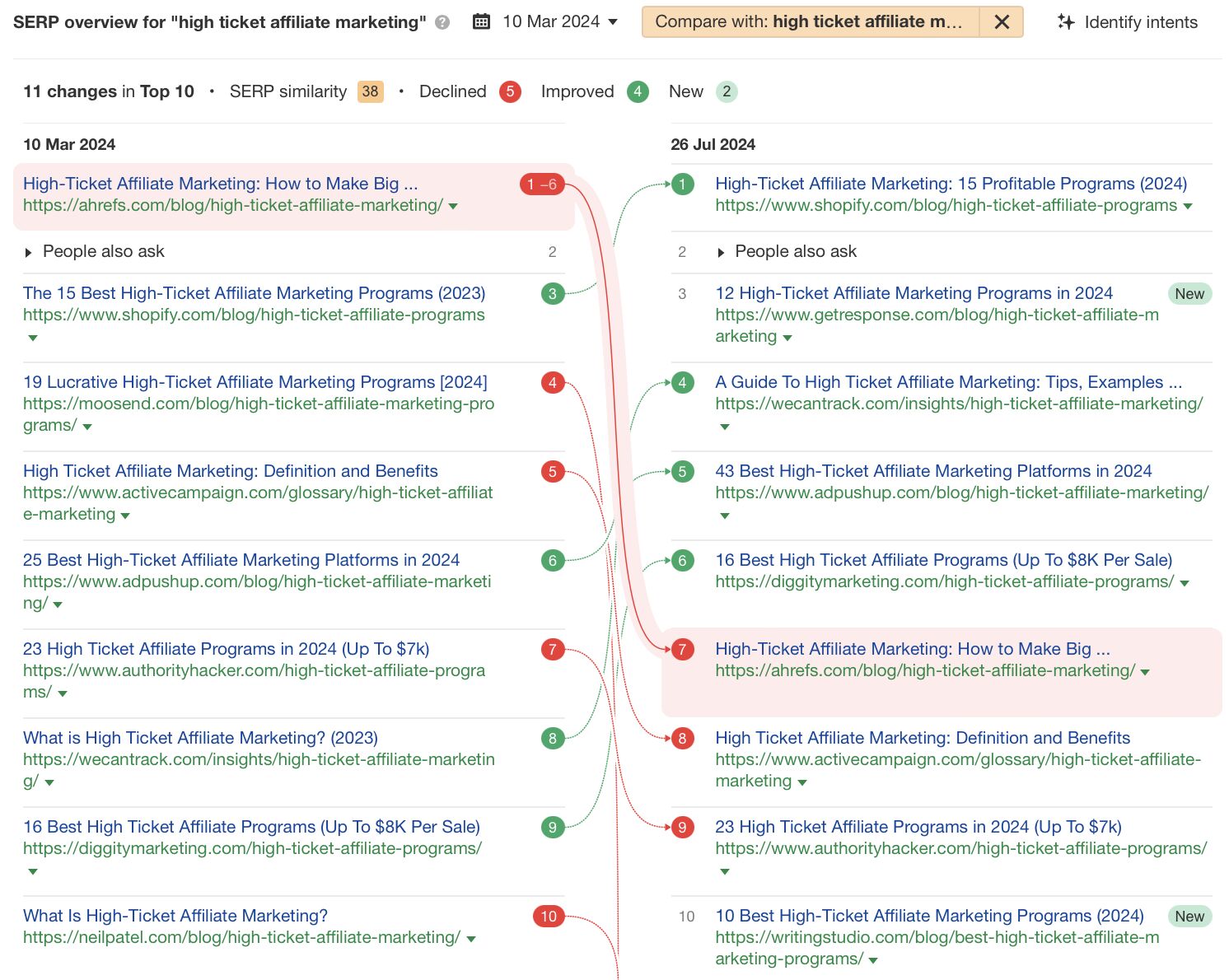
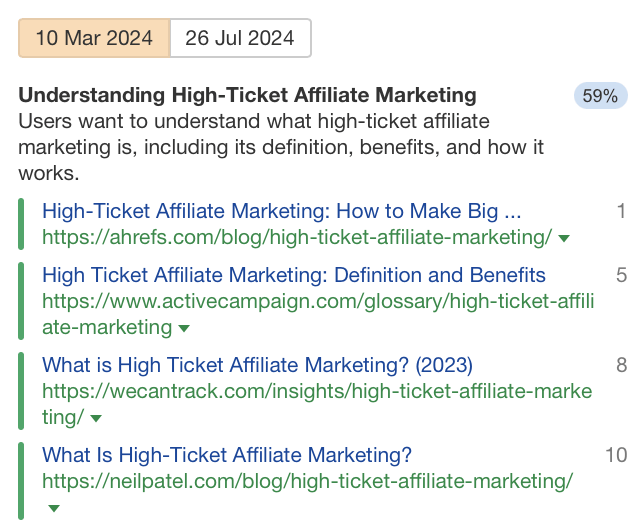
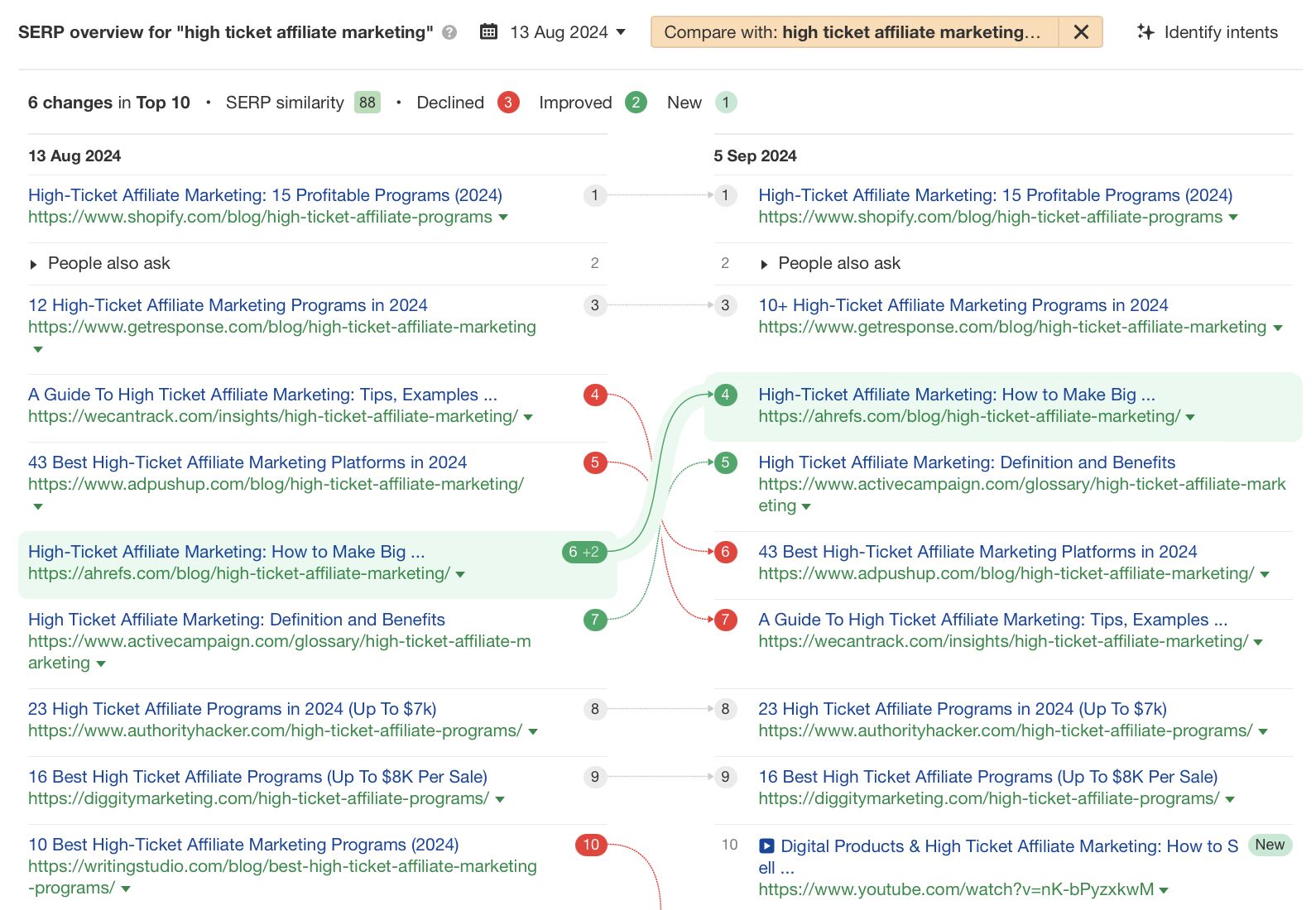
We wrote an article at Ahrefs on this topic a few years ago but noticed it had recently lost rankings.
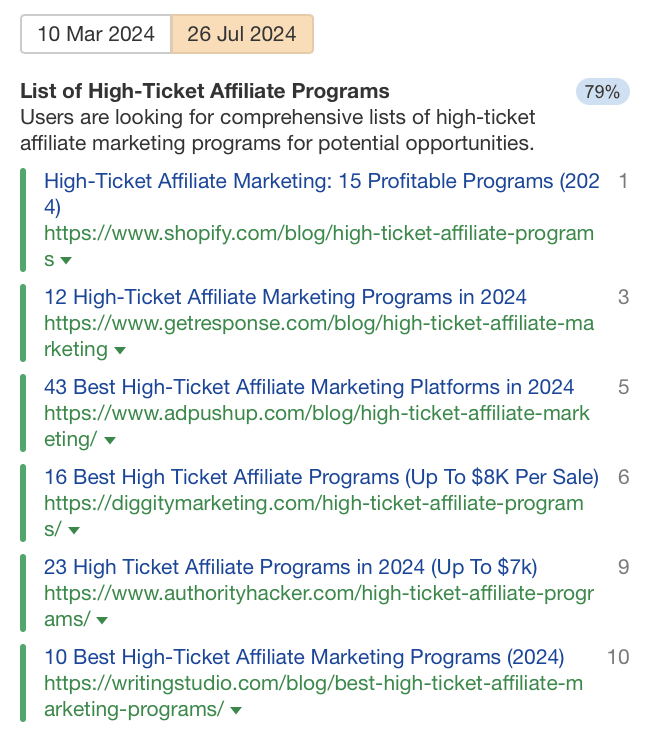
When I looked into the reasons for the drop in traffic, I noticed a shift in search intent from 59% understanding high ticket affiliate marketing.
To 79% list of high-ticket affiliate programs. TLDR; the old article no longer served the new dominant intent.
What happened?
The search intent had shifted from understanding the basics of high-ticket affiliate marketing to understanding the best high-ticket affiliate marketing programs. Although it may seem like a subtle shift, it was enough to tank our traffic for this keyword.
Is recovery possible?
Yes. For search intent shifts like this, rewriting the article is probably all you need to do. In fact, its what I did do, and even though it’s still early days, it’s started to show improvement already.
The search intent shift meant that our old article no longer matched the dominant intent, but by adding a section that covered some of the top high-ticket affiliate marketing programs, I was able to realign it for the most popular intent.
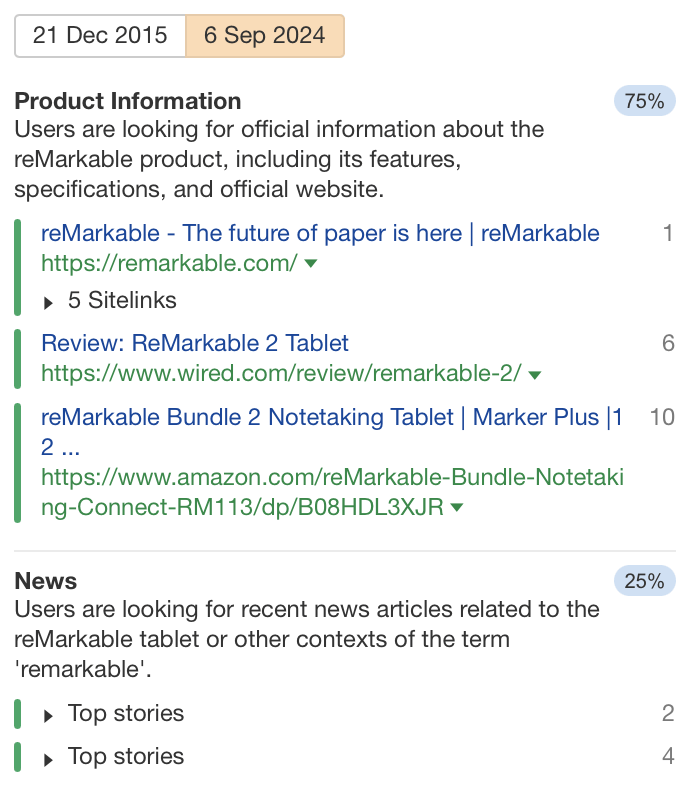
6. Remarkable – Dictionary definition or e-ink tablet?
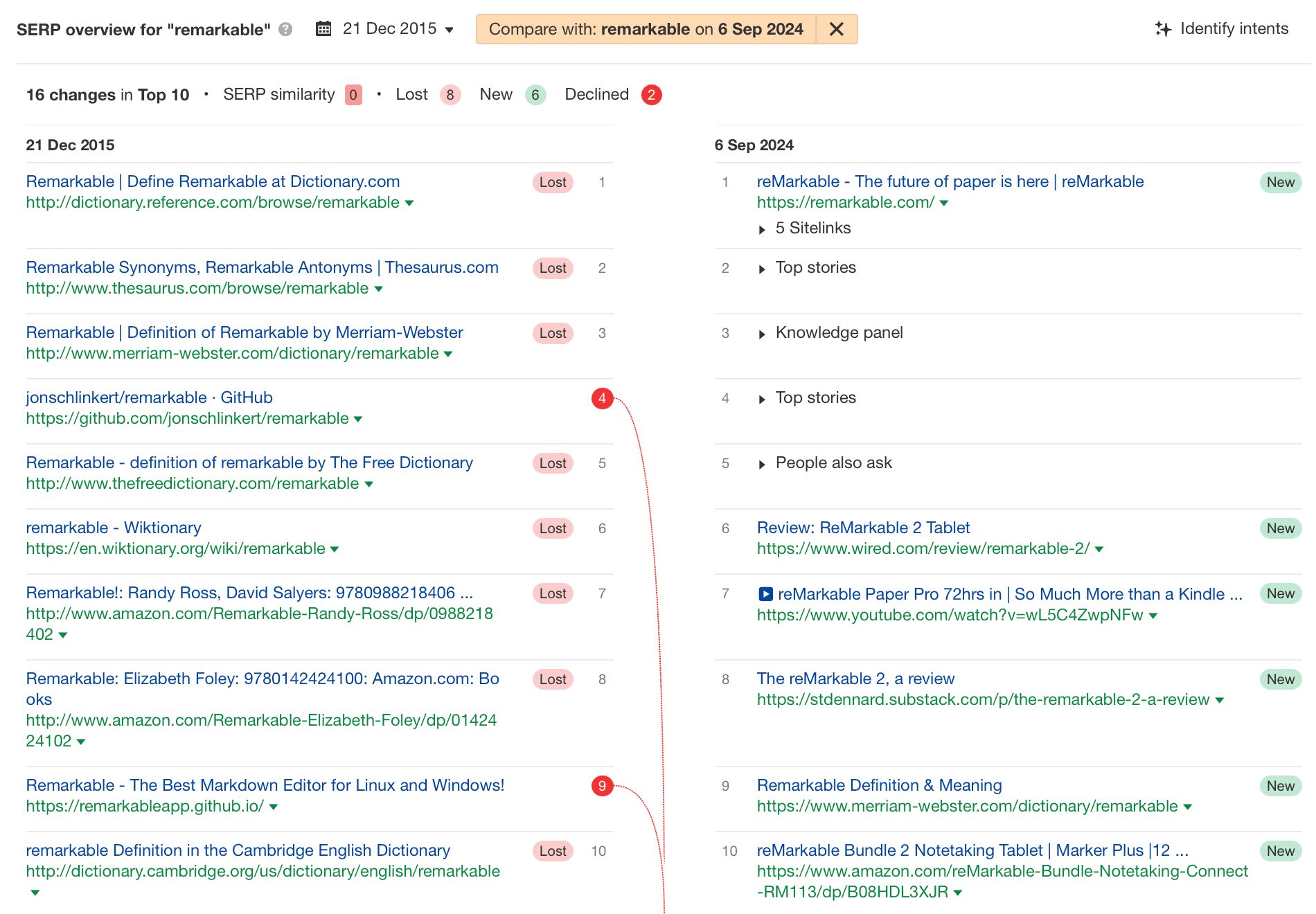
“Remarkable” used to be no more than a dictionary definition page for many websites, but following a new product launch for an e-ink tablet called the “reMarkable,” it created a search intent shift from a dictionary definition to a product.
What happened?
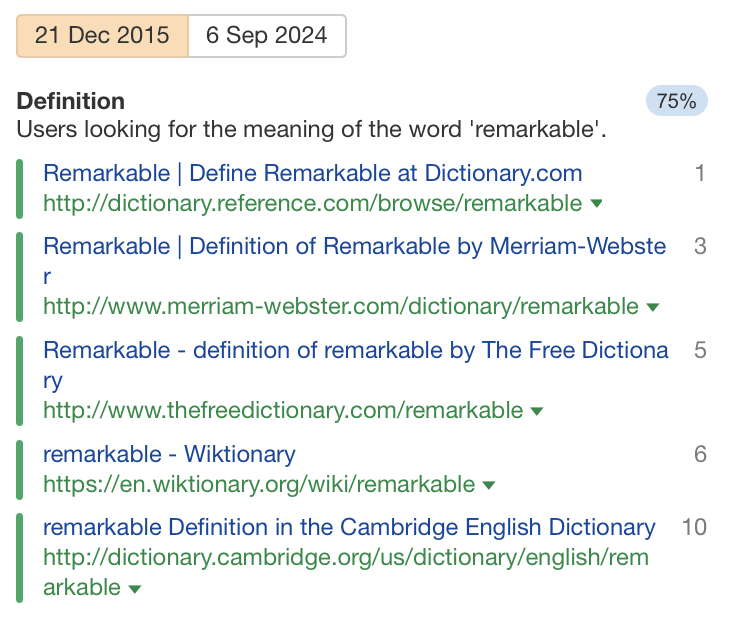
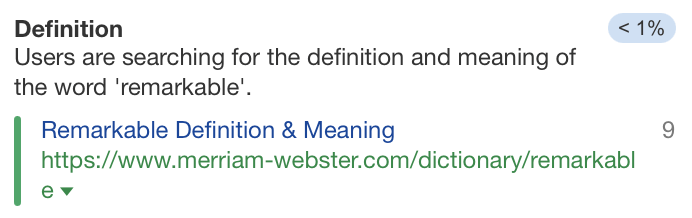
Before the reMarkable tablet had been invented, the remarkable SERP was simple. ~75% of searchers were looking for the dictionary definition of remarkable. ~22% for looking for synonyms and antonyms for ‘remarkable.’
However, fast-forward to 2024, and ~75% of searchers are looking for product information on the reMarkable, while ~25% were looking for the latest news related to the reMarkable tablet.
In 2024, less than ~1% are looking for a dictionary definition of the word remarkable—which itself is a remarkable search intent shift.
Is recovery possible?
Probably not. The dictionary definition websites are now past the first page. ReMarkable doesn’t seem like a company that’s going away any time soon, and even if they were bought by a larger company, it’s likely they would keep the brand name.
When a successful new product, like the reMarkable, causes a search intent shift for a keyword, it can reshape the search around its new meaning.
Another example of this is the keyword “apple.” Its most common meaning is as a fruit, but online the most common search intent is for the computer brand.
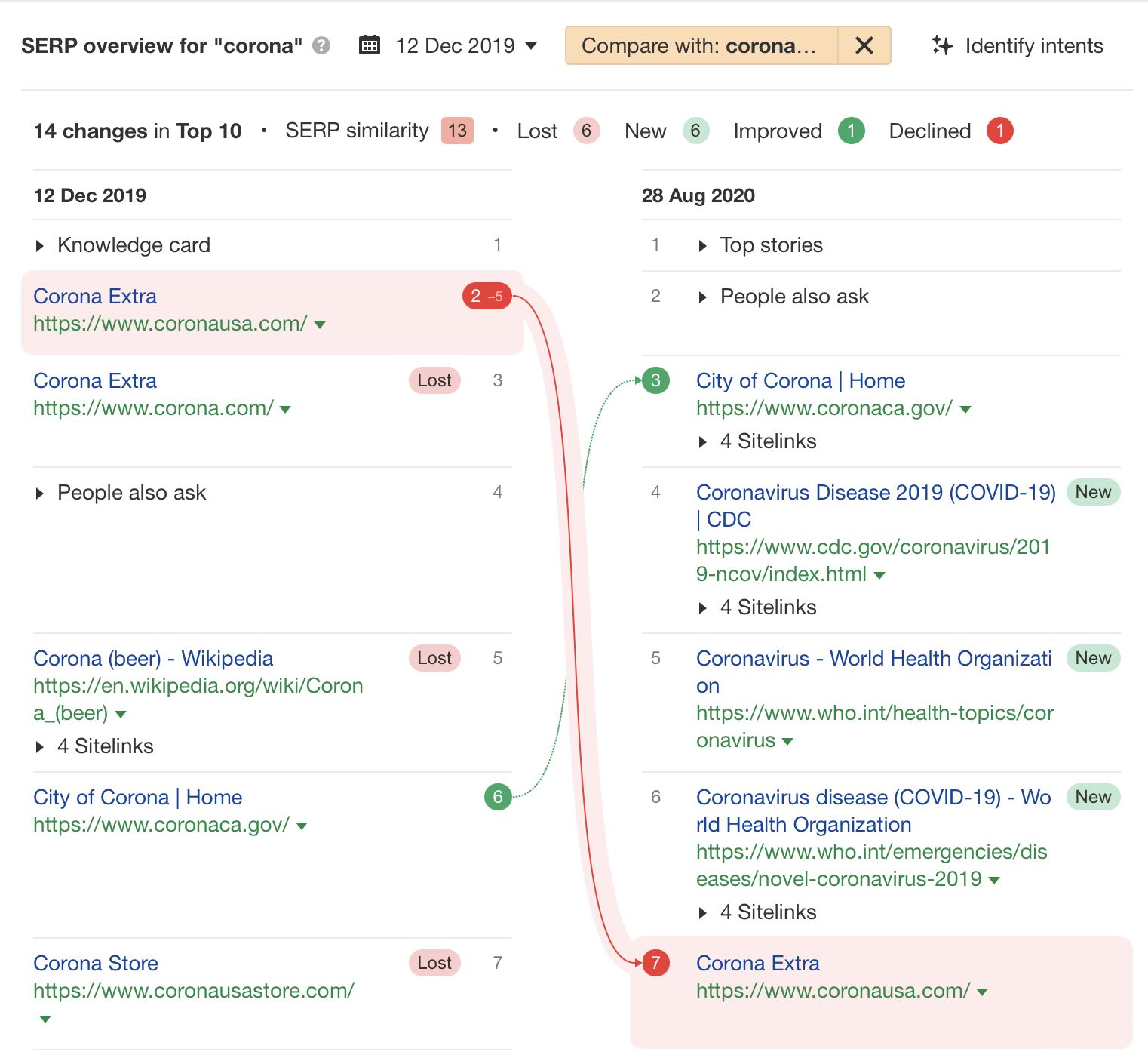
7. Corona – Beer, city, or a virus?
It’s an era that many of us would like to forget. Still, the keyword “corona” was a good example of a major search intent shift.
What happened?
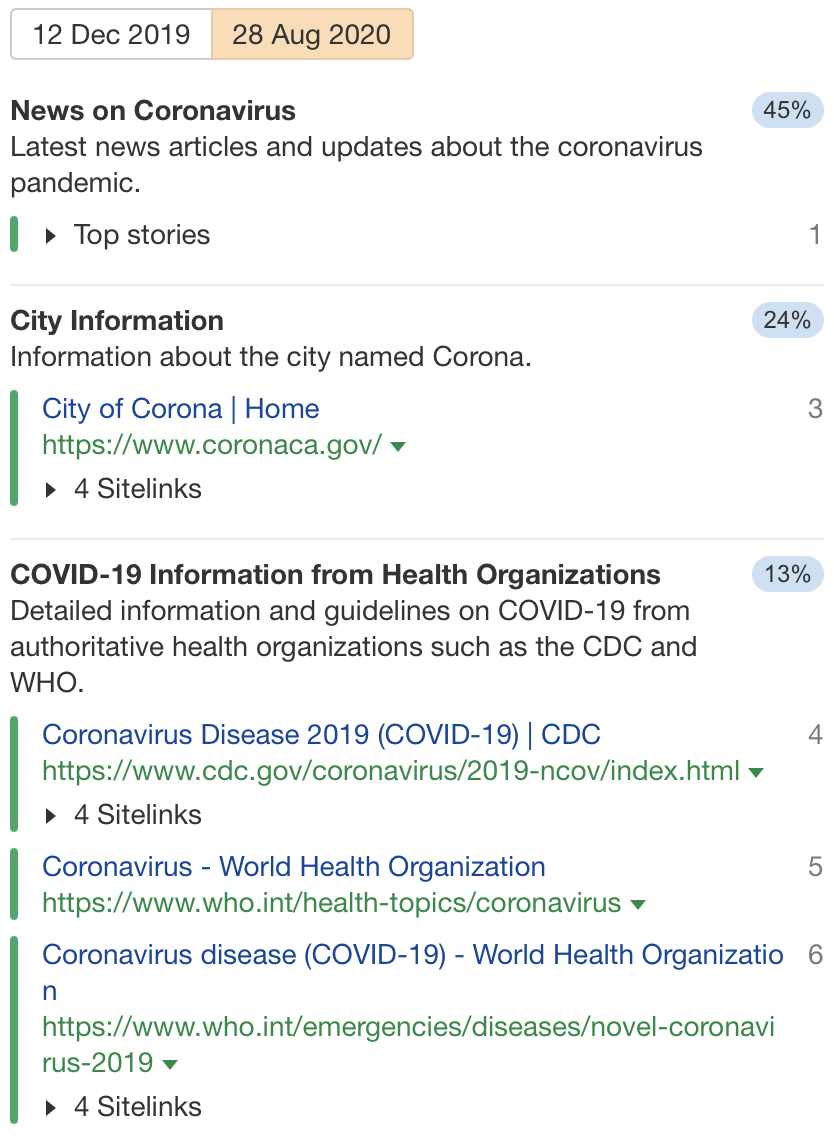
The search intent shifted from ~62% looking for beer information to the new meaning—the virus.
By 28 August 2020, ~45% of searchers were looking for the latest news on COVID-19, ~24% were looking for information about the city, and only ~7% were looking for Corona beer.
Is recovery possible?
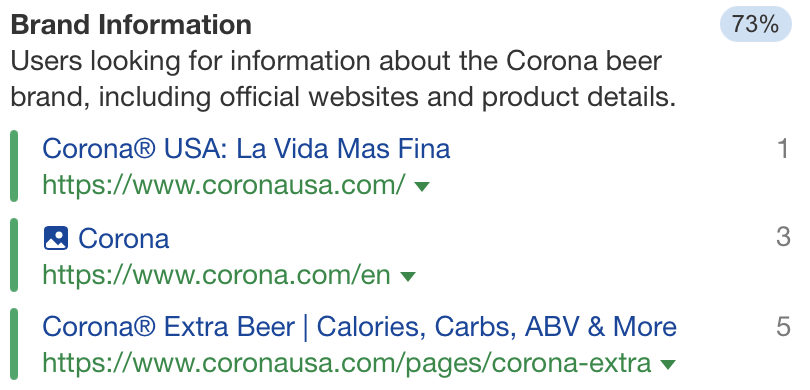
Googling Corona today shows that recovery for Corona beer has already happened. In 2024, ~73% of searchers are now looking for brand information about Corona beer, and it has returned as the dominant intent for this keyword.
When do search intent shifts occur?
As we’ve seen, there are several common patterns of where search intent shifts can occur. Here are some common ways they can occur:
Big news events – the news dominates the search results, displacing the previous results, e.g., the London Bridge terror attack displaced all results for “London Bridge”
Popular trend – the trend and websites covering the trend displace the previous results
Names of people – someone can become famous or more searched for, which can displace the previous results, e.g., Tate, King Charles, Elon
Acronyms – acronyms can have multiple meanings e.g., Large language model (LLM) is now more searched for than a master in law qualification (LLM)
New product releases – products can take the meanings of other things e.g., “remarkable”
A shift in meaning – High-ticket affiliate marketing shifted intent from understanding what it was to just finding the best high-ticket affiliate marketing programs
Final thoughts
Google wants to provide the “best” answer for searchers. But it can’t do this unless it prioritizes the most popular search intent in its search results. The flipside is however, that this often means relegating less popular meanings past the first page of Google.
Has your website been impacted by a search intent shift? To be featured in this article when it’s next updated, share your story on search intent shift with me on LinkedIn.
At a time when anyone can create content, the real challenge—and opportunity—is in saying something new.
I think content curation can help with that.
Curation is all about finding undiscovered stories and repackaging ideas in ways your audience really respond to.
In this article, you’ll learn why content curation is great for growth, and how to talent scout quality underground or left-field content.
What is content curation?
Content curation is about gathering existing content, and presenting it in a way that’s novel or interesting to your audience – usually with the view to educate, entertain, inform, or inspire them.
Some quick examples of content curation
Gathering and sharing content is a popular social media tactic, but content curation extends to mediums and channels far beyond social.
A data journalism publication that curates a range of rich media (e.g. social comments, headline snippets, literature reviews) to tell compelling visual stories – like this one.
This LinkedIn page curates visual examples of existing PR campaigns to inspire marketers.
Newsletters, in particular, have become the go-to platform for curation, since they’re fairly cheap to run and easy to set up.
The numbers back this up. A quick look at Site Explorer shows newsletter platform Substack experiencing a 373% leap in organic traffic from September 5th, 2023 to September 5th, 2024.
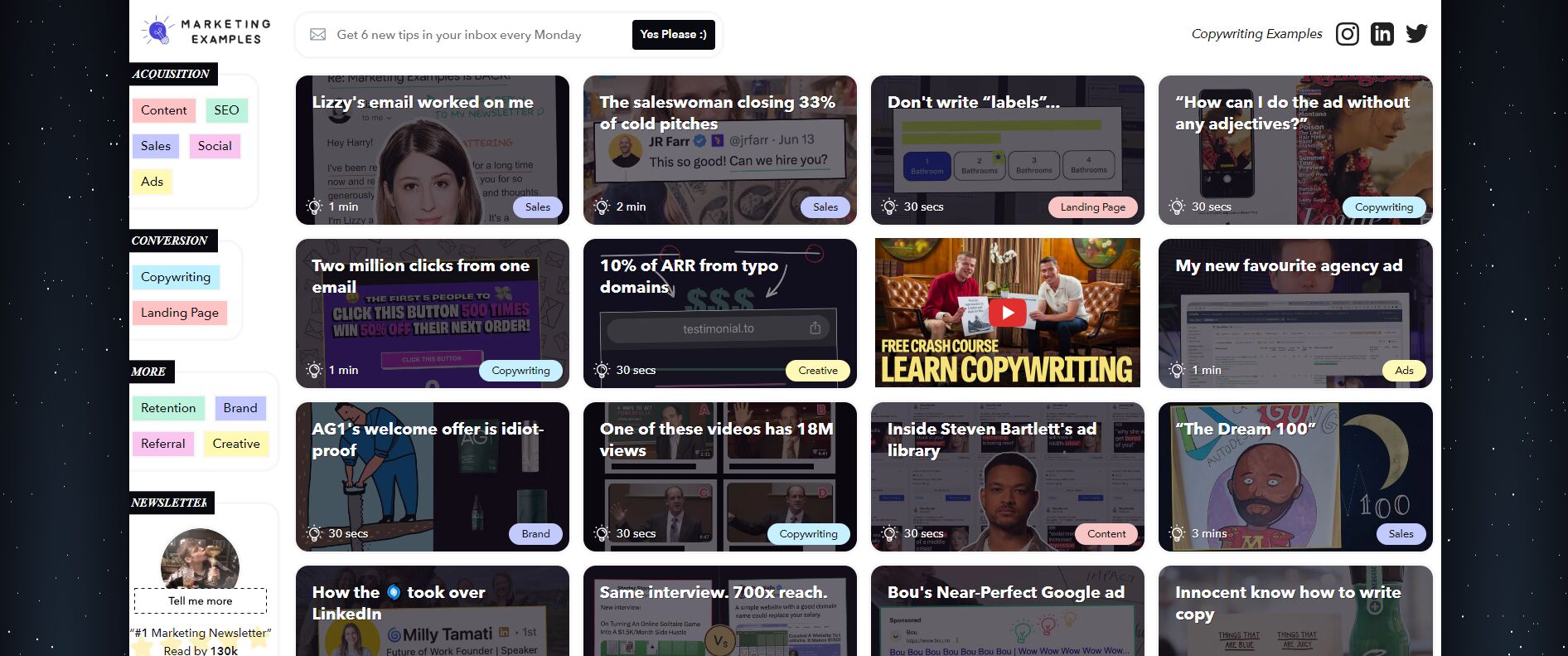
Founder, Harry Dry, doesn’t just gather content — he dissects real-world marketing copy, name drops the creator, and breaks down their winning formulas, making it easy for readers to replicate that success.
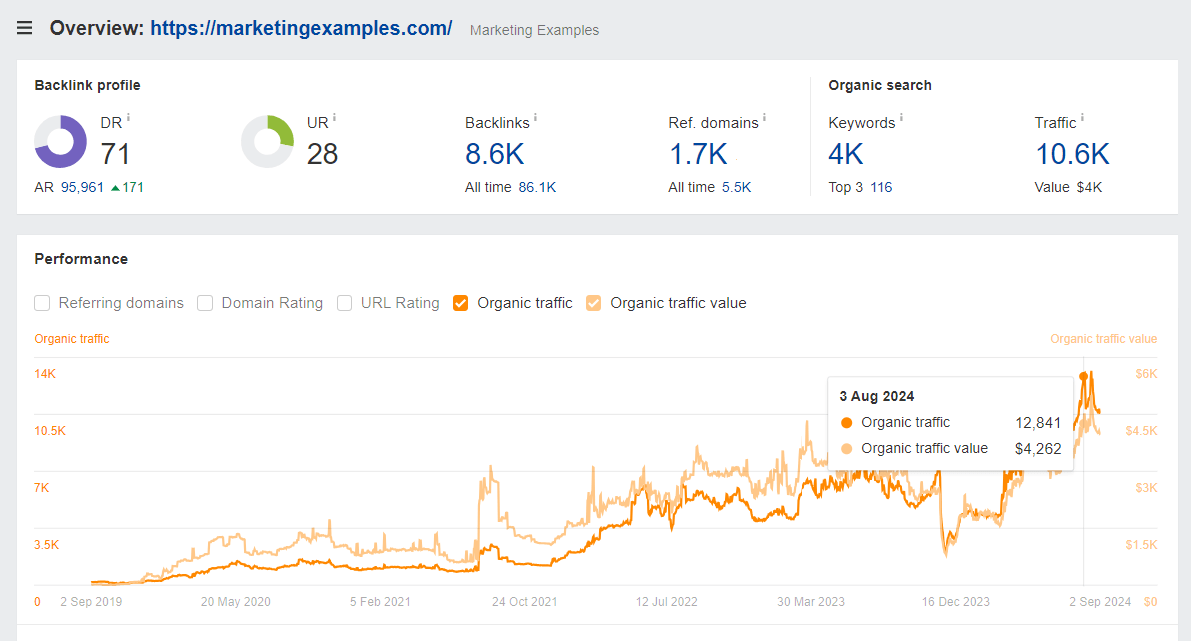
As a result, his site has earned fairly consistent links and traffic over time, growing organically by 88% in the last two years.
Curating content is an example of what I call “awareness you prepared earlier”. Your chances of driving traction are vastly improved when you crowdsource ideas.
Not only do your audience consume your curated content, they publicize it to their own network via social posts or reciprocal links when they get featured.
Some refer to this as “ego bait”. Obviously there’s an element of flattery involved, but in my experience, the top curators prioritize content that genuinely helped or inspired them, rather than chasing big names with the widest reach.
3. Curating content is great for EEAT
Few people have direct experience with every topic they’ve ever written about.
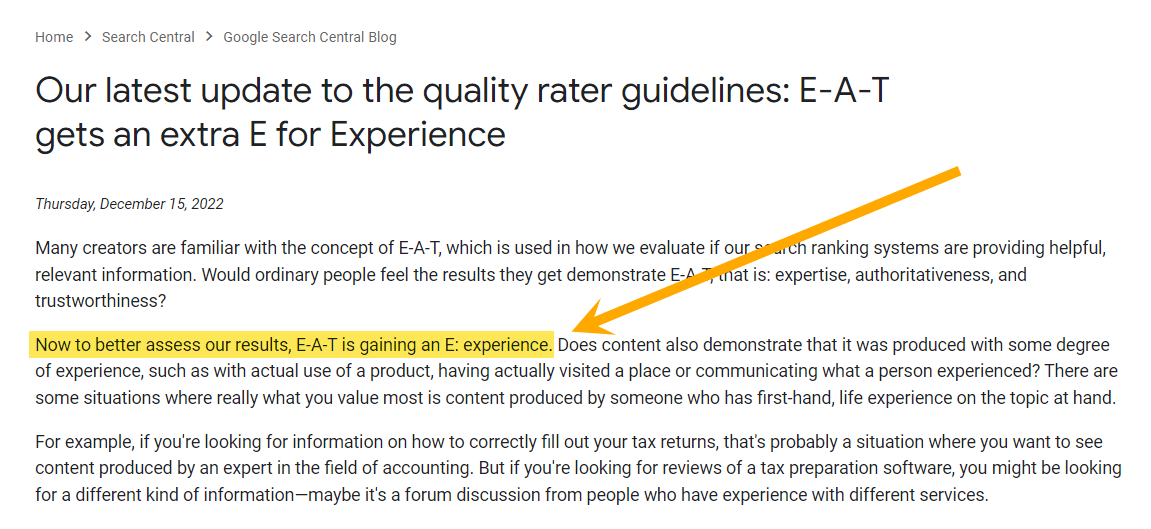
But, since 2022, first-hand experience has become a prerequisite for ranking in Google.
Curating others’ lived experiences and knowledge in your content is a powerful way to build your EEAT and improve your rankings.
4. You become credible by association
We tend to categorize people according to their social group memberships – this is known as social categorization.
If you’re regularly associating yourself with respected thought leaders, your audience is more likely to group you with them, and hold you in higher regard as a result.
Mixing in your own content and opinion is important for building credibility, but be careful not to overdo the self-promotion.
“I don’t tend to include all of the blog posts we publish on our blog.“
5. You get closer to your customers and community
When you curate, you consume content holistically –like your customers– and stop being so introspective.
If you’re only consuming content from your brand or brand “friends”, there’s a limit to the value you can bring to your audience.
Content curators turn to their community to source content, so curating bridges the gap in two ways: by helping them consume like their customers, and by giving them a reason to connect.
6. When you curate, your content gets better
To create is to curate. All ideas are shaped and borrowed from somewhere – that’s how knowledge is acquired.
If I don’t curate, I tend to find my own content stagnates.
Curation introduces me to new ideas, reminds me of the things I have forgotten, allows me to build deeper, more informed arguments, and ultimately helps me produce better content – with a lot more in the way of information gain.
For instance, this blog started out as a simple list of content curation benefits, thunk up by yours truly.
But as I came across cool examples of novel content curation, it evolved into a more comprehensive (and hopefully, more interesting) guide.
“Another benefit of content curation is that I get to keep abreast of anything new in SEO and marketing, which informs my own work”
7. You build your personal “brand”
Curation gives you the chance to platform your own expertise and assert yourself as a thought leader.
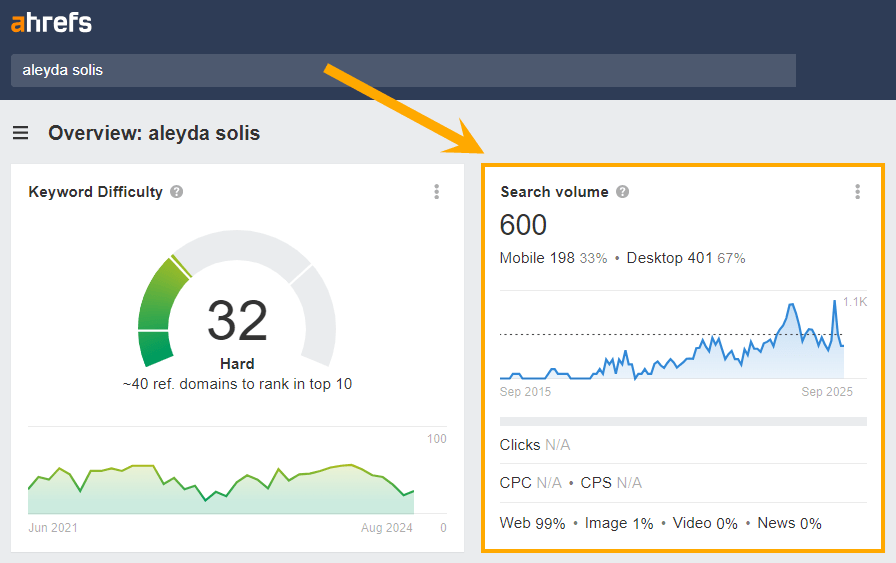
Take a look at the search volume for one of the most prolific curators in SEO: Aleyda Solis.
Aleyda curates SEO news and insights across her newsletter, SEOFOMO, her podcast, Crawling Mondays, her owned social media channels, and industry talks.
As a result, her name now drives ~600 monthly organic searches, according to Site Explorer.
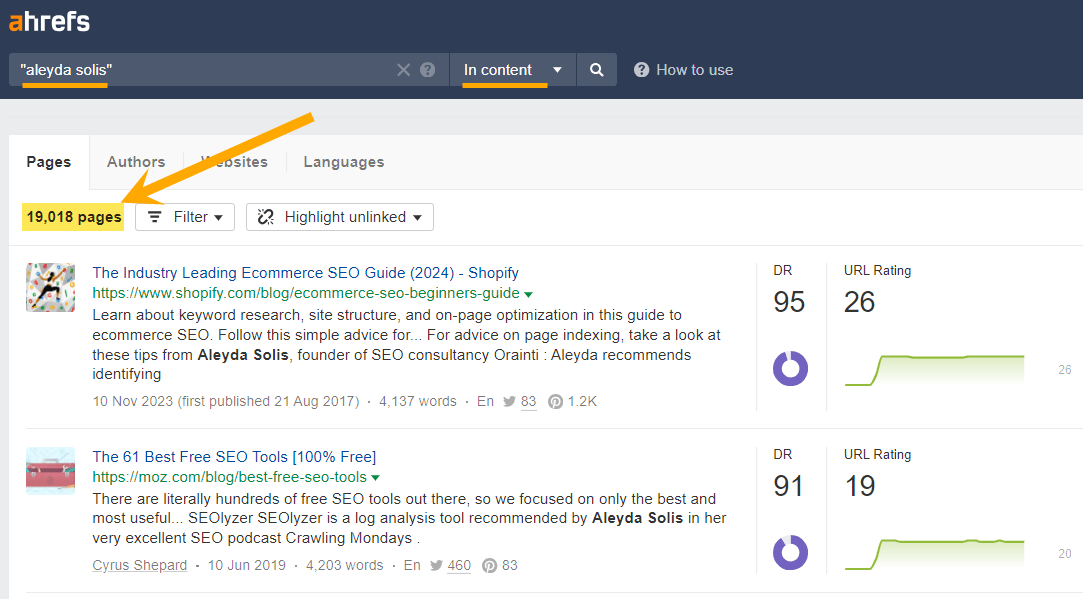
And over 19K “in content” mentions, according to Content Explorer.
How to curate new and interesting content
Curation is about piecing together unrelated content to reveal new ideas and information.
You’re giving someone else’s content another shot at engagement – sometimes after a “failure” to launch.
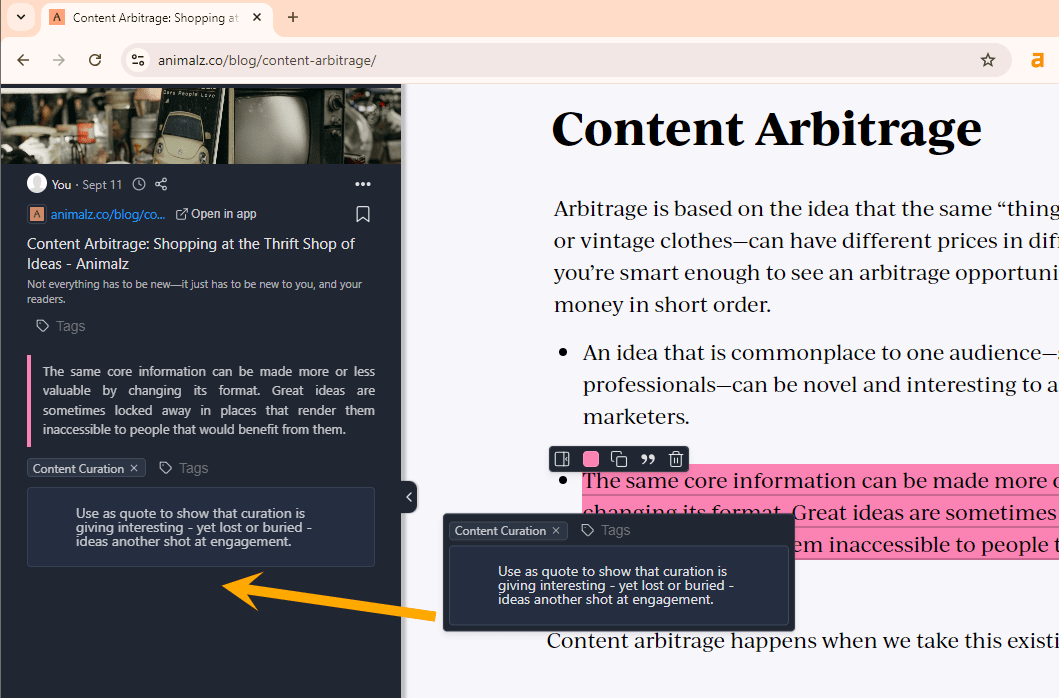
“The same core information can be made more or less valuable by changing its format. Great ideas are sometimes locked away in places that render them inaccessible to people that would benefit from them.”
Here are 9 ways you can “talent scout” novel content, and carve out your own curation USP.
1. Pay attention to lesser-known voices
In every industry there are sources that audiences defer to for information and ideas.
Look beyond them.
Scout for “rising stars” and underground sources to give your curation exclusivity.
“I’ve made a conscious effort not just to follow the ‘big names’, as there are some truly excellent SEOs that are very quiet on social media. I’d always recommend following someone if you see them putting out solid advice, even if you’ve never heard of them. I’ve made some good friends and excellent connections that way!”
This is probably something you’ll have to do manually at first.
I try to pay close attention to people leaving savvy comments on social media posts and industry communities.
2. Build an X list of “ones to watch”
Once you’ve found the right “ones to watch”, you can start building a list to refer back to whenever it’s time to curate.
SQ uses X lists and subscribes to others’ Substacks:
“I have my own Twitter list of marketers (getting poorer these days sadly) and follow other people’s substacks/newsletters and see if there are any links they recommend.”
3. Mine niche and atypical sources of information
Nicole DeLeon, Ed Zitron, Marie Haynes and other tech curators recently mined Google’s DoJ trial documentation to investigate “buried” information on how the search engine ranks content.
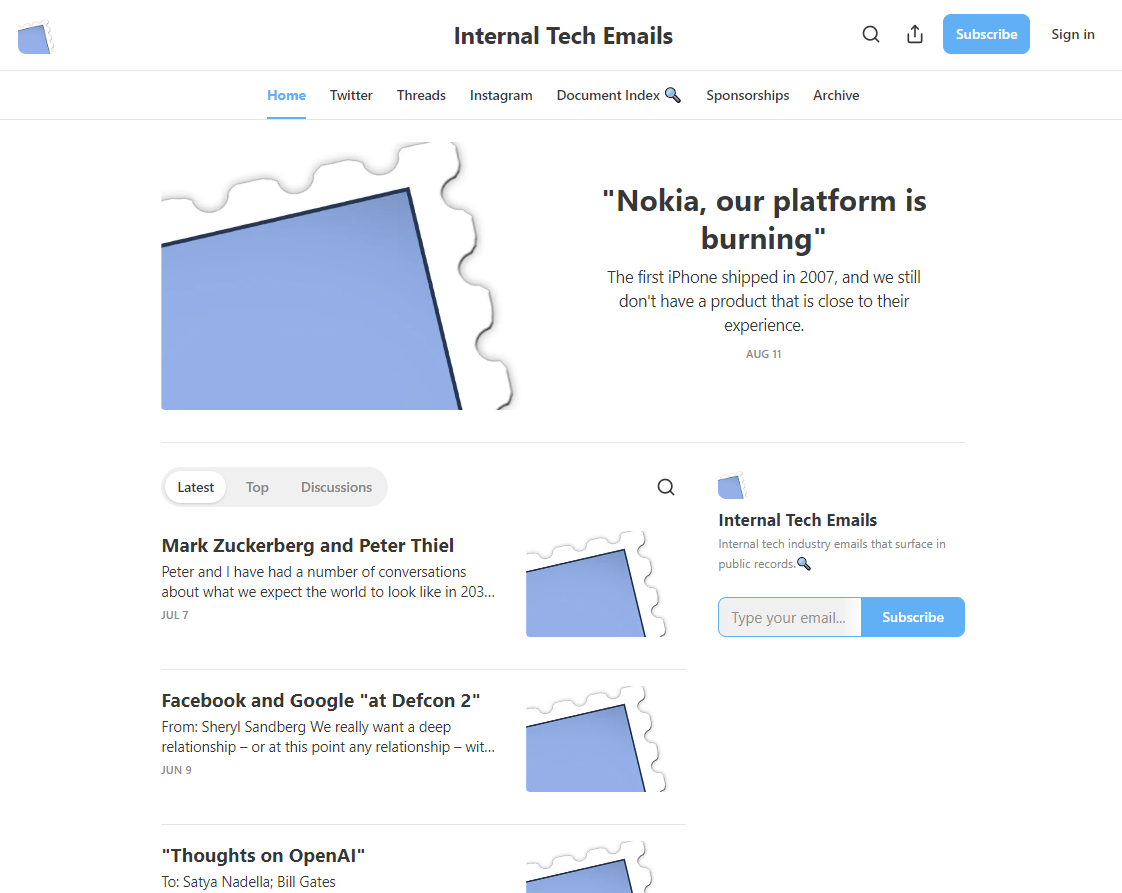
Techemails mines leaked tech company emails from court filings and curates them across social media and their website (p.s. they are preeetty eye-opening).
Finding and teasing out obscure information is a great skill to have when it comes to content curation.
Mine Freedom of Information Act (FOIA) request databases
Monitor government data via fact finding bodies (e.g. Indeed curates content from the Bureau of Labor Statistics to inform content in their Hiring Lab)
Study public datasets released by research institutions (e.g. Harvard Dataverse)
Mine “hidden” or ephemeral content (e.g. podcasts, webinars, industry talks, seminars etc.) to curate quotes and promote relatively unheard information
Monitor public announcements and press releases from organizations
4. Track down new and trending content
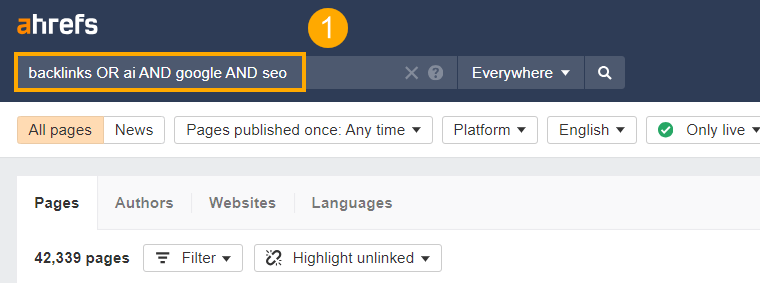
Be the first to break and curate news in your industry. Start by searching for industry-specific keywords in Content Explorer.
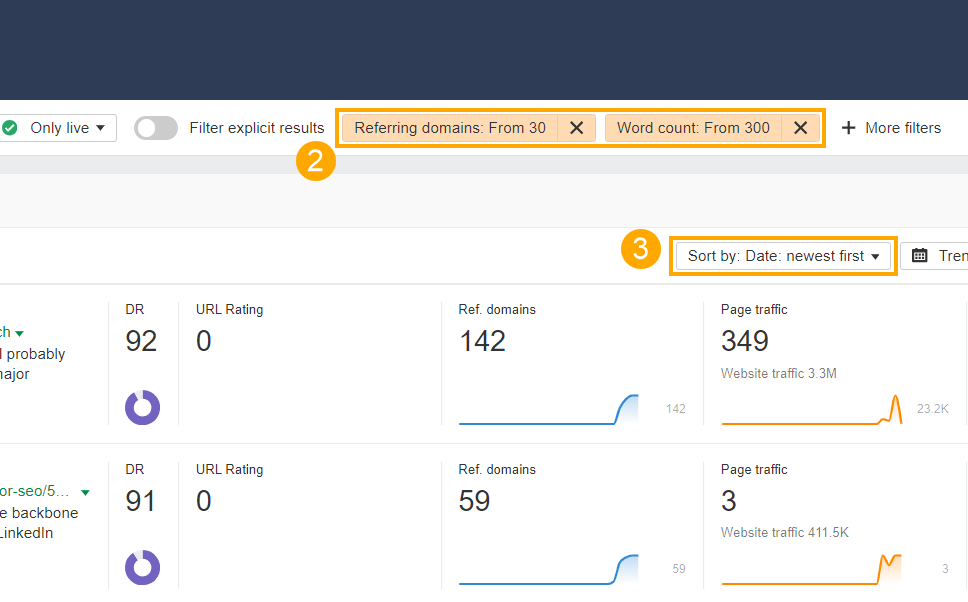
Then add filters to make sure you’re seeing the freshest and highest quality content.
In my experience, I find that:
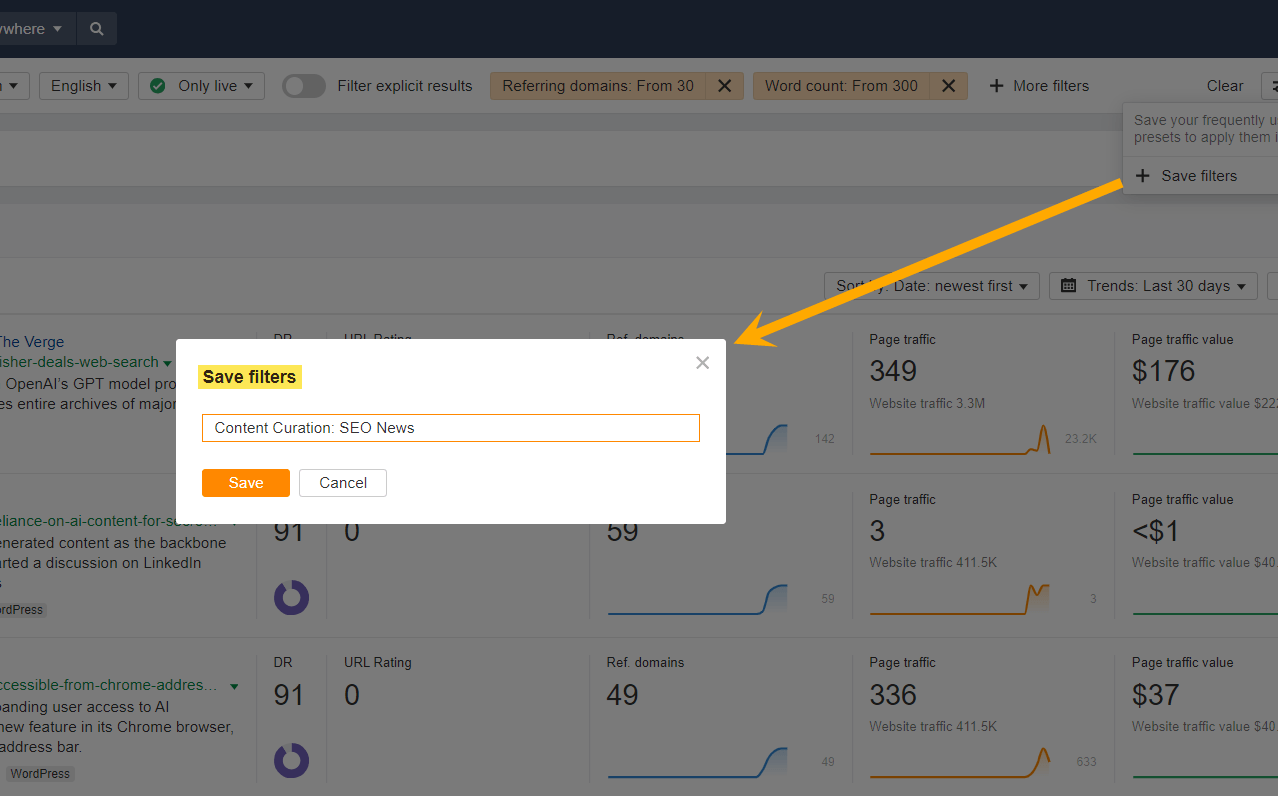
Adding a minimum Referring Domain of “30”
Adding a minimum word count of “300”
Sorting by “Date: newest first”
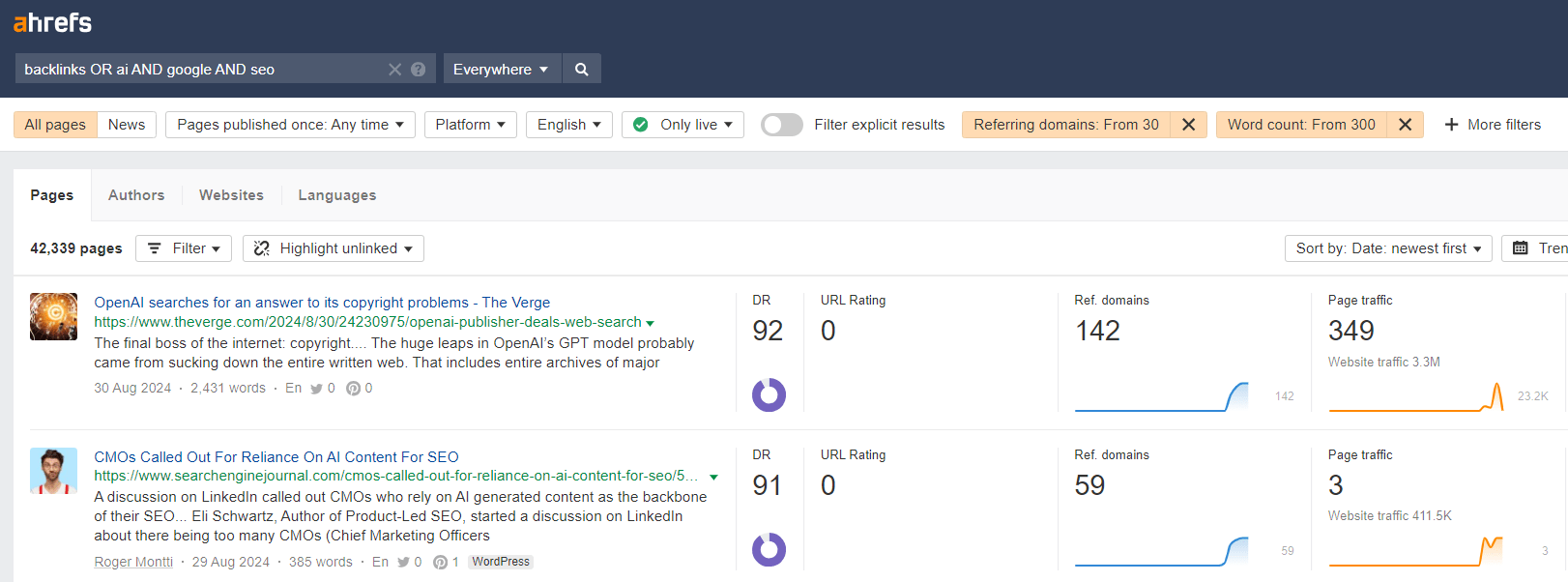
…shows me the newest and best SEO related content, but you should play around until you find what works in your industry.
Tip
When it comes to filtering, don’t get too prescriptive about it – remember, you want to find novel content that usually flies under the radar, so avoid being overly strict with minimum thresholds.
This next part is really important. Once you’re happy with your configuration, hit “Save filters” so that you can repeat this analysis for the next instalment of your newsletter, podcast, social post, article, or whatever else you might be curating.
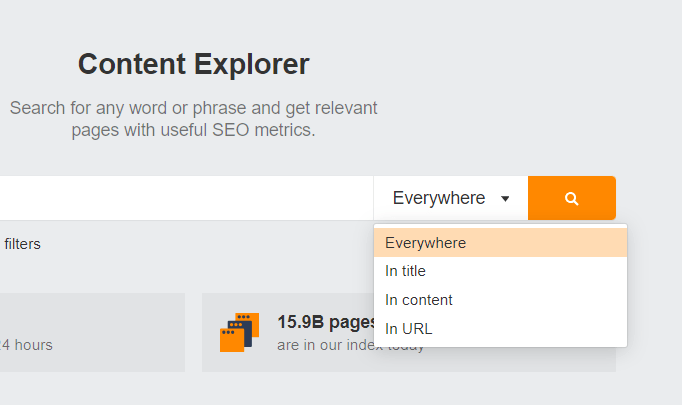
With the Content Explorer, you’re searching for instances of a keyword in the title, content, URL or all of the above.
But relevant content won’t always contain the exact keywords or topics you’re searching for.
In which case, try searching for keywords in the anchor text linking to that content.
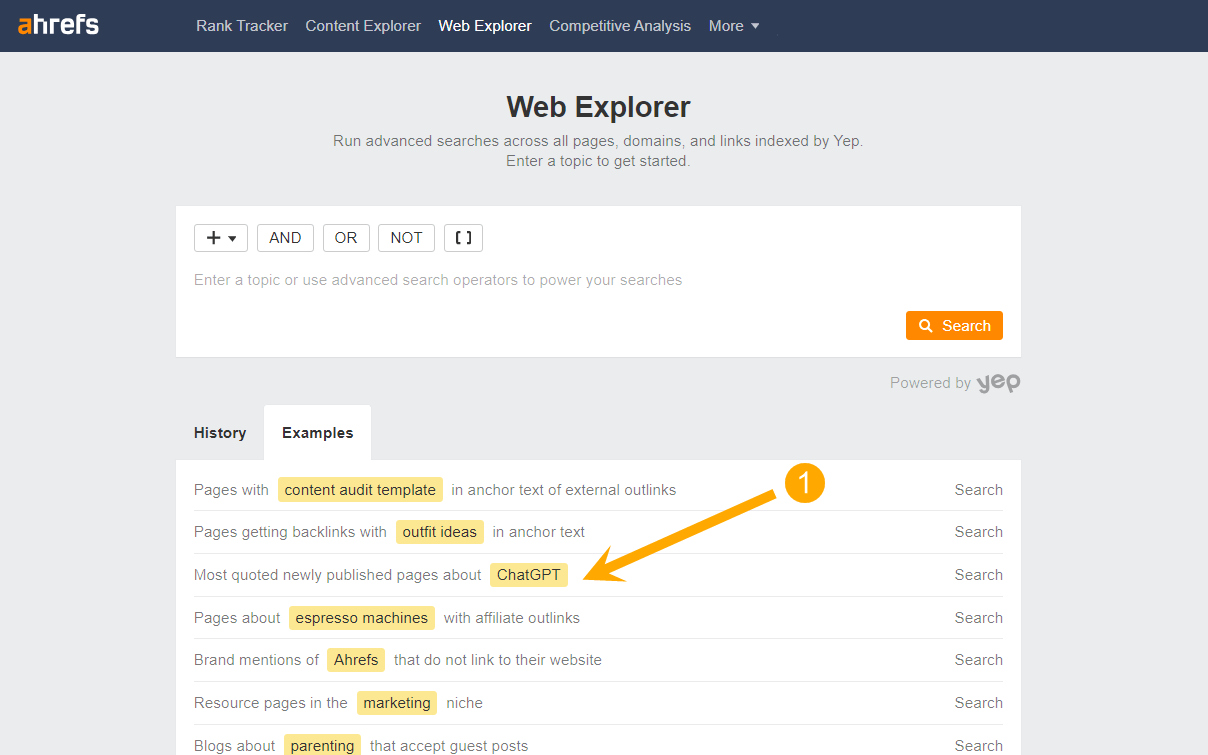
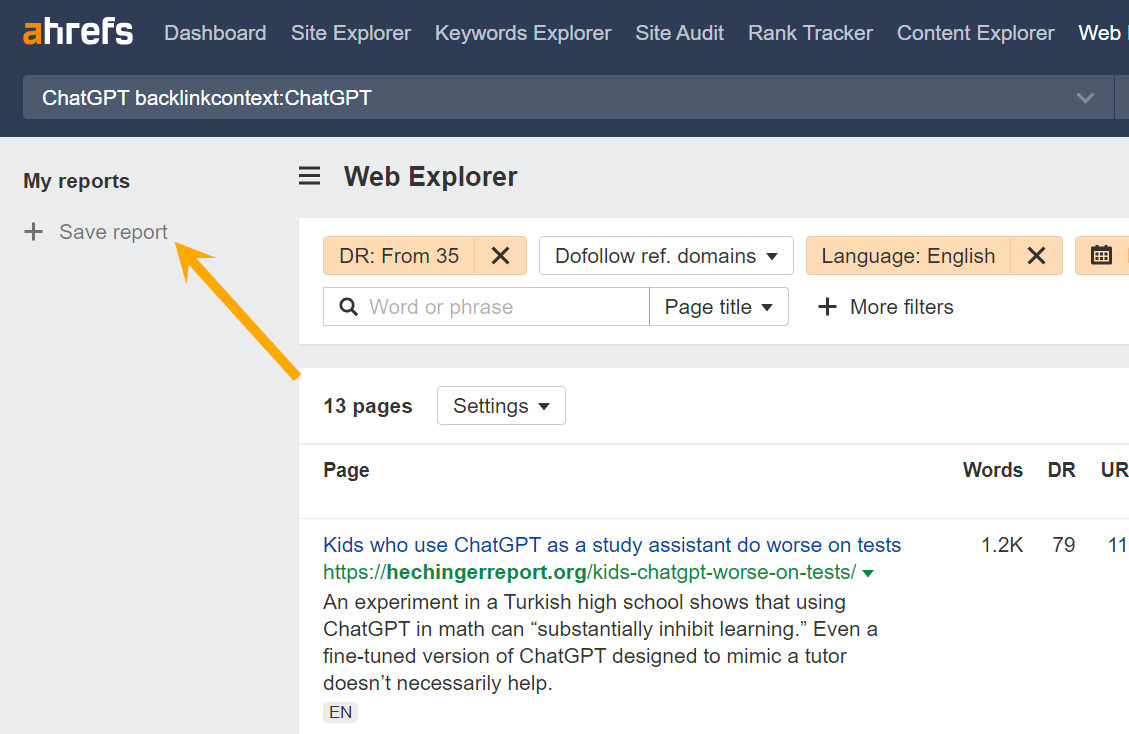
There’s a preconfigured search for this in Ahrefs’ Web Explorer. Just hit the “examples” tab, and select “Most quoted newly published pages about ChatGPT”:
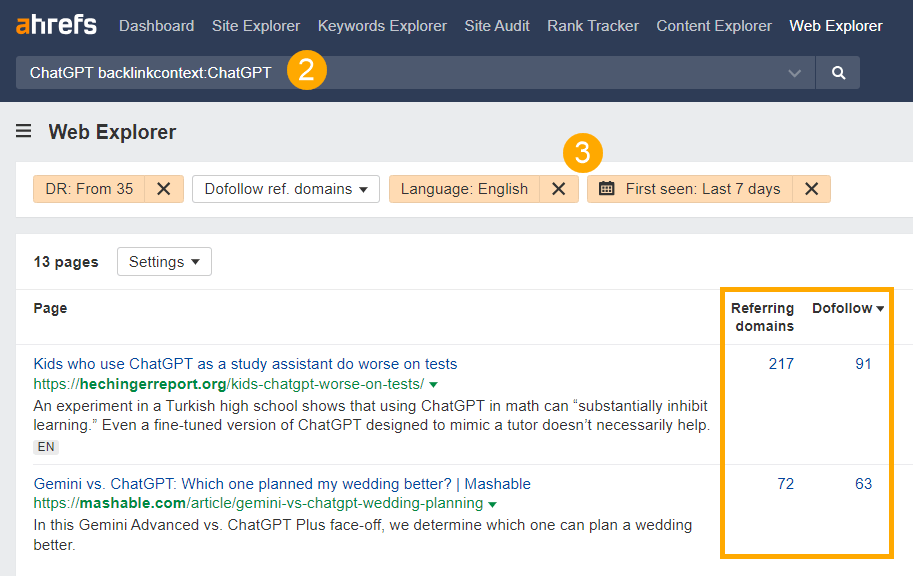
This will load a full report of the most linked to pages about the topic “ChatGPT” over the last week. Then all you need to do is update the report with your chosen topic, and adjust any filters.
And hit “Save report”.
Another tip for breaking news was recently disclosed by SEO expert and founder of SEO blog Detailed, Glen Allsopp, on the Ahrefs Podcast (it’s a great episode – I highly recommend a full listen!)
He spoke about a technique that he refers to as the “iPhone Link Building” method.
“The reason I call it this, because it doesn’t matter who you are, it doesn’t matter how old your website is, it doesn’t matter how long you’ve been around. If you have a photo of the iPhone 16 before anyone else and you put that on [your site], the whole tech world is going to talk about it, right? You’re going to get links from every tech website on the planet. Doesn’t matter that [your site] has nothing to do with tech and gadgets. You’ve got the first iPhone link. People are going to talk about it. So I refer to it as the iPhone link building.“
To carry out “iPhone link building”, Glen sets up an alert using Visual Ping. This sends him a notification as soon as there’s an update on one of the webpages he’s tracking. If something new or interesting has changed, he’ll work this into his next piece of content.
5. Ask your network
Turning to your social network for examples of existing content is a great way to curate.
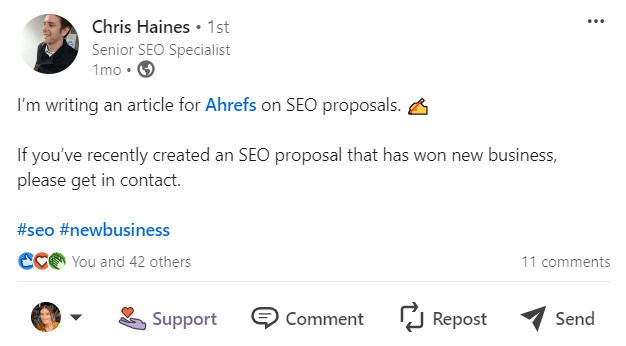
Here’s Chris Haines, Ahrefs’ Senior SEO Specialist, doing just this on LinkedIn…
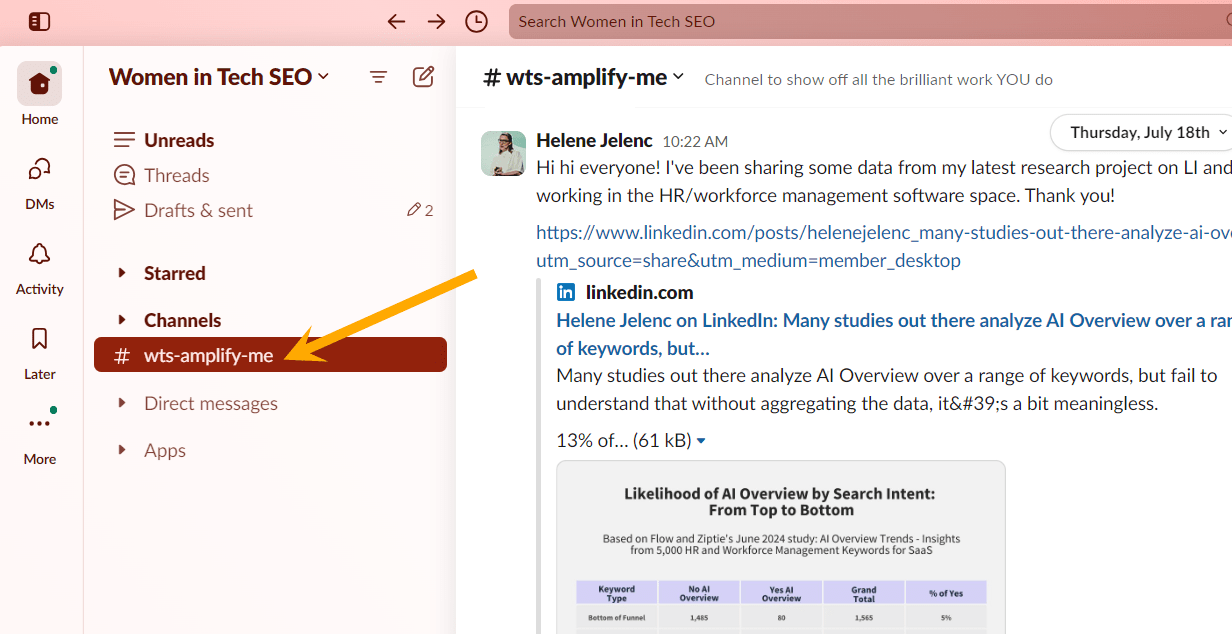
Often, Slack communities will dedicate a channel to self-promotion. This is another handy way to find new content to curate.
“In the Women in Tech SEO Slack group, we have a hashtag channel (#wts-amplify-me) that serves as a space for members to promote their work, and it’s wholesome to see lots of our members use it to highlight the work of others! This channel helps me curate content for our weekly WTSNewsletter. As newsletter creators, we are responsible for amplifying diverse voices, which was the driving force behind starting WTSNewsletter. The lack of diversity in industry newsletters motivated me to create our very own weekly newsletter that showcases the brilliant work of underrepresented individuals.”
Community content sourcing doesn’t begin and end with LinkedIn or Slack. Check out other pockets of the internet, including niche forums, Subreddits, Facebook groups, and Mastodon instances.
6. Bookmark everything
Some of my best articles have been inspired by the posts I’ve bookmarked.
Here are my top tips for bookmarking curated content:
Use a note taking app like Notion or Obsidian to organize your content examples.
Bookmark your saved social media content
You’ll undoubtedly have banked some great content on social media over the years, but navigating back to those archives can be a bit of a faff.
I bookmark mine to my browser so I can easily jump back in (e.g. LinkedIn “Saved”, X bookmarks, X advanced searches, TikTok saved, Instagram saved etc.)
7. Set up author notifications
Follow creators and journalists that inspire you. Subscribe to their channel, turn on notification bells on LinkedIn and X, and set up RSS feeds to get alerted whenever they push out new content.
Tip
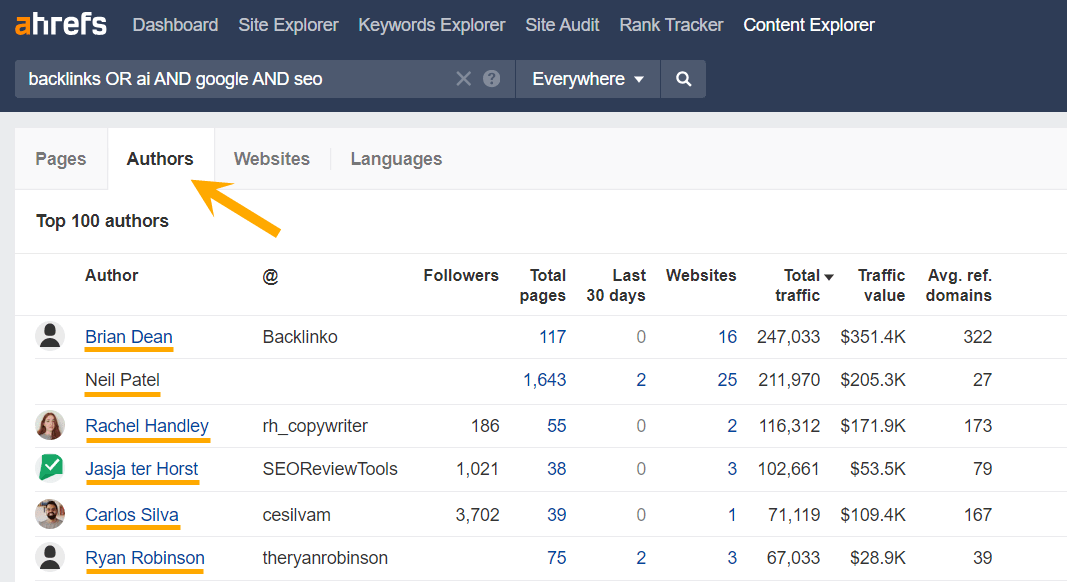
When you’re searching for new content in the Content Explorer, check out the Authors tab for ideas on which thought leaders to follow in your industry.
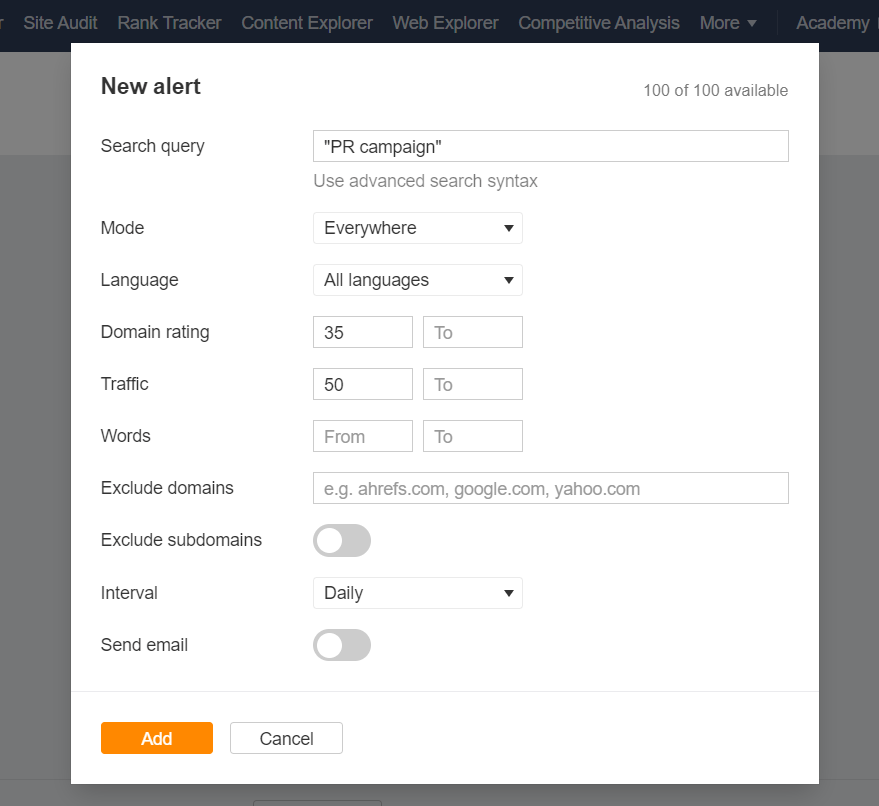
8. Set up keyword alerts
Get notified as soon as on-topic content is published, with Ahrefs “Mention” alerts.
9. Use AI to extract and annotate content
AI broadly summarizes outdated content, and has a habit of forgoing (or entirely fabricating) references. In other words, it’s pretty terrible for curating unique content.
Instead, use it to extract, summarize, and investigate the content you’ve selectively curated.
Extract nuggets from “hidden” content
I used AI to extract quotes and insights from webinars, interviews, and YouTube videos. The post I wrote for SpinSucks was inspired by content mined from interview transcripts and bookmarked social media content, using Claude AI.
Reverse-engineer successful content formulas
I fed ChatGPT examples of top-performing blogs to understand patterns of success, and inform my opinion of what “good” content looks like, while updating the post: 6 Simple Blog Post Templates (Download & Edit Along.
Extra content curation tips and best practices
We’ve covered a lot of ground, but there are a few extra details worth mentioning before you jump into curation.
Make sure you have a clear theme
Curation isn’t just about sourcing and presenting the most unique content you can find.
Value also comes from carefully selecting content that fits a central concept or theme.
“[Content curation] helps build my taste, which in my opinion, is the hardest part of curation, because most people don’t seem to understand the concept of “curation”, i.e. selecting the best, or what fits a theme. They just seem to shoehorn every article on the internet.”
Build your exclude list
Be discerning about the content you create. Set out rules as to the content or people you will/won’t include, using your brand guidelines for inspiration.
Repurpose your knowledge
Content curation is usually cheaper and easier to produce, but don’t treat it as a “one and done” activity. Repurpose the things you learn both internally and externally.
“We actually use the news – that Jack (Chambers-Ward) and I curate for the Core Updates newsletter – internally at Candour during one of our weekly meetings when we are discussing changes in the industry. So it’s been a helpful task to make sure the agency is always up to date!”
Final thoughts
Content curation isn’t a “set it and forget it” tactic. It’s an ongoing process that demands a reasonable amount of effort, but the payoff is worth it. That’s because:
It’s a traffic magnet: Curated content can outperform original content in terms of organic traffic, because you’re cherry-picking the best ideas.
It builds your E-E-A-T: By sharing valuable experiences, you’re signaling to users and search engines that you know your stuff. This can boost your rankings across the board.
It’s a networking opportunity: When you share others’ content, they notice. We’ve built relationships with industry giants simply by featuring their work on our blog or weekly digest.
Great curation is about adding value. You can just reshare content verbatim, but you’re missing out on a valuable opportunity to add your own insight, and explain why the content you’ve painstakingly curated matters to your audience.
In a world where 70 million blog posts are published every month, skilled curators stand out. They don’t just share content – they build communities, spark discussions, and become go-to resources in their niches.
If you’re giving content curation a try, experiment with different formats and track what resonates (our Content Explorer can help with that too), then watch your influence grow.
Sounds scary, doesn’t it? Not only does the word “entity” sound foreign, it feels like yet another thing to add to your never-ending SEO to-do list. You’re barely afloat when it comes to
Why you don’t have to ‘do’ entity SEO
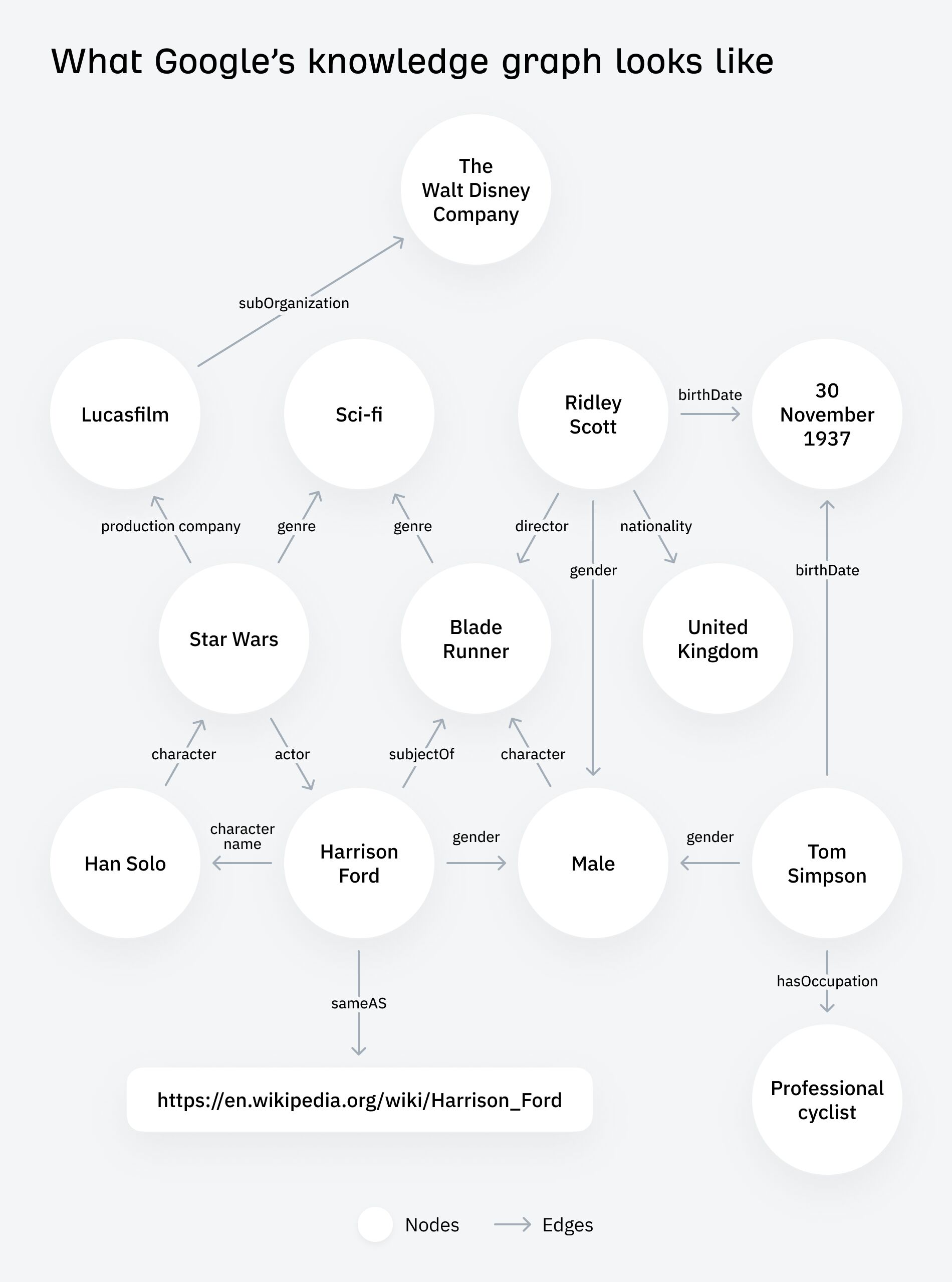
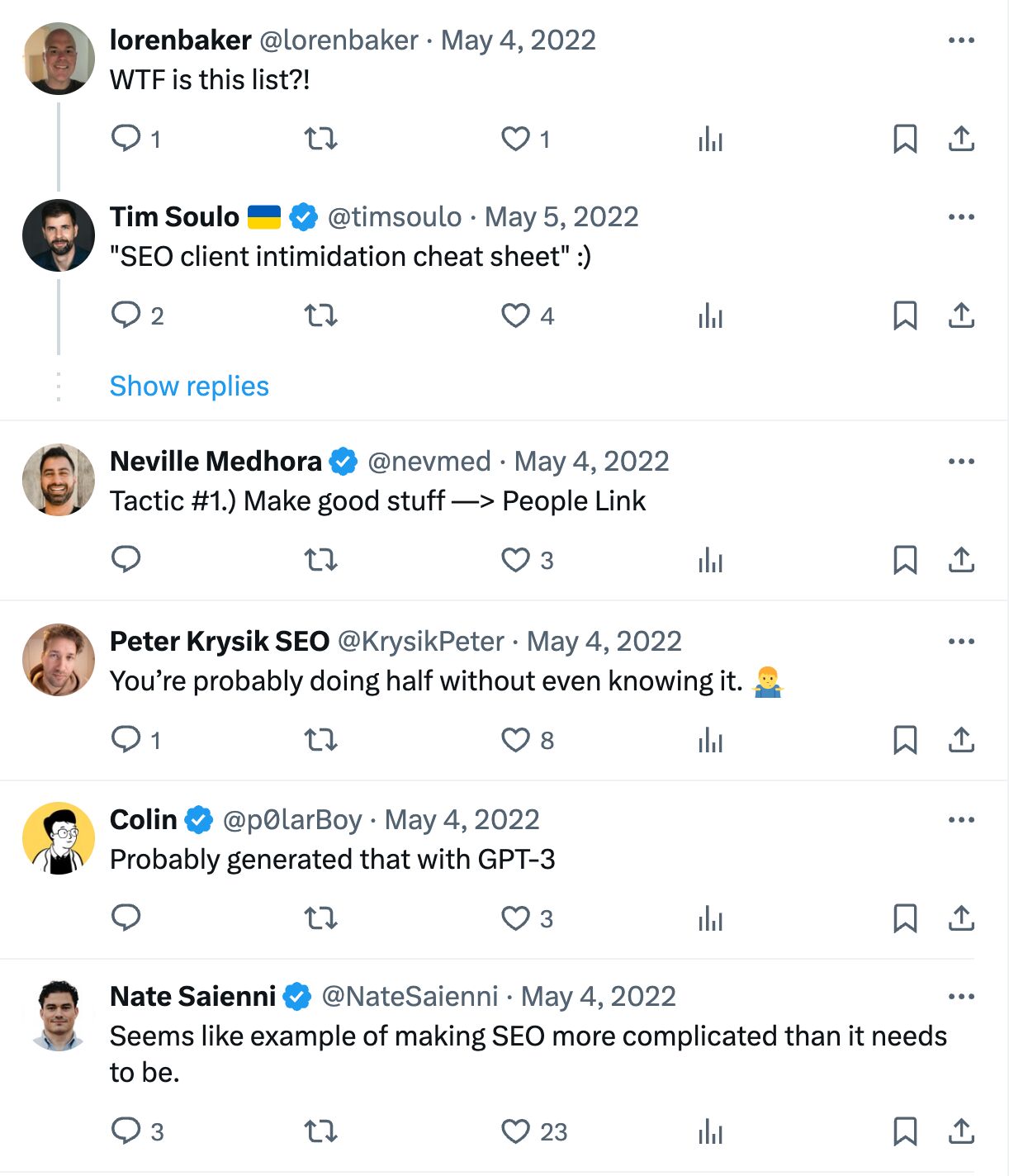
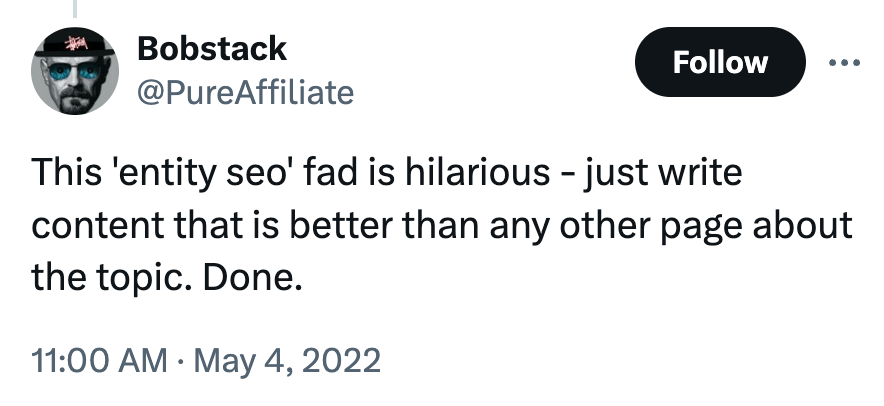
If Google has moved to entity-oriented search, then entity SEO is just SEO. As my colleague Patrick Stox says, “The entity identification part is more on Google’s end than on our end.”
I mean, if you look at the ‘entity SEO’ tactics you find in blog posts, you’ll discover that they’re mostly just SEO tactics:
Earn a Wikipedia page
Create a Google Business Profile
Add internal links
Create all digital assets Google is representing on the page (e.g., videos, images, Twitter)
Develop topical authority
Include semantically related words on a page
Add schema markup
Let’s be honest. If you’re serious about SEO and are investing in it, then it’s likely you’re already doing most of the above.
Regardless of entities, wouldn’t you want a Wikipedia page? After all, it confers benefits beyond “entity SEO”. Brand recognition, backlinks from one of the world’s most authoritative sites (albeit nofollow)—any company would want that.
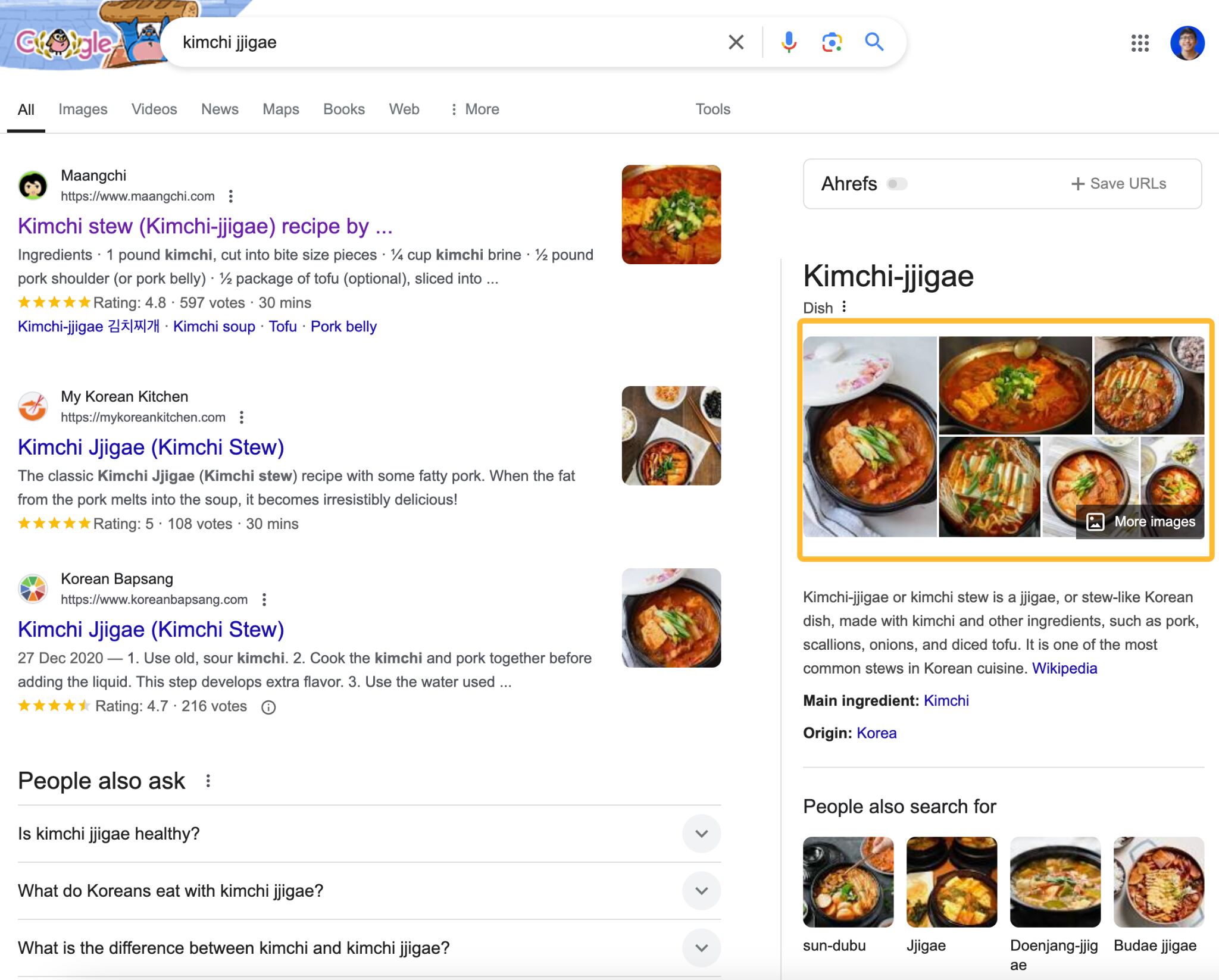
And billions of blistering barnacles, creating all digital assets Google wants to see, like images and videos, is practically marketing 101. If you’re a Korean recipe site and want to be associated with the kimchi jjigae entity, wouldn’t you already know you need to make a video and have photos of the cooking process?
When I started my breakdance site years ago, I knew nothing about SEO and content marketing but I still knew I needed to make YouTube videos. Because guess what? It’s hard to learn breakdancing from words. I don’t think I needed an entity SEO to tell me that.
Topical authority is an SEO concept where a website aims to become the go-to authority on one or more topics. Call me crazy, but it feels like blogging 101. Read most guides on how to start a blog and I’m sure you’ll find a subheading called “niche down”. And once you niche down, it’s inevitable you’ll create content surrounding that one topic.
If I start a breakdance site, what are the chances I’ll write about contemporary dance or pop art? Pretty low.
In fact, topical authority is similar to the Wiki Strategy, which Nat Eliason wrote about in 2017. There wasn’t a single mention of entities. It was just the right way to make content for the Internet.
I think the biggest problem here isn’t entities versus keywords or that topical authority is a brand-new strategy. It’s simply that many SEOs are driven by short-sightedness or the wrong incentives.
You can target a whole bunch of unrelated keywords that have high search volume, gain incredible amounts of search traffic, and brag about how successful you are as an SEO.
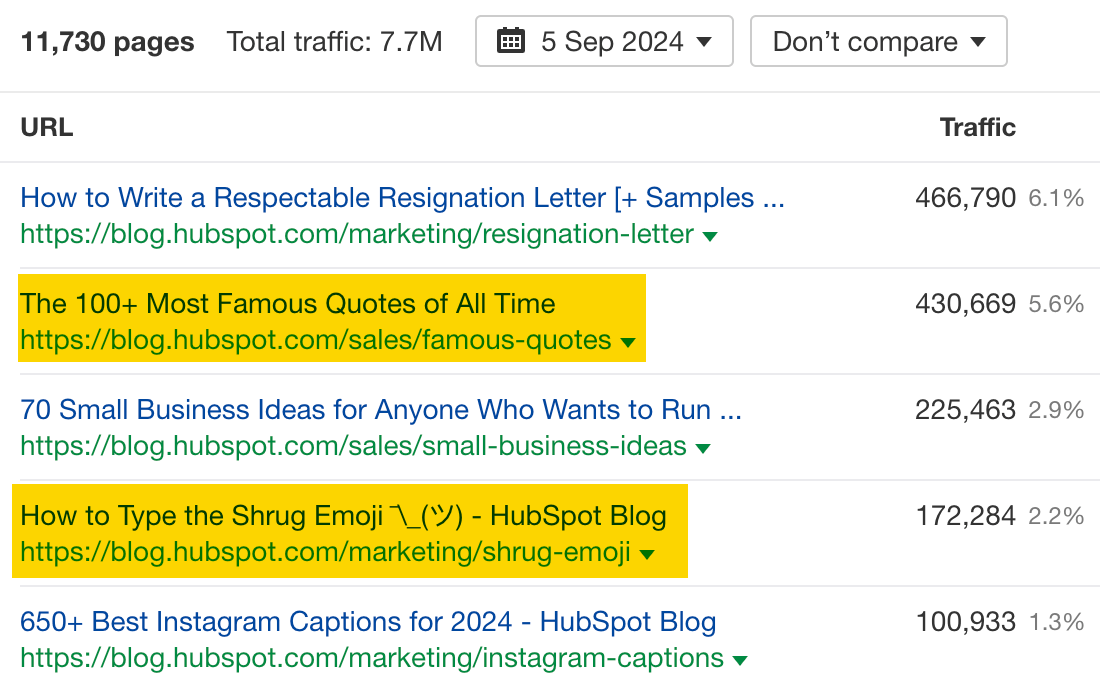
Some of the pages sending HubSpot the most search traffic has barely anything to do with their core product. A page on how to type the shrug emoji? The most famous quotes?
This is not to single out HubSpot—I’m sure they have their reasons, as explored by Ryan here—but to illustrate that many companies do the exact same thing. And when Google stops rewarding this behavior, all of a sudden companies realise they do need to write about their core competencies. They need to “build topical authority”.
I don’t want to throw the baby out with the bathwater because I do see value in the last two ‘entity SEO tactics’. But again, if you’re doing something similar to the Wiki Strategy for your site, chances are you would have naturally included entities or semantically relevant words without thinking too much about it. It’s difficult to create content about kimchi jjigae without mentioning kimchi, pork, or gochujang.
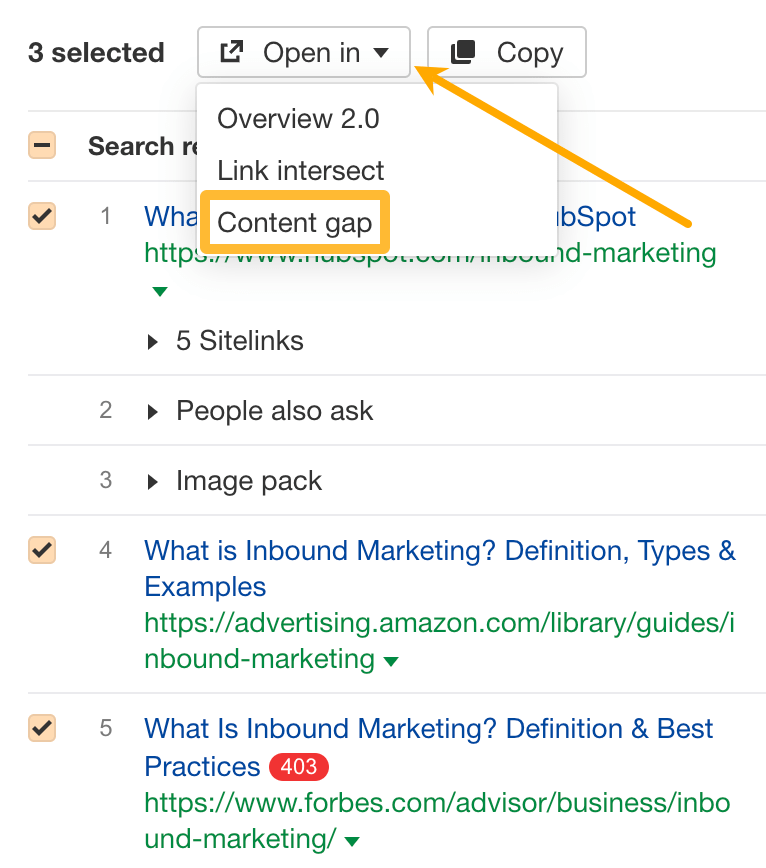
However, to prevent the curse of knowledge or simply to avoid blindspots, checking for important subtopics you might have missed is useful. At Ahrefs, we run a page-level content gap analysis and look out for subtopics:
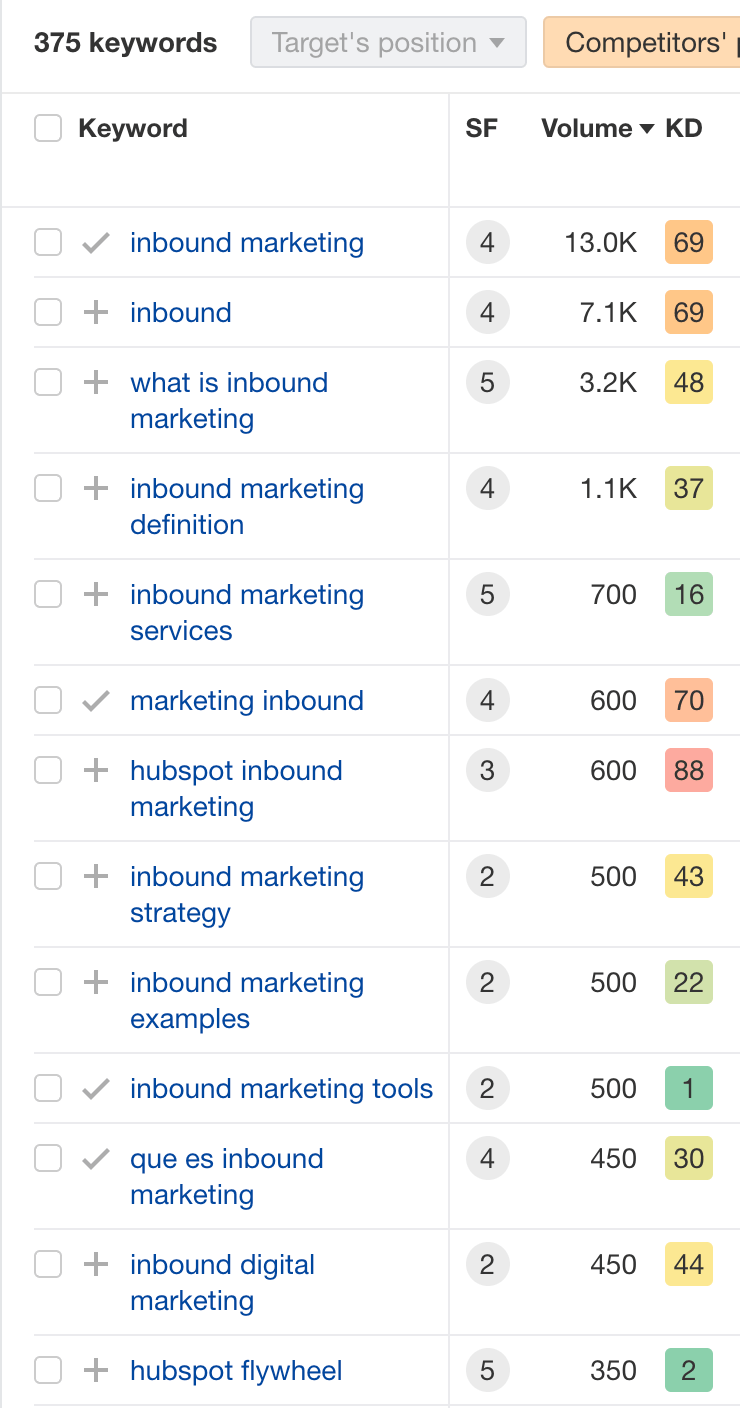
For example, if we ran a content gap analysis on “inbound marketing” for the top three ranking pages, we see that we might need to include these subtopics:
What is inbound marketing
Inbound marketing strategy
Inbound marketing examples
Inbound marketing tools
Finally, adding schema markup makes the most sense because it’s how Google recognizes entities and better understands the content of web pages. But if it’s just one new tactic—which I believe is already part of ‘standard’ SEO and you might already be doing it—then there’s no need to create a category to define the “new era” (voice SEO, where art thou?)
Final thoughts
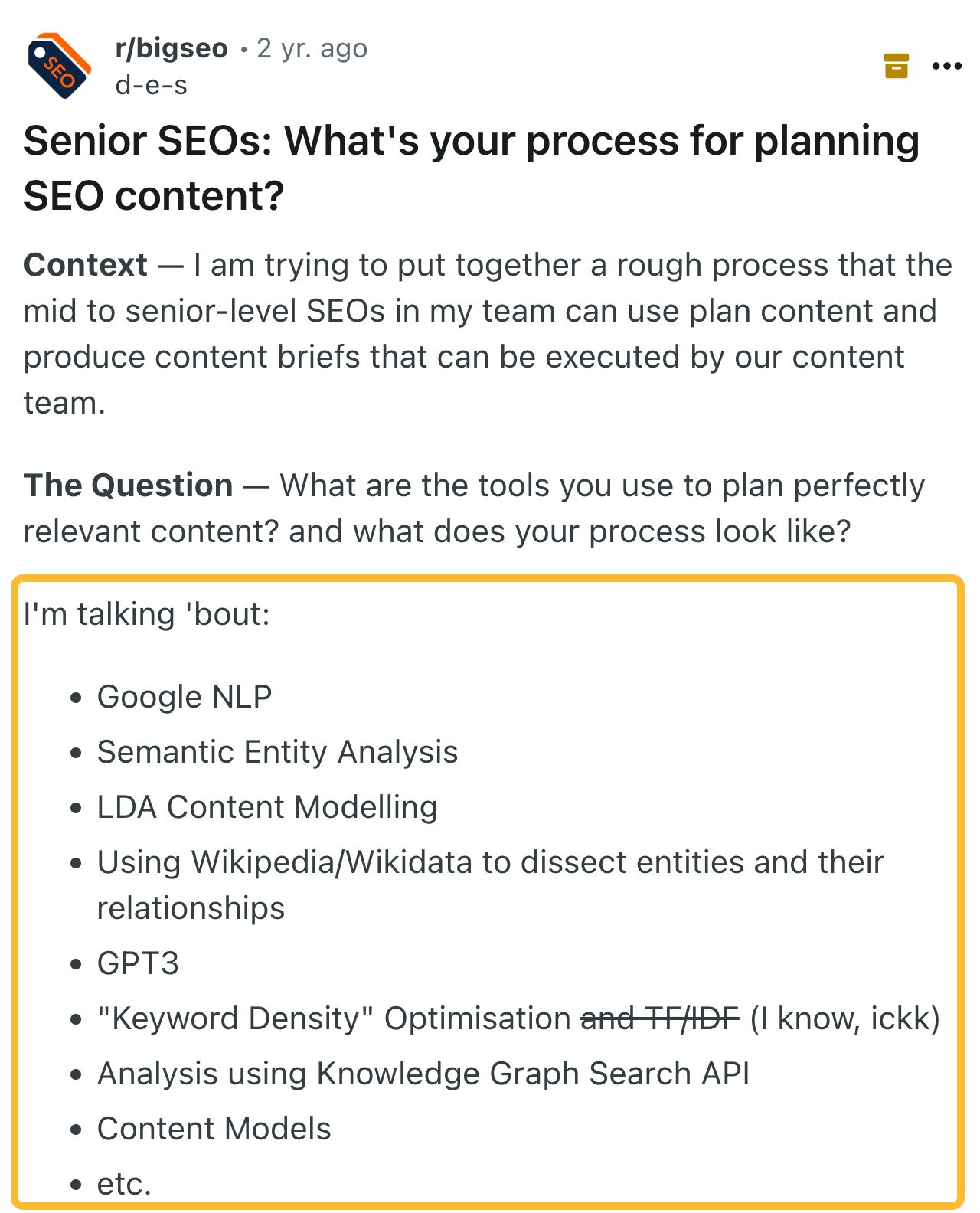
Two years ago, someone on Reddit asked for an SEO workflow that utilized super advanced SEO methodologies:
And even though I don’t know him, this is a person after my own heart:
You don’t have to worry about entity SEO. If you have passion for a topic and are creating high-quality content that fulfills what people are looking for, then you’re likely already doing “entity SEO”.
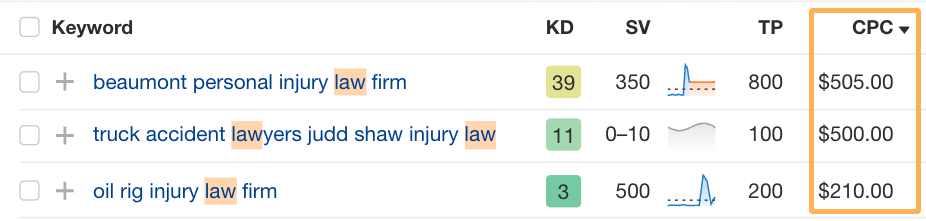
SEO for personal injury law firms is notorious for how expensive and competitive it can be. Even with paid ads, it’s common for every click from the ad to your website to cost hundreds of dollars:
When spending this kind of money per click, the cost of gaining new cases can quickly skyrocket. Since SEO focuses on improving your visibility in the unpaid areas of search engines, you can cut costs and get more leads if you’re savvy enough.
Here are the strategies I’ve used to help new and boutique injury and accident law firms compete with the big guns for a fraction of the cost.
Recommendation
If you’re brand new to SEO, check out The Beginner’s Guide to SEO to get familiar with the fundamental concepts of SEO that apply to all websites.
1. Add reviews, certifications, and contact details to your website
Unlike many other local service businesses, personal injury law firms need to work harder to earn trust and credibility online.
This applies to earning trust from humans and search engines alike. Google has a 170-page document called the Search Quality Rater Guidelines. This document contains two frameworks law firms can use to help Google and website visitors trust them more.
The first is “your money or your life,” or YMYL. Google uses this term to describe topics that may present a high risk of harm to searchers. Generally, any health, finances, safety, or welfare information falls into this category. Legal information is also a YMYL topic since acting on the wrong information could cause serious damage or harm to searchers.
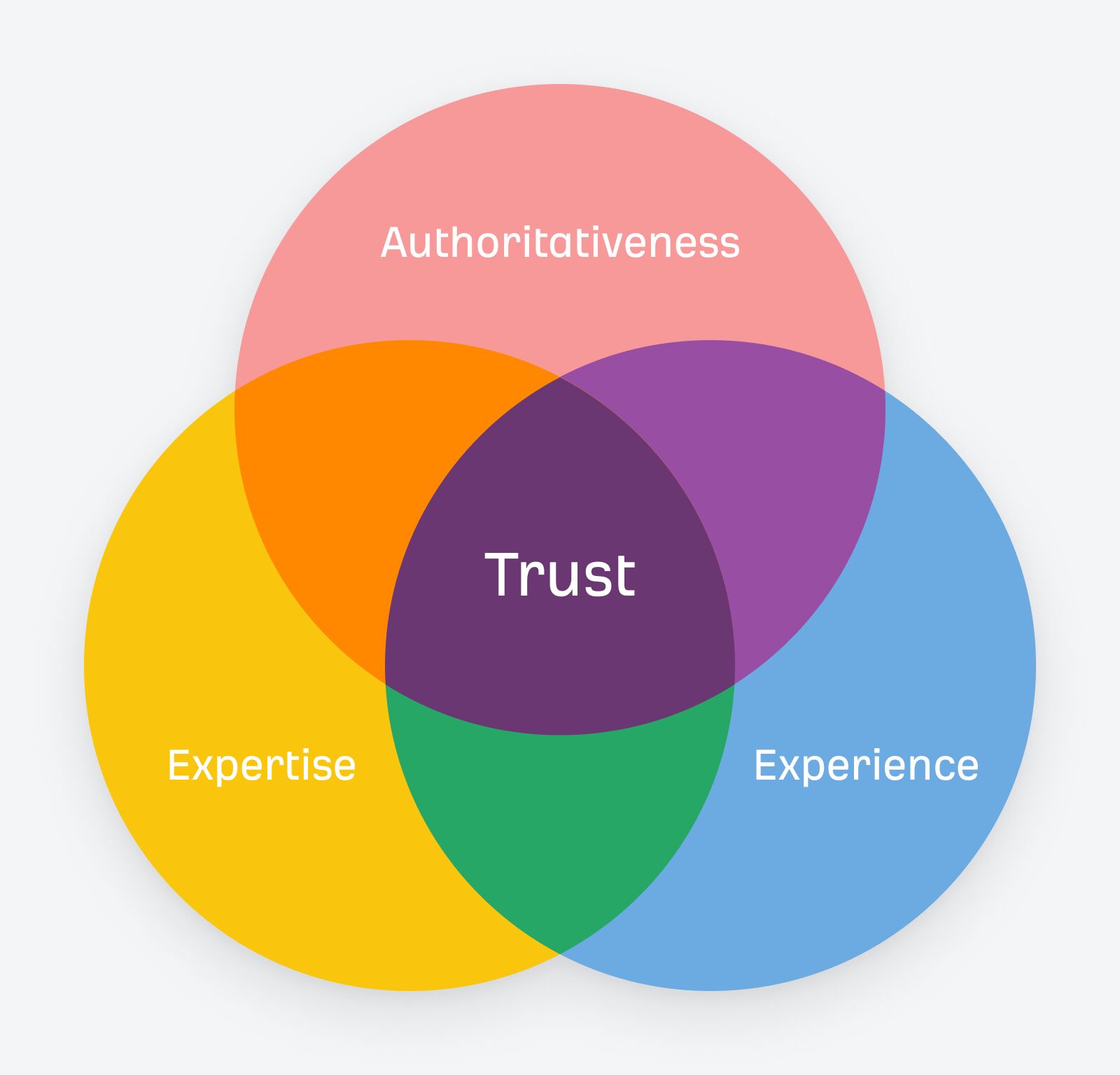
The second framework is EEAT, which stands for experience, expertise, authoritativeness, and trustworthiness.
This framework applies more broadly to all industries and is about sharing genuine information written by experts and authorities for a given topic. Both YMYL and EEAT consider the extent to which content is accurate, honest, safe, and reliable, with the ultimate goal of delivering trustworthy information.
Here are the things I implement for my personal injury clients as a priority to improve the trustworthiness of their online presence:
Prominently display star ratings from third-party platforms, like Google or FaceBook reviews.
Show your accreditations, certifications, awards, and the stats on cases you’ve won.
If government-issued ratings or licenses apply to your practice areas, show those too.
Add contact information like your phone number and address in the footer of every page.
Share details of every member of your firm, highlighting their expertise and cases they’ve won.
Add links to your professional profiles online, including social media and law-related listings.
Include photos of your team and offices, results, case studies, and success stories.
2. Create a Google Business profile in every area you have an office
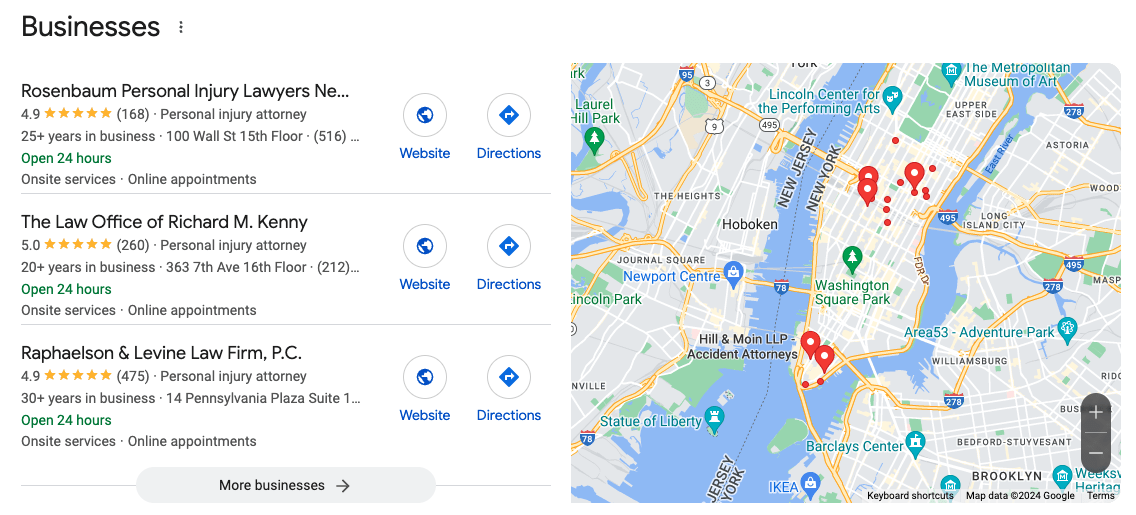
Generally speaking, your Google Business listing can account for over 50% of the leads you get from search engines. That’s because it can display prominently in the maps pack, like so: Without a Google Business listing, your firm will not show up here or within Google Maps since it is managed completely separately from your website. Think of your Google listing like a social profile, but optimize it like a website. Make sure you create one of these for each location where you have an on-the-ground presence, ideally an established office.
Take the time to fill out all the details it asks for, especially:
Your firm’s name, address, and phone number
Your services with a description of each
Images of your premises, inside and outside the office
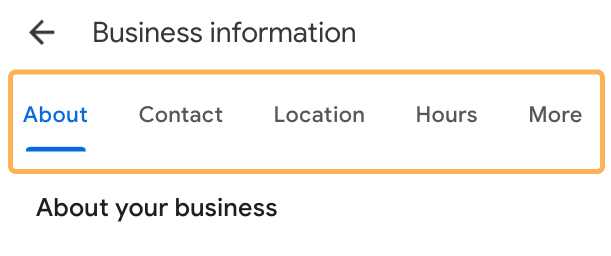
And anything else you see in these sections:
Also, make it a regular habit to ask your clients for reviews.
Reviews are crucial for law firms. They are the number one deciding factor when someone is ready to choose a law firm to work with. While you can send automated text messages with a link to your Google profile, you’ll likely have a higher success rate if you ask clients in person while they’re in your office or by calling them.
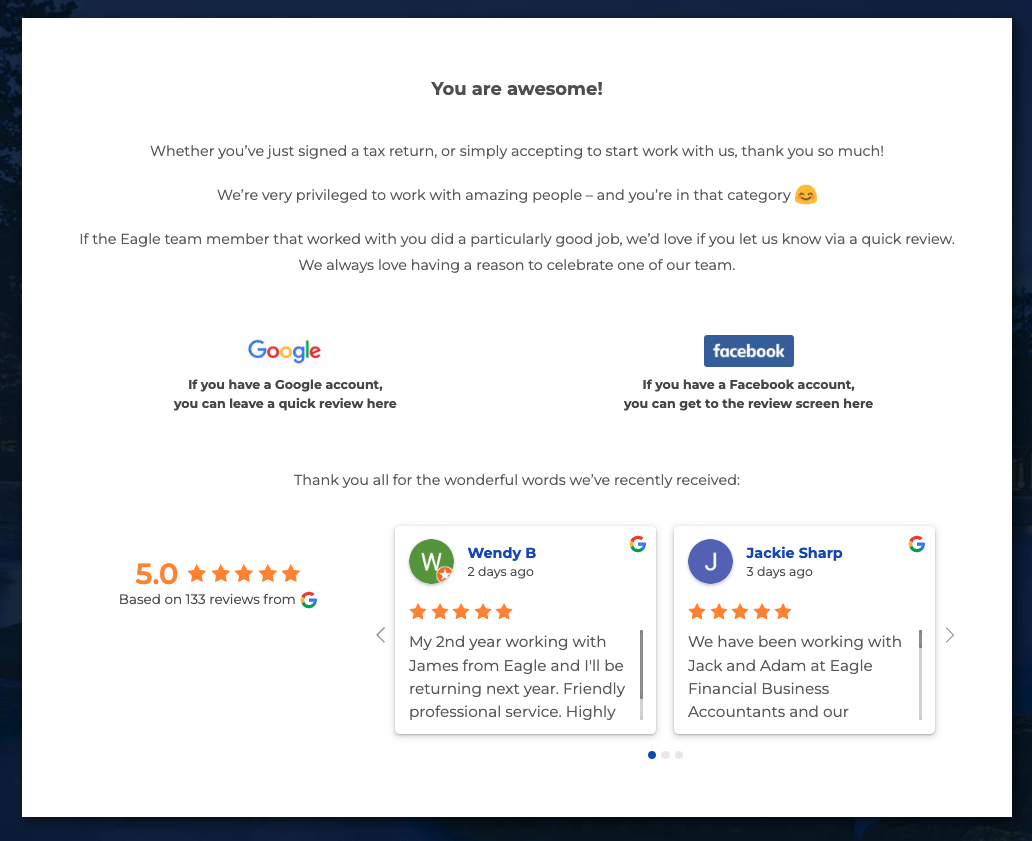
I’ve also seen success when adding a request for a review on thank you pages.
For instance, if you ever send an electronic contract or invoice out to clients, once they’ve signed or paid, you can send them to a thank you page that also asks for a review. Here’s my favorite example of this from a local accountant. You can emulate this concept for your own website too:
Recommendation
Optimizing your Google listing is part of local SEO. Check out our complete guide to local SEO for insights into how you can rank in more map pack results.
3. Add a webpage for each location you serve
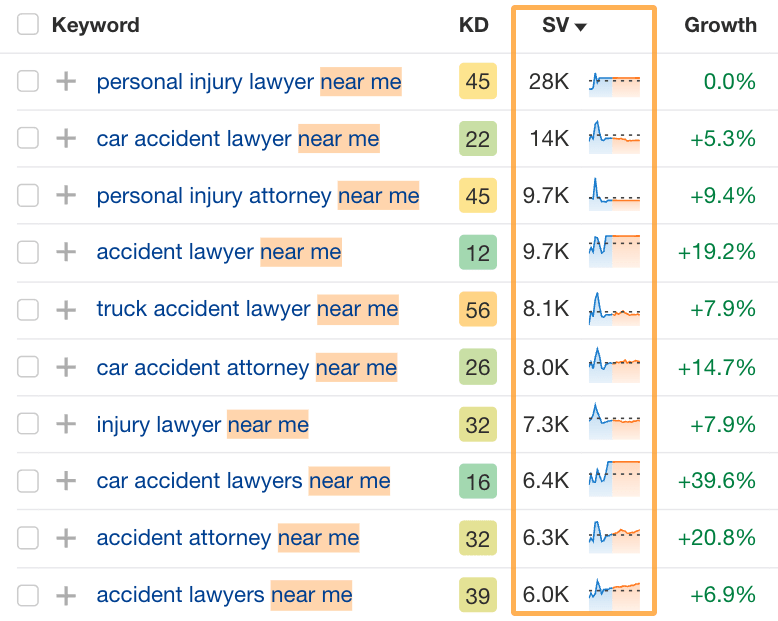
The most common way that people search for legal services is by searching for things like “personal injury lawyer near me” or “car accident lawyer new york”.
For instance, take a look at the monthly search volume on these “near me” keywords for an injury and accident lawyer:
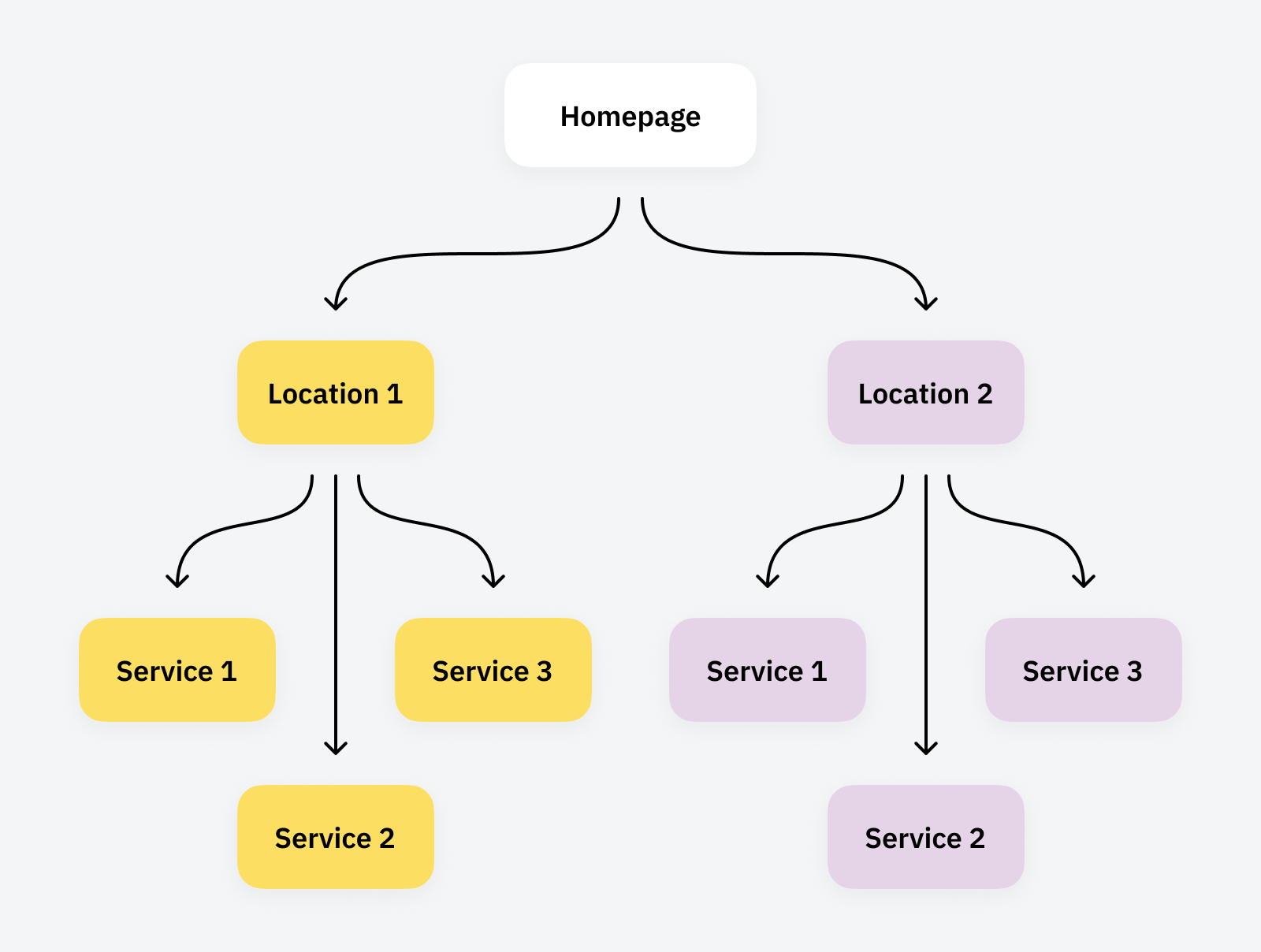
People also commonly search at a state, city, and even suburb level for many legal services, especially if it’s an area of law that differs based on someone’s location. To optimize your website architecture for location keywords like these, it’s best practice to create dedicated pages for each location and then add sub-pages for each of your practice areas in that location.
For example, here’s what that would look like:
The corresponding URL structure would look like this:
/new-york
/new-york/car-accident-lawyer
/new-york/personal-injury-lawyer
/new-york/work-injury-lawyer
Pro Tip:
If you have many locations across the country, you may need to consider additional factors. The greater your number of locations, the more your SEO strategy may need to mimic a franchise’s location strategy.
Check out my guide on franchise SEO for local and national growth strategies if you have many offices nationwide.
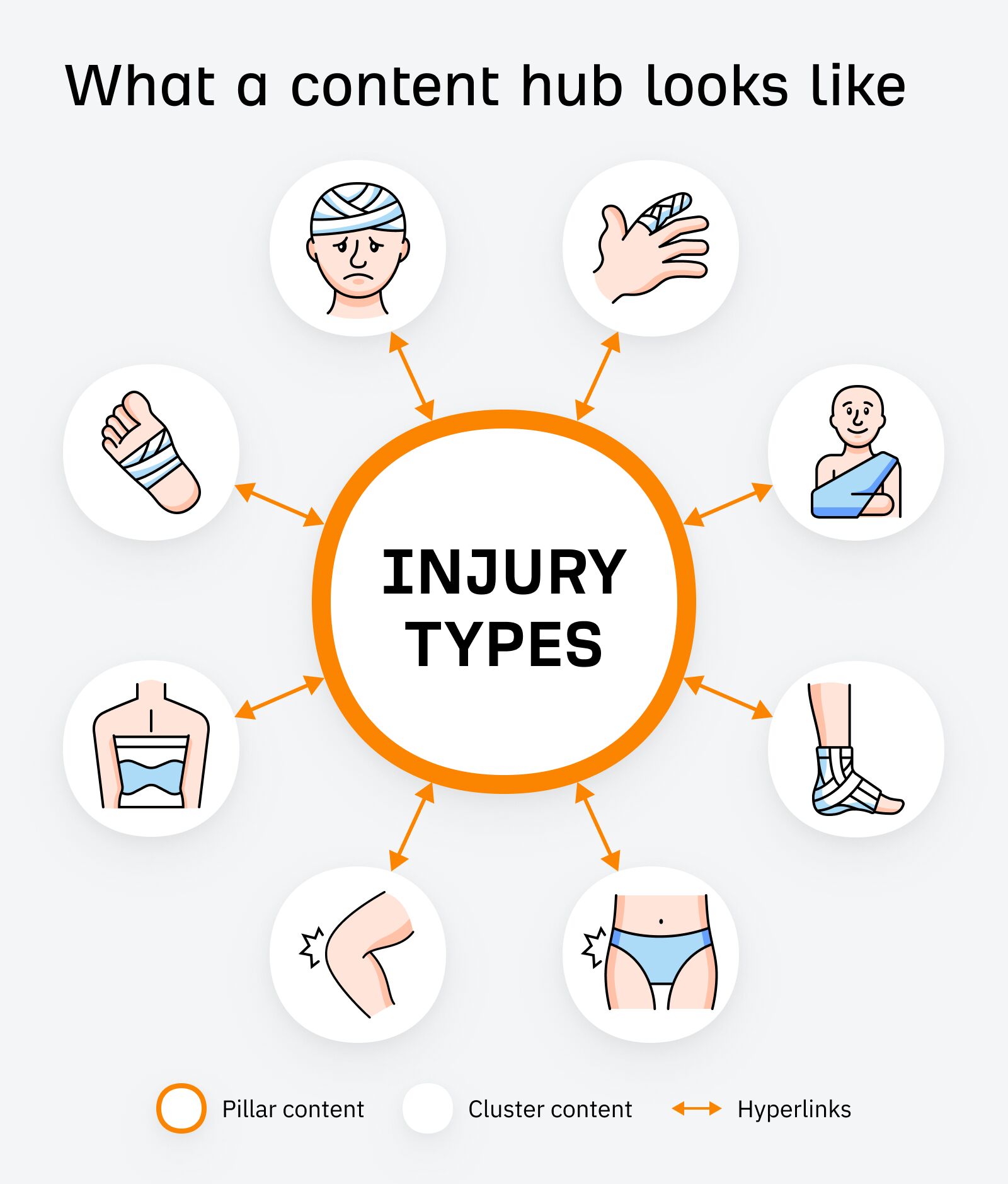
4. Build a topic hub for your core practice areas
A topic hub is a way to organize and link between related articles on a website. It’s sometimes referred to as a topic cluster because it groups together pages that are related to the same subject matter.
If you run a small firm or your marketing budget is tight, I recommend focusing on a single area of law and turning your website into a topical hub. You can do this by publishing different types of content, such as how-to guides, answering common questions, and creating landing pages for each of your services.
For example, if you currently offer services for immigration law, criminal defense, and personal injury compensation, each appeals to very different audience segments. They’re also very competitive when it comes to marketing, so focusing your efforts on one of these is ideal to make your budget go further.
Most areas of law are naturally suited to building out topic clusters. Every practice area tends to follow a similar pattern in how people search at different stages in their journey.
Top-of-funnel: When people are very early in their journey, and unaware of what type of lawyer they need, they ask a lot of high-level questions like “what is a car accident attorney”.
Mid-funnel: When people are in the middle of their journey, they tend to ask more nuanced questions or look for more detailed information, like “average settlement for neck injury”.
Bottom-of-funnel: When people are ready to hire an attorney, they search for the practice area + “attorney” or “lawyer”. Sometimes they include a location but nothing else. For example, “personal injury lawyer”.
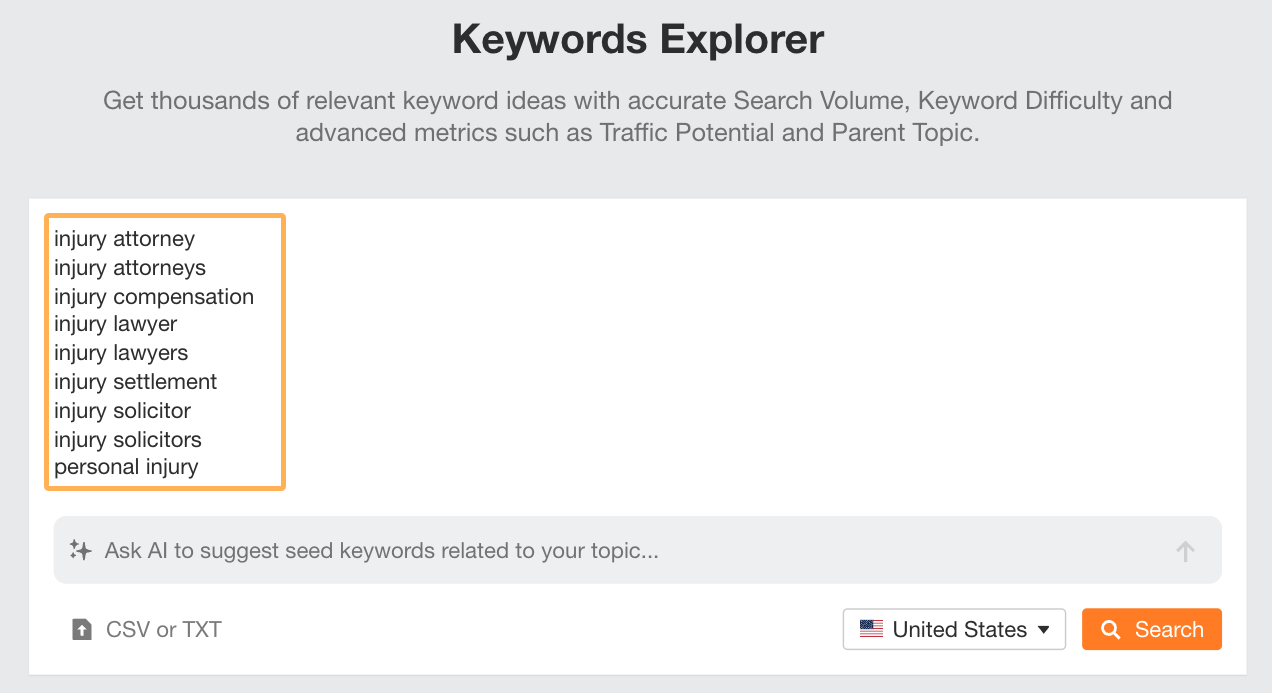
This pattern applies to most areas of law. To apply it to your website, enter your main practice area and a few variations into Keywords Explorer:
Make sure to include a few different variations like how I’ve added different ways people search for lawyers (lawyer, attorney, solicitor) and also for other related terms (compensation, personal injury, settlement).
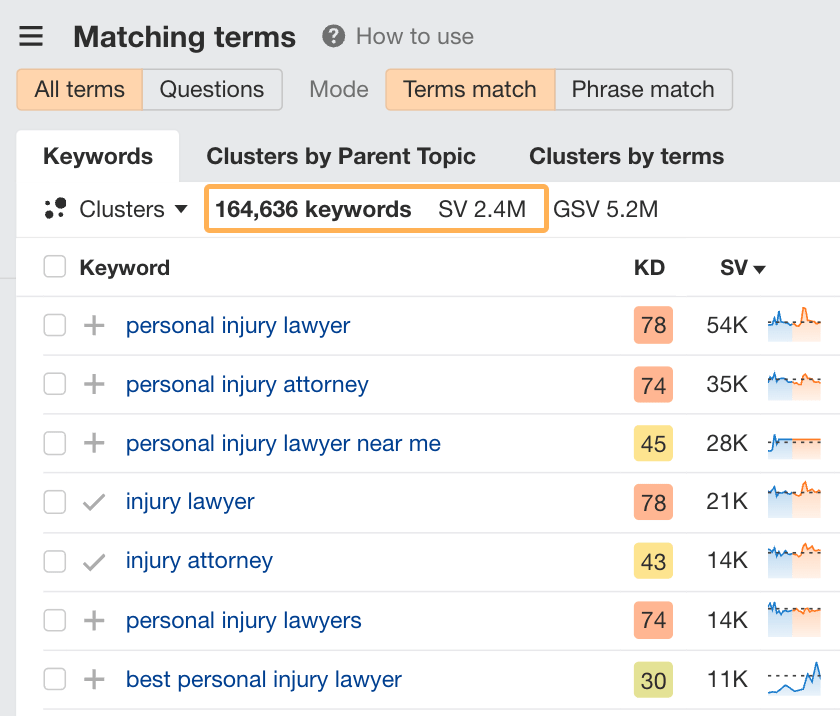
If you check the Matching terms report, you’ll generally get a big list that you’ll need to filter to make it more manageable when turning it into a content plan.
For example, there are 164,636 different keyword variations of how people search for personal injury lawyers. These generate over 2.4 million searches per month in the US.
You can make the list more manageable by removing keywords with no search volume. Just set the minimum volume to 1:
You can also use the include filter to only see keywords containing your location for your location landing pages:
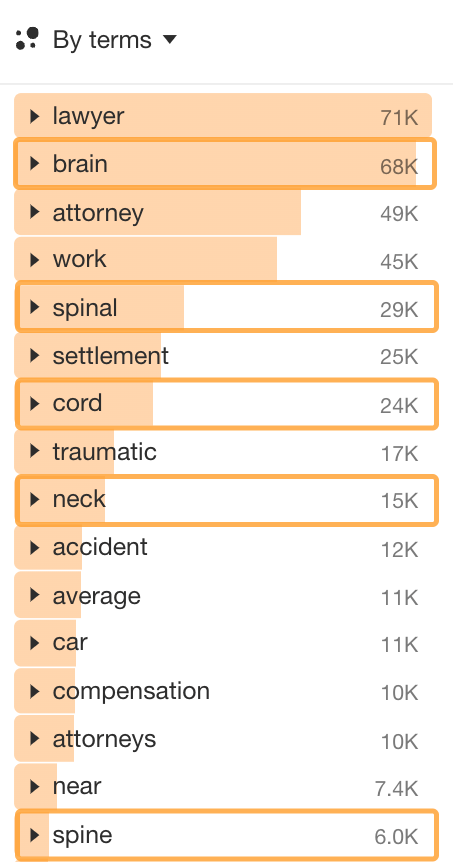
There are also a number of distinct sub-themes relevant to your area of law. To isolate these, you can use the Cluster by Terms side panel. For instance, looking at our list of injury-related keywords, you can easily spot specific body parts that emerge as sub-themes:
Other sub-themes include:
How the accident happened (at work, in a car)
How much compensation someone can get (compensation, average, settlement)
How severe the injury was (traumatic)
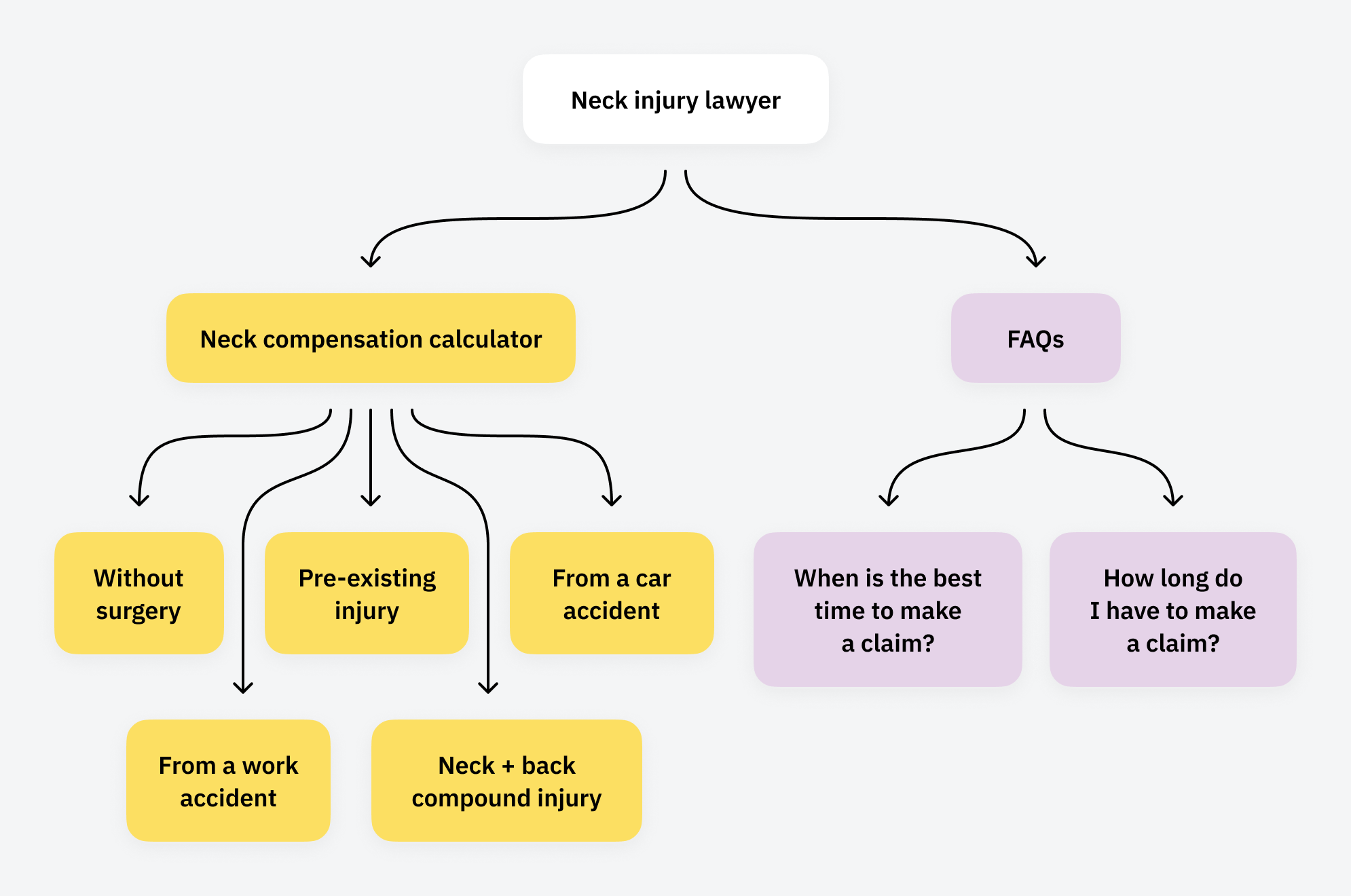
Each of these sub-themes can be turned into a cluster. Here’s what it might look like for the topic of neck injuries:
5. Create a knowledge hub answering common questions
People tend to ask a lot of questions related to most areas of law. As you go through the exercise of planning out your topic clusters, you should also consider building out a knowledge hub where people can more easily navigate your FAQs and find the answers they’re looking for.
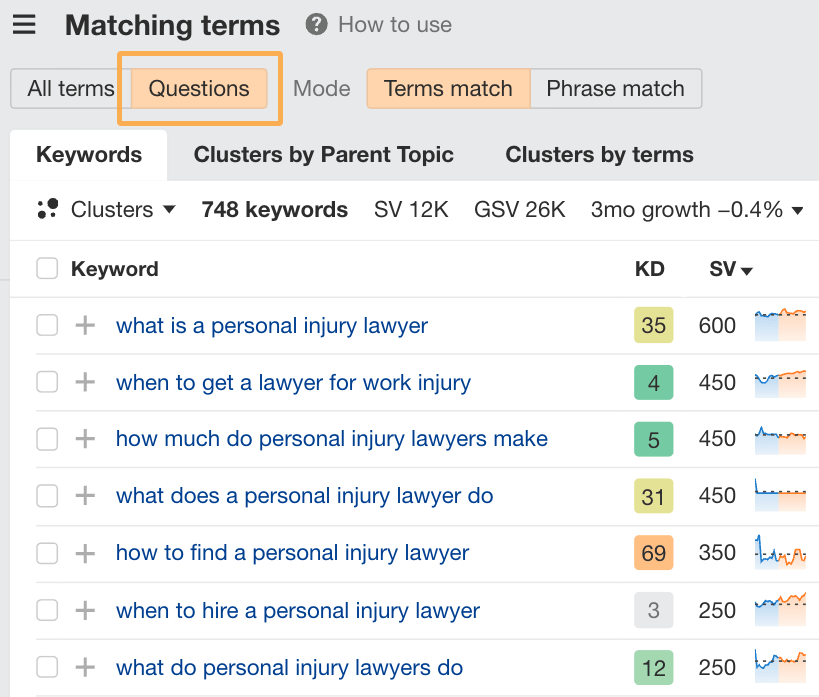
Use the knowledge base exclusively for question-related content. You can find the most popular questions people ask after an accident or injury in the Matching terms > Questions tab:
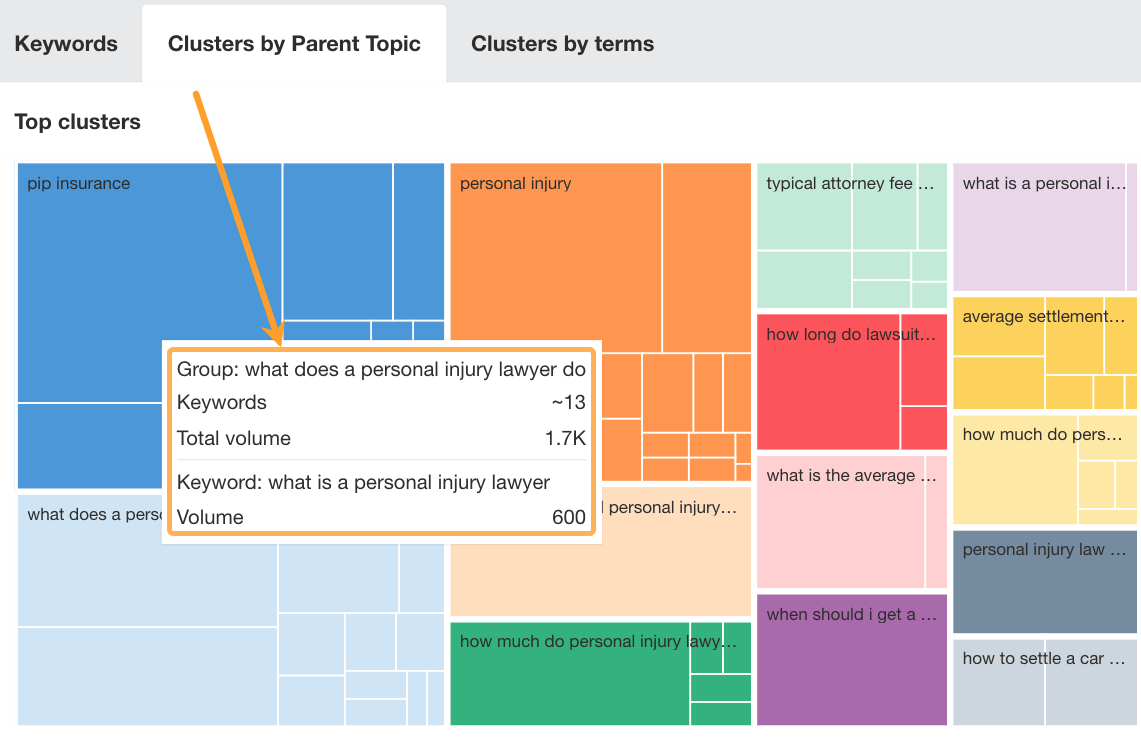
You can also easily see clusters of keywords for the top-of-funnel and mid-funnel questions people ask by checking the Clusters by Parent Topic report. It groups these keywords into similar themes and each group can likely be covered in a single article.
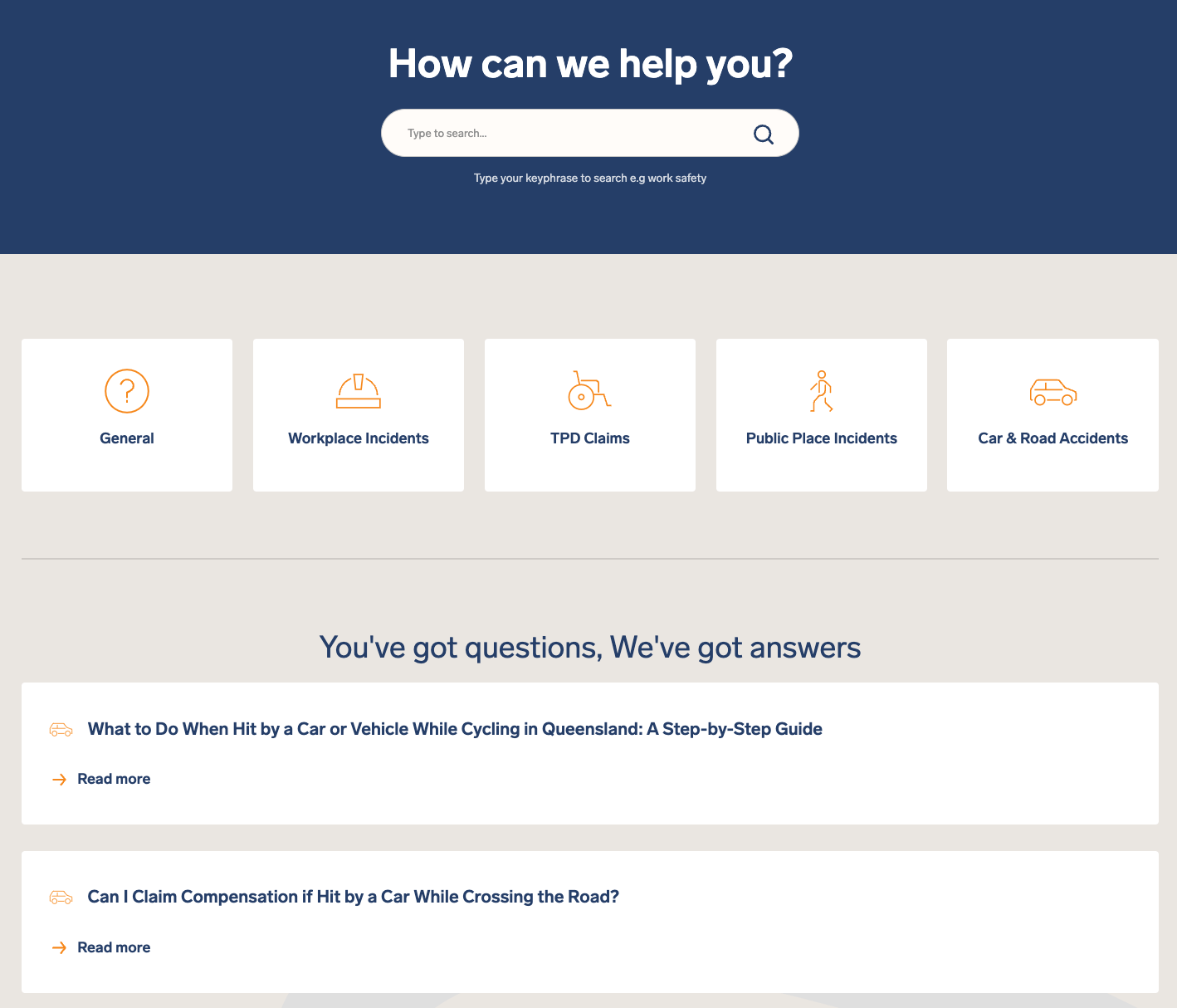
Here’s an example of how Smith’s Lawyers has created a knowledge base with a search feature and broad categories to allow people to find answers to all their questions more easily.
The easier you make it for people to find answers on your website, the less inclined they are to go back to Google and potentially visit a competitor’s website instead. It also increases their interaction time with your brand, giving you a higher chance of being front-of-mind when they are ready to speak to a lawyer about their case.
6. Use interactive content where applicable
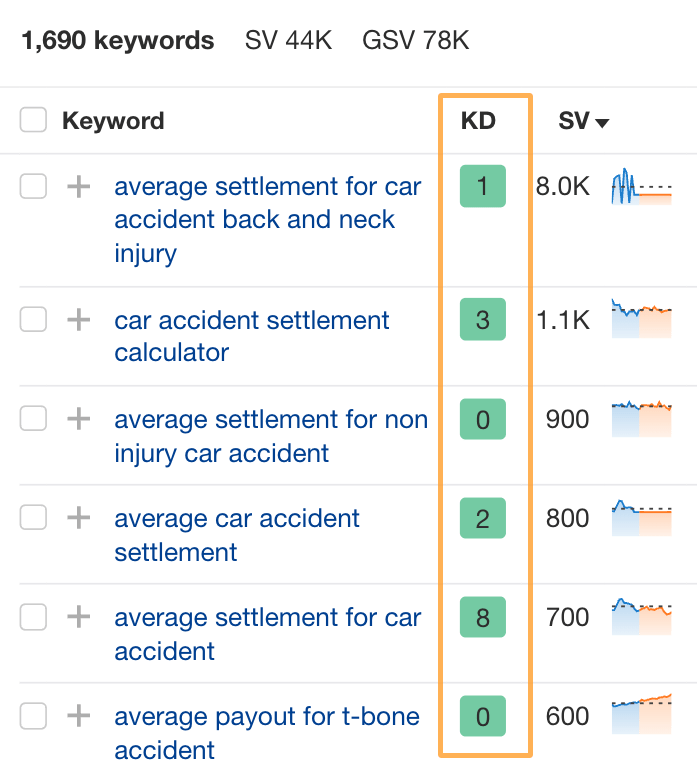
Some areas of law lend themselves to certain types of interactive content. An obvious example is a compensation calculator for injury and accident claims. Doing a very quick search, there are over 1,500 keywords on this topic searched over 44,000 times a month in the US.
The best part is how insanely low the competition is on these keywords:
Keyword difficulty is graded on a 100-point scale, so single-digit figures mean there’s virtually no competition to contend with. It’s not all that hard to create a calculator either.
There are many low-cost, no-code tools on the market, like Outgrow, that allow you to create a simple calculator in no time. Other types of interactive content you could consider are:
Quiz-style questionnaires: great for helping people decide if they need a lawyer for their case.
Chatbots: to answer people’s questions in real-time.
Assessments: to pre-qualify leads before they book a meeting with you.
Calendar or countdown clock: to help people keep track of imminent deadlines.
7. Gain links by sharing your expertise with writers and journalists
Backlinks are like the internet’s version of citations. They are typically dark blue, underlined text that connects you to a different page on the internet. In SEO, links play a very important role for a few different reasons:
Links are how search engines discover new content. Your content may not be discovered if you have no links pointing to it.
Links are like votes in a popularity contest. The more you have from authoritative websites in your industry, the more they elevate your brand.
Links also help search engines understand what different websites are about. Getting links from other law-related websites will help build relevancy to your brand.
Think of link building as a scaled-down version of PR. It’s often easier and cheaper to implement. However, it is very time-intensive in most cases. If you’re doing your own SEO, hats off to you!
However, I’d recommend you consider partnering with an agency that specializes in law firm SEO and can handle link building for you. Typically, agencies like these will have existing relationships with law-related websites where they can feature your brand, which will be completely hands-off for you.
For instance, Webris has a database of thousands of legal websites on which they have been able to feature their clients. If you don’t have an existing database to work with and you’re doing SEO yourself, here are some alternative tactics to consider.
Expert quotes
Many journalists and writers benefit from quoting subject-matter experts in their content. You could be such an expert, and every time someone quotes you, ask for a link back to your website. Check out platforms like Muck Rack or SourceBottle, where reporters post callouts for specific experts they’re looking to get quotes from or feature in their articles.
Guest posting
If you like writing content, you can alternatively create content for other people’s websites and include links back to your site. This approach is more time intensive. To make the effort worth it, reach out to websites with an established audience so you get some additional brand exposure too.
Updating outdated content
If you’re checking out other people’s legal content and you ever notice a mistake or outdated information, you could reach out and offer to help them correct it in exchange for a link to your website.
Naturally, you’ll need to recommend updates for sections of content that relate to your practice areas for this to work and for the link to make sense in the context of the content.
Final thoughts
SEO for personal injury lawyers is one of the most competitive niches. High advertising costs and high competition levels make it difficult for new or small firms to compete against industry giants.
As a new or emerging firm, you can take a more nimble approach and outrank the big firms for low competition keywords they haven’t optimized their websites for. It’s all about doing thorough research to uncover these opportunities in your practice area.
We analyzed the organic traffic growth of 1,600 SaaS companies to discover the SEO strategies that work best in 2024…
…and those that work the worst.
In this article, we’re looking at the companies that lost the greatest amount of estimated organic traffic, year over year.
We analyzed 1,600 SaaS companies and used the Ahrefs API to pull estimated monthly organic traffic data for August 2023 and August 2024.
Companies were ranked by estimated monthly organic traffic loss as a percentage of their starting traffic.
We’ve filtered out traffic loss caused by website migrations and URL redirects and set a minimum starting traffic threshold of 10,000 monthly organic pageviews.
shows, the offending blog posts are now 301 redirected to the company’s (now much better, much more human-looking) blog homepage:
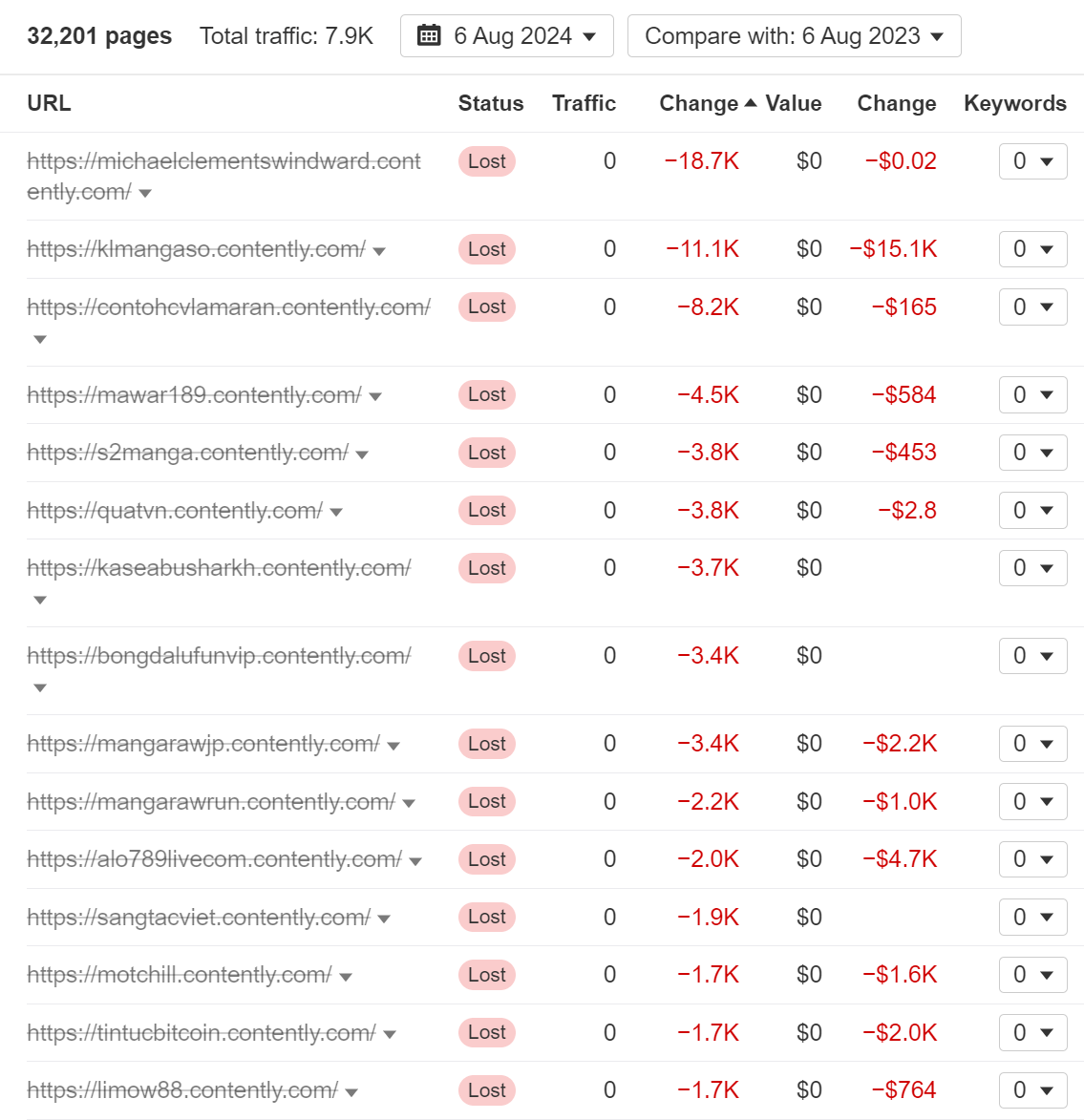
Contently is a content marketing platform. They lost 97% of their estimated organic traffic by removing thousands of user-generated pages.
Almost all of the website’s traffic loss seems to stem from deindexing the subdomains used to host their members’ writing portfolios:
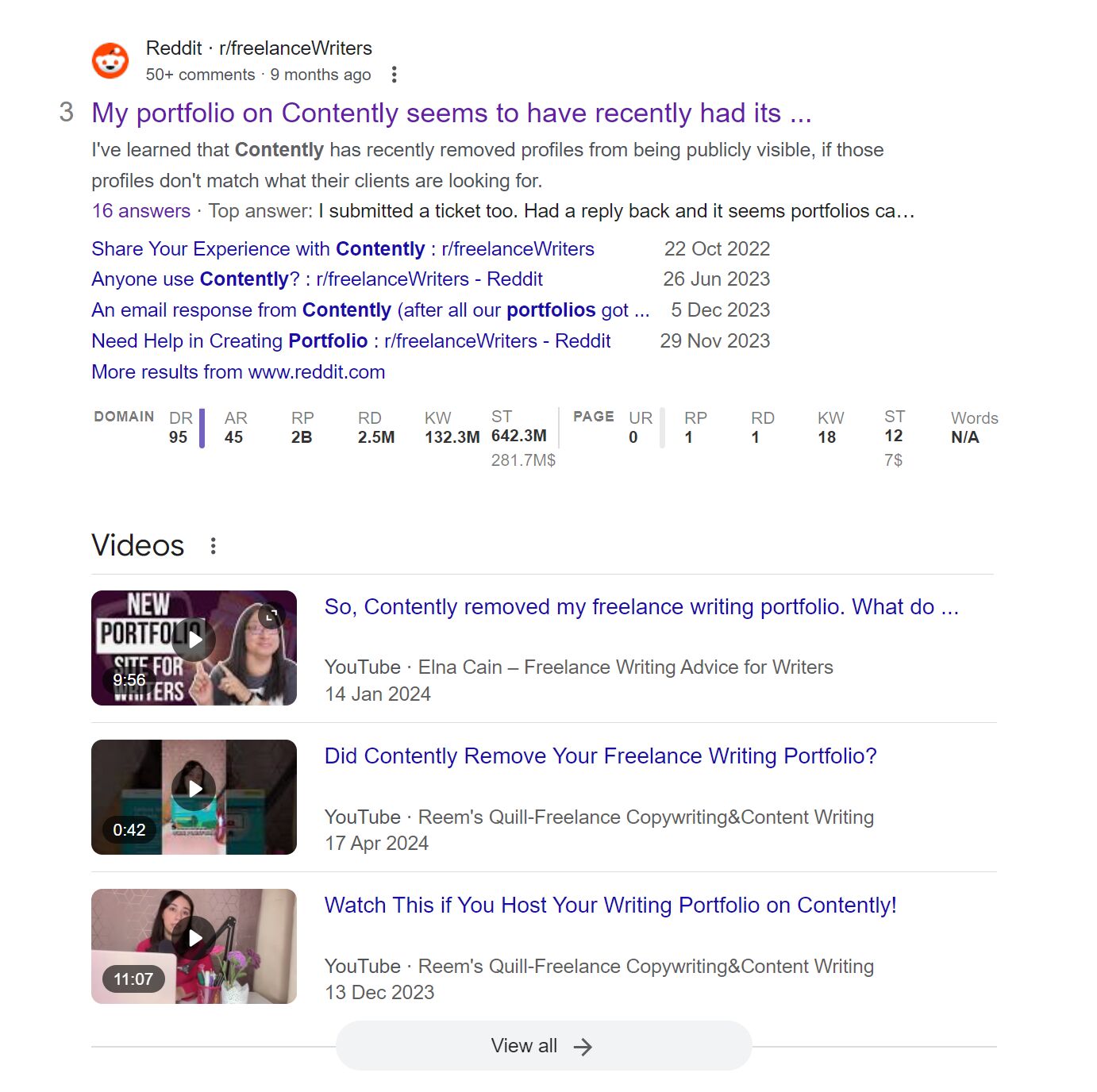
A quick Google search for “contently writer portfolios” suggests that the company made the deliberate decision to deindex all writer portfolios by default, and only relist them once they’ve been manually vetted and approved:
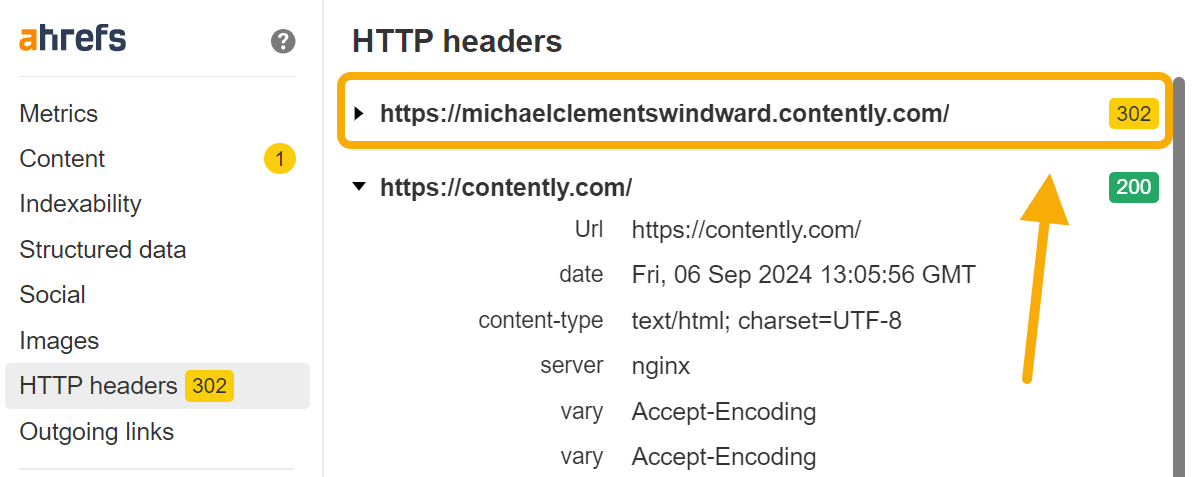
We can see that these portfolio subdomains are now 302 redirected back to Contently’s homepage:
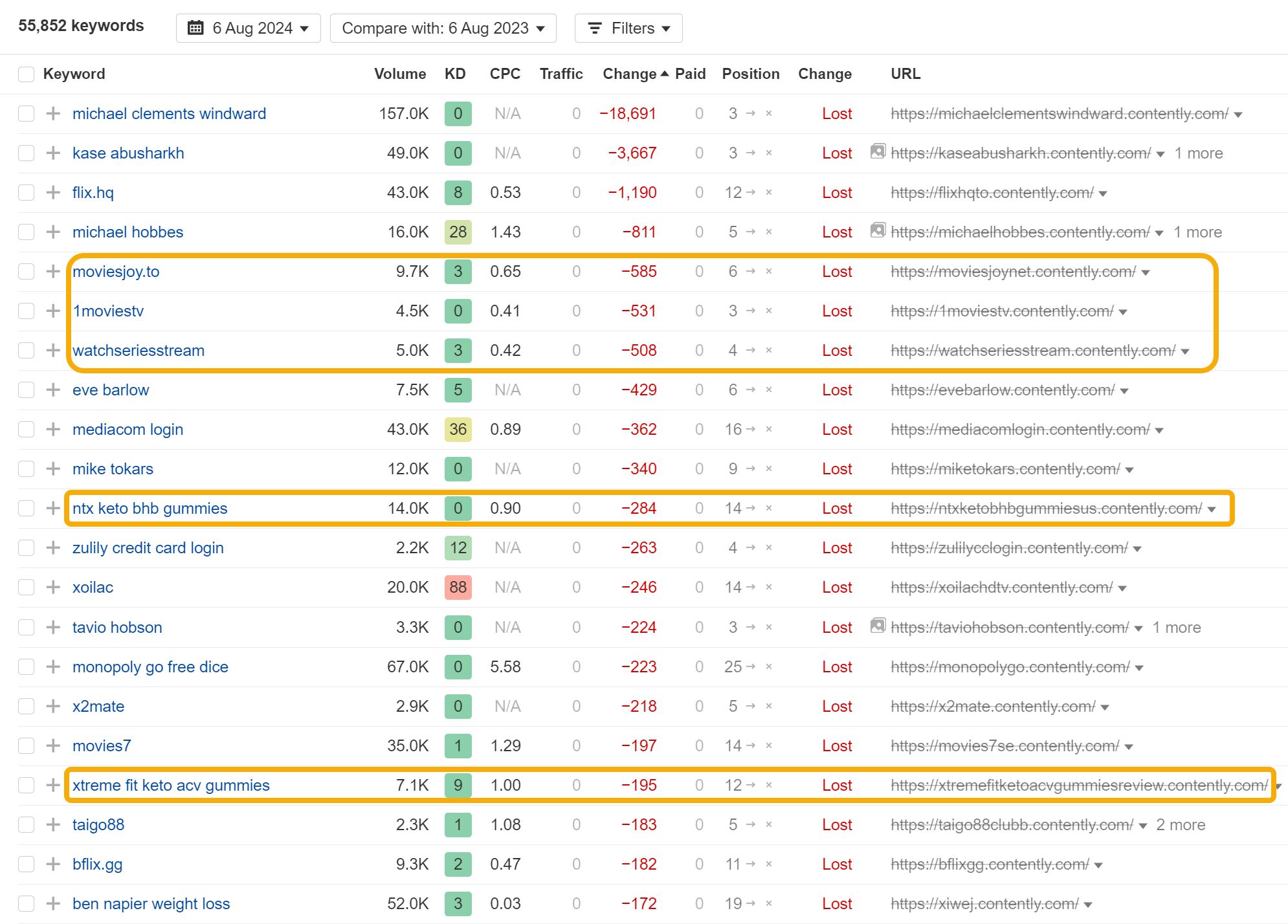
And looking at the keyword rankings Contently lost in the process, it’s easy to guess why this change was necessary. It looks like the free portfolio subdomains were being abused to promote CBD gummies and pirated movies:
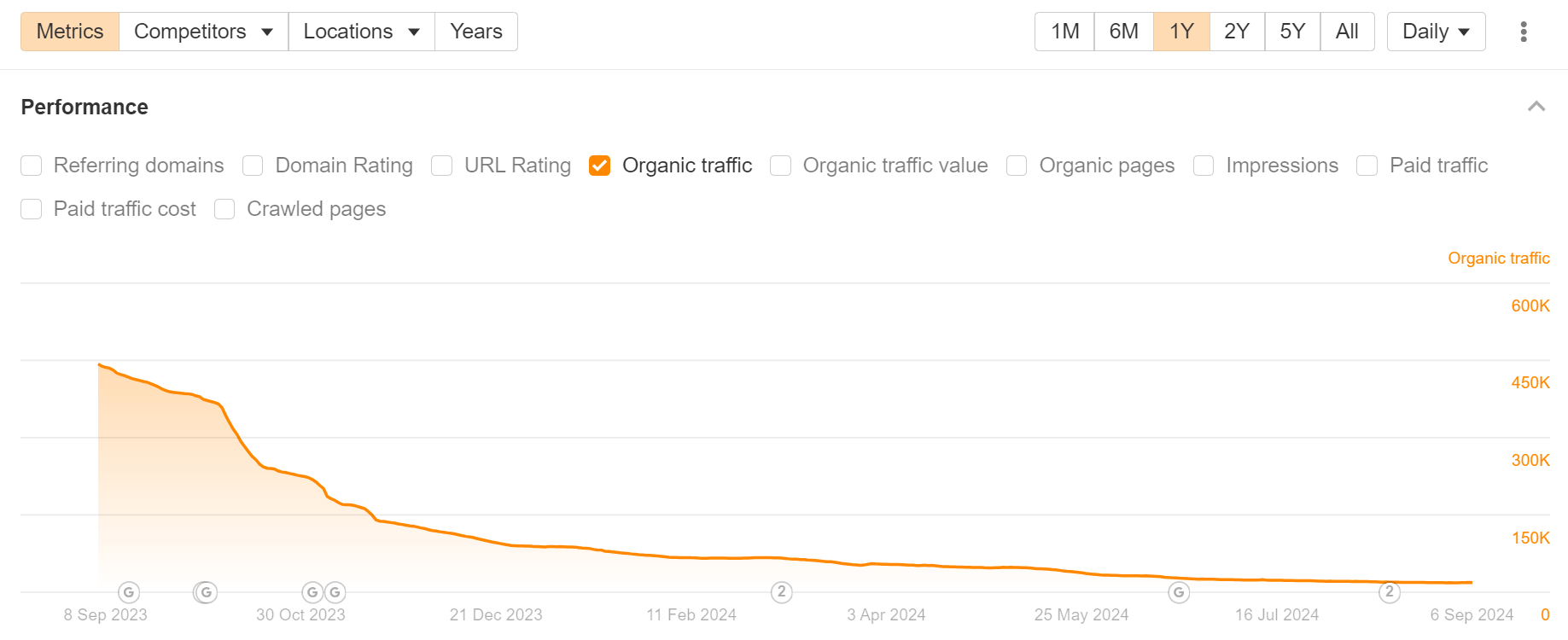
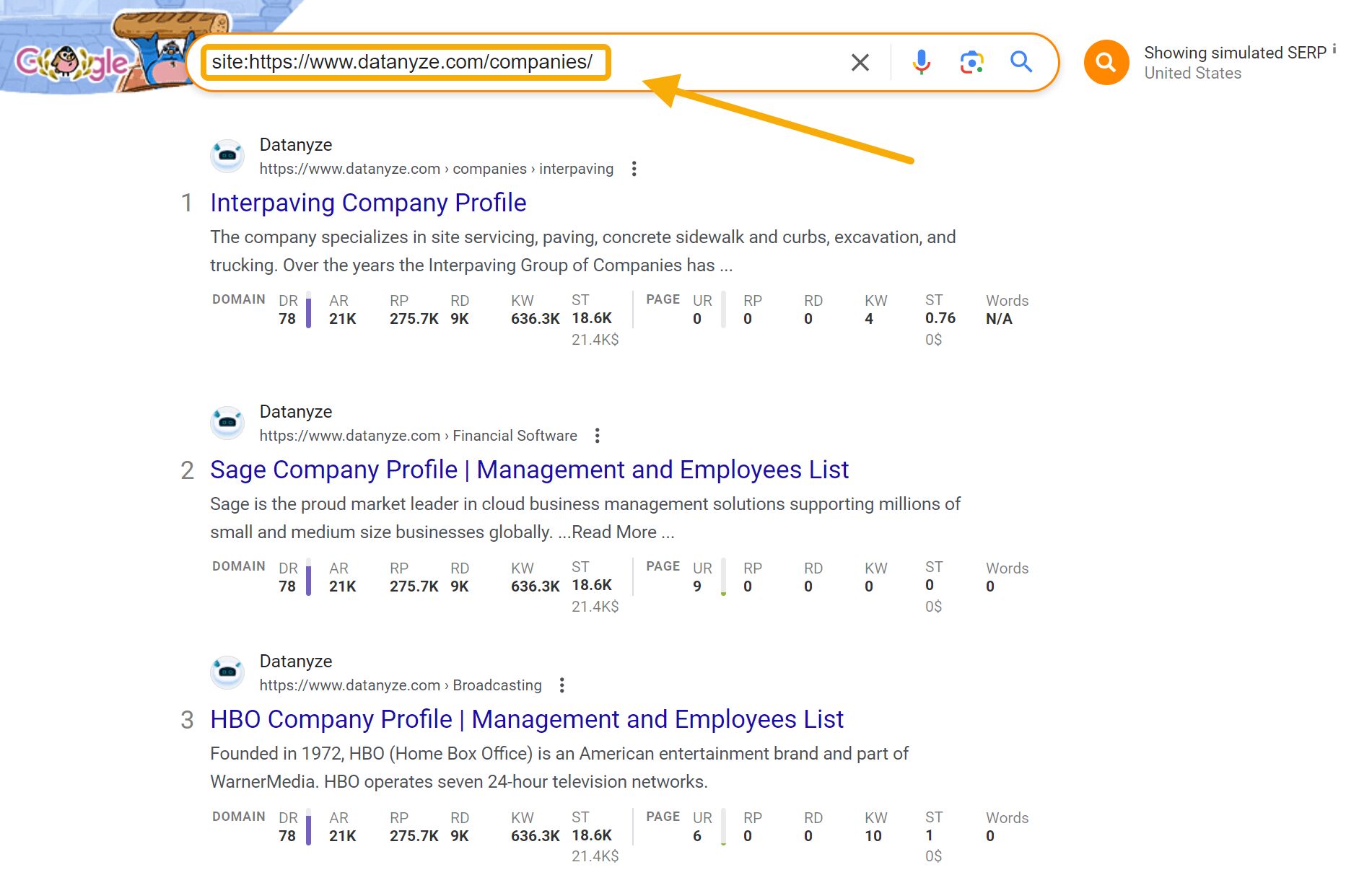
Datanyze provides contact data for sales prospecting. They lost 96% of their estimated organic traffic, possibly as a result of programmatic content that Google has since deemed too low quality to rank.
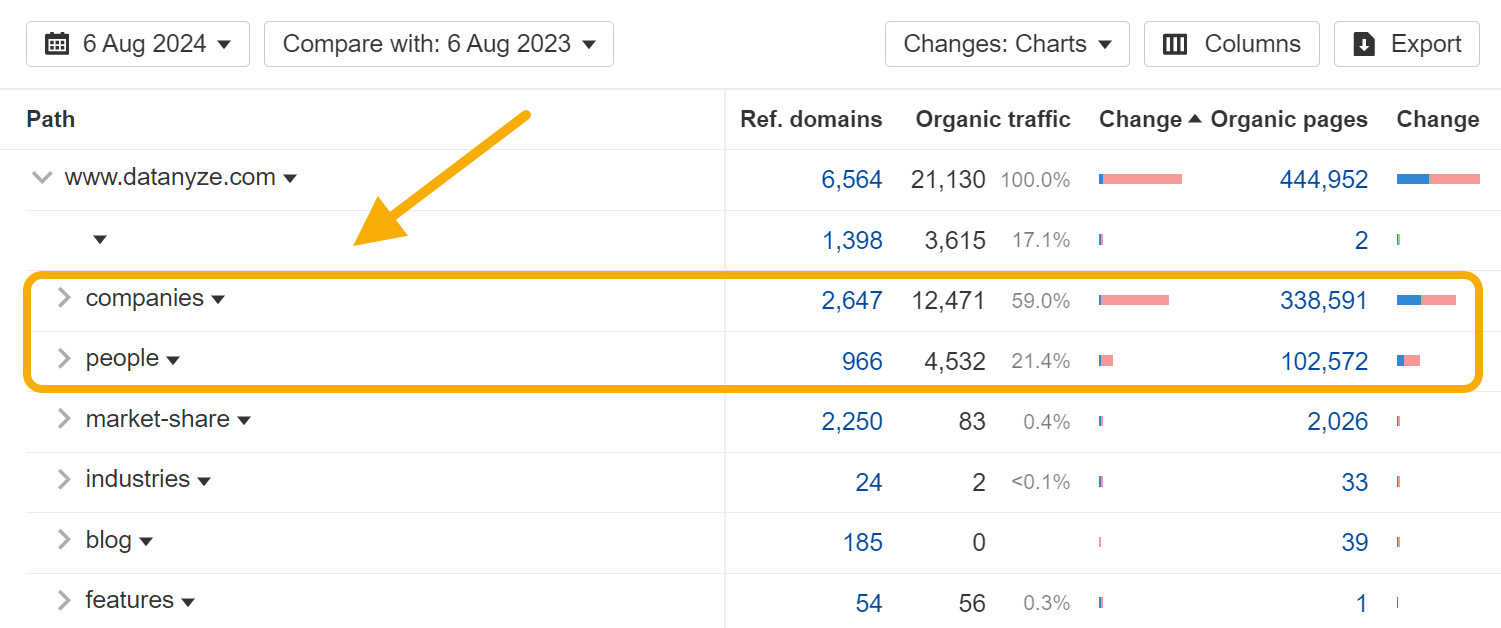
Looking at the Site Structure report in Ahrefs, we can see over 80% of the website’s organic traffic loss is isolated to the /companies and /people subfolders:
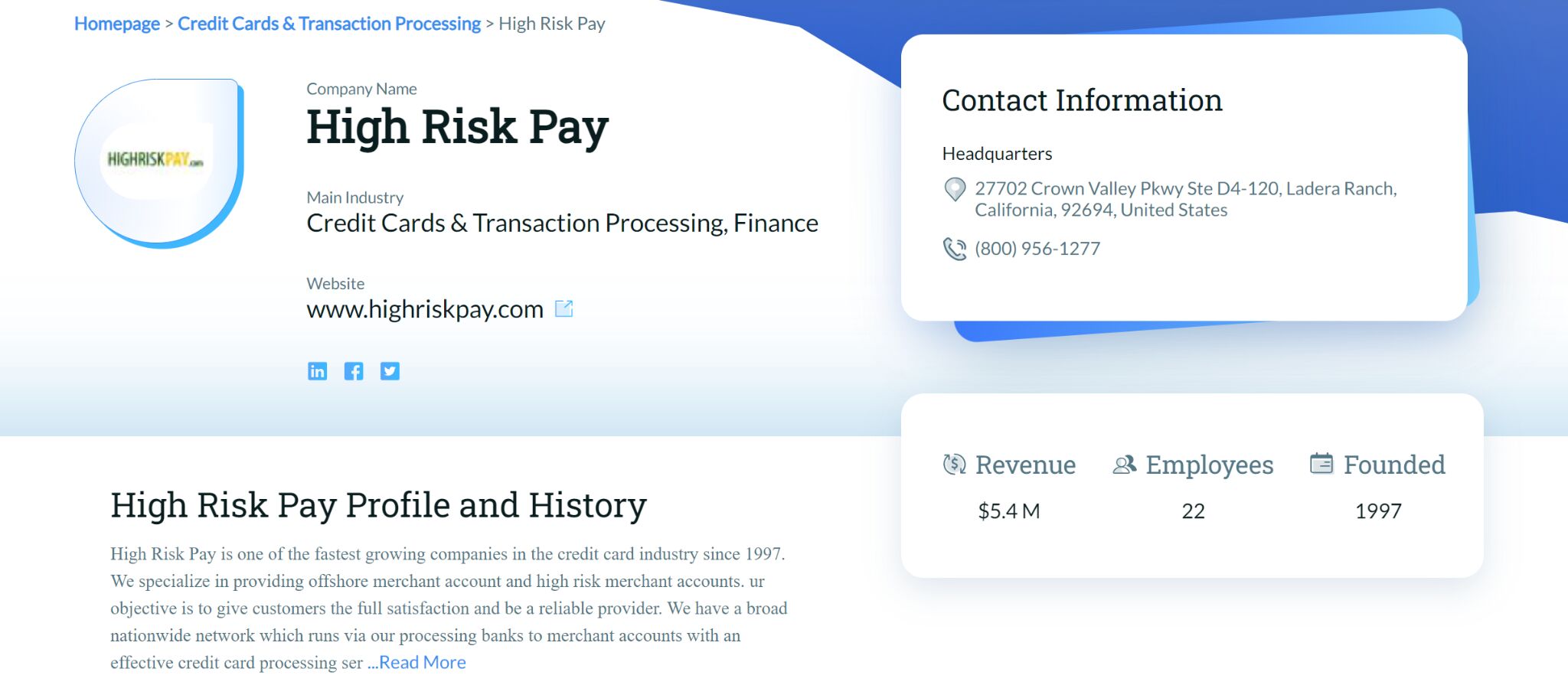
Looking at some of the pages in these subfolders, it looks like Datanyze built thousands of programmatic landing pages to help promote the people and companies the company offers data for:
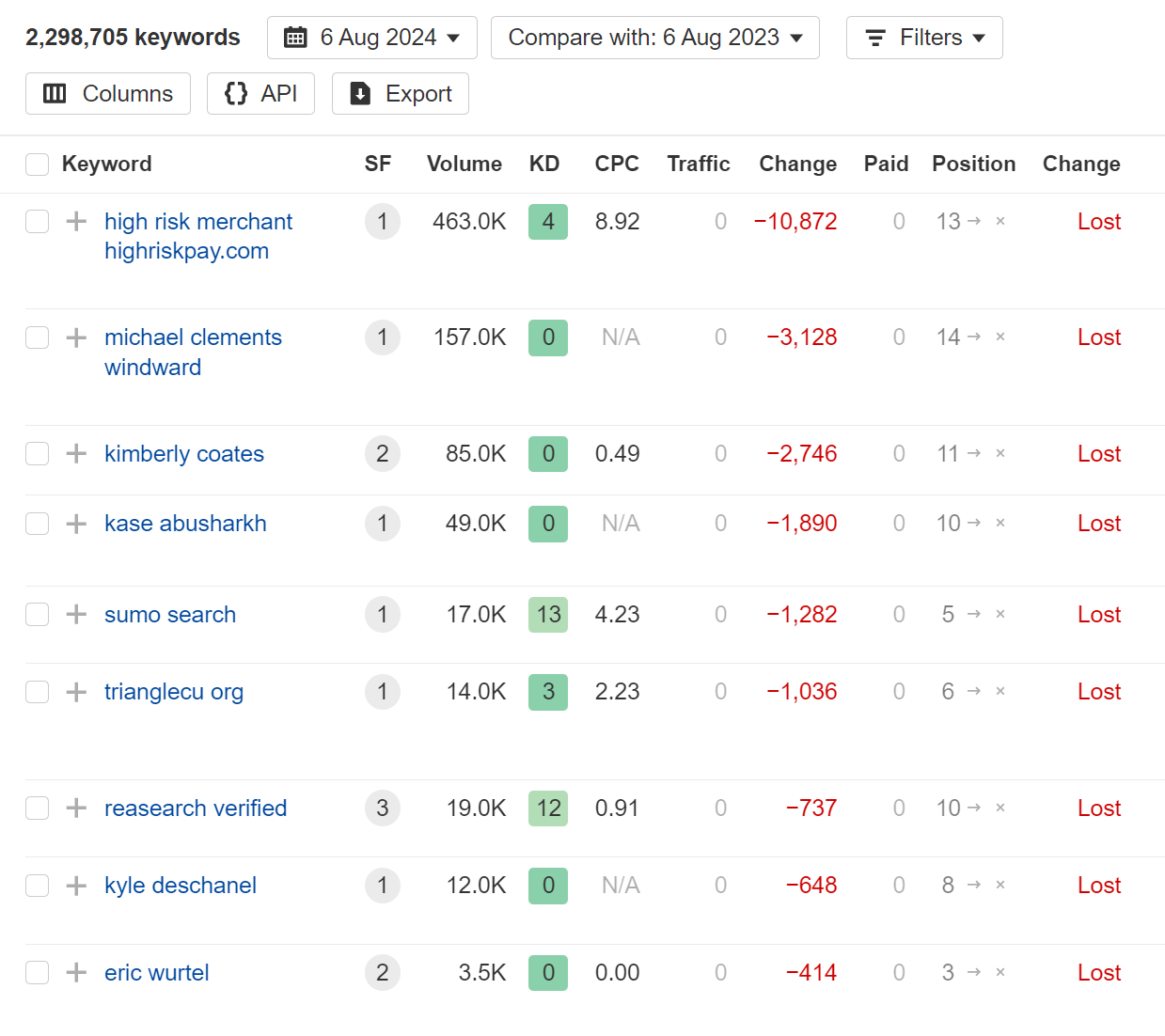
As a result, the majority of Datanyze’s dropped keyword rankings are names of people and companies:
Many of these pages still return 200 HTTP status codes, and a Google site search still shows hundreds of indexed pages:
In this case, not all of the programmatic pages have been deleted—instead, it’s possible that Google has decided to rerank these pages into much lower positions and drop them from most SERPs.
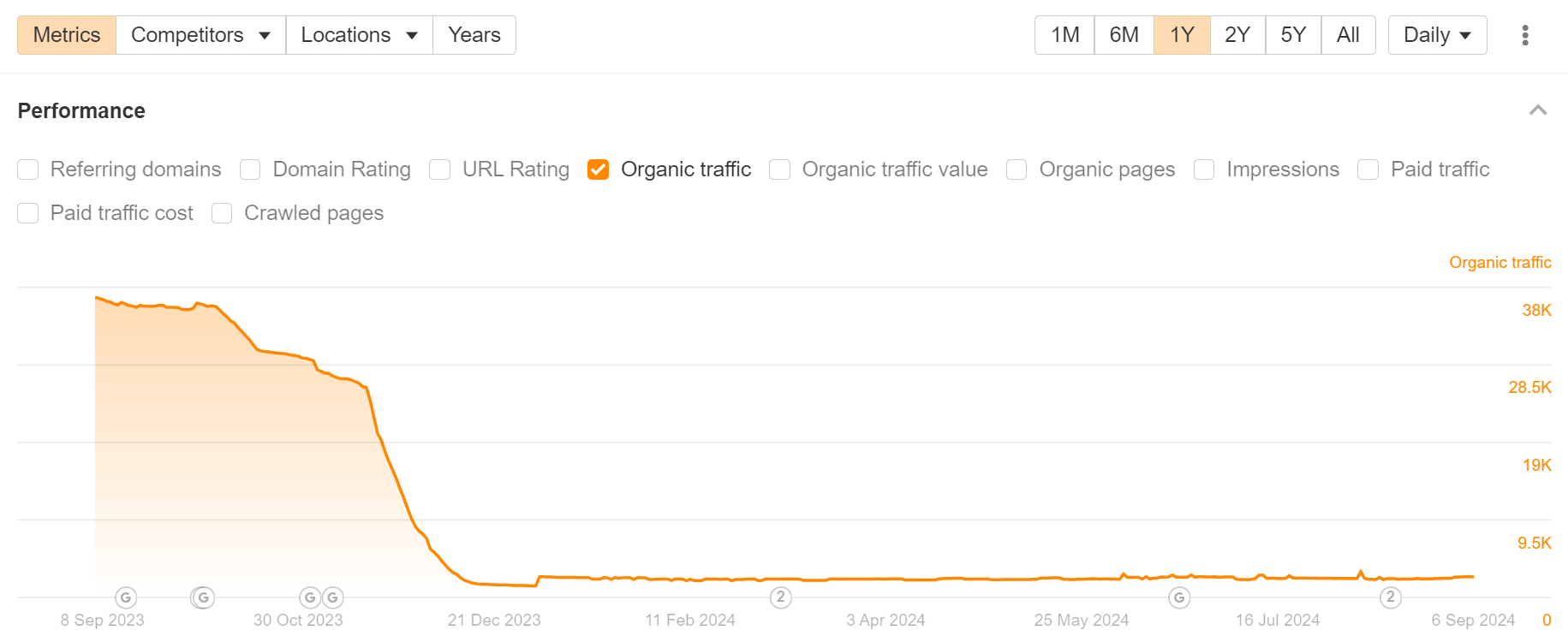
Bettercloud is a SaaS spend management platform. They lost 94% of their estimated organic traffic around the time of Google’s November Core Update:
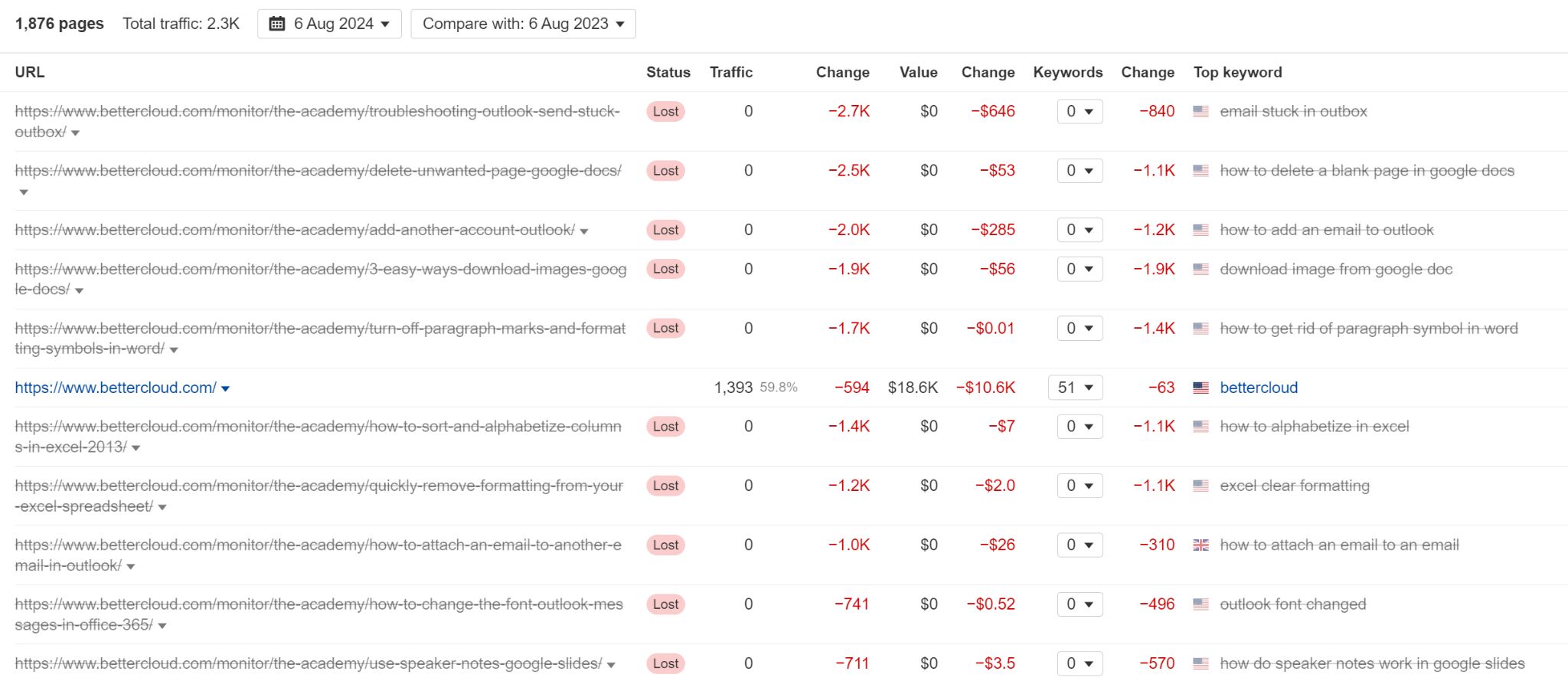
Looking at the Top Pages report for BetterCloud, most of the traffic loss can be traced back to a now-deleted /academy subfolder:
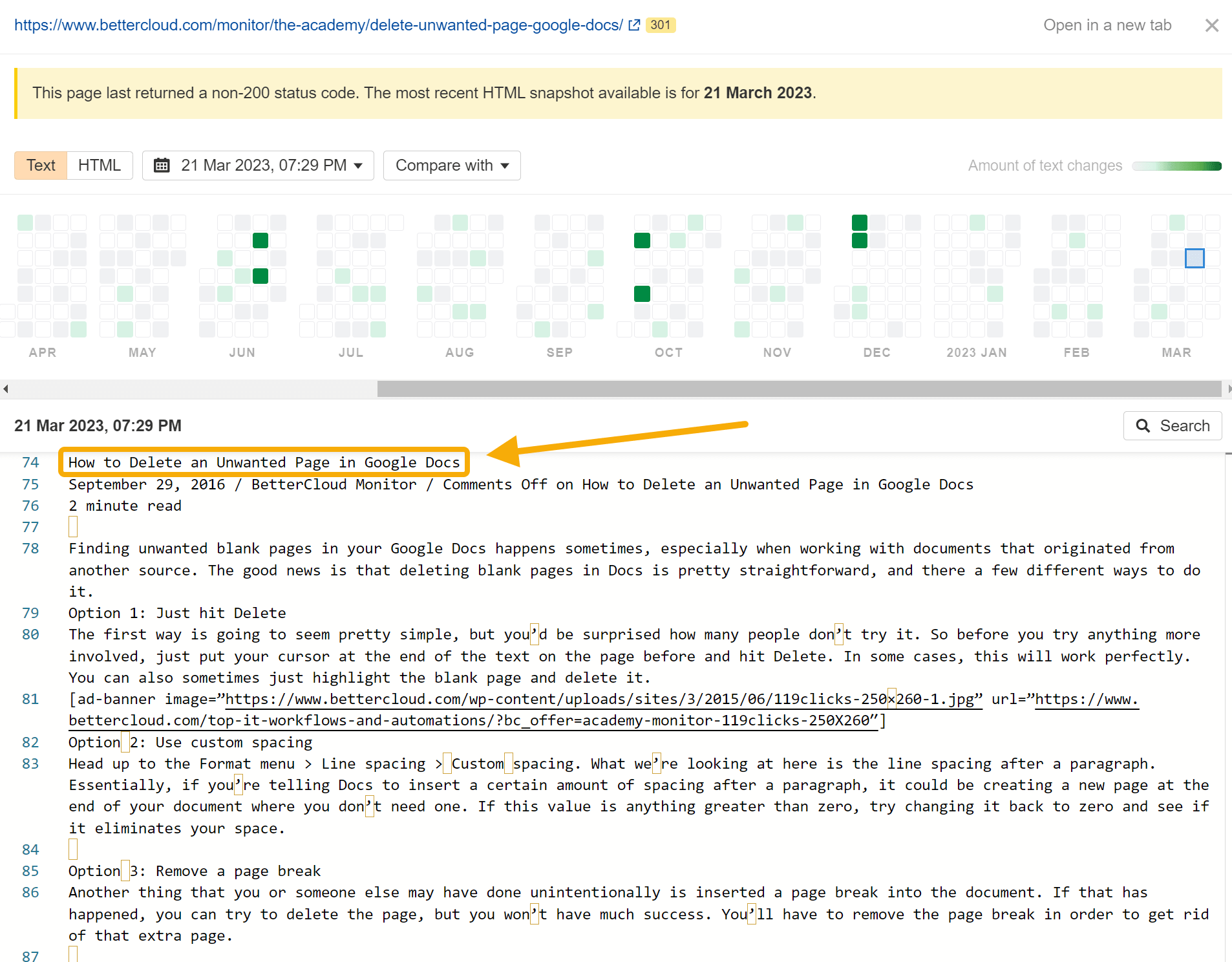
The pages in the subfolder are now deleted, but by using Ahrefs’ Page Inspect feature, it’s possible to look at a snapshot of some of the pages’ HTML content.
This short, extremely generic article on “How to Delete an Unwanted Page in Google Docs” looks a lot like basic AI-generated content:
This is the type of content that Google has been keen to demote from the SERPs.
Given the timing of the website’s traffic drop (a small decline after the October core update, and a precipitous decline after the November core update), it’s possible that Google demoted the site after an AI content generation experiment.
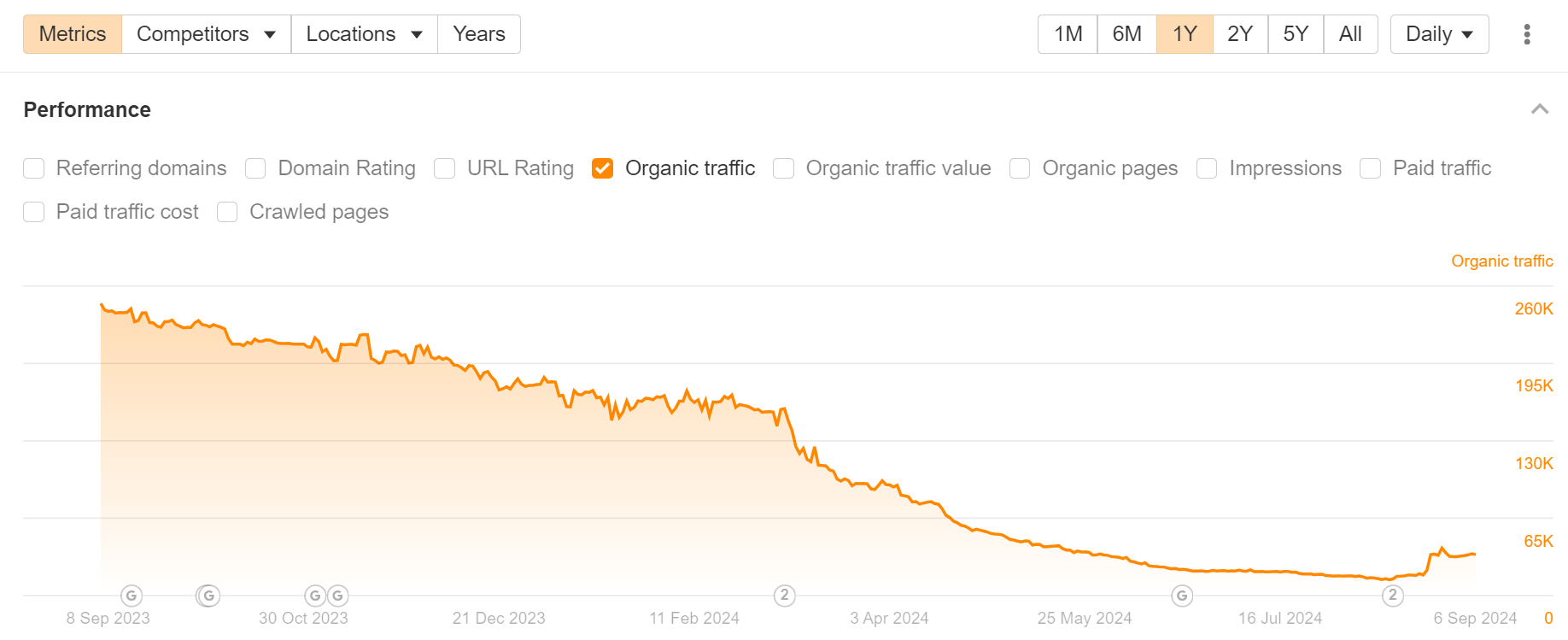
Ricotta Trivia is a Slack add-on that offers icebreakers and team-building games. They lost an estimated 91% of their monthly organic traffic, possibly because of thin content and poor on-page experience on their blog.
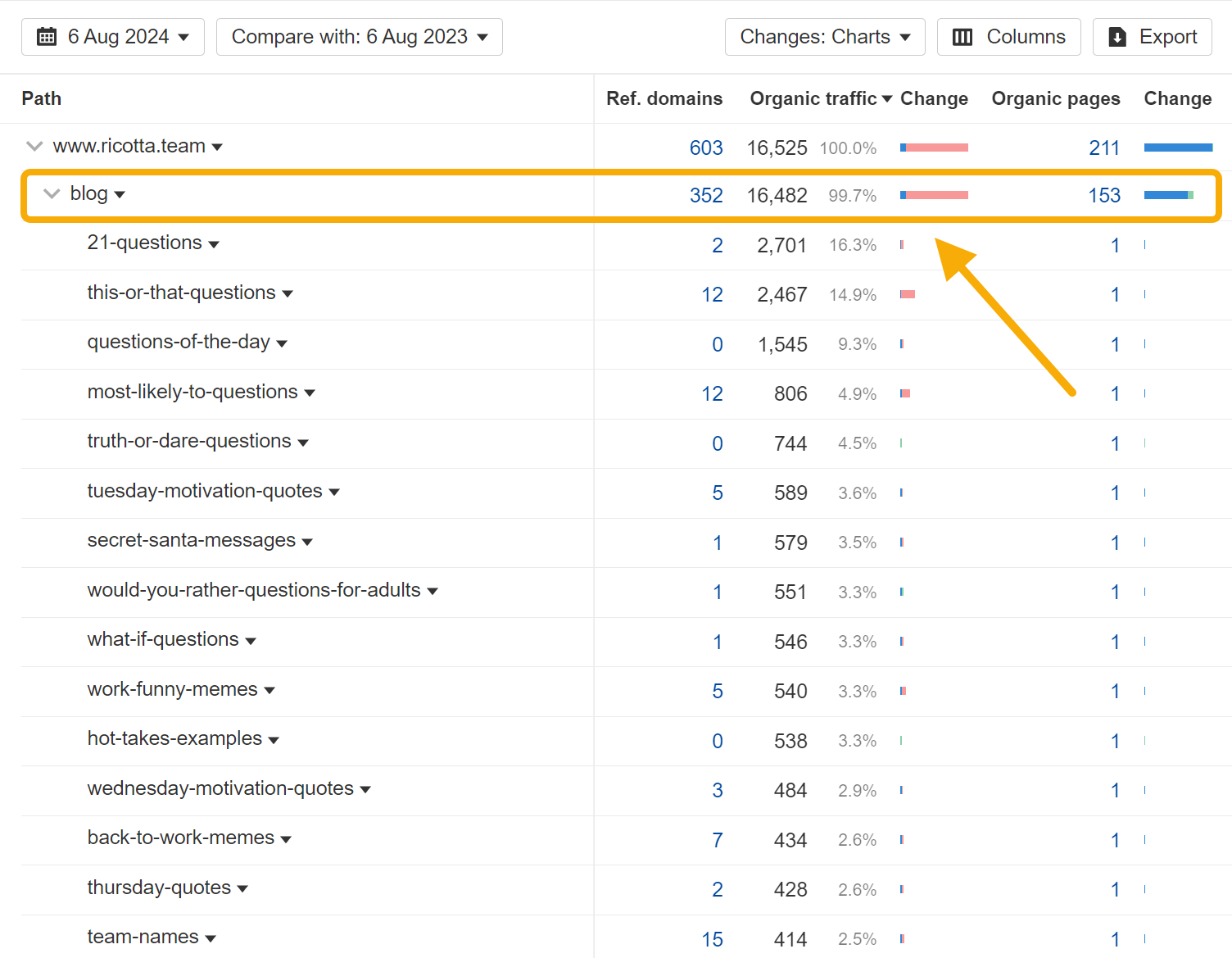
Looking at the Site Structure report, 99.7% of the company’s traffic loss is isolated to the /blog subfolder:
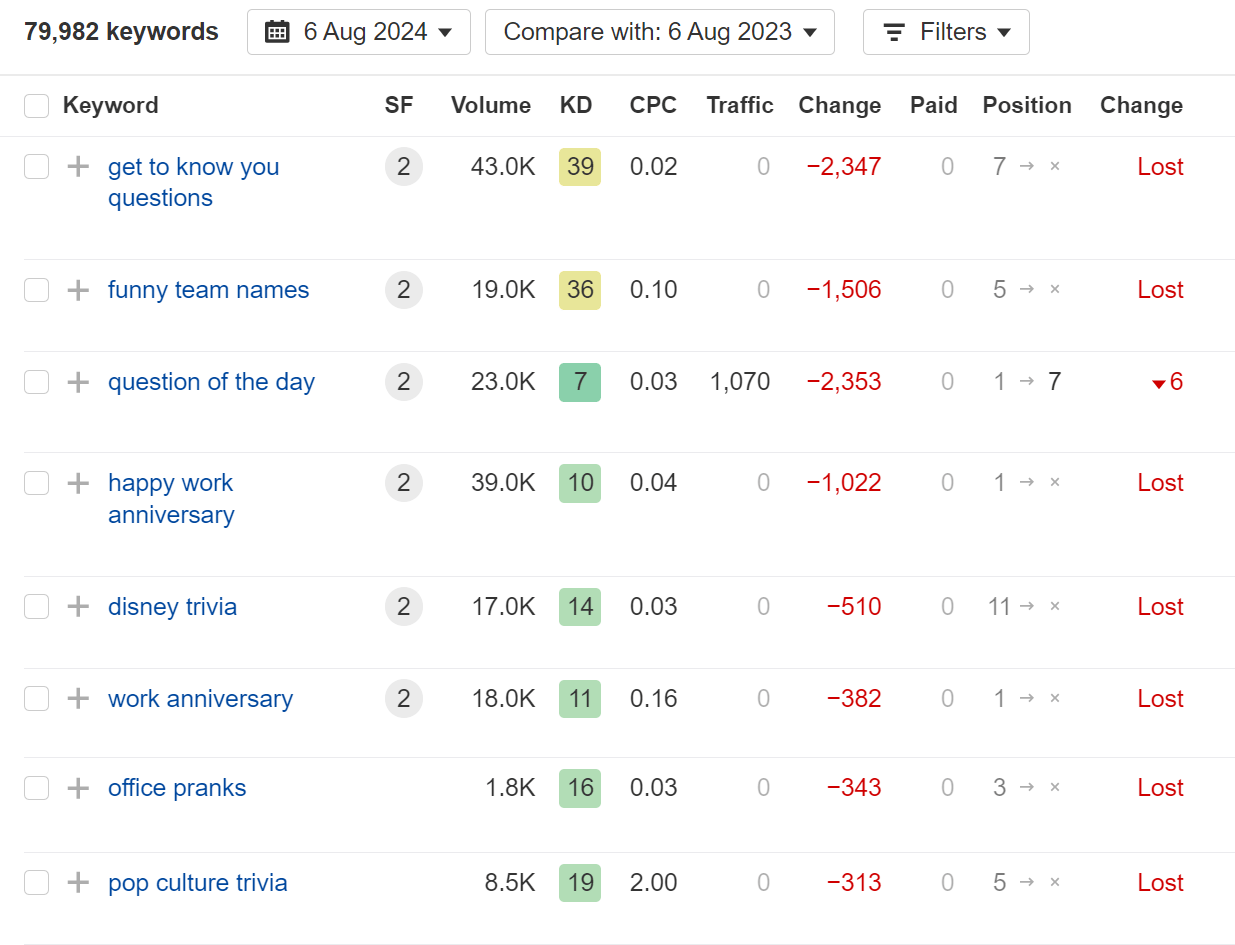
Digging into the Organic keywords report, we can see that the website has lost hundreds of first-page rankings for high-volume keywords like get to know you questions, funny team names, and question of the day:
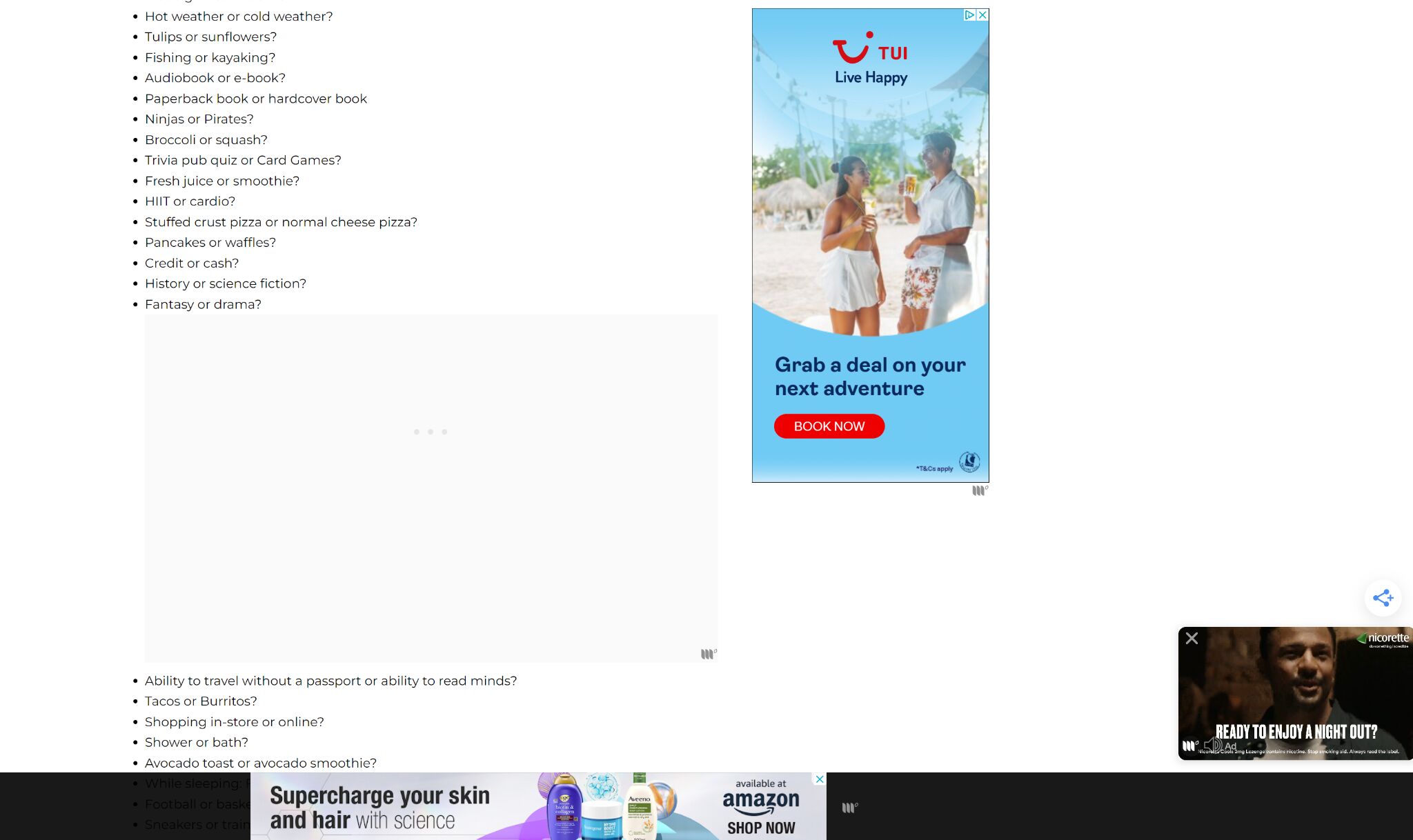
While these keywords seem strongly related to the company’s core business, the article content itself seems very thin—and the page is covered with intrusive advertising banners and pop-ups (a common hypothesis for why some sites were negatively impacted by recent Google updates):
The site seems to show a small recovery on the back of the August 2024 core update—so there may be hope yet.
Final thoughts
All of the data for this article comes from Ahrefs. Want to research your competitors in the same way? Check out Site Explorer.
Last month, I bought a laser cutter. If you’ve been in my shoes, you know that one does not simply Google “best laser cutters” and then buy the one most recommended in the ranking articles.
As search marketers, that’s often what we think happens. But here’s what actually happened:
The branch of SEO that cares about journeys like this is search experience optimization (SXO). It focuses on making a brand discoverable along all touchpoints in modern search journeys, no matter where they start or what path they take.
Search is becoming more of a ‘choose your own adventure’ experience.
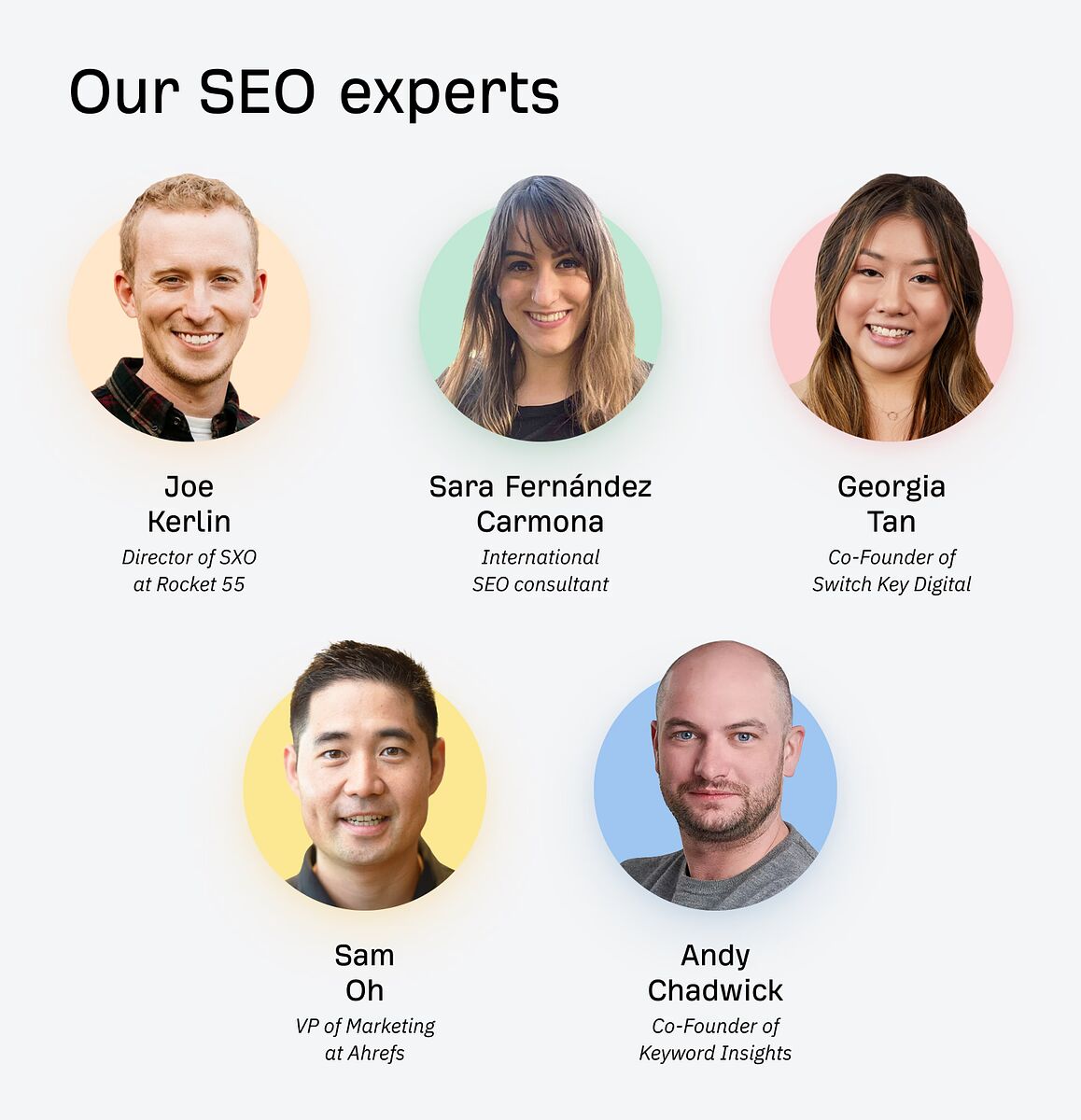
I interviewed some of the industry’s top experts and consolidated their advice into a process for optimizing brand visibility everywhere people search these days. Big thanks to:
How the experts define search experience optimization
SXO is about optimizing a brand’s presence for non-linear search journeys over multiple platforms, not just Google.
Unlike search engine optimization (SEO), which traditionally focuses on a website’s Google rankings, SXO incorporates user experience elements. It prioritizes a person’s entire experience from initial search through to conversion.
For example, if you sell laser cutters, it’s about helping potential customers through the process of:
Figuring out what they want to make
Sourcing the right materials
Showing them exactly how to make these things
Recommending products for different budgets or use cases
It’s also about doing the above in forums, on YouTube, and anywhere else they look for information, on and off your website. If you don’t show up where they are searching, you miss many opportunities to connect with potential customers.
The goal of SXO is to create an integrated experience from search to interaction. It’s essential to understand where your audience is searching and to ensure that their experience is optimized across all those touchpoints, reinforcing the notion that every interaction is part of a cohesive, integrated set of experiences.
Let’s now put this into practice. Here’s a step-by-step process for getting started with SXO.
1. Isolate “searchers” as an audience segment
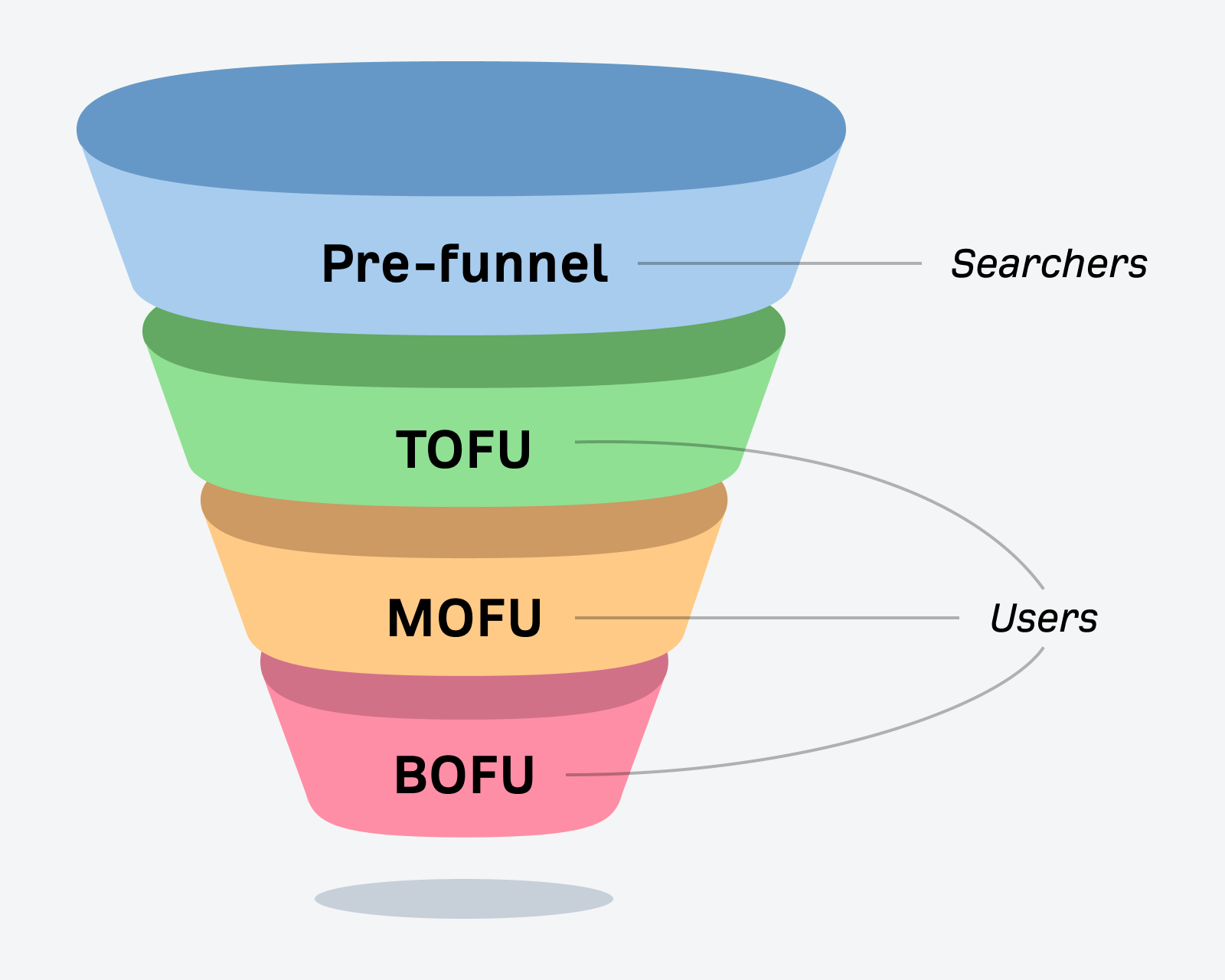
This step starts by understanding that searchers looking for information differ from users who’ve entered your marketing funnel and are interacting with your website.
Typically, a searcher is:
Unaware of your brand
On an active hunt for reliable answers or recommendations
Not interested in your brand unless you provide exactly what they’re looking for
As an audience segment, searchers are best segmented by the patterns in how they think and their motivations for why they’re looking for something.
Search intent is a concept used in SEO to understand why someone searches for a specific keyword. It focuses on the micro level and is considered on a keyword-by-keyword basis.
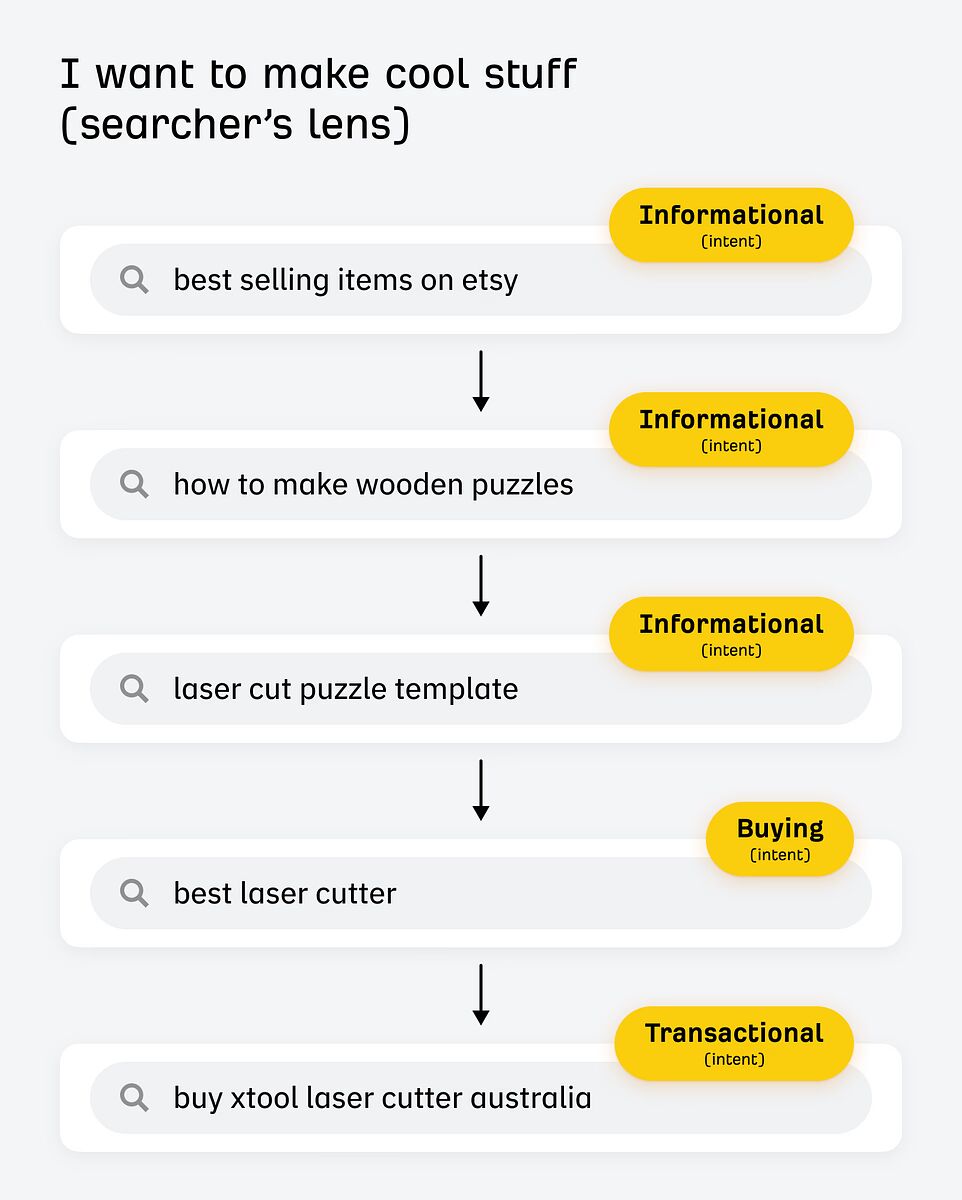
For example, someone searching for “buy laser cutter” would have a transactional intent as they’re ready to spend some cash. Someone searching for “laser cutter projects” has an informational intent.
In UX, the concept of a lens applies to the entire journey and is about the macro level. For instance, someone interested in “making cool stuff” may search both of the above keywords (or similar) at some stage.
You need to consider both intent and the searcher’s lens for SXO.
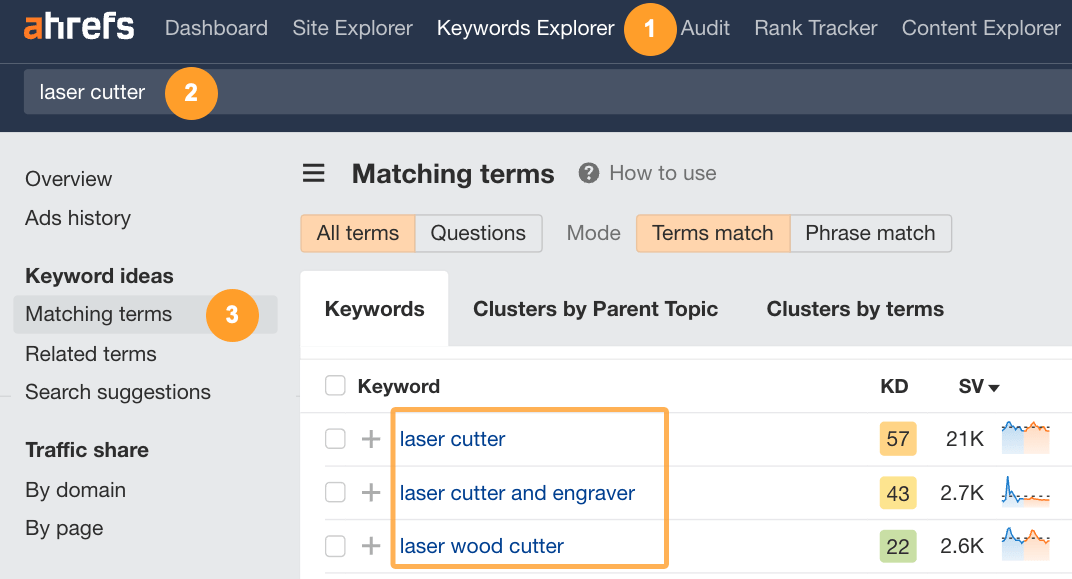
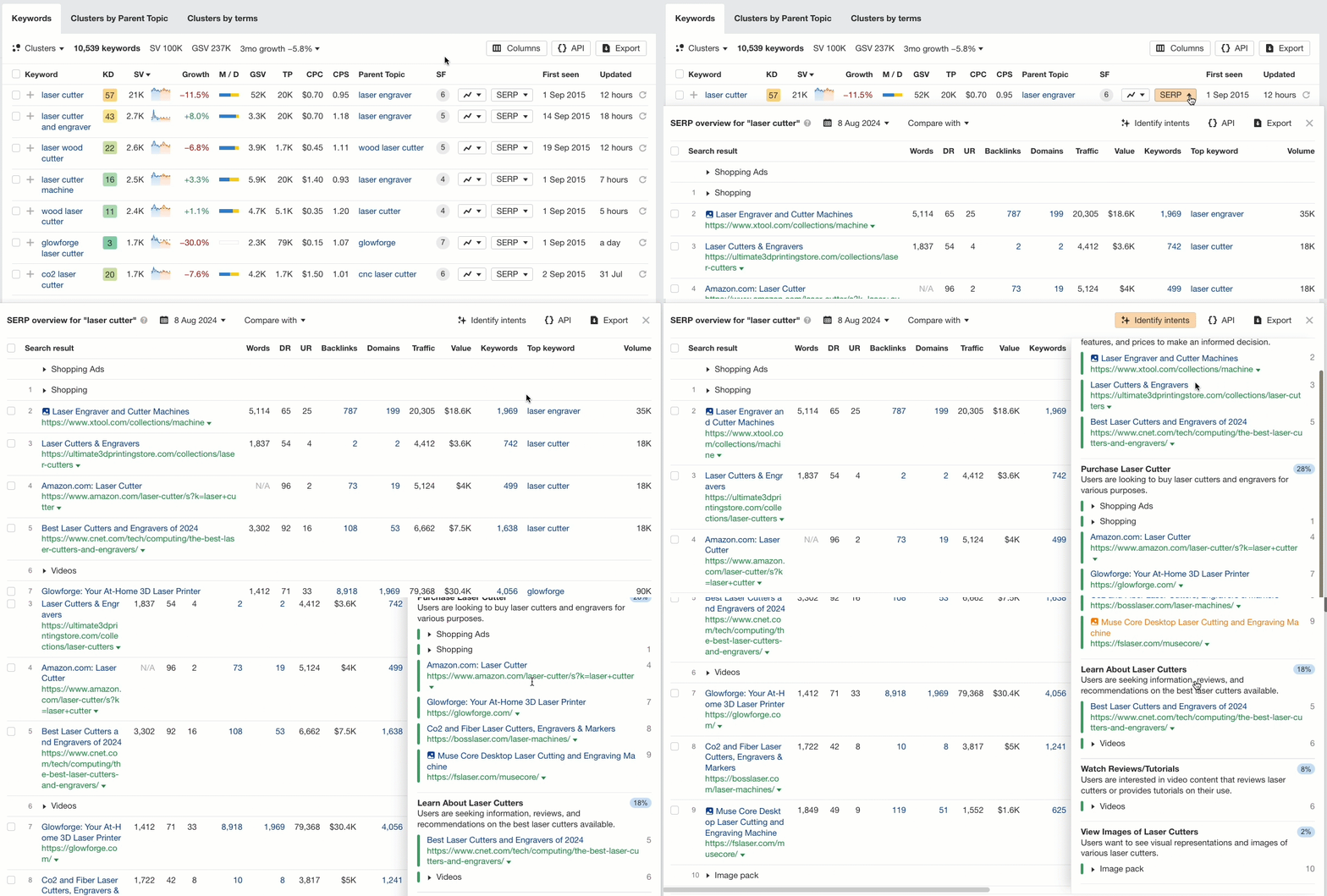
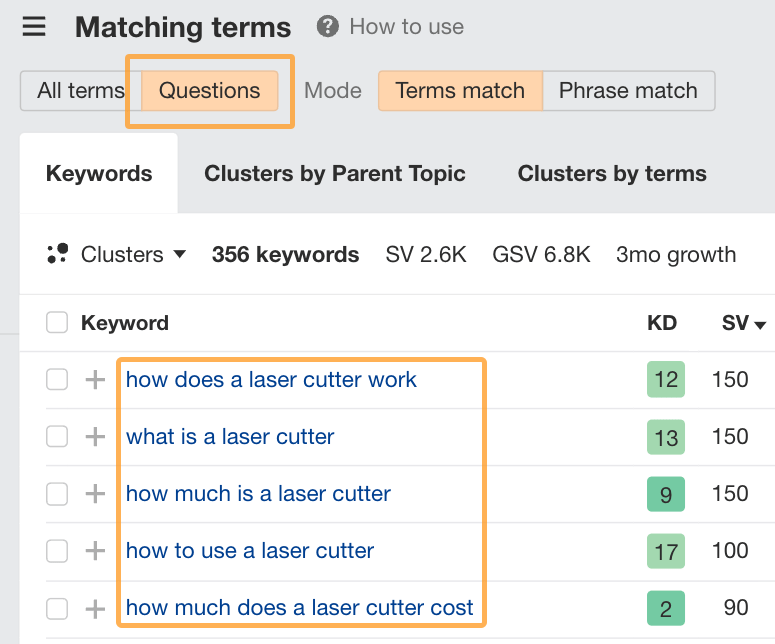
I like to start by understanding the micro intents using Ahrefs’ Keywords Explorer and checking out the Matching terms report.
Then, I look at the ranking pages for a handful of terms relevant to my audience by clicking the SERP dropdown and checking out the Identify intents feature:
Doing this gives you a breakdown of the common reasons why people are looking for your product or service, like:
45% want to compare laser cutters
28% want to buy a laser cutter
18% want to learn about laser cutters
8% want to watch reviews or tutorials
2% want to view images of laser cutters
These are the micro-intents. The more keywords you look at, the more you’ll get a feel for the macro-level and why these people are searching to begin with. For example, a lot of people who look for laser cutters want to make cool stuff.
Take the time to research your audience and understand common patterns in how they think and what they’re seeking from their search experiences.
2. Figure out exactly what people are looking for
When you understand that the main drive is “to make cool stuff”, or whatever the equivalent lens is for your industry, you open up a broader understanding of the search journeys people go through before they’re ready to buy.
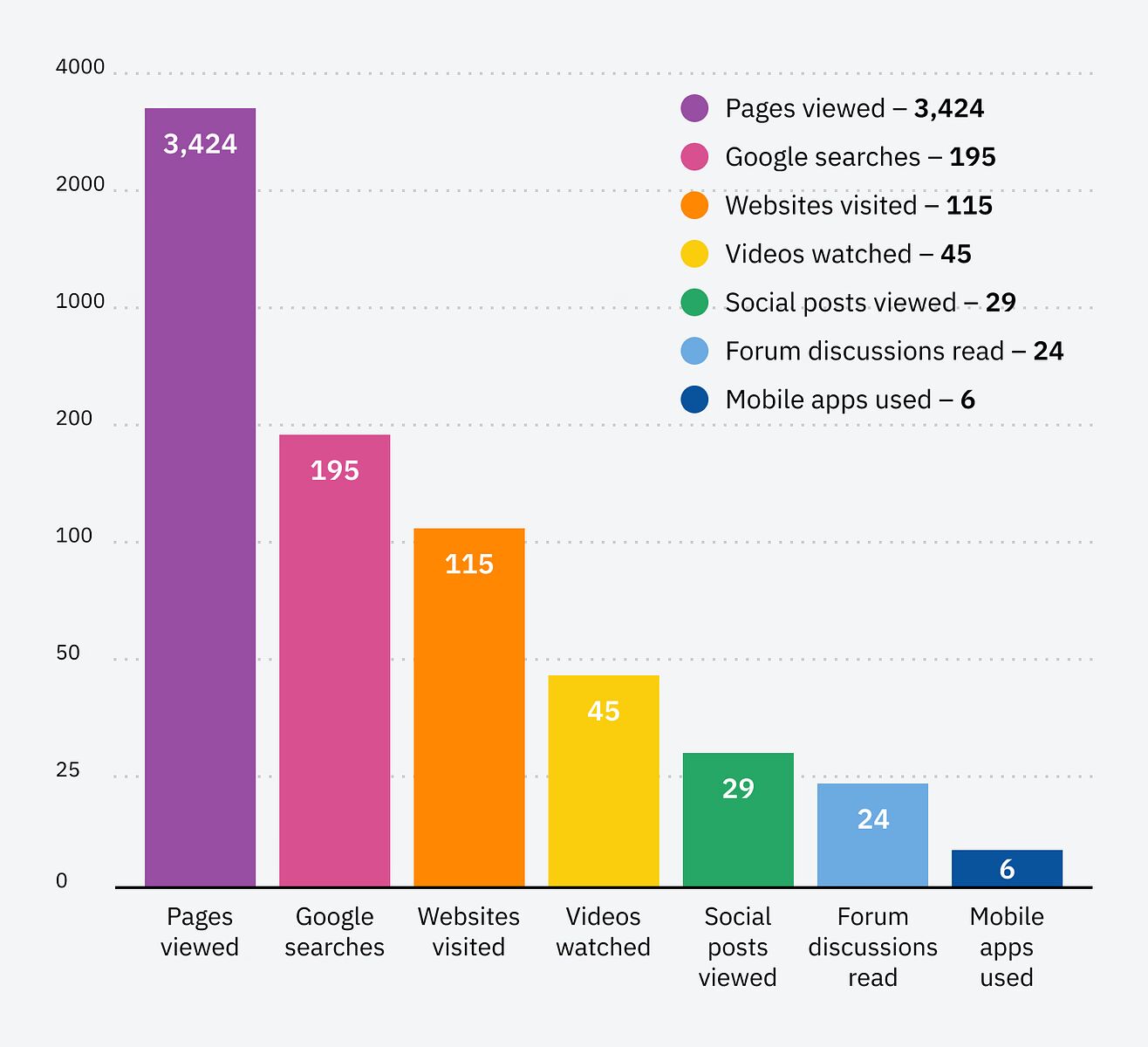
For instance, before I bought the laser cutter, I searched 195 different keywords on Google and countless more on platforms like Amazon, Etsy, and even specific e-commerce stores. Of these, only twenty included the word “laser”.
In order to know what laser cutter is best for the stuff I want to make, I first needed to know:
What am I interested in making?
What materials do I need to make these things?
Can I get those materials easily or do I need to find an alternative option?
What’s the exact step-by-step process for making these things?
What type of laser fits my budget and covers all my needs?
Chances are, people in your industry are also asking a tonne of questions:
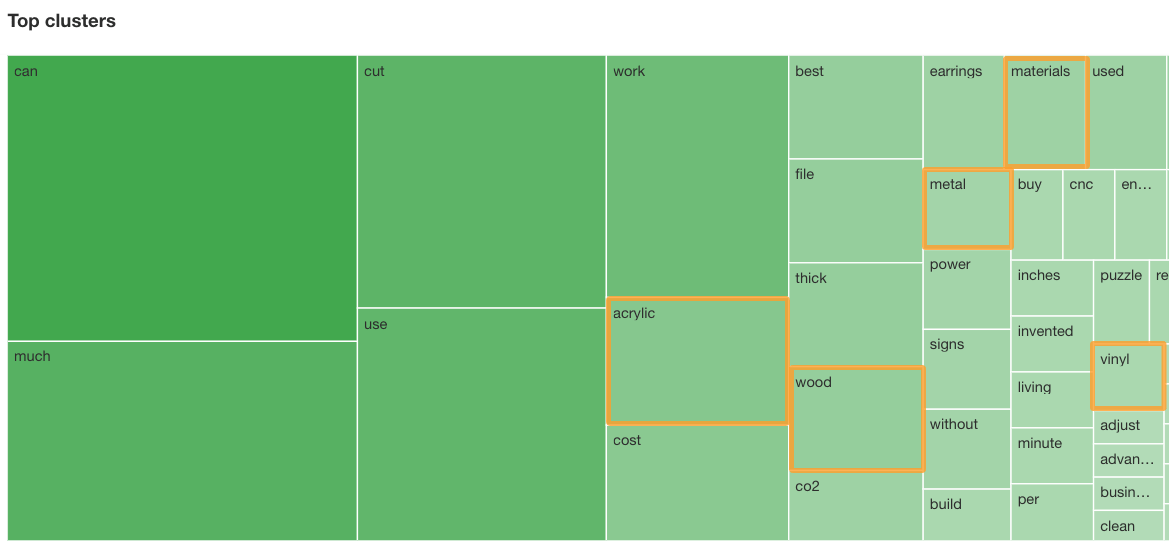
I like to look at the Clusters by terms to see what themes and general patterns show up. Then, I do keyword research on each cluster separately.
For instance, it’s common for people to search for material-related phrases when shopping for laser cutters, like acrylic, wood, metal and vinyl.
They also search for things they can make, like earrings and puzzles. In this example, I’d then do keyword research for anything with a DIY intent that overlaps with the things people search for related to lasers.
That could be anything from “how to make a wooden puzzle” to “buy bulk basswood sheets”.
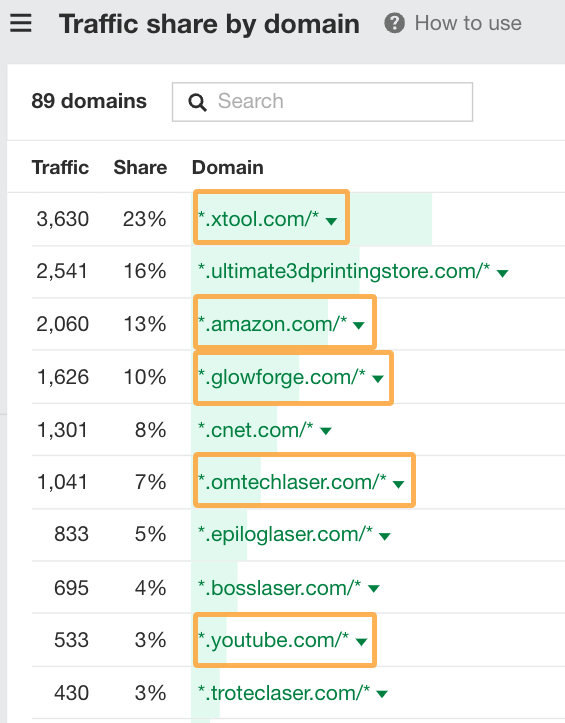
While searching for these keywords, I also like to check out the Traffic share by domain report to get a feel for what websites and platforms searchers may visit. For instance, I checked all of the outlined sites before I bought my laser cutter, and your audience is likely to follow a similar pattern:
Let’s take a closer look at this.
3. Find the platforms where your audience is looking for information
Search behavior is changing. Google is not always the platform of choice for modern searchers, with more people satisfying their curiosity elsewhere.
For instance, Gartner predicted a 25% drop in upcoming search engine usage due to AI chatbots.
These days, the five types of platforms where most searches tend to happen include:
Search engines
Social media
Marketplaces
Forum + discussion threads
Generative AI + chatbots
For instance, in my journey to buy a laser cutter, 6% of my clicks went to Google, 38% to marketplaces and 57% to various retailers. However, in terms of time, I spent 41% on social media (especially YouTube and TikTok) and forums.
Here’s how to find the right platforms to target for your SXO strategy in each of these categories.
Search engines
Today, at the time of writing this, over 10 trillion searches have been made on Google (and counting)!
If Gartner is correct and we do see a 25% drop in search engine usage, that will still be a whopping 7.5 trillion daily searches happening on Google alone. Not to mention other search engines like Yep, Bing, Baidu, and Naver.
Search marketing is a formidable channel and won’t just disappear overnight.
To find how popular search engines are in your industry, check out the Overview tab in Keywords Explorer.
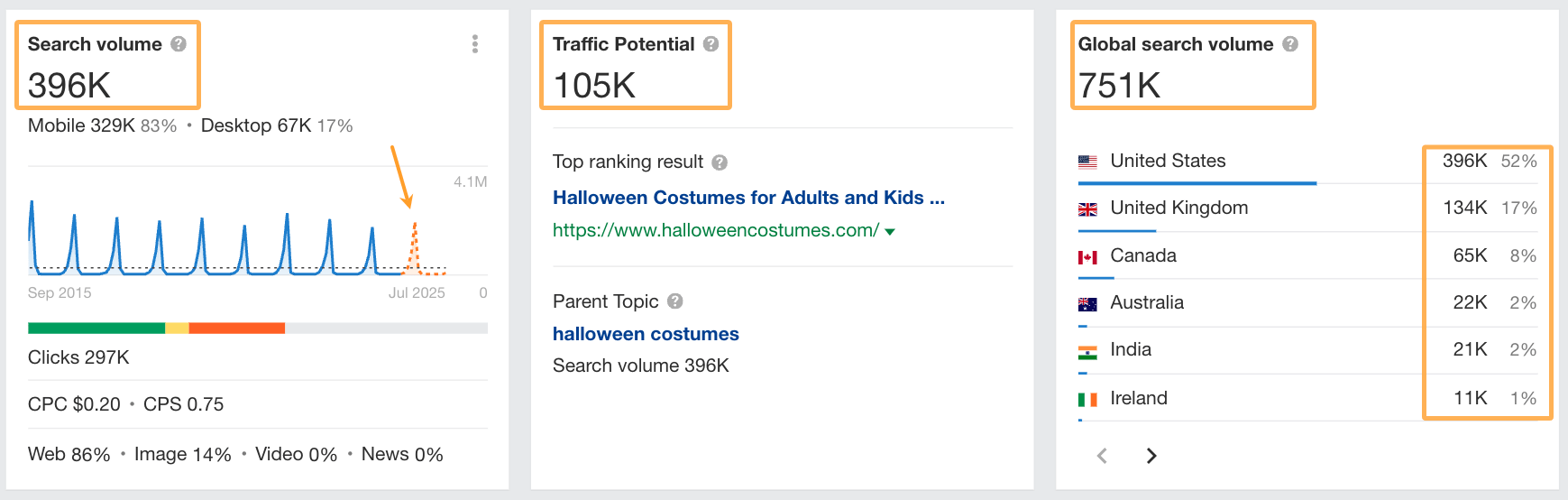
For example, for the keyword “halloween costumes” we get the following stats:
Pay attention to the estimated monthly search volume (locally and globally), traffic potential, and forecasted search volume. The higher these numbers, the greater the potential to gather traffic from search engines in your industry.
The forecasted volume graph can also indicate general trends over time so you can spot if interest in your industry is trending up or down over time.
Social media
After Google, the second most popular search engine is YouTube, a social media platform.
Other social platforms that people search for information on include FaceBook, LinkedIn, Twitter/X, TikTok, Instagram, and Pinterest.
Social media platforms are great at providing alternative content formats. For instance, people who prefer short-form video content are more likely to search on a social platform like YouTube or TikTok than Google.
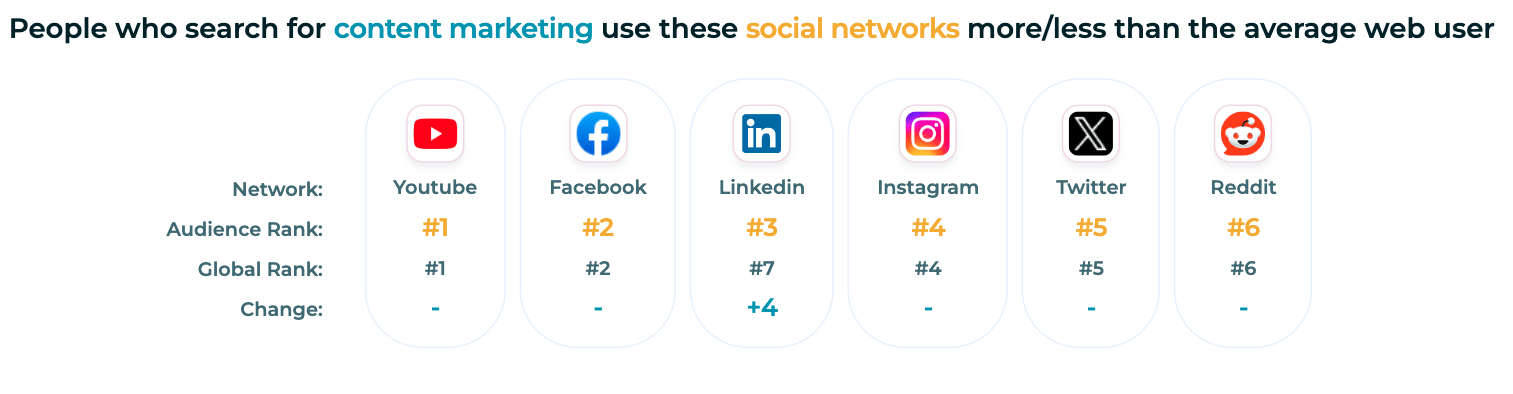
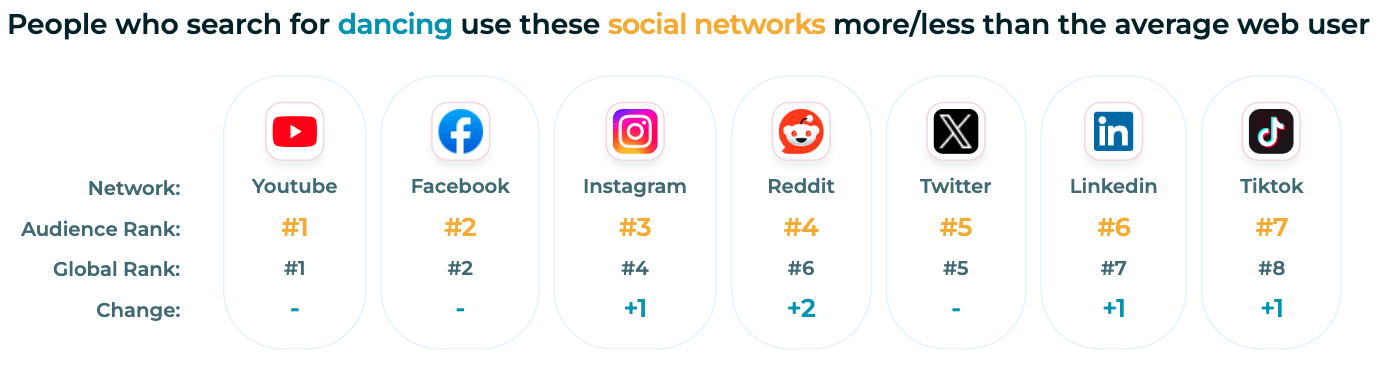
I like to use SparkToro to get a sense of the most popular social platforms for a topic.
For instance, after YouTube and Facebook, people interested in content marketing are more likely to use LinkedIn.
However, people interested in dancing prefer to use Instagram, Reddit, and Twitter before LinkedIn.
It can take the guesswork out of which social platforms to prioritize in your industry.
Marketplaces
Marketplaces are a common place where people search for products. For example, instead of turning to Google, many people go straight to Amazon or Etsy to find a product they’re looking for.
The specific marketplaces that are relevant in your industry may be different and you can use Ahrefs to uncover them.
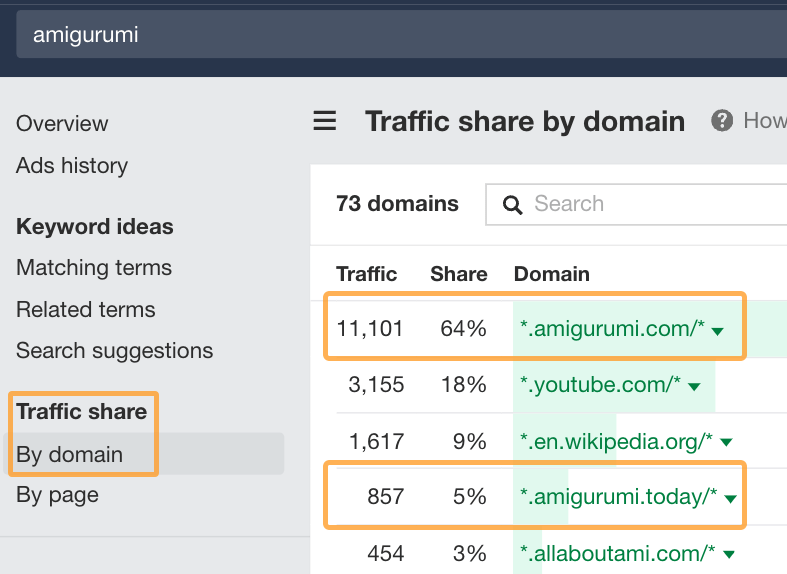
For example, let’s look at the keyword “amigurumi” (which is a type of crochet craft). In Keywords Explorer, you can check out the traffic share by domain report to see the top websites ranking.
In this example, the top two industry-specific sites (amigurumi.com and amigurumi.today) are marketplaces offering crochet patterns from various artists.
This is a simple example of industry-specific marketplaces that amigurumi artists can feature their designs on. It’s likely your industry may also have niche marketplaces to feature your brand in.
Pro Tip:
You may be able to gather keyword data for specific marketplaces using tools like Helium 10 for Amazon or EverBee for Etsy. These can be worth checking out if you want to find more accurate search patterns across different platforms.
Forums + discussion threads
Reddit and Quora are two of the most common platforms offering user-generated answers to questions. They’re great sources of first-hand experiences and crowdsourced knowledge about a topic.
Many times, people want to hear stories, recommendations, and experiences from other people instead of reading blog posts or consuming social media content.
There are two ways you can use Keywords Explorer to quickly find specific conversations happening in forums about your topic.
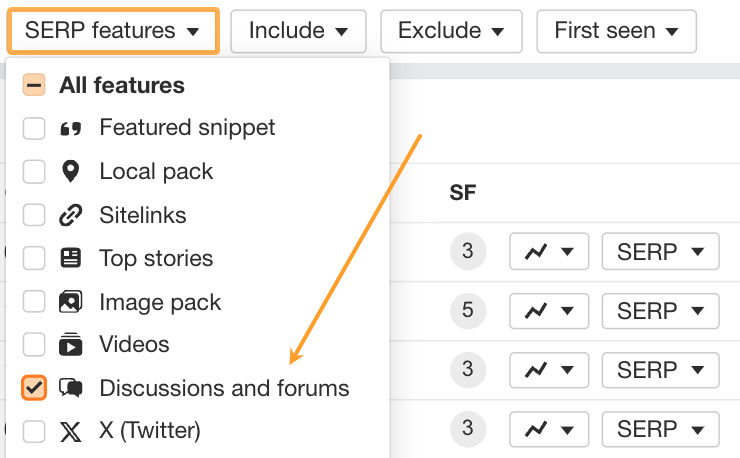
The first is to use the SERP features filter and to only include “Discussions and Forums”:
By doing this, you’ll get a list of keywords related to your industry where people are interested in user-generated content.
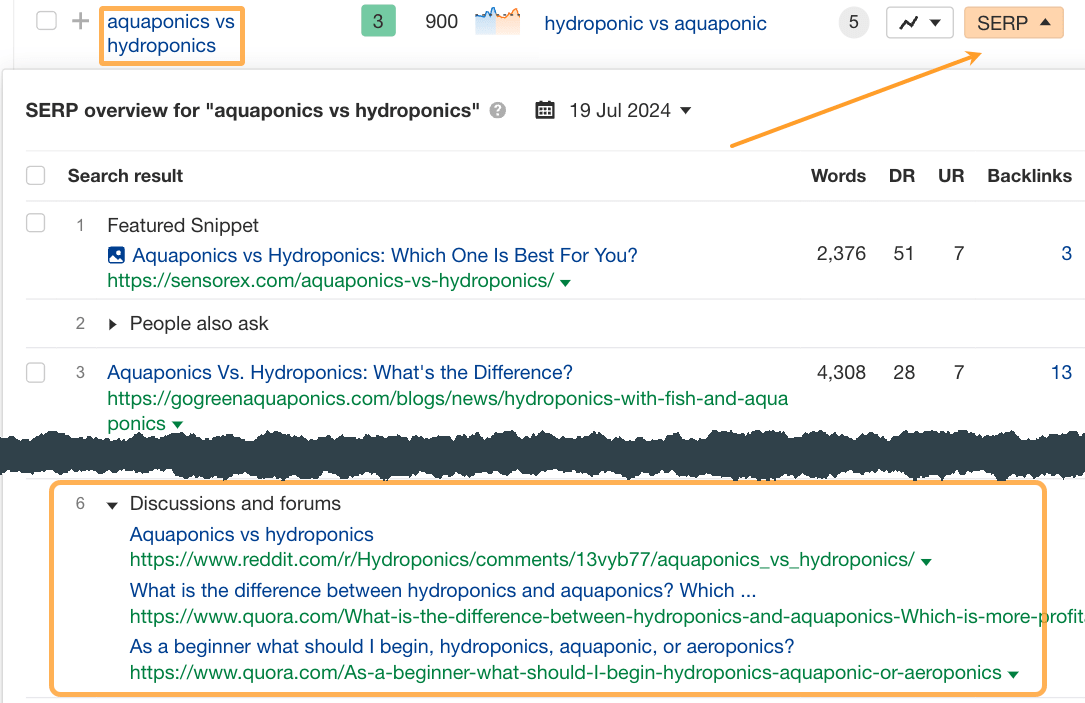
You can also check out the ranking pages for specific keywords in this list to see what threads or conversations are ranking. It’s ideal for you to join these conversations and reach more people interested in the topic.
Here’s an example of relevant discussions on the topic “aquaponics vs hydroponics”:
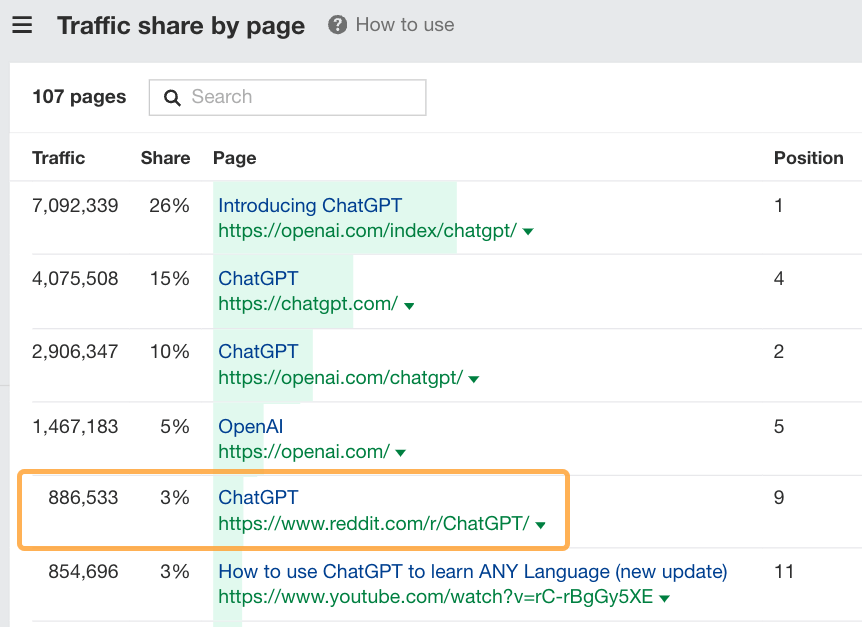
The second method is to check out the Traffic share by page report and to look for specific subreddits or forum threads. For example, Reddit gets 3% of the traffic share for “ChatGPT” related searches:
Generative AI + chatbots
Generative AI is the new kid on the block, but all signs point to it sticking around.
People are using this technology to look for all sorts of things and it’s likely to increase once SearchGPT is made available to the public. That’s why most of the big tech giants have adopted AI technology in one way or another:
Microsoft has heavily invested in ChatGPT
Google has created Gemini
Apple’s Siri leverages Gen AI
As does Meta AI and LinkedIn AI
You get the idea.
As far as search experiences go, however, here’s what fascinates me the most. If you do a good job showing up on all the platforms mentioned above, chances are high you’ll also show up within AI-powered tools and chatbots.
Think about what data they’re trained on.
For instance, Bing’s search index powers ChatGPT. Google has partnered with Reddit to train its AI models.
So, to show up in the responses of AI-powered answer engines, you need to first show up in the platforms they use to fill their knowledge bases.
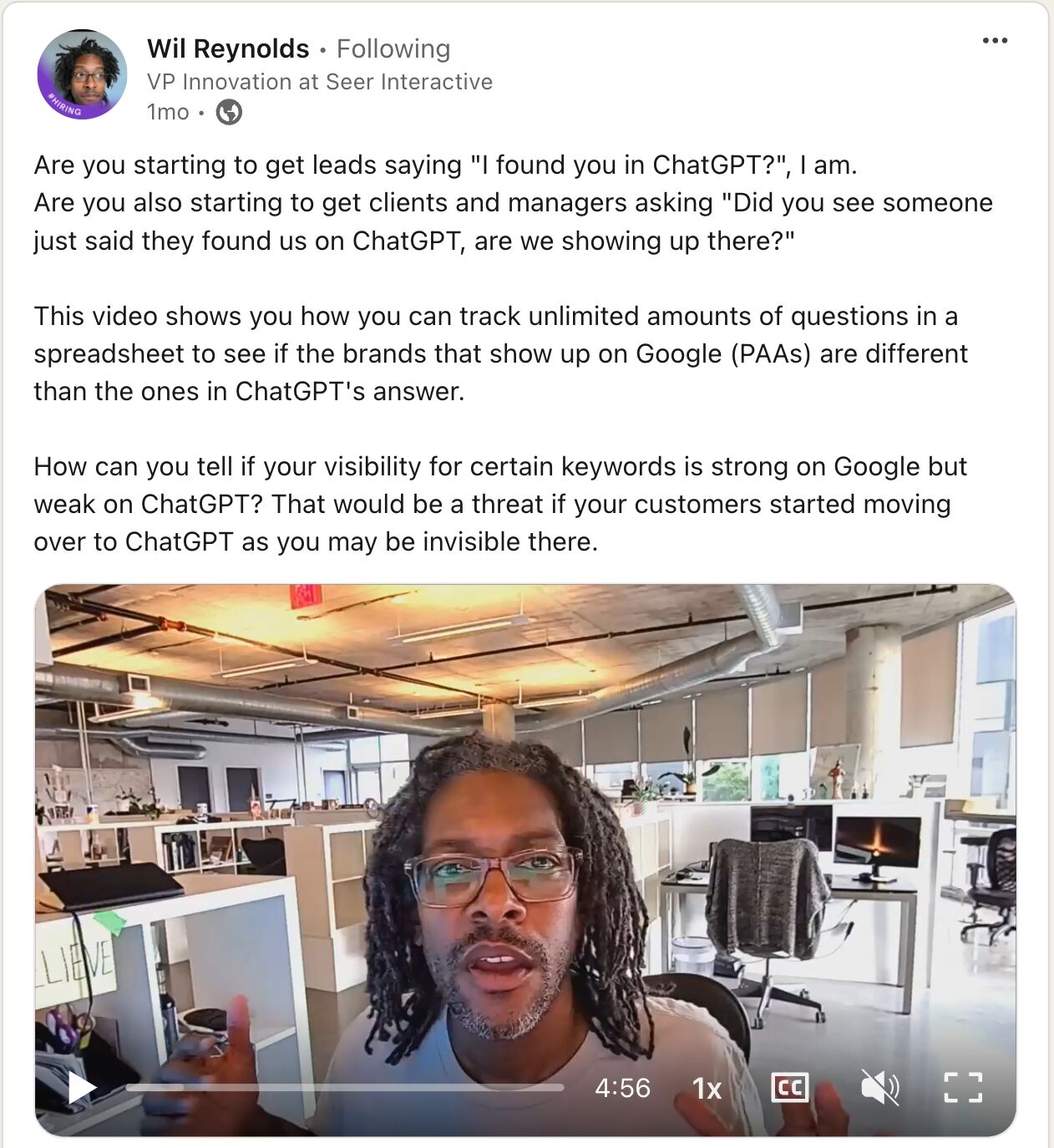
I also really like Wil Reynold’s take on this. He’s already getting leads through ChatGPT and is tracking differences in brand visibility between search engines and LLMs. Check it out:
4. Map out common search journeys
Once you have an idea of who your audience is and what platforms they search on, it’s time to map their search journeys. This will help you identify content gaps you can fill and untapped opportunities to increase your brand’s visibility.
To do this, we’re going to borrow the UX concept of journey mapping. We’ll look at the pre-funnel journey and what platforms searchers visit to get the information they’re seeking.
The point isn’t to map the exact steps in a linear format because that’s nearly impossible these days.
Search journeys are too complex now to really give attribution accurately. Attribution gets even more difficult for things like “the start of a search journey.” There’s too much info out there. Things aren’t linear. We’re bombarded with ads and social content without realizing it. In experiences like this, no specific channel can be attributed to anything other than the fact it was part of the person’s journey.
Instead, it’s about understanding how different lenses impact the steps people take and decisions they make while searching.
Let’s put it into action with this example scenario:
Scenario
Jane is the mother of two primary school-aged children. It is the week before Halloween and she has forgotten to order costumes. She is looking to buy last-minute costumes, ideally with fast delivery.
Her search lens is all about the last-minute nature of her purchase.
Now, pretend you’re Jane and look for last-minute costumes on each relevant platform listed in the step above. For each platform, assess how easy it is for Jane to find what she wants. Pay attention to the possible emotional experiences that will influence her next steps.
Then, map the experience for each platform. I really love Georgia Tan’s template for this; I have now added emojis as a scoring mechanism for my own journey maps too!
For instance, say Jane starts by searching for “last minute halloween costumes” on Google.
Using Ahrefs’ Identify Intents feature, we can see that 51% of the search results are about DIY costumes and 27% are lists with ideas (also for DIY).
If Jane’s intention is to buy some costumes, she may not feel like Google’s results are particularly helpful. She may also be feeling some slight frustration here because the results are not what she expected.
So, on our journey map, we might score this experience as a 2/5 in terms of how well it satisfied Jane’s expectations. Then, consider her next step in the journey and repeat the process until you reach the end.
5. Create content for each platform where people are searching
The beauty of considering a searcher’s emotional and psychological state at each step is that you gain insights into what problems your content can help solve.
I like to plot each platform on a matrix based on how likely it is that people search on it and how satisfying the results are to a searcher.
It helps with knowing which platforms to prioritize in your content plan. It also helps you spot untapped opportunities to increase brand visibility. The platforms with the lowest satisfaction usually have a content gap you might be able to fill quickly and easily.
Quadrant
Pattern
Potential
Action
Q 1
High search potential, Low satisfaction
Offers the most potential for you to become the go-to source of information fairly quickly and easily.
Double down on your efforts
Q 2
High search potential, High satisfaction
It will take some time to earn consistent visibility and to build an audience due to competition levels.
Worth investing for the long run.
Q 3
Low search potential, High satisfaction
It’s great to have a presence here, but dial back how frequently you post or how much effort you invest.
Run a test to gauge audience responses.
Q 4
Low search potential, Low satisfaction
The only time it’s worth investing in these platforms is if your content can shift them into either Q1 or Q3.
Run a test to gauge movement toward Q1 or Q3.
The type of content you’ll need to create will depend on which platforms are in the first and second quadrants of your matrix. Generally, you’ll want to consider a content strategy that covers a variety of:
Content types: like videos, social posts, blog posts, or website landing pages.
Content formats: like how-to posts, listicles, answers to questions, or product reviews.
Content angles: like opinion pieces or sharing the latest data.
Where possible, it’s worth covering the same topic across multiple content types and formats. For example, let’s take the topic of link building strategies and tactics.
We’ve published a handful of long-form blog posts covering different angles, like:
And, we’ve also published many social posts about it, adapting the content to fit the native audience of each platform, like this short and sweet LinkedIn post:
I like to start with a long form piece of content and then distribute that in multiple ways. For me, it’s easier to write a post, then turn that into images, videos, audio clips and so on. You can also start with a video instead if you find that easier than writing.
Pro tip from Joe:
Check out creator insights in each platform for ideas on what works best for other creators and tips on optimizing your own content. You’ll get a ton of info to learn from and can also get new ideas on what’s actively being talked about relating to a solution or product offering.
6. Optimize your conversions on and off your website
The ultimate goal of SXO is to provide a seamless experience from search through to conversion. In most cases, your website will be the central hub where people eventually buy what you’re selling, so I recommend doubling down on improving its user experience and conversion potential.
Optimizing things like your core web vitals and website speed offers remarkable gains for SEO and UX alike. You can check these using the performance report in Ahrefs’ Site Audit:
However, you need to go beyond only looking at technical things.
You need to factor in the effectiveness of your designs and content messaging on each page. Do they provide a seamless experience no matter what platform visitors have found your website through?
There’s a whole lot I can say about improving your site’s UX and optimizing for conversions. Nothing beats actually getting feedback from users though. So try out something like usertesting.com to get unbiased feedback on what’s working and what’s not, then improve in iterations.
Where possible, it’s also worth optimizing each platform in your SXO strategy to get native conversions so people don’t have to leave or interrupt their journey by going off-platform.
For instance, if you run an ecommerce store, you can add your products to:
Popular marketplaces in your industry
Google’s Merchant Centre
Social platforms with purchase functionality, like Facebook and Instagram
If the platforms you’re optimizing for your SXO strategy don’t offer native shop functionality, you can instead leverage paid ads to help get searchers deeper into your funnel and closer to converting before they land on your site.
7. Measure success where possible
It’s becoming much harder to track how people discover your brand in a zero-click world. But there are a few ways you can still measure success with your SXO efforts.
The first is to run through the journey mapping process after a while and note any changes in searcher satisfaction as a result of your efforts. For example, if you’ve added content on platforms in the first quadrant (high search potential, low satisfaction) and received many positive comments about it, that’s a sign of success right there.
If you’re after a more automated solution, the challenge is that there’s no single tool that accurately tracks your brand visibility all over the web. However, you can use a dashboarding platform like Whatagraph:
It integrates with all the popular social media platforms, search engines, and website analytics tools to get performance data across most of the platforms mentioned in this post.
I really liked Georgia’s take on this since it combines the metrics that matter for SEO, user experience, and conversion optimization. It is very similar to the metrics I measure for my clients too, for example:
Metric
What it measures
Where to track
Organic traffic
The number of organic website visitors from search engines.
Website analytics like GA4
Organic traffic value
The $ value of your traffic from organic search channels.
Ahrefs
Click-through rate (CTR)
The percentage of users who clickon a link, usually from a search engine or social platform to your website.
Website analytics like GA4
Referral traffic
The number of visits from other websites including social media platforms, marketplaces or other sites.
Website analytics like GA4
Bounce rate
The percentage of people who leave your website after visiting only one page.
Website analytics like GA4
Dwell time
The average length of time visitors stay on a page on your website.
Website analytics like GA4
Pages per session
How many pages users visit on your website in an average session.
Website analytics like GA4
Heatmapping
A visual breakdown of where user attention flows on a webpage.
HotJar (or similar)
On-page interactions
Measuring scrolls, clicks and other interactions that occur on a webpage.
HotJar (or similar)
Goal completions
How many actions users took on your website that you wanted them to take, like phone calls, booked demos or product sales.
Website analytics like GA4
Conversion rate
The percentage of visitors who complete goals or convert.
Website analytics like GA4
There are three main areas you can improve based on what you can measure:
Traffic acquisition: Increase brand touchpoints by getting more traffic and impressions on your content.
User experience: Provide a more satisfactory user experience from search through to conversion on any platform relevant to your business.
Conversions: Increase conversion potential by using more native features on the platforms where you’re seeing visibility growth.
Key takeaways
Search experience optimization is about optimizing the entire journey from search to conversion no matter what platforms people visit along the way.
Ultimately, it’s about making your brand more visible by offering the solution people are looking for, on the right platform, at the right time.
The future of search isn’t just about ranking high, it’s about creating an experience that search engines and users trust. SXO is the key to future-proofing your brand’s presence, ensuring it remains discoverable, engaging and trustworthy as AI continues to reshape how we search for information.
If you’ve got any questions or are nerdy enough to check out your own search journeys, share them with me on LinkedIn!
Much of marketing today is built on the idea that education is enough. Provide a searcher with functional, half-decent information, and we’re halfway down the path to winning hearts and minds.
In the pre-AI world, that was true. Accurate, relevant information was rare. Curating the web’s content into more accessible formats was a real value-add. Education was the engine that fuelled growth.
But today, information has become impossibly cheap. Any brand can become a generalist publisher, churning out thousands of search-optimized how to guides on virtually any topic. It’s becoming easier and easier to find customized, personalized answers to even the weirdest of long-tail queries.
The internet has transformed from a place of information scarcity to one of information abundance, and with it, the value of “education” as a marketing strategy has fallen off a cliff.
The era of information scarcity
In my early career (some thirteen years ago), many of my published articles were the only pieces of “educational” SEO content written on a given topic.
That may sound appealing today, but at the time, it was a problem. Many SERPs were a mish-mash of different content types and search intents. The onus was on the searcher to piece together their answer from a platter of partially-helpful sources.
There was a time when a Google search would yield a page of only vaguely relevant search results; finding an article that addressed your specific question was rare, and incredibly welcome.
The information searchers wanted usually existed, but it was locked up in hard-to-access places: obscure forum posts, esoteric PDFs, hard-to-find personal blogs.
My value-add was simply finding and repurposing this information into a more accessible format—something that would appear when people searched for it. (This was the great benefit of the skyscraper approach: centralizing disparate information into one place.)
This is arbitrage: taking advantage of a temporary information asymmetry to turn a profit. The information I shared already existed on the internet, but it was difficult to find—I made it easy, making it more specific and tailoring it to whatever language was used by searchers. My content was rewarded by traffic growth.
Looking back, we can refer to this time as Google’s era of information scarcity:
Specific, hyper-relevant information was hard to find.
Content was costly to create.
Simple information arbitrage was useful and appreciated.
There was little competition; companies in every industry could become first-movers.
The source of information mattered little; you would take information from wherever you could get it.
It was easy to separate good content from bad.
The era of information scarcity was characterized by a hunt for signal amongst noise. You had a specific problem; search engines helped you trawl through semi-relevant information in the hope of an answer.
The era of information abundance
But the internet is a different place today.
SEO is a tablestakes strategy, used by everyone from solopreneurs to multinational enterprises. It’s too late for the first-mover advantage to apply: simple arbitrage doesn’t have the same impact, because the chances are high that another brand (or dozen brands) has already beaten you to the punch.
It’s also the easiest and cheapest it’s ever been to make content. The marginal cost of content creation has plummeted to virtually zero; brands can publish fifty articles a day and have change left over from a hundred-dollar bill. The amount of “educational” SEO content is growing exponentially as more brands become generalist publishers.
Even the most niche, long-tail, ultra-specific queries can benefit from extremely relevant answers because LLMs can generate them on the fly, pulling from disparate sources and changing the context to make it fit the query. Thanks to AI Overviews, Google can even do this for you.
A hyper-specific query receives a hyper-specific response, courtesy of Google’s AI overviews.
This AI content is at least as good as average human content (which is to say, not very good—but that has always been true of SEO content). Most questions on most topics can receive a passable answer.
… or something that looks like it. The hallucinating nature of LLMs means that generated content can have the look and feel of something polished and professional—while containing garbled nonsense information. Bad content looks increasingly like good content. It’s hard to tell the difference without deeper inspection.
We have entered Google’s era of information abundance:
Specific, relevant information for most queries is virtually guaranteed.
Content is cheap to create; there is no barrier to entry.
Simple information arbitrage has become almost worthless.
There is high competition; companies in every industry are very likely to be second-movers.
The source of information is everything. Searchers will seek out trusted brands and people for their information.
It’s much harder to separate good content from bad.
The era of information abundance is characterized by the hunt for signal amongst… signal. There are dozens, even hundreds of competing sources claiming the correct answer (including Google itself). Much of this is AI slop, LLM output regurgitating LLM output, with ever-worsening resolution.
This single change—information becoming impossibly cheap and plentiful—has changed how marketing functions.
How to market when information is dirt cheap
The simple act of sharing simple educational content used to be enough to win the hearts and minds of your audience. In the era of AI, where educational content has become impossibly cheap and ubiquitous, we need to do more.
But how?
Offer new flavors of information
Assume you are limited to publishing the same information as your competitors. Can you find a way to differentiate?
Yes: by offering a unique “flavor” of that information.
For example: there are a hundred different ways to consume the news. There’s news for positive people. News for people with overt political leanings. News for financiers and economists. News for nerds. News for local communities.
The core body of information—things happening around the world—is largely the same, but the curation, presentation and experience of that information is radically different.
We can do the same for the information we share. That “ultimate guide to link building” can become “the SaaS founder’s guide to link-building”, or “how to build your first 10 high-quality links,” or a content series following you as you actually build links.
The core information contained in each “flavor” of link-building guide will be largely the same, but the experience of consuming it will be radically different.
There is a trade-off here: the more specific your focus, the smaller the total addressable market. But search is becoming increasingly zero-sum. For many brands, it will be better to own a low-volume topic than try to contest a highly competitive high-volume one.
Create new information
Thankfully, we aren’t constrained to publishing the same information as everyone else. We can create new information, and expand the pool of available data.
Very few topics have a completely fixed body of knowledge. By running simple experiments, trying to solve hard problems, or exploring weird edge cases, you can probably find a way to breathe new, useful information into existence—something that can’t immediately be found on a competitor’s website or in an LLM’s output.
This is generally more difficult and expensive to do, but it offers longer-lasting benefits. I wrote more about the practicalities of doing this here: How To Stand Out in an Ocean of AI Content.
Move past rote information
Finally: assume that education is table stakes, that every brand offers an exhaustive resource center and certification program covering the core topics of their industry. How would you attract attention?
Entertainment is one obvious answer. The majority of the media most people consume each day is not overtly educational—it’s entertaining. Big brands like Paddle and HubSpot and small brands like Wistia and AudiencePlus recognize this reality, and are willing to make big bets into entertainment strategies with no easily-calculable pay-off.
Entertainment is extremely hard, but it brings many benefits:
Larger TAM. The strategies mentioned above work because they hone in on specific audiences, creating ultra-specific content that resonates with a small audience. Media is the opposite, widening your total addressable market to the largest possible size.
Moat to entry. There’s a reason most companies haven’t built out media brands already: entertainment is hard. It requires a far greater understanding of your target audience than simple educational content; it’s subjective and unfamiliar and risky. This makes it harder to execute well, but infinitely more valuable should you succeed.
Quicker time-to-value. As I’ve shared before, “Content marketing allows companies to deliver value to consumers at an earlier stage of the buying process than they would otherwise be able to; but as content marketing becomes more commonplace, media enables this to happen at an earlier stage still.”
As HubSpot’s Kieran Flanegan put it, “the challenge with education is it’s only relevant when you need it.” Entertainment-as-marketing-strategy allows you to reach your audience at the earliest possible stage of awareness—before they are even problem aware. There are virtually no competitors at this stage of the buying cycle.
Final thoughts
Today, most digital marketing is fuelled by “educational” content: simple, utilitarian information, created by jack-of-all-trades generalists and bylined by faceless brand accounts.
We’ve at least progressed to a level of sophistication where most brands publish fairly accurate, fairly helpful information; but very few brands have progressed measurably past the stage of simple information arbitrage. Most marketing content is a rehash of someone else’s work.
In the era of information abundance, this kind of arbitrage is worthless. Large, established brands will use their brand awareness and domain authority to eeke out a few more years of benefit from these strategies; but smaller brands looking to carve out market share will need to do something radically different.
The formula for calculating ROI is so simple that I’ll share it right here, in the article introduction:
((Return from content − cost of content) / cost of content) * 100
If your content marketing generated $10,000 in sales and cost $2,000 to create, that’s an ROI of 400%:
(($10,000 - $2,000) / $2,000) * 100 = 400%
Although the math is simple, actually doing this exercise in real life is tricky, for a few reasons. The most important: it’s pretty hard to put a dollar value on every single benefit of your content marketing.
I’ll show you 3 practical methods for quickly working out your content marketing ROI, and then explain why ROI can become a tricky concept.
2. Lifetime traffic value
At the other end of the spectrum, here’s a quick and easy method that takes about 30 seconds using Ahrefs:
Return from content marketing = (monthly traffic value * content lifetime in months)
Instead of working out how much revenue we’ve generated from our content, this method estimates how much money we’ve saved by ranking organically for keywords instead of paying for advertising.
In Ahrefs, you can estimate the Traffic Value of any article—the amount it would cost to generate the same traffic via Google Ads, instead of SEO.
Below, we can see that it would cost an estimated ~$44k to “replace” the traffic to our list of free SEO tools using ads:
If we add up the traffic value of all the pages in our blog, we have an estimated monthly traffic value of $790,000:
Put another way, if we used paid advertising to get the same amount of visits from the same keywords, we’d need to spend around $790,000 on ads, each and every month.
Most content is useful for longer than a single month, so we can multiply this monthly traffic value by the expected useful “lifetime” of our content. If we use two years as a starting point, that gives us a lifetime traffic value of $18,960,000:
We have over 2,000 blog articles at Ahrefs, and we were probably never going to spend $19 million on paid advertising. But this calculation allows you to assign a dollar value to your content in a matter of seconds. It’s particularly useful if your company recently switched from a heavy reliance on paid advertising to content marketing, letting you show off the money you’ve saved from the switch.
3. Signup attribution
Let’s wrap up with a best-of-both-worlds approach, very similar to how we calculate ROI at Ahrefs:
Return from content = (% of signups attributed to content * total signup revenue)
Whenever a new customer signs up for Ahrefs, we ask them a question: Where did you hear about us?
Their answer is piped into a dedicated Slack channel, #registrations, which gives us a live feed of new signups and, crucially, how they discovered Ahrefs. Sam, our VP of Marketing, regularly uses this feed to work out the percentage of total signups that can be attributed to his YouTube content.
If I head to #registrations and run a search for signups that mentioned “youtube”, we can see over 34,000 people that directly attributed their discovery of Ahrefs to Sam’s video content:
We can use this to estimate content marketing ROI: if 33% of all respondents in a given month attribute their signing up to YouTube, it would be fairly reasonable to assume that 33% of all signups came from YouTube, and that 33% of all new revenue should be attributed to our video content efforts.
If we assume a theoretical monthly revenue of $300,000, and that 1,000 of a total 3,000 signups could be attributed to “YouTube”, we can plug these values into our formula for a return on content of $100,000:
(33% of signups attributed to content * $300,000) = $100,000
This method will underreport the number of signups generated (people might misspell YouTube, or say “videos” instead, or most likely, not answer the question at all). The relationship between new signups and new revenue might also be more complicated than we assume here (if you have lots of free users, for example).
But it has the benefit of making it easy to compare to other marketing channels. If I search for “google” in the same #registration channel, I see 94,000 mentions—bigger than Sam’s 34,000 YouTube mentions:
(Although he’s definitely catching up…)
Challenges in measuring content ROI
If you want to talk convincingly about ROI to your boss or your clients, it helps to understand these three points:
1. Cost can get complicated
If all of your content marketing is outsourced from freelancers or agencies, it’s relatively easy to work out how much it costs: it’s the amount they bill you.
If you have an entirely in-house team, with team members dedicating 100% of their effort to content, costs are similarly straightforward: it’s their salaries.
But things can get a little complicated if you source content from multiple sources (like a combination of freelancers, agencies, and in-house team members), or if multiple people contribute to your content in relatively small ways (like a designer dedicating a third of their time to content, and two thirds to product marketing).
But this is still simple compared to our next complication:
2. The value of content is hard to measure
The most obvious benefit of content marketing: it attracts new customers. We can theoretically add up all the new customers who found and bought our product because of our content marketing, and work out how much money they spent (I explain how in the next section).
But content has lots of other benefits that are less easy to measure. It can:
Encourage upsells and expansion. By sharing product tips and new use cases, content can provide the nudge needed to turn free users into power users, or “Lite” plan customers into “Advanced” plan users—like My 5 Favorite Ahrefs Use Cases for Content Marketers.
Save money on customer support. Content can help answer customer questions before they become support queries, like the many guides we’ve published to help users understand how metrics like Traffic Value are calculated, and how they can be used.
Build brand recognition and affinity. Content can give your brand a voice, sharing the motivations and beliefs that underpin the products or services you sell. We generally like to buy from companies we respect, so “brand affinity” can make a real difference to the bottom line.
Makes paid search advertising more effective. Sending paid search traffic to articles instead of “traditional” landing pages can reduce the cost of clicks (something we’ve done for articles like our guide to keyword research).
Help other pages perform better. A page that generates a ton of backlinks but no sales (like our list of SEO statistics) can still contribute to revenue by helping other “money” pages rank better for their target keywords.
Many of these benefits are virtually invisible—how do you measure support queries that content stopped from existing?—but very real. No matter how you calculate ROI, there’s a good chance you’ll be undervaluing its impact.
Which brings us to our next complication:
3. Attribution is tricky
Working out the role content played in a sale is called “attribution”, and it’s pretty tricky to pin down.
Did someone convert because of an article or in spite of it? When they read multiple articles, which had the biggest impact? If someone buys because of an advert, should we still credit the blog post they read beforehand?
Customer journeys are also rarely as straightforward as we’d hope. One person might read 50 articles and never buy anything; another might read a single article, disappear for a year, and immediately buy. What role did content play in those journeys?
There are different ways of measuring attribution to help with some of this uncertainty:
First-touch attribution credits the first piece of content a visitor engages with before converting.
Last-touch attribution credits the last piece of content.
Multi-touch attribution tries to credit every piece of content that was involved in the buying process.
But in all cases, attribution is never perfect: we just can’t measure every interaction someone has with our content.
ROI modeling and forecasting
The main use of content marketing ROI is for reporting. CMOs and other company leaders usually want to know that every growth strategy generates more revenue than it costs; if it doesn’t, the strategy usually needs to be cut or changed.
But calculating ROI also enables you to forecast future performance, and allows you to start revenue prediction for different strategies and scenarios. For example:
What would happen to your revenue if you improved your baseline conversion rate by 1%?
What would happen if you shifted $10k per month away from paid media and into content marketing?
Is it worth enrolling in an ad network and starting to use direct traffic monetization, or will it cause you to lose money?
These questions become much easier to answer with a solid ROI model to tinker with. If you want to start building your own predictive models, check out this webinar from the content agency Omniscient Digital:
How to improve content marketing ROI
So you’ve calculated your content ROI… and now, you want to improve it. Thinking back on our ROI formula:
((Return from content − cost of content) / cost of content) * 100
There can only be two core ways to generate a better ROI from your content: reduce the cost of your content, or increase the return (the traffic and sales it generates).
How to reduce the cost of content marketing
Repurpose your content. If you’ve gone to the effort of writing a detailed 2,000-word deep dive, why not try repurposing it into an email series, social media carousel, or webinar?
Use generative AI in smart, selective ways. Generative AI can speed up boring parts of the content workflow, from keyword research to content optimization. Read our guide for more details: 14 Ways to Use AI for Better, Faster SEO.
How to improve the return of content marketing
Create more evergreen content.Evergreen content is content that is timeless and always useful, needing little in the way of updates or maintenance. The more evergreen content you create, the harder your blog will continue to work for you, months and years after your content was first published.
Focus on topics with high Business Value. Some topics are more likely to turn into revenue than others—we call these topics with high Business Value. For Ahrefs, these are SEO-related topics like link building or content optimization. We talk more about keyword research and business value in our guide to SEO content strategy.
Work on conversion optimization. While there’s no magic bullet for getting more customers, small tweaks to your site’s calls-to-actions and signups can improve conversion rates and new customer signups.
Other essential content marketing metrics
Content marketing ROI is a useful metric, but there are other, often simpler metrics that can prove just as useful for guiding your content strategy.
At Ahrefs, we focus our monthly content reporting on the following metrics:
Content output: because we have a solid keyword strategy and editorial process, we know that the more content we publish, the better the results we’ll see. We use a content output goal (like “3 articles per writer per month”) as our North Star metric.
Backlinks: we publish a good number of non-SEO articles, so traditional SEO metrics like rankings and organic traffic aren’t always helpful. For these articles, we focus more on the backlinks they acquired and the social media response they received.
Keyword rankings: we use Ahrefs’ Rank Tracker to regularly check keyword rankings for our target keywords. If we struggle to break into the top three for a given keyword, we know it’s time to schedule an update.
Content marketing can serve a diverse range of business goals. These aren’t always easily reflected in ROI calculations.
Take goals like “increasing brand awareness”, or “increasing marketing share”, or even “reducing a competitor’s Share of Voice”. These are all valid goals that don’t necessarily add immediate revenue to your bottom line, and might unfairly distort traditional content ROI calculations.
If your company uses content marketing for goals beyond SEO and lead acquisition, it’s a good idea to track and report on some extra content marketing metrics in tools like Google Analytics.
There are tons of ways to measure content marketing ROI, and none of them are perfect. But for practical purposes, they don’t need to be.
Metrics, like content marketing ROI, are most useful as directional indicators. Instead of obsessing over perfect calculations, it’s better to choose a simple methodology, stick to it consistently, and see how it changes over time.
On July 26th 2024, I exported all “toxic” and “potentially toxic” backlinks to three of our blog posts from a well-known SEO tool. There were 129 URLs in total, which I disavowed in Google Search Console.
After disavowing, traffic (as reported by GSC) fell by 7.1%:
Sidenote.
Google began rolling out a Core Update on August 15th, which is why I cut the experiment short to only 20 days. My plan was to leave it running for a full month, but I think just shy of three weeks is enough time to see results anyway.
Before disavowing, according to GSC, traffic to these posts was trending slightly upward:
After disavowing? Slightly downward:
However, Ahrefs’ organic traffic estimates tell a slightly different story. Visibility is trending slightly downward before disavowing…
… and after disavowing:
I asked Patrick Stox how he’d interpret this. Here’s what he said:
I would personally look at Ahrefs data here. Average search volume in Ahrefs will show if it impacted rankings and visibility, although our data may be slower to update than GSC. GSC can have seasonality, luck, etc. involved, so it’s not as consistent of a measure.
Makes sense. In this case, it looks like disavowing had little to no impact on rankings/visibility overall. But let’s take a closer look at the data…
Test pages
The data above is for all three pages combined, so let’s take a look at what happened to each page individually.
For the 20-day period before the disavow, the post got 574 organic visits. This fell by 12% to 505 visits in the following 20 days (when the disavow was in place).
Before disavowing, organic traffic to this post was flatlining:
After disavowing, it’s still flatlining:
Ahrefs data tells a slightly different story…
Before disavowing, estimated organic traffic was trending slightly downward:
After disavowing, it’s flatlining:
Long story short? Disavowing might have had a small positive impact, but I believe it’s more likely that a long downward trend is just finally leveling off.
For the 20-day period before the disavow, the post got 291 organic visits. This fell by 8.25% to 267 visits in the following 20 days (when the disavow was in place).
Before disavowing, organic traffic to the post was trending upward:
After disavowing, it’s trending downward:
Ahrefs’ data tells the same story…
Before disavowing, estimated organic traffic was trending upwards:
After disavowing, it’s trending downwards:
The results seem pretty clear: disavowing likely had a negative impact—especially with a big drop in estimated traffic around ten days after.
For the 20-day period before the disavow, the post got 156 organic visits. This grew by 12.82% to 176 visits in the following 20 days (when the disavow was in place).
Before disavowing, organic traffic to this post was trending upward:
After disavowing, it’s still trending upward:
Ahrefs tells a slightly different story here…
Before disavowing, estimated traffic was trending ever so slightly (it really is slight!) downward:
After disavowing, it’s the same story:
So, disavowing seemed to have little or no impact here…
What does all of this mean?
My interpretation of these results is that disavowing “toxic backlinks” basically did nothing. It seemed to hurt one page a bit, maybe slightly help another, and have no impact on another.
In short, blindly disavowing “toxic backlinks” reported by SEO tools is unlikely to have much if any positive impact—at least according to our data.
Is this a surprise? Not really. Google has been saying this pretty much forever:
That said, while the most likely outcome of disavowing is basically nothing, it’s definitely still risky. Disavowing “toxic backlinks” could tank your traffic, as this reply to John on Reddit illustrates:
Does this mean that disavowing is always a bad idea? No. If you already have a manual penalty for unnatural links or a very large number of manipulative links (e.g., paid links), then you should absolutely disavow.
There are two situations where we will recommend to our clients a thorough link audit followed by filing a disavow:
The site has a manual action for unnatural links in GSC.
The site has a very large number of links that we feel the webspam team would consider to be “manipulative”.
If that’s not you, then disavowing “toxic backlinks”—especially those reported by SEO tools—probably isn’t the best idea or use of your time. As Marie Haynes said, they’re unlikely to be truly toxic anyway:
I find that the truly toxic links…the ones that could have the potential to harm your site algorithmically are rarely returned by an SEO tool.
That said, plenty of SEOs don’t agree with this advice and are convinced that disavowing “toxic backlinks” helps. If that’s you and you’re seeing good results from disavowing, fantastic! Don’t let me stop you 🙂
For everyone else, it’s probably not the best idea…
We didn’t specifically disavow “toxic” backlinks here, but links clearly still help pages rank. If an SEO tool wrongly labels some of these helpful links as “toxic” and you disavow them, it could harm your traffic.
My advice? Spend your time improving your SEO, not disavowing “toxic backlinks” that might actually be helping you!
Got questions? Disagree? Ping me on LinkedIn (or X if you insist!)
Struggling to find time for essential SEO tasks? Outsourcing SEO might be the solution.
Outsourcing SEO allows you to leverage expert knowledge and free up time for other critical aspects of your business.
To outsource effectively, you’ll need to hire an
Agencies vs. freelancers – which should you choose?
If you want to outsource your entire SEO strategy and don’t have much knowledge of SEO yourself, then an agency is probably the best option (assuming you’re willing to pay $1001+ per month.)
Here’s why.
You get access to an account manager and a team of SEO experts
You also get access to the best tools in the business – Although agency fees are typically higher than a freelancer’s, agencies often have access to many different tools, some of which could be unaffordable for either your company or a freelancer
You get expertise – Agency SEOs don’t just work on one client. They work on many different client accounts spanning many different industries – they bring this expertise to the table in every meeting
However, if you’re looking to outsource a specific part of your SEO strategy, such as content, keyword research, or link building, and you’re working on a tight budget, then it could be better to start talking to a freelancer.
Freelancers are often faster to work with – Due to less paperwork and onboarding processes
Both agencies and freelancers can meet your SEO needs, but your choice depends on your desired level of involvement and budget.
To summarize, SEO agencies are ideal for businesses with a hands-off approach or a larger budget. Freelancers are best for accessing specialized knowledge within a tighter budget.
What SEO services can you outsource?
Outsourcing allows you to delegate time-consuming or complex SEO tasks without overburdening your team.
Here are some key services you can outsource in SEO.
As there are at least 67 types of SEO, I can’t cover every service here, but you get the idea—almost everything in SEO can be outsourced for a price.
Here are the most common outsourced SEO services based on my previous agency experience.
Content creation
Sometimes content creation can become overwhelming, and you may need extra support. Outsourcing parts of your content creation can help ease the workload.
So, what do you need to know when outsourcing content? These are the most important considerations:
What it costs to outsource content
What to look for when outsourcing content
What risks are there with outsourcing content
Cost
The cost of outsourcing content can vary a lot. You can pay as little as a few dollars or thousands of dollars per article. It depends on your budget.
Ahrefs’ study into cheap vs expensive freelance writers revealed that the median cost of a writer was ~$0.15 per word. It may be more or less depending on what region you’re in, but this gives you a benchmark of what you can expect to pay for content.
In my experience, I’ve never hired a writer for as cheap as $0.02 per word. I usually pay ~$0.20 upwards for content. The reason: I’ve learned through experience that very cheap content, although tempting, often requires a lot of editing.
This, in my opinion, defeats the purpose of outsourcing SEO in the first place—as you either have to edit yourself or hire an editor. Sometimes, it’s just better to get a decent writer the first time around.
What to look for
Here are the key things I looked for when hiring content writers at my previous SEO agency:
Understands the content brief and requires minimal “hand holding”
Native-language speaker
Proven experience in writing about the topic
Responsive to feedback
Potential risks
There are three key risks of outsourcing content:
AI or automation – The cheaper your content writer is, the higher the chances they may be using automation or AI to create the content. Ask your writers how they create their content. Using AI doesn’t mean your content won’t rank in Google, but it is something to be aware of because your writer may not have even reviewed the content themselves
Yawn-inducing content that sends your readers into a coma – Freelance writers are less invested in your brand, so they may not convey much personality in their writing. Counteract this by creating detailed briefs instructing the writer on your brand’s tone of voice
Over-optimized SEO content – Sometimes, writers go overboard mentioning specific keywords or having an H2 heading every three sentences: “FoR tHe SeO.” Counteract this by instructing them what the headings should be and how they should mention keywords
Finding content creators
Need a reliable content writer? Here’s where I usually start looking.
If you need a longer-term commitment on a bigger scale, working with a content agency might be a better option.
Tip
Keep a spreadsheet of your favorite freelance writers and agencies, including their rates, your review, and their specialization.
Link building
Like content, link building is often outsourced for the same reason—it’s time-consuming.
So, what do you need to know when outsourcing link building? These are the most important considerations:
What it costs to outsource link building
What to look for when outsourcing link building
What risks are there with outsourcing link building
Cost
Sure, you can buy links from Fiverr for five bucks, but these links won’t help you rank in Google for long—or at all.
So, what’s the average cost of link building? Well, it depends…
For example, it depends on your location:
And the type of link building you’re doing.
Sidenote.
Before we proceed, it’s worth noting that Google considers buying links for ranking purposes a link spam technique — so take my advice here at your own risk.
What to look for
Here are the key things I looked for when hiring link builders at my previous SEO agency:
Can build high-quality links that help improve rankings
Has a reputation for ranking websites in the industry I was looking for
The number one risk of outsourcing link building is getting low-quality links. So, how can you avoid this?
Here’s what I check:
Is the site a legitimate website? Does it look like a website you would trust?
Is the site getting actual organic traffic? Check the Overview report in Site Explorer
Do the Ahrefs metrics align with other sites of a similar authority? Check anchor text, and referring domains
Does the website look like it’s selling links? Look for anchor text with high commercial intent that looks suspicious, like the below example
In the image above, there are two examples of commercial anchor text in red that look unnatural.
Finding link builders
My go-to place for finding link builders is freelance platforms like Upwork.
If you need to scale faster, an agency might be a better option. There’s no shortage of link-building agencies out there, and for a fee, they will help you get links for your website.
Technical SEO
When your site has a serious technical issue and performance has dropped, you may need to hire a technical SEO. The first indicator that something could be wrong is if you notice a significant drop in the health score of a tool like Ahrefs’ Site Audit.
That may look something like this.
If this is combined with a drop in organic traffic on Site Explorer’s Overview, you may need to find a technical SEO freelancer—fast.
Cost
Technical SEO varies in complexity and cost, making it crucial to choose an experienced partner who can quickly address issues to prevent sustained traffic loss. After looking at Upwork, you can get a freelancer for as little as $8 to $200 an hour.
It’s a huge variation, so to avoid disappointment I normally stay clear of the lower end of pricing.
What to look for
Look for someone with:
Significant proven experience in technicalSEO — Check to see what level of experience they have
Knowledgeable about your area of search — Check to see if they’ve worked on similar websites before
Potential risks
Unfortunately, like links and content, there are also risks associated with outsourcing technical SEO.
So what are they?
Bad advice – Incorrect advice could lead to more problems
Wrong prioritization – The wrong issues may be prioritized, leading to prolonged loss of organic traffic
Communication breakdown – If a technical SEO leaves mid-project, it could cause further ongoing issues
Finding technical SEOs
Look through LinkedIn and message technical SEOs for advice. One of the big advantages of using LinkedIn is that it’s free to message people.
For example, here’s a snapshot of a LinkedIn profile from one of my former colleagues. You can see this person has solid technical SEO experience. This is what a good profile looks like—but it will cost you.
With an SEO of this caliber, you only need to spend a few hours consulting with them to work out your technical SEO issues. However, if you continuously spend money at the lower end of the spectrum, you may never get your technical SEO issues resolved.
Keyword research
If you want to rank on Google, you can try guessing what keywords will bring you traffic. Or you can reverse engineer what is already working in Google using data from tools like Ahrefs Keywords Explorer.
For one or two keywords, you can research using our free keyword generator. But if you need a lot of keyword research, for instance, for a new website, then it could be a good idea to outsource it.
Cost
Keyword research on Upwork starts at ~$50, cheaper than most other SEO services mentioned here. But like many of the other SEO services mentioned here, there is good keyword research and bad keyword research.
What to look for
They use a trusted keyword research tool like Ahrefs’ Keywords Explorer
They go beyond just search volume and the keywords and look at metrics like Traffic potential and Keyword Difficulty
Potential risks
Here are the risks of outsourcing keyword research based on my experience:
Targeting the wrong keywords – Sometimes, after you’ve written an article, you’ll find that it doesn’t get much traffic. Often, the reason is the article that you’ve written doesn’t completely fulfill the search intent for that precise keyword
Data is inaccurate due to using a low-quality SEO tool
Data is too simplistic – e.g., only keywords and search volume. In my experience, I would expect metrics like Keyword Difficulty and Traffic Potential to be included as well to help make an informed decision of whether the keyword was worth targeting
Finding keyword research experts
Keyword research is usually provided as a standard part of an agency’s SEO services, but if you’re not with an agency, you can either hire a freelancer to do it or do your research using a tool like Ahrefs’ Keywords Explorer.
Best practices for outsourcing SEO
Over the years, I’ve spent a small fortune on freelancers. Some have been incredible, and some have been incredibly bad. Avoid the bad ones by following my hard-earned best practices.
Request these things when working with outsource partners
I’ve worked with many outsourcing partners in my agency career, from freelancers to external agencies. If I want to work with them, I always request three things:
An SEO proposal for the work. Ask for an SEO proposal of what they are going to do, check out my article on SEO proposals to get a rough idea of what one should look like
References from their recent work. Ask for references. Don’t have any? That’s an instant red flag. This is less about the references themselves and more about seeing how fast a potential outsource partner can share a glowing reference. Look for someone who has a good track record in your industry or particular niche
A video call interview. If they’ve passed the first two tests, it’s time for a quick 30-minute interview. Again, this is less about talking about what they’ve achieved but rather about seeing whether you could work with this person or group regularly
Use a Kanban board to track progress toward your goals
Kanban boards are the perfect way to track tasks when outsourcing SEO, but many people overcomplicate them.
When I worked in an agency, I had a simple setup like the one below.
I ran and managed a ~$50k pm enterprise SEO account, several external agencies, and a development team using this exact Kanban board format.
The lesson here: don’t overcomplicate things. You can use many tools, but my favorites are Notion and Trello.
Tip
Combine a Kanban board with a tool like Slack to quickly resolve queries from external agencies and freelancers.
Create standard operating procedures (SOPs)
Without clear SOPs, work can be easily misinterpreted, leading to last-minute revisions. Define tasks clearly from the start to ensure desired outcomes.
Create SOPs to define exactly what you want delivered. Otherwise, you will not get the desired output.
For basic tasks, you can create a basic SOP for free using a tool like Google Docs, Trello, or Notion. You can even use ChatGPT to create one.
Here’s an example of a prompt I used to create an SOP for Keyword Research using Ahrefs.
Or, for more complicated tasks that involve multiple tools, techniques, or processes, use a tool like Scribehow—it’s useful for quickly building more detailed SOPs that involve multiple tools or processes.
Set clear goals and monitor progress using Ahrefs
Once you’ve hired your outsource partner, you should establish clear delivery deadlines and schedule regular check-ins to ensure your delivery date is achievable.
But if you do not know SEO, how can you ensure the job has been completed well? You can use tools like Ahrefs to check.
Use Site Explorer’s Overview to check organic traffic and links and correlate the impact of content changes.
Use Site Audit to check technical SEO performance.
Use Rank Tracker to monitor important keyword rankings over time.
If you have a copy of Ahrefs, you can monitor almost every aspect of what your outsource partner is doing. So, even if you aren’t doing SEO yourself but want to keep track of progress, it’s a useful tool.
Final thoughts
If you want to outsource SEO, there’s no shortage of people to fill the role, but finding your perfect outsourcing partner(s) is usually the biggest challenge.
To get the right partner, vet thoroughly, create SOPs, and set clear expectations and goals, and you won’t go far wrong. If you are unsure of the quality of the work delivered, you can double-check using tools like Ahrefs to monitor their progress.